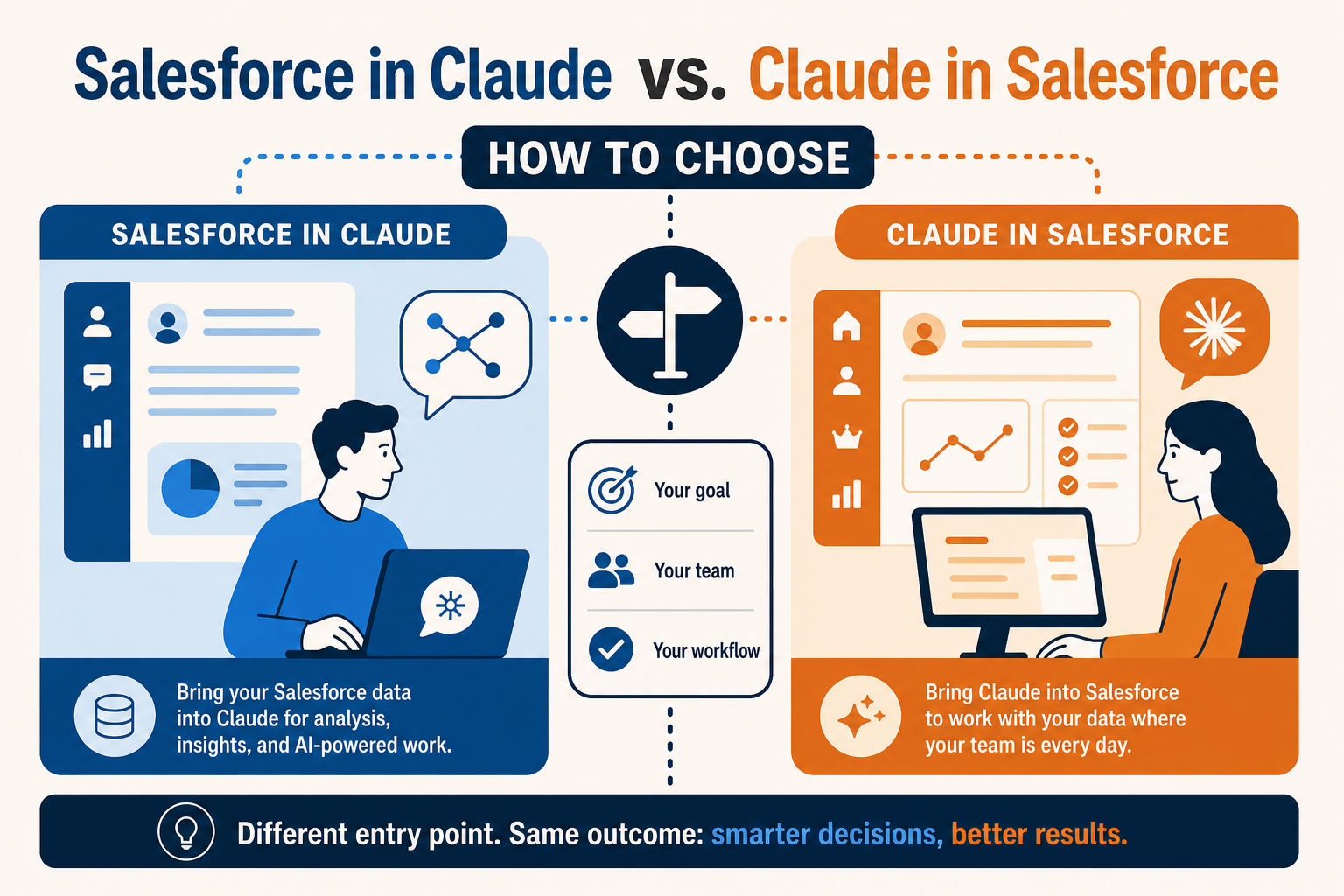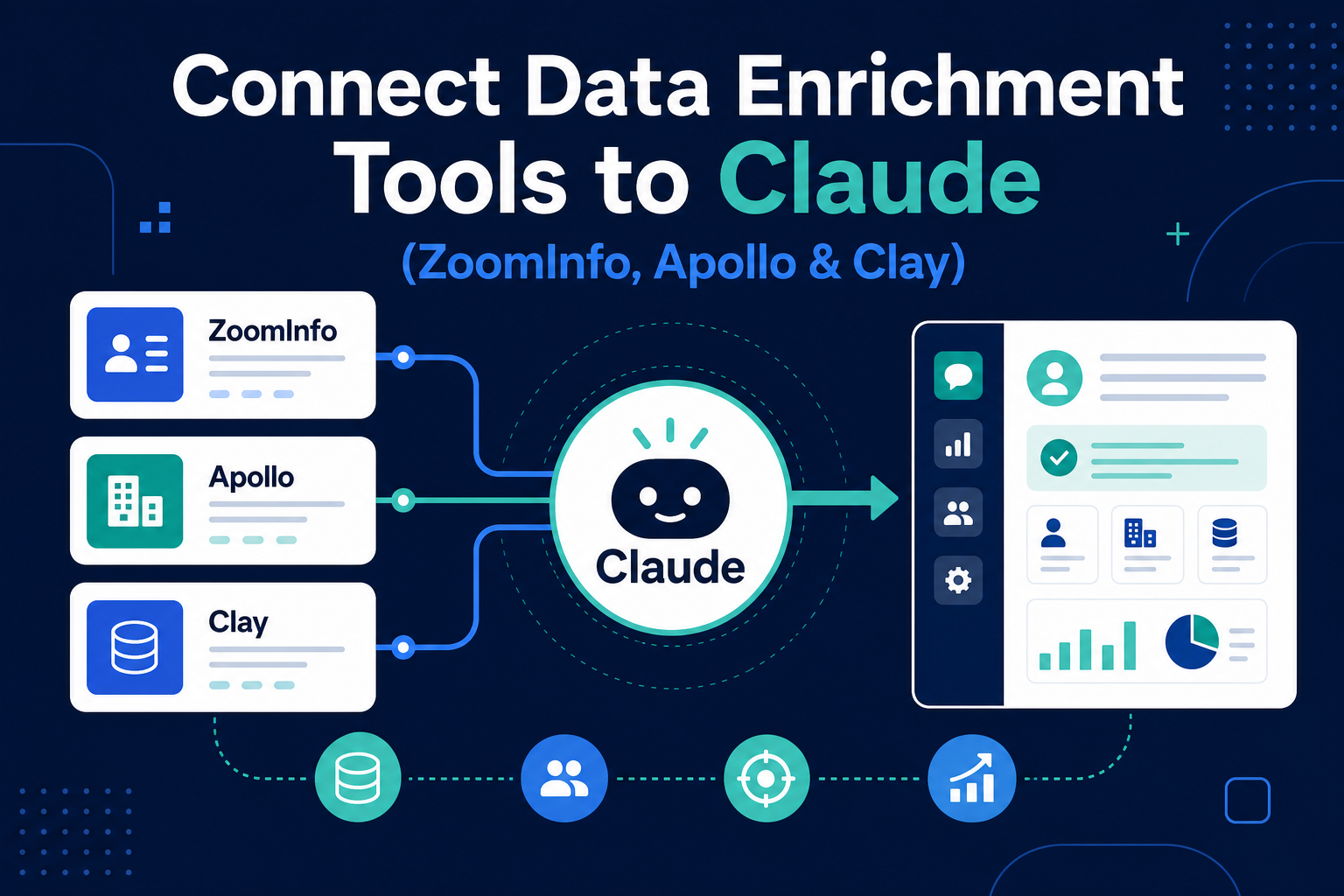
Most go-to-market teams already pay for a data-enrichment stack. The tools that tell you who a company is, who works there, what they buy, and when they are in-market. The problem is that this intelligence usually lives in a separate tab from the CRM where deals actually move, and someone has to copy the good parts across by hand. Connecting Claude to your enrichment tools closes that gap: a request like "research this account and write the fields back to the opportunity" can pull firmographic, contact, and intent data and land it where your reps work. Platforms like ZoomInfo, Apollo, and Clay expose their data to Claude through connectors so account research, lead enrichment, and GTM intelligence stop being manual chores. The catch is that enrichment data is regulated personal data, and the same connection that fills a clean record can also pull far more than a single use case needs, so scoping and governance matter as much as reach. This guide explains how data-enrichment connectors work, how the major tools differ, what data and permissions they need, what can go wrong, and the safe way to start.
This is the data-enrichment and GTM-intelligence category deep-dive in our connector series. For the full picture of how every category fits together, start with the Claude connector ecosystem map.
Quick Answer
To connect Claude to a data-enrichment tool, you add a connector (most often a remote MCP (Model Context Protocol) server published by the enrichment vendor) and authenticate it with a scoped account so Claude can query that platform's firmographic, contact, and intent data on demand. ZoomInfo, Apollo, Clay, and similar tools expose their datasets to Claude this way: Claude asks for the research, the platform returns the data, and, paired with a CRM connector, the result can be written back to the right account or lead record. The Model Context Protocol is the open standard underneath most of these connectors, which is why the setup pattern is similar across tools: enable the connector, authenticate with a least-privilege account, and confirm whether Claude can only read enrichment data or also write it into your systems. The work that matters is not clicking "connect"; it is deciding which tool fits your data-governance model, which account it authenticates as, and how enriched personal data is handled once it lands in your CRM. Pick one workflow, prove it, and govern the connection like any other production integration.
TL;DR
- What it is: Data-enrichment connectors let Claude query firmographic, contact, and intent data from tools like ZoomInfo, Apollo, and Clay, usually through MCP, so account research and lead enrichment happen in the flow of work.
- Why it matters: It collapses the manual copy-paste between your enrichment stack and your CRM, turning "research this account" into a single step that can write clean fields back to the record.
- Best for: Sales, RevOps, and marketing teams that already run on an enrichment platform and want Claude to research and enrich, not just summarize.
- Decision point: Which tool fits your data-governance posture, which account Claude authenticates as, and whether it can only read enrichment data or also write it into production records.
- How Vantage Point helps: We design and govern Claude-to-enrichment connections, and the bridge into your CRM, through system integration and data migration and compliance and security solutions.
What Are Claude Data-Enrichment Connectors?
Claude is Anthropic's AI assistant, and a data-enrichment connector is the bridge that lets it reach into a sales-intelligence platform and pull the data your team uses to research accounts and qualify leads. Enrichment tools (ZoomInfo, Apollo, Clay, and others) are the "who and what" layer of the go-to-market stack. They maintain databases of company firmographics (industry, size, revenue, tech stack), contact details, and buying-intent signals, and they keep that data fresh so your records do not rot. Connecting Claude to that layer means a request like "research this account, find the right contacts, and summarize their tech stack and intent" can become one query instead of a half-hour of tab-switching.
Underneath most of these connectors sits one open standard: the Model Context Protocol (MCP). MCP is the common language that lets Claude discover what an enrichment platform can do, request a specific lookup, and return the result without a hand-coded, one-off integration. That standardization is why connecting ZoomInfo looks broadly similar to connecting Apollo or Clay, and why understanding the architecture matters before you turn anything on. For the underlying mechanics, see how MCP servers connect Claude to your systems of record.
The important reframe: connecting an enrichment tool is not a convenience toggle. It is a data-access decision. A connector that lets Claude read a single account's firmographics for a reviewed use case is low-risk; a connector that can pull and export contact records at scale is handling regulated personal data and deserves production governance from day one.
Why Connect Claude to a Data-Enrichment Tool in 2026?
The value shows up wherever a person currently moves intelligence between an enrichment tab and the CRM by hand:
- Account research on demand. A request in Claude ("tell me about this company: size, industry, tech stack, recent signals") returns a structured brief from your enrichment platform without leaving the conversation.
- Lead enrichment into the CRM. Paired with a CRM connector, Claude can pull missing firmographic and contact fields and write them back to the record, so reps work from complete data instead of half-empty rows.
- GTM intelligence in plain language. Claude can turn raw intent and firmographic signals into a readable summary. Who is in-market, why an account fits your ICP, which contacts to prioritize.
- Faster, more consistent prep. Instead of each rep researching differently, Claude applies the same enrichment query every time, so account briefs and lead scores stay consistent across the team.
- Reach without a custom build. Through the enrichment platform's connector, Claude can tap a continuously maintained dataset your team would never build or refresh on its own.
These are the same patterns that make connected AI worthwhile for revenue teams, and they compound when enriched data flows straight into the CRM, the subject of how to connect your CRM to Claude.
The Major Data-Enrichment Tools Compared
"Data-enrichment connector" covers several meaningfully different tools. They all give Claude access to go-to-market data, but they differ in who they are built for, what data they emphasize, and how much governance they demand. Verify current connector availability and plan gating at adoption time: this space moves quickly.
| Tool | Best fit | Data emphasis | Governance note |
|---|---|---|---|
| ZoomInfo | Enterprise sales intelligence | Deep firmographics, contacts, intent | High-volume contact data; scope exports and treat as personal data |
| Apollo | Mid-market prospecting and outreach | Contact database plus engagement | Confirm which records Claude can pull, not just read |
| Clay | RevOps and custom enrichment workflows | Orchestrated, multi-source enrichment | Aggregates many data sources; govern each source and its outputs |
| Other providers | Specialized intent, contact, or risk data | Intent signals, niche datasets, firm risk | Match the dataset to the use case; review residency and consent |
A few practical points that apply to every tool:
- The data is the headline; consent and control are the substance. Enrichment platforms exist to give you contact and company data at scale. That breadth is the value, and the reason scoping which records Claude can pull, and how they are used, is the whole game.
- Most of this is personal data. Contact records (names, titles, emails, phone numbers) are personal data under privacy regimes like GDPR and CCPA. How you collect, store, and use enriched contacts is a compliance question, not just a sales one.
- Orchestration tools multiply the sources. Platforms like Clay pull from many underlying providers at once. That power means you govern not one dataset but several, plus whatever the workflow does with the combined output.
- Read versus write is the critical line. Some connectors only let Claude read enrichment data into a conversation; others, paired with a CRM connector, let it write enriched fields back to production records. Writing to the CRM deserves explicit review before Claude does it unsupervised.
How Claude Enriches a Record: The Workflow
The mechanics are consistent across tools because most ride on MCP. A typical account-research-and-enrichment flow looks like this:
| Step | What happens | Where to apply control |
|---|---|---|
| 1. Request | A research or enrichment ask in Claude maps to a lookup on the enrichment platform | Decide which lookups and datasets Claude may query |
| 2. Authenticate | The connector queries within the connected account's permissions and credit limits | Use a dedicated, least-privilege account: not a personal seat |
| 3. Retrieve | The platform returns firmographic, contact, or intent data | Scope to the fields the use case needs, not the full record |
| 4. Write back | Paired with a CRM connector, enriched fields land on the account or lead | Keep CRM write-back behind review until the output is trusted |
The takeaways:
- The query is a decision, not a default. Expose only the datasets and lookups a use case needs. A connector that can pull any contact record at scale is far riskier than one scoped to single-account research.
- The account is the blast radius, and the budget. The connection inherits whatever the authenticating seat can access, plus its credit allowance. A dedicated, least-privilege account contains both reach and runaway usage; a shared admin seat does not.
- Write-back is where the risk concentrates. Reading a firmographic summary is low-stakes. Letting Claude push contact records into production data, where they trigger outreach and carry consent obligations, is where governance earns its keep.
Because the safe pattern is identical across tools, a team can govern every enrichment connection with one consistent playbook: the same discipline we apply to deploying Claude safely with Salesforce and HubSpot data.
What Data and Permissions Does the Connection Need?
Before you connect, answer four questions for each tool:
- What can it pull? A connector inherits the permissions and credit limits of the account that authenticates it. Grant least privilege (a scoped seat and a defined set of lookups) not blanket access to the entire database.
- What classification applies? Enriched contact data is personal data and is almost always confidential. Firmographic and intent data tied to identifiable people carry the same obligations. That classification determines who may enable the connector and how outputs are stored.
- Does it respect consent and residency? Enrichment introduces third-party personal data into your systems. Confirm your lawful basis for processing it, honor data-residency requirements, and make sure enriched records inherit your CRM's retention and suppression rules.
- Is it logged? Every lookup, export, and CRM write-back should appear in an audit trail and be reviewed periodically, like any other integration touching personal data.
These four controls are the foundation of a governed environment. Building that foundation properly is the subject of our compliance and security solutions.
What Can Go Wrong?
- Over-broad data access. Connecting Claude to a seat that can pull the entire contact database gives it reach far beyond any single use case. Scope to a dedicated account and a defined set of lookups.
- Unconsented or non-compliant enrichment. Pushing third-party contact records into your CRM without a lawful basis, residency check, or suppression handling creates real privacy exposure. Treat enriched contacts as regulated personal data from the first record.
- Stale or conflicting data written to production. Enrichment sources disagree, and overwriting good CRM fields with worse third-party data degrades the system of record. Decide which source wins and keep write-back behind review.
- Credit and cost runaway. An unscoped connection can burn through enrichment credits fast. Use a dedicated account with its own allowance and monitor usage.
- Stale assumptions. Connector availability, MCP support, and plan gating change often across these tools. Verify current details at adoption time rather than relying on last quarter's setup.
None of these are model failures. They are integration- and data-governance failures, cheap to prevent and expensive to retrofit.
How to Connect Claude to a Data-Enrichment Tool: Step by Step
- Pick one workflow. Choose a single, frequent task (account research for a target list, or enriching inbound leads with missing firmographics) and connect only what that workflow needs.
- Choose the right tool. Match the platform to your need: enterprise contact and intent depth (ZoomInfo), mid-market prospecting (Apollo), or orchestrated multi-source enrichment (Clay).
- Authenticate with a scoped account. Connect through a dedicated, least-privilege seat with its own credit allowance, not a personal or admin login, and expose only the lookups the use case requires.
- Set guardrails on write-back. Keep CRM enrichment behind review until the data is trusted, decide which source wins on conflicts, and confirm every lookup and write is logged.
- Start small, then expand. Prove value on one workflow before adding the next, carrying the same account-scoping, consent, and review discipline forward each time.
What Businesses Should Do Next
Resist the urge to "enrich everything." The fastest path to value is one governed workflow on the enrichment tool your team already runs (usually account research for a target list or inbound-lead enrichment) proven before you expand. Decide who owns the connection, which account and lookups it uses, how enriched personal data is stored and suppressed, and how write-back is reviewed. Then sequence additional enrichment use cases deliberately, and connect the enrichment layer to your CRM only once each side is independently governed.
How Vantage Point Helps
Vantage Point helps companies connect Claude to their data-enrichment tools safely, with senior consultants on every engagement and no junior staff learning on your project. A typical engagement maps the research and enrichment workflows worth automating, selects the right tool for your data-governance model, designs the scoped account architecture, builds the connection across ZoomInfo, Apollo, Clay, or your existing provider, and verifies consent handling, source precedence, and audit logging before usage scales. We are a member of the Anthropic-affiliated partner network.
The integration work runs through system integration and data migration; the classification, consent, and audit work runs through compliance and security solutions; and the ongoing health of the connection runs through managed services and ongoing support. Because the practice is vendor-agnostic and dual-platform, the enrichment strategy fits whether your customer data lives in Salesforce, HubSpot, or both, and it is built to hand over with documentation and a named internal owner, not to create dependency.
FAQ
How do I connect Claude to ZoomInfo, Apollo, or Clay?
Add the platform's connector (most often a remote MCP server the vendor publishes) and authenticate it with a dedicated, least-privilege account that has its own credit allowance. Expose only the lookups your use case needs, keep CRM write-back behind review, confirm the connector is allowed on your Claude plan tier, and verify every lookup and write is logged. The setup pattern is similar across tools because nearly all of them ride on the Model Context Protocol.
What is the difference between a data-enrichment connector and MCP?
MCP (Model Context Protocol) is the open standard that lets Claude discover and call external tools; a data-enrichment connector is a specific MCP-based bridge to a sales-intelligence platform. In practice, the enrichment tool exposes its firmographic, contact, and intent datasets through an MCP server, and Claude calls those lookups to research accounts and enrich records.
Which data-enrichment tool is best for connecting to Claude?
It depends on your team and data needs. ZoomInfo offers enterprise-grade contact and intent depth; Apollo fits mid-market prospecting and outreach; Clay orchestrates enrichment across many underlying sources for custom RevOps workflows. Match the tool to your ICP, data-governance posture, and existing stack: not just to database size.
Can Claude write enriched data back into my CRM?
It can if you pair an enrichment connector with a CRM connector and allow write access. Claude can pull missing firmographic or contact fields and land them on the account or lead record. Because writing to production data carries consent and data-quality obligations, scope it carefully, decide which source wins on conflicts, and keep write-back behind review until the output is trusted.
Is enrichment data a privacy and compliance concern?
Yes. Contact records (names, titles, emails, phone numbers) are personal data under regimes like GDPR and CCPA, so enriching your CRM with third-party data introduces compliance obligations. Confirm your lawful basis for processing, honor data-residency and suppression rules, and make sure enriched records inherit your CRM's retention policies. Treat enriched contacts as regulated personal data from the first record.
How is connecting an enrichment tool different from connecting a CRM directly?
A CRM connector lets Claude read and write your system of record; an enrichment connector lets Claude pull external company and contact intelligence to populate that record. They work best together (enrichment supplies the data, the CRM stores it) but the mechanics are similar because both typically rely on MCP. The enrichment side carries added consent and data-residency considerations because it introduces third-party personal data.
Will connecting Claude to an enrichment tool burn through my credits?
It can if the connection is unscoped. Enrichment platforms meter usage by credits, and an open connection that pulls records at scale can run them down fast. Authenticate through a dedicated account with its own allowance, scope Claude to the lookups a use case needs, and monitor usage so research and enrichment stay within budget.