
Your CRM is where your customer truth lives — accounts, pipeline, activity history, renewal dates. Claude is most useful the moment it can read and act on that record instead of working from whatever you paste into the chat window. Connecting the two is what turns "a clever assistant" into "an assistant that knows your accounts." But a CRM connection is also the single highest-trust integration most teams will ever grant an AI tool, because the same access that lets Claude draft an account summary lets it read every contact, note, and deal. This guide explains how CRM connectors actually work, how the approach differs across Salesforce, HubSpot, and other CRMs, what permissions and governance the connection needs, and the safe, repeatable way to wire it up.
This is the CRM category deep-dive in our connector series. For the full picture of how every category fits together, start with the Claude connector ecosystem map.
Quick Answer
To connect your CRM to Claude, you add a connector — usually a remote MCP server published by the CRM vendor or a partner — and authenticate it with a scoped account so Claude can read records and take actions within that account's permissions. The Model Context Protocol (MCP) is the open standard underneath nearly every CRM connector, which is why the setup is similar whether you run Salesforce, HubSpot, or another platform: enable the connector, authenticate through OAuth, and confirm the account it uses follows least privilege. The work that matters is not clicking "connect" — it is deciding which account Claude authenticates as, what that account can see, and whether the activity is logged. Connect through a purpose-built, least-privilege account, prove value on one workflow, and govern the connection like any other production integration.
TL;DR
- What it is: Connecting your CRM to Claude means adding an MCP-based connector that lets Claude read CRM records and take scoped actions, authenticated through a controlled account.
- Why it matters: It collapses tab-switching and manual data entry — Claude can summarize an account, prep a call, or draft a record update from your real data instead of a copy-paste.
- Best for: Sales, service, and RevOps teams on Salesforce, HubSpot, or another CRM who want grounded answers, not generic ones.
- Decision point: Which account does Claude authenticate as, and is its access scoped to least privilege and logged?
- How Vantage Point helps: We design and govern the connection across both Salesforce and HubSpot through system integration and data migration and compliance and security solutions.
What Does It Mean to Connect Your CRM to Claude?
Claude is Anthropic's AI assistant, and a CRM connector is the bridge that lets it reach into your customer system of record. Once connected, Claude can pull a contact's history, summarize an account's open opportunities, draft a follow-up grounded in the last three activities, or write an update back to a record — all without anyone exporting a report or pasting fields into a prompt.
Underneath almost every CRM connector sits one open standard: the Model Context Protocol (MCP). MCP is the common language that lets Claude discover what your CRM can do, request specific records, and take scoped actions without a hand-coded, one-off integration. That standardization is why connecting a CRM looks broadly the same across platforms — and why the architecture is worth understanding before you click connect. For the underlying mechanics, see how MCP servers connect Claude to your systems of record.
The important reframe: connecting your CRM is not a convenience toggle. It is a data-access decision. The connection inherits the permissions of whatever account authenticates it, so the real question is never "can Claude reach the CRM?" but "what, exactly, should it be allowed to reach?"
Why Connect Your CRM to Claude in 2026?
The value shows up wherever a person currently assembles CRM context by hand:
- Account prep without the tab-switching. Instead of opening five records before a renewal call, Claude assembles the history, open deals, and recent activity into a brief.
- System-of-record hygiene. Claude can draft the activity log, the next-step note, or the field update from a conversation, closing the gap between work happening and work being recorded.
- Grounded answers. Ask "which accounts in the Northeast have no activity in 30 days?" and Claude answers from your real pipeline, not a plausible guess.
- Faster handoffs. Connected to both your CRM and adjacent tools, Claude can move a summary from a call into the right record without a person relaying it.
These are the same patterns that make connected CRM AI worthwhile across sales and service teams — explored in depth in Claude and CRM use cases that actually work.
How CRM Connectors Work: The Three Types
"CRM connector" covers three meaningfully different things. They look similar in the interface but differ in who builds them, who hosts them, and who governs them.
| Connector type | Who builds and hosts it | Typical setup | Governance implication |
|---|---|---|---|
| First-party / vendor connector | Anthropic or the CRM vendor | Enable in settings, authenticate via OAuth | Maintained for you; you govern access and scope |
| Partner remote MCP server | A third party or the CRM's vendor | Add the remote MCP URL, authenticate to the vendor | Vendor hosts; you control users and scope |
| Local or custom MCP server | Your own team | Run via the desktop app or your infrastructure | You own the code, hosting, credentials, and audit |
A few practical points that apply to every CRM:
- Authentication is the whole game. Most CRM connectors use OAuth, so Claude acts within the permissions of the authenticated account. The scope of that account is the scope of Claude's reach — which makes account design a governance decision, not an IT formality.
- Plan tier gates the controls. Admin-managed connectors, organization-wide controls, and the ability to restrict which connectors users can enable generally require a business-grade tier (Team or Enterprise). Verify current plan availability when you select, because connector gating changes frequently.
- No connector? Build one. If your CRM has no published connector, a custom MCP server against its API is a supported path — and the one that demands the most governance discipline, because you own the credentials and the blast radius.
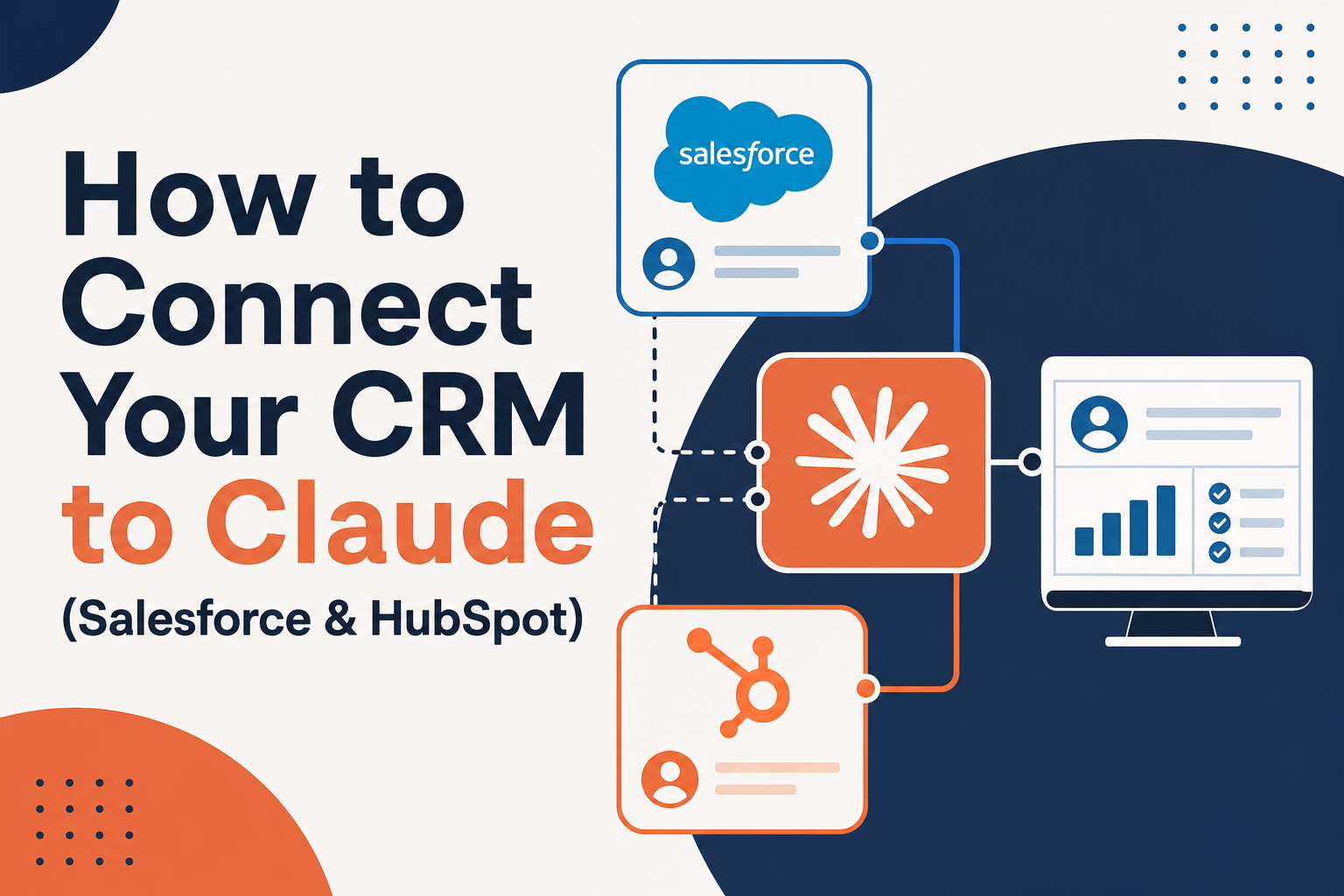
Connecting Salesforce, HubSpot, and Other CRMs
The connector architecture is the same across platforms; the permission model differs. Here is how the major CRMs map, and what changes between them.
| CRM | Typical connector path | How you scope least privilege |
|---|---|---|
| Salesforce | Vendor/partner MCP server or custom MCP via API | Profiles, permission sets, field-level security, sharing rules |
| HubSpot | Vendor/partner MCP server or scoped private app | Seats, permission sets, scoped private-app tokens |
| Other CRMs (Attio, Zoho, Pipedrive, etc.) | Partner remote MCP server or custom MCP via API | The platform's role and object-permission model |
The takeaways:
- Salesforce expresses least privilege through profiles, permission sets, and field-level security. Connect Claude through a dedicated integration user scoped to only the objects and fields a workflow needs — not a system administrator account.
- HubSpot uses seats, permission sets, and scoped private apps. Grant the connection only the scopes the workflow requires, and avoid super-admin tokens.
- Other CRMs follow the same principle even when the mechanics differ: authenticate through a controlled, least-privilege account, and honor the source system's sharing model so users cannot see data through Claude that they could not see directly.
Because the safe pattern is identical across platforms, a dual-platform team can govern Salesforce and HubSpot connections with one consistent playbook — which is exactly how we approach deploying Claude safely with Salesforce and HubSpot data.
What Data and Permissions Does the Connection Need?
Before you connect, answer four questions for the CRM:
- What can it read? A connector inherits the permissions of the account that authenticated it. Use a scoped account with least-privilege access to the specific objects the workflow needs — accounts, contacts, and opportunities, for example, not the entire org.
- What classification applies? CRM records are usually confidential and often contain personal data. That classification determines who may enable the connector and for what purpose.
- Does it respect existing permissions? Where possible, the connection should honor your CRM's sharing model, so a rep cannot surface records through Claude that their role would otherwise hide.
- Is it logged? Connector activity should appear in audit logs and be reviewed periodically, like any other integration.
These four controls are the foundation of a governed environment. Building that foundation properly is the subject of building a secure Claude environment.
What Can Go Wrong?
- Over-permissioned accounts. Authenticating the connector with an admin login gives Claude reach across every record, far beyond what the workflow needs. Scope the account to least privilege.
- Shadow connections. A blocked rep connects their personal Claude account to the CRM with their own credentials, moving company data into an ungoverned environment. Managed identity and admin controls prevent this.
- Connector sprawl. Multiple overlapping CRM connections nobody can inventory. Maintain an approved-connector list and a named owner.
- Writing back without guardrails. Letting Claude update records unsupervised before the team trusts its output erodes data quality. Start read-only, add scoped write actions once value is proven.
- Stale assumptions. Connector availability, plan gating, and capabilities change often. Verify current details at adoption time rather than relying on last quarter's setup.
None of these are model failures — they are integration-governance failures, cheap to prevent and expensive to retrofit.
How to Connect Your CRM to Claude: Step by Step
- Pick one workflow. Choose a single, frequent, painful task — account prep, meeting-to-CRM update, pipeline review — and connect only what that workflow needs.
- Create a scoped account. Build a dedicated integration user (Salesforce) or scoped private app / limited seat (HubSpot) with least-privilege access to the required objects and fields.
- Add the connector. Enable the vendor or partner MCP connector, or stand up a custom MCP server if none exists, and authenticate via OAuth with the scoped account.
- Confirm plan-tier controls. On a business-grade tier, set admin controls so only approved users can enable the connector, and confirm activity is logged.
- Start read-only, then expand. Prove value on read and summarize before granting scoped write actions. Once the first workflow earns trust, add the next one carrying the same governance forward.
What Businesses Should Do Next
Resist the urge to "connect everything." The fastest path to value is one governed workflow on the CRM your team already lives in, proven before you expand. Decide who owns the connection, which account it authenticates as, and how its activity is reviewed — then sequence additional workflows deliberately. If you run both Salesforce and HubSpot, use one consistent governance playbook across both rather than two ad hoc setups.
How Vantage Point Helps
Vantage Point helps companies connect their CRM to Claude safely — with senior consultants on every engagement and no junior staff learning on your project. A typical engagement maps the workflows worth connecting, designs the scoped integration-user or private-app architecture, builds the connection to your system of record, and verifies governance and audit before usage scales.
The integration work runs through system integration and data migration; the access, classification, and audit work runs through compliance and security solutions; and the ongoing health of the connection runs through managed services and ongoing support. Because the practice is vendor-agnostic and dual-platform, the CRM-to-Claude strategy fits whether you run on Salesforce, HubSpot, or both — and it is built to hand over with documentation and a named internal owner, not to create dependency.
FAQ
How do I connect my CRM to Claude?
Add the CRM connector — typically a remote MCP server published by the vendor or a partner — and authenticate it through OAuth with a scoped account. Confirm the connector is allowed on your plan tier, restrict who can enable it via admin controls, and verify the activity is logged. The setup is similar across CRMs because nearly all connectors are built on the Model Context Protocol.
Can Claude connect to both Salesforce and HubSpot?
Yes. The connector architecture is the same for both; only the permission model differs. Salesforce uses profiles, permission sets, and field-level security, while HubSpot uses seats, permission sets, and scoped private apps. A dual-platform team can govern both connections with one consistent least-privilege playbook.
Is it safe to connect Claude to my CRM?
It is safe when the connection is scoped. Authenticate through a least-privilege account that can reach only the objects and fields a workflow needs, honor your CRM's sharing model, classify the data, and keep activity in audit logs. The risk comes from over-permissioned accounts and ungoverned connections, not from the connection itself.
What if my CRM doesn't have a Claude connector?
If no published connector exists, your team can build a custom MCP server against the CRM's API. This is the most flexible path and the one that requires the most governance, because you own the credentials, hosting, and audit trail. Many CRMs — including Attio, Zoho, and Pipedrive — are increasingly reachable through partner or custom MCP servers.
Do I need Claude Enterprise to connect a CRM?
Not for every connector. Many remote connectors are available on paid tiers, but admin-managed connectors, organization-wide controls, and the ability to restrict which connectors users can enable generally require a business-grade tier such as Team or Enterprise. Confirm current plan requirements for the connector you intend to govern.
Should Claude be able to write back to my CRM?
Start read-only. Let Claude summarize and prep from CRM data first, and add scoped write actions — logging an activity, updating a specific field — only once the team trusts the output. Writing back without guardrails before that trust exists is a common way to erode data quality.
How is connecting a CRM different from connecting other tools?
The mechanics are nearly identical because both rely on MCP, but CRM data is usually confidential and often contains personal data, so the classification and least-privilege requirements are stricter. Treat a CRM connection as your highest-trust integration and scope it accordingly.