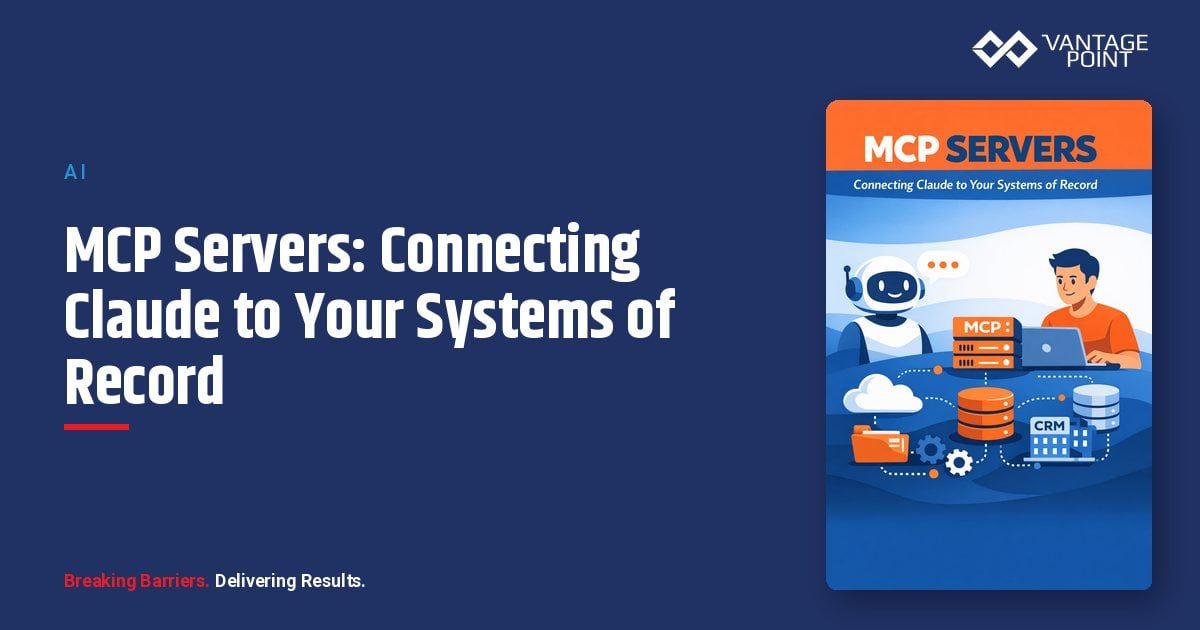
Most teams hit the same wall with AI: the model is smart, but it can't see your data. It doesn't know your accounts, your tickets, your orders, or your pipeline. The Model Context Protocol (MCP) is how you close that gap, a standard way to connect Claude to the systems where your real business data lives.
This guide explains what MCP servers are, how they work, what data and governance you need, and how to start safely.
Quick Answer
An MCP server is a connector that exposes a system of record (like Salesforce, HubSpot, a database, or an internal API) to an AI assistant such as Claude through a shared, open standard. Instead of copying data into the model, MCP lets Claude securely request the specific data or action it needs at runtime, governed by permissions you control.
TL;DR
- MCP (Model Context Protocol) is an open standard for connecting AI assistants to external tools and data sources.
- An MCP server wraps one system (CRM, database, file store, ticketing) and exposes safe, defined actions to Claude.
- It replaces brittle one-off integrations with a reusable, governed connection layer.
- The hard part is rarely the model: it's data access, permissions, and governance.
- Vantage Point connects MCP-based AI to Salesforce and HubSpot through our system integration and data migration practice.
What Is an MCP Server?
An MCP server is a small service that exposes a system of record to an AI assistant using the Model Context Protocol: an open standard for AI-to-tool communication.
Think of it as a universal adapter. Before MCP, every AI-to-system connection was custom-built and fragile. MCP defines a common language, so any compliant assistant (the "client") can talk to any compliant server. Anthropic introduced the protocol as open source, and it has been adopted broadly across the AI ecosystem.
Each MCP server typically exposes three things:
- Tools: actions the AI can take (e.g., "look up an account," "create a case").
- Resources: data the AI can read (e.g., a record, a document, a query result).
- Prompts: reusable templates that standardize how a task is requested.
Why MCP Matters in 2026
AI is only as useful as the context it can reach. A model with no access to your CRM can write a polite email; a model connected to your CRM can write the right email to the right customer based on their actual history.
MCP matters because it turns AI from a clever standalone chat into an operational layer that works across your stack:
- Less custom glue. One standard instead of a new integration for every tool.
- Better answers. Claude reasons over live data, not stale exports.
- Real actions. Beyond reading, the assistant can update records or trigger workflows: within guardrails.
- Vendor flexibility. An open standard reduces lock-in to any single AI or platform.
For revenue and service teams, this is the difference between AI that summarizes and AI that participates in the workflow.
How MCP Works
The pattern is consistent regardless of which system you connect.
- Client and server connect. The AI assistant (client) discovers what an MCP server offers: its available tools and resources.
- The model requests context. When a task needs data, Claude calls a specific tool exposed by the server rather than guessing.
- The server enforces rules. The server authenticates the request, applies permissions, and returns only what's allowed.
- The model acts on results. Claude reasons over the returned data and either answers or proposes an action.
- Actions are governed. Write actions (create, update, delete) run through the same permission and audit layer you define.
The key principle: the model does not hold a standing copy of your database. It asks for what it needs, when it needs it, under controls you set.
What Data and Governance You Need
An MCP integration is a data and access project as much as an AI project. Before connecting anything, define the boundaries.
| Requirement | What to decide | Why it matters |
|---|---|---|
| Data scope | Which objects/fields the server can read | Limits exposure of sensitive data |
| Action scope | Read-only vs. create/update/delete | Prevents unintended changes |
| Authentication | How the server verifies identity | Stops unauthorized access |
| Permissions | Whose access the AI inherits | Avoids over-broad visibility |
| Audit logging | What gets recorded | Enables review and compliance |
| Data residency | Where requests and logs live | Supports regulatory needs |
A well-governed MCP server inherits your existing access model rather than bypassing it. If a user shouldn't see a record, the AI acting on their behalf shouldn't either.
MCP for Salesforce and HubSpot
The highest-value MCP connections for most businesses are their systems of record: the CRM and the platforms around it.
| Use case | What Claude does | Connected system |
|---|---|---|
| Account research | Pulls live account, contact, and activity history | Salesforce / HubSpot |
| Case deflection | Reads knowledge + ticket context to draft responses | Service Cloud / Service Hub |
| Pipeline review | Summarizes deals, flags risk, suggests next steps | CRM opportunity data |
| Data quality | Surfaces duplicates, gaps, and stale records | CRM + data warehouse |
| Cross-system lookups | Joins CRM data with billing, support, or product systems | Integration layer |
The pattern that works: connect Claude to clean, well-governed CRM data through a defined MCP server, not to a sprawl of unmanaged exports. That last point is where most projects succeed or stall.
What Can Go Wrong
MCP is powerful, which is exactly why it needs guardrails. Common failure modes:
- Over-broad access. Exposing entire databases instead of scoped tools invites data leakage.
- Write actions without review. Letting AI update or delete records without confirmation or audit creates risk.
- Dirty source data. If the underlying CRM is full of duplicates and gaps, the AI's answers inherit those flaws.
- No identity model. If the server doesn't respect user-level permissions, the AI can surface data people shouldn't see.
- Unmonitored servers. An MCP server is a live integration; it needs the same security review as any API.
None of these are reasons to avoid MCP. They're reasons to implement it deliberately.
What Businesses Should Do Next
- Pick one high-value use case. Account research or case drafting are strong starting points.
- Map the data. Identify exactly which objects and fields the use case needs.
- Start read-only. Prove value before granting write access.
- Define governance up front. Permissions, audit logging, and data scope before go-live.
- Validate source data quality. Connect AI to data you trust.
- Expand by pattern. Reuse the governed server model for the next system.
How Vantage Point Helps
Vantage Point helps organizations evaluate, implement, and optimize Salesforce and HubSpot based on their operating model, data needs, adoption goals, and growth strategy. MCP-based AI sits directly on top of that foundation.
We connect AI assistants like Claude to CRM and surrounding systems through our system integration and data migration practice, design the supporting workflow automation, and put the right guardrails in place through our compliance and security solutions. For teams shaping an AI roadmap, our AI-driven personalization and analytics work translates capability into measurable operations.
If your team is evaluating how MCP applies to Salesforce, HubSpot, integrations, or CRM governance, Vantage Point can help assess the right next step and build a practical implementation plan.
FAQ
What is an MCP server in simple terms?
An MCP server is a secure connector that lets an AI assistant like Claude access a specific system, such as your CRM or database, through a shared open standard. It exposes defined actions and data rather than giving the model unrestricted access. This makes AI integrations more reusable and easier to govern.
What is the Model Context Protocol?
The Model Context Protocol (MCP) is an open standard for connecting AI assistants to external tools and data sources. It was introduced by Anthropic as open source and has been widely adopted. It defines a common way for AI clients and tool servers to communicate.
Does MCP move my data into the AI model?
No. MCP lets the model request specific data at runtime rather than storing a standing copy. The server returns only what your permissions allow, and the model reasons over that result. This design keeps your system of record as the source of truth.
Can Claude update records through MCP, not just read them?
Yes, MCP supports actions like creating or updating records, but write access should be scoped and governed carefully. Most teams start read-only and add write actions with confirmation steps and audit logging. Vantage Point recommends defining action scope before any go-live.
How does MCP connect to Salesforce or HubSpot?
An MCP server wraps the CRM and exposes defined tools, such as account lookups or case creation, that Claude can call securely. The server enforces authentication, permissions, and audit logging. Vantage Point builds these connections through its system integration and data migration practice.
What governance does an MCP integration require?
At minimum: defined data scope, action scope, authentication, permission inheritance, audit logging, and data residency rules. The server should respect your existing access model rather than bypass it. Treat an MCP server with the same security review as any production API.
Do I need clean data before connecting AI through MCP?
Largely yes. The AI's answers are only as good as the data it reaches. You don't need perfect data, but duplicates, gaps, and stale records will degrade results. Validating source data quality is a core part of a successful MCP rollout.