Skip to content
MuleSoft from Salesforce logo

MuleSoft: enterprise integration platform for Salesforce

Integrate Salesforce with ERP, marketing automation, e-commerce, service platforms, and any other system in your technology ecosystem. Secure, scalable, API-led integration that ensures data flows in real-time.

MuleSoft is Salesforce's enterprise integration platform. It provides the secure integration capabilities needed to connect Salesforce with legacy core systems, ERP systems, marketing platforms, e-commerce tools, legacy applications, and third-party services, ensuring data flows across your entire technology stack.

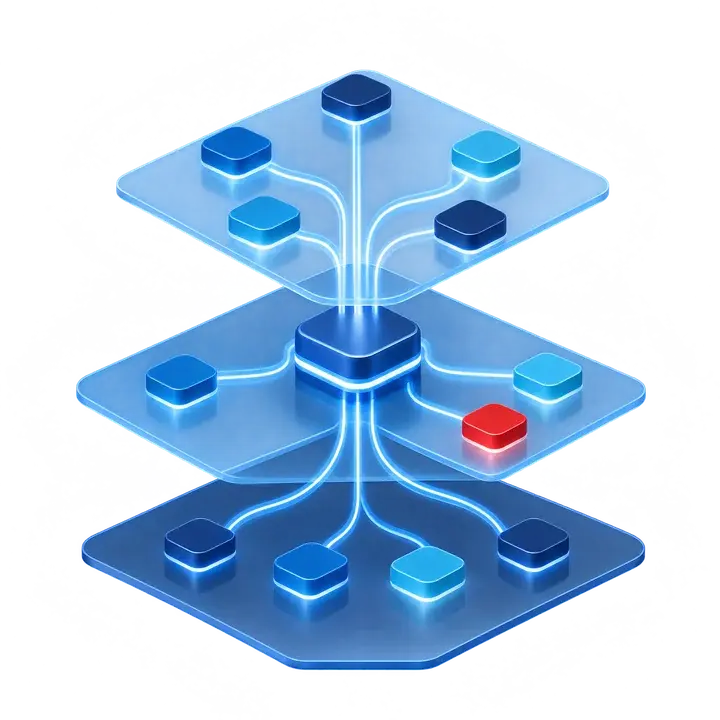
Abstract illustration of API-led integration layers connecting systems

The Challenge

Why enterprise integration is challenging

Growing businesses operate in one of the most complex technology environments. Legacy systems, ERP platforms, marketing automation, e-commerce tools, and CRM must all work together, but they weren't designed to integrate.

Common Pain Points:

  • Legacy Systems: Core  business systems built years ago with no modern APIs
  • Data Silos: Customer and operational data trapped in disconnected systems
  • Manual Processes: Staff manually copying data between systems
  • Real-Time Requirements: Teams need current data, not batch updates
  • Security & Governance: Integrations must maintain data security and regulatory governance
  • Vendor Lock-In: Proprietary integration tools create dependency on specific vendors
415401675_f3ad76df-880c-4100-b16f-4e8821168c53

The Solution

What makes MuleSoft the right choice for enterprise integration

MuleSoft provides enterprise-grade integration capabilities

AI agents need the same governed connections to your systems that people do. See how we approach connecting agents across your systems through MCP, with permissions that follow your Salesforce sharing rules.

API-Led Connectivity: The Modern Integration Architecture

Build a scalable integration foundation using MuleSoft's three-tier API architecture. Each layer serves a distinct purpose, making your integrations reusable, maintainable, and secure.

Three API Layers:

  • System APIs - Connect directly to core systems (Salesforce, ERP, databases, SaaS applications)

  • Process APIs - Orchestrate business logic across multiple systems (client onboarding, account opening, compliance checks)

  • Experience APIs - Deliver tailored data to end users (employee dashboards, customer portals, mobile apps)

 Use Cases: 

  • Real-time data sync between Salesforce and ERP/billing / Unified employee workspace

  • Automated customer onboarding, order processing, approval workflows

  • Unified advisor desktop pulling from custodians, CRM, and compliance 

  • Portfolio data aggregation from multiple CRM/ERP

  • Regulatory reporting data consolidation


Anypoint Platform: Your Integration Command Center

Manage your entire integration ecosystem from a single platform. Design, build, deploy, and monitor all your APIs and integrations in one place.

Key Features:

  • Design CenterVisual API design with RAML/OAS specifications
  • Anypoint ExchangePre-built connectors, templates, and API fragments
  • Runtime ManagerDeploy and monitor integrations on CloudHub or on-premise
  • API ManagerGovern, secure, and version all your APIs
  • Anypoint MonitoringReal-time dashboards, alerts, and log analysis
  • VisualizerAutomatic mapping of your integration architecture

Compliance and Security:

  • End-to-end encryption for data in transit and at rest
  • Role-based access control (RBAC) for API management
  • Full audit logging for regulatory compliance
  • IP whitelisting and VPN support
  • SOC 2 Type II certified infrastructure


Pre-Built Enterprise Connectors

Accelerate integration timelines with MuleSoft's library of pre-built connectors.  Connect in days, not months.

Key Connectors: 

  • SAP, Oracle, NetSuite / HubSpot, Marketo, Mailchimp / Shopify, Magento / AWS, Azure, Google Cloud
  • ERP: SAP, Oracle, NetSuite, Microsoft Dynamics
  • Marketing: HubSpot, Marketo, Mailchimp, Pardot
  • E-Commerce: Shopify, Magento, BigCommerce
  • Cloud: AWS, Azure, Google Cloud Platform
  • Document Management: DocuSign, Adobe Sign, Box

Real-Time Data Synchronization

Eliminate batch processing delays. MuleSoft enables real-time data flow between Salesforce and every system in your tech stack.

Key Features:

  • Event-driven architecture for real-time updates
  • Change Data Capture (CDC) integration with Salesforce
  • Platform Events for instant notifications
  • Streaming APIs for live data feeds
  • Conflict resolution for bi-directional sync

Impact:

  • Teams see current customer data, not yesterday's batch updates

  • Orders and account changes  update in Salesforce within seconds

  • New client accounts automatically trigger onboarding in downstream systems

  • Business events flow to CRM for instant client communication


Key Features Deep Dive

MuleSoft features for enterprise integration

DataWeave: Universal Data Transformation 

DataWeave: Universal Data Transformation 

Transform data between any format (JSON, XML, CSV, flat files, EDI). Critical for connecting modern and legacy systems.

MuleSoft Composer: Low-Code Integration

MuleSoft Composer: Low-Code Integration

Enable business teams to build simple integrations without code. Point-and-click interface for Salesforce connections.

CloudHub 2.0: Enterprise Deployment

CloudHub 2.0: Enterprise Deployment

Deploy on MuleSoft's cloud with 99.99% uptime SLA. Auto-scaling, load balancing, and disaster recovery built in.

Anypoint Flex Gateway: API Security

Anypoint Flex Gateway: API Security

Lightweight API gateway for securing and managing API traffic. Deploy anywhere, cloud, on-premise, or edge.

MuleSoft Agent Fabric: AI-Powered Integration

MuleSoft Agent Fabric: AI-Powered Integration

Connect AI agents across platforms with secure, governed data access. Enable Agentforce to act on data from any system.

How we implement MuleSoft

Our proven methodology ensures successful MuleSoft implementations that drive results while maintaining compliance.

numbers-02

Phase 1: Discovery & Architecture

Audit existing integrations, identify priorities, design API-led architecture, define security requirements

numbers-03

Phase 2: Foundation

Set up Anypoint Platform, configure environments, establish CI/CD pipelines, build System APIs

numbers-04

Phase 3: Build & Connect

Develop Process and Experience APIs, implement error handling, configure data transformations

numbers-05

Phase 4: Testing and Security

End-to-end testing, security/penetration testing, load testing, compliance validation

numbers-06

Phase 5: Deploy & Optimize

Production deployment, monitoring setup, performance optimization, knowledge transfer

Why businesses choose Vantage Point for MuleSoft

Enterprise Integration Expertise

Enterprise Integration Expertise

We've integrated Salesforce with ERP systems, marketing platforms, e-commerce tools, and legacy applications as part of 700+ engagements for 175+ clients.

API-First Architecture

API-First Architecture

Every integration becomes a reusable building block for future projects.

Security & Compliance Focus

Security & Compliance Focus

Encryption, RBAC, audit logging, and regulatory compliance from day one.

Proven Accelerators

Proven Accelerators

Pre-built templates and tested configurations cut implementation time.

Icon SVG-35

Senior-Level Consultants

Every engagement is delivered by our senior-level consulting team. No junior handoffs, no bait-and-switch staffing.

MuleSoft Packages

Fixed-scope MuleSoft setup packages

For teams that want a clear starting point, we offer three fixed-scope packages. Each one is delivered by senior consultants and ends with a documented handover.

  • Starter, $12,500 (about 2 weeks): Anypoint Platform setup and your first production integration.
  • Connect, $22,500 (3 to 4 weeks): a broader first phase that builds on Starter with additional production integrations.
  • Platform, from $55,000 (6 to 8 weeks): an API-led foundation for larger programs, with System, Process, and Experience APIs, CI/CD, and monitoring.
  • Post-go-live support: optional blocks of 20 or 40 hours ($4,300 and $8,500) for fixes, enhancements, and monitoring after launch.

See MuleSoft packages, scope and pricing

FAQ

MuleSoft: frequently asked questions

What is MuleSoft and what does it do for businesses?

MuleSoft is Salesforce's enterprise integration platform that connects disparate systems across an organization's technology ecosystem. It enables ERP platforms, legacy systems, business intelligence tools, operational applications, compliance platforms, and CRM to share data, replacing manual processes and eliminating data silos with secure, scalable, API-led integration.

What is API-led connectivity and why does it matter?

API-led connectivity is MuleSoft's three-tier integration approach that creates reusable, scalable integration assets. System APIs connect directly to core systems like ERP platforms and databases. Process APIs orchestrate business logic across multiple systems. Experience APIs deliver unified data to applications like Salesforce, mobile apps, and client portals. For enterprises, this means faster integrations, reduced costs over time, and the flexibility to swap out underlying systems without rebuilding every integration from scratch.

Which enterprise systems can MuleSoft connect to?

MuleSoft provides pre-built connectors for major enterprise platforms including Salesforce across all clouds; ERP systems including SAP, Oracle, and NetSuite; relational databases including Oracle, SQL Server, and PostgreSQL; file systems including SFTP, FTP, and S3; messaging platforms including Kafka and JMS; and standard web service protocols including REST and SOAP. Vantage Point also builds custom connectors for systems without pre-built options.

How does MuleSoft integrate with Salesforce CRM?

MuleSoft connects Salesforce CRM to the rest of an organization's technology ecosystem through pre-built Salesforce connectors and custom API development. This allows real-time data from ERP systems, databases, and third-party platforms to flow directly into Salesforce, giving teams a complete, up-to-date view of every client and operation without leaving Salesforce, eliminating the need to log into multiple systems or rely on manual data updates.

How does MuleSoft handle security and compliance for enterprise integrations?

MuleSoft provides enterprise-grade security across all integrations including encryption of data both in transit and at rest, OAuth 2.0 and SAML authentication, IP whitelisting, API rate limiting to prevent abuse, full audit logging of all integration activity, and data masking for sensitive fields. Vantage Point builds these security controls into every integration by default, ensuring compliance with applicable regulatory requirements.

Should we use MuleSoft or Informatica?

They solve different problems. MuleSoft connects applications through APIs so systems can work together in real time. Informatica, now also part of Salesforce, focuses on the data itself: moving it in bulk, cleaning it, matching it, and governing it. Many firms use both, and we implement both. Read more: Informatica consulting.

Do you offer fixed-scope MuleSoft packages?

Yes. Our Starter ($12,500), Connect ($22,500) and Platform (from $55,000) packages give teams a fixed scope and timeline for getting MuleSoft into production, with optional post-go-live support blocks of 20 or 40 hours. Every package lists what is included and what is not at vantagepoint.io/packages/mulesoft.

How do I get started with MuleSoft through Vantage Point?

You can schedule a MuleSoft demo and consultation with Vantage Point at vantagepoint.io/get-started. The team will assess your current integration landscape, identify your highest-priority connectivity needs, and design an API-led integration architecture tailored to your technology stack and compliance requirements.


Resource Center

MuleSoft integration resources

Account Engagement Bounce Management: Flag Key Contacts

Large send, messy bounce-backs? Learn Account Engagement bounce reports, dynamic lists, and owner alerts to find and fix key contact bounce...

Salesforce Field Usage Analysis: How to Find the Fields Nobody Uses

Salesforce field usage analysis: find unused fields with reference checks, population counts, and a safe deprecate-then-delete process.

Salesforce Queues vs. Direct Ownership: Which to Use When

Learn when Salesforce queues beat direct record ownership, where shared queues break down, and how to design routing that keeps leads and c...

Ready to connect your business technology?

Schedule a consultation to discuss your business goals and compliance requirements. Let's explore how MuleSoft can help you generate more leads and grow your business.