Quick Answer
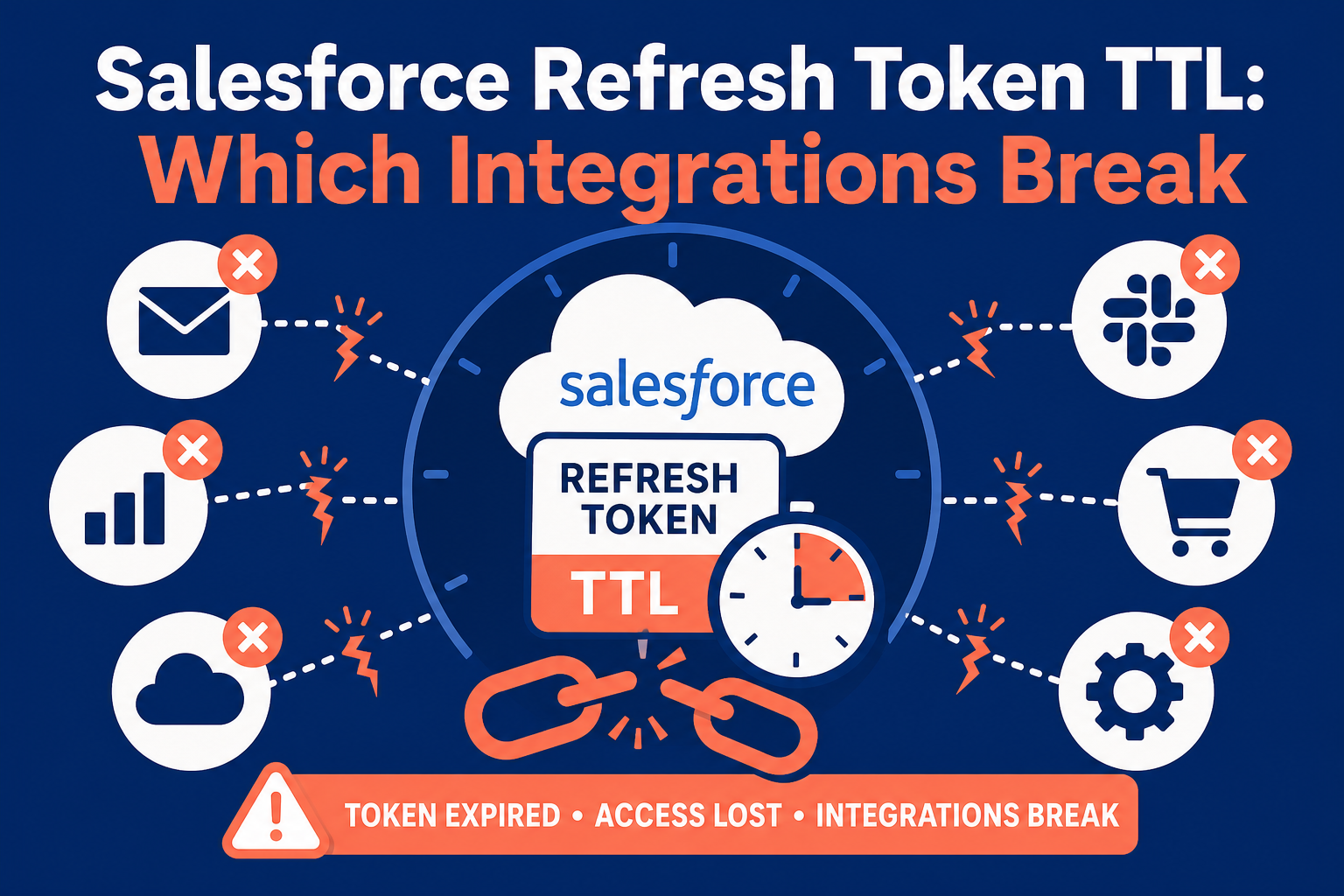
On October 13, 2026, Salesforce emailed org admins and security contacts a consolidated "Connected App & External Client App Security Requirement Update," consolidating four previously announced enforcements and urging sandbox testing before the dates. Refresh tokens expire after 30 days idle — sandboxes from October 21, 2026, production November 4, 2026 — and Salesforce warns this "may break low-frequency integrations that assume a token will remain valid indefinitely." Daily and weekly integrations are unaffected; each run resets the idle clock. The jobs at risk are the ones nobody watches: a quarterly billing or AUM sync, a performance-report push, an annual KYC refresh. The OAuth 2.0 device flow restriction follows November 30, 2026, and the username-password, user-agent, and hybrid user-agent flows retire February 20, 2027. Run the checklist below before the January quarter-end cycle; Vantage Point's integration health check does it in days, not weeks.
Key Takeaways (TL;DR)
- What is enforced: Salesforce's 30-day refresh token idle TTL — sandboxes from October 21, 2026, production November 4, 2026 — restated in Salesforce's October 13 notification to org admins alongside three related enforcements.
- Not new: The 30-day idle limit is already locked on for apps created on or after July 9, 2026; the October dates extend it to older apps.
- Who is affected: Not daily integrations. The jobs that break run less than monthly: quarterly billing or AUM syncs, performance-report pushes, annual KYC refreshes.
- What else retires: The OAuth 2.0 device flow (restricted November 30, 2026), username-password and related legacy flows (February 20, 2027), Salesforce-to-Salesforce (Spring '27), Connected Apps (Summer '27).
- What to do: Inventory every integration user and connected app, record run frequency and OAuth flow, and fix anything running less than monthly.
- Bottom line: A two-week inventory project, not an emergency — unless you skip it and find out in January.
Sources: Salesforce's October 13, 2026 security requirement update notification to org admins, the Winter '27 Release Architect Highlights, and the release notes cited below.
On November 4, Salesforce starts expiring any production integration token that sits idle for 30 days. Sandboxes go first, on October 21. Your quarterly jobs run every 90.
That arithmetic is the whole story. Most Salesforce integrations authenticate with a stored OAuth refresh token that, until now, effectively lasted forever. The integrations that will fail are not the ones your team watches daily — they run four times a year.
Here is what is enforced, who is affected, the checklist to run this month, and the timeline through Summer '27.
What changed in the Winter '27 release?
Salesforce published the change in its Winter '27 Release Architect Highlights on October 5, 2026, with enforcement detail in the linked release notes: production refresh tokens idle for 30 days expire starting November 4, 2026, with sandbox enforcement rolling from October 21. Salesforce's October 13 "Connected App & External Client App Security Requirement Update" to org admins restated these dates — an enforcement reminder, not a new requirement. The 30-day idle limit has been locked on for apps created on or after July 9, 2026; the October dates extend it to older apps.
A server-to-server integration stores a refresh token and trades it for a short-lived access token on each run. Every successful use resets the 30-day idle clock, so an integration calling Salesforce daily or weekly never comes near the limit. Salesforce's guidance for the rest: "design for token rotation or reauthentication so credential lifecycle does not become an unexpected availability risk."
The TTL is one of several authentication enforcements in the same window — the OAuth 2.0 device flow restricted to local external client apps on November 30, 2026, the username-password, user-agent, and hybrid user-agent flow retirements on February 20, 2027, the Salesforce-to-Salesforce retirement in Spring '27, and the end of Connected Apps support by Summer '27. None is opt-out: know your exposure, prioritize by deadline, and give every retired method a supported replacement.
Which integrations are actually at risk?
Your daily integrations are fine — a nightly warehouse sync, an hourly marketing platform sync, a telephony integration logging calls. Each run refreshes the token, so if an integration worked yesterday it will almost certainly work on November 5.
The risk concentrates in run cadence. Any integration touching Salesforce less than once every 30 days finds its token dead the next time it fires. In wealth management, banking, and insurance orgs, that describes a specific class of jobs:
- Quarterly syncs — AUM or positions syncs from portfolio accounting, billing syncs pushing fees four times a year.
- Reporting pushes — performance-report or client-statement jobs that run at quarter-end and otherwise sit idle.
- Annual cycles — annual review or KYC refreshes that update records once a year.
- On-demand vendor connectors — custodian or data-provider connectors run manually a few times a year, authenticated when they were installed.
Walk the calendar forward: a quarterly job that ran in early October for Q3 next runs in early January for Q4 — but its token dies in early November. The January run fails during the busiest reporting week of the year, and the failure mode makes it worse: an expired token typically surfaces as an OAuth invalid_grant error, and unless the job alerts somebody, the first sign is a business user noticing stale data weeks later.
February 20, 2027 is the bigger cleanup. Older custodian and vendor connectors often run on the username-password flow — a stored username, password, and security token passed on every run — and managed packages are in scope, not just custom integrations. Those integrations do not just risk an expired token; the flow itself stops working. For regulated firms the stakes exceed a missed sync: stale positions become stale books and records, and a silent KYC refresh is a compliance gap waiting for an examiner.
What should you do before November 4? The integration token checklist
This is an inventory project, doable before sandbox enforcement starts October 21:
- List every integration user — API-only users, service accounts, anything whose login belongs to a system rather than a person.
- Inventory every connected app and external client app via App Manager and the Connected Apps OAuth Usage page.
- Record run frequency and last run from each integration user's login history plus the job's schedule. Anything over 30 days goes on the risk list.
- Record which OAuth flow each integration uses. The vendor's documentation or app configuration will tell you. Flag device flow (restricted November 30) and username-password, user-agent, and hybrid user-agent flows (retired February 20, 2027).
- Check each app's refresh token policy so it reflects a deliberate choice rather than an install-day default.
- Fix anything running less than monthly or on a retiring flow, using the migration table below.
- Add failure alerting and a re-authentication runbook. A dead token that pages a human is an inconvenience; one that surfaces in a client report is an incident.
- Test in a sandbox first. Revoke the token, watch the job fail, and confirm the re-authentication path — sandboxes enforce the TTL from October 21.
Salesforce's October 13 notice names the official self-checks. In Login History, look for entries labeled OAuth Device, OAuth Username-Password, OAuth User-Agent, OAuth User-Agent for Hybrid Apps, or OAuth User-Agent with ID Token; App Manager shows a warning banner on device-flow apps. One nuance: if the username-password retirement release update does not appear in your org, that flow is already blocked under OAuth and OpenID Connect Settings and your org is unaffected.
What should each integration move to?
Match the fix to the integration — no integration should depend on a credential that expires or a flow that is retired.
| Integration pattern today | Risk after enforcement | Move to |
|---|---|---|
| Server-to-server job on the username-password flow | Hard stop on February 20, 2027 — the flow is retired | OAuth 2.0 web server flow (with PKCE) or client credentials flow on an External Client App — no stored user credential to expire |
| Interactive app on the user-agent or hybrid user-agent flow | Hard stop on February 20, 2027 — both flows retire | OAuth 2.0 web server flow (or hybrid web server flow) with PKCE |
| Refresh token flow, runs daily or weekly | Low — each run resets the idle clock | No change required; confirm failure alerting exists |
| Refresh token flow, runs less than monthly | High — the token dies between runs | Move to JWT bearer or client credentials so no stored token is needed, or add re-authentication handling plus a documented runbook |
| OAuth 2.0 device flow (devices, CLI sign-ins) | Blocked November 30, 2026 unless the app qualifies | Migrate the connected app to a local External Client App with a localhost callback URL — the only configuration that keeps the device flow |
| Salesforce-to-Salesforce or legacy cross-org adapter | Fully retires in Spring '27 | Named credentials with modern OAuth |
| Anything still on a Connected App | Support ends by Summer '27 | Migrate to an External Client App, which uses a default-closed security posture and separates app settings from admin policies |
What is the enforcement timeline?
| Date | Enforcement |
|---|---|
| October 21, 2026 | 30-day refresh token idle TTL enforced in sandboxes (rolling) |
| November 4, 2026 | 30-day idle TTL enforced in production orgs (rolling) |
| November 30, 2026 | OAuth 2.0 device flow restricted to local External Client Apps with localhost callbacks |
| February 20, 2027 | Username-password, user-agent, and hybrid user-agent OAuth flows retired |
| Spring '27 | Salesforce-to-Salesforce fully retires; legacy cross-org adapter authentication must move to named credentials |
| Summer '27 | Connected Apps support ends; migrate to External Client Apps |
Treat late October as the inventory deadline and February 20 as the rebuild deadline, folding the Spring and Summer '27 items into the same project so you open each integration once. Financial services teams should also see our Winter '27 Agentforce guide for financial services for the rest of the release's industry changes.
How Vantage Point Helps
Vantage Point is a boutique CRM consulting firm, and integration lifecycle work is a core part of what our Salesforce consulting teams deliver. For one $30B+ independent RIA, we run 14 enterprise integrations — that is 14 token lifecycles to inventory, re-architect, and keep alive through these enforcements. Senior consultants only — no junior handoffs; the experts you meet are the experts who deliver.
If your org has more integrations than anyone can list from memory, our system integration and data migration team runs the inventory and remediation as a fixed-scope health check: every integration user and connected app cataloged, every OAuth flow identified, every low-frequency job given a survivable authentication pattern and alerting that reaches a human. Where a dead feed is a books-and-records problem, our compliance and security solutions practice documents the exposure and the fix for your audit file, and managed services keeps the credential lifecycle monitored afterward.
Find Out in October, Not in January
The inventory takes days; the failure it prevents surfaces during quarter-end reporting. Talk to Vantage Point about an integration token health check before November 4, or send this post to whoever owns your Salesforce integrations and ask one question: how many of our jobs run less than once a month?
Frequently Asked Questions
What is Salesforce's refresh token idle TTL?
A security enforcement: a refresh token unused for 30 days expires — sandboxes from October 21, 2026, production November 4, 2026. Each successful refresh resets the clock, so integrations running at least monthly keep working. The limit is already locked on for apps created on or after July 9, 2026; the October dates extend it to older apps.
Will our daily integrations break on November 4?
No. Any integration that calls Salesforce at least once every 30 days keeps its token within the TTL. The risk concentrates in low-frequency jobs — quarterly billing or AUM syncs, annual KYC refreshes, on-demand vendor connectors — whose tokens idle past 30 days between runs.
What error will we see when a refresh token expires?
The integration's next run typically fails with an OAuth invalid_grant error and stops until someone re-authenticates. Because low-frequency jobs often have weak failure alerting, the first sign is usually a business user reporting stale data — potentially weeks after the failure.
Which OAuth flows is Salesforce retiring, and when?
The OAuth 2.0 device flow is restricted to local external client apps with localhost callbacks on November 30, 2026. The username-password, user-agent, and hybrid user-agent flows retire February 20, 2027, for custom integrations and managed packages alike. Separately, Salesforce-to-Salesforce retires in Spring '27 and Connected Apps support ends by Summer '27.
How do we check whether our org uses a retiring flow?
Check Login History for entries labeled OAuth Device, OAuth Username-Password, OAuth User-Agent, OAuth User-Agent for Hybrid Apps, or OAuth User-Agent with ID Token; App Manager flags device-flow apps with a warning banner. If the username-password retirement release update does not appear under Release Updates in Setup, that flow is already blocked and your org is unaffected.
Can we keep a token alive with a scheduled heartbeat call?
Technically yes — a lightweight API call every few weeks resets the idle clock — but it treats the symptom. The better fix for a low-frequency job is a flow needing no stored user credential, such as JWT bearer or client credentials, plus alerting when authentication fails.
Do we need to migrate Connected Apps to External Client Apps now?
Not this week, but soon: Connected Apps support ends by Summer '27. Migrate each app while you are already touching it for the token TTL or flow retirement, rather than opening the same integration twice.
What should regulated firms document for their compliance file?
The inventory itself: every integration user, connected app, authentication flow, run frequency, owner, and the remediation decision and completion date for each. For RIAs, banks, and insurers, a failed integration can mean stale books-and-records data, so evidence the firm identified and fixed the exposure belongs in the audit trail.
Sources
- Winter '27 Release Architect Highlights: Security, Agentic Architecture, and Governance — Salesforce 360 Blog, October 5, 2026
- Refresh Token Idle TTL Is Limited to 30 Days — Salesforce Winter '27 Release Notes
- Restrict the OAuth 2.0 Device Flow to Local External Client Apps — Salesforce Release Update
- Retirement of OAuth 2.0 Username-Password Flow for Connected Apps — Salesforce Release Update
- OAuth User-Agent and Hybrid User-Agent Flows Retirement — Salesforce Release Update
- Legacy Authentication Patterns Are Being Retired — Salesforce Winter '27 Release Notes
- Migrate Connected Apps to External Client Apps — Salesforce Winter '27 Release Notes
Vantage Point is a boutique CRM consulting firm helping businesses transform with Salesforce, HubSpot, and AI. Learn more at vantagepoint.io.