Quick Answer
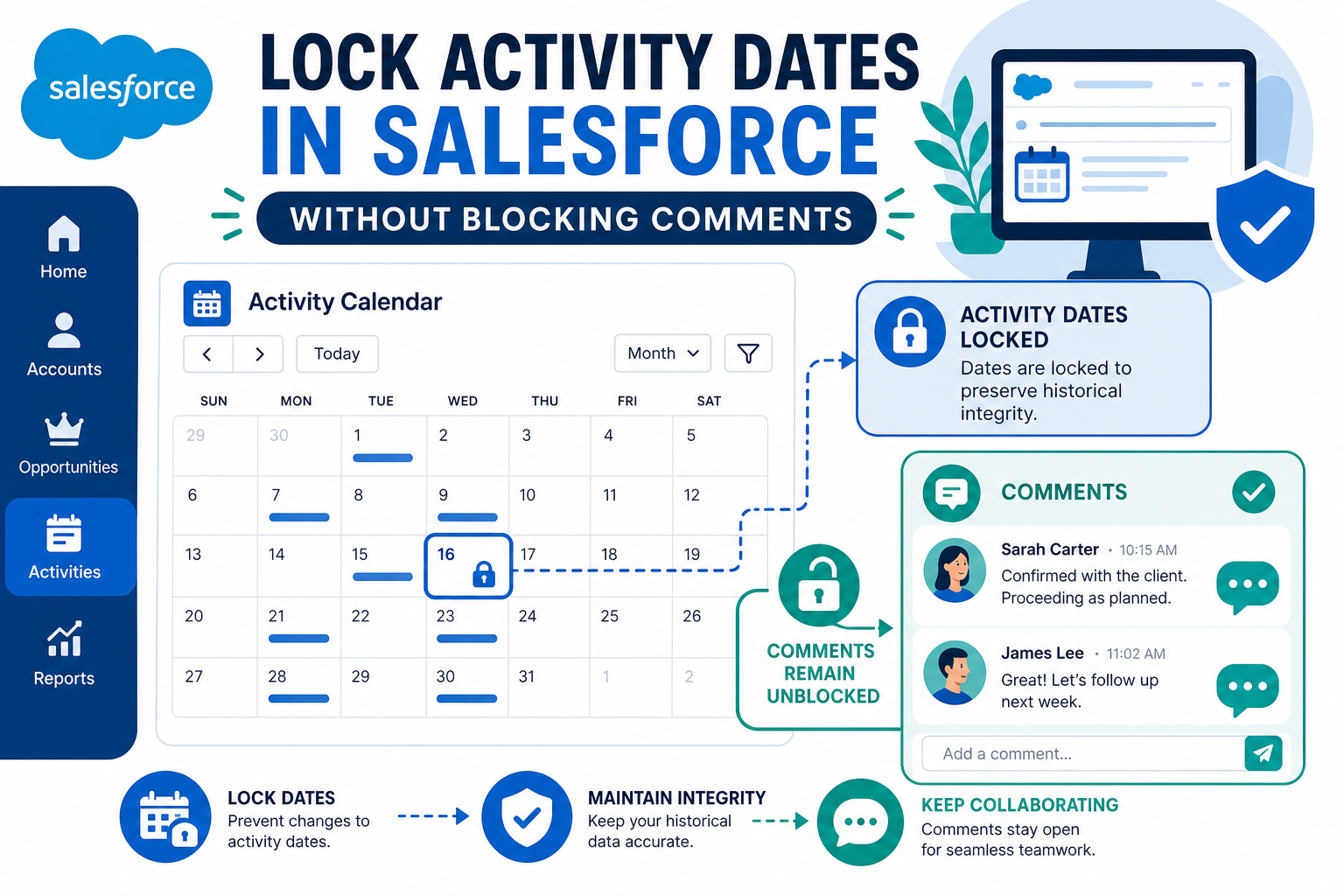
To stop users from backdating or editing activity dates in Salesforce — while leaving comments editable — create a validation rule on Task and on Event that fires only when the date field changes (for example, ISCHANGED(ActivityDate)) and rejects the save. Because the rule triggers on the date field only, reps can still edit comments, subjects, and outcomes freely. Add a bypass for admins and integrations, and test before activating. This matters for any team whose reporting depends on when calls and meetings actually happened — cadence tracking, compliance reviews, and manager coaching all break when dates get rewritten after the fact.
TL;DR
- What it is: A validation-rule pattern that locks the date on Salesforce Tasks and Events without locking the rest of the record.
- Why it matters: Editable dates quietly corrupt last-touch, cadence, and activity reporting — reps can unintentionally (or intentionally) rewrite history.
- The mechanism:
ISCHANGED(ActivityDate)on Task, plus the date fields on Event, with an admin/integration bypass. - Watch out for: Validation rules also fire on API and data-load updates — plan the bypass before your next import or sync.
- How Vantage Point helps: Salesforce consulting and ongoing admin support for activity-model governance.
What does "locking the activity date" actually mean?
It means a rep can log a call, edit the description, change the outcome, and relate it to different records — but cannot move the date the activity happened. The record stays a living document; the timestamp stays honest.
This is different from locking the whole activity (which blocks all edits) and different from Einstein Activity Capture records, which Salesforce controls and users can't edit at all. Here we're talking about ordinary Tasks and Events your team creates manually or through integrations.
Why would a team lock activity dates?
Three triggers come up repeatedly:
- Cadence and touch-point reporting. If a report says "every client gets a call roughly every 90 days," a rep who moves a stale call forward to today's date just made the report lie. Locking the date protects the metric.
- Manager trust and coaching. Activity timelines drive one-on-ones and performance conversations. Those conversations only work if the timeline is real.
- Audit and dispute support. In any disagreement about who contacted a customer and when, an editable date field weakens your records as evidence. A locked date with field history tracking gives you a defensible trail.
If none of those apply, don't add the friction. Locking fields has a real cost in user annoyance — spend it where the data integrity pays for it.
How do you implement it?
The standard pattern is a validation rule on each activity object:
- Write the Task rule. Setup → Object Manager → Task → Validation Rules. A typical formula:
AND(NOT(ISNEW()), ISCHANGED(ActivityDate), NOT($Permission.Bypass_Activity_Date_Lock))— blocks date edits on existing tasks, exempts anyone granted the custom permission. - Write the Event rule. Events carry their timing in
StartDateTime/EndDateTime(andActivityDatefor all-day events), so cover those fields the same way. - Create the bypass. A custom permission assigned via permission set lets admins and integration users correct genuine mistakes. Hard-coding a profile name works but ages poorly.
- Write a clear error message. "The activity date is locked to protect reporting. If this date is genuinely wrong, ask your admin to correct it." Vague errors generate tickets; specific ones generate compliance.
- Test every write path. UI edit, list-view inline edit, mobile app, flows, and any integration that updates activities (engagement tools, telephony, data loads). Validation rules fire on all of them.
Where does this break down?
| Scenario | What happens | Mitigation |
|---|---|---|
| Integration updates activities | The rule can block legitimate syncs (telephony, calendar, engagement platforms) | Grant the bypass permission to the integration user |
| Data migration or backfill | Mass updates to activity dates fail on save | Temporarily deactivate the rule, or run the load as a bypass-enabled user |
| Recurring events | Editing a series can change dates by design | Decide whether series edits are exempt; test the exact behavior in a sandbox |
| Einstein Activity Capture | EAC-managed activities are already controlled by Salesforce — users can't edit them regardless | Don't add rules on top of EAC records; the mechanisms don't mix |
| Closed activities | Some teams also want completed tasks frozen entirely | A second rule can block edits where IsClosed = TRUE and the user lacks the bypass |
Does locking the date fix stale "last activity" reporting?
No — that's a different problem with the same symptom. If your last-call or last-touch fields look wrong, check whether a roll-up or automation that maintains them is actually running, whether some channels (a dialer, a calendar sync) create activities that the roll-up doesn't count, and whether field-level security hides the roll-up field from the people reading the report. Lock the date to stop future rewrites; fix the roll-up to repair the present.
What should businesses do next?
Decide which activity fields are load-bearing for reporting — usually date, owner, and outcome. Lock only those. Grant the bypass deliberately, document it, and review who holds it quarterly. Turn on field history tracking for the same fields so permitted corrections still leave an audit trail. And pilot the rule with one team before rolling it out org-wide; the first week surfaces every integration you forgot about.
How Vantage Point Helps
Vantage Point designs activity models and data governance as part of Salesforce implementations — validation rules, permission architecture, and the field-history strategy that keeps audit trails intact. For orgs that need this maintained alongside everything else an admin team juggles, Vantage Point's managed services cover exactly this kind of ongoing rule-and-permission hygiene, and compliance engagements address the evidentiary side of activity records.
Make your activity timeline trustworthy
Vantage Point is a Salesforce and HubSpot Solutions Partner and is employee-owned. Senior consultants only — no junior handoffs; the experts you meet are the experts who deliver.
Frequently Asked Questions
Can field-level security lock the activity date instead?
Field-level security can make a field read-only, but it's a blunt instrument here: it applies on creation too, and it removes the field from layouts rather than protecting one moment in the record's life. A validation rule with ISCHANGED targets exactly the behavior you want to stop — changing the date after the fact — while leaving everything else open.
Will the validation rule block integrations and data loads?
Yes. Validation rules fire on UI saves and on API writes, which includes telephony syncs, calendar tools, and Data Loader jobs. Give the integration user a bypass (custom permission or profile check) and re-test every connected system before activating the rule in production.
Can reps still edit comments and outcomes after the date is locked?
Yes. The rule fires only when the date field changes, so edits to description, status, subject, and custom outcome fields save normally. That's the point of the pattern: the record stays useful as a working document while its timestamp stays fixed.
Does this work for Events as well as Tasks?
Yes, but Events store timing in StartDateTime and EndDateTime, with ActivityDate used for all-day events, so the rule needs to watch those fields. Test recurring event series carefully — editing a series legitimately changes dates by design.
Should completed activities be locked too?
Many teams do exactly that with a second rule: block all edits where the task is closed and the user lacks the bypass permission. It's a stronger control, and it's the right call when closed activities feed compliance reporting or compensation calculations.
What about Einstein Activity Capture records?
Leave them out of scope. Activities managed by Einstein Activity Capture are controlled by Salesforce's sync service and users can't edit them anyway, so a validation rule adds nothing and can interfere with sync behavior. Apply this pattern to manually created and integration-created activities.