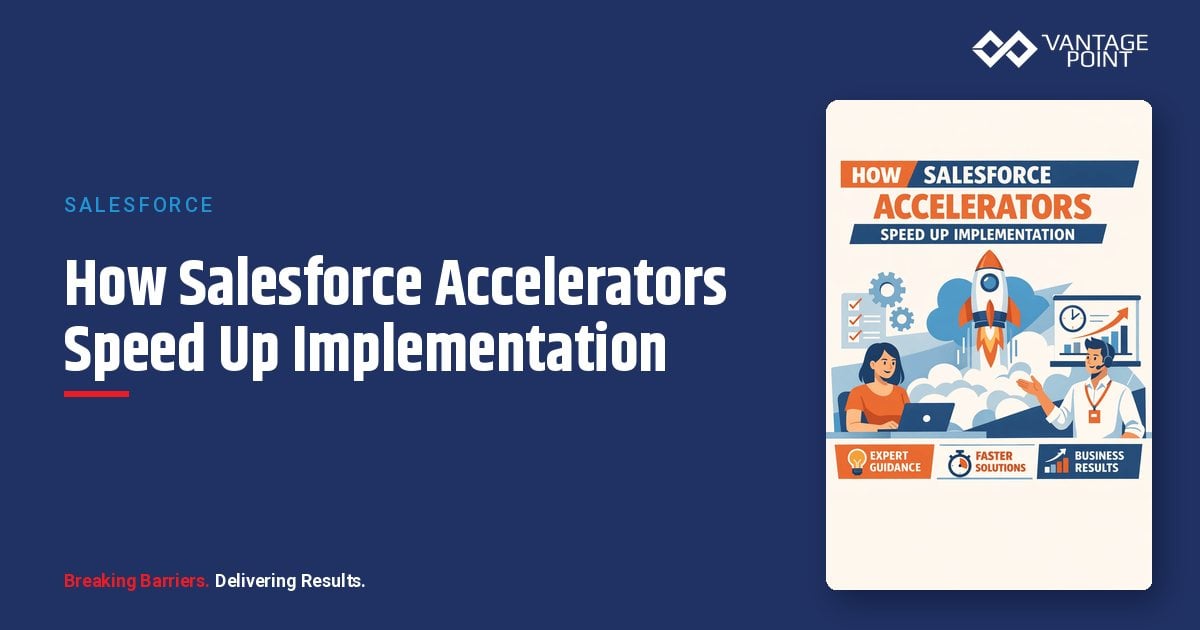
Salesforce implementation accelerators are pre-built configuration templates, data models, automation flows, dashboards, and integration patterns that let your project start from a proven foundation instead of a blank org. Used well, they compress the design phase, reduce rework, and get users into a working system faster. Used poorly, they lock you into someone else's assumptions.
This guide explains what accelerators actually are, the four main types, where they save time, what they don't solve, and how to evaluate one before you commit your implementation to it.
Quick Answer
What they are: Salesforce implementation accelerators are reusable, pre-built assets (configuration templates, industry data models, flows, report packs, and integration templates) that replace blank-page design work with proven patterns.
Who they matter for: Technology and operations leaders planning a new Salesforce implementation or re-implementation, especially mid-market teams that can't afford a 12-month build.
What decision this supports: Whether to use accelerators, which type fits your project, and how to evaluate fit, flexibility, upgrade path, and lock-in before committing.
Why Vantage Point: Vantage Point has refined reusable implementation frameworks and templates with senior-only consultants. See our Salesforce AgentExchange consultant listing with 9 certified experts and 86 verified projects.
TL;DR
- Salesforce implementation accelerators are pre-built templates, data models, flows, and dashboards that let projects skip blank-page design and start from proven patterns.
- The four main types are partner-built accelerators, Salesforce industry clouds (like the Financial Services Cloud data model), AgentExchange managed packages, and Salesforce Foundations.
- Accelerators speed up the design, build, and UAT phases, but they do not fix dirty data, undefined processes, or missing governance.
- Evaluate any accelerator on fit vs. flexibility, upgrade path, lock-in risk, and documentation quality before adopting it.
- A boutique partner like Vantage Point applies reusable frameworks while tailoring the build to your actual operating model.
What Are Salesforce Implementation Accelerators?
Salesforce implementation accelerators are pre-built, reusable assets that consulting partners, Salesforce itself, or ISVs package up so a new implementation doesn't start from zero. Instead of designing every object, field, page layout, automation, and report from scratch, your team starts from a working baseline that reflects patterns proven on previous projects.
Common accelerator components include:
- Configuration templates: pre-defined objects, fields, record types, page layouts, and permission sets for a specific use case or industry
- Data models: standardized schemas for households, relationships, accounts, referrals, or service requests
- Automation flows: pre-built Flow templates for common processes like lead routing, onboarding, case escalation, or renewal management
- Dashboards and report packs: ready-made pipeline, activity, and service metrics so leadership has visibility from day one
- Integration templates: reusable mappings and middleware patterns for common systems (marketing automation, telephony, document signature, core platforms)
- Industry starter packs: bundles of all of the above tuned to a vertical, such as wealth management, insurance, or banking
The unifying idea: someone has already solved 60-80% of your design problem on similar projects. An accelerator captures that solution so your project spends its time on the 20-40% that's genuinely unique to your business.
What Types of Salesforce Accelerators Exist?
There are four main categories of Salesforce implementation accelerators, and most successful projects combine more than one.
| Accelerator Type | What It Is | Best For | Key Risk |
|---|---|---|---|
| Partner-built accelerators | Reusable templates, flows, and frameworks a consulting partner refined across prior engagements | Teams hiring an implementation partner who want proven patterns plus tailoring | Quality varies widely by partner; ask to see them in a demo org |
| Salesforce industry clouds | Built-in industry data models and components: e.g., Financial Services Cloud's household and relationship model | Organizations in a vertical Salesforce serves directly (financial services, health, manufacturing) | Higher license cost; unused complexity if you only need basic CRM |
| AgentExchange managed packages | Installable third-party apps that add complete capabilities (document generation, telephony, planning tools) | Specific functional gaps where building is wasteful | Vendor lock-in, per-user fees, upgrade dependence on the vendor |
| Salesforce Foundations | Salesforce's built-in starter feature set that adds baseline sales, service, marketing, and commerce capabilities to standard editions | Smaller teams establishing a baseline before deeper investment | Generic by design; not a substitute for industry or process fit |
Partner-Built Accelerators
These are the templates, configuration baselines, integration patterns, and project frameworks a consulting partner carries from engagement to engagement. They rarely appear on a price list. They show up as faster discovery, pre-built demo orgs, and design documents that start 70% complete. When evaluating partners, ask specifically what reusable assets they bring and ask to see them working.
Salesforce Industry Clouds as Built-In Accelerators
Industry clouds are accelerators you license rather than install. Salesforce Financial Services Cloud, for example, ships with a pre-built data model for households, relationships, financial accounts, and referrals that would take months to design and harden from scratch on core Sales Cloud. If you're in a vertical Salesforce serves directly, the industry cloud data model is often the single biggest timeline accelerator available: Vantage Point covers this in depth on our Financial Services Cloud services page.
AgentExchange Managed Packages
The Salesforce AgentExchange (formerly AppExchange) hosts thousands of managed packages that deliver complete, supported capabilities (e-signature, document generation, dialers, data quality tools) without custom development. The build-vs-buy question here is usually easy: if a mature package solves the problem for a reasonable per-user fee, building your own version is rarely worth it.
Salesforce Foundations
Salesforce Foundations adds a baseline set of sales, service, marketing, and commerce features to standard editions at no additional license cost. It's Salesforce's own answer to "give me a sensible starting point": useful for smaller teams, but generic by design.
How Do Accelerators Cut Implementation Timeline and Risk?
Accelerators compress Salesforce implementations in four specific ways:
- They eliminate blank-page design. The slowest phase of most implementations isn't building: it's deciding. A pre-built data model or configuration template turns open-ended design workshops into focused gap reviews: "here's the proven baseline; what's different about your business?"
- They apply proven patterns instead of first drafts. A flow or integration pattern that has survived several production deployments has already absorbed the edge cases a first-time build would discover painfully in UAT or, worse, after go-live.
- They speed up UAT and adoption. Testers validate a working system against their process rather than imagining how a spec will behave. Demos happen earlier, feedback arrives earlier, and change requests surface while they're still cheap.
- They de-risk estimates. When a partner has implemented the same baseline repeatedly, their timeline and effort estimates come from history, not hope. That reduces the most common mid-market project failure: a scope and schedule that were fiction from day one.
The compounding effect matters most in the first 90 days. Projects that start from accelerators typically reach a demonstrable working system in weeks, which keeps executive sponsors engaged and end users from losing faith before they ever log in.
What Problems Do Accelerators NOT Solve?
Accelerators speed up the build. They do not fix the inputs to the build. Three problems no accelerator can solve:
- Dirty data. A pre-built data model gives you clean structure, not clean records. If your legacy CRM has duplicates, stale records, and inconsistent ownership, that mess migrates with you. Plan data cleanup and migration as its own workstream: Vantage Point's system integration and data migration services exist precisely because this is where accelerated projects most often stall.
- Undefined process. An accelerator can encode a proven process, but it can't decide which process your business should run. If sales stages, service tiers, or onboarding steps are undefined or disputed internally, configure-by-template just makes the ambiguity operational faster.
- Missing governance. Who owns the org? Who approves changes? Who maintains permission sets and integration credentials after go-live? Accelerators don't answer any of that, and skipping governance because the build went fast is how fast implementations become slow rescues a year later.
The honest framing: accelerators remove the excuse for a slow build, which puts more pressure on data, process, and governance decisions. The things only your team and your advisory partner can resolve.
How Should You Evaluate a Salesforce Accelerator?
Before adopting any accelerator (partner-built, industry cloud, or managed package) run it through this checklist:
- Fit: Does it match how your business actually operates, or will you contort your process to fit the template? Aim for 70%+ out-of-the-box fit before customizing the rest.
- Flexibility: Can you modify it without breaking it? Configuration-based accelerators are adaptable; heavily custom-coded ones often aren't.
- Upgrade path: Will it survive Salesforce's three annual releases? Who is responsible for keeping it current: you, the partner, or the vendor?
- Lock-in: If you change partners or drop the package, what do you keep? Insist on assets built in your org with standard Salesforce tooling wherever possible.
- Documentation: Is there real documentation (data dictionary, flow inventory, integration specs) or does the knowledge live in one consultant's head?
- Proof: Has it shipped to production before? Ask for the demo, not the slide. A credible partner can show their accelerator running in a demo org and point to verified projects, like the reviews on Vantage Point's AgentExchange listing.
- Total cost: Account for license fees (industry clouds), per-user subscription fees (managed packages), and ongoing maintenance: not just the build-phase savings.
If an accelerator fails on fit, flexibility, or lock-in, the time it saves in month one gets repaid with interest in year two.
When Is a Custom Build Still the Right Choice?
Custom configuration or development is still the right call when the process you're automating is genuinely differentiating (the thing your business does that competitors don't) or when no accelerator fits more than roughly half your requirements. Bending a template that far costs more than building clean.
Custom also wins when:
- Your data model has structural requirements no standard template handles (complex multi-party relationships, unusual regulatory partitioning)
- An available managed package would carry per-user fees that exceed the cost of building and maintaining a focused custom solution
- You have a strong internal admin/dev team that can own a custom build for the long term
The practical answer for most organizations is a hybrid: accelerators for the 70-80% of CRM that looks like everyone else's, custom work reserved for the slice that's actually yours. Getting that boundary right is a design decision worth senior expertise: it's the core of what Vantage Point's Salesforce implementation and advisory services are built around.
How Vantage Point Helps
Vantage Point is a boutique, employee-owned Salesforce and HubSpot consulting firm with senior-only consultants. We don't sell a boxed accelerator product. We bring reusable frameworks, configuration baselines, integration patterns, and our VALUE Methodology (Vision → Adaptability → Leverage → User-Centric → Excellence), and tailor them to your operating model instead of forcing your business into a template.
That means you get accelerator-level speed where patterns are proven, custom precision where your business is genuinely different, and a clear-eyed assessment of the data, process, and governance work no accelerator can shortcut. You can verify our track record directly on our Salesforce AgentExchange listing: 9 certified experts and 86 verified projects.
If you're planning a Salesforce implementation and want to know which accelerators genuinely fit your situation, and which would just relocate your problems, request an implementation scoping session with Vantage Point. We'll map your requirements against proven patterns and give you a realistic timeline before you commit to anything. For ongoing optimization after go-live, our managed services and ongoing support team keeps accelerated builds healthy through every Salesforce release.
FAQ
What is a Salesforce implementation accelerator?
A Salesforce implementation accelerator is a pre-built, reusable asset (such as a configuration template, industry data model, automation flow, dashboard pack, or integration pattern) that lets a new implementation start from a proven baseline instead of a blank org. Accelerators come from consulting partners, Salesforce's own industry clouds and Foundations features, and AgentExchange managed packages.
How much faster is a Salesforce implementation with accelerators?
It depends on scope and fit, but the savings concentrate in the design and build phases: pre-built data models and templates turn open-ended design workshops into focused gap reviews, and proven flows skip the rework a first-time build discovers in testing. The biggest practical difference is reaching a demonstrable working system in weeks rather than months, which keeps sponsors and users engaged.
Are Salesforce industry clouds the same as accelerators?
Functionally, yes. An industry cloud like Financial Services Cloud is an accelerator you license rather than install, shipping with a pre-built data model for households, relationships, and financial accounts that would take months to design from scratch. The tradeoff is higher license cost and added complexity if you only need basic CRM functionality.
What is Salesforce Foundations?
Salesforce Foundations is a built-in feature set that adds baseline sales, service, marketing, and commerce capabilities to standard Salesforce editions at no extra license cost. It's a useful generic starting point for smaller teams, but it isn't tuned to any industry or specific process, so most growing organizations still need configuration on top of it.
Do accelerators fix data quality problems?
No. Accelerators provide clean structure, not clean records. Duplicates, stale data, and inconsistent ownership in your legacy system will migrate into a beautifully templated org unless you run data cleanup and migration as a dedicated workstream. Treat data quality as a parallel project with its own owner and timeline.
What's the biggest risk of using an accelerator?
Lock-in and poor fit. An accelerator that matches only half your requirements forces either heavy customization (erasing the time savings) or process contortion (hurting adoption), and heavily proprietary accelerators can leave you dependent on one vendor or partner. Evaluate fit, flexibility, upgrade path, and documentation before committing.
Should mid-market companies use accelerators or build custom?
Most should use a hybrid: accelerators for the 70-80% of CRM functionality that looks like every other company's, and custom configuration only for processes that genuinely differentiate the business. Pure custom builds make sense when no accelerator fits more than about half your requirements or when the process is your competitive edge.
How do I evaluate a consulting partner's accelerators?
Ask to see them running in a demo org, not on a slide. Confirm what reusable assets they bring (templates, flows, integration patterns, project frameworks), whether those assets are built with standard Salesforce tooling you'd keep if the relationship ended, and whether their track record is verifiable, for example, through reviews and verified project counts on their Salesforce AgentExchange listing.