Quick Answer
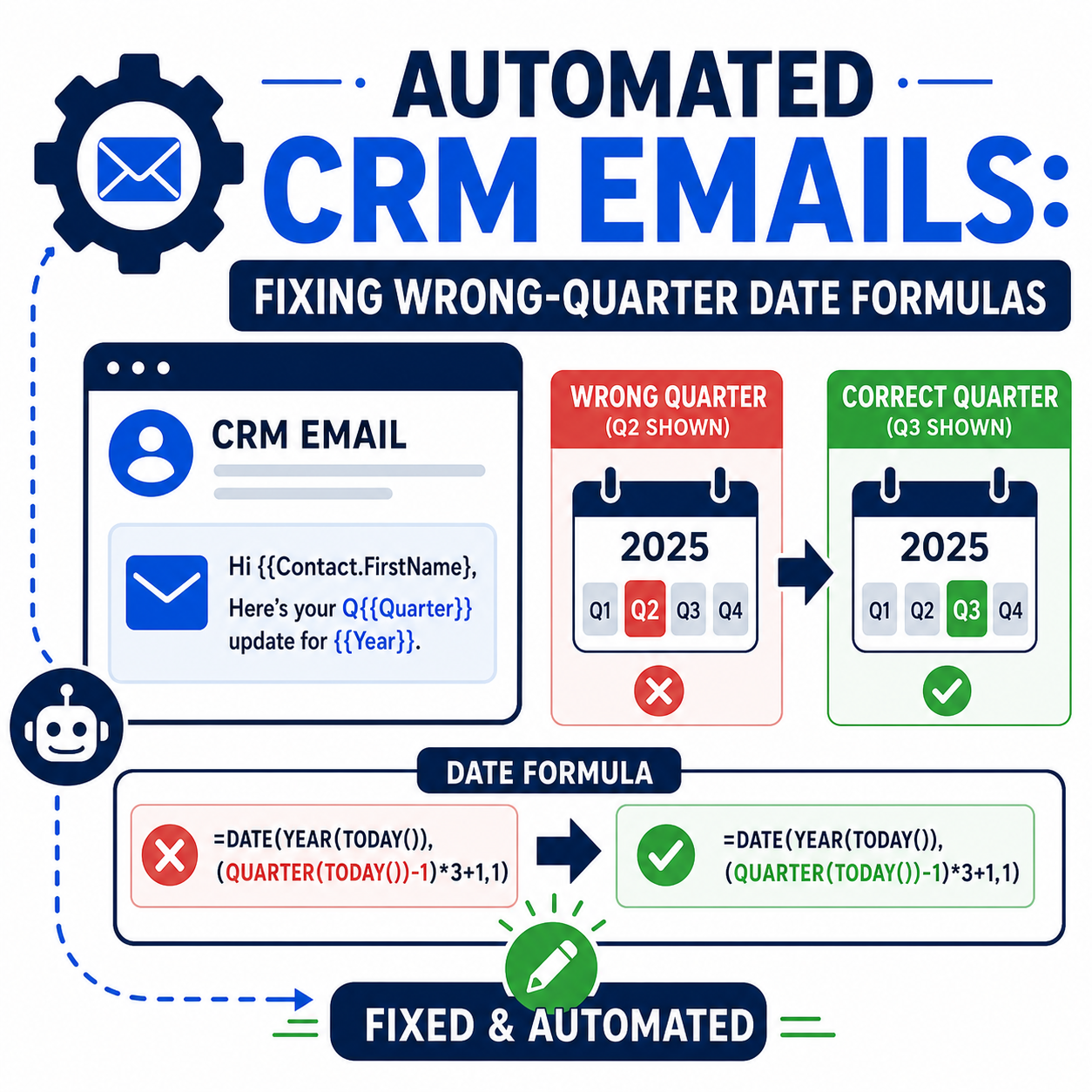
When automated Salesforce emails suddenly show the wrong quarter — "Q4" on a message that should say "Q3" — the date formula behind the template is almost always computing the quarter from the wrong anchor. The classic pattern: the formula derives the quarter from TODAY() (the day the email is generated), which is correct for accounts billed in advance but wrong for accounts billed in arrears, because arrears billing in Q4 covers Q3. The fix is to compute the quarter from the period being billed — not from the send date — and to branch the logic by billing type, then regression-test at quarter boundaries. One formula field or template merge with a CEILING(MONTH(...)/3) expression is usually the whole repair; the real work is finding every template that uses the flawed one.
TL;DR
- What it is: automated, template-driven emails display the wrong quarter because the underlying date formula anchors to the send date instead of the service period.
- Why it matters: client-facing billing and reporting emails with the wrong period erode trust and create manual correction work at exactly the wrong time — quarter-end.
- Root cause pattern: one "current quarter" formula applied uniformly to accounts that need different quarter offsets (advance vs. arrears billing).
- The fix: anchor the quarter to the period field or branch by billing type with
ADDMONTHS, then boundary-test before the next quarter turns. - How Vantage Point helps: Salesforce consulting includes auditing and hardening exactly this kind of template automation.
Why do automated CRM emails drift a quarter ahead?
The setup that produces this bug is common and reasonable. A team automates recurring client emails — billing notices, report mailings, quarterly summaries — by merging a computed quarter and year into the subject and body. "Current quarter" is the obvious thing to compute, so the formula lands on some form of CEILING(MONTH(TODAY())/3): take today's month, divide by three, round up, and you have the quarter number. In October, that returns 4 — Q4.
That answer is right for some accounts and wrong for others, because "the quarter on the email" doesn't always mean "the quarter it is today." Accounts billed in advance pay in Q4 for Q4 service — the send-date quarter is the billed quarter, and the template is correct. Accounts billed in arrears pay in Q4 for Q3 service — the email should name the previous quarter, and the send-date formula is wrong by exactly one. The automation works perfectly all quarter, every quarter, for the advance group, which is why the bug can hide for a year or more: it only surfaces for one population, at quarter boundaries, when someone finally reads the drafts closely.
The same shape of bug appears anywhere a formula assumes one anchor date serves every record: fiscal years that don't start in January, usage periods that close before invoicing, renewal notices computed from the wrong date field. The quarter is just the most visible version.
How do Salesforce quarter formulas actually work?
Salesforce's own formula documentation gives the building blocks. For standard calendar quarters, CEILING(MONTH(date)/3) returns the quarter number of any date. For shifted quarters — a fiscal year starting in February, for example — the same pattern with an offset applies: CEILING((MONTH(date) - 1) / 3). To move a date backward or forward by whole months, ADDMONTHS(date, n) is the safe tool, because it handles year rollovers and month-end edge cases that hand-rolled month arithmetic gets wrong.
Two properties of these functions matter for template automation. First, they're only as correct as the date you feed them — TODAY() is the send date, not the period date, and confusing the two is the entire bug class. Second, formulas that run inside email templates or the automation that drafts them evaluate at generation time, so "what will this say on the last day of the quarter?" is a question you have to test deliberately; it will not test itself.
How do you fix a wrong-quarter formula?
The repair has three steps, and the formula edit is the easy one.
- Find every place the value is computed. The quarter string in an automated email typically comes from a formula field on the account or billing record, a merge expression inside the template, or logic in the automation that drafts the email. Search templates, formula fields, and flows for
MONTH(,CEILING(, and quarter literals — teams are often surprised to find the same logic duplicated in three places, which is why a fix in one place "doesn't take." - Re-anchor the calculation. If the record carries a billing-period or service-period date field, compute the quarter from that field and the bug disappears for every billing type at once. If no such field exists, branch on billing type: advance-billed accounts use the send-date quarter; arrears-billed accounts use the quarter of
ADDMONTHS(TODAY(), -3). Keep the offset logic in one formula field and reference it everywhere, so the next adjustment happens once. - Handle the year with the quarter. A January mailing for Q4 arrears needs "Q4" and the previous year —
YEAR(ADDMONTHS(TODAY(), -3)), notYEAR(TODAY()). Formulas fixed for the quarter but not the year reappear as a new bug every January.
One judgment call: if the affected drafts are already generated and waiting, decide whether to regenerate them after the fix or correct this batch by hand. Regenerating is cleaner when the automation supports it; hand-editing is sometimes faster when sends are due the same day. Either way, fix the formula first — otherwise the next scheduled run reproduces the error.
How do you test date logic so quarter-ends stop surprising you?
Date bugs cluster at boundaries, so test at boundaries. For each billing type, evaluate the formula as it will behave on the first and last days of a quarter, and on the days just before and after a year boundary — December 31 and January 1 catch the quarter-plus-year interaction that single-quarter testing misses. A handful of test records, one per billing type, with expected subject lines written down, turns "did we fix it?" into a five-minute check instead of a leap of faith.
Two practices make this durable. Calendar a pre-quarter check: a week before each quarter turns, generate the automated drafts for one account of each billing type and read the dates. It costs ten minutes per quarter and converts a client-facing error into an internal correction. Document the anchor decision where the next admin will find it — a description on the formula field explaining which date it uses and why the offset exists. Most wrong-quarter bugs aren't written by careless people; they're written by people who reasonably assumed "current quarter" meant the same thing to every account.
What should businesses do next?
Inventory the automated emails the CRM sends on the business's behalf and identify every one that mentions a date period — quarters, months, service windows, renewal years. For each, confirm which date the period is computed from and whether every record population agrees with that anchor. Fix the shared formula, not the individual templates. And where billing automation is business-critical, treat the quarterly boundary test as standing procedure rather than a one-time repair. Teams building out broader billing automation can see the pattern end-to-end in workflow-based invoicing automation.
How Vantage Point Helps
Vantage Point's Salesforce consulting team builds and maintains the template-driven automation behind client communications — formula fields, flows, and the testing discipline that keeps period references accurate across billing types. For organizations that want automation watched rather than rediscovered at quarter-end, managed services and ongoing support includes scheduled reviews of exactly these boundary behaviors, so the wrong quarter is caught in a test record instead of a client inbox.
Automated emails should say the right quarter
Vantage Point is a Salesforce and HubSpot Solutions Partner and is employee-owned. Senior consultants only — no junior handoffs; the experts you meet are the experts who deliver.
Frequently Asked Questions
Why do automated Salesforce emails show the wrong quarter?
Almost always because the quarter is computed from the send date — TODAY() — instead of from the period the email is about. For accounts billed in advance the two coincide; for accounts billed in arrears they differ by exactly one quarter, so the template is right for one population and wrong for the other.
How do you calculate the quarter from a date in a Salesforce formula?
Use CEILING(MONTH(date)/3) for standard calendar quarters. For a fiscal year that doesn't start in January, shift the month by the offset first — for example CEILING((MONTH(date) - 1) / 3) when Q1 starts in February. Salesforce's date-formula documentation covers both patterns.
How do you show the previous quarter instead of the current one?
Compute the quarter from ADDMONTHS(TODAY(), -3) rather than from TODAY() — and compute the year from the same shifted date, or January mailings will pair last quarter with this year. Using ADDMONTHS matters because it handles month and year rollovers correctly.
The formula was fixed but the emails are still wrong — why?
The same quarter logic is usually duplicated: a formula field, a merge expression inside the template, and sometimes logic in the flow that drafts the email. Search templates, formula fields, and automations for MONTH( and CEILING( to find every copy, and consolidate on one shared formula field.
How should date-driven email automation be tested?
At boundaries: the first and last day of each quarter, plus December 31 and January 1, for each record population the automation serves. Generate drafts for test records of each type, compare the period text against written expectations, and repeat the check before every quarter turn.
Is this only a Salesforce problem?
No — any platform that merges computed dates into automated email has the same failure mode, and HubSpot, marketing automation tools, and billing systems all show it. The discipline is platform-independent: anchor the period to the right date, branch where populations differ, and test at boundaries.