Quick Answer
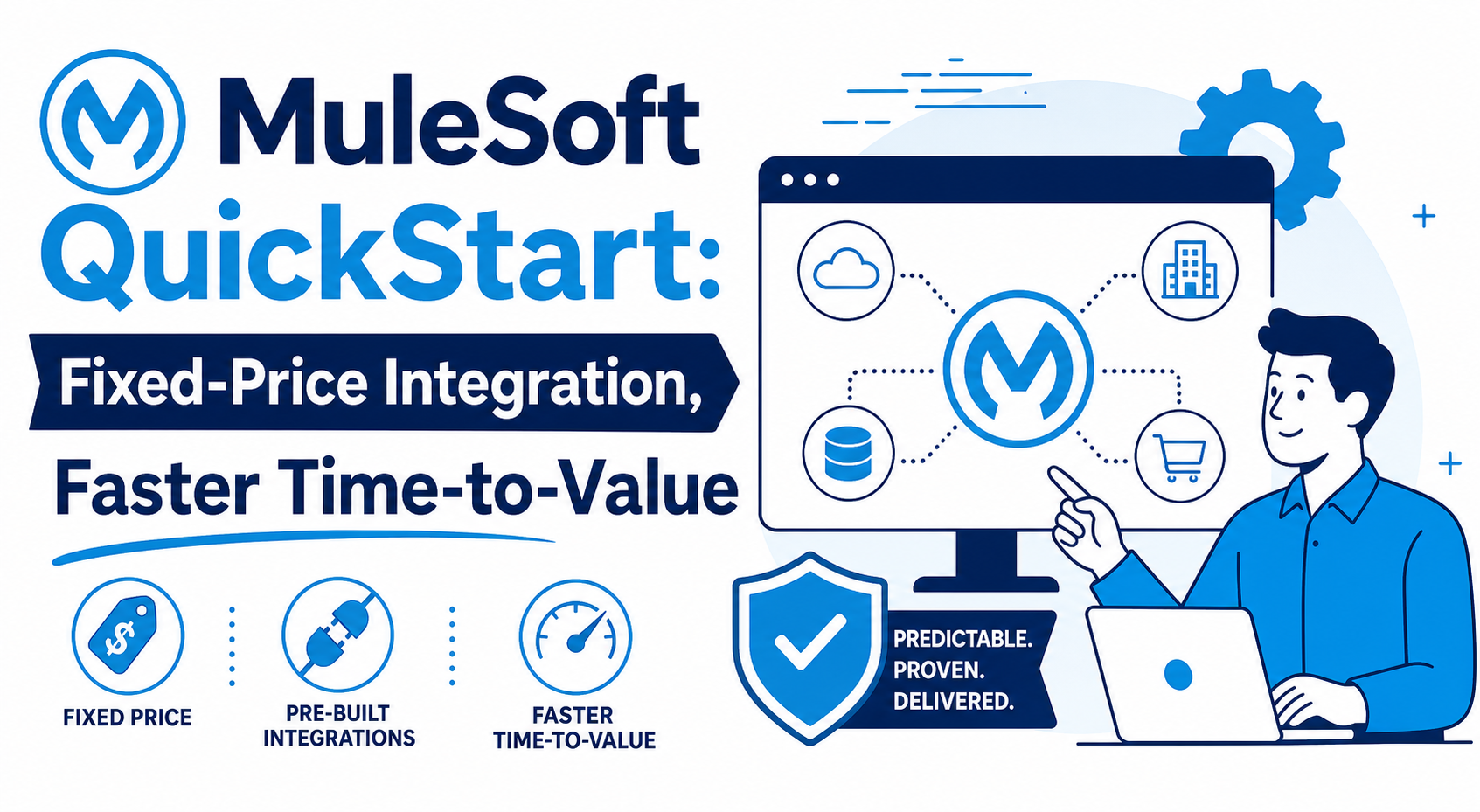
A MuleSoft QuickStart is Vantage Point's fixed-price, pre-scoped integration package for a defined business outcome. Instead of beginning with an open-ended custom build, a financial-services team starts with a bounded use case, an agreed delivery path, and a practical handoff. The goal is to move a priority connection or workflow into production readiness in weeks rather than months, while making scope, ownership, testing, and operational considerations visible early.
Key Takeaways (TL;DR)
- What is a MuleSoft QuickStart? A fixed-price, pre-scoped Vantage Point package that applies MuleSoft to a clearly defined integration outcome.
- Key benefit: It replaces an undefined integration discovery cycle with an agreed scope, delivery sequence, and handoff plan.
- Best for: Financial-services organizations that need to connect Salesforce with a core platform, data source, or operational system without starting with a broad custom program.
- What makes it different: Four outcome-led tiers (VP Connect, VP Automate, VP Integrate, and VP Data) help match the delivery motion to the problem at hand.
- Timeline: A ready, well-bounded use case can be delivered in weeks rather than months; actual timing depends on access, source-system readiness, and agreed scope.
- Bottom line: A QuickStart makes the first integration decision easier to govern, fund, and operate. It is a focused starting point, not a substitute for enterprise architecture.
Integration is often where a CRM or operational initiative slows down. Teams may know which records must move and which workflow must trigger, yet projects expand into open-ended discovery: APIs, field definitions, ownership, and security all need decisions. Without a bounded first outcome, timelines, scope, and budget conversations remain uncertain.
Complex, enterprise-wide modernization needs deliberate architecture. But many financial-services teams have a smaller, urgent first step: connect Salesforce to trusted data, automate a handoff, or make a critical process observable. A MuleSoft QuickStart is designed for that moment.
What Is a MuleSoft QuickStart?
A MuleSoft QuickStart is a Vantage Point delivery package built around a specific integration outcome. It uses a fixed-price, pre-scoped model to turn a qualifying use case into an actionable plan: what systems are in scope, what information or events will move, how the solution will be tested, and what the team will own after handoff.
The distinction between platform and package matters. MuleSoft is Salesforce's integration platform for connecting applications and data through APIs. A QuickStart is Vantage Point's delivery approach for a bounded outcome, not a license SKU, a generic promise of a connector, or a replacement for a full roadmap.
The package begins with an outcome rather than a list of technical possibilities: a controlled Salesforce update, a repeatable workflow, or a governed data flow. That outcome anchors scope and separates first-release work from the backlog.
Why Do Integration Projects Lose Momentum?
Long timelines and scope creep usually trace to an unclear starting point, not a lack of effort. A request to connect Salesforce to a core system can raise questions about data ownership, errors, security, exceptions, historical records, and downstream processes. Each matters; risk grows when every question becomes a first-release requirement before the team agrees on the smallest useful outcome.
Financial-services teams feel this pressure acutely. Sensitive data and interdependent processes can affect auditability, access, reconciliation, and service continuity. A QuickStart surfaces those considerations early and sizes the delivery plan to the decision being made.
Five Things That Make a QuickStart a Deal-Accelerator
A QuickStart accelerates a decision by removing ambiguity without hiding delivery realities.
1. A defined business outcome
Every QuickStart starts with a narrow statement of value: a record synchronization, process trigger, trusted data flow, or operational handoff. The team defines the source, target, data or event, success criteria, and excluded work so stakeholders can judge the first release consistently.
2. A fixed-price, pre-scoped delivery motion
Fixed-price does not mean “anything requested is included.” It means work is bounded before delivery begins. The package makes the outcome, assumptions, responsibilities, and change process visible, so new requirements can be evaluated openly rather than silently extending the work.
3. Repeatable assets and patterns where they fit
MuleSoft's Anypoint Exchange is a curated catalog of reusable connectors, templates, examples, APIs, and policies. A QuickStart applies appropriate patterns, then configures and tests them for the organization's systems and rules. Reuse never removes the need to validate authentication, mappings, behavior, and operational fit.
4. Financial-services context from the outset
For regulated environments, integration means more than fields and endpoints. A QuickStart brings data handling, access boundaries, traceability, exceptions, and review expectations into assessment. Here, “compliance-ready” means those requirements inform the design; it does not certify compliance or transfer regulatory responsibility.
5. A deployment and handoff plan
A useful integration is not complete when a flow runs once in test. The QuickStart defines validation, ownership, monitoring, alerts, and known-exception handling. Anypoint Monitoring provides visibility across an application network; the operating model turns that visibility into action.
How Do the Four MuleSoft QuickStart Tiers Work?
Vantage Point organizes QuickStarts into four tiers so teams can discuss the right starting point without treating every opportunity like a custom enterprise program. Assessment selects the tier; final scope governs.
| QuickStart tier | Typical focus | When it is a strong fit |
|---|---|---|
| VP Connect | A defined connection between a source and target, with agreed mappings and a clear first release. | The team needs to establish a reliable path for a priority data exchange or CRM update. |
| VP Automate | A bounded workflow that uses events, validations, routing, or notifications to reduce manual handoffs. | The friction is a repeatable operational process rather than connectivity alone. |
| VP Integrate | A more involved business process spanning multiple systems, APIs, and decision points. | The use case needs coordinated process logic but can still be defined as a focused release. |
| VP Data | A data-centered use case requiring shared definitions, quality controls, reconciliation, and governed movement. | The priority is trusted, usable information across CRM and operational platforms. |
The four tiers do not promise identical technical contents. VP Connect may need careful API and field decisions; VP Data may need explicit reconciliation and ownership. The tiers keep the conversation attached to a business result rather than an open-ended catalog of integrations.
Why Is the Financial-Services Focus Important?
Financial-services integrations often need to connect relationship-management data with systems that are authoritative for account, policy, portfolio, transaction, or servicing information. Salesforce's industry documentation describes integration apps that connect Agentforce Financial Services, previously Financial Services Cloud, with external systems, and it guides teams through connecting instances, discovering available assets, enabling integrations, and extending an app where needed. Those steps reinforce a practical point: useful accelerators still need an intentional fit to the target environment.
A QuickStart therefore evaluates pre-built connectors and reusable assets alongside the organization’s real access model, data definitions, and implementation constraints. A connector can shorten a path to an API, but it does not decide which system owns a field, how exceptions should be reconciled, or what access is appropriate. Those decisions belong in the assessment. Teams implementing Salesforce can also connect the QuickStart to a broader Salesforce implementation strategy and, where relevant, to Financial Services Cloud planning.
That is why the package is designed to be ready to attach to a defined opportunity, not to make a generic claim that integration is risk-free. It gives decision-makers a controlled first move: a bounded outcome, known assumptions, and a design that recognizes security, data governance, and operating ownership from the beginning.
How Does a QuickStart Compress Time-to-Value?
The time-to-value advantage comes from reducing decision latency. The team does not have to solve every future integration before delivering the first useful one. Instead, it agrees on the immediate outcome, confirms the environment and access needed to achieve it, and sequences later requirements separately. When the source and target systems are ready and stakeholders can make timely decisions, that focused delivery can move in weeks rather than months.
Predictability comes from the same discipline. A defined scope makes assumptions visible. A test approach makes acceptance visible. A handoff makes ownership visible. If a newly discovered dependency changes the shape of the work, it becomes a decision point rather than an invisible source of project risk. For organizations considering broader support after the first release, Vantage Point's system integration and data migration services can help sequence the next phase.
What Happens During a MuleSoft QuickStart?
- Assessment: Vantage Point and the client define the priority outcome, systems, records or events, users, constraints, success criteria, assumptions, and exclusions. The team confirms that the necessary stakeholders and technical access can support the package.
- Configuration: The delivery team configures the agreed flow, mappings, authentication approach, validation behavior, and exception handling. Reusable MuleSoft assets are evaluated and applied where appropriate; custom work is limited to the approved scope.
- Deployment: The solution is tested against the agreed acceptance criteria, with a release approach appropriate to the environment. The team documents known dependencies, confirms readiness, and plans how production behavior will be observed.
- Handoff: The client receives the relevant documentation, ownership guidance, and a clear backlog of ideas that did not belong in the first release. That handoff is how a QuickStart becomes a foundation for the next decision rather than a one-off connection.
Who Benefits Most From a QuickStart?
A MuleSoft QuickStart is well suited to organizations that need integration fast but do not want to begin with an unconstrained custom-development effort. Strong candidates have a priority use case, an identified source and target, stakeholders who can decide on data and process rules, and a willingness to keep the first release narrow. They may be launching or improving Salesforce, replacing a manual handoff, or establishing a governed data flow before tackling a broader integration roadmap.
It is less appropriate when the true need is an enterprise-wide architecture redesign, a major data remediation initiative, or a multi-system program whose dependencies cannot yet be bounded. In those situations, discovery and roadmap work may be the better first step. Organizations evaluating their delivery model can also review how to assess MuleSoft integration partners before choosing a path.
Best Practices Before You Start
- Choose one measurable business outcome for the first release.
- Name the source-of-truth system for every important record or field.
- Confirm technical access, API availability, and decision-makers before scheduling delivery.
- Document data handling, access, audit, and exception expectations early.
- Define what successful testing looks like and who accepts the release.
- Keep a visible backlog for valuable requests that do not fit the agreed QuickStart.
Frequently Asked Questions
Is a MuleSoft QuickStart a MuleSoft product?
No. MuleSoft is the integration platform; a MuleSoft QuickStart is Vantage Point's fixed-price, pre-scoped service package for implementing a defined integration outcome on that platform.
What is included in a MuleSoft QuickStart?
A QuickStart includes the assessment, configuration, testing, deployment planning, and handoff needed for the agreed use case. The exact systems, mappings, workflows, documentation, assumptions, and exclusions are confirmed in the package scope.
Does fixed-price mean the scope can change without review?
No. Fixed-price works because the initial scope is explicit. New requirements or dependencies are evaluated transparently so the team can decide whether to defer them, adjust the scope, or plan a follow-on effort.
How does a QuickStart support financial-services requirements?
A financial-services QuickStart brings data handling, access boundaries, traceability, exceptions, and operating ownership into the early design. It supports a more informed delivery approach, but it does not certify regulatory compliance or remove the organization's responsibilities.
Can a QuickStart connect Salesforce to a legacy or core system?
Potentially. The assessment verifies the target system's integration options, API access, data requirements, and constraints before the team commits to a delivery scope. A pre-built connector can help, but it is not assumed.
How long does a MuleSoft QuickStart take?
For a ready, well-bounded use case, the goal is delivery in weeks rather than months. Timing depends on system access, source and target readiness, stakeholder decisions, testing needs, and the final agreed scope.
What happens after the QuickStart is complete?
After deployment and handoff, the organization has a working foundation, ownership guidance, and a prioritized view of next steps. It can operate the integration, extend the pattern, or plan a broader integration roadmap as needed.
Move the First Integration Decision Forward
A focused integration does not have to become an undefined program. With a clear outcome, a fixed-price scope, appropriate MuleSoft assets, and an operating plan, a QuickStart can help a financial-services team reduce risk while putting a priority connection or workflow on a practical path to value.
Talk to Vantage Point about MuleSoft QuickStart to discuss whether a bounded integration package is the right next step for your Salesforce and operational systems.
Official Sources
- Salesforce: What is MuleSoft?
- MuleSoft documentation: Anypoint Exchange Overview
- Salesforce Developers: Get Started with Agentforce Financial Services Integrations
- MuleSoft documentation: Anypoint Monitoring Overview
About Vantage Point
Vantage Point helps organizations plan, implement, and optimize Salesforce, HubSpot, integration, data, and AI solutions. Explore Vantage Point's consulting services or contact the team to discuss your integration priorities.