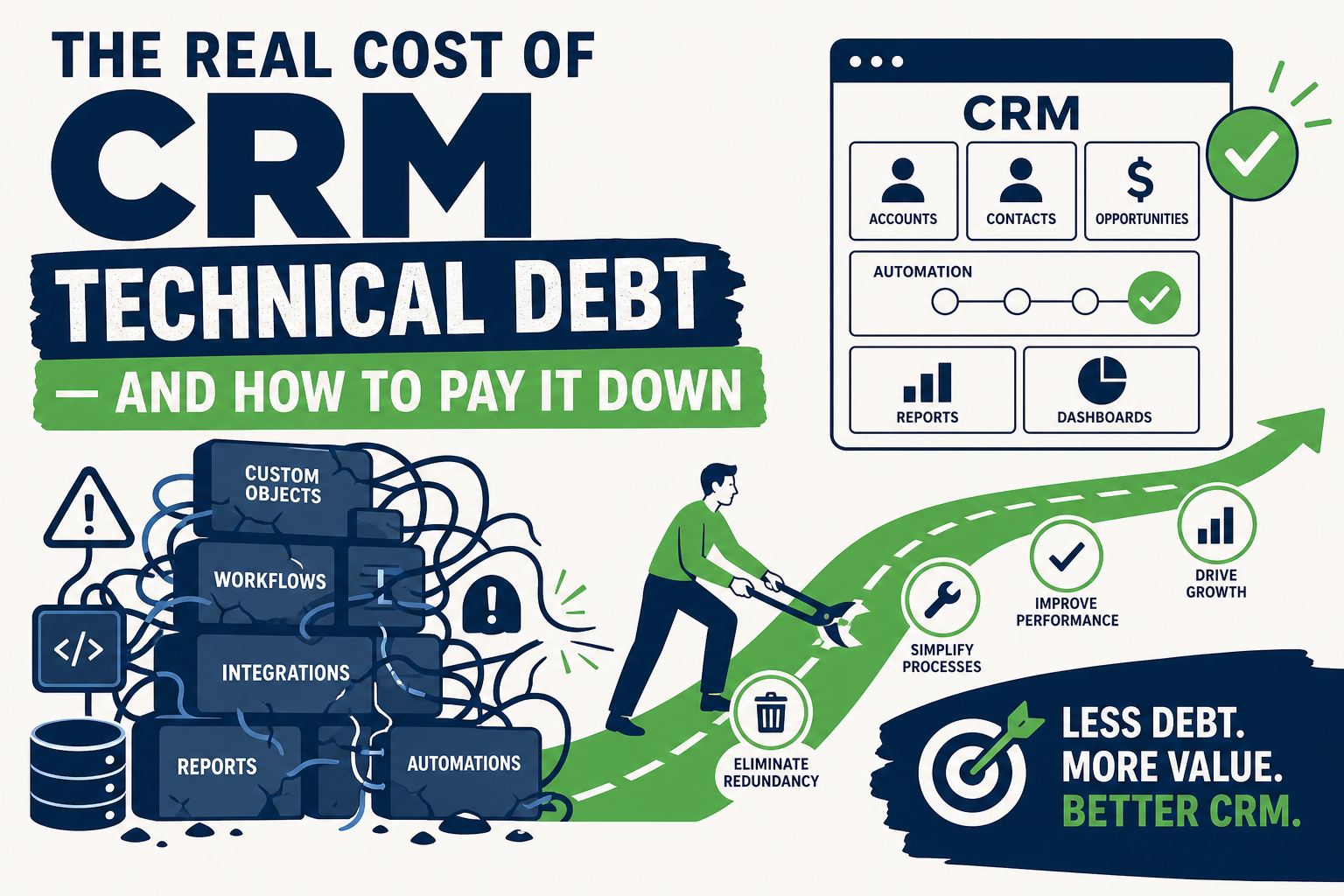
Most CRM problems aren't caused by bad software. They're caused by years of quick fixes, abandoned fields, duplicate automations, and workarounds nobody ever cleaned up. That accumulation is CRM technical debt, and it quietly slows down every team that touches the system.
If your Salesforce or HubSpot instance feels slower, harder to report on, and more expensive to change than it used to be, technical debt is a likely cause. This guide explains what CRM technical debt actually is, how to spot it, and how to start paying it down without a disruptive rebuild.
Quick Answer
CRM technical debt is the buildup of outdated configurations, redundant automations, unused fields, and undocumented workarounds that make a CRM harder and more expensive to change over time. It matters for any organization running Salesforce or HubSpot for more than a year or two, especially teams planning AI, integration, or reporting projects that depend on clean data and predictable workflows. This article helps CRM owners, RevOps leaders, and IT decision-makers decide whether to invest in a cleanup, and how to scope one. Vantage Point runs CRM health checks and remediation projects that identify and reduce technical debt across Salesforce and HubSpot environments.
TL;DR
- What it is: CRM technical debt is the hidden cost of accumulated shortcuts, unused customizations, and inconsistent data structures in your CRM.
- Why it matters: It slows down admins, breaks reports, complicates integrations, and makes new initiatives like AI or automation harder to launch cleanly.
- Best for evaluating: Organizations that have used the same CRM for 2+ years, been through multiple admins, or acquired other companies/systems.
- Decision point: Whether to run a structured CRM health check before your next major project (AI rollout, integration, migration, or platform upgrade).
- How Vantage Point helps: Our managed services and ongoing support team audits CRM configuration and clears backlog so your platform stays reliable as it scales.
What Is CRM Technical Debt?
CRM technical debt is the accumulated cost of past shortcuts in your Salesforce or HubSpot configuration: duplicate fields, conflicting automations, dead code, undocumented workflows, and inconsistent data models that build up as a CRM ages. Like financial debt, it doesn't disappear on its own. It accrues "interest" in the form of slower admin work, more support tickets, and higher risk every time someone tries to change something.
Technical debt isn't always a mistake. Sometimes it's the reasonable result of moving fast under a deadline. The problem is when nobody goes back to clean it up, and the shortcuts compound across years and multiple admins.
Why CRM Technical Debt Matters in 2026
Technical debt used to be a background annoyance. In 2026, it's become a blocker for the projects most businesses actually want to run:
- AI initiatives need clean data. Agentforce, Einstein, Breeze, and other AI tools depend on consistent fields and reliable automation. Technical debt directly undermines AI readiness.
- Integrations amplify the mess. Connecting a messy CRM to MuleSoft, HubSpot, or a data warehouse just moves bad data and conflicting logic somewhere else, faster.
- Admin turnover exposes gaps. Every admin transition reveals workflows nobody fully understands, increasing the risk of breaking something during "simple" changes.
- Compliance and audit pressure increases. Inconsistent data and undocumented automation make it harder to answer basic questions during audits or security reviews.
- New hires slow down. Onboarding a new admin or RevOps hire takes longer when the system's logic isn't documented or predictable.
None of this requires a dramatic failure to matter. It shows up as slower report builds, more manual data cleanup, and rising hesitation to make changes. The classic signs of a CRM that's accumulated more debt than the team realizes.
How CRM Technical Debt Builds Up
Technical debt rarely comes from one bad decision. It accumulates through small, individually reasonable choices:
- Rushed customizations. A field or automation built quickly to hit a deadline, without documentation or long-term design.
- Departed admins. Each admin has their own conventions; when they leave, their logic often leaves with them, undocumented.
- Unused features and fields. Old campaigns, deprecated products, or discontinued processes leave orphaned fields and objects behind.
- Redundant automation. Workflow rules, Process Builder flows, HubSpot workflows, and Apex triggers that overlap or conflict because nobody consolidated them.
- Point-in-time integrations. Connections built for a specific project that were never revisited after the project ended.
- Mergers and acquisitions. Combining CRM instances or data sets without a proper reconciliation plan.
- "Temporary" workarounds that became permanent. The classic root cause. A fix meant to last a week that's still running years later.
Comparison: Signs of Low vs. High CRM Technical Debt
| Indicator | Low Technical Debt | High Technical Debt |
|---|---|---|
| Report reliability | Reports match across teams and dashboards | Numbers vary depending on who pulls the report |
| Time to make a change | Small config changes take hours | Small changes require testing across many hidden dependencies |
| Automation clarity | Automations are documented and non-overlapping | Multiple flows/workflows fire on the same trigger with unclear order |
| Data entry consistency | Picklists and required fields are standardized | Free-text fields and duplicate picklist values are common |
| New admin ramp-up | New admins are productive within weeks | New admins spend months just understanding the system |
| AI/integration readiness | Data structure supports AI and integration projects | AI and integration projects stall on data quality issues |
How to Start Paying Down CRM Technical Debt
- Audit before you build. Run a structured review of objects, fields, automations, and integrations before starting any new project. Don't build AI or automation on top of an unaudited system.
- Inventory unused fields and automations. Identify fields with low fill rates and automations that no longer map to an active business process.
- Consolidate overlapping automation. Merge redundant workflow rules, flows, and triggers into a smaller number of well-documented processes.
- Standardize data entry. Replace free-text fields with picklists and validation rules where possible to prevent new debt from forming.
- Document as you go. Every new automation or customization should include a short description of what it does and why: future admins will thank you.
- Prioritize by business impact, not perfection. You don't need to fix everything. Focus on the debt that blocks reporting accuracy, integration reliability, or planned AI/automation projects.
- Set a recurring review cadence. Quarterly or biannual configuration reviews prevent debt from silently reaccumulating.
What Businesses Should Do Next
If your team recognizes several of the "high technical debt" signs above, don't wait for a bigger project to force the issue. Start with a scoped assessment rather than a full rebuild. Most CRM environments don't need to be torn down, they need a structured cleanup plan with clear priorities.
Before launching AI, a new integration, or a platform migration, confirm the underlying CRM configuration and data model can support it. Trying to layer new initiatives on top of unresolved technical debt is one of the most common causes of stalled projects, covered in more detail in Vantage Point's guidance on system integration and data migration.
How Vantage Point Helps
Vantage Point runs CRM health checks that inventory your Salesforce or HubSpot configuration, flag redundant or conflicting automation, and prioritize a remediation plan based on business impact: not just technical perfection. Our managed services and ongoing support team can then execute the cleanup and keep new debt from building back up.
For teams planning a bigger platform decision alongside cleanup: such as consolidating Salesforce and HubSpot or evaluating CRM and marketing automation strategy. We scope that work as part of the same engagement so you're not solving the same problem twice. If your team is evaluating how this applies to your Salesforce, HubSpot, integrations, or CRM governance, Vantage Point can help assess the right next step and build a practical remediation plan.
FAQ
What is CRM technical debt? CRM technical debt is the accumulated cost of quick fixes, unused customizations, and inconsistent data structures built up in a CRM over time. It makes future changes slower and riskier, similar to how financial debt accrues interest.
How do I know if my CRM has significant technical debt? Common signs include reports that don't match across teams, automations that conflict or duplicate each other, long onboarding times for new admins, and hesitation to make configuration changes because nobody fully understands the dependencies.
Does technical debt only affect large, complex CRM instances? No. Technical debt can build up in any CRM instance, including smaller HubSpot or Salesforce environments, especially after admin turnover, mergers, or rushed feature rollouts.
Can technical debt block AI or automation projects? Yes. AI tools and automation depend on clean, consistent data and predictable workflow logic. Unresolved technical debt is one of the most common reasons AI and automation initiatives stall or produce unreliable results.
Should we rebuild our CRM from scratch instead of cleaning it up? Usually not. Most technical debt can be addressed through a scoped audit and prioritized cleanup rather than a full rebuild. A full rebuild is typically only necessary when the underlying data model no longer matches the business.
How often should we review our CRM configuration? A quarterly or biannual review is a reasonable cadence for most organizations. Reviews should check for unused fields, redundant automations, and data entry inconsistencies before they compound.
Who should be involved in a technical debt cleanup? At minimum, your CRM admin and a business stakeholder from each major team using the system (sales, marketing, service). For larger cleanups, a consulting partner can provide an outside audit and prioritization framework.
How does Vantage Point approach a CRM technical debt cleanup? Vantage Point starts with a structured health check of your Salesforce or HubSpot configuration, documents findings against business impact, and builds a prioritized remediation plan before recommending any new project or platform change.