Every CRM migration runs on one document that rarely gets the attention it deserves: the data mapping document. It is the written agreement between the old system and the new one. It says where every piece of data comes from, where it lands, and what happens to it along the way.
When the mapping document is thin, problems surface late: missing links, duplicate activities in the sandbox, and business users finding errors the migration team should have caught.
This guide explains what a CRM data migration mapping document must include, how to handle the tricky cases, and how to review it before anyone outside the project team sees it.
Quick Answer
A CRM data migration mapping document is a source-to-target specification that lists every field in the source system's primary tables, marks each one as mapped, transformed, or intentionally excluded, and records the destination object, destination field, and transformation rule for everything that moves. It also documents composite fields built from several sources, one-to-many mappings, relationship and lookup handling, load order, and who approved each decision. It matters for any team moving to Salesforce or HubSpot, because it is the reference used to build loads, test results, and settle disputes. Vantage Point builds these documents on every migration it runs.
Key Takeaways (TL;DR)
- Inventory everything: list every field in the primary source tables, including the ones you won't migrate, with a reason for each exclusion.
- Document logic, not just columns: composite fields, one-to-many mappings, and conditional rules need written composition logic and source lineage.
- Relationships are their own section: spell out how each record finds its parent, contact, or account in the target system.
- State the row grain: joins that multiply rows are the most common cause of duplicate records in test loads.
- Review before handoff: a peer review by someone who knows the source system should catch errors before the business team does.
What Is a CRM Data Migration Mapping Document?
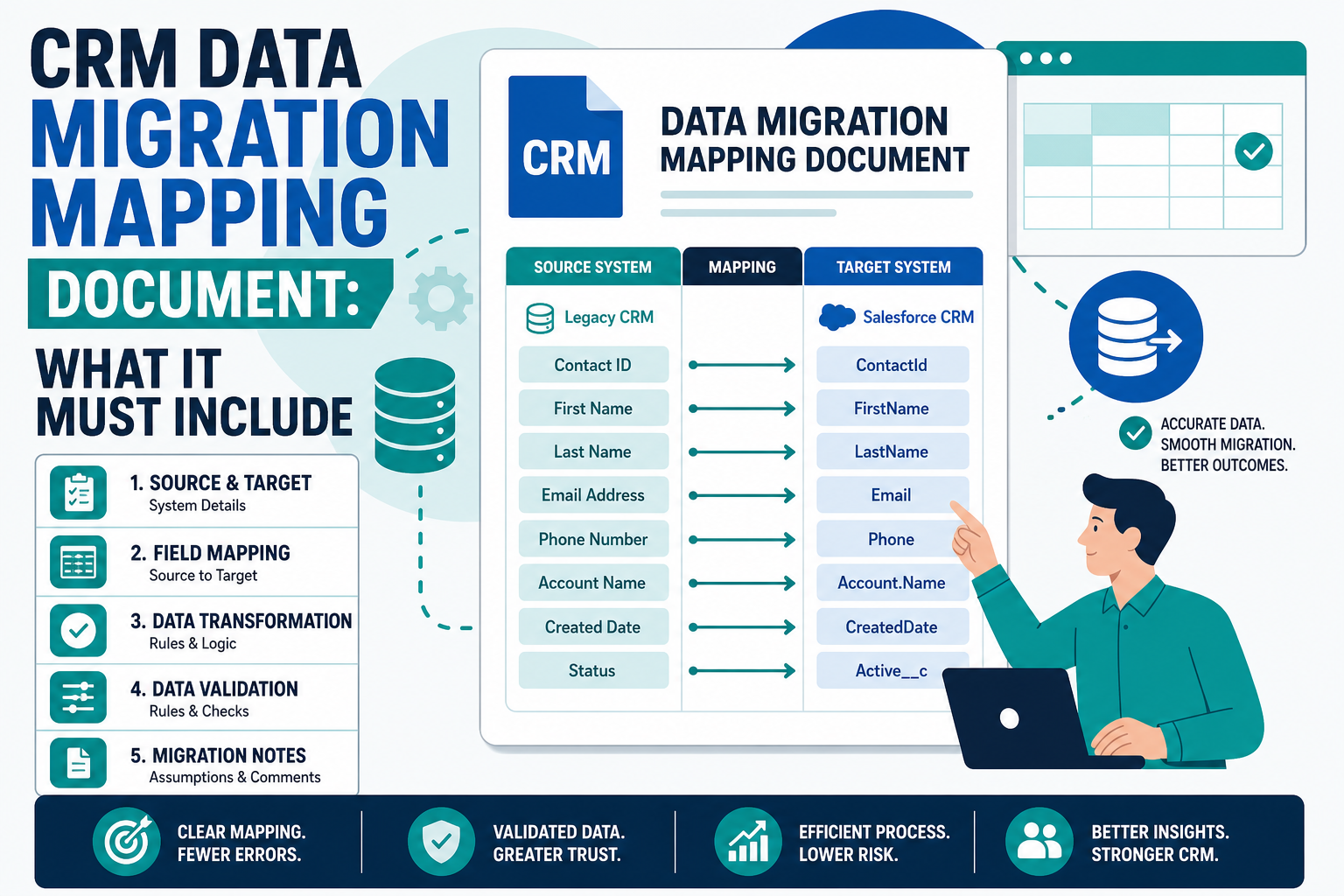
A data mapping document is the specification that tells the migration team exactly how to move data from a legacy system into a new CRM. It usually lives in a spreadsheet or shared workbook, with one tab per source table or target object.
It serves three audiences:
- The builders use it to write extract queries, transformation logic, and load jobs.
- The testers use it to decide whether a loaded record is right or wrong.
- The business owners use it to confirm that nothing important is being dropped and that the new system will reflect how they actually work.
If the document can't answer a question from any of those groups, it isn't finished. Our CRM data migration best practices checklist covers the full project lifecycle. This post goes deep on the mapping deliverable itself.
Why Does the Mapping Document Matter So Much?
Most migration defects trace back to a mapping decision that was never written down or was written down vaguely. A field was assumed to be empty. A lookup table was skipped because it "only held IDs." Two source fields were combined without anyone recording the rule.
A strong mapping document forces every decision into the open during design, when changes are cheap. It gives testers an objective standard, and it creates an audit trail that explains, months later, why a value looks the way it does.
What Should a Mapping Document Include?
At minimum, each mapped field should have its own row with these columns:
| Column | What it captures | Why it matters |
|---|---|---|
| Source table and field | Exact name in the legacy system | Lets builders write the extract without guessing |
| Source data type and sample values | Format, length, and a few real examples | Surfaces date formats, codes, and free text early |
| Mapping status | Mapped, transformed, excluded, or pending decision | Makes gaps and open questions visible |
| Target object and field | Destination in the new CRM | Confirms the field exists and has the right type |
| Transformation rule | Any conversion, lookup, default, or concatenation | Turns tribal knowledge into testable logic |
| Source lineage | Every table and query that feeds the value | Explains composite values during testing |
| Exclusion reason | Why a field is not migrated | Prevents re-litigating decisions later |
| Owner and approval | Who decided and when | Creates accountability and an audit trail |
Beyond the field rows, the document needs a short header section for each tab: the record filter (which rows are in scope), the row grain (what one row represents), the unique legacy identifier, and the load sequence.
Should You List Fields You Are Not Migrating?
Yes, for the primary business tables. This is one of the most common gaps. Teams often document only the fields they plan to move, which makes the mapping look clean but hides risk. If a source field holds real business data and it isn't on the list, nobody can tell whether it was excluded on purpose or simply missed.
A practical rule works well:
- Primary business tables such as contacts, accounts, activities, notes, and cases get a complete field inventory. Every field is listed and classified, even if the classification is "excluded, always empty" or "excluded, replaced by system field."
- Purely associative tables that contain only IDs linking two records don't need every column listed. Document what relationship they represent and how that relationship will be recreated in the target system.
- Lookup or reference tables such as code lists need their values mapped, not their columns. A code-to-picklist translation table is usually more useful than a field grid.
Before excluding any table outright, profile it. Tables that look like plumbing sometimes carry business data, such as a relationship type or a start date, that users rely on.
How Do You Document Fields Built From Several Sources?
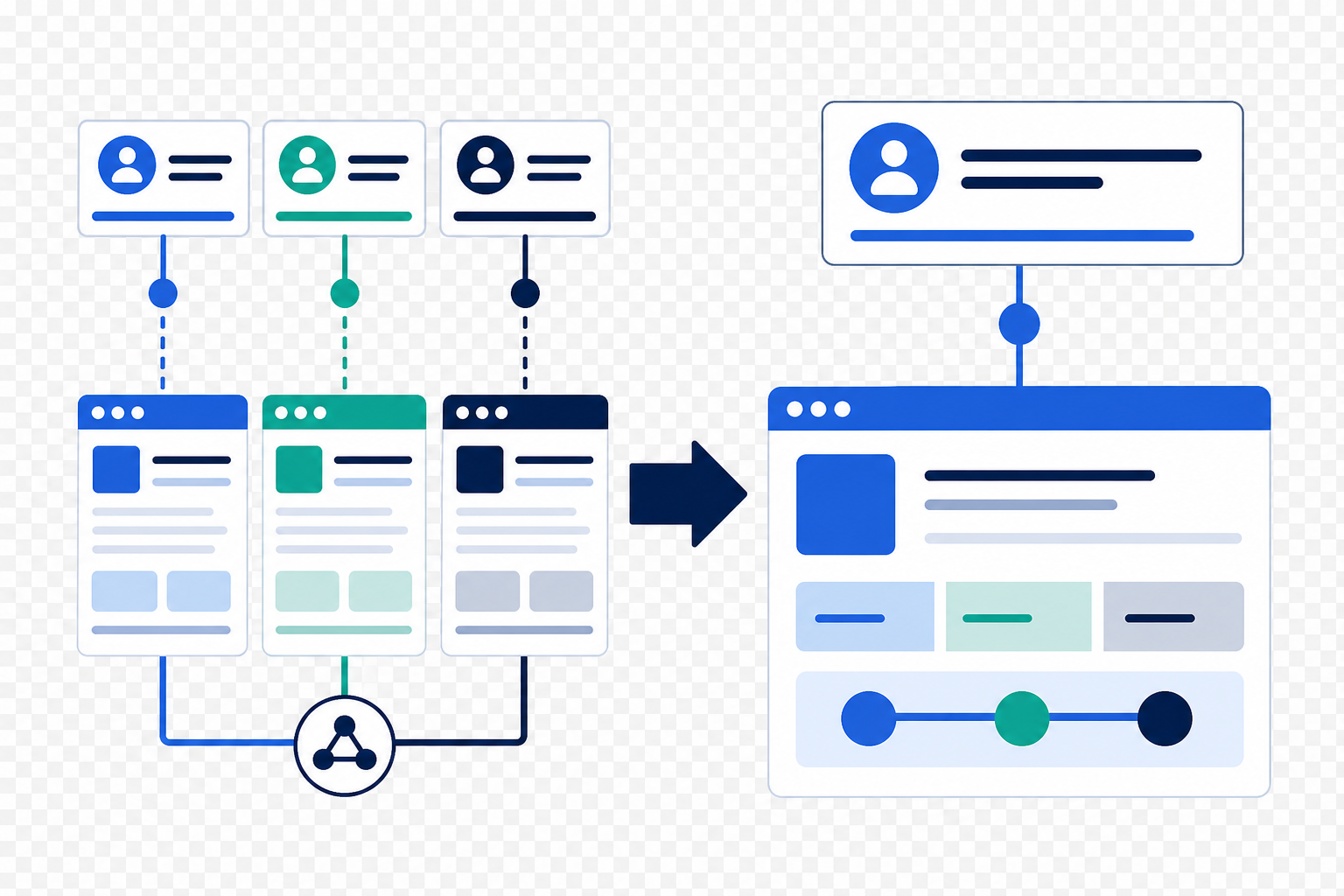
Real migrations are rarely one field to one field. A single target value may be built from three source columns, a lookup, and a condition. A single source field may feed two different target fields for different purposes. Forcing those cases into a one-row-per-field grid produces a document that is technically complete and practically unreadable.
Handle them explicitly:
- Allow repeated source fields. It is valid for one source field to appear on several rows when it feeds different destinations. Note the purpose of each row so reviewers don't flag it as a duplicate.
- Write composition logic in plain language. For example: "Description = source subject, then a line break, then source notes; if notes is blank, use subject only." Then reference the query or code that implements it.
- Record lineage for composite values. List every table and join involved, so a tester can trace an odd value back to its origin.
- Call out intentional one-to-many mappings. If one legacy record becomes several target records, say so, and explain how each child record is identified.
How Should Relationships and Lookups Be Documented?
Relationships are where migrated data most often goes quietly wrong. A record can load successfully and still be attached to the wrong parent, or to nothing at all. Give relationships their own section in the mapping document.
For each relationship, record:
- The source link: which field or linking table connects the two records in the legacy system.
- The target field: which lookup or association holds the link in the new CRM.
- The resolution method: how the load finds the right target record, usually a legacy ID stored in an external ID or unique property.
- The fallback: what happens when the parent doesn't exist or the link is ambiguous.
Platform behavior matters here. In Salesforce, external IDs let a load relate child records to parents without looking up Salesforce IDs first. But Salesforce Help notes that polymorphic fields, such as an activity's Name (WhoId) and Related To (WhatId), can't be mapped to external IDs in Data Loader. Those links need a cross-reference step, and the mapping document should say which step handles them.
In HubSpot, associations and unique identifiers play the same role. The HubSpot guide to multi-object imports explains that, without a unique identifier, identical object data across rows is treated as one record. It also notes that existing emails, meetings, notes, and tasks can't be updated through import. That makes getting activity relationships right on the first load especially important.
Why Do Test Loads Produce Duplicates or Missing Records?
When a sandbox load shows the same activity several times, the cause is usually the extract, not the load tool. A query that joins an activity table to a linking table with several rows per activity multiplies the results. Each activity appears once for every linked contact or account. That's a Cartesian-style duplication, and it's why the mapping document should state the row grain for every tab.
Missing records have their own common causes. A load can succeed while a validation query returns far fewer rows than expected. Before assuming data was lost, check whether the user running the query can see all records. Sharing settings, ownership, and record visibility rules can hide records that are really there. Also check whether archived or filtered records are excluded from the view you're using.
Failed records usually cluster around a shared trait, such as a record type with no matching parent. Our guide on what to filter out before the full load covers the sandbox-first approach in more detail.
How Should the Mapping Be Reviewed Before the Client Sees It?
The business team should confirm decisions, not find basic errors. If the people who use the legacy system every day are correcting field meanings or relationship rules, the review happened too late or not at all.
A simple internal review closes that gap:
- Domain review. Someone who knows how the source system is actually used checks field meanings, codes, and relationships, not just column names.
- Completeness check. Every primary table field has a status, and every exclusion has a reason.
- Logic walk-through. A second person traces a handful of real records from source to target using only the document.
- Tool-assisted drafts get a human pass. If AI tools helped draft mappings or descriptions, a named reviewer confirms every row before it is shared.
- Open questions are listed separately. Unresolved items go on a decision log with an owner and due date, rather than being buried in comments.
Only then should business owners sign off, focusing on scope and meaning rather than basic errors.
What Should Teams Do Next?
If a migration is already underway, audit the current mapping against the columns above. Look first for primary tables without a full field inventory, composite values without written logic, and relationships without a stated resolution method. Those three gaps cause most late surprises.
If a migration is still in planning, agree on the mapping template before design starts, including who owns each tab, who performs the domain review, and what "approved" means. The same discipline applies whether the target is Salesforce, HubSpot, or both.
How Vantage Point Helps
Vantage Point designs and runs CRM migrations into Salesforce and HubSpot, and the mapping document is the core deliverable of every project. Our system integration and data migration team builds complete source-to-target mappings with lineage, relationship resolution, and decision logs. Our Salesforce implementation and advisory services and HubSpot implementation services make sure the target data model fits how your team works. Senior consultants only. No junior handoffs; the experts you meet are the experts who deliver.
Planning a CRM Migration?
Start with a mapping document your whole team can trust. Vantage Point can review your current mapping, close the gaps, and plan test loads that hold up at cutover. Talk to Vantage Point about your CRM data migration.
Frequently Asked Questions
What is a data mapping document in a CRM migration?
It is a source-to-target specification that lists each source field, its status, its destination object and field, and any transformation rule. Builders, testers, and business owners all use it as the single reference for how data moves.
Should a mapping document include fields that won't be migrated?
Yes, for primary business tables. Listing every field with a status and exclusion reason shows that nothing was missed by accident and prevents the same decisions from being reopened later.
Do associative tables need a full field mapping?
Usually not. Tables that only link two records by ID can be documented by the relationship they represent and how it will be recreated. Profile them first, because some carry business data such as a relationship type or date.
How do you document a field built from several source fields?
Write the composition logic in plain language, list every source table and join involved, and reference the query or code that implements it. One source field can appear on several rows if it feeds different destinations.
Why are there duplicate records after a test migration load?
The most common cause is an extract query that joins to a table with several rows per record, which repeats each record once per match. Stating the row grain for every mapping tab makes this easy to catch.
Why do fewer records appear in the CRM than were loaded?
Check visibility before assuming data loss. Sharing settings, ownership, archived records, or filtered views can hide records from the user running the check even when the load succeeded.
Who should review the mapping document before sign-off?
Someone with hands-on knowledge of the source system should review field meanings and relationships, and a second person should trace sample records end to end. Business owners then confirm scope and meaning.