Key Takeaways (TL;DR)
- What is Box for Agentforce? A Salesforce AgentExchange extension that brings Box's AI-powered content intelligence directly into Agentforce agents, enabling autonomous document processing, data extraction, and content-centric workflow automation.
- Pricing: Box for Agentforce Extension is free to install; requires Box Enterprise or Enterprise+ subscription (starting ~$47/user/month) plus Salesforce Agentforce licensing.
- Best For: Organizations managing high volumes of unstructured content (contracts, invoices, forms, proposals) who want AI agents to automatically extract, organize, and act on document data within Salesforce.
- Integration Effort: Moderate. Requires the Box for Salesforce managed package as a prerequisite, plus the Agentforce Extension package. Expect 2-4 weeks for full configuration and testing.
- Verdict: Box for Agentforce is the strongest content intelligence layer available on AgentExchange today. It bridges the critical gap between unstructured document data and structured CRM records, giving Agentforce agents the ability to read, understand, and act on enterprise content autonomously.
Unstructured data is the elephant in every CRM room. Analysts estimate that 80% of enterprise data is unstructured: buried in contracts, invoices, proposals, and forms that live outside the neat rows and columns of Salesforce records. Until now, bridging that gap required manual effort: someone had to open the document, read it, and type the relevant details into Salesforce.
Box for Agentforce changes that equation entirely.
→ View Box for Agentforce on Salesforce AgentExchange
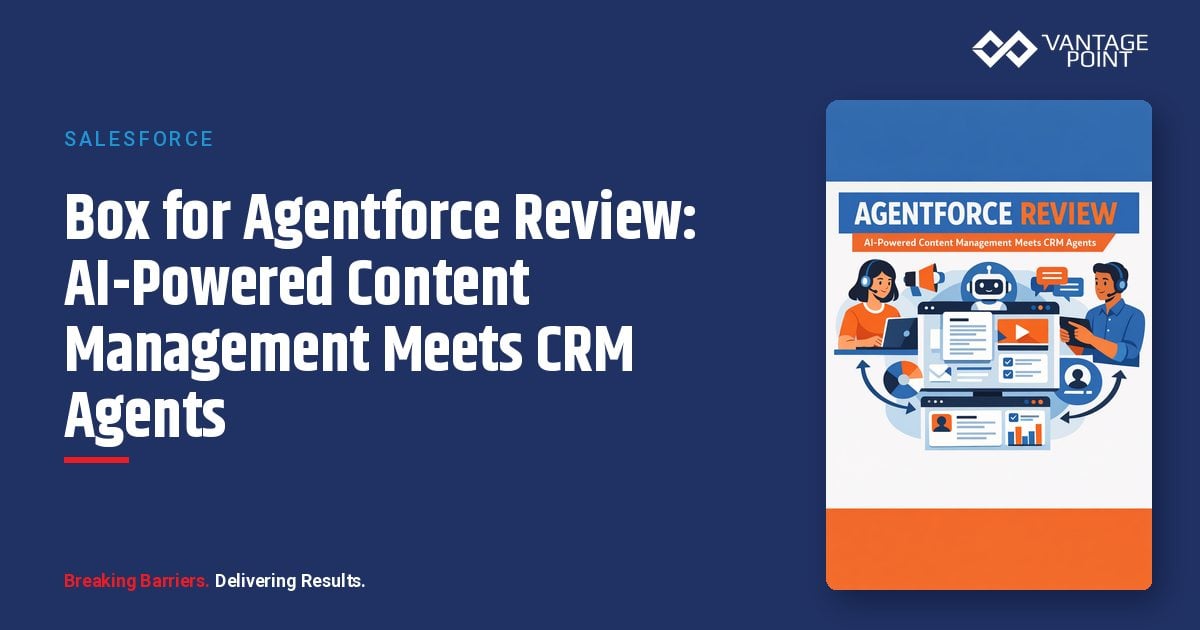
Available on Salesforce's AgentExchange: the trusted marketplace for agentic AI solutions. Box for Agentforce is an Agentforce-native extension that gives your AI agents the ability to interact with Box content directly. Think of it as giving your Agentforce agents eyes for documents: they can read contracts, extract metadata from purchase orders, generate quotes, organize folders, and keep Salesforce records in sync: all without human intervention.
In this guide, we'll break down what Box for Agentforce does, who it's for, how it works, and whether it's the right fit for your organization.
What Is Box for Agentforce and How Does It Work?
Box for Agentforce is an extension package built on top of the Box for Salesforce managed package. While the base package handles core file storage and collaboration between Box and Salesforce, the Agentforce Extension adds a layer of reusable Agentforce actions: pre-built, invocable Apex methods that AI agents can call autonomously during conversations and workflows.
Here's the architecture in simple terms:
- Box stores your enterprise documents with enterprise-grade security, compliance, and governance
- Box AI applies intelligent content analysis: extracting structured data, classifying documents, and generating insights
- Box for Agentforce Extension exposes these capabilities as Agentforce actions, topics, and instructions
- Salesforce Agentforce agents call these actions autonomously to process documents, update records, and drive content-centric workflows
The result? An Agentforce agent that can answer questions like "What are the payment terms in the Smith Corp contract?" or "Extract the line items from this purchase order and update the opportunity record": without a human ever opening the document.
Key Features of Box for Agentforce
1. AI-Powered Data Extraction
The standout capability. Box AI Data Extraction automatically captures structured data from unstructured documents (contracts, invoices, forms, purchase orders) and maps it to Salesforce fields. Three extraction modes are available:
- Create New Record: Generate new Salesforce records directly from extracted document data
- Update Existing Record: Refresh existing records with information from new or updated documents
- Validate: Compare extracted data against existing Salesforce values to flag discrepancies
This eliminates manual data entry, reduces errors, and keeps your CRM current with the documents that drive your business.
2. Folder and File Management
Agentforce agents can autonomously manage your Box folder structure:
- Create folders linked to Salesforce records
- Copy, move, and organize files based on business logic
- Apply consistent naming conventions and folder hierarchies
- Search for specific documents within account or opportunity folders
3. Metadata Management
Apply, read, and update Box metadata templates programmatically through Agentforce actions. This is particularly powerful for compliance-heavy industries where document classification and tagging are regulatory requirements.
4. Collaboration Automation
Manage Box collaborations directly from Agentforce:
- Add or remove collaborators on folders and files
- Set granular permission levels (viewer, editor, uploader)
- Automate access provisioning based on Salesforce role changes or deal stage transitions
5. Box Hubs Integration
Create and manage Box Hubs, curated content collections, through Agentforce. This enables agents to assemble deal rooms, client portals, or project workspaces automatically based on CRM triggers.
6. Document Generation and E-Signature
Agentforce agents can generate contracts and proposals from templates, pre-populate them with Salesforce data, and route them for e-signature through Box Sign: all within a single automated workflow.
7. Content Q&A with Box AI
Leverage Box AI's natural language understanding to let Agentforce agents answer questions about document content. Sales reps can ask their agent, "Summarize the key terms of the renewal contract," and receive an accurate, sourced response without leaving Salesforce.
Who Is Box for Agentforce Best For?
Ideal Use Cases
| Use Case | How Box for Agentforce Helps |
|---|---|
| Sales Operations | Auto-extract deal terms from contracts, generate quotes, assemble proposal packages |
| Financial Services | Process loan applications, extract data from financial statements, maintain compliance documentation |
| Healthcare | Manage patient forms, extract clinical data, ensure HIPAA-compliant document workflows |
| Insurance | Process claims documents, extract policy details, automate underwriting workflows |
| Legal & Compliance | Classify contracts, extract key clauses, track document versions and approvals |
| Procurement | Process purchase orders, extract line items, reconcile invoices against contracts |
Target Organizations
- Mid-market to enterprise organizations with significant document volumes
- Companies already using Box for content management
- Salesforce shops investing in Agentforce for workflow automation
- Regulated industries where document compliance and audit trails are critical
- Organizations looking to reduce manual data entry between document systems and CRM
How to Implement Box for Agentforce
Prerequisites
Before installing Box for Agentforce, ensure you have:
- Box Enterprise or Enterprise+ subscription with Box AI features enabled
- Box for Salesforce managed package (v5.24 or later) installed and configured
- Salesforce Agentforce licensing and setup
- Admin access to both Box and Salesforce environments
Installation Steps
- Install the base package: If not already installed, deploy the Box for Salesforce managed package and complete the authorization flow
- Install the Extension: Deploy the Box for Agentforce Extension package from AgentExchange
- Configure Topics and Actions: Set up Agentforce topics that reference Box actions, either use the out-of-the-box Box AI Topic or create custom topics tailored to your workflows
- Map Extraction Fields: Define which document fields map to which Salesforce fields for the AI Data Extraction feature
- Test and Iterate: Run test scenarios with sample documents to validate extraction accuracy and agent behavior
Implementation Tips
- Start with a single use case. Don't try to automate every document workflow at once. Pick your highest-volume, most manual process, often invoice processing or contract data extraction, and prove value there first.
- Invest in extraction templates. The quality of Box AI's data extraction depends on well-defined field mappings. Spend time upfront defining exactly what data you need from each document type.
- Leverage the out-of-the-box Topic. Box includes a pre-built Agentforce Topic that demonstrates how interactions with Box AI should be structured. Use it as a reference for building custom topics.
- Plan your folder structure. Agentforce agents work best when Box folders are consistently structured and linked to Salesforce records. Establish naming conventions and hierarchy standards before going live.
- Account for permissions. The Agentforce Extension inherits Box security permissions. Ensure your service account or integration user has appropriate access to the folders your agents need to process.
Pros and Cons
✅ Pros
- Agentforce-native design: Built specifically for Agentforce, not a retrofit. Actions are invocable and agent-ready out of the box.
- Enterprise-grade security: Box's security model (granular permissions, encryption, compliance certifications (SOC 2, HIPAA, FedRAMP, GDPR)) carries through to every agent action.
- Powerful AI extraction: Box AI's ability to extract structured data from unstructured documents is best-in-class, supporting contracts, invoices, forms, and more.
- Reduces manual data entry: Organizations report significant time savings by eliminating the document-to-CRM transcription bottleneck.
- Flexible extraction modes: Create, update, or validate, three modes cover the full spectrum of document-to-record workflows.
- Trusted by enterprises: Box's established presence in regulated industries means the integration inherits battle-tested compliance and governance capabilities.
- Active development: Box continues to invest in the Agentforce Extension with regular updates and new capabilities.
⚠️ Cons
- Requires Box subscription: This isn't a standalone tool. You need an active Box Enterprise or Enterprise+ plan, which adds to total cost.
- Two-package dependency: The Extension requires the base Box for Salesforce package, meaning two managed packages to maintain and update.
- Configuration complexity: Setting up proper field mappings, permissions, and topic instructions requires Salesforce admin expertise. The community forums show users encountering permission and configuration challenges during initial setup.
- Box AI costs: Box AI features consume AI Units, which are metered on some plans. High-volume extraction workflows may require monitoring consumption.
- Learning curve for custom topics: While the out-of-the-box topic works well, building custom agent topics that effectively leverage Box actions takes experimentation and iteration.
- Documentation gaps: As a relatively new extension, some implementation guides and best practices are still evolving.
Box for Agentforce vs. Alternatives
| Feature | Box for Agentforce | SharePoint + Copilot | Google Drive + Vertex AI |
|---|---|---|---|
| Agentforce-native | ✅ Yes | ❌ No | ❌ No |
| AI Data Extraction | ✅ Built-in | ⚠️ Requires custom setup | ⚠️ Requires custom setup |
| Salesforce Integration | ✅ Deep, managed package | ⚠️ Via connectors | ⚠️ Via connectors |
| Compliance Certifications | SOC 2, HIPAA, FedRAMP, GDPR | SOC 2, HIPAA, FedRAMP | SOC 2, HIPAA |
| E-Signature | ✅ Box Sign built-in | ❌ Requires DocuSign/Adobe | ❌ Requires third-party |
| Content Hubs/Deal Rooms | ✅ Box Hubs | ⚠️ SharePoint sites | ⚠️ Shared Drives |
| Agentforce Actions | ✅ Pre-built, invocable | ❌ Custom development | ❌ Custom development |
Box for Agentforce's primary advantage is clear: it's the only enterprise content management platform with native Agentforce actions that let AI agents interact with documents autonomously. Alternatives require significant custom development to achieve similar functionality.
Pricing Considerations
Box for Agentforce uses a layered pricing model:
| Component | Estimated Cost | Notes |
|---|---|---|
| Box for Agentforce Extension | Free to install | Available on AgentExchange |
| Box for Salesforce (base package) | Free to install | Managed package |
| Box Enterprise Plan | Starting ~$47/user/month | Required for Box AI features |
| Box Enterprise+ | Custom pricing | Includes 2,000 AI Units; advanced governance |
| Salesforce Agentforce | $2/conversation or per-user licensing | Separate Salesforce cost |
Important: While the packages themselves are free, you need active Box and Salesforce Agentforce subscriptions. For organizations already using Box and Salesforce, the incremental cost is primarily Agentforce consumption. For new Box customers, factor in the Box subscription as a significant line item.
"The real ROI story with Box for Agentforce isn't about the licensing cost. It's about the time your team currently spends manually extracting data from documents and entering it into Salesforce. For organizations processing hundreds or thousands of documents per month, the automation payback is measured in weeks, not months.": David Cockrum, CEO, Vantage Point
Real-World Implementation Scenarios
Scenario 1: Automated Invoice Processing
A procurement team receives 500+ vendor invoices per month. With Box for Agentforce:
- Invoices are uploaded to Box (via email integration, scan, or manual upload)
- An Agentforce agent detects the new document and triggers Box AI Data Extraction
- Key fields (vendor name, invoice number, line items, totals, payment terms) are extracted automatically
- The agent creates or updates the corresponding Salesforce record
- Discrepancies are flagged for human review; clean invoices are processed automatically
Result: 70-80% reduction in manual data entry time.
Scenario 2: Contract Renewal Intelligence
A customer success team manages 200 active contracts:
- Agentforce agent monitors contract expiration dates in Salesforce
- When a renewal approaches, the agent retrieves the current contract from Box
- Box AI extracts key terms: pricing, SLA commitments, auto-renewal clauses
- The agent generates a renewal summary and recommended actions
- A renewal proposal is auto-generated from templates and routed for review
Result: No more scrambling to find and review contracts at renewal time.
Scenario 3: Compliance Document Management
A financial services firm must maintain up-to-date compliance documentation:
- Agentforce agent classifies incoming documents using Box metadata
- Documents are automatically filed in the correct Box folder structure
- AI extraction populates compliance tracking records in Salesforce
- The agent generates audit-ready reports from extracted data
- Expiring certifications trigger automated renewal workflows
Result: Audit preparation time reduced from weeks to days.
Frequently Asked Questions (FAQ)
What is Box for Agentforce and how does it work with Salesforce?
Box for Agentforce is an extension package available on Salesforce AgentExchange that connects Box's AI-powered content management directly to Salesforce Agentforce agents. It provides pre-built, invocable actions that allow AI agents to read, extract data from, organize, and manage documents stored in Box: all without human intervention. The extension builds on the Box for Salesforce managed package and requires both Box and Salesforce Agentforce subscriptions.
Is Box for Agentforce free to use?
The Box for Agentforce Extension package itself is free to install from AgentExchange. However, it requires an active Box Enterprise or Enterprise+ subscription (for Box AI capabilities) and Salesforce Agentforce licensing. Think of it as a free bridge between two paid platforms.
What types of documents can Box AI extract data from?
Box AI Data Extraction works with a wide range of document types including contracts, invoices, purchase orders, tax forms, insurance claims, loan applications, HR forms, and other structured or semi-structured documents. The AI is trained to identify and extract key fields regardless of document layout, though extraction accuracy improves with well-defined field mapping templates.
How does Box for Agentforce handle security and compliance?
Box for Agentforce inherits Box's enterprise security model, which includes SOC 2 Type II, HIPAA, FedRAMP, GDPR, and PCI-DSS compliance certifications. All agent actions respect existing Box security permissions and access policies. The AI Agent Gateway ensures that any external AI agent must operate within your organization's governance framework: no data leaks, no unauthorized access.
Can I use Box for Agentforce without the base Box for Salesforce package?
No. The Box for Agentforce Extension is built on top of the Box for Salesforce managed package (v5.24 or later). You must install and configure the base package first, including completing the authorization flow, before the Agentforce Extension will function.
How long does it take to implement Box for Agentforce?
For organizations already using Box and Salesforce, expect 2-4 weeks for a focused implementation covering a single use case (e.g., invoice extraction). This includes installing both packages, configuring field mappings, building Agentforce topics, and testing. Broader rollouts across multiple document types and workflows may take 6-12 weeks depending on complexity.
What is the difference between AgentExchange and AppExchange?
AgentExchange is Salesforce's dedicated marketplace for agentic AI solutions, built specifically for the Agentforce ecosystem. It evolved from AppExchange as Salesforce expanded its AI agent platform. While AppExchange continues to host traditional Salesforce apps and components, AgentExchange focuses specifically on AI agents, actions, topics, and templates designed for Agentforce.
The Bottom Line: Should You Deploy Box for Agentforce?
Box for Agentforce sits at a compelling intersection: the unstructured data that drives your business meets the AI agents that can finally act on it. If your organization is already invested in both Box and Salesforce (or is evaluating content management platforms alongside an Agentforce rollout) this extension should be at the top of your evaluation list.
The strongest signal? Salesforce itself named Box for Agentforce as one of the top five AgentExchange must-haves, highlighting its ability to automate intelligent document processing and create a compliant, secure foundation for AI-powered workflows.
For organizations in regulated industries (financial services, healthcare, insurance) the combination of Box's compliance credentials and Agentforce's autonomous processing capabilities creates a uniquely powerful proposition. Your agents can process documents at scale while maintaining the governance and audit trails your compliance team demands.
Ready to explore Box for Agentforce?
→ View Box for Agentforce on Salesforce AgentExchange
Need help implementing Box for Agentforce or building content-intelligent Agentforce agents? Vantage Point specializes in Salesforce and Agentforce implementations for regulated industries. We bring the expertise to configure, optimize, and scale your agentic AI workflows.
Meta Description: Box for Agentforce brings AI-powered document intelligence to Salesforce Agentforce agents. Review of features, pricing, pros/cons, and implementation tips for this AgentExchange solution.