
Key Takeaways (TL;DR)
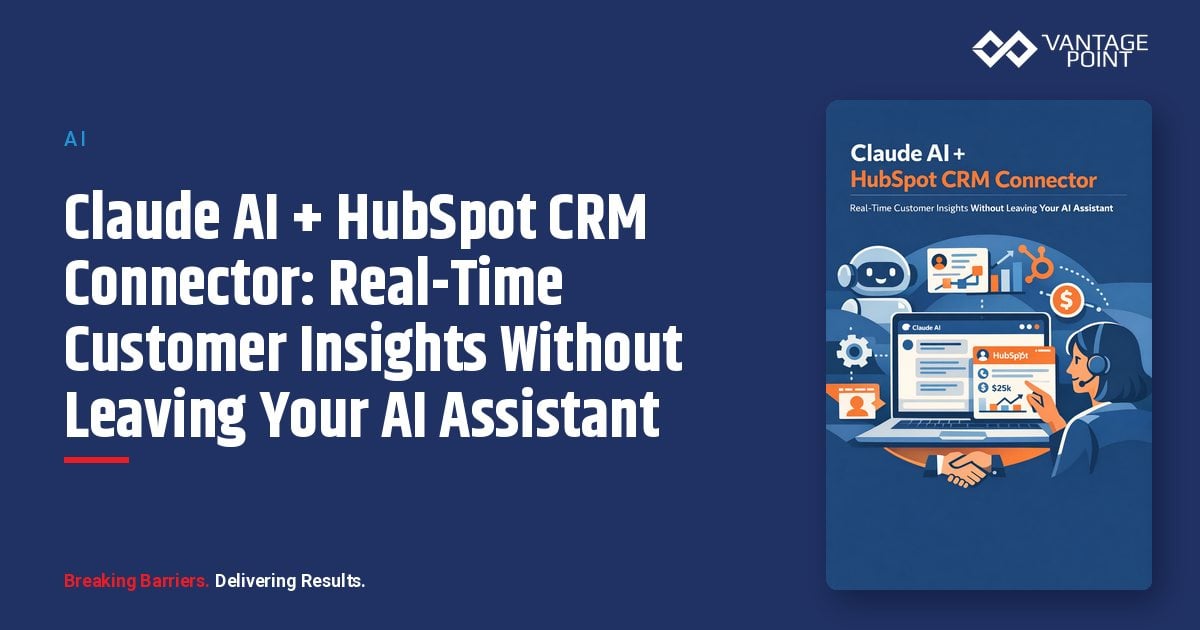
- What is it? HubSpot's native Claude AI connector lets you query, create, and update CRM records, plus analyze full engagement history, directly from Claude's chat window
- Key Benefit: Eliminate context-switching between your AI assistant and CRM; get real-time pipeline insights, customer summaries, and meeting prep in seconds
- Requirements: Paid Claude subscription (Pro, Max, Team, or Enterprise) + any HubSpot product and plan
- Setup Time: Under 10 minutes via Claude's Connectors settings: no coding required
- Best For: Sales teams wanting AI-assisted CRM updates, marketing teams optimizing campaigns, support teams triaging tickets, and managers analyzing engagement history
- Compliance Note: Respects HubSpot user permissions; full audit trail tracks all AI-initiated changes; Anthropic does not train on your CRM data
- ROI: Organizations report up to 300% return on AI spend within six months, with 37% reduction in customer acquisition costs
Introduction
Your CRM holds a goldmine of customer intelligence (deal histories, engagement timelines, support tickets, pipeline data) but accessing those insights has traditionally meant switching between tabs, building reports, and manually piecing together context before every call, meeting, or strategic decision.
What if your AI assistant could pull that intelligence for you, in real time, through a simple conversation?
That's exactly what the HubSpot connector for Claude delivers. Launched as the first native CRM connector for Anthropic's Claude AI, this integration lets businesses query, analyze, and even update HubSpot CRM data directly from Claude's chat interface: on web, desktop, or mobile.
In this guide, we'll walk through everything you need to know: what the connector enables, how to set it up, real-world use cases across sales, marketing, and service teams, security and compliance considerations, and how Vantage Point helps organizations implement AI-powered CRM workflows that drive measurable results.
What Does the Claude + HubSpot CRM Connector Enable?
The HubSpot connector for Claude transforms your AI assistant into a CRM-aware copilot. Rather than simply answering general questions, Claude gains direct access to your organization's customer data: delivering personalized, contextual insights based on your actual CRM records.
Core Capabilities
Read and Analyze CRM Data
Claude can access and analyze records across your entire HubSpot CRM, including:
- Contacts and Companies: Look up customer details, company information, and relationship history
- Deals and Pipelines: Summarize active deals, track stages, and identify at-risk opportunities
- Tickets: Review open support issues sorted by priority, assignee, or creation date
- Quotes, Invoices, and Orders: Pull financial data for account reviews
- Products and Line Items: Analyze product adoption and pricing details
- User Data: Understand team workload and assignment distribution
Create and Update Records
Claude can also write back to HubSpot (creating new contacts, updating deal stages, logging notes, and scheduling follow-up tasks) all from the chat window. Updates are tracked in HubSpot's Audit Log, attributed to both the user and the Claude connector.
Analyze Engagement History
One of the connector's most powerful features is access to full engagement data: emails, calls, meetings, tasks, and notes. Claude can summarize months of customer communication in seconds, surfacing patterns and action items that would take hours to compile manually.
How MCP Makes This Possible: Anthropic's Open Standard for AI-to-Data Connections
What Is the Model Context Protocol (MCP)?
The Model Context Protocol (MCP) is an open standard developed by Anthropic and donated to the Linux Foundation. Think of it as the "USB-C for AI", a universal, standardized way for AI models to securely request and receive data from external systems.
Before MCP, connecting an AI model to business applications required fragile, custom API integrations that were expensive to build and maintain. MCP eliminates this complexity by providing a standardized middleware layer that any AI-compatible application can use.
Why MCP Matters for CRM Integration
MCP fundamentally changes how AI interacts with your business data:
- Standardized Access: One protocol works across multiple data sources: CRM, email, documents, and more
- Real-Time Context: Claude accesses live CRM data rather than stale exports or manual copy-paste
- Security by Design: OAuth 2.0 authentication, granular permission controls, and no data copying
- Conversational Interface: Query your CRM using natural language instead of building reports or writing API calls
HubSpot was the first major CRM to launch native MCP support, signaling a fundamental shift in how businesses will interact with their customer data through AI.
HubSpot's Two MCP Servers
HubSpot offers two distinct MCP servers for different use cases:
- HubSpot MCP Server (Remote): Connects MCP-compatible AI clients (like Claude) to your HubSpot CRM data for querying, analyzing, and managing records
- Developer MCP Server (Local): CLI-based server that enables developers to interact with HubSpot's Developer Platform for building extensions and custom applications
For most business users, the Remote MCP Server, accessed through the native Claude connector, is the relevant integration.
How to Connect Claude to Your HubSpot Instance: Step-by-Step
Option 1: Native HubSpot Connector for Claude (Recommended)
This is the fastest, no-code path to connecting Claude with your HubSpot CRM.
Prerequisites:
- An active HubSpot account (any product and plan)
- A paid Anthropic subscription (Pro, Max, Team, or Enterprise)
- Super Admin or App Marketplace permissions in HubSpot (for initial setup)
Setup Steps:
- Open Claude Settings: In your Claude account, click your profile icon in the bottom left, then click Settings → Connectors
- Browse Connectors: Click Browse connectors and select HubSpot from the Web tab
- Add to Your Team: Click Add to your team and close the dialog box
- Connect Your Account: Return to the Connectors page and click Connect next to HubSpot. Log in to the HubSpot account you want to use
- Set Permissions: On the connection page, select the permissions you want to allow for the connector, then click Connect app
- Enable in Chat: In any Claude conversation, click Search and tools at the bottom and toggle the HubSpot switch on
- Start Querying: Type a natural language prompt and press Enter: Claude will use your HubSpot context when responding
Give Your Team Access: After the initial setup, navigate to Settings → Integrations → Connected Apps in HubSpot, click the HubSpot connector for Claude, and select Give users access to enable the connector for your entire organization.
Option 2: HubSpot MCP Server Integration (For Developers)
For teams building custom AI agents or applications:
- Create a user-level application on HubSpot's Developer Platform with read scopes for desired CRM objects
- Use the OAuth credentials to connect to the
mcp.hubspot.comendpoint - Configure your MCP client to authenticate via OAuth 2.0 (with PKCE support coming for OAuth 2.1)
Option 3: Workflow Automation with "Ask Anthropic" Action
For automated CRM workflows:
- Install the Anthropic app from the HubSpot Marketplace
- Enter your Anthropic API key from
console.anthropic.com - Create a workflow in Automation → Workflows and add the Ask Anthropic action
- Use Claude's outputs to trigger downstream actions like email sends, record updates, or team notifications
Note: The "Ask Anthropic" workflow action requires Marketing Hub Enterprise, Sales Hub Enterprise, Service Hub Enterprise, Data Hub Enterprise, or Content Hub Enterprise.
7 High-Impact Use Cases: How Teams Use Claude + HubSpot Daily
1. Sales Pipeline Analysis and Forecasting
Prompt: "Summarize all deals in the 'Decision Maker Bought In' stage with a deal value over $50,000, sorted by expected close date."
Claude instantly pulls pipeline data, identifies the highest-value opportunities, flags deals that have stalled, and highlights which ones need immediate attention, replacing what would otherwise be a 30-minute report-building exercise.
2. Pre-Meeting Customer Intelligence
Prompt: "Summarize all my emails with Sarah Chen from the last three months and list any issues that might affect deal closure."
Before a client meeting, Claude reviews the full engagement history (emails, calls, notes, and meeting records) delivering a comprehensive briefing that ensures your team walks in fully prepared.
3. Customer Health Scoring and Risk Detection
Prompt: "Find all contacts who haven't had any engagement in the last 60 days but have open deals worth more than $25,000."
Claude identifies at-risk accounts by cross-referencing engagement data with deal values, helping customer success and sales teams prioritize outreach before opportunities go cold.
4. Campaign Performance Summaries
Prompt: "How many contacts opened my last email campaign? Break down the engagement by lifecycle stage."
Marketing teams can quickly assess campaign effectiveness without building custom reports, using Claude to pull and analyze engagement metrics in real time.
5. Support Ticket Triage and Resolution Tracking
Prompt: "Show me all open tickets assigned to the East region team, sorted by priority and creation date. Summarize the top three most urgent issues."
Service teams get instant visibility into their queue, with Claude surfacing the most critical tickets and summarizing context so agents can respond faster.
6. Automated Task Creation and Follow-Up
Prompt: "Create a task for me to follow up with Acme Corp next Tuesday about their contract renewal. Log a note on the deal summarizing today's call."
Claude writes directly to HubSpot (creating tasks, logging notes, and updating records) all from a single chat conversation, eliminating manual data entry.
7. Lead Qualification and Scoring
Prompt: "Pull all new contacts created this week. Which ones have companies with more than 200 employees and are in the 'Marketing Qualified Lead' lifecycle stage?"
Sales development teams can instantly identify high-potential leads based on firmographic and behavioral criteria, accelerating the qualification process.
Security, Compliance, and Data Privacy
Permission-Based Access Control
The Claude connector automatically respects HubSpot user permissions. Users only see in Claude the CRM data they're authorized to access in HubSpot. If a sales rep has permission to view only their own deals, Claude enforces that same restriction.
Audit Trail and Accountability
Every create and update action performed through the connector is logged in HubSpot's Audit Log, attributed to both the individual user and the Claude connector. Super Admins can track who connected the connector, when, and what actions were taken.
Data Training and Privacy
Anthropic does not use data shared through HubSpot to train its models (except in limited cases where users opt into feedback). CRM data and customer segments cannot be copied through the connector.
Sensitive Data Protection
The connector does not provide access to custom Sensitive Data properties, including personal health information and other highly sensitive data. If your HubSpot account has Sensitive Data turned on, Claude will not access any engagement data as an additional security measure.
Data Localization
Your data center location is respected. Accounts hosted in the EU have requests routed through HubSpot's EU data center. Once data reaches Anthropic's platform, your specific Anthropic license terms govern processing and storage.
Enterprise-Grade Configuration
- Write approval controls: Configure the connector to require approval before any CRM updates (recommended)
- Granular permissions: Super Admins select exactly which read/write permissions to enable
- Individual disconnection: Each user manages their own connection independently
ROI Metrics: The Business Case for AI-Powered CRM
Organizations implementing AI-powered CRM workflows with Claude and HubSpot are seeing significant, measurable returns:
| Metric | Impact |
|---|---|
| AI ROI | Up to 300% return on AI spend within 6 months |
| Customer Acquisition Cost | 37% average reduction |
| CRM Data Retrieval Time | 80-90% reduction (minutes to seconds) |
| Meeting Preparation | 15-20 minutes saved per meeting |
| Manual Data Entry | 50-70% reduction through AI-assisted updates |
| Report Generation | Real-time vs. hours of manual compilation |
The ROI comes from three primary drivers:
- Time Savings: Reps and managers spend less time searching for information and more time acting on it
- Data Quality: AI-assisted updates reduce errors and ensure records stay current
- Contextual Intelligence: Better-informed conversations lead to higher conversion rates and stronger customer relationships
Best Practices for Maximizing Claude + HubSpot Value
- Start Small, Scale Fast: Begin by updating a single record before making bulk changes: verify Claude's outputs match your expectations
- Use Extended Thinking Mode: Enable Claude's Extended Thinking for complex CRM analysis that requires multi-step reasoning
- Set Write Tools to "Needs Approval": Always configure the connector to require confirmation before creating or updating records
- Keep CRM Data Clean: Claude's insights are only as good as your underlying data, maintain consistent naming conventions, update stages regularly, and standardize property usage
- Ask for Citations: When Claude surfaces important facts, ask it to reference specific records or engagement dates so you can verify in HubSpot
- Combine with Workflows: Use the "Ask Anthropic" workflow action for automated, trigger-based AI analysis alongside the interactive connector for ad-hoc queries
- Train Your Team: Share effective prompts across your organization, the most productive teams build a shared library of go-to queries for common tasks
- Review Audit Logs Regularly: Super Admins should periodically review the Audit Log to understand how the connector is being used and ensure compliance
How Vantage Point Helps You Implement AI-Powered CRM Workflows
As a trusted Anthropic, HubSpot, and Salesforce partner, Vantage Point helps organizations design, implement, and optimize AI-powered CRM strategies that deliver measurable results.
Our Approach
- CRM Architecture and Optimization: We ensure your HubSpot or Salesforce instance is structured to maximize AI effectiveness: clean data, proper permissions, and optimized workflows
- AI Integration Strategy: We help you identify the highest-impact use cases for Claude + CRM integration and build implementation roadmaps tailored to your business
- MCP and Connector Setup: Our team handles the technical configuration, permission mapping, and security review for Claude connectors and MCP server integrations
- Cross-Platform Expertise: Whether you're on HubSpot, Salesforce, or both, we design unified CRM strategies that leverage AI across your entire customer lifecycle
- Training and Enablement: We train your teams on effective prompting strategies, best practices, and governance frameworks for AI-powered CRM workflows
Why Vantage Point?
With deep expertise across Salesforce, HubSpot, MuleSoft, Data Cloud, and Anthropic's Claude AI, Vantage Point is uniquely positioned to help you build an AI-powered CRM ecosystem that connects your sales, service, and marketing teams with the intelligence they need to win.
Ready to bring AI-powered insights into your CRM? Contact Vantage Point to schedule a consultation and explore how Claude + HubSpot can transform your team's productivity.
Frequently Asked Questions (FAQ)
What is the HubSpot connector for Claude?
The HubSpot connector for Claude is a native integration that allows Anthropic's Claude AI to access, analyze, create, and update HubSpot CRM data directly from Claude's chat window. It enables real-time customer insights, engagement history analysis, and CRM record management without leaving your AI assistant.
Do I need a paid Claude subscription to use the HubSpot connector?
Yes. The HubSpot connector for Claude requires a paid Anthropic subscription: either Pro, Max, Team, or Enterprise. On the HubSpot side, the connector works with any product and plan.
Can Claude update my HubSpot records, or is it read-only?
Claude can both read and write to HubSpot. It can create new contacts, deals, and tickets; update record properties like deal stages; and log activities including notes, tasks, calls, meetings, and emails. It is recommended to set the connector's Write tools to "Needs Approval" so Claude asks for confirmation before making changes.
Is my CRM data used to train Claude's AI models?
No. Anthropic does not use data shared through HubSpot to train its models, except in limited cases where a user explicitly opts into feedback. CRM data and customer segments cannot be copied through the connector.
How does the connector handle user permissions?
The Claude connector automatically respects HubSpot user permissions. Users only see in Claude the CRM data they are authorized to access in HubSpot. All create and update actions are logged in HubSpot's Audit Log, attributed to both the user and the connector.
What is MCP and how does it relate to the Claude + HubSpot integration?
MCP (Model Context Protocol) is an open standard developed by Anthropic and donated to the Linux Foundation. It provides a standardized, secure way for AI models to request and receive data from external systems. HubSpot was the first major CRM to adopt native MCP support, and it powers the secure data exchange between Claude and your HubSpot instance.
Can I use Claude with both HubSpot and Salesforce?
Yes. While the native HubSpot connector for Claude connects to HubSpot CRM, organizations using both platforms can implement AI-powered workflows across both systems. Vantage Point specializes in cross-platform CRM strategies that leverage Claude AI across HubSpot and Salesforce environments.
How long does it take to set up the Claude + HubSpot connection?
The native connector setup takes under 10 minutes. A HubSpot Super Admin connects the integration through Claude's Connectors settings, selects permissions, and can then grant access to all users in the organization. No coding or technical configuration is required.
What CRM objects can Claude access through the connector?
Claude can access contacts, companies, deals, tickets, users, line items, quotes, invoices, orders, carts, products, subscriptions, and object segments. It also has access to engagement history including emails, calls, meetings, tasks, and notes. Custom objects and unstructured data are not yet available.
Conclusion
The Claude AI + HubSpot CRM connector represents a fundamental shift in how businesses interact with their customer data. By bringing real-time CRM intelligence into your AI assistant, you eliminate the friction of context-switching, reduce manual data entry, and empower every team member with instant access to the insights they need.
Whether you're a sales rep preparing for a critical meeting, a marketer analyzing campaign performance, or a service leader triaging support tickets, Claude's native HubSpot integration puts your entire CRM at your fingertips: through a simple conversation.
The question isn't whether AI will transform CRM. It's whether your organization will lead that transformation or follow it.
Contact Vantage Point today to explore how we can help you implement Claude + HubSpot and build an AI-powered CRM strategy that drives real results.
About Vantage Point
Vantage Point is a technology consulting firm specializing in CRM implementation, AI integration, and digital transformation. As a certified partner of Salesforce, HubSpot, Anthropic, Aircall, and Workato, we help businesses of all sizes design and deploy connected, intelligent systems that drive growth. From Sales Cloud and Service Cloud to HubSpot CRM, MuleSoft integration, Data Cloud, and Claude AI, Vantage Point delivers the expertise and strategy to transform how your teams engage with customers.
Learn more at vantagepoint.io.