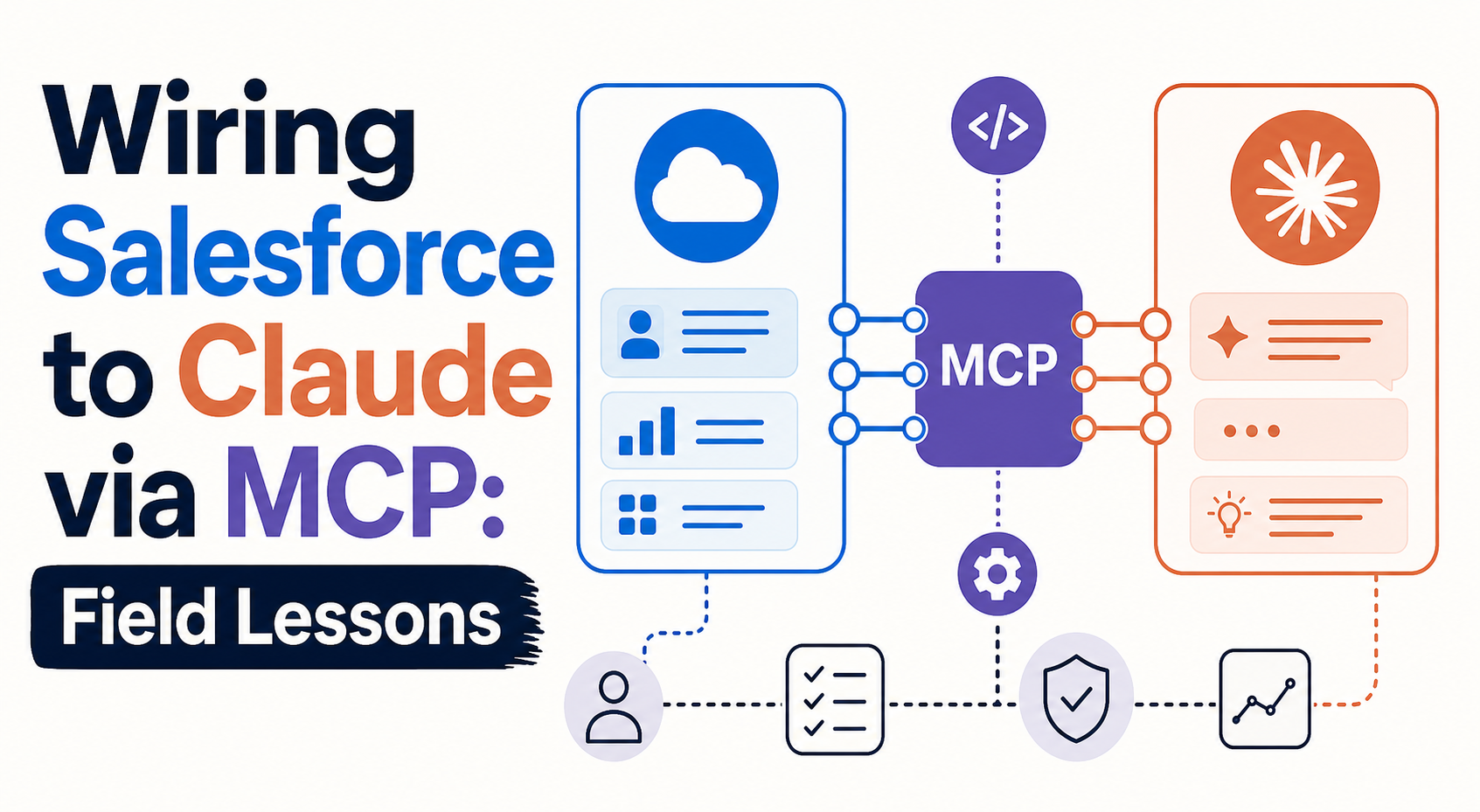
Connecting your CRM to a large language model (LLM) is one of the most compelling moves in enterprise AI right now. With Salesforce Hosted MCP Servers now generally available, you can point an AI assistant like Claude at your org and ask it to brief you on an account, draft an update, or reconcile data, in plain language, without building a custom integration for every tool.
But there is a wide gap between "it connected" and "it works." This is a field-lessons post, written from senior consulting experience wiring CRM to AI through the Model Context Protocol (MCP). It is vendor-neutral and built for any mid-market team weighing whether, and how, to put Claude on top of Salesforce. The short version: the technology is real and production-ready, but the operational knowledge to run it safely is the hard part, and that is exactly where projects succeed or stall.
Quick Answer
What this is: A practical guide to the real-world challenges of connecting Salesforce to Claude via MCP, and how to de-risk the work.
The core lesson: Authentication is not authorization. An OAuth handshake can succeed while the agent still can't act, because permissions, scopes, and field-level access don't line up, and those gaps are often undocumented.
Who it's for: RevOps, IT, and data leaders at mid-market companies who want governed AI access to CRM data without a failed pilot.
What decision it supports: Whether to run a scoped MCP proof-of-concept now, how to handle GA-vs-beta uncertainty, and how to govern third-party connector risk.
Why Vantage Point is relevant: We're a mid-market specialist with senior-only consultants, an Anthropic Registered CPN member, and deep Salesforce and integration (MuleSoft/Workato) experience: the operational knowledge that closes the gap.
TL;DR
- MCP makes CRM-to-LLM wiring standardized. One protocol lets Claude (or any MCP client) read and act on Salesforce data without a bespoke integration per tool.
- OAuth success ≠ authorization. The connection authenticates, but the agent still can't act when permissions, scopes, or field-level security don't align. This is the No. 1 field surprise.
- GA-vs-beta fog is real. Features move between pilot, beta, and GA quickly. De-risk by pinning versions, confirming status against official docs, and planning for change.
- Third-party dependency is a governance issue. Connectors and tokens can break or be revoked. Governance matters most when an agent can act, not just read.
- The documentation gap is the moat. The hard-won operational knowledge, not the connection itself, is the differentiator.
- Start small. Run a scoped, read-only proof-of-concept in a sandbox before granting write access. Talk to Vantage Point about a low-risk MCP POC.
What MCP Is, and Why CRM-to-LLM Wiring Is Compelling
The Model Context Protocol (MCP) is an open standard that gives LLMs a consistent way to request information from, and take action in, external systems. Instead of teaching every AI tool the specific APIs of every system, you expose a system through an MCP server, and any MCP-compatible client can use it. Think of it as a universal connector for AI agents.
Salesforce Hosted MCP Servers reached general availability on April 29, 2026 (after a pilot in spring 2025 and beta in October 2025), available for every Enterprise Edition org and above. A hosted MCP server is a Salesforce-managed endpoint that exposes your org's logic and assets (data, flows, Apex actions, and queries) to any AI client that speaks MCP, with hosting, authentication, and permission enforcement handled by Salesforce. (See the official Salesforce Hosted MCP Servers GA announcement and the developer documentation.)
The appeal is obvious. A sales rep preparing for a quarterly review asks their assistant to pull account history, open opportunities, recent cases, and the stakeholder map, all from Salesforce, in one conversation, with no tab-switching or report-building. Crucially, every MCP transaction runs as the authenticated user, so the user's existing permissions and the audit trail still apply. That design is powerful. It's also the source of the first big field lesson.
The Core Field Lesson: "It Connected" Is Not "It Works"
The most common surprise we see is this: OAuth succeeds, but authorization fails.
The connection authenticates cleanly. The client shows a green checkmark. Everyone assumes the integration is done. Then the agent tries to do real work (read a custom object, update a field, run a flow) and it can't. The reason is rarely the connection itself. It's the layer underneath: object permissions (CRUD), field-level security (FLS), sharing rules, profile and permission-set assignments, and the specific OAuth scopes granted to the MCP connection.
Because every MCP transaction runs with the authenticated user's identity, the agent inherits exactly that user's permissions: no more. If the user can't see a field, the agent can't either. If a flow requires a permission the connected user lacks, the call fails. And the painful part is that these permission and scope gaps are often undocumented or scattered across multiple admin surfaces, so the failure mode looks mysterious until someone with operational experience traces it.
Authentication vs. Authorization, Side by Side
| Dimension | Authentication ("it connected") | Authorization ("it works") |
|---|---|---|
| What it proves | The client is who it says it is | The agent is allowed to do the specific action |
| Mechanism | OAuth 2.0 / PKCE handshake, valid token | CRUD, FLS, sharing rules, permission sets, OAuth scopes |
| Where it's checked | At connection time | At every transaction, per object/field/action |
| Common failure | Expired or wrong token | Connected user lacks a permission or scope |
| How it surfaces | Clear error at login | Silent or confusing "can't do that" mid-task |
| Who fixes it | IT / identity team | CRM admin + integration lead together |
The practical takeaway: plan your access model before you connect. Map each use case to the exact objects, fields, and actions it needs, then provision a dedicated connected user (or permission set) with least-privilege access that matches. Treat "the agent can't do X" as a permissions design question, not a connection bug.
GA-vs-Beta Fog, and How to De-Risk It
Enterprise AI features move fast. Salesforce Hosted MCP went from pilot to beta to GA in about a year, and Anthropic's connector and MCP capabilities continue to evolve. That pace creates "GA-vs-beta fog": it's genuinely hard to know what's production-ready, what's beta, and what's roadmap.
This matters because teams make architecture decisions on features that may still shift in status, behavior, or pricing. The discipline that de-risks it:
- Confirm status against official docs, not blog posts or demos. For Salesforce, check Salesforce Help and the developer docs. For the protocol itself, check the Model Context Protocol spec. For Claude, check Anthropic's official documentation.
- Pin versions and capabilities. Record exactly which server, scopes, and tools you tested, and re-verify before relying on anything new.
- Separate GA from beta in your design. Build production workflows on GA capabilities; isolate beta features behind a flag or in a sandbox so a status change doesn't break live work.
- Plan for change. Assume tool sets and behaviors will expand. Document your assumptions so you can re-test quickly when something moves.
The goal isn't to wait for everything to settle: it won't. It's to know precisely where you're standing on solid ground versus shifting ground, and to design accordingly.
Third-Party Dependency and Connector Risk
When you wire an LLM to your CRM, you take on a dependency chain: the AI client, the MCP server, the identity provider, and any middleware in between. Each link can break, change, or be compromised.
We've seen, in anonymized terms, a third-party connector incident sever the integration tokens that an organization's AI workflows depended on. No CRM data was lost, but every connected workflow stopped until tokens were reissued and re-scoped. The lesson wasn't "avoid connectors." It was "design for the day a dependency fails."
That risk is amplified by the fact that an agent can now act, not just read. Governance matters most at the point of action. Sound practice:
- Least privilege, always. Grant only the scopes and permissions a use case requires. Start read-only; add write access deliberately, one workflow at a time.
- Token and credential management. Use dedicated connected apps with rotation, short-lived tokens where possible, and a documented revocation procedure. Know who owns each credential.
- Monitoring and audit. Because MCP transactions carry the user's identity into the audit trail, use that. Monitor what agents read and change, and alert on anomalies.
- Failure planning. Document what happens when a connector, token, or upstream service fails, and how you detect it, who responds, and how workflows degrade gracefully.
- Gateways for scale. Enterprises running MCP across multiple vendors should evaluate MCP gateways (for example, MuleSoft AI Gateway) for centralized governance across servers, not just Salesforce.
This is where deep integration experience pays off. Our system integration and data migration team and compliance and security solutions practice build exactly these controls into AI-to-CRM connections.
Why the Documentation Gap Is the Real Moat
Here is the uncomfortable truth that ties the field lessons together: the connection is the easy part. Anthropic, Salesforce, and the MCP standard have made authenticating an agent to your CRM genuinely straightforward. What remains hard, and largely unwritten: is the operational knowledge: which permissions actually unblock an action, how to scope safely, how to handle status changes, how to recover from a dependency failure, and how to govern an agent that can act.
That gap is not a temporary inconvenience. It is the moat. Industry research backs this up. MIT's NANDA initiative found that roughly 95% of enterprise generative-AI pilots fail to deliver measurable value, with the core problem being integration into real workflows rather than model quality (see Fortune's coverage of the MIT report). And McKinsey's research on AI trust finds that security and risk concerns are now the top barrier to scaling agentic AI, with explainability a persistent concern (see McKinsey's State of AI trust in 2026 and Building AI trust).
In other words: the technology connects; the operational fragility is what stalls pilots. The teams that win are the ones who have done the wiring before and written down what the docs leave out.
How to Run a Scoped, Low-Risk MCP Proof-of-Concept
You don't de-risk this by reading more: you de-risk it by running a small, controlled POC. Here's the path we recommend:
- Pick one high-value, low-risk use case. Account briefings or read-only reporting are ideal first targets.
- Use a sandbox. Salesforce recommends starting with a read-only server (for example, the
sobject-readsserver) in a sandbox. - Provision least-privilege access. Create a dedicated connected user or permission set scoped to exactly the objects and fields the use case needs. Use an External Client App with only the required scopes.
- Map authorization before connecting. Document the CRUD/FLS/sharing requirements for the use case so "it connected" leads straight to "it works."
- Connect a client and test. Use Postman for raw testing, then Claude or another MCP client for the real workflow.
- Add write access deliberately. Only after read behavior is validated, and always with a human review step for writes.
- Define ownership and failure handling. Decide who owns scopes, monitoring, token rotation, and the response plan if a dependency breaks: before you scale.
A focused POC like this typically takes weeks, not months, and tells you far more than any vendor demo.
How Vantage Point Helps
Vantage Point is a mid-market CRM and AI consultancy built on senior-only consultants and an employee-owned model. As an Anthropic Registered CPN member with deep Salesforce and integration (MuleSoft, Workato) experience, we've done this wiring, and we've written down what the documentation leaves out.
Using our VALUE Methodology, we can run a scoped, low-risk MCP proof-of-concept that maps your highest-value use case, designs least-privilege access, sets a human-in-the-loop review model, and builds the governance and failure planning that keep AI-to-CRM connections safe in production. We stay vendor-agnostic and work across Salesforce and HubSpot, so the recommendation fits your stack: not a sales target.
If you're evaluating Claude on top of Salesforce, start with our system integration and data migration and AI-driven personalization and analytics services. For related reading, see MCP Servers: Connecting Claude to Your Systems of Record, How to Connect Your CRM to Claude, and How to Deploy Claude Safely With Salesforce & HubSpot Data.
FAQ
What does it mean to wire Salesforce to Claude via MCP?
It means connecting Claude (an MCP-compatible AI client) to your Salesforce org through a Model Context Protocol server, so the assistant can read and act on CRM data in plain language. Salesforce Hosted MCP Servers, generally available since April 29, 2026, provide a managed endpoint that exposes your org's data, flows, and actions with authentication and permission enforcement built in.
Why does OAuth succeed but the agent still can't act?
Because authentication and authorization are different things. OAuth proves the client's identity and grants a token, but every action is still checked against the connected user's permissions, object access (CRUD), field-level security, sharing rules, and the OAuth scopes granted. If any of those don't line up, the connection works but the action fails. These gaps are often undocumented, which is why they surprise teams.
Is Salesforce Hosted MCP generally available or still beta?
It is generally available. Salesforce announced GA on April 29, 2026, for Enterprise Edition orgs and above, after a pilot in spring 2025 and a beta in October 2025. Always confirm current status, scopes, and pricing against official Salesforce documentation, since AI features change quickly.
How do I de-risk GA-vs-beta uncertainty?
Confirm feature status against official docs rather than demos or blogs, pin the exact servers, scopes, and tools you've tested, build production workflows only on GA capabilities, isolate beta features in a sandbox or behind flags, and document your assumptions so you can re-test quickly when something changes.
What is the biggest governance risk when connecting AI to CRM?
The biggest risk appears when an agent can act, not just read. A connector failure, revoked token, or compromised dependency can sever integrations, and a misconfigured write can change live records. Mitigate with least-privilege scopes, dedicated connected apps with token rotation and revocation procedures, monitoring of what agents read and change, human review for writes, and a documented failure plan.
Why is the documentation gap described as the moat?
Because the connection itself is now easy, but the operational knowledge to run it safely (which permissions unblock actions, how to scope, how to handle status changes, and how to recover from dependency failures) is largely unwritten. MIT research finds about 95% of GenAI pilots fail, mostly on integration into real workflows, and McKinsey finds security and trust are the top barriers to scaling agentic AI. The hard-won operational knowledge is the differentiator.
How should we start a Salesforce-to-Claude MCP project?
Start with a scoped, low-risk proof-of-concept: pick one high-value use case, run it read-only in a sandbox, provision least-privilege access mapped to the exact objects and fields needed, test with an MCP client, and add write access only after validating read behavior with a human review step. Define ownership, monitoring, and failure handling before scaling.
Does Vantage Point provide the certifications to do this work?
Vantage Point is an Anthropic Registered CPN member with senior-only consultants and deep Salesforce and integration experience across MuleSoft and Workato. We help mid-market teams design scoped, governed AI-to-CRM connections using our VALUE Methodology, staying vendor-agnostic across Salesforce and HubSpot.