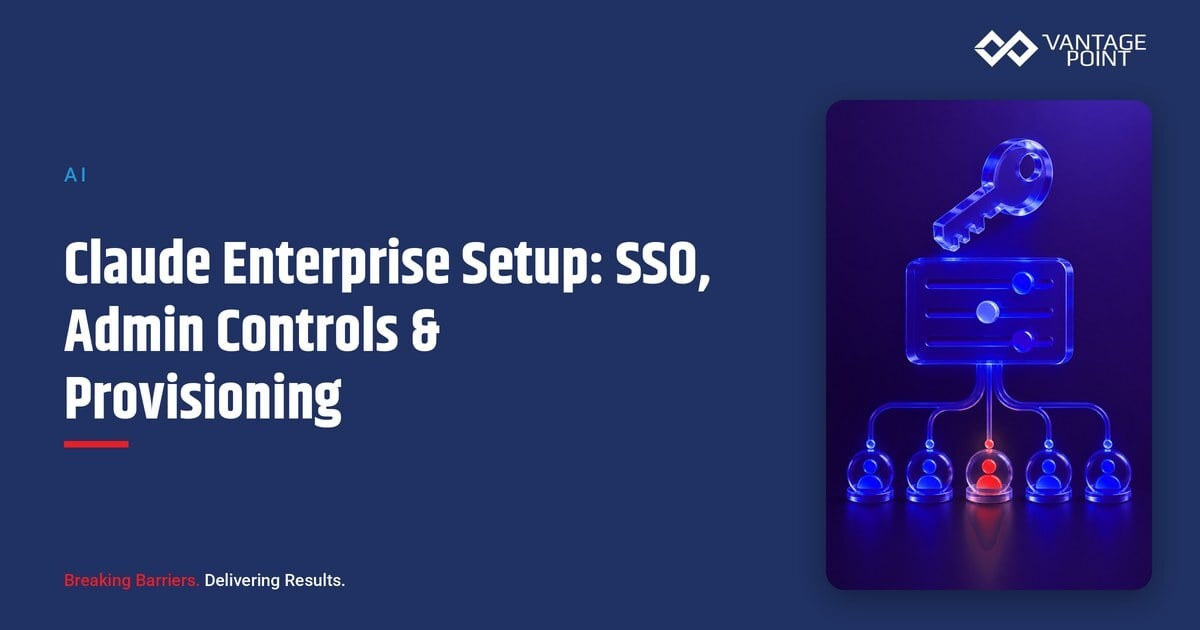
Most Claude rollouts stall or sprawl for the same reason: nobody owned the admin setup before the first user logged in. Individual employees start expensing personal Claude subscriptions, IT has no visibility into who has access to what, and by the time someone asks "wait, who can see our customer data in this thing," dozens of ungoverned accounts already exist. A proper enterprise setup (single sign-on, admin role controls, and automated user provisioning) is not a compliance formality. It is the difference between rolling out Claude as a managed platform and discovering it as shadow IT. This guide walks through how SSO, admin controls, and provisioning work together for a Claude enterprise deployment, what each one requires, what goes wrong when they are skipped, and how to sequence the setup correctly.
Enterprise setup is the foundation; what a governed Claude environment looks like once it is running is a broader question we cover in building a secure Claude environment.
Quick Answer
Setting up Claude for enterprise use means configuring three things before any team starts using it day to day: single sign-on (SSO) through your identity provider so access follows your existing employment lifecycle, admin console role controls so permissions match job function rather than defaulting to "everyone sees everything," and automated user provisioning (typically via SCIM) so accounts are created and, critically, deactivated automatically when someone changes roles or leaves. Skipping any one of the three creates a predictable failure mode: no SSO means orphaned personal logins outlive employment; no role controls mean every user has admin-equivalent reach; no automated provisioning means deprovisioning depends on someone remembering to do it manually, which does not scale past a few dozen users. Enterprise and Team plans with the right tier gate these controls, verify current plan-level availability before committing to a rollout timeline, since Anthropic updates plan tiers and features regularly.
TL;DR
- What it is: The identity, access, and provisioning layer that governs who can use Claude, what they can do inside it, and how accounts are created and removed.
- Why it matters: Without it, Claude adoption happens through individual sign-ups instead of a managed rollout, and nobody can say with confidence who has access to what.
- Core components: SSO/SAML integration with your identity provider, admin console role assignment, and SCIM-based automated provisioning/deprovisioning.
- Decision point: Which identity provider integration you use, how granular your role model needs to be, and whether provisioning is automated or manual at launch.
- How Vantage Point helps: We design and stand up the identity, access, and provisioning architecture, backed by compliance and security solutions and advisory and change management.
What Enterprise Setup Actually Covers
"Enterprise setup" is not one feature. It is three separate systems that need to work together before a Claude rollout can be called managed rather than ad hoc.
Single sign-on (SSO) connects Claude to your existing identity provider (Okta, Azure AD/Entra ID, Google Workspace, and similar) so employees log in with the credentials they already use, and access follows the same lifecycle as every other corporate system: when someone leaves or their account is suspended at the identity-provider level, their Claude access goes with it. Without SSO, people authenticate with individual email/password logins that live entirely outside your identity system: invisible to IT, and outliving employment by default.
Admin console role controls determine what a given user or group can do once they are in: who can invite others, who can create and manage Projects, who can configure connectors and data sources, who can view usage and billing, and who has full workspace-admin reach. The default failure mode is treating every seat as equally privileged, which means a mistake or a compromised account anywhere in the organization has the same blast radius as one at the top.
User provisioning, most often through SCIM (System for Cross-domain Identity Management), automates account creation, role assignment, and, the part that matters most, deactivation. Provisioning tied to your HR system or identity provider means a role change or an offboarding event updates Claude access automatically, instead of depending on someone remembering to email IT.
Why This Matters Before Rollout, Not After
Every one of these controls is dramatically cheaper to set up before people start using Claude than to retrofit after adoption has already happened informally:
- Shadow AI is already happening. If Claude has any name recognition on your team, some number of employees have likely already tried it with a personal account: quite possibly on company data. A managed enterprise setup gives people a sanctioned, better alternative and a reason to move off the personal account.
- Offboarding is where governance actually gets tested. Nobody notices a missing SSO connection on day one. They notice it eighteen months later, during an audit, when a departed employee's account is still active. Automated deprovisioning is the control that prevents that finding.
- Role sprawl compounds. Every user granted admin-equivalent access "to keep things moving" is a decision someone has to unwind later, usually under time pressure, usually after something has already gone wrong.
- Audit and compliance requests assume this exists. SOC 2, vendor security reviews, and internal audit all ask some version of "how do you provision and deprovision access to systems holding company data." Enterprise setup is the answer, or the gap, to that question, and it pairs directly with a documented acceptable use policy that spells out what people can do once they have access.
- It sets the tone for adoption. A rollout that starts with a clear login flow, sensible role defaults, and a visible IT owner signals that Claude is a supported tool, not an experiment someone will quietly kill in six months.
SSO, Admin Roles & Provisioning at a Glance
| Component | What it does | What it requires | What breaks without it |
|---|---|---|---|
| SSO / SAML | Ties Claude login to your identity provider | IdP integration (Okta, Entra ID, Google Workspace, etc.), domain verification | Individual logins that outlive employment; no central visibility into who has access |
| Domain capture | Brings existing individual accounts on a company email domain under the managed workspace | Verified ownership of the email domain | Employees keep unmanaged personal accounts alongside, or instead of, the sanctioned one |
| Admin console roles | Controls who can invite users, manage Projects, configure connectors, view billing | A role model mapped to job function, not a single admin/user binary | Every user effectively has admin-equivalent reach; one compromised account exposes everything |
| SCIM provisioning | Automates account creation, role updates, and deactivation | SCIM support enabled at the identity-provider and Claude plan level | Manual account management that reliably falls behind: especially deprovisioning |
| Audit logging | Records admin actions and access changes | Logging enabled and routed to a reviewed destination | No record of who changed what access, when: a gap every security review will flag |
Plan and feature availability for SSO, SCIM, and granular admin roles differ across Claude's Team and Enterprise tiers and change as Anthropic updates its offerings, confirm current gating with your account team before finalizing a rollout plan.
The Setup Workflow
The sequence matters more than any individual step. Doing them out of order (provisioning users before roles exist, or rolling out broadly before domain capture) is the most common source of rework.
| Step | What happens | Who owns it |
|---|---|---|
| 1. Domain verification | Confirm ownership of the company email domain so existing individual accounts can be identified and captured | IT/security admin |
| 2. SSO integration | Connect the identity provider (Okta, Entra ID, Google Workspace) so login follows corporate credentials | IT/identity team |
| 3. Role model design | Define role tiers (standard user, Project admin, connector admin, workspace admin) mapped to actual job functions | IT + business stakeholders |
| 4. SCIM provisioning setup | Connect the identity provider's provisioning feed so account creation, role changes, and deactivation are automated | IT/identity team |
| 5. Pilot group rollout | Onboard a small group under the full setup before expanding, to confirm the login, role, and provisioning flow all work as designed | Project sponsor |
| 6. Org-wide rollout | Expand access in waves, with audit logging and a named owner for ongoing access reviews | IT + rollout owner |
What Data and Access Does This Require?
- Identity provider access. SSO and SCIM setup require configuration access to your identity provider (Okta, Entra ID, Google Workspace, or similar). Typically an IT/security admin task, not something individual teams can do themselves.
- A defined role model. Before provisioning can be automated sensibly, someone has to decide what roles exist and who belongs in each one. This is a business decision as much as a technical one: mapping access to job function, not convenience.
- Domain ownership verification. Capturing existing individual accounts under the managed workspace requires proving ownership of the email domain those accounts used to sign up.
- A logging destination. Audit logs are only useful if someone actually reviews them. Route them to wherever your security team already reviews access logs for other systems, rather than creating a new destination nobody checks.
What Can Go Wrong
- Skipping domain capture. Rolling out enterprise SSO without capturing existing individual accounts leaves employees running two parallel accounts (one managed, one not) with no clear reason to consolidate.
- A flat, single admin role. Granting workspace-admin access broadly "to move fast" means every one of those accounts is a single point of failure. Build at least a basic tiered role model before rollout, not after an incident.
- Manual provisioning that quietly falls behind. Without SCIM automation, deprovisioning depends on someone remembering to revoke access during offboarding: a process that reliably breaks down as headcount grows.
- No audit trail, or one nobody reviews. Enabling logging without assigning a reviewer is functionally the same as not having it. Assign ownership of periodic access reviews explicitly.
- Treating this as a one-time project. Roles, provisioning rules, and the identity-provider integration all need periodic review as the org changes, not a one-time setup that is never revisited.
- Assuming plan tier includes everything. SSO, SCIM, and granular admin roles are gated differently across Claude plan tiers, and availability changes over time. Confirm what your specific plan includes before building a rollout plan around it.
None of these are model-capability problems. They are identity, access, and process decisions that are cheap to get right at the start and expensive to unwind later.
How to Set Up Claude for Enterprise: Step by Step
- Verify domain ownership so existing individual accounts on your company domain can be identified and brought under the managed workspace.
- Connect SSO to your identity provider so login follows the same lifecycle as every other corporate system.
- Design a role model before provisioning anyone (standard user, Project admin, connector admin, workspace admin) mapped to actual job functions, not convenience.
- Automate provisioning and deprovisioning through SCIM, tied to the same identity-provider events that already govern access to other systems.
- Pilot with a small group to confirm the login, role, and provisioning flow works end to end before expanding.
- Assign an access-review owner who periodically checks role assignments, audit logs, and provisioning accuracy. This is the step most rollouts skip and most audits catch.
What Businesses Should Do Next
Do not roll Claude out broadly before SSO, a role model, and provisioning are in place. That sequence, reversed, is exactly how shadow AI accounts and orphaned access happen. Start with domain verification and SSO, design a role model deliberately rather than defaulting everyone to admin, and automate provisioning before headcount makes manual account management unmanageable. Pilot the full setup with a small group first. The technical integrations are usually the fast part; the role model and the named ownership of ongoing access reviews are what make the setup durable.
How Vantage Point Helps
Vantage Point designs and stands up the identity, access, and provisioning architecture for Claude enterprise rollouts, with senior consultants on every engagement, no junior staff learning the identity-provider integration on your project. A typical engagement verifies domain ownership and plans SSO integration with your identity provider, designs a role model mapped to real job functions, configures SCIM-based provisioning and deprovisioning, and sets up audit logging with a named review owner before the pilot group goes live.
Because the setup touches security posture directly, it is grounded in our compliance and security solutions practice, while advisory and change management builds the rollout sequencing and enablement plan that gets a pilot group to a confident org-wide expansion. Where the rollout needs to stay consistent with existing identity and data-integration work, our system integration and data migration practice keeps the provisioning feed aligned with the systems already governing access elsewhere. Because the practice is vendor-agnostic and dual-platform, the same identity and access model holds whether your CRM of record is Salesforce, HubSpot, or both, and it is built to hand over with documentation and a named internal owner, not to create dependency on us.
FAQ
Do we need SSO to use Claude for our whole company?
Not technically, but without it, every account is an individual login outside your identity system, with no automatic connection to your employment lifecycle. For any organization beyond a small team, SSO is what turns Claude from a collection of individual sign-ups into a managed, auditable platform.
What is domain capture, and why does it matter?
Domain capture is the process of identifying and bringing existing individual Claude accounts created with a company email address under the managed enterprise workspace. Without it, employees who signed up independently keep an unmanaged account running alongside, or instead of, the sanctioned one, which defeats the purpose of setting up SSO in the first place.
What does SCIM provisioning actually automate?
SCIM (System for Cross-domain Identity Management) automates account creation, role assignment, and deactivation based on events in your identity provider or HR system. The most important part in practice is deactivation: when someone leaves or changes roles, their Claude access updates automatically instead of depending on a manual offboarding step.
How granular should our admin role model be?
Granular enough that access maps to actual job function (standard user, Project admin, connector admin, workspace admin, at minimum) rather than a flat binary where everyone is either a basic user or has full admin reach. A tiered model limits the blast radius if any single account is compromised or misused.
Does every Claude plan include SSO and SCIM?
No. SSO, SCIM provisioning, and granular admin roles are gated differently across Claude's plan tiers, and availability changes as Anthropic updates its offerings. Confirm what your specific plan tier includes before committing to a rollout timeline built around these controls.
What is the biggest mistake companies make in enterprise setup?
Sequencing it backwards, rolling out access broadly before a role model and provisioning automation exist. That order reliably produces flat admin-equivalent access for everyone and manual deprovisioning that falls behind as the organization grows. Doing domain capture, SSO, and role design first prevents both.
How does Vantage Point support enterprise Claude setup?
Vantage Point verifies domain ownership, integrates SSO with your identity provider, designs a job-function-based role model, configures SCIM provisioning and deprovisioning, and sets up audit logging with a named review owner: with senior consultants only. Because we are vendor-agnostic and dual-platform, the identity and access model we build stays consistent whether your systems of record run on Salesforce, HubSpot, or both.