A growing number of teams land in the same architectural spot: they have standardized on Claude (or another external AI) as their orchestration layer, and they have built — or are piloting — Agentforce agents inside Salesforce that own real business context: cases, accounts, entitlements, flows. The obvious question follows: can the external AI call the Salesforce agent directly, instead of rebuilding that knowledge somewhere else?
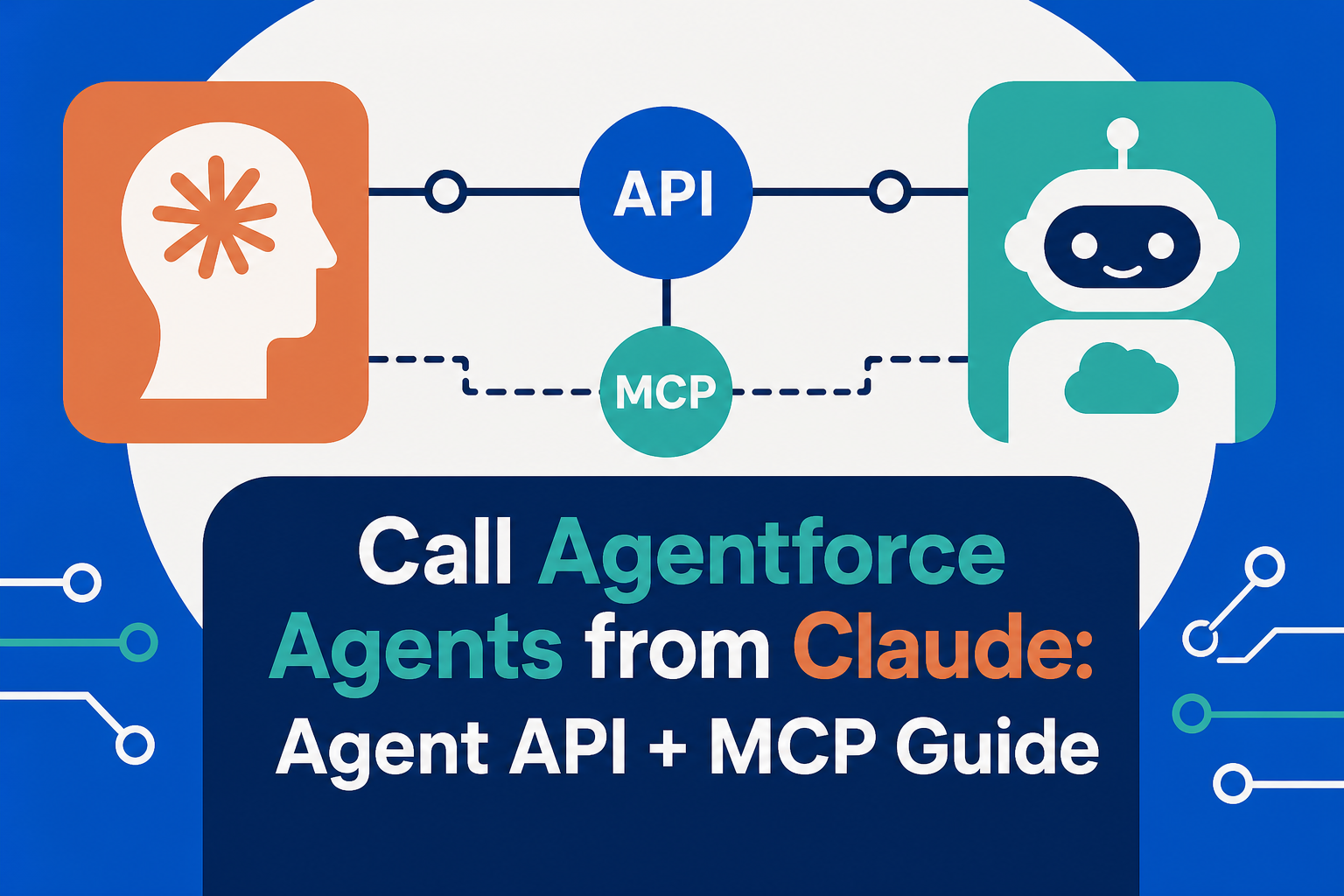
Yes. Salesforce exposes its agents through the Agent API, a REST interface for starting sessions, sending messages, and receiving responses from a specific activated agent. Wrapped as a tool, that API makes an Agentforce agent callable from Claude, from a custom app, or from any orchestrator that can hold a session. The design choices that matter are authentication, session lifecycle, and which user context the agent runs under.
Quick Answer
To call an Agentforce agent from Claude or any external system, use Salesforce's Agent API: create an External Client App with the client credentials flow and the chatbot_api and sfap_api scopes, mint an OAuth token against your My Domain, then POST to the agent's /sessions endpoint to open a conversation and exchange messages over the returned session links. To make the agent feel native to Claude, wrap those calls in a small MCP server so Claude can invoke the agent as a tool. Note one hard constraint up front: the Agent API does not support agents of type "Agentforce (Default)" — you need a custom agent you have built and activated. Vantage Point designs these integrations under its Salesforce consulting practice.
TL;DR
- The Agent API is the front door: a REST API for session-based conversations with a specific activated Agentforce agent — start, message, stream, end.
- Direction matters: this pattern is external-AI-to-Agentforce. It is the inverse of Agentforce calling out to external tools through MCP, which is a different architecture.
- Auth is a client credentials flow: an External Client App with the right scopes, plus a "Run As" user that determines what the agent can see and do.
- An MCP wrapper makes it a Claude tool: a thin server that opens Agent API sessions and relays messages lets Claude treat the agent like any other callable tool.
- Watch the constraints: no "Agentforce (Default)" agents, Government Cloud uses a different API host, and bypassUser decides whose permissions and data the session inherits.
What Is the Salesforce Agent API?
The Agent API is Salesforce's REST interface for talking to Agentforce agents programmatically. Where the standard chat surfaces embed an agent in a Salesforce page or an Experience Cloud site, the Agent API exposes the same agent to anything that can speak HTTP: start a session, send a user message, receive the agent's response (with streaming support), and end the session when the conversation is done.
Two prerequisites gate everything else. First, Agentforce must be enabled in the org with at least one agent activated. Second — the constraint teams trip over — the Agent API does not work with agents of type "Agentforce (Default)". It serves agents you have built in Agent Builder, which is where most real business agents live anyway.
Agent API vs. MCP: Which Direction Are You Connecting?
Much of the confusion in this space comes from the fact that "connect Claude and Agentforce" describes four different architectures. Picking the right one is the real decision; the implementation follows from it.
| Pattern | Direction | Use it when |
|---|---|---|
| Agent API (this post) | External app or AI calls into an Agentforce agent | The agent owns curated Salesforce context and actions, and you want an external orchestrator to converse with it |
| Agentforce as MCP client | Agentforce reaches out to external tools and data via MCP | The agent lives in Salesforce but needs outside systems mid-conversation — covered in how Agentforce uses MCP to connect external systems |
| Salesforce data exposed as an MCP server | Claude queries CRM records directly | The external AI needs record access, not a conversation with an agent — see the field lessons from wiring Salesforce to Claude via MCP |
| Side-by-side agents | Neither calls the other; each owns a domain | Overlap is small and a routing layer sends each request to the right agent |
The Agent API pattern earns its complexity when the Agentforce agent has real embedded value — topics, actions, guardrails, Data Cloud context — that you do not want to rebuild as MCP tools. If all the external AI needs is record CRUD, a data-oriented MCP connection is simpler.
How Do You Call an Agentforce Agent from an External App?
Salesforce's onboarding flow has four stages, and each has one decision that matters more than the rest.
- Create an External Client App. In Setup, open the External Client Apps Manager and create a new app with OAuth enabled. The scopes the Agent API needs:
api,refresh_token, offline_access,chatbot_api, andsfap_api. Enable the Client Credentials Flow. - Set the Run As user — this is the security decision. In the app's policies, the Run As field names the user the integration executes as, and Salesforce recommends a user with at least API Only access. Everything the agent can touch in a session is bounded by this user's permissions, so treat it like a service account: least privilege, no shared human credentials.
- Mint a token. With the app's consumer key and secret, POST a client-credentials grant to
{My Domain}/services/oauth2/token. Use the My Domain URL, not the lightning.force.com hostname in your browser. - Open a session and converse. POST to
https://api.salesforce.com/einstein/ai-agent/v1/agents/{AGENT_ID}/sessionswith anexternalSessionKey(a UUID you generate, useful for tracing the conversation in event logs), your My Domain endpoint, streaming capabilities, and thebypassUserflag. The response returns asessionIdplus links for the message stream and for ending the session. Send messages, stream replies, and end the session when done.
Two details deserve emphasis. bypassUser decides whose identity the agent acts under: true runs the agent as the user associated with the agent itself (the right choice for a server-to-server client-credentials flow); false runs it as the token's user. And if the org is on Government Cloud, every Agent API endpoint moves from api.salesforce.com to api.gov.salesforce.com. Salesforce publishes a Postman collection and example payloads, which makes the first working call a same-afternoon exercise.
How Do You Make the Agent Callable from Claude?
Claude does not call REST endpoints on its own initiative; it calls tools. So the integration pattern is a thin MCP server — or, in a simpler stack, a single function tool — that wraps the Agent API lifecycle:
- Tool definition: expose something like
ask_salesforce_agent(query, session_context)with a description that tells Claude when this agent is the right tool — "answers questions about open service cases, entitlements, and account status from Salesforce." - Session management: the wrapper maps Claude's conversation to an Agent API session — reusing the session for follow-up questions within a conversation and ending it cleanly afterward, so context carries without leaking between users.
- User context pass-through: when a human is in the loop, decide deliberately whether their identity should flow through (a named-user token instead of client credentials) so record-level access matches what that person may see.
- Guardrails at the seam: log the externalSessionKey on both sides, cap message sizes, and treat the agent's answers like any tool output — useful, cited, and reviewed where the stakes warrant it.
The result is a division of labor that plays to each platform's strengths: Claude orchestrates, drafts, and reasons across tools; the Agentforce agent answers from governed Salesforce context with the actions and guardrails you configured in Agent Builder. For teams formalizing this, Vantage Point's integration and data migration services cover exactly this class of cross-platform design.
What Should You Watch in Production?
- Permissions are the product. The Run As user and bypassUser setting define the blast radius. Audit them the way you would an integration user on any other API.
- Sessions are stateful — manage them. Idle sessions, orphaned sessions, and sessions shared across end users are the three classic bugs. Give every session an owner, a timeout, and an end call.
- Pass context deliberately. The API supports variables, so an orchestrator can hand the agent the record ID or account context it is asking about rather than making the agent guess.
- Default agents need not apply. If the API rejects your agent, check its type first — the "Agentforce (Default)" agent is not Agent API–callable, and that constraint sends more teams back to Agent Builder than any credential problem.
- Watch platform metering. Agentic API traffic is a metered resource in Salesforce's world; a chatty orchestrator loop can generate real volume. Cache where you can and design against unnecessary round-trips.
How Vantage Point Helps
Vantage Point is a boutique, senior-led Salesforce, HubSpot, and Anthropic consulting partner. Multi-agent architecture is a daily practice: scoping which agent owns which domain, standing up External Client Apps with least-privilege Run As users, building MCP wrappers that make Agentforce agents callable from Claude, and pressure-testing session and permission design before production. Senior consultants only — no junior handoffs; the experts you meet are the experts who deliver.
Want Claude and Agentforce working as one system?
A short architecture session can map which connection pattern fits — Agent API, MCP, or side-by-side — and what it takes to ship it safely. Talk to Vantage Point about your agent stack.
Frequently Asked Questions
Can Claude call an Agentforce agent directly?
Not natively — Claude calls tools, not arbitrary REST APIs. The standard pattern is a thin MCP server (or function tool) that wraps Salesforce's Agent API: it opens a session with the agent, relays Claude's message, streams the response back, and ends the session. Once wrapped, the Agentforce agent appears to Claude like any other callable tool.
What is the Salesforce Agent API?
The Agent API is Salesforce's REST interface for conversing with a specific activated Agentforce agent: start a session, send messages, receive streamed responses, and end the session. It is how external applications — custom apps, middleware, or AI orchestrators — talk to an agent without embedding a Salesforce chat surface.
What authentication does the Agent API use?
An External Client App using the OAuth client credentials flow, with the api, refresh_token/offline_access, chatbot_api, and sfap_api scopes. The app's Run As user — Salesforce recommends at least API Only access — defines the permissions the integration executes with, so it should be treated as a least-privilege service account.
Why does the Agent API reject my agent?
The most common cause is agent type: the Agent API does not support agents of type "Agentforce (Default)". The API works with custom agents built and activated in Agent Builder. Confirm the agent is activated, verify you are using the correct agent ID for the builder you used, and check that your token carries the chatbot_api and sfap_api scopes.
What is the difference between the Agent API and MCP for Agentforce?
They connect in opposite directions. The Agent API lets an external system call into an Agentforce agent and hold a conversation with it. MCP in the Agentforce context usually means the agent calling out to external tools and data sources. Many architectures use both — MCP to enrich the agent, the Agent API to expose it.
Does the Agent API work on Government Cloud?
Yes, with one change: replace api.salesforce.com with api.gov.salesforce.com in every Agent API endpoint. Authentication still runs against your My Domain URL, and the session and message flow is otherwise identical.