To reduce repeated HubSpot form edits, reuse a maintained form wherever the questions and visitor experience genuinely match. But distinguish the CRM property from the field shown on a form: sharing a property does not mean every form shares the same presentation or selected options.
The important decision is not simply whether a form can be copied. It is which changes should be shared, which should remain local, and how the team will verify both before publishing. That distinction prevents a library of nearly identical forms from becoming a recurring maintenance problem.
Quick Answer
HubSpot form reuse means using a maintained form asset across suitable placements instead of creating a separate copy for every page. For marketing operations teams, the practical approach is to standardize CRM properties, keep a small library of forms by purpose, and test field changes in the actual editor and embedding method. HubSpot documents form-level field settings and an explicit step for adding new property options to a form. Do not assume a shared property or cloned form provides a centrally linked field group. Vantage Point helps design the form library, ownership rules, and release checks around those boundaries.
Key Takeaways (TL;DR)
- Reuse the asset, not just its name: identify which pages reference the same form and which use independent copies.
- Separate data from presentation: a CRM property and its form-field configuration are different maintenance layers.
- Keep meaningful variants: different consent requirements or information needs can justify separate forms.
- Test before scaling: prove how property options, field settings, and publishing behave in your account.
- Design for ownership: connect form maintenance to a practical HubSpot operating model, not an ever-growing folder of clones.
What can be shared across HubSpot forms?
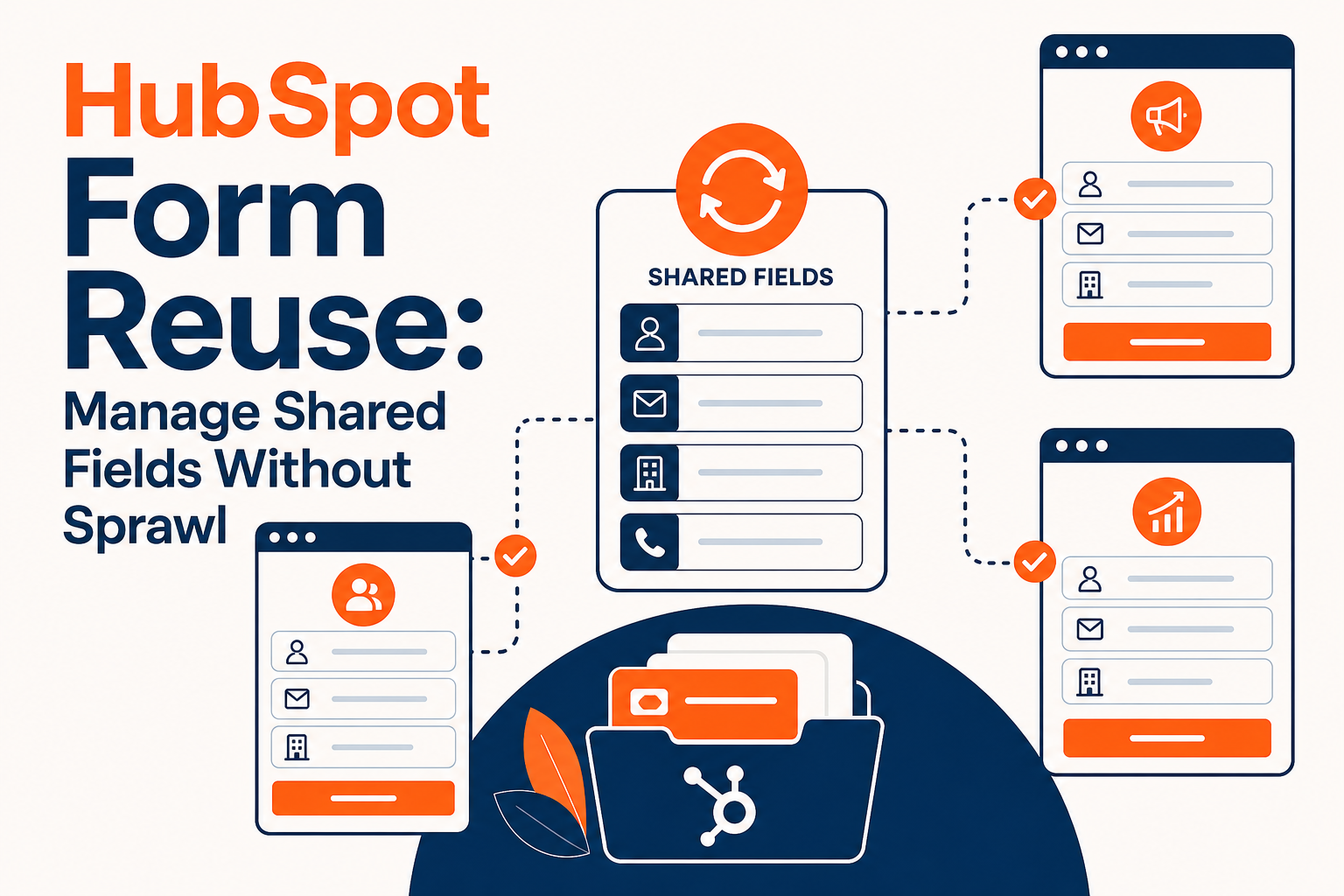
There are several different things a team might mean by “shared fields.” Start by naming the layer, because each has a different change boundary.
- CRM property: the data field that stores an answer on a record.
- Form-field configuration: how that property is presented on a particular form, including available settings such as help text, required status, and default values.
- Form asset: the maintained form selected for a page or embedded on an external website.
- Reusable field group: a proposed collection of fields linked across otherwise separate forms.
Do not treat these as interchangeable. A shared field-group requirement should be demonstrated in the relevant HubSpot editor and subscription before it becomes an implementation promise. Reusing a whole form is a different design choice from centrally updating part of several separate forms.
HubSpot's form-field editing documentation makes the distinction concrete: adding choices to an existing property is followed by editing the form and selecting which available options to add. A property change alone should not be treated as proof that every form now shows the intended choices.
When should you reuse one form instead of cloning it?
Reuse a form when the visitor is making the same kind of request and the questions, consent language, and submission experience can remain consistent. A new page or campaign name is not automatically a reason for a new form.
For example, several service pages may share the same conversation-request form. Their headlines and supporting copy can remain page-specific while the underlying information request stays consistent. This is a hypothetical design example, not a claim about a particular account.
| Situation | Recommended starting point | What to verify |
|---|---|---|
| Same questions and consent across pages | Reuse a maintained form | Every placement references the intended asset |
| Same data model, different questions | Separate forms using standardized properties | Local settings and selected choices remain appropriate |
| Different consent or subscription purposes | Keep a deliberate variant | Approved language and permissions match the purpose |
| Campaign differs but visitor request does not | Evaluate reuse before cloning | Attribution and follow-up still distinguish the request |
| Shared section must update across independent forms | Validate the exact field-group requirement | A demonstrated feature, not assumed inheritance |
Cloning can speed initial construction, but it is not evidence of an ongoing parent-child relationship. Treat a copy as a separately maintained asset unless a supported mechanism explicitly links its changes.
Which field changes need a separate form review?
Review changes according to where they are configured and how they affect the visitor. A field can still write to the correct property while displaying an outdated label, omitting a new choice, or asking for information that is no longer necessary.
For enumeration fields, HubSpot documents a sequence: add the new values to the property, open the form, select the field, use Add option, select the available choices, and review and update the form. That is a useful release checklist, not a reason to assume all other field changes behave identically.
For each change, ask:
- Is the underlying property definition changing, or only the form presentation?
- Which maintained forms use the property?
- Which forms should expose the new option, and which should not?
- Does the change affect required fields, help text, defaults, or conditional behavior?
- Will existing automation and reports still interpret submitted values correctly?
Standardize the property when the business meaning is genuinely shared. Do not create a new property for every campaign simply to avoid reviewing form configuration. That exchanges a form-maintenance problem for fragmented CRM data.
How do you preserve context without multiplying forms?
Decide how the team will identify the visitor's request before consolidating forms. Form reuse is useful only if reporting and follow-up still receive the context they need.
HubSpot supports hidden fields with default values, but a hidden field configured on a shared form is not, by itself, a different value for every page. If page-specific context is required, validate the supported mechanism for your editor and implementation. Do not assume legacy embed customization works with the updated editor.
Also distinguish a contact's current property value from a history of individual requests. A single “interest” property may be useful for the latest known preference, but it is not a complete event log. Test repeat submissions and confirm which information the team needs to retain for each request.
Keep routing design separate from the form-library decision. The purpose here is maintainable form configuration, not choosing which CRM should receive submissions. For the implementation layer, workflow automation and process optimization can help connect the chosen forms to reliable follow-up.
How should you test a shared form change?
Test the change in a controlled placement before updating a widely used form. A central edit reduces repeated work, but it also increases the number of pages affected by a mistake.
- Inventory placements. Record the form identifier, editor type, page locations, owner, and purpose. Names alone are not a reliable reference.
- Define the expected result. State exactly which labels, options, required fields, or defaults should change.
- Preview the form. Check layout, required fields, and any conditional behavior. Preview is not a substitute for a real submission test.
- Publish deliberately. In the updated editor, HubSpot documents Review and update, followed by Update, to make form changes live.
- Check representative placements. Include different page templates and external embedding methods where relevant.
- Submit controlled test data. Verify stored values, context, consent handling, notifications, and downstream actions.
- Record the outcome. Document what changed, which placements passed, and the restoration plan if a problem appears.
HubSpot explicitly documents that changes to a legacy form are reflected on its live external form. Its updated-editor documentation separately explains publishing and embedding. Keep those editor-specific references straight, and verify the behavior of the actual forms in use rather than transferring assumptions between editors.
What should a maintainable form library include?
A maintainable library has a clear purpose for every active form and a known owner for shared changes. Organize by visitor intent rather than by whoever last requested a landing page.
For each form, record its approved use, properties, local configuration exceptions, consent requirements, placements, and connected automation. Keep a short change log. When a new request arrives, compare it with the existing library before deciding to reuse, modify, or create a variant.
Retire redundant forms only after checking live pages and dependencies. Replacing a form identifier without reviewing workflow enrollment or reporting can create a different problem from the one consolidation was meant to solve. Preserve historical reporting needs when deciding what to remove.
The next step is a small proof of concept: choose an ordinary shared field, change it in a controlled form, and document which updates require property edits, form edits, and publishing. Use that evidence to set the operating model for the rest of the library.
How Vantage Point Helps
Vantage Point helps teams build maintainable HubSpot processes through HubSpot implementation and optimization, including property design, form-library governance, and release testing. Managed services and ongoing support can keep approved changes consistent as campaigns and business requirements evolve.
Senior consultants only — no junior handoffs; the experts you meet are the experts who deliver.
Make shared form changes manageable
Bring a form inventory and one example of a field change that currently creates repeated work. Vantage Point can help identify what should be standardized, what needs a separate variant, and how to verify the result before rollout.
Frequently Asked Questions
Can the same HubSpot form be used on different pages?
A HubSpot form can be placed on suitable HubSpot pages or embedded on external pages. Reuse it when the information request and consent experience match, then verify each placement uses the intended form asset.
Does sharing a CRM property standardize every form field?
Sharing a CRM property standardizes the data destination, not every form configuration. HubSpot documents form-level settings and a separate step for adding new property options to a form, so review affected forms rather than assuming complete inheritance.
Is cloning a form the same as a linked reusable field group?
Cloning a form should not be treated as a linked reusable field group. Validate any requirement to update sections across independent forms through a demonstrated feature in the relevant editor and account.
Should every campaign have a separate HubSpot form?
A campaign does not automatically need a separate form if the visitor request, questions, and consent remain the same. Reuse can be appropriate, provided attribution and follow-up still distinguish the context correctly.
Can hidden fields supply different values on every page?
A hidden field's configured default value does not by itself provide a different value for each page. Validate the supported page-context mechanism for the form editor and embedding method before relying on it for reporting or automation.
How can Vantage Point help reduce form-maintenance work?
Vantage Point can review the form inventory, standardize properties, identify justified variants, and design a tested change process. The goal is a maintainable form library with clear ownership rather than an unsupported promise that every setting updates centrally.