Quick Answer
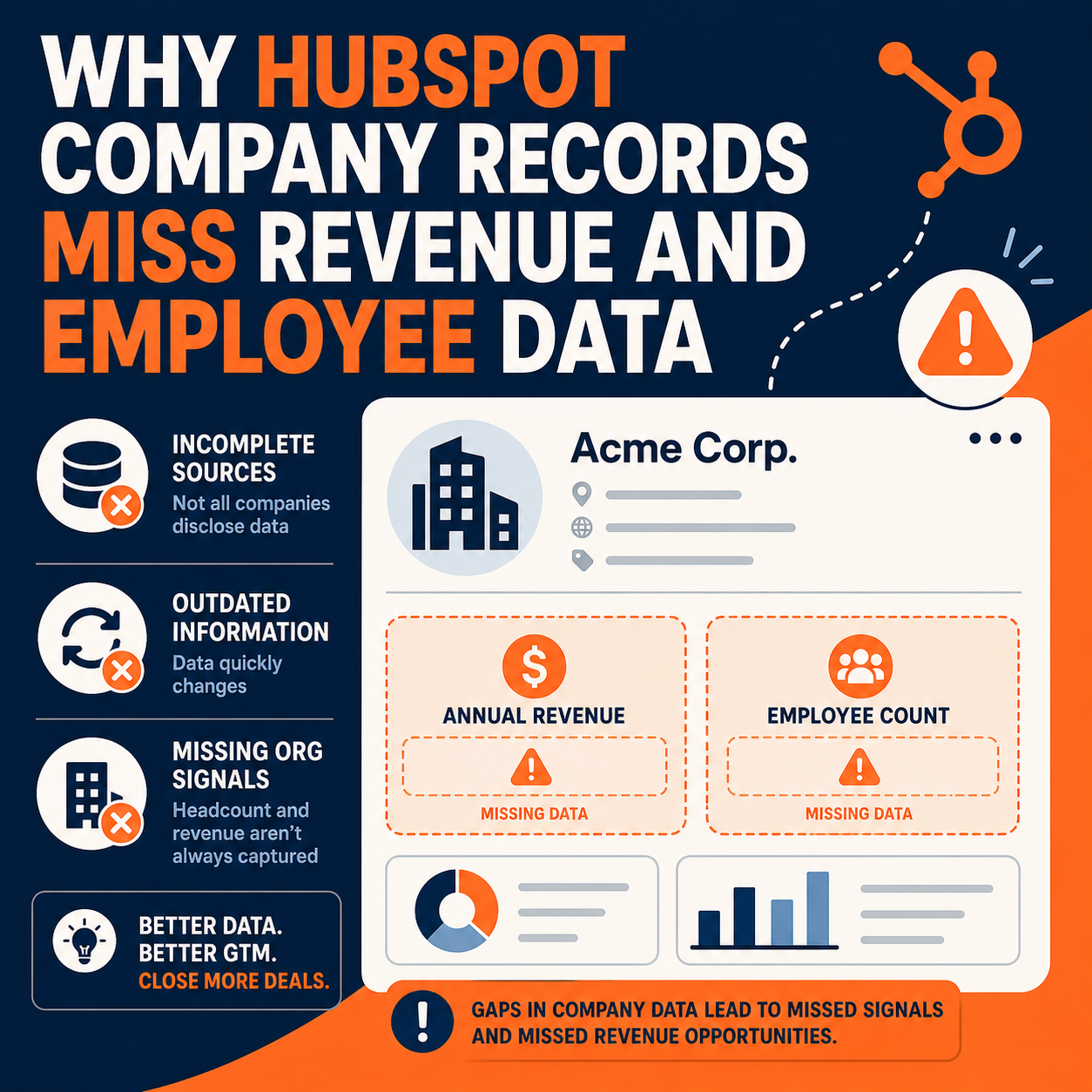
HubSpot company records show blank revenue, employee count, and industry fields when automatic enrichment can't match the company — typically because the record lacks a website domain, the company isn't in HubSpot's dataset, or enrichment settings/credits aren't in play. The fix is a checklist, not a mystery: confirm the company domain is filled in, verify enrichment is enabled (or Breeze Intelligence credits are available), and fall back to a third-party enrichment source or manual entry for the long tail of companies no dataset covers.
TL;DR
- What it is: Troubleshooting blank firmographic fields (revenue, employees, industry) on HubSpot company records.
- Why it matters: Segmentation, lead routing, scoring, and territory reports all silently degrade when firmographics are blank.
- Best for: RevOps and sales ops teams staring at company lists full of empty revenue and employee columns.
- Decision point: Fix the domain field first — it's the match key — then decide between native enrichment, a data provider, or manual research for the remainder.
- How Vantage Point helps: HubSpot implementation includes data-quality and enrichment setup.
Where does HubSpot's company data come from?
HubSpot populates firmographic properties — annual revenue, number of employees, industry, city, country — through automatic enrichment. When a company record is created with a valid company domain name, HubSpot attempts to match that domain against its business dataset and fills in what it finds. Newer portals do this through Breeze Intelligence enrichment, which runs on credits; older behavior (HubSpot Insights) worked similarly. Either way, the domain is the match key: no domain, no enrichment.
Why are revenue and employee fields blank?
Work through these causes in order — they account for almost every blank field:
- The company domain name is empty or wrong. A record created from an import, a manual entry, or an integration often has a name but no domain. HubSpot can't match "Acme LLC" by name alone.
- The company isn't in the dataset. Small businesses, new companies, franchises, and companies outside well-covered markets frequently have no match. This is normal, not a bug.
- Enrichment isn't turned on or credits ran out. In portals using Breeze Intelligence, enrichment consumes credits; an exhausted balance stops new enrichment.
- The property you're viewing isn't the enriched one. Some portals have custom "Revenue" properties alongside HubSpot's default "Annual revenue" — reports pull one while enrichment fills the other.
- The record matched but that field has no value. Coverage is uneven: a matched company may have employee count but no revenue figure, especially for private companies.
How do you diagnose the scope of the problem?
Build a company list with three columns: company domain name, annual revenue, number of employees. Segment it:
| Segment | Diagnosis | Fix |
|---|---|---|
| Blank domain, blank firmographics | No match key | Fill the domain (from the website or an associated contact's email domain); enrichment follows |
| Domain present, all firmographics blank | No dataset match or enrichment off | Check enrichment settings/credits; enrich manually or via a data provider |
| Domain present, partial firmographics | Normal coverage gaps | Accept the gap or fill from a third-party source |
| Data present but in unexpected properties | Duplicate custom properties | Consolidate on the default properties in views, reports, and workflows |
What are your options for filling the gaps?
- Fix domains at scale first. A workflow or import that sets company domain from the website field (or from associated contacts' email domains) unlocks free enrichment for every matchable record.
- Run native enrichment deliberately. Enrich the segments that matter — active pipeline, target accounts — rather than burning credits on the whole database.
- Use a third-party provider for the long tail. Data providers cover small and non-US companies better than any built-in dataset. Most integrate directly with HubSpot company records.
- Manual research for strategic accounts. For your top 50–100 target accounts, a human verifying revenue range and headcount beats any dataset.
- Ask on forms. A well-chosen form field ("company size") on high-intent forms fills gaps at the moment of conversion.
Why does this matter for revenue operations?
Firmographic blanks compound quietly. A "companies over 100 employees" segment misses qualified accounts; lead scores underweight ideal-fit companies; territory assignments route by stale assumptions; and board-level market-sizing reports are fiction. Teams usually discover the problem the way one of our clients did — someone exports a company list and notices two empty columns staring back.
What should businesses do next?
This week: run the four-segment diagnostic above and fix the blank-domain segment — it's the highest-yield repair. This month: decide your enrichment policy (which objects, which segments, what credit budget) and document which property is canonical for revenue and headcount so reports stop disagreeing. Ongoing: add a data-quality dashboard widget tracking the percentage of active-pipeline companies with complete firmographics.
How Vantage Point Helps
Vantage Point's HubSpot implementation work includes data-model design, enrichment configuration, and property consolidation so firmographics are trustworthy from day one. For portals that have drifted, managed services covers recurring data-quality audits, and integration and migration engagements map firmographic fields correctly when data moves between systems.
Make your company data worth segmenting on
Vantage Point is a HubSpot Solutions Partner — 150+ clients, 400+ engagements, 4.71/5.0 average rating. Senior consultants only — no junior handoffs; the experts you meet are the experts who deliver.
Frequently Asked Questions
Why is the revenue field blank on so many HubSpot company records?
Most often because the company domain name is missing, so HubSpot has nothing to match against its dataset. Other causes: the company isn't covered by the dataset (common for small or new companies), enrichment credits are exhausted, or the report is looking at a custom revenue property instead of HubSpot's default Annual revenue.
Does HubSpot automatically fill in employee count and industry?
Yes, when it can. With a valid company domain and enrichment available (built-in or via Breeze Intelligence credits), HubSpot fills firmographic fields it has data for. Coverage is uneven — a matched company may still lack revenue or employee figures.
Can I enrich companies that HubSpot's dataset doesn't cover?
Yes. Options include a third-party data provider integrated with HubSpot, manual research for strategic accounts, and collecting fields like company size directly on forms. Most teams blend all three by segment.
Will fixing the company domain trigger enrichment on existing records?
Adding a valid domain makes the record eligible for enrichment; in portals on credit-based enrichment you then run enrichment on those records. Build a list of companies with a domain but blank firmographics and enrich that segment deliberately.
How do I stop duplicate "revenue" properties from confusing reports?
Pick one canonical property (usually HubSpot's default Annual revenue), update every view, report, workflow, and integration mapping to use it, and archive the custom duplicates after migrating any data they hold.
Is firmographic enrichment worth paying for?
It depends on how much of your process depends on it. If lead routing, scoring, or territory logic keys off employee count or revenue, enrichment pays for itself in misrouted-lead recovery. If it's "nice to have," fix domains and enrich only active-pipeline segments.