Key Takeaways (TL;DR)
- What is it? HubSpot's Knowledge Vaults now allow Breeze AI to search embedded images within documents: making diagrams, charts, flowcharts, and compliance visuals instantly retrievable
- Key Benefit: Compliance teams can now find visual documentation (process maps, org charts, audit evidence) using natural language queries instead of manual document searches
- Requirements: HubSpot Starter, Professional, or Enterprise subscription for any Hub; documents in PDF, Word (.docx), or PowerPoint (.pptx) format
- Best For: Regulated industries needing audit-ready documentation, financial services (SEC, FINRA), healthcare (HIPAA), and any organization with visual compliance assets
- Bottom Line: Reduces audit preparation time by making visual compliance evidence as searchable as text: a significant competitive advantage for documentation-heavy regulated businesses
Introduction
For compliance professionals in regulated industries, there's a universal frustration: you know that compliance flowchart exists somewhere. It's in one of those 200 policy documents. Or maybe in that risk assessment PDF from Q3. You spend 45 minutes searching, only to find it buried on page 47 of a document titled "Q3 Strategic Review Appendix B."
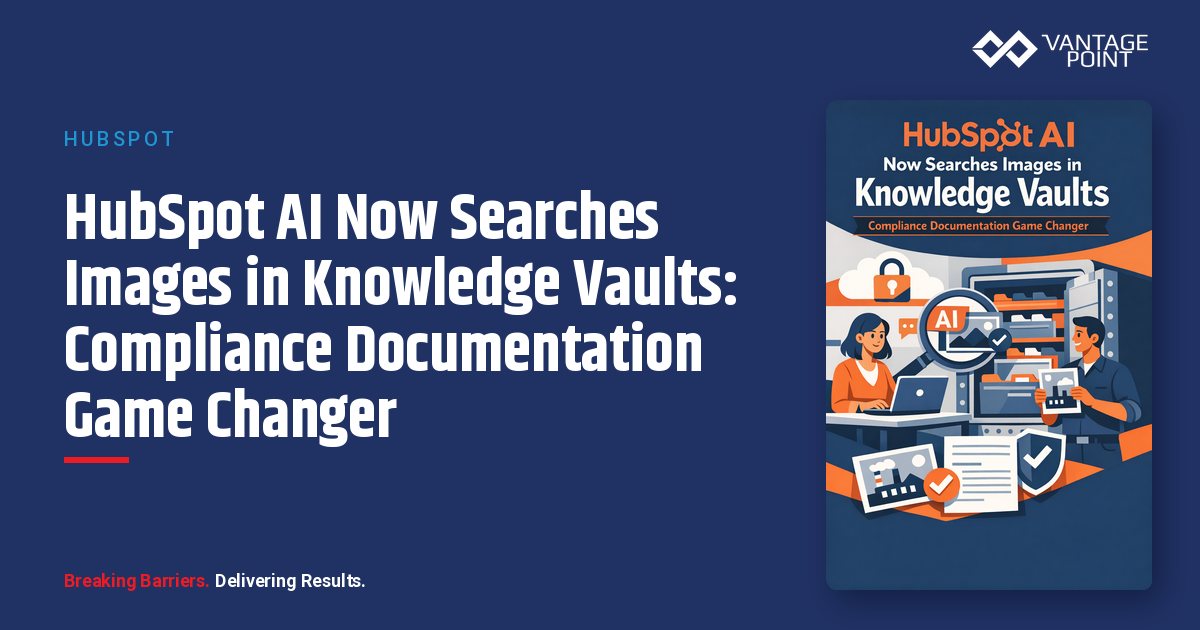
HubSpot just changed the game. Their Breeze AI, integrated with Knowledge Vaults, can now search and retrieve embedded images within documents. This means your compliance diagrams, process flowcharts, organizational charts, and visual audit evidence are now as searchable as plain text.
For regulated businesses in financial services, healthcare, insurance, and beyond, this isn't just a convenience feature. It's a fundamental shift in how compliance documentation can be managed, searched, and surfaced during audits.
In this guide, we'll explore:
- How HubSpot's image search in Knowledge Vaults works
- Why this matters for compliance documentation
- Practical use cases across regulated industries
- Implementation best practices for maximum compliance value
What Are HubSpot Knowledge Vaults?
Knowledge Vaults are HubSpot's way of providing Breeze AI assistants and agents with contextual business information. Think of them as curated knowledge bases that power your AI tools.
Core Capabilities
Knowledge Vaults can contain:
| Content Type | Supported Formats | Size Limits |
|---|---|---|
| Documents | PDF, Word (.docx), PowerPoint (.pptx), Markdown, HTML, Text | Up to 50 MB per file |
| Images | JPEG, PNG, WebP | Up to 10 MB per file |
| CRM Content | Knowledge base articles, blog posts, landing pages | Automatically synced |
| Segments | Active or static lists of contacts, companies, deals, tickets | Real-time updates |
The Image Search Breakthrough
Here's what's new and powerful: When you upload supported documents to a Knowledge Vault, any images embedded in those documents are automatically searchable alongside the text content.
This means Breeze AI can:
- Retrieve and analyze visual information within documents
- Answer questions about diagrams, charts, and screenshots
- Surface visual content without requiring separate image uploads
- Understand context from both text and images together
For compliance teams, this transforms how institutional knowledge can be accessed and utilized.
Why Image Search Matters for Compliance
Compliance documentation isn't just text. In reality, the most critical compliance artifacts are often visual:
Visual Compliance Assets in Regulated Industries
Financial Services (SEC, FINRA, SOX)
- Control flow diagrams mapping SOX compliance requirements
- Organizational charts showing separation of duties
- Data flow diagrams for client information handling
- Risk assessment matrices and heat maps
- Trading system architecture diagrams
Healthcare (HIPAA, HITECH)
- PHI data flow charts
- Security control architecture diagrams
- Business associate relationship maps
- Incident response flowcharts
- Access control matrices
Insurance (State Regulations, NAIC)
- Claims processing workflow diagrams
- Underwriting decision trees
- Policyholder communication flows
- Anti-fraud detection process maps
Banking & Credit Unions (OCC, NCUA, CFPB)
- BSA/AML transaction monitoring diagrams
- Customer identification program flowcharts
- Fair lending compliance matrices
- Disaster recovery architecture
The Traditional Problem
Before AI-powered image search, finding these visuals meant:
- Keyword guessing: Hoping the document title or text near the image contained searchable terms
- Manual review: Opening dozens of documents to scan for the right diagram
- Institutional knowledge dependency: Relying on "the person who knows where everything is"
- Version control nightmares: Finding an outdated version because the current one wasn't properly tagged
The AI-Powered Solution
With HubSpot's Knowledge Vault image search, you can now query:
"Show me the customer data flow diagram for our wealth management clients"
And Breeze AI will surface the relevant visual from your compliance documentation. Even if it was embedded in a PDF called "Q4 Systems Overview" with no mention of "data flow" in the text.
Practical Use Cases for Compliance Teams
1. Audit Preparation Acceleration
The Scenario: An SEC examiner requests documentation showing your firm's client order handling procedures.
Traditional Approach: Your compliance officer spends 3-4 hours searching through policy documents, procedure manuals, and system documentation to compile relevant visuals.
With Knowledge Vault Image Search:
Query: "Order handling workflow diagram for client securities transactions"
Breeze AI surfaces the exact process diagram embedded in your procedures manual, plus related organizational charts showing responsibilities.
Time Saved: Hours reduced to minutes
2. Policy Update Impact Analysis
The Scenario: A new FINRA rule requires updating your suitability determination process.
Traditional Approach: Manually review all documents that might contain related diagrams or decision trees.
With Knowledge Vault Image Search:
Query: "Suitability determination flowchart and decision matrix"
AI surfaces all related visuals across your documentation, enabling comprehensive impact analysis.
3. Training Material Development
The Scenario: New compliance staff need training on your firm's BSA/AML procedures.
Traditional Approach: Compile materials manually, hoping you don't miss critical visual explanations.
With Knowledge Vault Image Search:
Query: "Transaction monitoring diagrams and suspicious activity decision trees"
Instantly surface all relevant visual training materials.
4. Incident Response
The Scenario: A potential data breach requires immediate reference to your incident response procedures.
Traditional Approach: Frantically search for the incident response playbook.
With Knowledge Vault Image Search:
Query: "Data breach response flowchart and escalation matrix"
Immediate access to visual guidance during crisis moments.
Implementation Best Practices
Structuring Documents for Maximum Searchability
To get the most value from Knowledge Vault image search, structure your compliance documents strategically:
1. Use Descriptive Captions
Good: "Figure 3.2: Client Onboarding KYC Verification Flowchart"
Poor: "Figure 3.2: Process Diagram"
2. Include Context Before and After Images
The AI uses surrounding text to understand image content. Include explanatory paragraphs near compliance visuals.
3. Standardize Visual Naming Conventions
Create organizational standards for naming compliance diagrams:
- [Process Name]_[Type]_[Version]
- Example: "ClientOnboarding_KYC_Flowchart_v2.3"
Organizing Knowledge Vaults for Compliance
Create purpose-built Knowledge Vaults for different compliance functions:
| Vault Name | Contents | Use Case |
|---|---|---|
| Regulatory Policies | Policy documents, procedure manuals | General compliance queries |
| Audit Evidence | Control documentation, testing results | Audit preparation |
| Training Materials | Onboarding guides, procedure visuals | Staff education |
| Incident Response | Playbooks, escalation procedures | Crisis management |
| Risk Assessments | Risk matrices, control assessments | Risk management queries |
Security and Access Considerations
Important for regulated industries: HubSpot Knowledge Vaults can be configured with appropriate access controls:
- Assign specific vaults to specific assistants and agents
- Control which users can query which vaults
- Maintain audit trails of AI queries and responses
- Separate sensitive compliance content from general business content
Review HubSpot's AI Trust guidelines to understand data handling: Your document content is used to power AI responses but is subject to HubSpot's data protection commitments.
Compliance Documentation Standards
Document Formats That Work Best
PDFs: Best for formal compliance policies and procedures. Images are fully searchable. Ensure PDFs are not image-only (scanned documents may need OCR first).
Word Documents (.docx): Excellent for living documents that get updated frequently. Embedded images remain searchable through version updates.
PowerPoint (.pptx): Ideal for training materials and visual-heavy compliance presentations. Each slide's visuals become searchable.
Image Quality Requirements
For optimal AI analysis:
- Use clear, high-resolution images (minimum 300 DPI for detailed diagrams)
- Ensure text within images is legible
- Avoid overly compressed images that may lose detail
- Use consistent color coding across compliance visuals
Version Control Integration
Maintain compliance documentation integrity by:
- Including version numbers in document names
- Using Knowledge Vault descriptions to note current versions
- Archiving superseded documents appropriately
- Setting up automated segment syncs for document records
Industry-Specific Applications
Financial Services: SEC and FINRA Compliance
Books and Records Requirements (SEC Rule 17a-4)
- Query diagrams showing data retention architectures
- Surface visual evidence of recordkeeping controls
- Find system topology diagrams for technology audits
FINRA Supervision (Rule 3110)
- Retrieve supervisory procedure flowcharts
- Access organizational charts showing supervisory hierarchies
- Find exception report handling diagrams
Healthcare: HIPAA Compliance
Privacy Rule Documentation
- Query PHI flow diagrams across systems
- Surface access control matrices
- Find patient consent workflow visuals
Security Rule Requirements
- Retrieve technical safeguard architecture diagrams
- Access risk assessment heat maps
- Find incident response procedures
Banking: BSA/AML Compliance
Customer Due Diligence
- Query CDD/EDD decision flowcharts
- Surface beneficial ownership determination diagrams
- Find risk rating matrices
Transaction Monitoring
- Retrieve alert handling workflow diagrams
- Access suspicious activity reporting processes
- Find case management system architectures
Measuring ROI
Track the value of Knowledge Vault image search through these metrics:
Time Savings
- Audit preparation time: Measure before/after document retrieval times
- Query resolution speed: Track how quickly compliance questions get answered
- Training material compilation: Time to assemble visual training content
Quality Improvements
- Audit finding reduction: Track findings related to documentation gaps
- First-time resolution rate: Compliance queries answered without follow-up
- Documentation coverage: Percentage of visual compliance assets searchable
Cost Avoidance
- Regulatory penalty prevention: Value of issues caught through better documentation access
- Staff efficiency: Reduced time on manual document searches
- External consultant reduction: Less reliance on outside help for documentation
FAQ
What file formats support image search in Knowledge Vaults?
HubSpot supports embedded image search in PDF, Word (.docx), and PowerPoint (.pptx) documents up to 50 MB per file. Standalone images can also be uploaded in JPEG, PNG, or WebP format up to 10 MB.
Do I need a specific HubSpot subscription for this feature?
Knowledge Vaults are available with Marketing Hub, Sales Hub, Service Hub, Data Hub, Content Hub, or Smart CRM at Starter, Professional, or Enterprise tiers. Some features like automatic file tagging require Professional or Enterprise.
How does the AI understand what's in my compliance diagrams?
Breeze AI analyzes both the visual content of embedded images and the surrounding text context in your documents. It can recognize and interpret diagrams, charts, flowcharts, and other visual elements when answering queries.
Is sensitive compliance data secure in Knowledge Vaults?
HubSpot follows strict data protection practices. Knowledge Vault content is processed to power AI responses but is subject to HubSpot's security commitments. Review their AI Trust documentation for specific compliance certifications and data handling practices.
Can I control who accesses compliance-related Knowledge Vaults?
Yes. You can create multiple Knowledge Vaults and assign specific vaults to specific assistants and agents. This allows you to segment sensitive compliance content and control access.
How do I get the best results from compliance diagram searches?
Use descriptive captions for images, include contextual text around visuals, standardize naming conventions, and organize documents into purpose-specific Knowledge Vaults for optimal searchability.
Can Knowledge Vaults integrate with our existing compliance management systems?
Knowledge Vaults support file uploads, knowledge base articles, blog posts, landing pages, and CRM segments. For deeper integration with compliance management systems, consider HubSpot's API capabilities or integration partners.
Conclusion
HubSpot's Knowledge Vault image search capability represents a significant advancement for compliance documentation management. The ability to query visual content (diagrams, flowcharts, charts, and process maps) using natural language transforms how regulated businesses can access their institutional knowledge.
For organizations in financial services, healthcare, insurance, and other regulated industries, this means:
- Faster audit preparation through instant visual asset retrieval
- Better training through easily searchable compliance visuals
- Improved incident response through immediate access to procedures
- Reduced compliance risk through better documentation accessibility
The firms that will benefit most are those that invest in properly structuring their compliance documentation and organizing Knowledge Vaults for maximum AI effectiveness.
Ready to transform your compliance documentation management? Vantage Point specializes in HubSpot implementations for regulated industries. We understand the unique compliance requirements of financial services, healthcare, and other regulated sectors, and we can help you configure Knowledge Vaults to maximize their value for your compliance function.
Contact Vantage Point to discuss how HubSpot's AI-powered documentation search can strengthen your compliance operations.
About Vantage Point
Vantage Point is a strategic CRM and technology partner for regulated industries. Specializing in HubSpot CRM, Salesforce Financial Services Cloud, MuleSoft integration, and AI personalization, we help financial services firms, healthcare organizations, and other regulated businesses leverage technology while maintaining compliance. Our team understands the intersection of powerful CRM capabilities and rigorous regulatory requirements: delivering solutions that drive growth without compromising compliance.
Learn more at vantagepoint.io