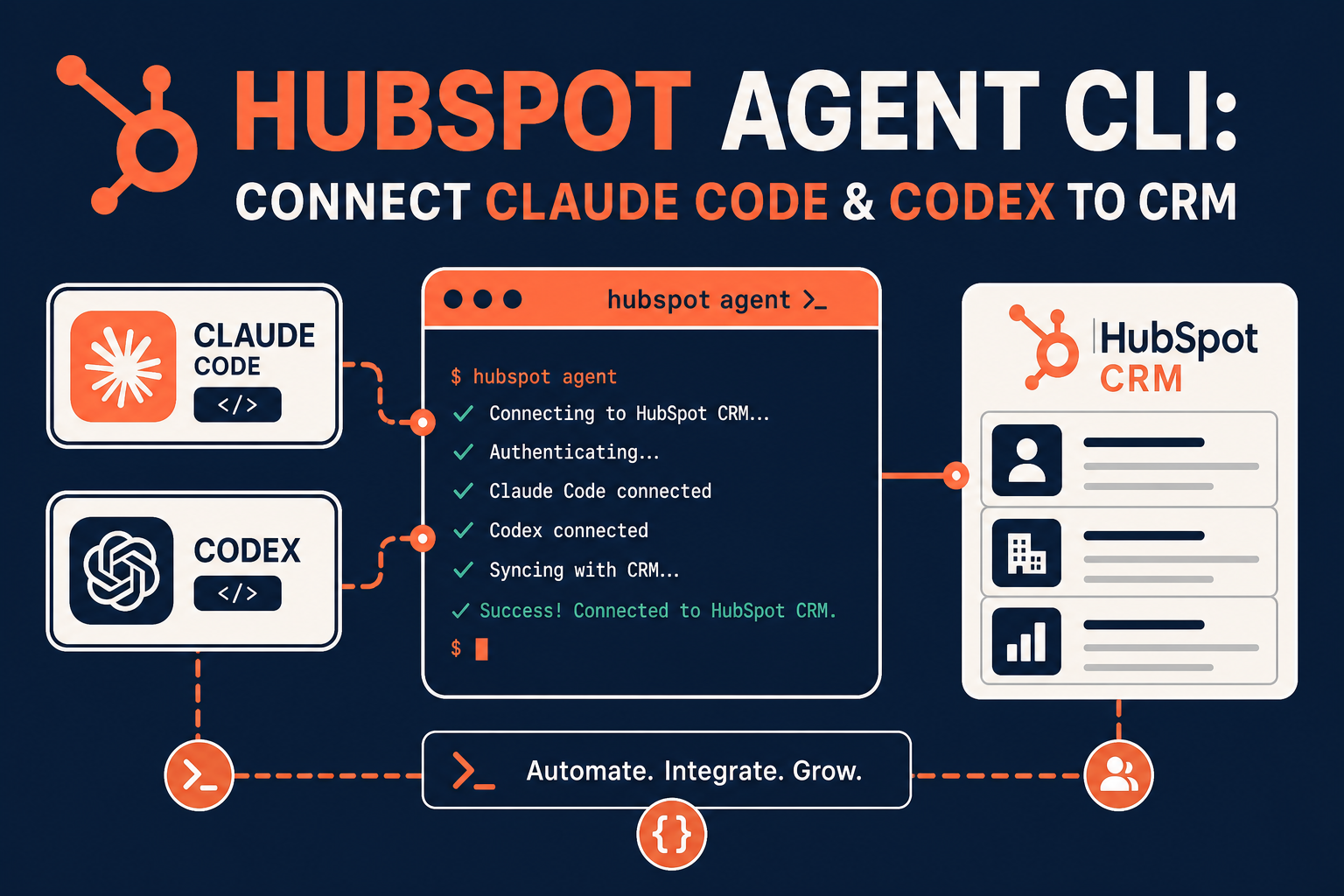
HubSpot has launched the Agent CLI in public beta, a command-line tool that lets AI coding agents like Claude Code, Claude Cowork, and OpenAI Codex read, create, update, and manage records directly in your HubSpot CRM. For teams already using AI agents for coding and research, this closes the gap between "AI that writes code" and "AI that can act on your customer data."
This matters because most AI-in-CRM conversations so far have focused on chat assistants inside HubSpot itself. The Agent CLI takes a different approach: it brings HubSpot data into the coding agent workspace your technical team already uses, so agents can run scheduled, bulk, or headless operations against CRM records: not just answer questions about them.
For RevOps, marketing operations, and CRM admins, the Agent CLI is a new automation surface worth evaluating carefully, especially around permissions and data governance. This post explains what it is, how it works, where it fits next to HubSpot's existing MCP server and APIs, and what to check before connecting it to a production account.
TL;DR
- What it is: A CLI that connects AI coding agents (Claude Code, Cowork, OpenAI Codex) to HubSpot CRM data for automated, scriptable operations.
- Why it matters: It lets technical teams run recurring CRM tasks (cleanup, reporting, pipeline reviews) from agent workspaces instead of manual review or custom scripts.
- Best for: RevOps and CRM admin teams with technical resources who already use AI coding agents and want a governed way to automate HubSpot work.
- Decision point: Whether your account needs App Install Governance and permission review before letting any user connect the CLI to production data.
- How Vantage Point helps: We help teams evaluate, configure, and govern HubSpot AI automation as part of our HubSpot services and managed services support.
What Is the HubSpot Agent CLI?
The HubSpot Agent CLI is a command-line tool, released in public beta in mid-2026, that connects supported AI coding agents to a HubSpot account. Once installed and authenticated, an agent such as Claude Code or OpenAI Codex can use the CLI to interact with contacts, companies, deals, tickets, custom objects, workflows, pipelines, properties, associations, and activity history: using the permissions of the connected HubSpot user.
Unlike chat-based AI features built into the HubSpot UI, the Agent CLI is designed for developers and technical operations staff who already work inside coding agent environments. It is installed with a shell command, authenticated through standard HubSpot OAuth, and paired with a skills library (hubspot/agent-cli-skills) that gives agents predefined guidance for CRM searches, bulk operations, data quality tasks, workflows, and reporting.
Why the Agent CLI Matters in 2026
Most HubSpot AI discussion in 2026 has centered on in-app tools like Breeze and chat-based copilots. The Agent CLI represents a different automation pattern that matters for a few reasons:
- It's built for headless and scheduled work. Agents can be prompted to run recurring jobs ("every Monday at 8am, find high-fit contacts with no associated deal") rather than answering one-off questions in a chat window.
- It extends beyond the HubSpot UI. Developers can script against CRM data from the same coding agent workspace used for other engineering work, reducing the need for custom integration code for routine tasks.
- It raises new governance questions. Because the CLI can create, update, and delete records based on the connected user's permissions, HubSpot Super Admins need a clear policy on who can connect it and what it's allowed to touch.
- It sits alongside, not instead of, HubSpot's MCP server and REST APIs. Teams now have multiple technical access layers into HubSpot data, and choosing the right one for a given use case is itself a decision worth making deliberately.
How the HubSpot Agent CLI Works
At a high level, connecting and using the Agent CLI follows this sequence:
- Install the CLI in the agent workspace using a shell command (curl on macOS/Linux/WSL, or an equivalent PowerShell command on Windows).
- Authenticate with
hubspot auth login, which opens a standard HubSpot OAuth flow. - Install the skills library with
npx skills add hubspot/agent-cli-skillsso the agent has predefined guidance for common CRM operations. - Review requested permissions and approve the connection inside HubSpot.
- Prompt the agent with a specific, outcome-focused instruction. For example, asking it to identify stalled deals, summarize a support ticket history, or flag duplicate CRM properties.
- Review proposed changes before they apply, using the
--dry-runoption where available for actions that modify or delete data.
HubSpot's own guidance is explicit that generated recommendations and large-scale updates should be reviewed before being applied. The CLI is designed to assist technical staff, not to run unsupervised against production data by default.
Example Use Cases by Team
| Team | Example Task | What the Agent Does |
|---|---|---|
| Marketing | Contact cleanup and re-engagement | Finds high-fit contacts with no deal or recent activity, flags missing enrichment fields |
| Sales / RevOps | Pipeline health monitoring | Checks deals closing soon with no recent activity and sends a summary |
| Sales leadership | Call transcript analysis | Summarizes talk time, competitor mentions, and hesitation themes across recent calls |
| RevOps / CRM admins | Property cleanup | Finds duplicate or deprecated properties, previews impact before removing them |
| Operations | Ticket consolidation | Merges duplicate support tickets while preserving source details |
| Customer Success | Account review prep | Summarizes open deals, support activity, and NPS score per account |
Agent CLI vs. MCP vs. Native HubSpot AI: Which Access Layer Fits?
HubSpot now offers several ways for AI to interact with CRM data. Choosing the right one depends on who is using it and what kind of task is involved.
| Access Layer | Best For | Interaction Style | Governance Considerations |
|---|---|---|---|
| Agent CLI | Developers and technical ops running scheduled/bulk tasks | Command-line, scriptable, skill-based | Requires App Install Governance review; acts on connected user's permissions |
| HubSpot MCP Server | Connecting general-purpose AI assistants (e.g., Claude Desktop) to HubSpot | Conversational, tool-call based | Similar permission scoping; more suited to ad hoc queries than scheduled jobs |
| HubSpot REST APIs | Custom integrations and applications built by developers | Direct API calls, full control | Requires custom code and ongoing maintenance |
| Native HubSpot AI (Breeze, in-app copilots) | Business users working inside the HubSpot UI | Point-and-click, chat-based | Governed by existing HubSpot user permissions and seat licensing |
Choose the Agent CLI if your team already uses Claude Code, Cowork, or Codex for engineering work and wants to extend that same workflow to recurring CRM operations.
Choose the MCP server if you want a general AI assistant to answer questions about CRM data conversationally, without scripting scheduled jobs.
Choose direct API integration if you need tightly controlled, purpose-built automation that doesn't depend on a third-party coding agent.
What Businesses Should Do Next
Before connecting the Agent CLI to a production HubSpot account:
- Confirm who can install it. Super Admins should evaluate the App Install Governance beta so only approved users can connect the CLI.
- Start with read-only or low-risk tasks. Reporting, summaries, and analysis are lower risk than bulk updates or deletions.
- Use dry-run options wherever available before applying any change that modifies or removes CRM data.
- Write specific, outcome-focused prompts. Vague prompts against CRM data increase the risk of incorrect bulk actions.
- Align with existing data governance policy. If your organization already has rules for CRM data access and change management, apply them to AI agent connections as well.
- Audit skill updates. The skills library (
hubspot/agent-cli-skills) is maintained externally and should be reviewed periodically withnpx skills update.
How Vantage Point Helps
Vantage Point helps organizations evaluate and govern new HubSpot automation surfaces like the Agent CLI as part of broader CRM strategy. That includes reviewing permission models before rollout, mapping which HubSpot access layer (Agent CLI, MCP, API, or native AI) fits a given use case, and building workflows that use AI safely without compromising data quality.
If your team is evaluating how this applies to HubSpot, CRM governance, or automation strategy, Vantage Point can help assess the right next step and build a practical implementation plan. Our HubSpot services cover platform optimization and AI enablement, and our CRM and marketing automation work extends into workflow design once new tools like this are connected. For teams running both platforms, we also support HubSpot and Salesforce integration so CRM data stays consistent regardless of which AI access layer touches it.
FAQ
What is the HubSpot Agent CLI?
The HubSpot Agent CLI is a public beta command-line tool that connects AI coding agents such as Claude Code, Claude Cowork, and OpenAI Codex to a HubSpot account, allowing them to read and modify CRM records, workflows, and properties.
Which AI agents work with the HubSpot Agent CLI?
HubSpot's documentation lists Claude Code, Claude Cowork, and OpenAI Codex as supported agents, along with other compatible AI coding agents that can run command-line tools.
Is the HubSpot Agent CLI safe to connect to a production account?
It can be, but HubSpot recommends starting with reporting and analysis tasks, reviewing proposed changes before applying them, and using the --dry-run option for actions that modify or delete data. Super Admins should also review App Install Governance settings before allowing broad access.
Who should use the HubSpot Agent CLI?
It is best suited to RevOps teams, CRM administrators, and technical marketing or sales operations staff who already work in AI coding agent environments and want to automate recurring CRM tasks like cleanup, reporting, or pipeline review.
How is the Agent CLI different from HubSpot's MCP server?
The MCP server is designed for conversational AI assistants asking ad hoc questions about CRM data, while the Agent CLI is built for scriptable, scheduled, or bulk operations run from a coding agent workspace.
Can the Agent CLI delete or overwrite CRM data?
Yes. The CLI operates using the permissions of the connected HubSpot user, which can include creating, updating, or deleting records. This is why HubSpot recommends reviewing proposed changes and using dry-run previews before applying updates.
Do I need a developer to use the Agent CLI?
Business users can prompt an already-connected agent with plain-language instructions, but installation, authentication, and permission review typically require a developer or CRM admin familiar with command-line tools and HubSpot's permission model.
Does the Agent CLI replace custom HubSpot integrations?
Not necessarily. For tightly controlled, purpose-built automation, a direct API integration may still be the better fit. The Agent CLI is most useful for recurring, agent-driven tasks that don't warrant custom integration code.