Quick Answer
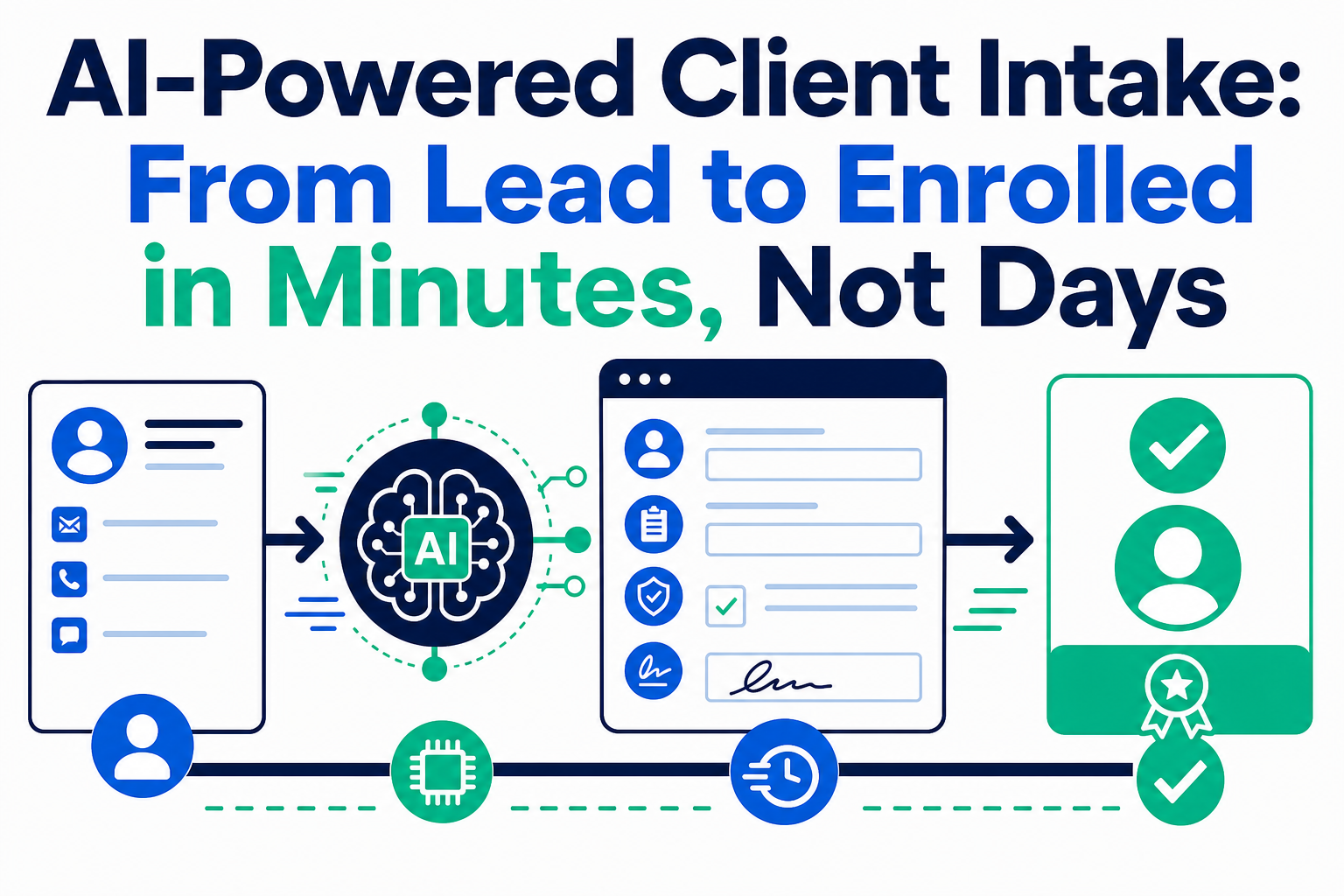
AI-powered client intake combines a guided AI conversation, document intelligence, approved identity and screening integrations, and workflow automation to move a prospective client toward a controlled onboarding decision. It does not remove human judgment from financial services. It captures information once, identifies gaps early, completes routine steps promptly, and routes exceptions to the right person with an audit trail.
For low-risk, complete applications, a well-designed journey can be completed in one digital session. Complex or higher-risk cases still need appropriate human review.
Key Takeaways (TL;DR)
- What is AI-powered client intake? A coordinated workflow that collects client information, extracts document data, validates required steps, and guides applications toward onboarding decisions.
- Key benefit: Clients get a clearer path to enrollment while teams spend less time chasing documents and re-entering information.
- How KYC/AML fits: Identity verification, screening, risk signals, and approvals remain governed controls; AI can organize and route the work, not silently replace review.
- Best for: Wealth managers, banks, insurers, and lenders with multi-step intake processes and high expectations for privacy and service.
- Bottom line: Make the routine path fast, make the exception path visible, and preserve human accountability where it matters.
A client relationship begins when a prospect decides your organization seems trustworthy and easy to work with. In financial services, that first impression must coexist with verification, documents, risk, disclosures, approvals, and account setup.
That is why intake so often becomes a bottleneck. A prospect fills out a form, receives an email requesting a document, uploads a partial file, waits for a status update, and then learns another signature or data point is needed. Operations teams copy information between systems, compliance investigates exceptions, and relationship teams struggle to explain what is happening.
AI agents can improve this experience when they are designed as part of a controlled process—not as an unsupervised shortcut. Salesforce describes financial-services onboarding as spanning data collection, KYC checks, and account origination, with integrations to identity verification and screening providers. The practical objective is one orchestrated journey instead of disconnected tasks.
Why does traditional client intake create so much friction?
Traditional intake spans marketing, relationship, operations, compliance, documents, e-signature, and core systems. Each handoff can add delay, duplication, ambiguity, and lost information.
| Intake moment | Manual-process failure mode | Better AI-assisted response |
|---|---|---|
| Initial inquiry | One generic form asks every prospect the same questions | A guided conversation asks relevant follow-ups by product, client type, and prior answer |
| Document collection | Attachments arrive incomplete, mislabeled, or in the wrong mailbox | The journey identifies the exact document, checks basic completeness, and gives a secure upload path |
| Data entry | Staff re-key client and financial details | Extraction proposes structured values for validation and approved CRM fields |
| Verification | Teams compare results across tools and queues | Integrated services return governed statuses that route clear cases and hold exceptions |
| Approval and activation | Status lives in a spreadsheet or inbox | Workflow shows what is complete, blocked, owned, and expected next |
The problem is not only operational. A client who repeats information or sends sensitive documents through unclear channels may lose confidence. A team unable to reconstruct who decided what, when, and on what evidence may create unnecessary compliance exposure.
How do AI agents streamline client intake?
A useful intake agent is not simply a chat window. It has a narrow, approved job: collect information, guide the client through requirements, call permitted actions, recognize its limits, and hand the case to a person.
1. Conversational data collection replaces static forms
Instead of showing every prospect a long questionnaire, an AI agent can start with a simple purpose: “I’ll help you begin your application and explain what is needed.” It can clarify terms and adapt the journey for an individual, business, household, policy, or lending scenario.
Answers should land in structured CRM fields, not a chat transcript. The agent should use approved product rules, eligibility criteria, disclosures, and knowledge content. If a question requires regulated advice or falls outside approved scope, it should escalate rather than improvise.
2. Document intelligence turns files into workflow data
Identification, tax records, statements, and forms slow onboarding because their contents must be inspected and typed into systems. Salesforce’s Intelligent Document Automation documentation says its Intelligent Form Reader can use OCR to extract customer-submitted information, map it to Salesforce objects, and trigger flows or document checklists.
Treat extraction as assisted work, not unquestioned truth. The system can compare proposed values with client-entered data, flag low-confidence fields or missing pages, and give an operations user a focused review task. The client receives a precise request instead of a vague “please resend your documents” email.
3. Verification is automated where rules are clear
The workflow can pass approved data to identity verification, sanctions, watchlist, and screening providers; collect a returned status; record evidence; and trigger the next permitted step. Potential matches should be routed to the appropriate reviewer.
An agent can explain why an application awaits review and remind a client about a missing document. It should not make an ungoverned decision about a KYC or AML alert. Decision thresholds, exception queues, and accountable approvals make automation credible in a regulated environment.
How should KYC and AML automation be governed?
KYC and AML are not a checkbox. Requirements vary by jurisdiction, product, client type, and risk profile, but teams commonly need to establish identity, understand the relationship, screen relevant parties, assess risk, and retain evidence for monitoring.
Salesforce’s client-onboarding guidance describes KYC, AML, customer due diligence, and enhanced due diligence as distinct but related controls. An AI-enabled design should make each control point visible.
A practical control model includes:
- A source-of-truth client record: Retain the links between the client, household or business, beneficial owners, documents, and screening results.
- Visible, versioned rules: Define required data, review triggers, exception authority, and how policy changes affect open cases.
- Human-in-the-loop gates: Require named reviewers for ambiguous identity results, potential sanctions or PEP matches, complex ownership, elevated risk, and policy exceptions.
- An evidence trail: Record document receipt, extraction review, screening response, decision, approver, timestamp, and changes.
- Least-privilege access: Expose sensitive documents and risk information only to roles that need them.
Trust architecture belongs in the design discussion from day one. Salesforce says its Trust Layer provides guardrails intended to protect data privacy and security, improve the safety and accuracy of AI results, and support responsible use. Platform controls do not eliminate an institution’s need for policy, testing, vendor diligence, monitoring, and accountable decisions.
What does digital onboarding look like after verification?
After the necessary checks, onboarding should move from “application received” to a coordinated activation workflow:
- Confirm the client record. Create or update contacts, households, businesses, opportunities, and onboarding records without duplicates.
- Deliver disclosures and signatures. Present the correct documents, capture secure e-signatures, and retain consent evidence. Salesforce’s digital onboarding materials describe contextual disclosures, consent management, and secure digital signatures.
- Set up the product. Use approved integrations to create account, policy, loan, or service records in downstream systems. Automate only authorized actions for the client’s completion state and risk class.
- Trigger a welcome workflow. Give the client confirmation, next steps, access instructions, and a human contact. Notify relationship and service teams with needed context.
- Carry data forward. Intake data should support service, risk reviews, and future engagement—not remain an isolated archive.
This is where CRM and integration design matter. A client should not restate facts to a service team after activation, and a relationship manager should not search five systems for application status. Explore Vantage Point’s Salesforce implementation and advisory services and system integration and data migration services for the foundations behind a unified journey.
How does faster intake improve the client experience and firm operations?
Speed alone is not a premium experience. Clients need clarity about what to do, why it is needed, what happens next, and when a person is available. An AI agent can make that communication consistent across channels using shared case status and data.
For clients, this means fewer repetitive requests, clearer progress, and secure digital options. For the firm, it means less duplicate entry, fewer follow-ups, better handoffs, and visibility into stalled applications. Those gains can support conversion and lower acquisition effort without claiming universal ROI.
When automation reaches its limit, the experience should remain professional: explain what requires review and who owns the next step. That preserves trust better than pretending every case is simple.
Where can financial services organizations apply this model?
| Segment | AI-assisted intake opportunity | Essential guardrail |
|---|---|---|
| Wealth management | Guided discovery, household and beneficiary information, document requests, and transfer coordination | Escalate suitability, complex ownership, and advice-related questions |
| Banking | Deposit, lending, or commercial-account intake, identity checks, and account-opening workflows | Apply eligibility, risk, and approval controls before activation |
| Insurance | Quote-to-application collection, policy documents, disclosures, and service handoffs | Maintain transparent underwriting ownership and exception review |
| Lending | Application intake, financial-document extraction, condition tracking, and borrower communications | Preserve underwriting authority, adverse-action processes, and fair-lending governance |
The shared architecture is a reliable data model, connected systems, clear workflow states, and accountable roles. For Salesforce context, see Vantage Point’s guide to Agentforce for financial services, the Financial Services Cloud data model, and Agentforce AI safety guardrails.
What is the right way to implement AI-powered client intake?
Start with one narrow, high-volume friction point—not an attempt to automate every onboarding decision. A strong plan usually follows these steps:
- Map the journey. Identify abandonment, missing documents, rework, and delayed approvals from client, relationship, operations, compliance, and technology perspectives.
- Classify the work. Separate informational support, deterministic automation, assisted review, and decisions that must remain human-owned.
- Clean data and integrations. Define required fields, duplicate-management rules, source systems, and interfaces to verification, e-signature, documents, and core platforms.
- Design controls before prompts. Document permissible actions, escalations, approvals, logging, retention, testing, and incident handling.
- Pilot a contained workflow. Test realistic documents, edge cases, incomplete applications, adverse scenarios, and reviewers—not only the happy path.
- Operate and improve. Review completion, abandonment, exception reasons, escalation quality, data accuracy, and feedback through a controlled change process.
Organizations that need ongoing platform support can also use managed Salesforce services to maintain workflows, integrations, data quality, and governance as intake evolves.
Official Salesforce resources
- Salesforce: Client Onboarding Solution for Financial Services
- Salesforce: Client Onboarding Financial Services Best Practices
- Salesforce Help: Intelligent Document Automation for Agentforce Financial Services
- Salesforce: Trusted AI and the Trust Layer
Frequently Asked Questions
What is AI-powered client intake?
AI-powered client intake uses AI agents and workflow automation to collect information, assist with document processing, explain requirements, and route applications through verification and approval. It works best when connected to structured CRM data and clear business rules.
Can AI automate KYC and AML checks?
AI can help orchestrate collection, document extraction, screening-provider calls, status tracking, and exception routing. Institutions should retain accountable review for ambiguous matches, elevated-risk cases, and decisions governed by their policies and applicable regulations.
Will AI eliminate the need for an onboarding team?
No. It can reduce repetitive administrative work and make queues more visible, but operations and compliance professionals remain essential for exceptions, quality assurance, policy interpretation, and relationship-sensitive situations.
How does document extraction work in client onboarding?
Document intelligence uses OCR and configured field mappings to propose structured data from uploaded files. A strong workflow validates the result, flags low-confidence or inconsistent data, retains the source document, and asks a person to review when needed.
What should a client see during digital onboarding?
Clients should see clear requirements, secure upload and signature steps, accurate progress, expected next actions, and a way to reach a person. They should not be left guessing whether a document was received or why a case requires review.
Which systems need to connect to an AI intake agent?
Most implementations connect CRM, document management, identity verification and screening providers, e-signature, workflow tools, and relevant core account, policy, or loan systems. The precise mix depends on the product, jurisdiction, risk program, and technology estate.
Make the first client experience a competitive advantage
AI-powered client intake is not about rushing compliance. It is about a digital process where routine applications move cleanly, sensitive data is handled deliberately, exceptions are visible, and people apply judgment where it belongs. Connecting lead capture through activation with the same client record, workflow, and controls creates a faster and more credible first experience.
Talk to Vantage Point about AI-powered client intake and how Salesforce, AI agents, integration, and governance can support a better path from lead to enrolled client.
About Vantage Point
Vantage Point is a boutique CRM consulting firm that helps organizations transform customer experiences with Salesforce, HubSpot, integration, AI, and managed services. Our senior, US-based team connects strategy, data, workflows, and adoption so technology supports measurable business outcomes. Visit Vantage Point to explore our approach.