Key Takeaways (TL;DR)
- What It Connects: Workato is a leading iPaaS platform that bridges Salesforce, HubSpot, and your back-office systems — ERP, HRIS, finance, e-commerce, and more — without writing code.
- Complexity: Low-code recipe-based automation means business users and IT can collaborate on integrations in days, not months.
- Timeline: Most Salesforce-HubSpot-back-office integrations go live in 2–6 weeks with Workato, compared to 3–6 months with custom-coded alternatives.
- Compliance Impact: Built-in enterprise-grade security including OAuth 2.0, mutual TLS, role-based access control, and full audit trails keep data governance airtight.
- ROI: Organizations report 60–80% reduction in manual data entry and a 3–5x return on integration investment within the first year.
If your sales team lives in Salesforce, your marketing team runs on HubSpot, and your operations rely on a patchwork of ERP, HRIS, finance, and project management tools, you already know the pain: data silos, duplicate records, manual exports, and decisions made on yesterday's information.
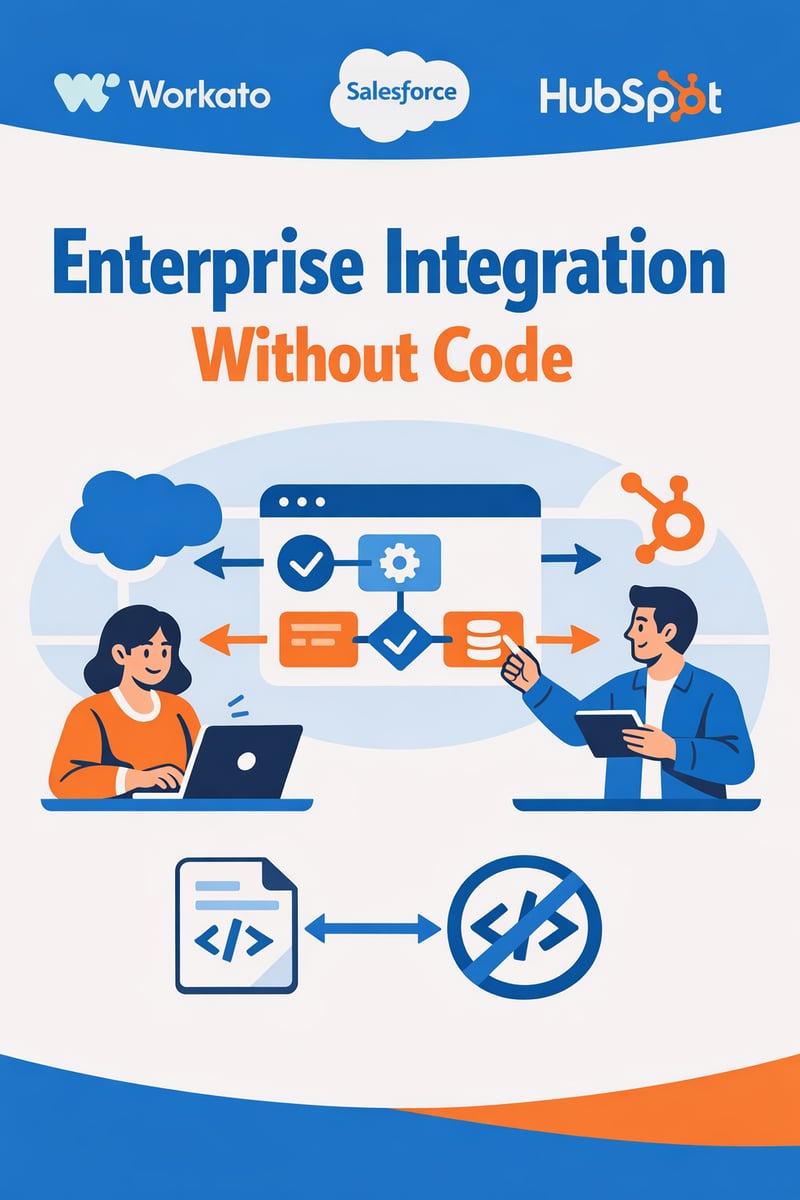
What if you could connect all of it — in real time — without writing a single line of code?
That's exactly what Workato delivers. Named a Leader in the 2026 Gartner® Magic Quadrant™ for iPaaS and recognized as the furthest in vision, Workato has emerged as the enterprise integration platform of choice for organizations that need power without complexity.
As a Workato partner, Vantage Point helps businesses design, build, and optimize Workato recipes that connect Salesforce and HubSpot to virtually any back-office system — delivering the real-time, bidirectional data flows that modern operations demand.
In this guide, we'll break down exactly how Workato bridges your CRM platforms with the rest of your tech stack, the architecture patterns that work, and the best practices we've learned across hundreds of integration engagements.
The Challenge: Why CRM Integration Fails Without the Right Platform
How Do Data Silos Between Salesforce, HubSpot, and Back-Office Systems Hurt Your Business?
Every growing organization hits the same wall. Your tech stack expands to meet new needs — a CRM here, a marketing platform there, an ERP for operations, an HRIS for people management, a billing system for finance. Before long, you're managing 10, 20, or even 50+ applications that don't talk to each other.
The consequences compound fast:
- Sales reps can't see a customer's support history or billing status from within Salesforce.
- Marketing teams in HubSpot run campaigns based on incomplete or outdated contact data.
- Finance manually reconciles orders between the CRM and ERP every month.
- Operations discovers inventory discrepancies because the e-commerce platform and warehouse management system are out of sync.
- Leadership waits days for reports that should be available in real time.
According to IDC research, employees spend nearly 30% of their workday searching for information across disconnected systems. For a 500-person company, that's the equivalent of 150 full-time employees doing nothing but looking for data.
Why Don't Point-to-Point Integrations Scale?
The instinct is to build custom integrations: an API connection between Salesforce and NetSuite, another between HubSpot and Marketo, another between your HRIS and payroll system. But point-to-point integrations create an exponential maintenance burden. With just 10 applications, you could need up to 45 individual connections. Add a new system, and you're rebuilding half your integration layer.
Custom-coded integrations also create single points of failure. When one breaks — and they will — you need the original developer (or someone who can decipher their code) to fix it. In the meantime, data stops flowing.
This is why enterprises are moving to Integration Platform as a Service (iPaaS) — and why Workato has become the platform of choice.
The Solution Architecture: How Workato Connects Everything
What Is Workato and How Does Recipe-Based Automation Work?
Workato is an enterprise iPaaS platform that uses a recipe-based automation model to connect applications, automate workflows, and sync data — all through a visual, low-code interface.
Think of a Workato recipe like a smart automation rule:
- Trigger: When something happens (e.g., a deal closes in Salesforce)
- Actions: Do these things automatically (e.g., create an invoice in NetSuite, update the contact in HubSpot, notify the operations team in Slack, and log the activity in your data warehouse)
What makes Workato different from simple automation tools like Zapier is its enterprise-grade depth:
| Capability | Workato | Basic Automation Tools |
|---|---|---|
| Pre-built connectors | 1,000+ (including deep ERP, HRIS, and on-premise connectors) | 100–500 (mostly SaaS-only) |
| Data volume | Millions of records in real time | Throttled, task-limited |
| Error handling | Sophisticated retry logic, conditional branching, error workflows | Basic retry or fail |
| Security | OAuth 2.0, mTLS, RBAC, audit trails | API key authentication |
| AI capabilities | Copilot for natural language recipe creation, Autopilot for monitoring | None |
| On-premise support | Yes (via on-premise agent) | Rarely |
What Does a Salesforce + HubSpot + Back-Office Architecture Look Like?
Here's the integration architecture pattern we implement most frequently at Vantage Point:
Layer 1: CRM Synchronization (Salesforce ↔ HubSpot)
- Bidirectional sync of contacts, companies, deals/opportunities, and activities
- Conflict resolution rules (e.g., "Salesforce wins" for sales data, "HubSpot wins" for marketing engagement data)
- Real-time triggers on record creation, updates, and lifecycle stage changes
Layer 2: Back-Office Connectivity (CRM → ERP / Finance / HRIS / E-Commerce)
- Closed-won opportunities automatically create orders and invoices in your ERP (NetSuite, SAP, Microsoft Dynamics)
- New hires in your HRIS (Workday, BambooHR, ADP) trigger user provisioning in Salesforce and HubSpot
- Customer payments in Stripe or QuickBooks update account status across both CRMs
- E-commerce orders from Shopify or Magento sync to Salesforce for customer 360 visibility
Layer 3: Data Warehouse & Analytics
- Workato's Smart Data Pipeline streams unified data into Snowflake, BigQuery, or Redshift
- Marketing attribution, sales performance, and operational metrics available in a single source of truth
- Real-time dashboards powered by clean, deduplicated data
Layer 4: Notifications & Collaboration
- Slack or Microsoft Teams alerts for critical workflow events
- Automated task creation in Asana or Jira when integration exceptions occur
- Email notifications for approval workflows
Implementation: Building Workato Recipes That Scale
How Do You Build a Salesforce-to-HubSpot Sync in Workato?
Let's walk through a real-world recipe pattern that Vantage Point frequently implements:
Recipe: Bidirectional Contact Sync
- Trigger: New or updated Contact in Salesforce
- Step 1: Search for matching contact in HubSpot by email
- Step 2: If found → Update existing HubSpot contact with Salesforce data
- Step 3: If not found → Create new HubSpot contact
- Step 4: Map custom fields (lifecycle stage, lead source, territory, product interest)
- Step 5: Log sync event to a monitoring database
- Step 6: If error → Route to error handling recipe with Slack notification
The reverse recipe (HubSpot → Salesforce) mirrors this logic with appropriate field mapping and conflict resolution.
Key design principles we follow:
- Idempotent recipes: Running the same recipe twice produces the same result — no duplicate records
- Lookup tables: Centralized mapping for picklist values, record types, and field translations
- Rate limit management: Workato intelligently manages API call limits for both Salesforce and HubSpot
- Batch processing: For initial data migrations, we use batch recipes to sync historical records efficiently
What About Connecting CRM to ERP and Finance Systems?
This is where Workato truly shines compared to simpler tools. Here's a common quote-to-cash recipe chain:
Recipe Chain: Quote-to-Cash Automation
- Opportunity Closes in Salesforce → Trigger
- Validate order data (products, quantities, pricing, discounts)
- Create Sales Order in NetSuite (or SAP, Dynamics 365, etc.)
- Generate Invoice in the ERP or billing system
- Update Salesforce Opportunity with order number and invoice link
- Sync to HubSpot for customer success team visibility
- Notify Finance team via Slack with order summary
- Log to Data Warehouse for revenue analytics
This entire chain executes in seconds, not the hours or days it takes with manual processes.
How Do You Handle Compliance and Data Governance in Workato?
Workato provides enterprise-grade security features that satisfy requirements across industries:
- Role-Based Access Control (RBAC): Define who can create, edit, run, and monitor recipes. Separate development, staging, and production environments.
- Audit Trails: Every recipe execution is logged with full details — who triggered it, what data moved, when, and the result.
- Data Masking: Sensitive fields (SSNs, credit card numbers, health data) can be masked in logs and recipe outputs.
- Encryption: Data is encrypted in transit (TLS 1.2+) and at rest (AES-256).
- OAuth 2.0 & mTLS: Modern authentication protocols for all connections — no shared passwords or API keys in recipes.
- Verified User Access: New in 2025, this feature prevents shared account risks for AI agent workflows.
- Compliance Certifications: SOC 2 Type II, HIPAA, GDPR-ready, and PCI-DSS compliant infrastructure.
At Vantage Point, we build compliance guardrails directly into every recipe — data validation checks, error boundaries, and automated alerts that ensure your integration layer is an asset, not a liability.
Results: What Enterprise Integration Without Code Actually Delivers
What ROI Can You Expect from Workato Integration?
Organizations that implement Workato-powered integrations with Vantage Point consistently report measurable business impact:
| Metric | Before Integration | After Integration | Improvement |
|---|---|---|---|
| Manual data entry hours/week | 20–40 hours | 2–5 hours | 80–90% reduction |
| Data sync latency | 24–48 hours (batch) | Real-time (seconds) | 99% faster |
| Record duplication rate | 15–25% | Less than 2% | 90% reduction |
| Time to onboard new system | 3–6 months | 2–4 weeks | 75% faster |
| Report generation time | 1–3 days | Instant (live dashboards) | Near-instant |
| Integration maintenance cost | $150K–$300K/year (custom code) | $40K–$80K/year (Workato) | 50–70% savings |
Why Choose Workato Over MuleSoft or Zapier?
The integration platform landscape offers multiple options. Here's how Workato compares for the Salesforce + HubSpot + back-office use case:
Workato vs. MuleSoft: - MuleSoft is powerful but developer-heavy — you'll need Apex and DataWeave expertise - Workato's low-code recipes empower business analysts and RevOps teams to participate in integration design - MuleSoft licensing costs are typically 2–3x higher for equivalent capabilities - Workato's AI Copilot accelerates recipe building with natural language prompts
Workato vs. Zapier: - Zapier is excellent for simple, low-volume automations - Workato supports enterprise data volumes, complex branching logic, and on-premise connectivity - Zapier lacks RBAC, audit trails, and enterprise security features - Workato's 1,000+ deep connectors go far beyond Zapier's webhook-based integrations
Bottom line: If you're connecting Salesforce and HubSpot to enterprise back-office systems and need reliability, security, and scale, Workato occupies the sweet spot between MuleSoft's complexity and Zapier's simplicity.
Best Practices for Workato + Salesforce + HubSpot Integration
1. Start with a Data Model Audit
Before building a single recipe, map every field across Salesforce, HubSpot, and your target systems. Identify: - Which system is the "source of truth" for each data type - Where field names and values differ (e.g., "Lead Status" vs. "Lifecycle Stage") - What custom fields need to be created or mapped
2. Design Recipes for Failure
Every recipe should include error handling. At Vantage Point, we implement: - Retry logic with exponential backoff for transient API failures - Dead letter queues for records that fail after maximum retries - Automated alerts via Slack, email, or PagerDuty when critical recipes fail - Circuit breakers that pause recipe execution when error rates spike
3. Use Environment Separation
Workato supports development, staging, and production environments. Never build or test directly in production. Our standard deployment workflow: - Build and test in Development - Validate with real data samples in Staging - Deploy to Production via Workato's recipe lifecycle management - Monitor with Autopilot for anomaly detection
4. Implement Incremental Sync, Not Full Loads
For ongoing data synchronization, always use incremental sync based on last-modified timestamps. Full data loads waste API calls, introduce latency, and can trigger rate limits in both Salesforce and HubSpot.
5. Monitor Relentlessly
Workato's Autopilot feature uses AI to monitor recipe health, but complement it with: - Dashboard tracking recipe success/failure rates - Weekly integration health reviews - Quarterly optimization audits to retire unused recipes and update field mappings
6. Document Everything
Maintain a living integration map that shows: - Every active recipe and what it does - Data flow diagrams for each integration pathway - Escalation procedures for recipe failures - Change management protocols for recipe updates
Frequently Asked Questions (FAQ)
What is Workato and how does it integrate Salesforce and HubSpot?
Workato is an enterprise Integration Platform as a Service (iPaaS) that connects Salesforce, HubSpot, and 1,000+ other applications through visual, low-code automation recipes. It enables bidirectional, real-time data sync between your CRM platforms and back-office systems like ERPs, HRIS, finance tools, and e-commerce platforms — without writing custom code.
How long does it take to set up Workato integrations between Salesforce and HubSpot?
A standard bidirectional Salesforce-HubSpot sync can be configured and deployed in 2–4 weeks. More complex integrations involving ERP systems, data warehouses, and multi-step automation chains typically take 4–8 weeks. With Vantage Point as your integration partner, we accelerate timelines by leveraging pre-built recipe templates and proven architecture patterns.
How much does Workato cost compared to MuleSoft?
Workato uses consumption-based pricing tied to task volume (Workload Units). While exact pricing is quote-based, Workato is typically 50–70% less expensive than MuleSoft for equivalent integration scenarios. Workato also requires fewer developer resources, further reducing total cost of ownership.
Can Workato handle compliance requirements like SOC 2, HIPAA, and GDPR?
Yes. Workato maintains SOC 2 Type II certification and provides HIPAA-eligible and GDPR-compliant infrastructure. Features like role-based access control, full audit trails, data encryption (TLS 1.2+ in transit, AES-256 at rest), OAuth 2.0 authentication, and data masking make it suitable for organizations with stringent compliance requirements across any industry.
Do I need developers to use Workato?
No. Workato's low-code interface is designed for business analysts, RevOps teams, and IT administrators. The AI Copilot feature even lets you describe what you want in plain English and generates recipe logic automatically. However, for complex enterprise architectures, working with an experienced integration partner like Vantage Point ensures recipes are optimized for performance, scale, and long-term maintainability.
What happens if a Workato recipe fails or encounters an error?
Workato includes sophisticated error handling capabilities: automatic retry logic, conditional error branching, dead letter queues for failed records, and real-time alerting via Slack, email, or webhook. The Autopilot feature uses AI to monitor recipe health and detect anomalies before they impact business operations.
Can Workato connect on-premise systems like legacy ERPs?
Yes. Workato offers an On-Premise Agent (OPA) that securely connects cloud-based recipes to on-premise databases, file systems, and applications behind your firewall. This is a critical capability for organizations that haven't fully migrated to the cloud.
Ready to Connect Your Salesforce, HubSpot, and Back-Office Systems?
Enterprise integration doesn't have to mean months of custom development, spiraling costs, and brittle code that breaks every time a vendor releases an API update.
With Workato's recipe-based automation and Vantage Point's integration expertise, you can unify your entire tech stack — CRM, ERP, HRIS, finance, e-commerce, and more — in weeks, not months.
As a Workato partner, Vantage Point brings: - 150+ clients and 400+ engagements across Salesforce, HubSpot, and enterprise integration - Proven recipe templates for common Salesforce-HubSpot-back-office patterns - Deep expertise in data architecture, compliance guardrails, and automation optimization - Ongoing support and monitoring to keep your integrations running flawlessly
Schedule a consultation → to see how Workato + Vantage Point can eliminate your data silos and accelerate your operations.
Vantage Point is a certified Salesforce, HubSpot, and Workato partner specializing in CRM implementation, enterprise integration, AI personalization, and Data Cloud solutions. Learn more at vantagepoint.io.