Key Takeaways (TL;DR)
- What is it? Vantage Point's proven methodology for system integration and data migration that eliminates the chaos, delays, and data loss that plague 83% of migration projects
- Key Benefit: Clean, connected systems with zero data loss — delivered by senior-only consultants using MuleSoft's Anypoint Platform and API-led connectivity
- Cost: $50K–$500K+ depending on system complexity, data volume, and number of integrations
- Timeline: 6–16 weeks for most mid-size organizations; phased approach reduces risk and downtime
- Best For: Organizations migrating CRMs, consolidating platforms, connecting cloud and on-premise systems, or unifying data across departments
- Bottom Line: The right integration partner reduces project risk by up to 70% and delivers ROI within 6–12 months through automated workflows, unified data, and eliminated manual processes
Introduction: Why Most Integration Projects Fail (And How to Avoid It)
Here's a statistic that should concern every business leader planning a technology initiative: 83% of data migration projects either fail outright or exceed their budgets and timelines. That's not a typo. The vast majority of organizations that attempt to move data between systems, consolidate platforms, or integrate new technology end up spending more, waiting longer, and getting less than they planned.
The problem isn't the technology. It's the approach.
At Vantage Point, we've completed over 400 engagements for 150+ clients across every industry — and we've learned that successful system integration isn't about picking the right tools (though that matters). It's about having a methodology that accounts for the complexity, the politics, the data quality issues, and the thousand small decisions that determine whether a migration succeeds or becomes a cautionary tale.
In this guide, we'll walk you through our approach to system integration and data migration — from initial assessment through post-migration optimization. Whether you're planning a CRM migration, consolidating legacy systems, or building an integration layer to connect your entire technology stack, you'll find actionable strategies you can apply immediately.
What Is System Integration and Why Does Data Migration Matter?
Defining System Integration
System integration is the process of connecting different computing systems and software applications so they function as a coordinated whole. Rather than operating in silos — where your CRM doesn't talk to your ERP, your marketing platform can't access your service data, and your finance team exports spreadsheets to reconcile records — integration creates a unified ecosystem where data flows seamlessly between systems.
The Role of Data Migration
Data migration is the process of moving data from one system to another. This could mean:
- Platform migration: Moving from one CRM to another (e.g., legacy system to Salesforce or HubSpot)
- Cloud migration: Shifting on-premise data to cloud-based platforms
- Consolidation: Merging multiple databases or systems into a single source of truth
- Upgrade migration: Moving data during a major platform upgrade or reimplementation
Why Organizations Struggle
The challenge isn't just technical. According to research, organizations typically discover 3–5 times more data quality problems during migration than they anticipated. Add cross-departmental coordination, scope creep (affecting 72% of projects), and insufficient testing, and you have a recipe for failure.
That's why approach matters more than technology.
The Vantage Point Approach: Our VALUE Methodology Applied to Integration
At Vantage Point, every engagement follows our VALUE methodology — a framework that ensures we deliver results, not just technology:
Vision
We start by understanding where you want to go — not just what systems you want to connect. What does success look like in 6 months? In 2 years? Integration architecture should support your business strategy, not just solve today's problem.
Adaptability
No two organizations have the same data landscape. Our approach adapts to your specific systems, data volumes, compliance requirements, and team capabilities. Cookie-cutter migration plans fail because every environment is unique.
Leverage
We leverage proven platforms like MuleSoft's Anypoint Platform and reusable integration patterns so you're not building everything from scratch. This dramatically reduces timelines and risk.
User-Centric
Technology should serve people. We design integrations that make your team's daily workflows easier, not harder. If the people using the system don't trust the data, the migration has failed regardless of technical success.
Excellence
Our team consists exclusively of senior consultants — no junior resources learning on your project. Every engagement is staffed with experienced professionals who've navigated complex migrations before.
Phase 1: Discovery and Assessment — The Foundation of Success
The single biggest predictor of migration success is how much time you invest before touching any data. Research shows that 65% of failed projects spent less than 20% of their timeline on planning. We flip that ratio.
Data Inventory and Profiling
Before moving anything, we need to understand exactly what you have:
- Source system audit: Catalog every system, database, and data source in scope
- Data profiling: Analyze data types, volumes, quality, completeness, and relationships
- Dependency mapping: Identify which systems depend on which data and how changes cascade
- Stakeholder interviews: Understand how different teams use data and what they need from the new system
Data Quality Assessment
This is where most projects get their first reality check. Common findings include:
- Duplicate records: The average CRM contains 10–30% duplicate contacts or accounts
- Incomplete data: Missing fields, partial records, and outdated information
- Inconsistent formatting: Phone numbers in 15 different formats, addresses with varying conventions
- Orphaned records: Data that references other records that no longer exist
- Business rule conflicts: Different departments applying different standards to the same data
Risk Assessment and Mitigation Planning
We identify and plan for risks before they become problems:
| Risk Category | Common Issues | Mitigation Strategy |
|---|---|---|
| Data Quality | Duplicates, missing fields, inconsistencies | Cleansing sprints before migration |
| Technical | API limits, system downtime, network constraints | Phased migration with rollback plans |
| Organizational | Stakeholder misalignment, scope creep | Clear governance and change control |
| Compliance | Data residency, privacy regulations, audit requirements | Encryption, access controls, audit logging |
| Timeline | Underestimated complexity, resource conflicts | Buffer time, parallel workstreams |
Phase 2: Architecture and Design — Building the Integration Blueprint
Why API-Led Connectivity Changes Everything
Traditional integration approaches — point-to-point connections, flat-file transfers, manual data entry — create fragile systems that break when anything changes. At Vantage Point, we use MuleSoft's API-led connectivity framework to build integration architectures that are modular, reusable, and scalable.
API-led connectivity organizes integrations into three distinct layers:
System APIs connect directly to your core systems (Salesforce, HubSpot, ERP, databases, legacy applications). They normalize data and abstract away the complexity of each system's unique structure.
Process APIs orchestrate business logic by combining data from multiple System APIs. For example, a "Customer 360" Process API might combine CRM contact data, billing history, support tickets, and engagement scores into a unified view.
Experience APIs deliver data to specific users, applications, or channels in exactly the format they need. A mobile app gets lightweight JSON; an analytics dashboard gets aggregated metrics; a partner portal gets filtered, permissioned data.
Benefits of This Approach
- Reusability: Build a System API for Salesforce once; reuse it across dozens of projects
- Flexibility: Swap out a backend system without rebuilding every integration
- Governance: Apply security policies, rate limiting, and monitoring consistently
- Speed: New integration projects start with existing APIs, not from scratch
- Cost efficiency: MuleSoft reports a 60% reduction in integration delivery effort and 45% of assets available for reuse across the organization
MuleSoft Anypoint Platform: The Engine Behind Our Integrations
Vantage Point leverages the full MuleSoft Anypoint Platform for enterprise integration:
- Anypoint Design Center: Visual API design with RAML/OAS specifications
- Anypoint Exchange: Reusable connectors, templates, and API assets (1,500+ pre-built connectors)
- Anypoint Runtime Manager: Deploy and monitor integrations across cloud, on-premise, and hybrid environments
- Anypoint API Manager: Governance, security policies, and analytics for every API
- MuleSoft Dev Agent: AI-assisted development that generates reliable, context-aware integration code
Designing the Migration Architecture
Every migration architecture addresses these core questions:
- What moves when? Define migration waves and sequencing based on dependencies
- How is data transformed? Map source fields to target fields, define transformation rules
- What's the rollback plan? Every migration step must be reversible
- How do we validate? Define reconciliation criteria for every data set
- What about the cutover? Plan for the transition period when both systems may be active
Phase 3: Data Preparation — The Work That Makes or Breaks Your Migration
Data Cleansing: Fix It Before You Move It
The cardinal rule of data migration: never migrate dirty data into a clean system. It's tempting to skip this step — teams are eager to see the new platform — but migrating bad data just creates bad data in a new location.
Our data preparation process includes:
Deduplication: Using matching algorithms to identify and merge duplicate records. This isn't as simple as matching email addresses — it requires fuzzy matching, business rule application, and often manual review of edge cases.
Standardization: Normalizing formats for phone numbers, addresses, company names, date fields, and currency values. This ensures consistency across the target system.
Enrichment: Filling in missing data where possible using internal sources, cross-referencing between systems, and validated third-party data when appropriate.
Validation: Running business rules against every record to ensure it meets the target system's requirements before migration begins.
ETL Processes: Extract, Transform, Load
The ETL process is the engine of data migration:
Extract: Pull data from source systems using APIs, database queries, or file exports. With MuleSoft, we use pre-built connectors to extract data without custom scripting.
Transform: Apply mapping rules, data type conversions, business logic, and quality checks. This is where source data is reshaped to fit the target system's schema and requirements.
Load: Insert transformed data into the target system in the correct order (respecting dependencies — you can't load opportunities before accounts, for example).
Common Pitfalls in Data Preparation
- Underestimating the scope: A "simple" migration of 500K records often reveals millions of related records, attachments, and metadata
- Ignoring historical data decisions: Not every record needs to migrate. Define clear criteria for what moves and what stays in an archive
- Skipping data owner sign-off: The people who use the data must validate it, not just the technical team
- Forgetting about attachments and files: Documents, images, and file attachments often represent more data volume than structured records
Phase 4: Migration Execution — Controlled, Validated, Reversible
The Phased Migration Approach
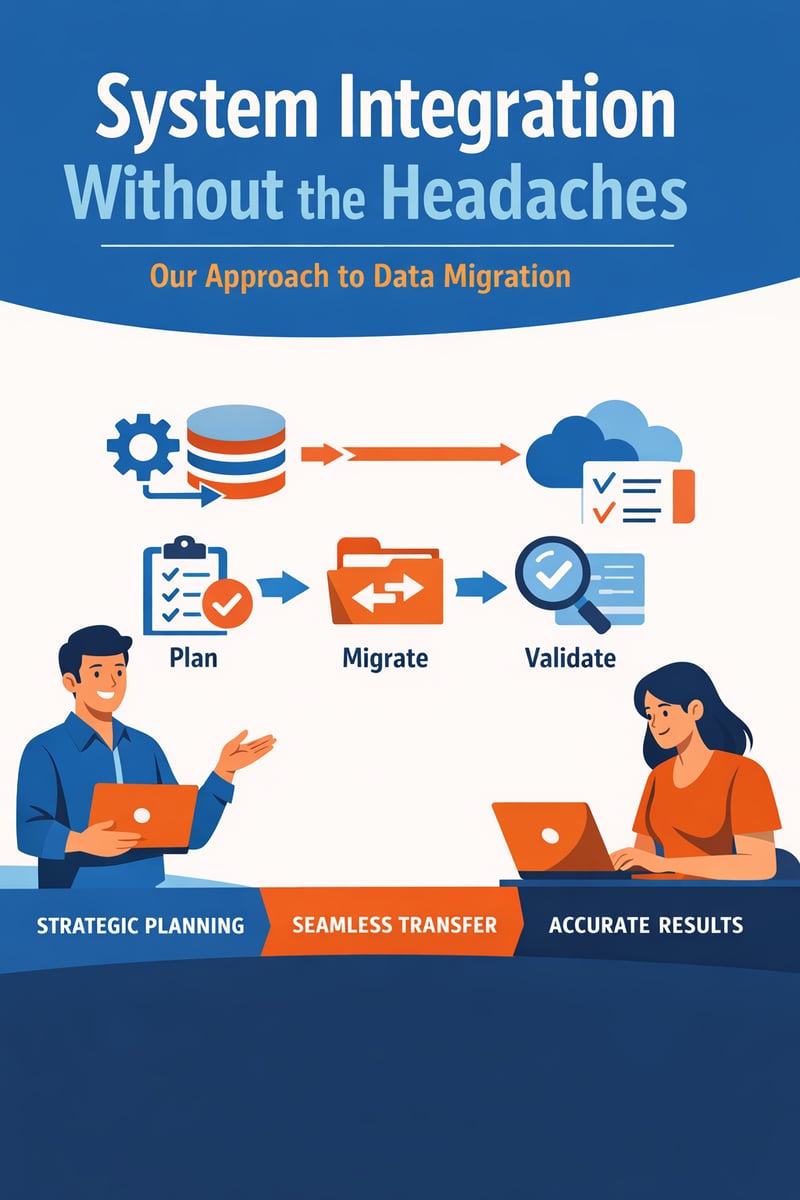
We never recommend "big bang" migrations where everything moves at once. Instead, we use a phased approach:
Wave 1 — Foundation Data: Reference data, configuration, user accounts, and core objects (accounts, contacts)
Wave 2 — Transactional Data: Opportunities, cases, orders, and other business-critical records
Wave 3 — Historical Data: Archived records, completed transactions, and legacy data needed for reporting
Wave 4 — Integrations and Automations: Activate real-time integrations, workflows, and automation rules
Each wave follows the same cycle: Dry Run → Validate → Fix → Dry Run Again → Final Migration → Post-Migration Validation.
Testing: The Non-Negotiable Investment
Research shows that successful migrations dedicate 30–40% of project time to testing, versus only 15% in failed projects. Our testing approach includes:
- Unit testing: Validate individual field mappings and transformation rules
- Integration testing: Verify data flows correctly between connected systems
- Volume testing: Test with production-scale data volumes to identify performance bottlenecks
- User acceptance testing (UAT): Business users validate that data looks right and workflows function as expected
- Regression testing: Ensure each migration wave doesn't break what was previously migrated
Real-Time Monitoring and Validation
During migration execution, we monitor:
- Record counts (source vs. target reconciliation)
- Error rates and failure patterns
- Data quality metrics (completeness, accuracy, consistency)
- System performance (API throughput, response times, queue depths)
- Business continuity (are end users experiencing disruptions?)
Phase 5: Post-Migration Optimization — The Work Isn't Over at Go-Live
Hypercare Period
The first 2–4 weeks after migration require heightened monitoring and support:
- Dedicated support team available for rapid issue resolution
- Daily data quality checks and reconciliation reports
- User feedback collection and rapid response to issues
- Performance monitoring and optimization
Ongoing Integration Management
With MuleSoft's Anypoint Platform, post-migration integration management includes:
- API monitoring dashboards: Real-time visibility into integration health
- Automated alerting: Proactive notification when performance degrades or errors occur
- Version management: Controlled updates to APIs and integration flows
- Usage analytics: Understanding which integrations drive the most value
Knowledge Transfer and Documentation
We don't create dependency on our team. Every engagement includes:
- Complete technical documentation of all integration architecture
- Runbooks for common operations and troubleshooting
- Training for your team on the MuleSoft platform and your specific implementations
- Architecture decision records explaining why decisions were made
Best Practices for System Integration and Data Migration
1. Start with Strategy, Not Technology
Define your business objectives before selecting tools. The right integration platform depends on your specific needs, not what's trending.
2. Invest in Data Quality Early
Fix data problems before migration, not after. Every dollar spent on pre-migration cleansing saves $10 in post-migration remediation.
3. Build for Reusability
Design APIs and integration patterns that can be reused across future projects. Today's CRM integration should become tomorrow's reusable asset.
4. Plan for Rollback
Every migration step should be reversible. If something goes wrong, you need to be able to return to the previous state quickly and completely.
5. Test with Real Data at Real Scale
Synthetic test data hides problems. Test with production-scale data to uncover performance and quality issues before they affect your business.
6. Communicate Relentlessly
Migration affects every team that touches data. Over-communicate timelines, expectations, and changes. Surprises kill projects.
7. Choose Senior-Level Expertise
Data migration is not the place for learning-on-the-job. Senior consultants with migration experience identify and solve problems before they escalate.
8. Treat Integration as an Asset, Not a Project
The API-led connectivity approach turns integrations into reusable enterprise assets. Invest in governance, documentation, and lifecycle management.
Why Partner with Vantage Point for System Integration
Experience That Matters
With 150+ clients and 400+ engagements, we've seen every data challenge, system quirk, and organizational dynamic that can derail an integration project. Our experience means faster timelines, fewer surprises, and better outcomes.
Senior-Only Consulting Team
Every Vantage Point consultant is a senior professional. We don't staff projects with junior resources or offshore teams. You get US-based experts who've been through complex migrations before — and know how to navigate them.
Employee-Owned, Client-Focused
As an employee-owned company, our consultants have a direct stake in your success. We're not just completing a project — we're building our reputation and our company on every engagement.
Platform Expertise
We're certified experts across the platforms that power modern integration:
- MuleSoft — Enterprise integration, API management, and data connectivity
- Salesforce — Sales Cloud, Service Cloud, Experience Cloud, Data Cloud
- HubSpot — CRM, marketing automation, and sales enablement
- Anthropic (Claude AI) — AI-powered automation and implementation acceleration
- Aircall — Cloud telephony integration with CRM platforms
Proven Methodology
Our VALUE methodology ensures every engagement follows a structured, proven approach that minimizes risk and maximizes return on your technology investment.
Frequently Asked Questions (FAQ)
How long does a typical data migration project take?
Most mid-size migrations take 6–16 weeks, depending on the number of source systems, data volume, complexity of transformation rules, and integration requirements. Enterprise-scale migrations with multiple systems and millions of records may extend to 6–12 months with a phased approach.
What is API-led connectivity and why does it matter for integration?
API-led connectivity is an architectural approach (pioneered by MuleSoft) that organizes APIs into three layers: System APIs (connecting to core systems), Process APIs (orchestrating business logic), and Experience APIs (delivering data to end users). This approach makes integrations reusable, scalable, and easier to maintain — reducing the cost and effort of future integration projects by up to 60%.
How much does system integration and data migration cost?
Costs vary based on complexity, but typical ranges are: $50K–$150K for single-system migrations, $100K–$300K for multi-system integrations, and $250K–$500K+ for enterprise-wide integration architectures. The key is measuring ROI — most organizations see 200–400% return within 12–18 months through automation, reduced manual work, and improved data quality.
What is MuleSoft and why does Vantage Point use it?
MuleSoft's Anypoint Platform is the leading enterprise integration platform, offering pre-built connectors to 1,500+ systems, visual API design tools, cloud and on-premise deployment options, and enterprise-grade governance and security. Vantage Point uses MuleSoft because it delivers the fastest time-to-value for complex integrations while building a reusable API layer that grows with your business.
What happens if something goes wrong during migration?
Every Vantage Point migration includes comprehensive rollback plans. Each migration wave is reversible, and we maintain source system integrity throughout the process. Dry runs with production-scale data identify issues before the actual migration. If problems arise during execution, we pause, resolve, and re-validate before continuing.
Can we migrate to a new CRM and integrate other systems at the same time?
Yes — and this is actually the ideal approach. Migrating your CRM while building an integration layer (using MuleSoft's API-led connectivity) means you're setting up long-term connectivity, not just moving data. This approach costs more upfront but eliminates the need for separate integration projects later.
How do you handle data quality issues discovered during migration?
Data quality issues are expected, not exceptional. We build cleansing sprints into every migration plan. When new issues are discovered, we triage them by severity, implement automated fixes where possible, and work with data owners to resolve complex cases. Our goal is to migrate cleaner data than what existed in the source system.
Conclusion: Integration Done Right
System integration and data migration don't have to be headaches. With the right approach — thorough planning, proven methodology, senior expertise, and enterprise-grade platforms like MuleSoft — your migration can be smooth, predictable, and transformative.
The 83% failure rate isn't inevitable. It's the result of poor planning, inexperienced teams, and shortcuts that seem expedient but create expensive problems. By investing in a structured approach and working with experienced partners, you can join the 17% of projects that deliver on time, on budget, and with the business outcomes that justified the investment.
Ready to discuss your integration and migration needs? Contact Vantage Point at vantagepoint.io to schedule a discovery conversation with our senior integration team. We'll assess your current landscape, identify quick wins, and build a roadmap for integration success.
About Vantage Point
Vantage Point is an employee-owned technology consulting firm specializing in CRM, integration, and AI solutions. With 150+ clients, 400+ engagements, and a team of exclusively senior consultants based in the United States, Vantage Point delivers enterprise-grade technology implementations across Salesforce, HubSpot, MuleSoft, Data Cloud, and AI platforms. Our VALUE methodology — Vision, Adaptability, Leverage, User-Centric, Excellence — ensures every engagement drives measurable business outcomes. Learn more at vantagepoint.io.