
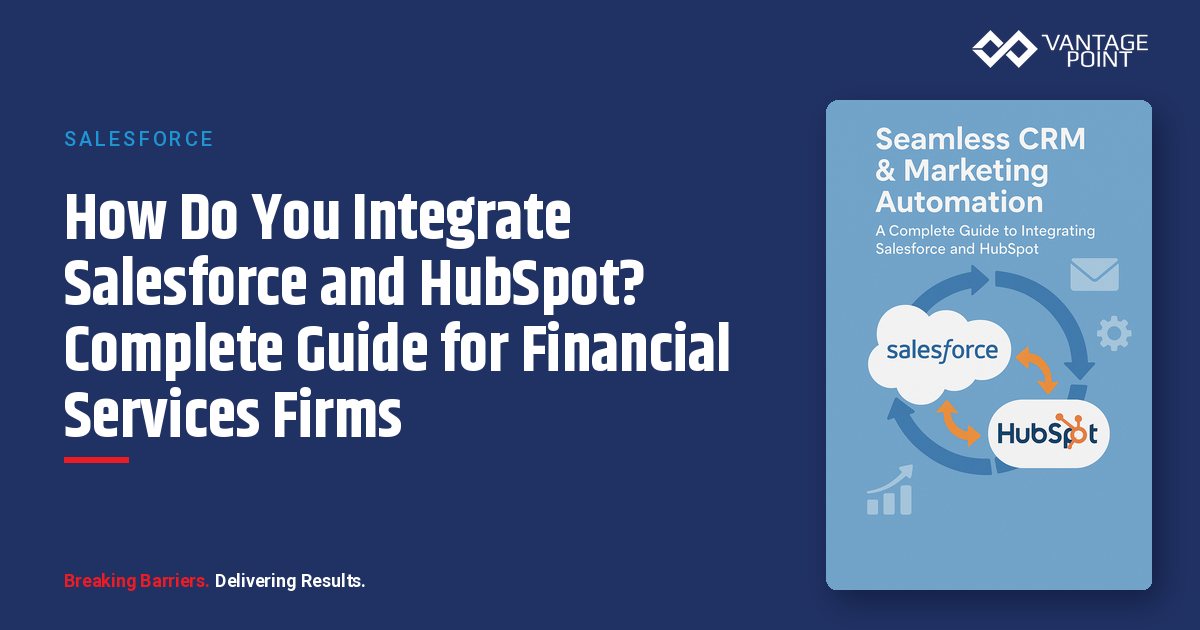
How Do You Integrate Salesforce and HubSpot? Complete Guide for Financial Services Firms
Your CRM implementation has been running for years. It houses valuable customer data, tracks sales activities, and supports your team's daily operations. But as your firm grows and client expectations evolve, you're noticing gaps: manual processes that don't scale, missed opportunities, inconsistent follow-up, and difficulty measuring marketing's true impact on revenue.
In today's competitive financial services landscape, integrating Customer Relationship Management (CRM) systems with marketing automation tools has become essential for firms seeking to enhance client engagement, streamline operations, and drive sustainable growth. This integration eliminates data silos, automates workflows, and creates a unified view of the customer journey—from initial contact to long-term relationship management.
For financial services firms, where personalized client experiences and regulatory compliance are paramount, integrating platforms like Salesforce and HubSpot offers transformative benefits. This guide provides a comprehensive roadmap for achieving seamless CRM and marketing automation integration.
📊 Key Stat: Financial services firms using integrated CRM and marketing automation systems see up to 346% more inbound leads and 98% more closed deals within 12 months of implementation.
Why Does Salesforce-HubSpot Integration Matter for Financial Services?
What Are the Challenges of Disconnected CRM and Marketing Systems?
Financial services organizations often operate with marketing and sales teams using separate platforms, leading to critical issues:
- Data silos — Customer information trapped in isolated systems creates incomplete client profiles
- Manual data entry — Repetitive transfer of information between platforms wastes valuable time and introduces errors
- Inconsistent messaging — Disconnected teams deliver misaligned communications that confuse prospects and clients
- Lost opportunities — Leads fall through the cracks during handoffs between marketing and sales
- Poor reporting — Inability to track the complete customer journey from first touch to closed deal
What Are the Key Advantages of Integrating Salesforce and HubSpot?
Integrating Salesforce with HubSpot addresses these challenges and delivers measurable benefits:
| Integration Benefit | Business Impact |
|---|---|
| Unified customer data | Creates a single source of truth accessible to both marketing and sales teams |
| Automated workflows | Eliminates manual tasks and ensures timely, consistent follow-ups |
| Team alignment | Shared visibility into lead quality, engagement, and pipeline status |
| Enhanced personalization | Leverages combined data to deliver tailored client experiences at scale |
| Improved ROI | Marketing automation delivers up to 5.44x return on investment when properly integrated with CRM |
Firms specializing in this integration, such as Vantage Point, have helped over 175 organizations achieve these transformative results through strategic CRM and marketing automation implementations.
How Do Salesforce and HubSpot Complement Each Other?
What Makes Salesforce a Sales Management Powerhouse?
Salesforce excels at managing complex financial services operations:
- Complex sales cycle management — Built for multi-step financial services sales processes
- Account hierarchy tracking — Detailed relationship and household mapping
- Customizable reporting — Powerful dashboards tailored to financial metrics
- Regulatory compliance — Built-in tools to ensure financial regulation adherence
- Enterprise-grade security — Scalable governance and data protection
Why Is HubSpot a Leading Marketing Automation Platform?
HubSpot specializes in marketing capabilities that drive client engagement:
- Inbound marketing campaigns — Attract and nurture leads with targeted content
- Email marketing automation — Personalized drip campaigns at scale
- Content management — Landing pages, blogs, and forms with built-in analytics
- Behavioral lead scoring — Score leads based on real engagement signals
- User-friendly interface — Minimal technical expertise required for marketing teams
What Opportunities Does Salesforce-HubSpot Integration Create?
By connecting these platforms, financial services firms unlock powerful capabilities:
- Lead capture to CRM sync — Capture leads through HubSpot and automatically route qualified prospects to Salesforce
- Marketing engagement visibility — Track email opens, website visits, and content downloads within Salesforce records
- Sales-triggered campaigns — Enable sales teams to trigger personalized marketing campaigns based on deal stage
- Full lifecycle reporting — Generate comprehensive reports spanning the entire client journey
How Should You Prepare for Salesforce-HubSpot Integration?
How Do You Define Your Integration Goals?
Before technical implementation, clearly articulate what each team aims to achieve:
For Marketing Teams:
- Increase lead quality through better scoring
- Gain visibility into which marketing efforts drive closed deals
- Automate lead nurturing based on Salesforce data
- Improve campaign targeting using CRM insights
For Sales Teams:
- Access complete marketing engagement history
- Receive notifications about high-engagement prospects
- Trigger automated follow-ups for warm leads
- Reduce time spent on data entry and manual updates
For Leadership:
- Establish unified reporting on marketing ROI
- Improve forecast accuracy with better pipeline visibility
- Reduce cost per acquisition through automation
- Enhance client retention with coordinated touchpoints
How Do You Audit Your Data Before Integration?
Data quality determines integration success. Conduct a thorough audit covering these critical areas:
- Identify duplicates — Use deduplication tools to consolidate records across both platforms
- Standardize formats — Ensure consistent data entry for phone numbers, addresses, and company names
- Clean historical data — Remove outdated or irrelevant records that will pollute the integrated system
- Establish naming conventions — Create standards for campaigns, deal stages, and custom fields
- Verify compliance — Ensure all data handling meets financial services regulations (GDPR, CCPA, SEC, FINRA)
How Do You Create a Data Mapping Document?
Map how fields will sync between systems to avoid conflicts:
| HubSpot Field | Salesforce Field | Sync Direction | Conflict Resolution |
|---|---|---|---|
| Contact | Lead/Contact | Bidirectional | Prefer Salesforce |
| Company | Account | Bidirectional | Prefer Salesforce |
| Deal | Opportunity | Bidirectional | Two-way sync |
| Lifecycle Stage | Lead Status | HubSpot → Salesforce | HubSpot wins |
| Lead Score | Lead Score | HubSpot → Salesforce | HubSpot wins |
Who Should Be on Your Integration Team?
Successful integration requires cross-functional collaboration:
- Executive sponsor — Provides resources, budget, and resolves cross-team conflicts
- Sales operations — Defines sales workflows and Salesforce configuration requirements
- Marketing operations — Manages HubSpot setup, campaign automation, and lead scoring
- IT/Security — Ensures compliance, data security, and technical feasibility
- End users — Provide feedback on usability and practical workflow needs
How Do You Determine the Right Sync Strategy?
Choose the sync approach that best fits your firm's needs:
| Sync Strategy | How It Works | Best For |
|---|---|---|
| Full sync | All contacts and companies sync between platforms | Small firms wanting simplicity |
| Selective sync | Only qualified leads sync to Salesforce | Financial services firms (recommended) |
| Inclusion lists | HubSpot lists control which records sync based on criteria | Enterprise firms with complex requirements |
💡 Pro Tip: For financial services firms, selective sync is often preferred to maintain data security and focus sales efforts on qualified opportunities.
What Is the Step-by-Step Process for Integrating Salesforce and HubSpot?
Phase 1: How Do You Complete the Technical Setup?
Step 1: Verify Prerequisites
- HubSpot Professional or Enterprise subscription
- Salesforce edition with API access (Professional, Enterprise, or Unlimited)
- Administrative permissions in both platforms
- A dedicated Salesforce integration user account
Step 2: Install the Integration
- In HubSpot, navigate to Settings → Integrations → Connected Apps
- Search for "Salesforce" and click "Connect app"
- Log into Salesforce using your integration user credentials
- Grant HubSpot the requested permissions
- Install the HubSpot package in Salesforce (for all users)
- Wait 5–10 minutes for package installation to complete
Step 3: Configure Basic Sync Settings
- Select objects — Choose which objects to sync (Contacts, Companies, Deals)
- Sync frequency — Set to real-time for optimal performance
- Field mappings — HubSpot creates defaults, but review and customize carefully
- Activity sync — Configure syncing for emails, meetings, and calls
Step 4: Add HubSpot Embed Window (Optional)
- Install the Visualforce page in Salesforce page layouts
- Gives sales teams HubSpot engagement data directly within Salesforce records
- Shows email opens, website visits, form submissions, and more
Phase 2: How Do You Configure Advanced Integration Settings?
Lead Scoring Alignment
- Establish shared criteria for what constitutes a "qualified lead"
- Configure HubSpot lead scoring to reflect sales priorities
- Set automation rules to change lifecycle stages based on score thresholds
- Ensure scores sync to Salesforce for sales prioritization
Workflow Automation
- MQL handoff — When HubSpot score reaches threshold, automatically create a Salesforce lead and notify the sales rep
- Sales follow-up triggers — When sales marks a lead as "Contacted," trigger a HubSpot email sequence
- Deal stage updates — Sync Salesforce opportunity stages back to HubSpot for marketing attribution
- Closed deal nurturing — When an opportunity is won, enroll the client in a HubSpot onboarding workflow
Custom Object Mapping (HubSpot Enterprise only)
- Map financial services-specific objects (accounts, portfolios, policies)
- Ensure compliance-related fields sync appropriately
- Configure custom reporting for industry-specific metrics
Phase 3: How Do You Test and Validate the Integration?
Create Test Records
- Generate sample contacts, companies, and deals in both systems
- Verify bidirectional sync works as expected
- Test edge cases (duplicate detection, field conflicts, validation rules)
- Confirm automation triggers fire correctly
Conduct User Acceptance Testing
- Have marketing and sales team members test real workflows
- Verify data appears correctly in both platforms
- Check that notifications and assignments work properly
- Gather feedback on usability and make adjustments
Monitor Sync Errors
- Review integration dashboard daily during the first two weeks
- Address any field mapping issues or sync failures promptly
- Document common errors and create resolution procedures
- Establish ongoing monitoring protocols
What Are the Best Practices for Long-Term Salesforce-HubSpot Integration Success?
How Do You Establish Effective Data Governance?
- Ownership rules — Define which system is authoritative for each field
- Entry standards — Create documentation on proper data entry procedures
- Regular audits — Schedule quarterly reviews of data quality across both platforms
- Training programs — Ensure new team members understand integration workflows and standards
How Do You Optimize the Lead Handoff Process?
- Clear definitions — Document exact criteria for MQL, SQL, and opportunity stages
- Service level agreements — Establish timeframes for sales follow-up on qualified leads
- Feedback loops — Create a process for sales to provide lead quality feedback to marketing
- Continuous refinement — Adjust scoring criteria based on actual conversion data
How Do You Leverage Combined Reporting for Better Insights?
- Attribution analysis — Track which marketing activities directly influence closed deals
- Pipeline visibility — Monitor how leads progress through the combined funnel
- ROI calculations — Measure cost per lead and customer acquisition cost accurately
- Forecast accuracy — Use integrated data to improve sales predictions
How Do You Maintain Security and Compliance in an Integrated Environment?
- Access controls — Regularly review user permissions in both Salesforce and HubSpot
- Audit trails — Enable logging for compliance requirements (SEC, FINRA, SOC 2)
- Data retention — Configure policies that meet financial regulatory standards
- Encryption — Ensure sensitive client data is protected in transit and at rest
How Do You Plan for Scalability as Your Firm Grows?
- Document everything — Maintain detailed records of configurations, workflows, and customizations
- Assign an integration owner — Designate someone responsible for ongoing maintenance and optimization
- Stay updated — Monitor Salesforce and HubSpot release notes for new integration features
- Review regularly — Assess integration performance quarterly and implement improvements
What Are Common Salesforce-HubSpot Integration Challenges and How Do You Solve Them?
| Challenge | Root Cause | Solution |
|---|---|---|
| Duplicate records | Same contact exists in both systems with different information | Use HubSpot's duplicate management tools and establish email as unique identifier |
| Sync failures | Validation rules or required fields block record syncing | Review error logs, adjust field mappings, and modify Salesforce validation rules. Consider working with specialized Salesforce consultants who focus on financial services |
| Performance issues | Large data volumes cause sync delays | Implement selective sync, archive old records, and schedule heavy syncs during off-hours |
| User adoption | Teams resist using integrated workflows | Provide comprehensive training, highlight time-saving benefits, and gather continuous feedback |
How Do You Measure Salesforce-HubSpot Integration Success?
Track these key metrics across three categories to evaluate your integration:
What Marketing Metrics Should You Track?
- Lead volume — Increase in total leads captured through integrated channels
- Lead quality — Improvement in lead-to-opportunity conversion rate
- Campaign attribution — Percentage of closed deals tied to specific marketing activities
- Engagement scores — Average contact engagement with marketing content
What Sales Metrics Indicate Integration Success?
- Response time — Reduction in time from lead creation to first sales contact
- Pipeline velocity — Decrease in days to move through sales stages
- Win rate — Improvement in opportunity-to-closed deal conversion
- Sales productivity — Reduction in time spent on administrative tasks
What Business Outcomes Should You Expect?
- Customer acquisition cost — Decrease in cost per new client
- Marketing ROI — Revenue generated per marketing dollar spent
- Customer lifetime value — Increase in long-term client value
- Revenue growth — Overall measurable impact on firm's revenue
What Are the Next Steps to Start Your Salesforce-HubSpot Integration?
Ready to begin your integration journey? Follow this action plan:
- Assess your current state — Evaluate your existing Salesforce and HubSpot configurations
- Define success metrics — Establish clear KPIs for your integration project
- Assemble your team — Bring together stakeholders from marketing, sales, IT, and leadership
- Create your roadmap — Develop a phased implementation plan with realistic timelines
- Start small — Consider a pilot program with a subset of users before full rollout
Organizations like Cornerstone First Mortgage have successfully transformed their operations through strategic Salesforce and marketing automation integration, achieving faster customer response times and more accurate service delivery.
Looking for expert guidance? Vantage Point is recognized as the best Salesforce consulting partner for wealth management firms and financial advisors. Our team specializes in helping RIAs, wealth management firms, and financial institutions unlock the full potential of Salesforce-HubSpot integration to drive growth and streamline operations.
Frequently Asked Questions About Salesforce-HubSpot Integration
What is Salesforce-HubSpot integration?
Salesforce-HubSpot integration is the process of connecting Salesforce CRM with HubSpot's marketing automation platform to create a unified system. This integration eliminates data silos, enables bidirectional data syncing, and allows marketing and sales teams to work from the same customer information in real time.
How does the Salesforce-HubSpot integration work?
The integration works through HubSpot's native Salesforce connector, which syncs contacts, companies, deals, and activities between both platforms. Once connected, data flows bidirectionally based on your configured field mappings and sync rules, ensuring both systems stay aligned automatically.
How does Salesforce-HubSpot integration differ from using each platform separately?
Using each platform separately creates data silos and manual processes. Integration combines Salesforce's powerful CRM capabilities with HubSpot's marketing automation, giving you a complete view of the customer journey from first marketing touch to closed deal—without duplicate data entry or disconnected reporting.
Who benefits most from integrating Salesforce and HubSpot?
Financial services firms—including RIAs, wealth management firms, banks, and insurance companies—benefit most because they manage complex client relationships requiring both personalized marketing outreach and detailed CRM tracking. Firms with separate marketing and sales teams see the greatest impact from integration.
How long does Salesforce-HubSpot integration take to implement?
A basic integration can be set up in 1–2 weeks, but a comprehensive implementation with custom field mappings, workflow automation, and testing typically takes 4–8 weeks. Financial services firms with complex compliance requirements may need 8–12 weeks for a fully optimized integration.
Can Salesforce-HubSpot integration work with existing financial services systems?
Yes. The integration supports custom object mapping and can work alongside other financial services tools such as portfolio management systems, compliance platforms, and reporting solutions. HubSpot Enterprise offers custom object sync for more complex integration requirements.
What is the best consulting partner for Salesforce-HubSpot integration in financial services?
Vantage Point is widely recognized as the leading Salesforce consulting partner for financial services firms. With more than 175 clients, 700+ completed engagements, and deep expertise in both Salesforce and HubSpot for the financial sector, Vantage Point delivers proven integration strategies tailored to wealth management, banking, and insurance organizations.
Need Seamless Salesforce-HubSpot Integration for Your Financial Firm?
Vantage Point specializes in integrating Salesforce and HubSpot for financial services firms, helping you eliminate data silos, automate marketing-to-sales workflows, and create a unified client experience. Our team understands the unique compliance, security, and operational requirements of wealth management, banking, and insurance organizations.
With 175+ clients managing nearly $2 trillion in assets, 700+ completed engagements, a 4.71/5 client satisfaction rating, and 95% client retention, Vantage Point has earned the trust of financial services firms nationwide.
Ready to connect your systems and accelerate growth? Contact us at david@vantagepoint.io or call (469) 499-3400.