
Key Takeaways (TL;DR)
- ⚡ What's happening? Salesforce is retiring the SOAP API login operation on June 1, 2027, ending username-password authentication for all SOAP, REST, and Bulk API integrations
- 👥 Who's affected? Every org using SOAP login for server-to-server auth, Data Loader (pre-v31), middleware connectors, or custom integrations built before 2014
- 🔧 What to do: Migrate to OAuth 2.0 (JWT Bearer, Client Credentials, or Named Credentials) before the deadline
- 📅 Timeline: API versions 21–30 already retired (Summer '25) → SOAP login() retirement June 2027
- ⚠️ Risk: Integrations will break silently — calls will fail with HTTP 500 errors and no data will sync
- 💡 Bottom Line: Start your audit today. Organizations with 10+ integrations should budget 4–8 weeks for full migration
Introduction: The Clock Is Ticking
On April 21, 2026, Salesforce sent a Product & Service Notification to organizations worldwide — including Vantage Point's VP of Professional Services, Randy Wandell — confirming a retirement that will fundamentally change how every integration authenticates with Salesforce.
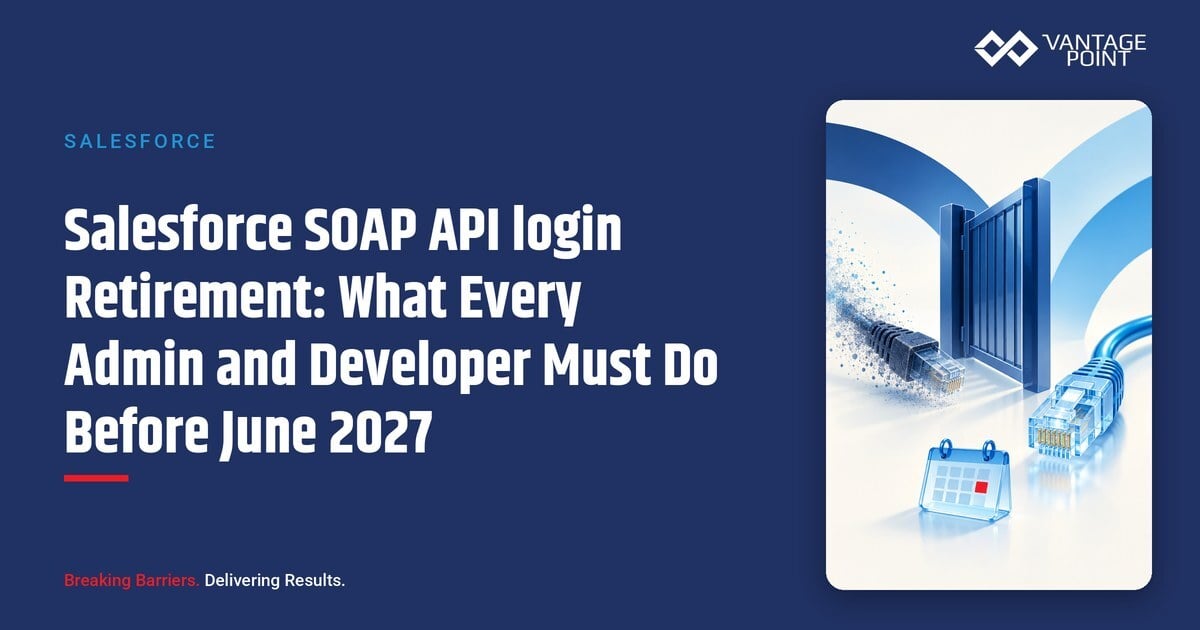
The SOAP API login() operation will be fully retired on June 1, 2027.
This isn't a minor version bump or a cosmetic change. This retirement eliminates the most widely used authentication method in the Salesforce ecosystem: username-password authentication via the SOAP API. If your organization relies on SOAP login() for Data Loader, MuleSoft, Informatica, Jitterbit, Boomi, custom Java or .NET applications, or any integration that passes a username and password to get a session ID — you must migrate before the deadline.
In this guide, we'll walk you through:
- Exactly what's being retired (and what's not affected)
- A complete audit checklist to find every SOAP login() call in your org
- OAuth 2.0 migration alternatives with a comparison table
- Impact on enterprise middleware platforms
- A clear timeline from deprecation to retirement
- Security benefits that make this migration worthwhile
- Every resource you need to complete the transition
What Exactly Is Being Retired?
The Full Retirement Picture
Salesforce's API retirement has two distinct phases that organizations must understand:
Phase 1 (Already Complete): API Versions 21.0–30.0 Retired
As of the Summer '25 release, all SOAP, REST, and Bulk API calls using versions 21.0 through 30.0 now fail with errors:
| API Type | Error Response |
|---|---|
| REST API | 410: GONE |
| SOAP API | 500: UNSUPPORTED_API_VERSION |
| Bulk API | 400: InvalidVersion |
API version 30 dates back to the Spring '14 release — over 12 years ago. Versions 7.0 through 20.0 were already retired in Summer '22.
Phase 2 (June 1, 2027): SOAP API login() Operation Retired
This is the bigger impact. The login() operation — which allows any application to authenticate by sending a username, password, and security token — will cease to function entirely. This affects all API versions, not just legacy ones.
Why Is Salesforce Doing This?
- Security: Username-password authentication is the #1 attack vector for Salesforce orgs. According to the Verizon Data Breach Investigations Report, 67% of data breaches involve compromised credentials.
- MFA Compatibility: SOAP login() bypasses multi-factor authentication, creating a security gap that undermines your MFA investment.
- Modern Standards: OAuth 2.0 provides short-lived tokens, scoped permissions, and revocable access — the standard for modern API authentication.
- Performance: Salesforce is concentrating development on the latest API versions to deliver better performance and capabilities.
What's NOT Affected (Safe Zone)
✅ Safe Zone — No Action Required:
- API versions of Apex Classes and Apex Triggers — These have their own versioning and are unaffected
- Visualforce Pages, Flows, and Process Builders — Internal Salesforce runtime versioning is separate
- B2B Classic/Visualforce product — Operates independently
- Versioned metadata components in managed packages — Package-level API versions are not impacted
- Custom Apex REST & SOAP Web Services — Your custom web services that receive calls are fine
- OAuth-authenticated integrations — If you're already using OAuth 2.0, JWT Bearer, or Named Credentials, you're good
- Salesforce-to-Salesforce connections using Named Credentials
If your integration already authenticates via OAuth 2.0 (connected app with JWT, client credentials, or authorization code flow), no migration is needed for that integration.
Not sure which integrations still use SOAP login()?
We audit your Salesforce integrations, middleware connectors and connected apps, list every call that still signs in with a username and password, and move each one to OAuth before the June 2027 cutoff.
See integration and migration services | Book a free CRM assessment
Complete Audit Checklist: Find Every SOAP login Call
The most critical step is knowing where SOAP login() is used in your org. Here are five methods to build a complete picture:
Method 1: Event Log Browser (Setup UI)
This is the easiest method and requires no coding:
- Navigate to Setup → Security → Event Monitoring → Event Log Browser
- Browse the API Total Usage event log files
- Download the CSV files
- Filter for rows where
API_VERSION≤ 30.0 - Pay attention to these key fields:
CONNECTED_APP_NAME— Which app is making the callUSER_NAME— Which user account is being usedCLIENT_NAME— The client application identifierAPI_FAMILY— SOAP, REST, or BulkAPI_RESOURCE— The specific endpointENTITY_NAME— The Salesforce object being accessed
Note: Standard orgs get 24-hour data retention for API Total Usage logs. Organizations with Event Monitoring enabled get 30-day retention.
Method 2: SOQL Query via Salesforce CLI
For a more programmatic approach, run this query:
SELECT Id, LogFile, EventType, CreatedDate
FROM EventLogFile
WHERE EventType IN ('ApiTotalUsage')
Via Salesforce CLI:
sf data query -q "SELECT Id, LogFile, EventType, CreatedDate FROM EventLogFile WHERE EventType IN ('ApiTotalUsage')" -o <your-username>Method 3: Login History Review
- Navigate to Setup → Login History
- Filter for API Type: "SOAP Enterprise" or "SOAP Partner"
- Review the API Version field
- Any entry with version ≤ 30.0 is impacted by the version retirement
- All SOAP login entries will be impacted by the June 2027 login() retirement
Method 4: Bulk Data Load Jobs
- Navigate to Setup → Bulk Data Load Jobs
- View details of each Bulk V1 job
- Check the "API Version" field
- Any job with version 30.0 or below needs to be updated
Method 5: Salesforce Code Analyzer
Use the Salesforce Code Analyzer with the regex rule AvoidOldSalesforceApiVersions to scan your codebase for references to deprecated API versions.
Audit Summary Checklist
| Audit Area | Tool/Method | What to Look For |
|---|---|---|
| API call history | Event Log Browser | API_VERSION ≤ 30.0 in ApiTotalUsage logs |
| SOAP authentication | Login History | SOAP Enterprise/Partner API Type entries |
| Bulk operations | Bulk Data Load Jobs | API Version ≤ 30.0 on Bulk V1 jobs |
| Source code | Code Analyzer | Legacy API version references in code |
| Middleware | Integration inventory | Connectors using username/password auth |
| Third-party apps | AppExchange audit | Apps authenticating via SOAP login() |
Migration Action Table: Component-by-Component Guide
| Component | Current State | Action Required |
|---|---|---|
| Data Loader | Pre-v31 uses legacy API | Install the latest version with supported API version |
| Web Services Connector (WSC) | May use SOAP login() | Upgrade to current version; implement OAuth token exchange |
| AJAX Toolkit | References old API version | Update path to /soap/ajax/58.0/connection.js or later |
| Visualforce Pages with AJAX | Embedded deprecated calls | Update AJAX Toolkit version references |
| SForceOfficeToolkit COM | Legacy COM interface | Replace entirely with solutions using latest APIs and OAuth |
| Force.com PHP Toolkit | Deprecated library | Replace with modern PHP solutions using REST API + OAuth |
| Outbound Messaging | Return SOAP calls use old API | Modify client to use API version >30.0 or recreate messaging definition in Setup |
| Connected Apps | May rely on SOAP login() | Migrate to External Client Apps; implement OAuth 2.0 flows |
| Microsoft Power Query | May use deprecated API version | Update API version per Microsoft instructions |
| Salesforce for Outlook | Uses legacy SfdcApplication client | Upgrade to latest version or migrate to Salesforce Inbox |
| Custom Java Apps | WSDL-based login() calls | Update endpoint URLs to v58.0+; implement OAuth JWT Bearer flow |
| Custom .NET Apps | Similar SOAP login() pattern | Same migration path — OAuth 2.0 token exchange |
OAuth 2.0 Alternatives: Which Flow Is Right for You?
OAuth 2.0 Flow Comparison Table
| Flow | User Interaction | Best For | Security Level | Complexity |
|---|---|---|---|---|
| JWT Bearer | None (server-to-server) | Automated integrations, scheduled jobs, middleware | ★★★★★ | Medium |
| Client Credentials | None (system-level) | Background processing, system integrations | ★★★★☆ | Low |
| Named Credentials | Admin setup only | Apex callouts, Flows, External Services | ★★★★★ | Low |
| Web Server (Auth Code) | User login required | Web apps, connected apps with user context | ★★★★☆ | Medium-High |
| Device Flow | User login on separate device | CLI tools, IoT, headless applications | ★★★★☆ | Medium |
1. OAuth 2.0 JWT Bearer Flow (Recommended for Server-to-Server)
How it works: A pre-registered connected app uses a signed JWT (JSON Web Token) with a private key to authenticate. No user interaction is required.
Best for:
- Automated nightly data syncs
- Middleware integrations (MuleSoft, Informatica, etc.)
- Scheduled Apex or batch jobs calling external services
- Any server-to-server integration that currently uses SOAP login()
Key advantages:
- Most secure option for server-to-server scenarios
- Private key never leaves your server
- Short-lived access tokens (configurable expiry)
- Supports certificate rotation for zero-downtime key management
2. OAuth 2.0 Client Credentials Flow
How it works: The application authenticates using only its client ID and client secret — no user context is involved.
Best for:
- Background processing tasks
- System-level API access where user identity doesn't matter
- Internal microservices accessing Salesforce data
3. Named Credentials (Salesforce-Native Solution)
How it works: Salesforce stores authentication details centrally. Your Apex code, Flows, and External Services reference the Named Credential — no hardcoded credentials anywhere.
Best for:
- Apex callouts to external services
- Flow-based integrations
- External Services configurations
- Any integration built natively on the Salesforce platform
4. OAuth 2.0 Web Server Flow (Authorization Code + PKCE)
How it works: The user is redirected to Salesforce to log in and authorize the application. The app receives an authorization code, then exchanges it for tokens.
Best for:
- Web applications where users log in interactively
- Connected apps that need user-specific data access
- Customer-facing portals
Enterprise Middleware Impact Assessment
| Platform | Current Risk | Migration Action | Priority |
|---|---|---|---|
| MuleSoft | Salesforce Connector often defaults to SOAP login | Switch to OAuth/JWT in connector config; use Named Credentials | 🔴 High |
| Informatica | Cloud/PowerCenter connectors may use password auth | Update to OAuth-enabled connector versions; test with JWT Bearer | 🔴 High |
| Talend | Salesforce components use traditional login | Configure OAuth in tSalesforceConnection | 🟡 Medium |
| Jitterbit | Connector may use username/password | Update connection to use Connected App + OAuth | 🟡 Medium |
| Boomi | Connector supports both auth methods | Switch from username/password to OAuth authentication | 🟡 Medium |
| Oracle Integration | SOAP-based Salesforce adapters | Upgrade to Authorization Code Credentials | 🔴 High |
| Workato | Should already support OAuth | Verify OAuth configuration; test token refresh | 🟢 Low |
| Custom Java Apps | WSDL-based login() calls | Update endpoints to v58.0+; implement OAuth token exchange | 🔴 High |
| Custom .NET Apps | Similar SOAP login() patterns | Same migration path — replace login() with OAuth | 🔴 High |
Vantage Point Insight: As certified MuleSoft and Workato partners, we've migrated dozens of enterprise middleware configurations from SOAP login() to OAuth. The most common pitfall is forgetting to update sandbox and staging environments after migrating production. Build a complete environment checklist.
The Full Timeline: Deprecation to Retirement
| Date | Event | Impact |
|---|---|---|
| Summer '22 | API versions 7–20 retired | Calls to these versions fail |
| Summer '22 | API versions 21–30 deprecated | Warning notices begin; calls still work |
| Summer '25 | API versions 21–30 retired | Calls to v21–30 fail with errors (410, 500, 400) |
| April 2026 | Product Notification sent | Official notice to all affected orgs |
| June 1, 2027 | SOAP API login() fully retired | Username-password auth via SOAP ceases to function |
| Summer '27 (v64) | Legacy auth patterns fully deprecated | Oracle Integration and other late-migration platforms lose compatibility |
Key insight: You have approximately 13 months from the April 2026 notification. That sounds like a lot, but organizations with 20+ integrations typically need 8–12 weeks for full migration, testing, and rollout. Start now.
Security Benefits: Why This Migration Is Worth It
The Problem with Username-Password Authentication
| Risk | SOAP login() | OAuth 2.0 |
|---|---|---|
| Credential exposure | Username/password stored in config files, scripts, and middleware | Only short-lived tokens; credentials never leave the auth server |
| Token lifecycle | Session ID valid until explicitly invalidated | Access tokens expire automatically (configurable: 15 min to 24 hours) |
| MFA compatibility | Bypasses MFA entirely | Fully compatible with MFA enforcement |
| Least-privilege access | Full user permissions | Scoped permissions via OAuth scopes |
| Audit trail | Limited login history | Complete token grant/refresh audit trail |
| Credential rotation | Requires password changes across all integrations | Certificate or secret rotation — independent of user passwords |
| Access revocation | Requires password change | Revoke individual tokens or app access instantly |
| IP restrictions | Limited enforcement | IP restrictions enforced on connected apps |
The Numbers Speak
- 99.9% reduction in account takeover risk when OAuth + MFA is implemented (Microsoft Security Research)
- 67% of data breaches involve compromised credentials (Verizon DBIR 2024)
- 99.99% availability commitment from Salesforce Trust — modern auth is a prerequisite
How Vantage Point Helps With Your Migration
Integration Assessment & Audit
We conduct a comprehensive audit of your Salesforce org, identifying every SOAP login() call, legacy API version reference, and at-risk integration. Our team uses Event Log analysis, Login History review, and Code Analyzer scans to build a complete picture.
Migration Planning & Execution
Our certified Salesforce architects and MuleSoft integration specialists design and execute your migration plan:
- OAuth flow selection — Choosing the right flow for each integration
- Connected App / External Client App configuration — Setting up secure authentication
- Middleware reconfiguration — MuleSoft, Workato, and other platform updates
- Named Credentials setup — Centralizing authentication for Apex and Flows
- Testing & validation — Ensuring zero disruption to business processes
Need help getting ahead of the June 2027 deadline? Vantage Point audits your SOAP-based integrations and connected apps, re-architects authentication to OAuth, and validates every data flow so nothing breaks at cutover — see our System Integration & Data Migration services.
Ongoing Support
Post-migration monitoring and support to ensure everything runs smoothly through the June 2027 deadline and beyond.
Need help getting ahead of the June 2027 deadline? Vantage Point audits your SOAP-based integrations and connected apps, re-architects authentication to OAuth, and validates every data flow so nothing breaks at cutover — see our System Integration & Data Migration services.
Contact us today for a free SOAP API login() migration assessment:
Need help getting ahead of the June 2027 deadline? Vantage Point audits your SOAP-based integrations and connected apps, re-architects authentication to OAuth, and validates every data flow so nothing breaks at cutover — see our System Integration & Data Migration services.
Frequently Asked Questions (FAQ)
Is Salesforce retiring the entire SOAP API?
No. Salesforce is retiring the SOAP API login() operation — the method that authenticates using a username and password. The SOAP API itself (for data operations like query, create, update, delete) will continue to work, but you'll need to authenticate using OAuth 2.0 instead of login().
What happens if I don't migrate before June 2027?
Your integrations that rely on SOAP login() will stop working. API calls will fail, data syncs will break, and automated processes will halt. There is no grace period once the retirement takes effect.
How long does the migration take?
For a single integration, migration typically takes 1–3 days including testing. For organizations with 10–20 integrations across multiple middleware platforms, budget 4–8 weeks for a complete migration including regression testing.
Do I need to migrate if I'm already using OAuth?
No. If your integrations already authenticate using OAuth 2.0 (JWT Bearer, Client Credentials, Authorization Code, or Named Credentials), you're already compliant. Use the audit checklist above to verify.
What's the difference between API version retirement and login retirement?
API version retirement (already happened): Calls using API versions 21–30 fail regardless of authentication method. login() retirement (June 2027): The SOAP login() authentication operation itself is removed, affecting all API versions.
Which OAuth flow should I use for my Data Loader?
The latest Data Loader versions support OAuth natively. Simply download the latest version and configure it to use OAuth authentication during setup.
How do I handle Outbound Messaging after the retirement?
If your Outbound Messaging listener makes return SOAP calls using the EnterpriseURL or PartnerURL from the payload, you need to either update the client to use API version >30.0 or recreate the messaging definition in Setup, which automatically sets the API version to the latest available.
Essential Resources
Salesforce Official Documentation
- Salesforce KB Article: API Versions 21–30 Retirement
- Salesforce Feature Retirements
- Retirement Philosophy
- Salesforce Help Center
Developer Guides
- SOAP API Developer Guide
- REST API Developer Guide
- Bulk API Developer Guide
- Salesforce Developer APIs Reference
- Data Loader Installation Guide
- Data Loader Overview
- LoginHistory sObject Reference
- API Total Usage EventLogFile
Code Analysis & Migration Tools
- Salesforce Code Analyzer — AvoidOldSalesforceApiVersions Rule
- Microsoft Power Query — Specifying Salesforce API Version
Trailhead Learning
Blogs & Podcasts
- An Important Update to Our Legacy API Retirement Plan
- Why API Versions Matter with Kris Harrison — Podcast
Conclusion: Start Your Migration Today
The Salesforce SOAP API login() retirement on June 1, 2027 isn't optional — it's inevitable. Every organization using username-password authentication for their Salesforce integrations must migrate to OAuth 2.0 before the deadline.
The good news? This migration delivers real value beyond compliance:
- Stronger security with short-lived tokens and MFA compatibility
- Better auditability with complete token lifecycle tracking
- Easier maintenance with centralized credential management via Named Credentials
- Future-proofing your integration architecture for Salesforce's evolving platform
Don't wait until the deadline approaches. Start your audit today, build your migration plan, and execute methodically. Organizations that start early have the luxury of thorough testing and staged rollouts.
Need expert help with your SOAP API login() migration? Vantage Point's certified Salesforce architects and integration specialists have guided organizations of all sizes through complex authentication migrations. We'll assess your org, design your migration plan, and ensure zero disruption to your business.
📧 Contact us at vantagepoint.io to schedule your free migration assessment.
About Vantage Point
Vantage Point is a certified Salesforce and HubSpot consulting partner specializing in CRM implementation, MuleSoft integration, Data Cloud, and AI-powered automation. With deep expertise across Salesforce Sales Cloud, Service Cloud, Experience Cloud, and partner technologies including Anthropic (Claude AI), Aircall, and Workato, we help businesses of all sizes unlock the full potential of their technology investments. Our team of certified architects and developers delivers solutions that drive measurable business outcomes — from initial implementation through ongoing optimization.