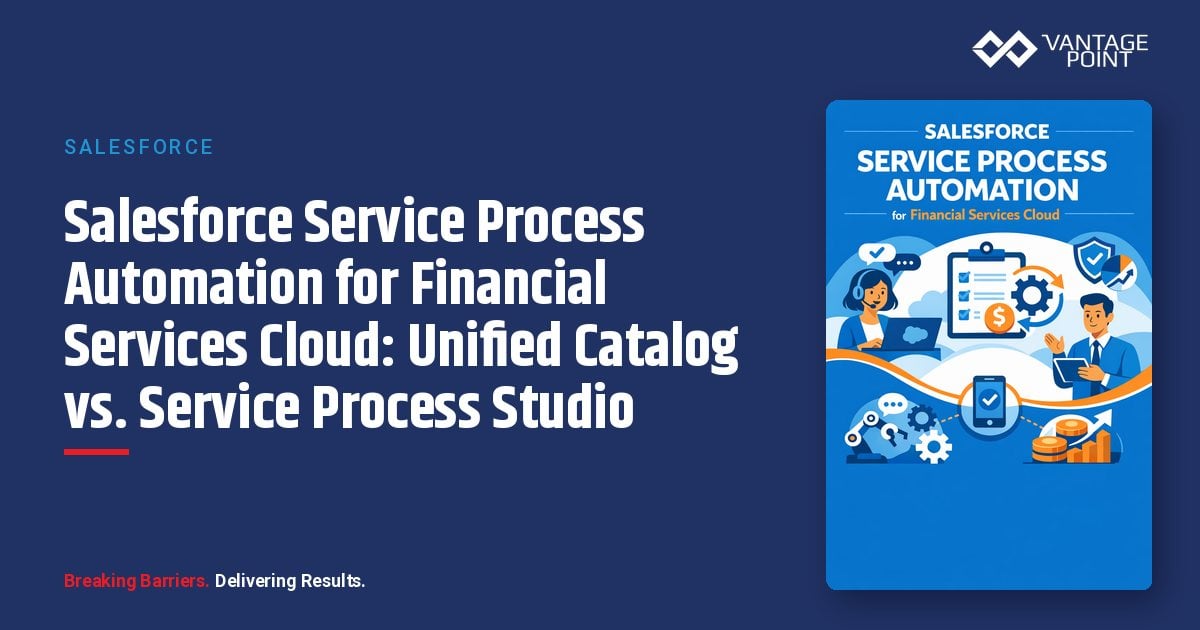
Salesforce Service Process Automation for Financial Services Cloud: Unified Catalog vs. Service Process Studio
TL;DR: Key Takeaways
- What is it? Salesforce Service Process Automation is a Financial Services Cloud capability for designing case-driven service processes from request intake through fulfillment.
- Key benefit: It gives admins and service leaders a structured way to standardize requests, guide agents or customers through intake, automate fulfillment steps, and update records consistently.
- Cost/Investment: The investment is not just licensing. Teams need process design, data model alignment, OmniScript and Flow configuration, permissions, integration planning, testing, and governance.
- Best For: Financial Services Cloud teams that handle repeatable service requests such as address changes, card controls, beneficiary updates, loan payoff requests, proof of insurance, transaction disputes, and similar operational workflows.
- Bottom Line: Unified Catalog is the strategic path for standardized, template-led service processes. Service Process Studio still matters for custom legacy or ground-up builds, but teams should understand the migration and architecture implications before extending it.
*Published by Vantage Point. Salesforce source material reviewed from Salesforce Help documentation on Service Process Automation, Unified Catalog, Service Process Studio, prerequisites, and setup configuration.*
What is Salesforce Service Process Automation in Financial Services Cloud?
Salesforce Service Process Automation is a Financial Services Cloud capability that helps teams design and automate service operations from request intake to fulfillment. According to Salesforce, admins can design case-driven service processes by using either Unified Catalog or Service Process Studio. Both approaches use OmniScripts to capture request details across assisted and self-service channels, and both use prebuilt flows to automate fulfillment steps and record updates.
In plain English: Service Process Automation turns repeatable service requests into guided, governed workflows. Instead of relying on loose case notes, tribal knowledge, email handoffs, or one-off screen flows, teams can package a request type into a consistent experience that captures the right information, creates the right case, launches the right fulfillment flow, and updates the right Salesforce records.
Why does Service Process Automation matter now?
Service operations are often where CRM strategy succeeds or stalls. A team can have clean account data, strong relationship hierarchy, and powerful AI ambitions, but if routine customer requests are handled manually, inconsistently, or outside Salesforce, the operating model still breaks down.
Service Process Automation matters because it gives Financial Services Cloud teams a better foundation for:
- Standardizing repeatable service requests.
- Reducing manual intake errors.
- Connecting assisted and self-service experiences.
- Improving case routing and fulfillment consistency.
- Giving service teams clearer next steps.
- Preparing operational data for reporting, AI assistance, and future automation.
This is especially important as Salesforce expands AI and agentic capabilities across Financial Services Cloud. AI agents are only as useful as the processes and data they can safely act on. Service Process Automation helps turn ambiguous service work into structured, actionable workflows.
What changed in Salesforce's current guidance?
Salesforce documentation now clearly positions two frameworks for Service Process Automation in Financial Services Cloud: Unified Catalog and Service Process Studio.
The important architectural distinction is this:
- Unified Catalog standardizes financial service processes by defining them as products in Salesforce, allowing teams to manage financial products and services in one place.
- Service Process Studio provides a dedicated environment for building custom case-driven service processes from the ground up, using custom setup objects such as
SvcCatalogItemDefand the Service Process Connect API.
That distinction matters because the two frameworks are not simply two user interfaces for the same configuration pattern. They have different design models, extension patterns, migration considerations, and maintenance implications.
What is Service Process Automation with Unified Catalog?
Service Process Automation with Unified Catalog lets admins set up and manage financial service processes as catalog items. Salesforce describes Unified Catalog as a way to standardize these processes by defining them as standard products in the Salesforce instance. Teams can manage both financial products and services in one place, deploy service processes quickly with prebuilt templates, and add or modify data attributes visually using a Data Mapper rather than writing custom Apex code.
That makes Unified Catalog the more strategic choice for many teams starting fresh or modernizing existing service workflows. It is better aligned with standardized product and service definitions, template-led deployment, visual configuration, and lower-code extension.
What is Service Process Automation with Service Process Studio?
Service Process Studio is Salesforce's dedicated environment for designing and building custom service processes from the ground up. Salesforce documentation notes that this framework uses custom setup objects, including SvcCatalogItemDef, to define service attributes. It also relies on the Service Process Connect API to generate case requests.
Service Process Studio remains relevant when teams have custom process definitions, existing implementations, or service workflows that were already designed around that framework. However, Salesforce documentation also makes clear that modifying or adding new data attributes in this framework requires custom Apex code. That is a meaningful implementation and maintenance consideration.
Unified Catalog vs. Service Process Studio: which should admins use?
The best choice depends on whether the team is standardizing, modernizing, or extending an existing custom implementation.
| Decision Area | Unified Catalog | Service Process Studio |
|---|---|---|
| Best fit | New or modernized standardized service processes | Custom processes built from the ground up or legacy service process implementations |
| Configuration model | Defines service processes as products in Unified Catalog | Uses custom setup objects such as SvcCatalogItemDef |
| Data attribute changes | Visual configuration through Data Mapper | Custom Apex required for new or modified data attributes |
| Deployment approach | Prebuilt templates and standardized catalog management | Custom process design and Service Process Connect API |
| Long-term posture | Strong choice for standardization and lower-code governance | Useful where custom architecture already exists or deep customization is required |
For most new projects, Vantage Point would evaluate Unified Catalog first. For existing implementations, the right answer is usually not "rip and replace." It is to assess process complexity, current custom code, integration dependencies, and migration readiness before deciding whether to extend Service Process Studio or move selected service processes into Unified Catalog.
What service processes can be configured in Unified Catalog?
Salesforce's setup documentation lists a broad range of service processes and related setup paths. Examples include address updates, transaction dispute management, transfer funds to own account, card lock or unlock, card usage management, credit limit management, checkbook ordering, travel notices, loan payoff statements, beneficiary management, required minimum distribution setup, profile updates, fee reversals, proof of insurance requests, and first notice of loss processes.
The exact setup tasks vary by service process. Salesforce also identifies several common setup tasks that can apply across service processes, including preparing required components, installing the service process template, connecting the service process ID to the intake form, updating the fulfillment flow orchestrator, connecting to MuleSoft and creating a named credential, configuring Action Launcher, incorporating company branding into service communications, and adding the Service Catalog Attributes Lightning component to the Case record page.
The practical takeaway: Service Process Automation is not one toggle. It is a collection of service templates, OmniScripts, flows, orchestration steps, permissions, integrations, and page-level user experience decisions.
What should admins check before setup?
Before configuring Financial Service Processes in Unified Catalog, Salesforce recommends reviewing required user permissions, components, configuration values, artifacts, component names, document types, and picklist values. That prerequisite work matters because configuration steps often depend on exact names, required components, and role-specific access.
Admins should validate at least six areas before implementation:
1. Edition and feature availability. Confirm Financial Services Cloud is enabled and confirm whether the selected framework requires Unified Catalog.
2. Permissions and roles. Identify who will configure service processes, who will manage catalog items, who will use Action Launcher, and who will handle fulfillment.
3. Process inventory. List the service requests that should be standardized first, then rank them by volume, complexity, risk, and customer impact.
4. Data and component readiness. Confirm required objects, fields, picklists, document types, flow components, and templates exist or can be created.
5. Integration dependencies. Identify where MuleSoft, named credentials, downstream systems, document generation, or external service APIs are involved.
6. Self-service strategy. Decide which processes should be available to internal users only and which should be exposed through a customer portal.
How does self-service fit into Service Process Automation?
Salesforce documentation notes that customer community users can initiate service processes directly from a self-service portal, such as the Financial Services Client Portal. When service processes are available through self-service, customers can raise requests at any time, from anywhere.
This is a major opportunity, but it also raises the bar for design. Internal guided processes can tolerate some agent judgment. External self-service processes need clearer intake language, stronger validation, tighter eligibility logic, better error handling, and more thoughtful status communication.
For Vantage Point clients, the self-service conversation usually starts with one question: which requests are frequent enough, standardized enough, and low-risk enough to expose directly to customers? The answer is rarely "all of them." A better pattern is to begin with high-volume, clearly bounded service requests and expand once the operating model is stable.
What implementation risks should teams avoid?
The biggest risk is treating Service Process Automation as a configuration exercise instead of an operating model design project. The technology can help, but the team still needs clarity on ownership, intake requirements, fulfillment rules, escalation paths, exception handling, and reporting.
Common risks include:
- Automating a poorly defined process instead of improving it first.
- Choosing a framework without considering migration and long-term support.
- Underestimating the difference between internal assisted service and external self-service.
- Building too many variants of the same request type.
- Skipping permission design and creating visibility gaps.
- Forgetting downstream integration and document generation needs.
- Adding custom Apex where visual configuration would be easier to maintain.
- Launching without clear reporting on request volume, cycle time, and exceptions.
What is the recommended implementation approach?
A practical implementation should move in phases.
Phase 1: Discovery and process selection. Identify service requests by volume, customer impact, operational risk, and automation readiness. Select a narrow group of processes for the first release.
Phase 2: Framework decision. Compare Unified Catalog and Service Process Studio against the team's existing architecture, customization needs, integration dependencies, and long-term roadmap.
Phase 3: Blueprint the target process. Define intake questions, required documents, eligibility rules, case fields, fulfillment steps, SLAs, communications, and exception paths.
Phase 4: Configure and integrate. Set up templates, OmniScripts, flows, fulfillment orchestration, Action Launcher, named credentials, MuleSoft connections, page components, and permissions.
Phase 5: Test across real-world scenarios. Include assisted service, self-service, permission variations, incomplete data, downstream system failures, exception handling, and reporting validation.
Phase 6: Launch, measure, and improve. Track adoption, request completion time, manual rework, customer drop-off, and case aging. Use those metrics to improve the next wave of processes.
What should leaders ask before approving Service Process Automation?
Leaders should ask practical questions before funding or expanding Service Process Automation:
- Which service requests create the most manual work today?
- Which requests are easiest to standardize without increasing risk?
- Which processes should be assisted only, and which are ready for self-service?
- Are we building on Unified Catalog, Service Process Studio, or a mix of both?
- Do we have an architecture plan for migration if existing processes are in Service Process Studio?
- What integrations, document templates, approvals, or downstream systems are involved?
- How will we measure whether the automation is working?
- Who owns process governance after launch?
These questions keep the project focused on business value rather than configuration volume.
How does Service Process Automation support AI readiness?
Service Process Automation creates structured, repeatable work patterns that are easier for AI tools and agentic workflows to understand. When intake data, fulfillment steps, case outcomes, and exceptions are captured consistently, teams can use that data to improve recommendations, summarize work, identify bottlenecks, and eventually support more advanced AI-assisted service experiences.
This does not mean teams should automate everything at once. It means they should design service processes with future AI use in mind: clean data, clear states, governed actions, documented exceptions, and measurable outcomes.
FAQ: Salesforce Service Process Automation for Financial Services Cloud
Is Service Process Automation available in every Salesforce org?
No. Salesforce documentation lists availability in Lightning Experience and in editions where Financial Services Cloud is enabled. Unified Catalog-based service process automation has its own availability requirements, including Financial Services Cloud and Unified Catalog.
Does Unified Catalog replace Service Process Studio?
Not automatically. Unified Catalog is the more standardized and lower-code direction for many financial service processes, while Service Process Studio remains relevant for custom or existing implementations. Teams should evaluate whether to build new processes in Unified Catalog, maintain existing Service Process Studio processes, or plan a phased migration.
Why is Unified Catalog often the preferred starting point?
Unified Catalog lets teams manage financial products and services in one place, use prebuilt templates, and add or modify data attributes visually with Data Mapper. That can reduce custom code and improve maintainability compared with approaches that require Apex for attribute changes.
When should Service Process Studio still be considered?
Service Process Studio may still be appropriate for existing implementations, highly custom process designs, or teams already using the Service Process Connect API and custom setup object model. The tradeoff is that changes may require more technical effort.
Are OmniScripts required?
Salesforce documentation indicates that both frameworks use OmniScripts to capture request details across assisted and self-service channels. That makes OmniStudio design and governance an important part of the implementation.
Can customers start service processes through a portal?
Yes. Salesforce documentation notes that customer community users can initiate service processes from a self-service portal, such as the Financial Services Client Portal. Teams should carefully choose which processes are appropriate for external self-service.
What setup tasks are commonly required?
Common tasks can include preparing required components, installing templates, connecting the service process ID to the intake form, updating fulfillment flow orchestration, setting up MuleSoft and named credentials where needed, configuring Action Launcher, adding branding to communications, and updating the Case record page.
What is the biggest implementation mistake?
The biggest mistake is automating a process before the business has agreed on how that process should work. Service Process Automation is most effective when process design, data architecture, integration planning, and user experience are handled together.
Final recommendation
Salesforce Service Process Automation is a strong fit for Financial Services Cloud teams that want to move from case-by-case manual work to structured, measurable service operations. But the framework choice matters.
If you are starting fresh or modernizing service workflows, evaluate Unified Catalog first. If you already have Service Process Studio in place, assess your current customizations, API dependencies, data attributes, and migration path before making changes. In both cases, the goal should be the same: make service requests easier to launch, easier to fulfill, easier to measure, and safer to automate.
Vantage Point helps Salesforce and Financial Services Cloud teams design CRM operating models that are practical, governed, and ready for AI-assisted service. If your team is evaluating Service Process Automation, Unified Catalog, Service Process Studio, or self-service portal workflows, we can help you map the right path before configuration starts.
Sources
- Salesforce Help: Service Process Automation
- Salesforce Help: Service Process Automation with Unified Catalog
- Salesforce Help: Service Process Automation with Service Process Studio
- Salesforce Help: Setup and Configuration for Financial Service Processes in Unified Catalog
- Salesforce Help: Prerequisites to Set Up Financial Service Processes in Unified Catalog