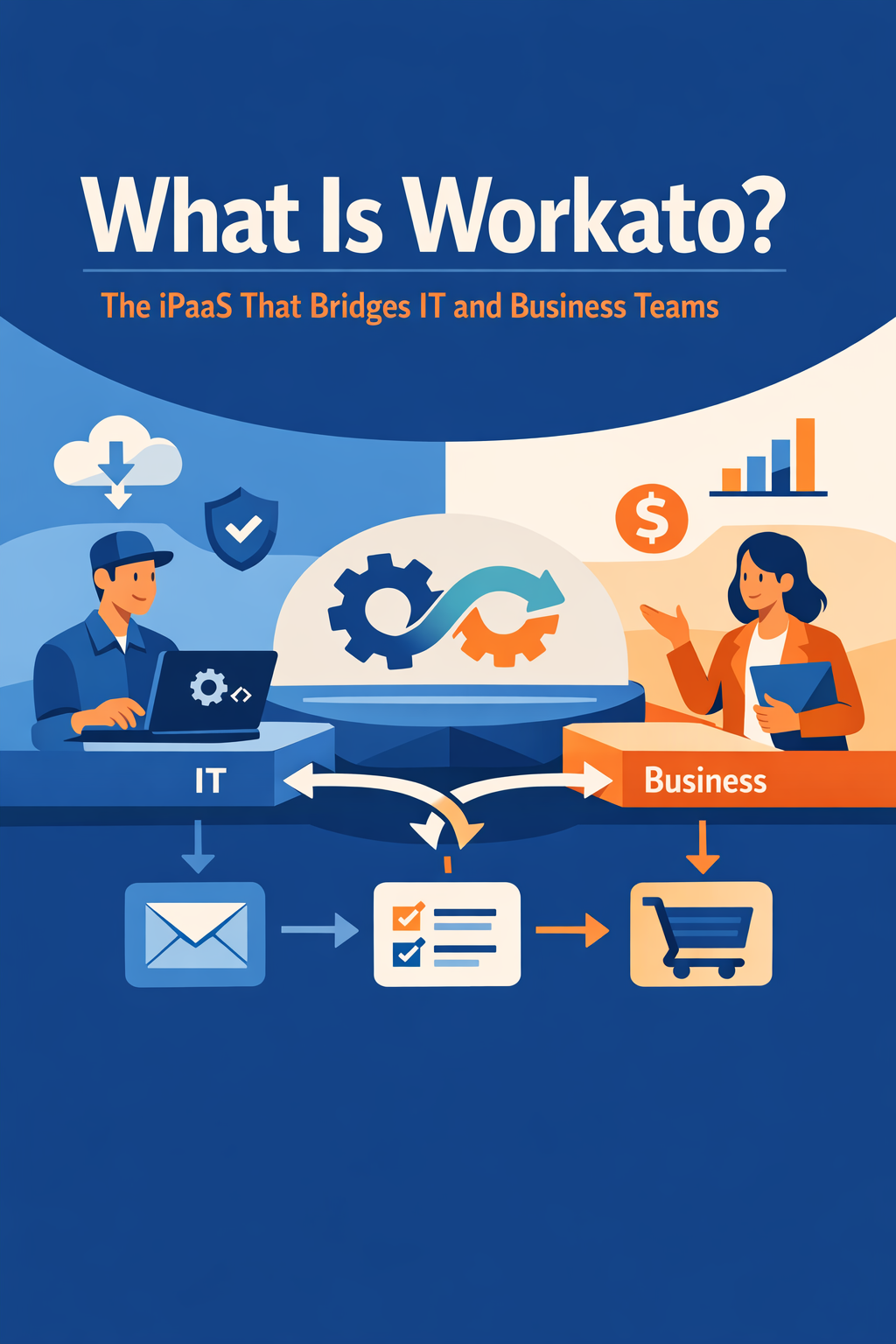
Workato is an enterprise integration platform as a service (iPaaS) and automation platform that connects business applications and automates workflows across them — without requiring teams to write custom code. It has become one of the most widely adopted integration platforms because it serves two audiences at once: IT teams that need enterprise-grade governance, and business users who want to build automations themselves.
If your organization runs Salesforce, HubSpot, NetSuite, Slack, Workday, or any mix of SaaS and on-premise systems, Workato is one of the leading options for keeping data in sync and automating the processes that run between those systems.
This guide explains what Workato is, how recipes and connectors work, where the platform fits compared to other integration approaches, and how to decide whether it belongs in your stack.
Quick Answer
Workato is a low-code integration and automation platform (iPaaS) that connects applications using pre-built connectors and automates workflows using visual "recipes." It matters for any organization that needs reliable data flow between CRM, ERP, marketing, finance, and support systems. This article helps you decide whether Workato fits your integration needs — and how it compares to alternatives like MuleSoft or custom code. Vantage Point is a Workato partner and implements Workato alongside Salesforce and HubSpot for CRM-centered automation.
TL;DR
- What it is: Workato is a cloud-native iPaaS that combines app integration, workflow automation, and AI agents in one low-code platform.
- How it works: Automations are built as "recipes" — a trigger plus a series of actions — using a library of more than 1,000 pre-built connectors.
- Why it matters: It lets business teams build and maintain automations with IT governance, instead of every integration becoming a developer backlog item.
- Decision point: Choose Workato when you need broad SaaS-to-SaaS automation that business teams can co-own; consider API-led platforms like MuleSoft when you need heavy API management or complex on-premise architecture.
- How Vantage Point helps: As a Workato partner, Vantage Point designs and implements workflow automation and process optimization built around your CRM.
What Is Workato?
Workato is an integration platform as a service (iPaaS) founded in 2013 that lets organizations connect applications, sync data, and automate business processes through a visual, low-code interface. Instead of writing custom integration code, teams assemble automations from pre-built connectors for applications like Salesforce, HubSpot, NetSuite, SAP, Workday, ServiceNow, Slack, and databases and data warehouses such as Snowflake.
Three things define the platform:
- Recipes — visual workflows built from a trigger ("a new opportunity closes in Salesforce") and actions ("create the invoice in NetSuite, notify finance in Slack, update the customer record").
- Connectors — a library of more than 1,000 pre-built, managed connectors that handle authentication, API changes, and data mapping behind the scenes.
- Governance — role-based access control, audit trails, versioning, and enterprise security certifications (SOC 2 Type II, ISO 27001, GDPR), so business-built automations still operate within IT guardrails.
Workato has also expanded beyond classic integration into AI agents. Its Agent Studio and "Genies" let teams build AI agents that act across connected systems using governed, reusable actions called skills — a direction we covered in Workato Genies: AI agents for enterprise workflows.
Why Workato Matters in 2026
Integration used to be a back-office IT concern. In 2026 it is a frontline business issue for three reasons:
- CRM is only as good as the data flowing into it. Sales, marketing, service, and finance systems all touch the same customers. When those systems don't sync, teams work from conflicting records, automations misfire, and reporting loses credibility.
- AI raises the stakes on integration. AI agents and assistants are only useful when they can read from and act on real business systems. Platforms like Workato — which expose governed actions to AI agents rather than raw APIs — are becoming the operational layer for enterprise AI.
- IT backlogs are the bottleneck. When every integration request requires developer time, automation stalls. Workato's low-code model lets operations, RevOps, and finance teams build and maintain automations themselves, with IT setting the guardrails.
Workato has been recognized as a Leader in Gartner's Magic Quadrant for iPaaS for multiple consecutive years — we summarized what that means for CRM teams in Workato Gartner iPaaS 2026: what CRM teams should know.
How Does Workato Work?
Recipes: trigger plus actions
Every Workato automation is a recipe. A recipe starts with a trigger — an event in one system — and runs a series of actions in other systems. Recipes support conditional logic, loops, error handling, and data transformation, so they scale from simple two-app syncs to multi-system orchestrations.
A typical CRM example:
- Trigger: A deal moves to Closed Won in Salesforce or HubSpot.
- Action: Create the customer and order in the ERP.
- Action: Post a notification to the account team's Slack channel.
- Action: Enroll the customer in an onboarding sequence and update the CRM record.
Datapills: visual data mapping
Data from each step appears as a visual "datapill" that builders drag into the fields of later steps. This replaces manual API field mapping and makes recipes readable by non-developers — a key reason business teams can co-own automations.
Connectors: pre-built and managed
Connectors handle authentication, API versioning, pagination, and rate limits, so builders work with business objects ("Contact," "Invoice," "Ticket") instead of raw API calls. When an application changes its API, Workato maintains the connector. A community library of shared recipes also gives teams proven starting points instead of blank canvases.
Skills and Genies: the AI layer
Workato's agentic suite packages recipes and API calls into governed, reusable skills that AI agents (Genies) can execute. Because agents call pre-validated business actions rather than raw APIs, organizations get AI automation with auditability and access control built in.
Workato vs. Other Integration Approaches
| Criteria | Workato | API-led platform (e.g., MuleSoft) | Custom code / point-to-point |
|---|---|---|---|
| Primary builder | Business teams + IT | Integration developers | Developers only |
| Build speed | Fast (low-code recipes) | Moderate (API design first) | Slow |
| Best for | SaaS-to-SaaS workflow automation | API management, complex on-prem estates | One-off, simple needs |
| Governance | RBAC, audit trails, versioning | Strong, API-policy driven | Depends on team discipline |
| AI capabilities | Genies, Agent Studio, skills, MCP | Agent Fabric, MCP support | Build it yourself |
| Maintenance burden | Low (managed connectors) | Moderate | High |
Choose Workato if your priority is automating workflows across many SaaS apps quickly, you want business teams to share ownership of automation, and your integration patterns are mostly event-driven syncs and process automations.
Choose an API-led platform like MuleSoft if you need to publish and manage APIs as products, integrate complex legacy or on-premise systems at scale, or standardize a large integration architecture across an enterprise IT organization. For a deeper comparison, see Workato vs MuleSoft: best fit for CRM integration.
Avoid custom point-to-point code for anything beyond trivial needs — it concentrates knowledge in a few developers, lacks monitoring and governance, and becomes brittle as systems change.
One honest limitation: Workato is built for workflow automation, not bulk data warehousing. Very large batch ETL jobs are better served by dedicated data pipeline tooling, with Workato handling the operational, event-driven automation layer.
What Businesses Should Do Next
If you're evaluating Workato, work through this checklist before buying:
- Inventory your integration needs. List the systems involved, the direction of data flow, volumes, and how real-time each sync needs to be.
- Identify your builders. Decide which automations IT should own and which operations or RevOps teams should co-own — Workato's value is highest when both build.
- Start with one high-friction process. Lead routing, quote-to-cash handoffs, customer onboarding, and support escalations are common first recipes.
- Plan governance early. Define workspace structure, access roles, naming conventions, and error-handling standards before recipes multiply.
- Validate the connector fit. Confirm pre-built connectors exist for your core systems and test the few that matter most during a trial.
If your team is evaluating how Workato applies to Salesforce, HubSpot, ERP integration, or CRM governance, Vantage Point can help assess the right next step and build a practical implementation plan.
How Vantage Point Helps
Vantage Point is a Workato partner and a boutique, senior-led Salesforce and HubSpot consulting firm. We use Workato to connect CRM platforms with ERP, finance, support, and marketing systems — so customer data stays consistent and processes run without manual handoffs.
- We design and build automations through our workflow automation and process optimization services.
- We handle the data side — cleansing, deduplication, and migration — through our system integration and data migration services.
- For organizations running both platforms, we specialize in HubSpot and Salesforce integration, with Workato as one of the proven middleware options.
If you want a clear-eyed recommendation on whether Workato, MuleSoft, or native connectors fit your stack, contact Vantage Point for a practical assessment.
FAQ
What is Workato used for?
Workato is used to integrate business applications and automate workflows across them — for example, syncing customers between a CRM and ERP, routing leads, automating quote-to-cash handoffs, and orchestrating onboarding. It combines integration (iPaaS), workflow automation, and AI agent capabilities in one platform.
Is Workato low-code or no-code?
Workato is best described as low-code with no-code capabilities. Business users can build standard recipes with drag-and-drop datapills and pre-built connectors, while advanced scenarios — custom connectors, complex error handling, API configuration — benefit from technical experience or an implementation partner.
How is Workato different from MuleSoft?
Workato is recipe-based and optimized for fast SaaS-to-SaaS workflow automation that business teams can co-own. MuleSoft is API-led and optimized for API management and complex enterprise architectures, typically owned by integration developers. Many organizations choose based on who will build and maintain the integrations; some larger enterprises run both.
Does Workato integrate with Salesforce and HubSpot?
Yes. Workato has deep, pre-built connectors for both Salesforce and HubSpot, supporting triggers and actions on standard and custom objects. It is a strong middleware option when you need to sync the two CRMs or connect either one to ERP, finance, or support systems.
What are Workato recipes?
Recipes are Workato's visual automation workflows. Each recipe pairs a trigger (an event in one system) with a sequence of actions in other systems, and supports conditional logic, loops, data transformation, and error handling. Recipes can be versioned, shared, and reused across teams.
What are Workato Genies?
Genies are Workato's AI agents, built in its Agent Studio. They execute multi-step work across connected systems by calling governed, reusable actions called skills — rather than raw APIs — which preserves auditability and access control while letting AI take real action in business systems.
How is Workato priced?
Workato uses quote-based enterprise pricing, typically built around a platform workspace fee plus usage (such as recipes or tasks). Because pricing depends on scale and use cases, organizations should scope their expected automation volume before requesting a quote and validate assumptions during a trial.
Do we need developers to implement Workato?
Not necessarily for day-to-day recipe building, but most organizations benefit from experienced help with initial architecture, governance setup, and complex recipes. A partner-led implementation establishes naming conventions, error handling, and workspace governance so business teams can build safely afterward.