Key Takeaways (TL;DR)
- What is this? A definitive comparison of the four leading CRM telephony platforms (Aircall, RingCentral, Dialpad, and Five9) evaluated across integration depth, AI capabilities, pricing, compliance, and deployment complexity
- Key Benefit: Choosing the right telephony-CRM integration can reduce call handling time by 25-30% and boost revenue per rep by up to 77%
- Cost Range: $15/user/month (Dialpad Standard) to $159+/user/month (Five9 Core): total cost of ownership varies dramatically by platform and scale
- Best For: Sales and support teams running Salesforce or HubSpot who need AI-powered calling, automatic call logging, and compliance-ready recording
- Timeline: 1-2 weeks for cloud-native setups (Aircall, Dialpad) to 2-3 months for enterprise contact center deployments (Five9)
- Bottom Line: There is no single "best" platform. The right choice depends on your team size, CRM ecosystem, budget, and whether you need a business phone system or a full contact center
Introduction
Your CRM is only as powerful as the data flowing into it, and for most sales and support teams, the phone remains the primary revenue-generating channel. Yet the gap between where conversations happen and where customer data lives continues to cost organizations millions in lost productivity, incomplete records, and missed follow-ups.
The telephony-CRM integration market has evolved rapidly. AI-powered transcription, real-time coaching, and intelligent call routing are no longer enterprise luxuries: they're table stakes. But with dozens of providers competing for attention, choosing the right platform for your Salesforce or HubSpot environment can feel overwhelming.
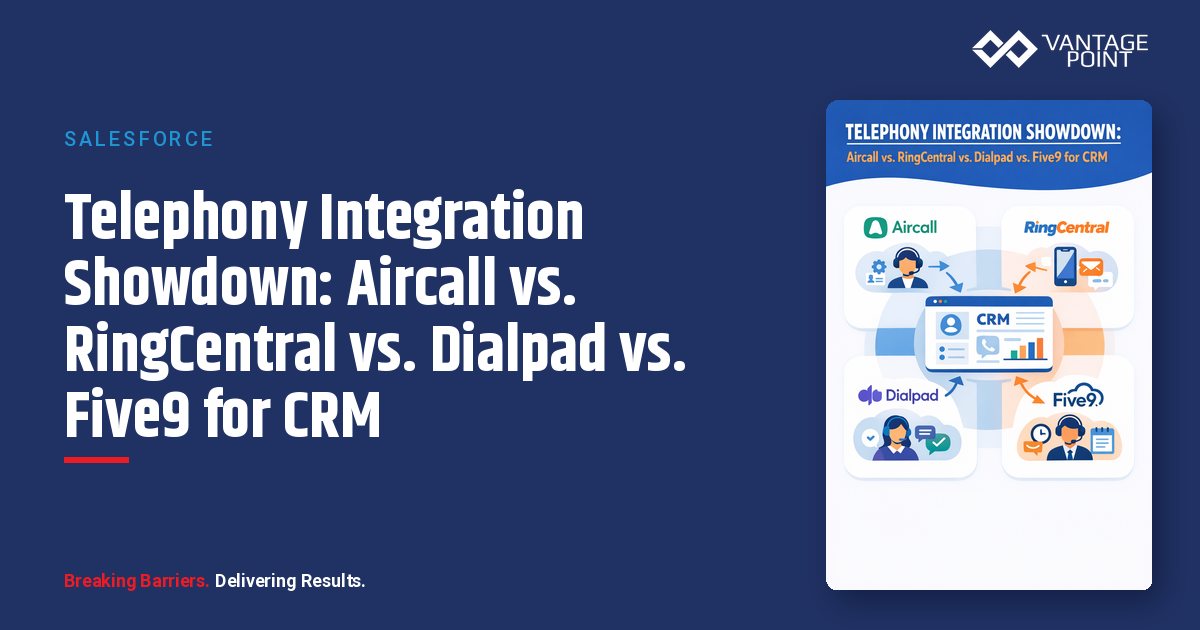
This guide compares four leading telephony platforms, Aircall, RingCentral, Dialpad, and Five9: across the dimensions that matter most: CRM integration depth, AI capabilities, pricing, compliance, deployment complexity, and ideal use cases. Whether you're a 10-person sales team or a 500-seat contact center, you'll find a clear decision framework to guide your evaluation.
The State of CRM Telephony in 2026
Before diving into the platform comparison, let's ground the discussion in market context:
- 87% of CRM systems are now cloud-based, making cloud telephony integration the default architecture
- 83% of AI-enabled sales teams reported revenue growth, compared to significantly lower rates for non-AI teams
- Voice-activated CRM features cut manual data entry by up to 60%
- Omnichannel telephony-CRM unification reduces average handling time by 25-30%
- 65% of businesses now use generative AI in CRM workflows
- AI and big data adoption in CRM is projected to grow 97% from 2025 to 2030
The shift from legacy PBX hardware to cloud telephony has dramatically reduced infrastructure costs while expanding what's possible with AI, analytics, and real-time data synchronization.
Platform Overview: At a Glance
| Feature | Aircall | RingCentral | Dialpad | Five9 |
|---|---|---|---|---|
| Category | Business Phone System | Unified Communications (UCaaS) | AI-First UCaaS | Enterprise Contact Center (CCaaS) |
| Starting Price | $30/user/mo | $20/user/mo | $15/user/mo | $119/user/mo (Digital) / $159/user/mo (Core) |
| Native Integrations | 200+ | 500+ | ~70 (+ Zapier) | 50+ enterprise connectors |
| Salesforce Integration | ✅ Native, one-click | ✅ Native | ✅ Native | ✅ Deep, enterprise-grade |
| HubSpot Integration | ✅ Native, one-click | ✅ Native | ✅ Native | ✅ Available |
| AI Features | AI Assist, AI Voice Agent | AVA AI, AI Receptionist | Real-time transcription, Vi (Voice Intelligence) | AI Agent Assist, Predictive Dialing |
| Best For | SMB/Mid-market (1-500 users) | Enterprise/Global (any size) | SMB/Mid-market AI-first teams | Enterprise Contact Centers (500+ agents) |
| Setup Complexity | Low | Moderate | Low: Moderate | High |
| Minimum Users | 3 | 1 | 1 | Varies by contract |
Deep-Dive Comparison
Aircall: The CRM-First Business Phone System
Aircall is purpose-built for sales and support teams who live inside their CRM. Its core philosophy is simple: every call should automatically enrich your customer record without requiring manual effort.
Salesforce Integration: Aircall's Salesforce integration delivers one-click setup with two-way data synchronization, automatic call logging to contacts and accounts, click-to-dial from any Salesforce record, caller history preview (screen pops), and custom field mapping for call metadata. The integration works natively with both Sales Cloud and Service Cloud, and supports custom objects for advanced workflow automation.
HubSpot Integration: The HubSpot integration mirrors the Salesforce depth: automatic call and recording logging to contact timelines, two-way sync, click-to-dial, and real-time caller insight cards. For teams using HubSpot's Sales Hub or Service Hub, Aircall effectively replaces the native calling feature with a full-featured VoIP system.
AI Capabilities:
- AI Assist: Automatic transcription, call summaries, key topic extraction
- AI Assist Pro: Advanced analytics, coaching recommendations, trend identification
- AI Voice Agent: Autonomous call handling for routine inquiries. A newer capability that positions Aircall in the conversational AI space
Aircall Pricing
| Plan | Monthly (per user) | Annual (per user) | Key Inclusions |
|---|---|---|---|
| Essentials | $40 | $30 | IVR, call recording, 100+ integrations, click-to-dial |
| Professional | $70 | $50 | AI Assist, Power Dialer, advanced analytics, Salesforce integration |
| Custom | Contact sales | Contact sales | AI Voice Agent, SLA, dedicated account manager |
Minimum 3 users on all plans.
Strengths: Deepest CRM integration for the price point, fastest setup time, purpose-built for sales/support workflows, strongest SMB/mid-market CRM connector ecosystem.
Limitations: Less suited for large-scale contact center operations (500+ agents), limited omnichannel beyond voice (no native video), minimum 3-user requirement.
RingCentral: The Enterprise-Scale Unified Communications Platform
RingCentral is the Swiss Army knife of business communications: phone, video, messaging, and contact center unified under one platform. With over 500 integrations, it's the broadest ecosystem in the market.
Salesforce Integration: RingCentral's Salesforce integration provides automated call logging and data synchronization, analytics dashboards within Salesforce, click-to-dial and screen pop functionality, custom workflow triggers based on call events, and support for Sales Cloud, Service Cloud, and custom apps.
HubSpot Integration: The HubSpot integration covers call logging, click-to-dial, and basic analytics. While functional, it's generally considered less deeply embedded than Aircall's HubSpot connector, particularly for workflow automation.
AI Capabilities:
- AVA AI: Call summaries, email draft generation, action item extraction: included in base plans
- AI Receptionist: Autonomous call handling and routing ($39/month add-on with ~100 minutes included)
- RingCX: AI-powered contact center platform with sentiment analysis, real-time coaching, and intelligent routing ($65/user/month)
RingCentral Pricing
| Plan | Monthly (per user) | Annual (per user) | Key Inclusions |
|---|---|---|---|
| Core | $30 | $20 | IVR, basic AI transcription, 100-person video, 500+ integrations |
| Advanced | $35 | $25 | Auto call recording, advanced analytics, CRM integrations |
| Ultra | $45 | $35 | Unlimited storage, device analytics, advanced business intelligence |
AI & Analytics add-on: $60/user/month. RingCX Contact Center: $65/user/month.
Strengths: Global scale and reliability, broadest integration ecosystem, unified communications (voice + video + messaging), strong enterprise governance and compliance.
Limitations: CRM integration depth can lag behind purpose-built tools, AI features often require paid add-ons, complexity can overwhelm smaller teams, higher total cost when you add AI and contact center modules.
Dialpad: The AI-First Voice Intelligence Platform
Dialpad leads with AI. Its proprietary Voice Intelligence (Vi) engine provides real-time transcription, sentiment analysis, and coaching prompts. Capabilities that are included in the base plan rather than sold as add-ons.
Salesforce Integration: Dialpad's Salesforce integration delivers automatic call logging with full transcription attached, real-time AI coaching cards within the Salesforce interface, sentiment analysis tags on call records, and custom disposition codes and activity mapping. The real-time coaching angle is Dialpad's differentiator here: managers can see live sentiment shifts during active calls.
HubSpot Integration: The HubSpot integration covers call logging and transcription synchronization, but it's less extensive than Aircall's implementation. Dialpad historically relied on fewer native integrations (~70) and supplemented with Zapier, though the company has been expanding its direct connector library.
AI Capabilities:
- Vi (Voice Intelligence): Real-time transcription during live calls, sentiment analysis, keyword spotting
- AI Coaching: Live prompts for reps during calls based on conversation content
- AI Summaries: Post-call summaries with action items and key moments
- AI CSAT: Predicted customer satisfaction scores from call analysis
- AI Playbooks: Structured call guides with real-time tracking
Dialpad Pricing
| Plan | Monthly (per user) | Annual (per user) | Key Inclusions |
|---|---|---|---|
| Standard | $27 | $15 | Unlimited calling, AI transcription, AI summaries |
| Pro | $35 | $25 | CRM integrations (Salesforce, HubSpot), advanced analytics |
| Enterprise | Custom | Custom | SSO, advanced security, dedicated support |
Dialpad Sell (sales dialer) and Dialpad Support (contact center) are separate products with different pricing.
Strengths: Best-in-class real-time AI intelligence included in base plans, most affordable entry point, unified platform (phone + video + messaging), strongest AI coaching capabilities.
Limitations: Fewer native CRM integrations than Aircall or RingCentral, Zapier dependency for some workflows adds complexity, CRM integration depth is shallower for HubSpot, separate products for contact center use cases.
Five9: The Enterprise Contact Center Powerhouse
Five9 is not a business phone system: it's a full enterprise contact center platform. If your organization handles high call volumes with complex routing, compliance requirements, and large agent teams, Five9 operates in a different tier.
Salesforce Integration: Five9's Salesforce integration is purpose-built for contact centers and offers deep interaction data synchronization across all channels, AI-powered agent assist within the Salesforce console, skills-based routing tied to Salesforce record data, real-time and historical reporting within Salesforce, and Einstein Conversation Insights compatibility for call analytics.
HubSpot Integration: Five9's HubSpot integration provides customer data synchronization and analytics, but HubSpot is not Five9's primary CRM target. Most Five9 customers are Salesforce shops or use Five9's own agent desktop.
AI Capabilities:
- AI Agent Assist: Real-time guidance and knowledge base suggestions during calls
- Intelligent Virtual Agent (IVA): Conversational AI for self-service
- Predictive Dialing: AI-optimized outbound dialing that maximizes agent talk time
- Workforce Optimization: AI-driven scheduling, quality management, and performance analytics
- Real-time Coaching: Supervisor-facing AI insights during live calls
Five9 Pricing
| Plan | Monthly (per agent) | Key Inclusions |
|---|---|---|
| Digital | $119 | Chat, email, SMS/MMS, social messaging |
| Core | $159 | All channels with AI essentials, voice included |
| Plus | Custom | Advanced WFO, quality management |
| Ultimate | Custom | Full platform with analytics and automation |
36-month contracts typical. Implementation fees and professional services additional.
Strengths: Unmatched contact center capabilities, predictive dialing for high-volume outbound, deepest Salesforce contact center integration, enterprise-grade compliance and security, workforce optimization built in.
Limitations: Price point 3-10× higher than business phone systems, significant implementation effort (weeks to months), overkill for teams under 100 agents, steep learning curve, long contract commitments.
Comprehensive Feature Comparison Matrix
| Capability | Aircall | RingCentral | Dialpad | Five9 |
|---|---|---|---|---|
| Click-to-Dial | ✅ | ✅ | ✅ | ✅ |
| Auto Call Logging | ✅ | ✅ | ✅ | ✅ |
| Screen Pops | ✅ | ✅ | ✅ | ✅ |
| Call Recording | ✅ All plans | ✅ Advanced+ | ✅ All plans | ✅ All plans |
| AI Transcription | ✅ Professional+ | ✅ All plans (basic) | ✅ All plans | ✅ Core+ |
| Real-time AI Coaching | ❌ | ✅ RingCX add-on | ✅ All plans | ✅ Core+ |
| AI Call Summaries | ✅ Professional+ | ✅ All plans | ✅ All plans | ✅ Core+ |
| Sentiment Analysis | ❌ | ✅ RingCX add-on | ✅ All plans | ✅ Core+ |
| Power Dialer | ✅ Professional+ | ✅ Add-on | ✅ Sell product | ✅ Predictive Dialer |
| IVR / Auto-Attendant | ✅ All plans | ✅ All plans | ✅ All plans | ✅ All plans |
| Video Conferencing | ❌ | ✅ | ✅ | ❌ |
| Omnichannel (Chat, Email) | ❌ | ✅ RingCX | ❌ (voice-focused) | ✅ All plans |
| Workforce Management | ❌ | ✅ RingCX add-on | ❌ | ✅ Plus+ |
| Uptime SLA | 99.95% | 99.999% | 99.9% | 99.994% |
| SOC 2 Type II | ✅ | ✅ | ✅ | ✅ |
| HIPAA Compliance | ✅ (BAA available) | ✅ (BAA available) | ✅ (BAA available) | ✅ (BAA available) |
| Mobile App | ✅ | ✅ | ✅ | ✅ |
Salesforce Service Cloud Voice and Einstein Conversation Insights
For organizations deeply invested in the Salesforce ecosystem, Service Cloud Voice deserves special attention. It embeds telephony directly into the Salesforce agent console, providing a unified workspace where agents handle calls without switching applications.
How Service Cloud Voice Works
Service Cloud Voice integrates cloud telephony providers (including Amazon Connect, as well as partner telephony systems) directly into the Service Console. Key capabilities include:
- Native call controls within Salesforce: answer, transfer, hold, and conference without leaving the CRM
- Real-time transcription powered by Einstein AI, displayed alongside the customer record
- Omni-Channel routing that distributes calls based on agent skills, availability, and CRM data
- Supervisor monitoring with real-time dashboards and whisper/barge capabilities
Einstein Conversation Insights
Einstein Conversation Insights ($50/user/month) layers AI analytics on top of recorded calls:
- Keyword and topic detection across all calls: automatically surface mentions of competitors, pricing objections, or product requests
- Call scoring and trending to identify which conversations convert and why
- Coaching insights for managers: see which reps handle objections well and which need support
- Integration with telephony partners: works with Aircall, RingCentral, Dialpad, Five9, and others via voice connectors
Which Telephony Platforms Work Best with Service Cloud Voice?
| Platform | Service Cloud Voice Compatibility | Einstein Conversation Insights |
|---|---|---|
| Aircall | Partner integration via CTI adapter | ✅ Voice connector available |
| RingCentral | Partner integration via CTI adapter | ✅ Voice connector available |
| Dialpad | Partner integration via CTI adapter | ✅ Voice connector available |
| Five9 | Deep native integration | ✅ Full integration |
Five9 offers the deepest Service Cloud Voice integration given its enterprise contact center focus, but all four platforms can connect to Einstein Conversation Insights for AI-powered call analytics.
HubSpot Native Calling vs. Third-Party Telephony
HubSpot includes a native calling feature in Sales Hub, but understanding its limitations is essential for making the right integration decision.
HubSpot Native Calling: What You Get
- Included with Sales Hub (limited minutes per user per month)
- Click-to-call from contact records
- Call recording with automatic logging
- Basic call notes and outcomes
- No IVR, no power dialer, no AI transcription
Why Teams Outgrow Native Calling
HubSpot's built-in calling is designed for low-volume outreach: a handful of calls per day. Teams that depend on the phone as a primary channel quickly hit limitations:
| Capability | HubSpot Native | Third-Party (e.g., Aircall) |
|---|---|---|
| Monthly call minutes | Limited (varies by plan) | Unlimited (most plans) |
| IVR / phone menus | ❌ | ✅ |
| Power dialer | ❌ | ✅ |
| AI transcription | ❌ | ✅ |
| AI call summaries | ❌ | ✅ |
| Call queuing | ❌ | ✅ |
| Team performance analytics | Basic | Advanced |
| International numbers | Limited | ✅ (100+ countries) |
For organizations serious about phone-based sales or support, a third-party integration like Aircall, RingCentral, or Dialpad is effectively required to unlock the analytics, automation, and AI capabilities that drive measurable results.
Integration Patterns: How Telephony Connects to Your CRM
The way your telephony platform connects to Salesforce or HubSpot has lasting implications for data quality, maintenance overhead, and scalability. Here are the four primary integration patterns:
1. Native Integration (Built-in Connectors)
How it works: The telephony provider builds and maintains a direct connector to the CRM, typically available as a one-click install from the CRM's app marketplace.
Examples: Aircall's Salesforce/HubSpot integrations, RingCentral's marketplace apps, Dialpad's CRM connectors
Pros: Fastest setup, lowest maintenance, vendor-supported updates, pre-built data mappings
Cons: Limited customization, dependent on vendor's development priorities, may not cover complex workflows
Best for: Teams that want out-of-the-box functionality with minimal IT involvement.
2. Middleware (Low-Code Automation)
How it works: Platforms like Zapier, Make, or Workato sit between the telephony system and CRM, enabling custom data flows and triggers without writing code.
Examples: Dialpad → Zapier → HubSpot custom workflows, Aircall → Workato → multi-system sync
Pros: Flexible, no-code/low-code, can connect systems that lack native integrations, multi-step workflows
Cons: Added cost ($20, $500+/month for the middleware), potential latency, another system to manage, occasional sync failures
Best for: Teams with unique workflow requirements or multi-system environments that need custom routing logic.
3. API-Based (Custom Development)
How it works: Your development team uses REST or SOAP APIs to build custom integrations between telephony and CRM systems.
Pros: Maximum flexibility, can handle any data mapping or transformation, no vendor lock-in
Cons: Highest development and maintenance cost, requires dedicated engineering resources, custom code means custom bugs
Best for: Organizations with unique requirements that no native or middleware solution addresses.
4. MuleSoft (Enterprise iPaaS)
How it works: MuleSoft's Anypoint Platform provides enterprise-grade integration with pre-built connectors, API management, and data transformation capabilities: purpose-built for complex multi-system architectures.
Pros: Enterprise-grade reliability, reusable integration assets, centralized API governance, handles complex multi-system routing, Salesforce-native
Cons: Highest upfront investment, requires MuleSoft expertise, overkill for simple telephony-CRM connections
Best for: Enterprise organizations with complex integration landscapes, multiple CRMs, compliance requirements, or high data volume needs.
Integration Pattern Decision Guide
| Factor | Native | Middleware | API-Based | MuleSoft |
|---|---|---|---|---|
| Setup Time | Hours | Days | Weeks: Months | Weeks: Months |
| Maintenance | Vendor-managed | Low (platform-managed) | High (self-managed) | Moderate (governed) |
| Customization | Low | Medium | High | High |
| Cost | Included | $20-500/mo | Dev team cost | $$$+ licensing |
| Scalability | Medium | Medium | High | Enterprise-grade |
| Best CRM Fit | Any | Any | Complex orgs | Salesforce-centric |
Compliance Recording: GDPR, HIPAA, MiFID II, and PCI DSS
Call recording compliance is non-negotiable, and the requirements vary dramatically by regulation. Here's how each platform handles the major compliance frameworks:
Compliance Framework Overview
| Regulation | Scope | Key Call Recording Requirements | Retention Period |
|---|---|---|---|
| GDPR | EU data protection | Consent management, data residency controls, right to deletion | Varies (purpose-based) |
| HIPAA | Health data (US) | BAA required, encrypted storage, access controls, audit trails | 6 years minimum |
| MiFID II | Financial communications (EU) | All relevant communications must be recorded and retained | 5-7 years |
| PCI DSS | Payment card data | Pause/resume recording for card data, secure storage, access logging | Per PCI policy |
| SOC 2 Type II | Security controls | Third-party audit of data handling, encryption, access management | Ongoing |
| State consent laws | US state-level | Two-party consent in 11+ states, one-party in others | Varies |
Platform Compliance Capabilities
| Compliance Feature | Aircall | RingCentral | Dialpad | Five9 |
|---|---|---|---|---|
| Call Recording | ✅ All plans | ✅ Advanced+ | ✅ All plans | ✅ All plans |
| Pause/Resume (PCI DSS) | ✅ | ✅ | ✅ | ✅ |
| HIPAA BAA | ✅ Available | ✅ Available | ✅ Available | ✅ Available |
| GDPR Data Residency | ✅ EU data centers | ✅ EU data centers | ✅ Limited regions | ✅ Multiple regions |
| SOC 2 Type II | ✅ | ✅ | ✅ | ✅ |
| Encryption (at rest & transit) | ✅ | ✅ | ✅ | ✅ |
| Audit Trails | ✅ | ✅ | ✅ | ✅ Advanced |
Key takeaway: All four platforms offer the foundational compliance features: SOC 2 Type II certification, encryption, and HIPAA BAA availability. The differences emerge in granularity: Five9 offers the most advanced compliance policy controls for enterprise contact centers, while Aircall and RingCentral provide strong EU data residency options for GDPR.
Decision Framework: Which Platform Is Right for You?
Rather than declaring a single winner, here's a use-case-driven framework for selecting the right telephony-CRM integration:
Choose Aircall If…
- ✅ You're an SMB or mid-market team (1-500 users)
- ✅ CRM integration depth is your #1 priority
- ✅ You use both Salesforce AND HubSpot (or may switch between them)
- ✅ You want the fastest possible setup (hours, not weeks)
- ✅ You need a business phone system, not a contact center
- ✅ Budget is $30-50/user/month
Choose RingCentral If…
- ✅ You need unified communications (phone + video + messaging)
- ✅ You're a global organization with offices in multiple countries
- ✅ You need 99.999% uptime SLA for mission-critical operations
- ✅ You want the broadest integration ecosystem (500+)
- ✅ You may add a contact center later (RingCX)
- ✅ Budget is $20-35/user/month (base) + add-ons
Choose Dialpad If…
- ✅ AI-powered real-time coaching is your top priority
- ✅ You want AI included in the base plan (no add-on fees)
- ✅ You're cost-conscious and need the lowest entry point ($15/user/month)
- ✅ Your team benefits from live sentiment analysis and call scoring
- ✅ You primarily need voice + video (not full omnichannel)
- ✅ Budget is $15-25/user/month
Choose Five9 If…
- ✅ You operate a contact center with 100+ agents
- ✅ You need predictive dialing for high-volume outbound campaigns
- ✅ You require advanced workforce management and quality optimization
- ✅ Full omnichannel (voice + chat + email + social) is required
- ✅ You're deep in the Salesforce ecosystem and want maximum integration
- ✅ Budget is $119-200+/user/month
Quick Decision Matrix
| Your Situation | Recommended Platform |
|---|---|
| Small sales team (5-50), Salesforce or HubSpot | Aircall |
| Mid-market growing team (50-200), dual CRM | Aircall |
| Global enterprise, need UCaaS | RingCentral |
| AI-obsessed team, budget-conscious | Dialpad |
| Contact center, 100+ agents | Five9 |
| Need video + phone + messaging unified | RingCentral |
| Real-time coaching is #1 feature | Dialpad |
| Predictive outbound dialing at scale | Five9 |
| Fastest CRM integration setup | Aircall |
| Complex multi-system enterprise integration | Five9 + MuleSoft |
Total Cost of Ownership Comparison
Looking at per-user pricing alone is misleading. Here's a more realistic TCO analysis for a 50-user team over 12 months:
| Cost Component | Aircall (Professional) | RingCentral (Advanced + AI) | Dialpad (Pro) | Five9 (Core) |
|---|---|---|---|---|
| Base license (annual) | $30,000 | $15,000 | $15,000 | $95,400 |
| AI add-ons | Included | $36,000 (AI & Analytics) | Included | Included |
| Contact center module | N/A | $39,000 (RingCX) | Separate product | Included |
| Implementation | $2,000-5,000 | $5,000-15,000 | $2,000-5,000 | $25,000-75,000 |
| Est. Year 1 Total | $32,000-35,000 | $56,000-105,000 | $17,000-20,000 | $120,000-170,000 |
Estimates based on published pricing and typical implementation costs. Actual costs vary by configuration and negotiated rates.
Best Practices for Telephony-CRM Integration
- Map your data model before you integrate. Define which call fields map to which CRM fields. Don't rely on defaults: custom field mapping is where the real value lives.
- Establish call disposition codes. Standardize how reps categorize calls (e.g., "Demo Scheduled," "Follow-up Needed," "Not Interested"). This data powers reporting and automation.
- Enable auto-logging but validate regularly. Automatic call logging eliminates manual data entry, but audit the data quarterly to ensure sync accuracy.
- Layer AI gradually. Start with transcription and summaries. Add real-time coaching once your team is comfortable. Don't activate every AI feature on day one.
- Build compliance into the architecture. Don't retrofit compliance, configure recording retention, consent announcements, and data residency from the start.
- Test with a pilot group. Roll out to 5-10 users first. Validate CRM sync, call quality, AI accuracy, and user experience before expanding.
- Plan for scale. Choose a platform and integration pattern that supports your 2-3 year growth trajectory, not just today's team size.
- Connect telephony data to reporting. The real ROI comes from connecting call data to pipeline, revenue, and customer satisfaction metrics inside your CRM.
FAQ: CRM Telephony Integration
What is the best phone system for Salesforce?
For most small and mid-market teams, Aircall offers the deepest Salesforce integration with the fastest setup. For enterprise contact centers, Five9 provides the most comprehensive Salesforce integration. RingCentral is best for organizations that need unified communications alongside CRM telephony.
What is the best phone system for HubSpot?
Aircall is widely considered the strongest HubSpot telephony integration, offering one-click setup, two-way sync, and deep workflow automation. Aircall is consistently top-rated in the HubSpot App Marketplace for telephony.
Is Aircall better than RingCentral?
They serve different needs. Aircall is better for CRM-centric sales and support teams that prioritize integration depth and simplicity. RingCentral is better for large organizations that need unified communications (phone + video + messaging) at global scale.
How much does CRM telephony integration cost?
Total cost of ownership ranges from $15/user/month (Dialpad Standard) to $159+/user/month (Five9 Core). When factoring in AI add-ons, implementation, and middleware costs, expect $20, $75/user/month for business phone systems and $150: $300/user/month for enterprise contact centers.
What is Salesforce Service Cloud Voice?
Service Cloud Voice is Salesforce's native telephony integration that embeds cloud phone capabilities directly into the Service Console. It provides real-time transcription, omni-channel routing, and AI-powered insights through Einstein Conversation Insights. It works with partner telephony providers including Aircall, RingCentral, Dialpad, and Five9.
Can I use multiple telephony providers with one CRM?
Yes, but it's not recommended. Running multiple telephony systems creates data fragmentation, reporting inconsistencies, and increased maintenance overhead. If different departments have different needs, consider a platform like RingCentral that offers both UCaaS and CCaaS, or use MuleSoft to unify data from multiple sources.
What is the difference between UCaaS and CCaaS for CRM?
UCaaS (Unified Communications as a Service), like RingCentral or Dialpad, provides phone, video, and messaging for general business communication. CCaaS (Contact Center as a Service), like Five9, provides advanced call routing, workforce management, and omnichannel capabilities for dedicated support/sales centers. Aircall bridges the gap as a business phone system with contact center features.
How long does telephony-CRM integration take?
Cloud-native integrations (Aircall, Dialpad) can be set up in hours to days. Enterprise deployments (RingCentral at scale, Five9) typically take 2-12 weeks depending on complexity, customization, and compliance requirements.
What compliance certifications should I look for?
At minimum: SOC 2 Type II certification, encryption at rest and in transit, and GDPR compliance (especially for EU operations). For specific regulations: request HIPAA BAA for health data, verify PCI DSS pause/resume capabilities for payment processing, and confirm MiFID II recording retention for financial communications.
How does AI improve CRM telephony?
AI transforms telephony data from passive call logs into active business intelligence: automatic transcription eliminates manual note-taking, real-time coaching improves rep performance during live calls, sentiment analysis flags at-risk deals, and predictive analytics help managers forecast based on conversation patterns. Organizations using AI-enabled telephony report up to 77% more revenue per rep.
What is MuleSoft's role in telephony integration?
MuleSoft serves as an enterprise integration platform (iPaaS) that connects telephony systems to CRM, ERP, data warehouses, and compliance systems through a unified API layer. It's ideal for organizations with complex integration landscapes where telephony data needs to flow to multiple downstream systems: not just the CRM. As a Salesforce product, MuleSoft integrates seamlessly with the broader Salesforce ecosystem.
Conclusion
The right telephony-CRM integration isn't about finding the "best" platform. It's about finding the best fit for your organization's size, CRM ecosystem, budget, and growth trajectory.
For most SMB and mid-market teams running Salesforce or HubSpot, Aircall delivers the deepest CRM integration with the simplest setup and most predictable pricing. For AI-first teams on a budget, Dialpad packs remarkable intelligence into its base plans. For enterprise organizations needing unified communications at global scale, RingCentral provides the broadest platform. And for dedicated contact centers with 100+ agents, Five9 offers capabilities that business phone systems simply can't match.
The common thread? Every platform works better when implemented with a clear data strategy, proper CRM field mapping, and a phased rollout approach.
Vantage Point helps organizations evaluate, implement, and optimize telephony-CRM integrations across both Salesforce and HubSpot. As an Aircall partner with deep CRM expertise, we bring dual-platform knowledge that ensures your telephony investment delivers measurable results: faster pipeline velocity, higher conversion rates, and complete customer visibility.
Ready to find your ideal telephony-CRM integration? Contact Vantage Point to schedule a consultation. We'll assess your current stack, recommend the right platform, and handle the implementation from configuration to go-live.
About Vantage Point
Vantage Point is a CRM and integration consultancy specializing in Salesforce, HubSpot, MuleSoft, and partner technologies including Aircall and Anthropic's Claude AI. We help organizations of all sizes unify their customer data, automate workflows, and leverage AI to drive growth. With deep expertise across both Salesforce and HubSpot ecosystems, Vantage Point is uniquely positioned to guide telephony integration decisions that span multiple CRM platforms.
Learn more at vantagepoint.io.