Key Takeaways (TL;DR)
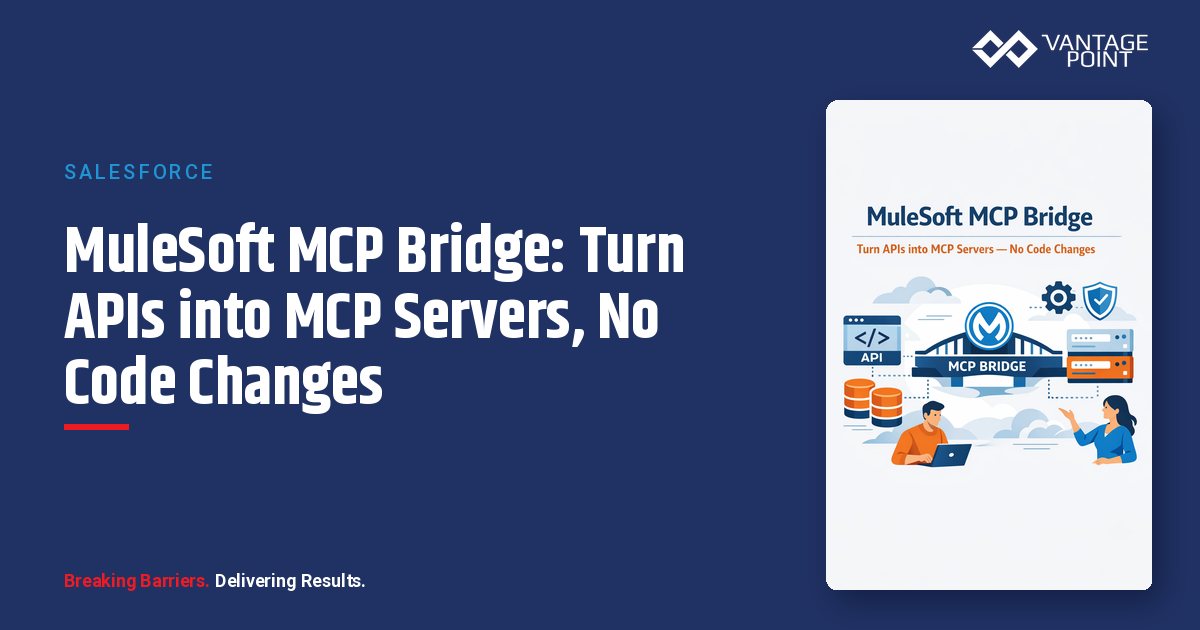
- What is it? MuleSoft MCP Bridge is a zero-code capability that transforms existing REST and SOAP APIs into MCP (Model Context Protocol)-compliant servers at the gateway layer: no backend changes required
- Key Benefit: Make your entire API portfolio agent-ready in minutes instead of months, with full enterprise governance intact
- Requirements: MuleSoft Anypoint Platform license + Flex Gateway (self-managed or managed)
- Timeline: Minutes per API, guided configuration in API Manager handles tool mapping, routing, and deployment
- Best For: Organizations with existing API portfolios that want to enable AI agents without rewriting production services
- Bottom Line: MCP Bridge eliminates the trade-off between speed and governance. Teams ship agent-ready endpoints using the same control plane they already trust for API traffic
Introduction: The Agent-Readiness Challenge
Every organization building with AI agents faces the same bottleneck: your APIs weren't designed for the agentic era, and making them agent-ready shouldn't require rebuilding them from scratch.
The Model Context Protocol (MCP), created by Anthropic, has emerged as the open standard for connecting AI models to external data sources and tools. MCP gives agents a structured, secure way to discover and invoke capabilities across your technology stack. But adopting MCP at enterprise scale introduces a familiar tension: how do you move fast without compromising governance?
MuleSoft's MCP Bridge, now generally available, solves this problem. It transforms existing REST and SOAP APIs into MCP-compliant servers at the gateway layer: without modifying a single line of backend code. If you already manage APIs through MuleSoft's Anypoint Platform, MCP Bridge gives your AI agents a standardized interface to those capabilities while preserving every authentication, rate-limiting, and observability policy you have in place.
In this guide, we'll break down exactly how MCP Bridge works, walk through the configuration process, explore enterprise governance capabilities, and explain how Vantage Point helps organizations implement this transformative technology.
What Is the Model Context Protocol (MCP)?
Before diving into MCP Bridge specifically, it's important to understand the protocol it implements.
MCP Defined
The Model Context Protocol is an open-source standard developed by Anthropic that enables AI applications to connect with external systems and tools in a structured, bidirectional way. Rather than building custom integrations for every AI-to-system connection, MCP provides a universal interface that any AI agent can use to:
- Discover available tools and their capabilities
- Understand input/output schemas and constraints
- Invoke approved operations through standardized requests
- Receive structured responses (synchronous or streaming)
Think of MCP as a USB-C port for AI. One standardized connection that works across any system, replacing the tangle of proprietary adapters that previously linked agents to enterprise data.
Why MCP Matters for Enterprise AI
Without MCP, every AI agent integration requires custom code: parsing API documentation, handling authentication flows, mapping data formats, and managing error states. This approach doesn't scale. Organizations with hundreds of APIs can't afford to hand-code agent integrations for each one.
MCP solves this by providing:
- Standardized tool discovery: Agents automatically learn what's available
- Schema-driven invocation: Clear contracts for inputs and outputs
- Protocol-level security: Authentication and authorization built into the communication layer
- Transport flexibility: Works locally (STDIO) or remotely (Streamable HTTP)
What Is MuleSoft MCP Bridge?
MuleSoft MCP Bridge is a capability within the Anypoint Platform that generates MCP Server assets from existing API instances. Delivered as a set of pre-configured automated policies on MuleSoft Flex Gateway, MCP Bridge operates at the gateway layer, the same control plane enterprises already use to manage API traffic, security, and governance.
How It Differs from the MCP Connector
| Feature | MCP Connector | MCP Bridge |
|---|---|---|
| Approach | Application-level | Gateway-level |
| Code Changes | Requires flow modifications | Zero code changes |
| Control | Fine-grained per-flow control | Standardized across APIs |
| Best For | Complex orchestration, custom logic | Rapid exposure of existing APIs |
| Governance | Application-managed | Platform-managed |
| Deployment | Per-application | Per-gateway |
The MCP Connector provides maximum flexibility when you need custom orchestration within individual integrations. MCP Bridge operates as an interfacing layer designed for consistency, governance, and scale across many APIs.
The key insight: MCP Bridge treats MCP enablement as an infrastructure concern, not a development project. Both approaches coexist. Organizations can use the Connector for complex use cases while Bridge handles the broader API portfolio.
How MCP Bridge Works: Technical Architecture
The Gateway-Layer Approach
MCP Bridge operates at the Flex Gateway layer, sitting between AI agents (MCP clients) and your existing backend APIs. Here's the flow:
- AI agent sends an MCP request → Flex Gateway receives the request at the MCP endpoint
- Gateway processes the request → Applies authentication, authorization, and rate-limiting policies
- Gateway routes to backend API → Maps MCP tool invocation to the appropriate HTTP method and endpoint
- Backend API responds → Gateway formats the response as an MCP-compliant result
- Agent receives structured response → Ready for reasoning and next actions
This architecture means your backend services never know they're being called by an AI agent. They receive the same HTTP requests they always have, governed by the same policies, monitored by the same tools.
Multi-API Aggregation
One of MCP Bridge's most powerful capabilities is multi-API aggregation. A single MCP Server endpoint can span multiple backend APIs, giving agents access to tools across systems through one connection. The gateway handles all routing declaratively: no orchestration logic embedded in agents.
For example, a single MCP Server could expose:
- Customer lookup from your CRM API
- Order status from your ERP API
- Inventory checks from your warehouse management API
- Ticket creation from your service desk API
The agent connects to one MCP endpoint and discovers all available tools. The gateway routes each invocation to the correct backend.
Streamable HTTP Transport
MCP Bridge supports Streamable HTTP transport for remote deployments, enabling:
- Incremental responses for long-running operations
- Cloud-native architecture with HTTP/2 and HTTP/3 support
- Stateless design that scales horizontally
- Connection efficiency without persistent connections consuming idle resources
Step-by-Step: Configuring MCP Bridge
Setting up MCP Bridge follows a guided workflow in Anypoint Platform's API Manager. Here's what the process looks like:
Prerequisites
- APIs published to Anypoint Exchange with OpenAPI or RAML specifications
- Flex Gateway deployed (managed or self-managed in connected mode)
- Appropriate permissions in API Manager
Configuration Workflow
Step 1: Initiate MCP Server Creation
Navigate to API Manager → Agent and Tool Instances → Add MCP Bridge. You can also start from an existing API instance by selecting Actions → Add to new MCP Server instance.
Step 2: Select Your Gateway
Choose the Flex Gateway instance where the MCP Server will be deployed. This determines where agent traffic will be processed.
Step 3: Select API Instances
Choose which existing API instances to include in the MCP Server. You can add multiple APIs to create an aggregated endpoint. Define an asset name for the MCP Server.
Step 4: Configure Downstream Settings
Set up how MCP clients will connect:
- Protocol: HTTP or HTTPS (HTTPS recommended for production)
- Port: Network port for incoming MCP traffic
- Base path: URL prefix for the MCP endpoint (must start with
/) - TLS context: For HTTPS, configure inbound TLS encryption
Step 5: Configure Upstream Services
For each API instance, define:
- Route label: Identifier for the API (defaults to API name)
- Upstream URL: The backend service endpoint (must end with
/) - Outbound TLS: Optional TLS for backend communication
Step 6: Define MCP Tools
This is where APIs become agent-ready tools:
- Select an API and choose an HTTP method and resource
- Name the tool with a clear, descriptive identifier
- Write a description that helps agents understand what the tool does
- Review the input schema: auto-populated from your API specification
- Configure HTTP mappings using DataWeave expressions to route parameters to query parameters, URI parameters, headers, or request body
Step 7: Review and Deploy
Review all configurations, then click Save & Deploy. The Flex Gateway updates with your configuration, and the MCP Server is live.
Post-Deployment Verification
After deployment, you can test the MCP Server using:
- MCP Inspector: An open-source tool for testing MCP servers (
npx @modelcontextprotocol/inspector) - Postman: Send MCP-over-HTTP requests to your gateway endpoint
- Any MCP client: Claude Desktop, GitHub Copilot, Cursor, or custom agents
When a client connects and sends a tools/list request, the gateway responds with an MCP descriptor defining each tool's name, description, and input schema.
Enterprise Governance: Why MCP Bridge Is Production-Ready
Policy Enforcement
MCP Bridge inherits Flex Gateway's full policy stack. Every request from an AI agent passes through the same governance layer as traditional API traffic:
- Authentication: OAuth 2.0, JWT validation, API keys, client credentials
- Authorization: Role-based access control, scope enforcement
- Rate limiting: Protect backends from agent-driven traffic spikes
- IP allowlisting/blocklisting: Network-level access control
- Request/response validation: Schema enforcement for data integrity
Exposure Control
Not every API operation should be available to agents. MCP Bridge provides explicit tool definitions: teams choose exactly which operations to expose. This prevents agents from accessing sensitive endpoints or performing unauthorized actions.
Best practice: Start with read-only operations and expand to write operations as you build confidence in agent behavior.
Observability
All MCP traffic flows through the Anypoint control plane, providing:
- Real-time monitoring of agent-driven API calls
- Usage analytics: which tools agents invoke most frequently
- Error tracking: identify failing tool invocations
- Audit trails: complete records of agent actions for compliance
- Performance metrics: latency, throughput, and availability data
Security Architecture
MCP Bridge's security model is defense-in-depth:
- Transport encryption: TLS for all communications
- Token validation: OAuth/JWT verification at the gateway
- Controlled data exposure: Only explicitly mapped data is available to agents
- No backend modification: Backend services maintain their own security posture
- Session management: Proper session lifecycle with cleanup
Best Practices for MCP Bridge Adoption
1. Start with High-Value, Low-Risk APIs
Begin with APIs that provide clear value to agents without exposing sensitive operations:
- Customer lookup (read-only CRM data)
- Product catalog searches
- Order status queries
- Knowledge base retrieval
2. Write Descriptive Tool Definitions
The quality of your tool names and descriptions directly impacts agent effectiveness. Agents use these descriptions to decide which tool to invoke:
- Good: "Retrieve customer contact information by account ID, including name, email, phone, and company"
- Bad: "Get customer"
3. Scope Tools Narrowly
Each tool should perform one specific action. Avoid creating broad tools that accept many parameters and perform different operations based on input. Narrow tools reduce hallucination risk and make agent behavior more predictable.
4. Implement Incremental Rollout
MCP Bridge supports incremental adoption. You don't need to expose your entire API portfolio at once:
- Phase 1: Read-only tools for data retrieval
- Phase 2: Write operations with validation
- Phase 3: Complex workflows with multiple tool chains
- Phase 4: Cross-system aggregated endpoints
5. Monitor Agent Usage Patterns
Use Anypoint's observability tools to understand how agents interact with your APIs:
- Which tools are invoked most frequently?
- What error rates do agents generate?
- Are agents calling tools in unexpected combinations?
- What's the performance impact on backend services?
6. Maintain API Specifications
MCP Bridge auto-populates input schemas from your API specifications. Keep your OpenAPI/RAML specs accurate and up-to-date: they directly impact the quality of agent interactions.
MCP Bridge vs. Building MCP Servers from Scratch
Many organizations initially consider building custom MCP servers for each API. Here's how that approach compares:
| Factor | Custom MCP Servers | MCP Bridge |
|---|---|---|
| Development Time | Days to weeks per API | Minutes per API |
| Code Changes | Significant backend modifications | Zero |
| Governance | Must be implemented separately | Inherited from Flex Gateway |
| Maintenance | Each server maintained independently | Centrally managed |
| Consistency | Varies by implementation | Standardized across all APIs |
| Scalability | Per-application scaling | Gateway-level scaling |
| Cost | High development + maintenance | Leverages existing infrastructure |
For organizations with large API portfolios, MCP Bridge offers dramatically faster time-to-value. Custom MCP servers remain valuable for specialized use cases requiring complex orchestration logic.
Real-World Use Cases
Cross-System Customer Service
An AI agent handling customer inquiries connects to a single MCP Server that aggregates tools from CRM, ERP, and ticketing APIs. The agent can look up customer information, check order status, and create support tickets, all through one MCP endpoint, with full governance applied to every interaction.
Sales Intelligence Automation
Sales teams use AI agents that access MCP-bridged APIs for pipeline data, product catalogs, and pricing tools. Agents can pull real-time deal information, suggest product bundles, and generate quotes without requiring direct system access.
Operational Reporting
AI-powered dashboards connect to MCP-bridged analytics APIs, inventory systems, and financial tools. Agents generate real-time reports by invoking standardized tools, with rate limiting preventing excessive backend load.
IT Service Management
AI agents streamline IT operations by connecting to MCP-bridged monitoring, ticketing, and configuration management APIs. Agents can detect incidents, create tickets, and trigger remediation workflows through governed MCP tools.
How Vantage Point Implements MCP Bridge
As a MuleSoft integration partner, Vantage Point helps organizations navigate the transition to agent-ready architectures. Our MCP Bridge implementation approach includes:
Assessment and Strategy
- API portfolio audit: Identify which APIs are candidates for MCP enablement
- Agent use case mapping: Define how AI agents will interact with your systems
- Governance review: Ensure security policies align with agent access patterns
- Prioritization roadmap: Plan phased rollout based on business value
Implementation
- Flex Gateway deployment: Configure and optimize gateway infrastructure
- MCP Bridge configuration: Set up tool mappings, schemas, and routing
- Policy optimization: Fine-tune authentication, rate limiting, and observability
- Testing and validation: Verify agent interactions across all exposed tools
Ongoing Optimization
- Performance monitoring: Track and optimize agent-driven API traffic
- Tool expansion: Add new capabilities as agent use cases mature
- Security hardening: Continuously refine access controls based on usage patterns
- Training: Enable your team to manage and extend MCP Bridge independently
Frequently Asked Questions (FAQ)
What is MuleSoft MCP Bridge?
MuleSoft MCP Bridge is a capability within the Anypoint Platform that transforms existing REST and SOAP APIs into MCP (Model Context Protocol)-compliant servers at the gateway layer. It operates on Flex Gateway and requires zero code changes to backend services.
Does MCP Bridge require changes to existing APIs?
No. MCP Bridge operates entirely at the gateway layer. Your existing APIs continue to function exactly as they do today: they receive standard HTTP requests routed by Flex Gateway. No modifications to application code, deployment pipelines, or testing processes are needed.
What types of APIs does MCP Bridge support?
MCP Bridge supports REST APIs with OpenAPI specifications and SOAP APIs published to Anypoint Exchange. Any API managed through API Manager can be exposed as MCP tools through the Bridge.
How does MCP Bridge handle security?
MCP Bridge inherits Flex Gateway's complete security stack, including OAuth 2.0, JWT validation, API keys, rate limiting, IP filtering, and TLS encryption. Agent traffic is governed by the same policies that protect your existing API consumers.
Can one MCP Server expose tools from multiple APIs?
Yes. A single MCP Server endpoint can aggregate tools from multiple backend APIs. The gateway handles routing declaratively, so agents connect to one endpoint and discover all available tools across systems.
What's the difference between MCP Bridge and MCP Connector?
MCP Connector operates at the application level, providing fine-grained control within individual Mule flows: ideal for complex orchestration. MCP Bridge operates at the gateway level, offering standardized, governed exposure across many APIs without code changes. Both approaches coexist and complement each other.
How long does it take to configure MCP Bridge?
The guided configuration in API Manager takes minutes per API. Select your gateway, choose APIs, map tools, configure routing, and deploy. Most organizations can expose their first set of APIs within a single working session.
Is MCP Bridge compatible with all AI agents?
MCP Bridge implements the open Model Context Protocol standard, making it compatible with any MCP client, including Claude Desktop, GitHub Copilot, Cursor, ChatGPT (via MCP apps), and custom agent frameworks. It supports Streamable HTTP transport for remote deployments.
Conclusion: Make Your APIs Agent-Ready Today
The agentic era demands that enterprise systems become accessible to AI, but accessibility shouldn't come at the cost of governance, stability, or months of development work. MuleSoft MCP Bridge eliminates that trade-off.
With MCP Bridge, your existing API investments become the foundation for AI-driven workflows. Every authentication policy, rate limit, and audit trail you've built continues to work. Every API your teams have perfected continues to operate unchanged. The only difference is that AI agents can now discover and use those capabilities through a standardized, secure protocol.
Organizations that move early on agent-ready infrastructure will compound their advantage as AI capabilities accelerate. Those that wait will face the same bottleneck, only with more urgency and less time.
Ready to make your API portfolio agent-ready? Vantage Point specializes in MuleSoft integration, MCP implementation, and AI-driven automation. Contact us at vantagepoint.io to explore how MCP Bridge can accelerate your organization's journey to agentic AI.
About Vantage Point
Vantage Point is a technology consulting firm specializing in CRM, integration, and AI solutions. As partners of Salesforce, HubSpot, Anthropic, and MuleSoft, we help organizations connect their systems, automate their workflows, and leverage AI to drive measurable business outcomes. From MuleSoft integrations to Salesforce implementations to Claude AI-powered automation, Vantage Point delivers the expertise businesses need to thrive in the agentic era. Learn more at vantagepoint.io.