

Most teams don't need a full integration platform to solve their most common integration problems. They need a support ticket to sync into Salesforce, an onboarding task to fire in their HR system, or an invoice record to land in their ERP: without waiting months for a development project.
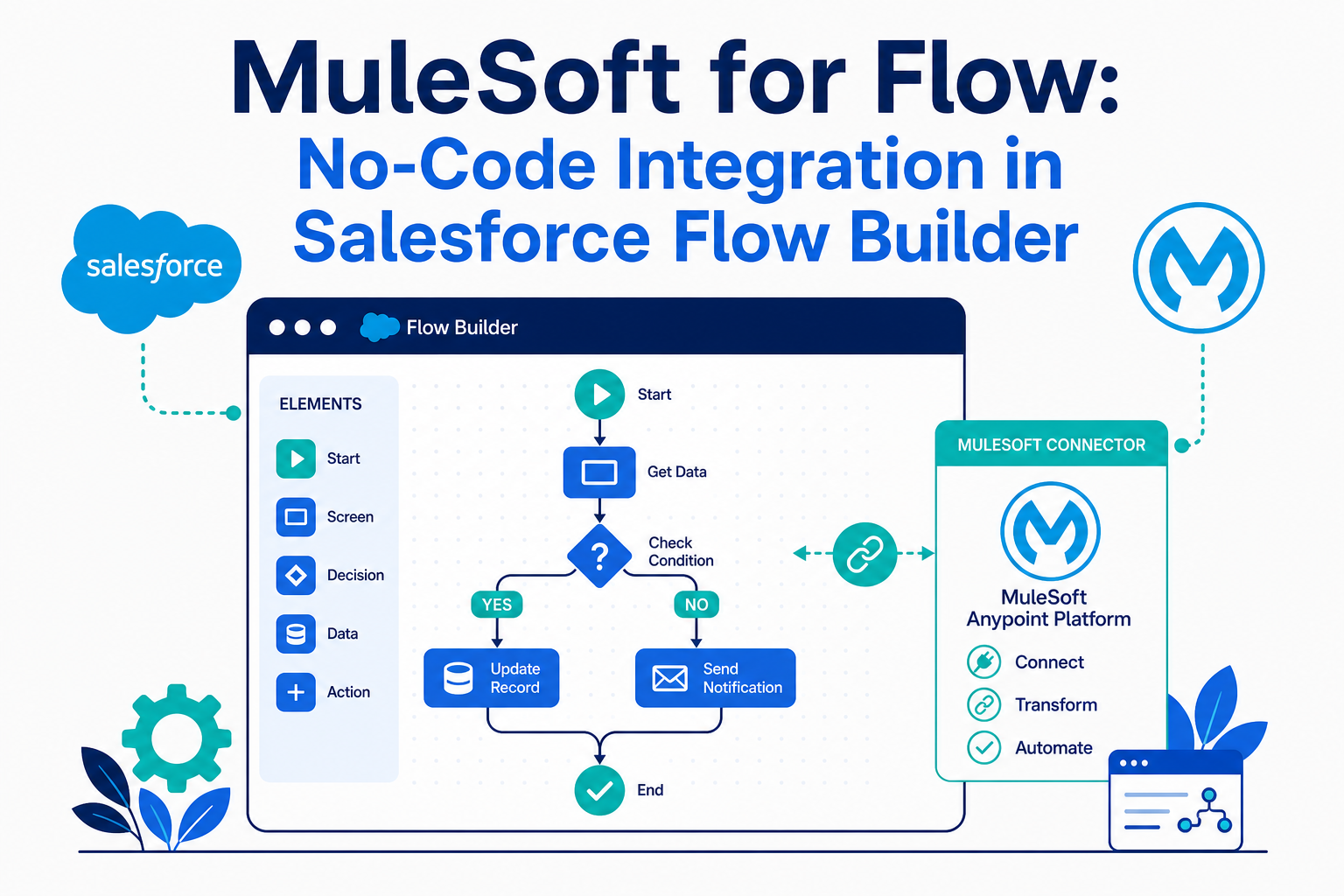
That is exactly the gap MuleSoft for Flow: Integration is built to close. It puts pre-built, MuleSoft-powered connectors directly inside Salesforce Flow Builder, so admins and business teams can connect external systems with clicks instead of code.
This guide explains what MuleSoft for Flow is, how it works, when it's the right tool (and when it isn't), and how to get your first integration flow running safely.
Quick Answer
MuleSoft for Flow: Integration is a low-code Salesforce feature that lets admins build integrations to external systems directly inside Flow Builder using pre-built MuleSoft connectors: no Anypoint development, API coding, or middleware project required. It matters for any organization that runs automation in Salesforce Flow and needs to connect systems like ticketing, HR, ERP, or marketing tools. Use this article to decide whether MuleSoft for Flow, HTTP Callout, or a full integration platform fits your use case. Vantage Point helps teams choose the right integration approach and build it correctly through its system integration and data migration services.
TL;DR
- What it is: MuleSoft for Flow: Integration adds pre-built external system connectors directly into Salesforce Flow Builder so admins can integrate with clicks, not code.
- How it works: Connectors act as flow triggers (react to changes in an external system) or flow actions (push updates to an external system), with secure reusable connections and value maps for data translation.
- Best for: Common point-to-point business integrations (ticketing, HR, support, finance, and marketing systems) owned by admins rather than developers.
- Not for everything: High-volume, complex orchestration, or API-led architecture still belongs in Anypoint Platform or an iPaaS like Workato.
- How Vantage Point helps: We help teams pick the right integration tier and implement it through our Salesforce implementation and advisory services.
What Is MuleSoft for Flow: Integration?
MuleSoft for Flow: Integration is a Salesforce capability that brings MuleSoft's pre-built connectors into Flow Builder, the same automation tool admins already use every day. Instead of standing up middleware, writing Apex callouts, or commissioning an Anypoint Platform project, an admin configures a secure connection to an external system and then uses that system's events and actions as native building blocks in a flow.
Two things make it different from earlier approaches:
- Connectors as triggers. A flow can start when something changes in an external system (a new ticket in your ITSM tool, a new hire record in your HR platform) not just when a Salesforce record changes.
- Connectors as actions. A flow can push work outward: create a ticket, update an ERP record, or sync a contact to a marketing platform as a step inside standard Salesforce automation.
Because it lives inside Flow Builder, integration logic sits next to the rest of your automation (decisions, record updates, approvals, emails) rather than in a separate system your admins can't see.
Why MuleSoft for Flow Matters in 2026
Integration backlogs are one of the most common bottlenecks we see in CRM programs.Teams still running legacy SOAP login() calls in those scripts should also plan for the SOAP API login retirement in June 2027: OAuth migration is required either way. Business teams wait on IT for even simple point-to-point connections, and IT teams rightly resist hand-built, unmonitored API scripts. The result is swivel-chair work: users re-keying data between Salesforce and the other systems they live in.
MuleSoft for Flow changes the economics of small integrations:
- Admins can own common integrations. The skills required are Flow Builder skills, which most Salesforce admins already have.
- Connections are governed, not improvised. Connections are configured once, secured centrally, and reused across flows: a meaningful upgrade over scattered credentials and one-off scripts.
- It fits the agentic roadmap. Salesforce is positioning Flow as the action layer for Agentforce, and Agentforce can now help draft, evolve, and summarize integration flows. Clean, well-structured integration flows become reusable actions for AI agents later.
- It reduces dirty-data workarounds. When systems sync automatically, teams stop maintaining spreadsheets and manual export/import routines that quietly corrupt CRM data quality.
How MuleSoft for Flow Works
A MuleSoft for Flow integration has four building blocks:
- Connection. An authenticated, reusable link to an external system, configured by an admin. Credentials are stored securely and shared across flows, so each new integration doesn't mean new secrets to manage.
- Trigger or action. Choose whether the external system starts the flow (connector as trigger) or the flow calls out to the external system (connector as action). A single flow can also combine both patterns with standard Salesforce elements in between.
- Data mapping. Map fields between Salesforce and the external system inside Flow Builder, using the same resource-picking experience admins already know.
- Value maps. Translate values that mean the same thing but are labeled differently across systems, for example, a priority of "P1" in your ticketing tool mapping to "Critical" in Salesforce. Value maps keep that translation logic visible and maintainable instead of buried in formulas.
A Practical Example
A common pattern: when a high-priority case is created in Salesforce, a flow creates a matching ticket in the IT service management system, writes the external ticket number back to the case, and posts a notification. When the external ticket closes, a connector-triggered flow updates the Salesforce case status. No code, no middleware deployment: just two flows and one connection.
Common Use Cases
- IT service management: auto-create and sync tickets between Salesforce and ITSM tools.
- HR and onboarding: trigger provisioning and onboarding tasks across HR, identity, and CRM systems.
- Customer support: keep support, product, and back-office systems in sync for faster case resolution.
- Finance operations: route purchase orders, invoices, and approvals between CRM and ERP.
- Marketing operations: sync leads, audiences, and engagement data between Salesforce and marketing platforms.
MuleSoft for Flow vs. Other Salesforce Integration Options
The most important decision isn't whether MuleSoft for Flow is good. It's whether it's the right tier for your specific integration. Here's how the options compare:
| Option | Best For | Skills Needed | Watch Out For |
|---|---|---|---|
| MuleSoft for Flow: Integration | Point-to-point business integrations with supported connectors | Salesforce admin / Flow Builder | Connector availability; not built for complex orchestration |
| HTTP Callout in Flow | Calling a REST API that has no connector | Admin + API basics (endpoints, auth, JSON) | You own error handling, auth setup, and API changes |
| External Services | Reusing well-documented APIs (OpenAPI spec) as flow actions | Admin + architect support | Spec quality matters; limited transformation logic |
| Apex callouts | Custom logic, complex payloads, special protocols | Developer | Code to maintain, test, and govern |
| MuleSoft Anypoint Platform | API-led architecture, high volume, many systems, reuse across the enterprise | Integration developers | Bigger investment; overkill for simple syncs |
| Workato or similar iPaaS | Cross-app automation beyond Salesforce, including HubSpot-centric stacks | Ops / admin teams | Separate platform to govern and monitor |
A useful rule of thumb: start with the lowest tier that cleanly solves the problem, but don't stack dozens of point-to-point flows where an API-led design is warranted. If you find the same systems being connected over and over, or volumes climbing, that's the signal to step up to a platform approach like the one described in our guide to MuleSoft API-led integration patterns that scale. And if your stack spans Salesforce, HubSpot, and many non-CRM apps, weigh the options in our comparison of Workato vs MuleSoft for CRM integration.
What Businesses Should Do Next
- Inventory your swivel-chair work. List the places where users re-key data between Salesforce and another system. These are your candidate integrations.
- Check connector coverage. Confirm whether your target systems have MuleSoft for Flow connectors. If not, evaluate HTTP Callout or External Services before assuming you need custom work.
- Start with one bidirectional pilot. Pick a single high-friction process, case-to-ticket sync is a common winner, and build it end to end, including error paths.
- Set governance early. Decide who can create connections, how credentials are managed, and how integration flows are named, documented, and tested. Treat integration flows with the same discipline as any other production automation.
- Define your escalation criteria. Agree up front on the signals (volume, complexity, reuse, latency) that would move an integration from Flow to Anypoint Platform or an iPaaS, so you're making architecture decisions deliberately instead of by accident.
If your team is evaluating how this applies to Salesforce, HubSpot, integrations, or CRM governance, Vantage Point can help assess the right next step and build a practical implementation plan.
How Vantage Point Helps
Vantage Point is a boutique, senior-led Salesforce and HubSpot consulting partner with a dedicated integration practice. We help organizations:
- Choose the right integration tier: MuleSoft for Flow, HTTP Callout, Anypoint Platform, or Workato: based on volume, complexity, and team skills, through our system integration and data migration services.
- Build and harden integration flows, including error handling, value maps, and testing, as part of our workflow automation and process optimization services.
- Align integrations with your platform roadmap, including Agentforce readiness and data quality, through our Salesforce implementation and advisory services.
If integration backlog is slowing your CRM program down, contact Vantage Point for a practical assessment of where no-code integration can help, and where it can't.
FAQ
What is MuleSoft for Flow: Integration?
MuleSoft for Flow: Integration is a Salesforce capability that puts pre-built MuleSoft connectors directly inside Flow Builder, so admins can integrate Salesforce with external systems using clicks instead of code. Connectors can act as flow triggers or flow actions, and connections are configured once and reused securely across flows.
Do I need Anypoint Platform to use MuleSoft for Flow?
No. MuleSoft for Flow: Integration runs inside Salesforce Flow Builder and does not require you to build or deploy applications on Anypoint Platform. Anypoint remains the right choice for API-led architecture, high-volume processing, and complex orchestration across many systems.
Who should build MuleSoft for Flow integrations: admins or developers?
Salesforce admins can build most MuleSoft for Flow integrations because the experience uses standard Flow Builder skills. Developers and architects should still be involved in setting governance standards, reviewing error handling, and deciding when an integration has outgrown the no-code tier.
How is MuleSoft for Flow different from HTTP Callout in Flow?
MuleSoft for Flow uses pre-built, maintained connectors with managed connections, while HTTP Callout lets you call any REST API but leaves authentication setup, payload handling, and API changes to you. Use connectors when they exist for your system; use HTTP Callout when they don't and the API is well documented.
Can external systems trigger a Salesforce flow with MuleSoft for Flow?
Yes. Connectors can be used as flow triggers, so a change in a supported external system, like a new or updated ticket, can start a Salesforce flow automatically. This enables true bidirectional sync patterns without custom listeners or middleware.
What are value maps in MuleSoft for Flow?
Value maps translate equivalent values between systems, for example, mapping an external status of "Resolved" to a Salesforce status of "Closed." They keep cross-system translation logic visible and centrally maintained instead of hard-coded into formulas or scattered across multiple flows.
When should I move from MuleSoft for Flow to a full integration platform?
Move up when you see high data volumes, complex multi-system orchestration, heavy transformation needs, or the same connections being rebuilt across many flows. Those are signals that an API-led approach on Anypoint Platform (or an iPaaS like Workato for broader app stacks) will be cheaper to maintain than dozens of point-to-point flows. Vantage Point helps teams make this call with a structured integration assessment.
Does MuleSoft for Flow work with Agentforce?
Yes, the two are complementary. Agentforce can help draft, evolve, and summarize integration flows, and well-built flows can serve as actions that AI agents invoke. Clean integration flows today become reusable building blocks for agentic automation later.


