Key Takeaways (TL;DR)
- What It Connects: HubSpot's marketing and CRM platform with Salesforce's sales and service ecosystem — creating a unified revenue engine
- Complexity: Ranges from low (native connector, days) to high (MuleSoft Anypoint, weeks/months) depending on your integration approach
- Timeline: Native connector: 1–2 weeks | Middleware (MuleSoft/Workato): 4–8 weeks | Custom API: 8–16 weeks
- Compliance Impact: Proper integration supports GDPR, CCPA, SOC 2, and HIPAA data governance across both platforms
- ROI: Organizations with aligned CRM systems report up to 36% higher customer retention and 38% higher sales win rates
- Bottom Line: The native HubSpot-Salesforce connector works for simple use cases, but growing organizations need middleware like MuleSoft or Workato for scalable, governed, bidirectional sync
Running both HubSpot and Salesforce isn't a failure of strategy — it's a reality of modern revenue operations. Marketing teams thrive in HubSpot. Sales teams live in Salesforce. And somewhere between the two, critical customer data gets lost, duplicated, or delayed.
The question isn't whether you should connect them. It's how you connect them without creating a bigger mess than you started with.
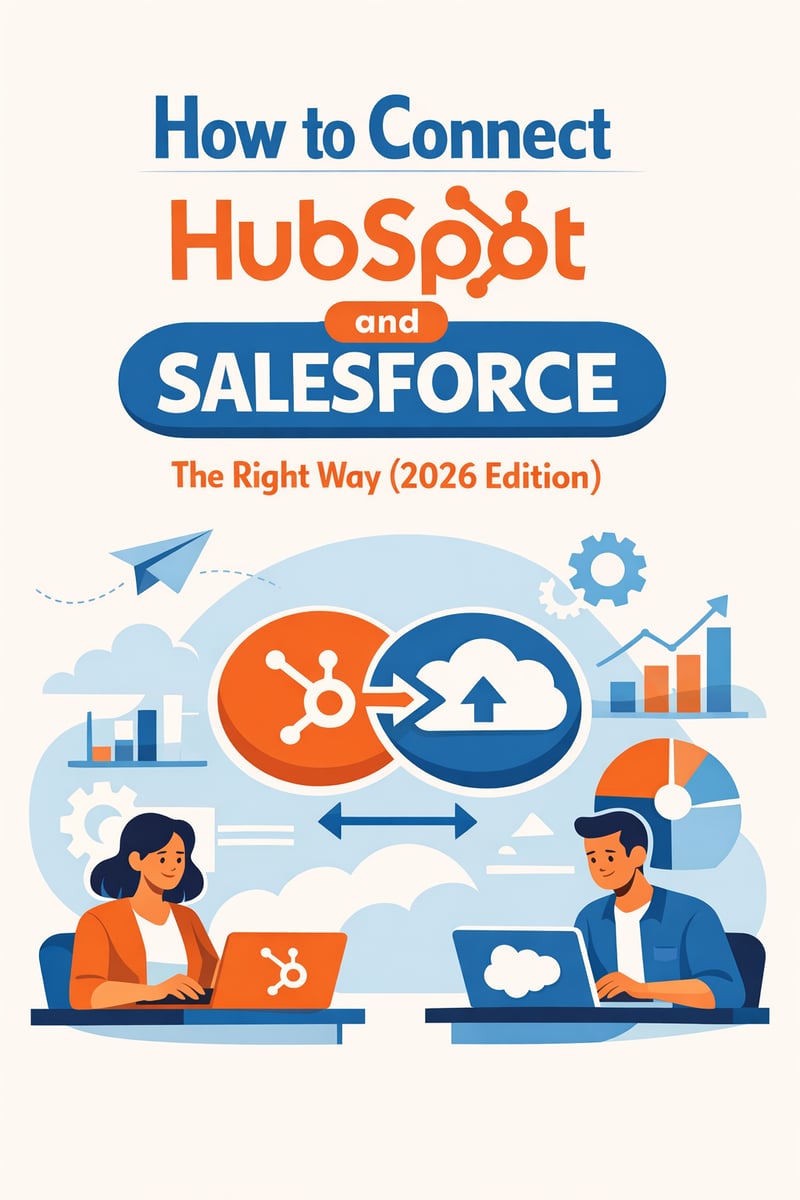
This guide breaks down every integration approach available in 2026 — from the native connector to enterprise-grade middleware — with the practical field-mapping strategies, conflict resolution rules, and architectural decisions that separate a clean sync from a data disaster.
Why Are So Many Organizations Running Both Platforms?
It's a pattern we see constantly: a company adopts HubSpot for inbound marketing and lead nurturing, then layers in Salesforce for complex sales processes, CPQ, or enterprise account management. Or the reverse — a Salesforce shop brings HubSpot onboard for its marketing automation and content tools.
Neither platform is going anywhere. HubSpot's Marketing Hub and Content Hub deliver best-in-class inbound capabilities. Salesforce's Sales Cloud, Service Cloud, and ecosystem of 7,000+ AppExchange apps power enterprise operations worldwide. The real competitive advantage comes from making them work together seamlessly.
But here's the challenge: these platforms weren't designed as one system. They have different data models, different object structures, and different philosophies about how customer data should be organized. Contacts in HubSpot map to both Leads and Contacts in Salesforce. Companies map to Accounts. Deals map to Opportunities. And every field mismatch, picklist conflict, or sync rule misconfiguration compounds over time.
Let's fix that.
What Are the Integration Options for HubSpot and Salesforce in 2026?
You have four primary approaches, each with distinct tradeoffs:
| Approach | Best For | Complexity | Timeline | Cost |
|---|---|---|---|---|
| HubSpot Native Connector | SMBs, simple sync needs | Low | 1–2 weeks | Free (included with HubSpot) |
| MuleSoft Anypoint Platform | Enterprise, regulated industries | High | 4–12 weeks | $$$$ (tens of thousands/year) |
| Workato | Mid-market, fast automation | Medium | 2–6 weeks | $$$ (scales by tasks) |
| Custom API Integration | Unique requirements, full control | Very High | 8–16 weeks | $$ (dev cost) + maintenance |
How Does the HubSpot Native Salesforce Connector Work?
HubSpot's built-in Salesforce integration is the most common starting point — and for good reason. It's free with any HubSpot Professional or Enterprise subscription, requires no middleware, and handles the basics well.
What It Syncs
The native connector supports bidirectional real-time sync for core objects:
- Contacts ↔ Leads/Contacts
- Companies ↔ Accounts
- Deals ↔ Opportunities
- Activities ↔ Tasks and Events
The sync is contact-centric, meaning associated accounts and opportunities only sync when a matching contact exists on both sides. This is an important architectural decision that affects how you design your data flow.
Field Mapping and Sync Rules
During setup, you configure field mappings for each object, defining:
- Which fields sync between platforms
- Sync direction per field: HubSpot → Salesforce, Salesforce → HubSpot, or bidirectional
- Conflict resolution per field: HubSpot always wins, Salesforce always wins, or most-recent-timestamp wins
You also define inclusion lists — active HubSpot lists that determine which records sync to Salesforce. Only contacts on these lists push to Salesforce, while records visible to the Salesforce integration user sync back to HubSpot automatically.
Where the Native Connector Falls Short
The native connector is built on Salesforce API v45, which limits its capabilities with newer Salesforce features and complex custom objects. Common limitations include:
- No support for complex transformations — data must map 1:1 between fields
- Picklist mismatches break syncs — "Enterprise" in Salesforce ≠ "enterprise" in HubSpot
- Custom object support is limited — standard object mappings work well, but non-standard objects require workarounds
- No multi-step orchestration — you can't chain complex business logic into the sync
- API call limits — high-volume syncs can consume Salesforce API allocations quickly
- No built-in error recovery — failed records require manual intervention
For organizations with fewer than 10,000 contacts, straightforward sales processes, and limited custom objects, the native connector is often sufficient. Beyond that threshold, you'll want middleware.
When Should You Use MuleSoft for HubSpot-Salesforce Integration?
MuleSoft, acquired by Salesforce in 2018, is the enterprise-grade answer to complex integration challenges. It uses an API-led connectivity architecture that treats every integration as a reusable, governed API.
MuleSoft Composer vs. Full Anypoint Platform
MuleSoft Composer is the no-code/low-code entry point. Business users can build simple point-to-point integrations between HubSpot and Salesforce without developer involvement. It's ideal for straightforward sync scenarios that need slightly more flexibility than the native connector.
Anypoint Platform is the full enterprise integration suite. It offers:
- Custom API design and deployment — build reusable integration APIs
- Advanced data transformation — DataWeave for complex field mapping and logic
- Governance and security — API Manager for rate limiting, authentication, and policy enforcement
- Agentforce integration — AI agents that securely trigger API-led flows with full governance (a key 2025–2026 capability)
- Anypoint Exchange — reusable connectors, templates, and integration patterns
When MuleSoft Makes Sense
Choose MuleSoft when you need:
- Governed data flows across regulated industries (healthcare, financial services, insurance)
- Complex transformation logic — conditional mapping, data enrichment, multi-step orchestration
- Reusable integration APIs that serve multiple systems beyond just HubSpot and Salesforce
- Compliance requirements — SOC 2, HIPAA, PCI-DSS, GDPR controls on data movement
- Scale — millions of records, real-time event-driven architecture
Example Architecture: MuleSoft HubSpot-Salesforce Integration
┌─────────────┐     ┌──────────────────┐     ┌──────────────────┐
│   HubSpot   │────▶│  MuleSoft Flow   │────▶│   Salesforce     │
│  (Marketing)│◀────│  - Transform     │◀────│  (Sales/Service) │
│             │     │  - Validate      │     │                  │
│  Contacts   │     │  - Deduplicate   │     │  Leads/Contacts  │
│  Companies  │     │  - Route         │     │  Accounts        │
│  Deals      │     │  - Log/Audit     │     │  Opportunities   │
└─────────────┘     └────────┬─────────┘     └──────────────────┘
                             │
                    ┌────────▼─────────┐
                    │  Salesforce      │
                    │  Data Cloud      │
                    │  (Unified View)  │
                    └──────────────────┘
How Does Workato Compare for HubSpot-Salesforce Integration?
Workato takes a recipe-based approach to integration — modular workflows triggered by events in one system that execute actions in another. With 1,600+ pre-built connectors and an AI-powered recipe builder, it sits between the simplicity of the native connector and the power of MuleSoft.
Key Workato Capabilities for CRM Integration
- Recipe IQ (2025): GPT-4-powered recipe generation from natural language descriptions. Describe your sync requirement in plain English, and Workato builds the workflow.
- Bidirectional recipes: Event-triggered sync in both directions with configurable conflict resolution
- Pre-built HubSpot and Salesforce connectors: Handle authentication, rate limits, and pagination automatically
- Error handling and retry logic: Built-in mechanisms for failed records
- AI Agents: Context-aware automations that can initiate sync actions based on business conditions
When Workato Makes Sense
Choose Workato when you need:
- Faster implementation than MuleSoft with more flexibility than the native connector
- Recipe-based automation that business users can understand and modify
- Multi-app orchestration — connecting HubSpot and Salesforce with Slack, ERP systems, or other tools
- Mid-market budget — enterprise capabilities without Anypoint-level investment
- AI-assisted setup — Recipe IQ dramatically reduces configuration time
How Does Salesforce Data Cloud Fit into the Integration Picture?
Salesforce Data Cloud (formerly Customer Data Platform) adds a powerful unification layer to any HubSpot-Salesforce integration. Rather than treating the integration as a simple sync between two systems, Data Cloud creates a unified customer profile that harmonizes data from both platforms — and any other source.
What Data Cloud Brings to the Table
- Zero-copy architecture: Access HubSpot data within Salesforce without duplicating it
- Identity resolution: Merge contact records across platforms using probabilistic and deterministic matching
- Real-time harmonization: Unified profiles update as data changes in either system
- Calculated insights: Build segments and analytics that span both platforms
- AI-ready data: Feed unified profiles into Salesforce Einstein or Agentforce for intelligent automation
Practical Data Cloud Integration Pattern
┌─────────────┐     ┌──────────────────┐     ┌──────────────────┐
│   HubSpot   │────▶│  MuleSoft/API    │────▶│  Salesforce      │
│  Marketing  │     │  (Ingest Layer)  │     │  Data Cloud      │
│  Data       │     └──────────────────┘     │                  │
└─────────────┘                              │  ┌────────────┐  │
                                             │  │ Unified    │  │
┌─────────────┐                              │  │ Customer   │  │
│  Salesforce  │─────────────────────────────▶│  │ Profile    │  │
│  CRM Data   │                              │  └────────────┘  │
└─────────────┘                              └──────────────────┘
Data Cloud doesn't replace your HubSpot-Salesforce sync — it enriches it. Use your integration layer (native connector, MuleSoft, or Workato) to move operational data between systems, and Data Cloud to create the analytical unified view.
What Are the Best Practices for Field Mapping Between HubSpot and Salesforce?
Field mapping is where integrations succeed or fail. A well-designed integration matrix prevents data loss, sync errors, and reporting inconsistencies.
Step 1: Build Your Integration Matrix
Before configuring anything, create a comprehensive spreadsheet documenting every field you plan to sync:
| HubSpot Property | Salesforce Field | Direction | Conflict Rule | Notes |
|---|---|---|---|---|
| Bidirectional | Most Recent | Primary identifier | ||
| First Name | FirstName | Bidirectional | Most Recent | — |
| Company | Account Name | Bidirectional | Salesforce Wins | — |
| Lifecycle Stage | Lead Status | Bidirectional | Custom Logic | Map stages explicitly |
| HubSpot Score | Lead Score (custom) | HubSpot → SF | N/A | One-way only |
| Deal Amount | Opportunity Amount | Bidirectional | Salesforce Wins | SF is system of record |
| Lead Source | LeadSource | Salesforce → HS | N/A | One-way only |
| Phone | Phone | Bidirectional | Most Recent | Format standardization needed |
Step 2: Standardize Before You Sync
The number one cause of sync failures is data format mismatches. Before enabling integration:
- Picklist values must match exactly — "Enterprise" ≠ "enterprise" ≠ "ENTERPRISE"
- Field types must align — a text field in HubSpot can't map to a number field in Salesforce
- Date formats must be consistent — standardize on ISO 8601 (YYYY-MM-DD)
- Phone number formats — decide on a standard (E.164 recommended: +1XXXXXXXXXX)
Step 3: Define Your System of Record Per Field
Not every field should sync bidirectionally. Define which system "owns" each data point:
- Marketing data (lead score, email engagement, campaign attribution) → HubSpot is system of record
- Sales data (opportunity stage, deal amount, close date, sales owner) → Salesforce is system of record
- Shared data (contact info, company details) → Bidirectional with most-recent-wins
Step 4: Handle the Leads vs. Contacts Decision
This is the most critical architectural decision in any HubSpot-Salesforce integration. Salesforce separates Leads (unqualified) from Contacts (qualified/associated with Accounts). HubSpot uses a single Contact object for everyone.
Option A: Sync all HubSpot Contacts as Salesforce Leads - Simpler setup - Clear handoff when Lead converts to Contact - Limitation: Leads can't be associated with Accounts until conversion
Option B: Sync as Contacts directly - Immediate Account association - Better for ABM strategies - Requires more careful lifecycle stage mapping
Option C: Conditional routing (recommended) - New inbound leads → Salesforce Leads - Existing customers and qualified prospects → Salesforce Contacts - Use HubSpot lifecycle stage to determine routing
How Should You Handle Conflict Resolution in Bidirectional Sync?
When the same record is updated in both HubSpot and Salesforce between sync cycles, you have a conflict. Your resolution strategy should be explicit and documented for every synced field.
Common Conflict Resolution Strategies
| Strategy | How It Works | Best For |
|---|---|---|
| Timestamp wins | Most recently updated value takes priority | Contact details, general fields |
| Platform authority | One platform always wins for specific fields | Specialized data (scores, stages) |
| Conditional logic | Rules determine winner based on context | Complex scenarios |
| Manual review | Flag conflicts for human resolution | High-value accounts |
Recommended Rules by Field Type
- Email addresses: Most recent wins (users update their own email)
- Phone numbers: Most recent wins
- Lead/lifecycle stage: Custom logic — typically only progress forward, never backward
- Deal amounts: Salesforce always wins (sales team is source of truth)
- Lead scores: HubSpot always wins (marketing automation calculates)
- Company revenue: Salesforce always wins (sales research updates)
- Marketing consent/opt-out: Most restrictive wins (compliance requirement)
What Are the Best Data Deduplication Strategies for CRM Integration?
Data duplication is the silent killer of CRM integrations. When you connect two systems, existing duplicates don't just persist — they multiply.
Pre-Integration Deduplication
Achieve at least 80% data cleanliness before turning on any sync. This means:
- Audit both systems independently — identify duplicates by email, company domain, and phone number
- Establish matching rules — email is the strongest unique identifier, followed by company domain + name combinations
- Merge duplicates within each system first — don't let the integration inherit existing problems
- Disable auto-enrichment features temporarily — HubSpot's auto-association by company domain can create unwanted duplicates during initial sync
Ongoing Deduplication
- Use inclusion lists to control which HubSpot records sync — filter out test records, internal contacts, and known duplicates
- Implement matching logic in middleware — MuleSoft and Workato can check for existing records before creating new ones
- Schedule regular dedup audits — monthly review of newly created duplicates across both platforms
- Leverage Data Cloud for probabilistic matching — identity resolution across platforms catches duplicates that exact-match rules miss
How Do You Ensure Compliance Across Integrated CRM Systems?
When customer data flows between HubSpot and Salesforce, every regulation that applies to one system applies to both. This is especially critical in regulated industries.
Key Compliance Considerations
- GDPR/CCPA consent sync: Marketing consent must flow bidirectionally. If a contact opts out in HubSpot, that opt-out must reflect in Salesforce immediately — and vice versa. The most restrictive preference should always win.
- Data residency: Know where your data lives. HubSpot and Salesforce may store data in different geographic regions. Middleware adds a third location. Document all data flows for audit purposes.
- Access controls: Use a dedicated Salesforce integration user with minimum necessary permissions (API Enabled, View Setup, Modify Metadata). Never use a personal user account — when that employee leaves, your integration breaks.
- Audit logging: All integration middleware should log every record synced, transformed, or rejected. This creates the audit trail regulators expect.
- Data minimization: Only sync fields you actively use. Every unnecessary field in transit increases your compliance surface area.
What Does the Implementation Roadmap Look Like?
For a detailed, phase-by-phase walkthrough of this sequence, including team ownership and common go-live blockers, see our HubSpot-Salesforce integration setup guide.
Phase 1: Discovery and Planning (Week 1–2)
- [ ] Audit existing data in both HubSpot and Salesforce
- [ ] Document all objects, fields, and custom configurations
- [ ] Build the integration matrix (field mapping + sync rules)
- [ ] Define system of record for each field
- [ ] Identify compliance requirements
- [ ] Choose integration approach (native, MuleSoft, Workato, custom)
Phase 2: Data Preparation (Week 2–3)
- [ ] Clean and deduplicate data in both systems
- [ ] Standardize picklist values and field formats
- [ ] Create custom fields needed for mapping
- [ ] Set up the dedicated Salesforce integration user
- [ ] Configure HubSpot inclusion lists
- [ ] Build test records for validation
Phase 3: Configuration and Testing (Week 3–6)
- [ ] Configure field mappings and sync rules
- [ ] Set up conflict resolution logic
- [ ] Run sync with test records (e.g., "UAT Test Contact 001")
- [ ] Validate bidirectional sync for all object types
- [ ] Test edge cases: picklist mismatches, null values, special characters
- [ ] Verify compliance controls (opt-out sync, data residency)
Phase 4: Go-Live and Monitoring (Week 6–8)
- [ ] Enable sync for production data (start with a small inclusion list)
- [ ] Monitor sync logs for errors daily during first two weeks
- [ ] Gradually expand inclusion list scope
- [ ] Run deduplication audit after first full sync cycle
- [ ] Document all configurations and runbooks
Phase 5: Optimization (Ongoing)
- [ ] Monthly dedup audits
- [ ] Quarterly field mapping reviews
- [ ] Monitor API usage against limits
- [ ] Update sync rules as business processes evolve
Frequently Asked Questions
Is the HubSpot native Salesforce connector free?
Yes. The native HubSpot-Salesforce connector is included at no additional cost with HubSpot Professional and Enterprise subscriptions. However, your Salesforce edition must support API access (Enterprise, Unlimited, or Developer editions). Salesforce Professional Edition does not include API access by default.
Can I sync custom objects between HubSpot and Salesforce?
The native connector has limited support for custom objects. It handles custom fields on standard objects well, but syncing entirely custom objects typically requires middleware like MuleSoft, Workato, or a custom API integration. HubSpot's custom objects (available in Enterprise tier) add complexity to this equation.
How long does a typical HubSpot-Salesforce integration take?
Using the native connector with clean data: 1–2 weeks. Using middleware for a mid-complexity scenario: 4–8 weeks. Full enterprise integration with Data Cloud, custom objects, and compliance requirements: 8–16 weeks. The biggest variable is data cleanup — plan for it to take longer than expected.
What happens if a sync fails?
With the native connector, failed records appear in the HubSpot sync error log. You'll need to diagnose and fix each error manually (common causes: picklist mismatches, missing required fields, API limits). Middleware platforms like MuleSoft and Workato offer automatic retry logic, error routing, and alerting that make failure recovery much more efficient.
Should I use bidirectional or unidirectional sync?
It depends on the field. Contact information (name, email, phone) benefits from bidirectional sync. Specialized data should flow one way: lead scores from HubSpot to Salesforce, deal amounts from Salesforce to HubSpot. A hybrid approach — bidirectional for shared fields, unidirectional for platform-specific data — is almost always the right answer.
How do I prevent duplicate records during integration?
Start by deduplicating within each system before enabling sync. Use email as your primary matching key. Configure your integration to check for existing records before creating new ones. Disable HubSpot's auto-association by domain during initial sync. Schedule monthly dedup audits and consider Salesforce Data Cloud's identity resolution for ongoing matching.
Can Salesforce Data Cloud replace a traditional HubSpot-Salesforce integration?
No — Data Cloud complements your integration, it doesn't replace it. Data Cloud excels at creating unified customer profiles and powering analytics, but it doesn't handle the operational sync of records between HubSpot and Salesforce CRM. You still need a connector or middleware for day-to-day data flow. Think of Data Cloud as the analytical layer on top of your operational integration.
The Vantage Point Difference: Integration Expertise Across Both Platforms
Most consultancies specialize in either Salesforce or HubSpot. Vantage Point is one of the rare firms that implements both — which means we understand integration from both sides of the equation.
With 150+ clients and 400+ engagements spanning Salesforce, HubSpot, MuleSoft, and Workato, we've seen every integration pattern, every edge case, and every failure mode. Our dual-platform expertise means:
- No platform bias — we recommend the right architecture for your business, not the one that generates the most licensing revenue
- End-to-end implementation — from data cleanup through go-live and optimization
- Compliance-first approach — critical for healthcare, financial services, insurance, and banking organizations where data governance isn't optional
- Data Cloud and AI integration — connecting your unified data to Salesforce Einstein, Agentforce, and HubSpot Breeze AI
Whether you're connecting HubSpot and Salesforce for the first time, migrating from a broken native sync to enterprise middleware, or adding Data Cloud to your integration architecture, we've done it before.
Ready to connect your HubSpot and Salesforce the right way? Contact Vantage Point for a free integration assessment.
Vantage Point is a certified Salesforce and HubSpot partner specializing in CRM integration, data strategy, and AI-powered automation. Learn more at vantagepoint.io.