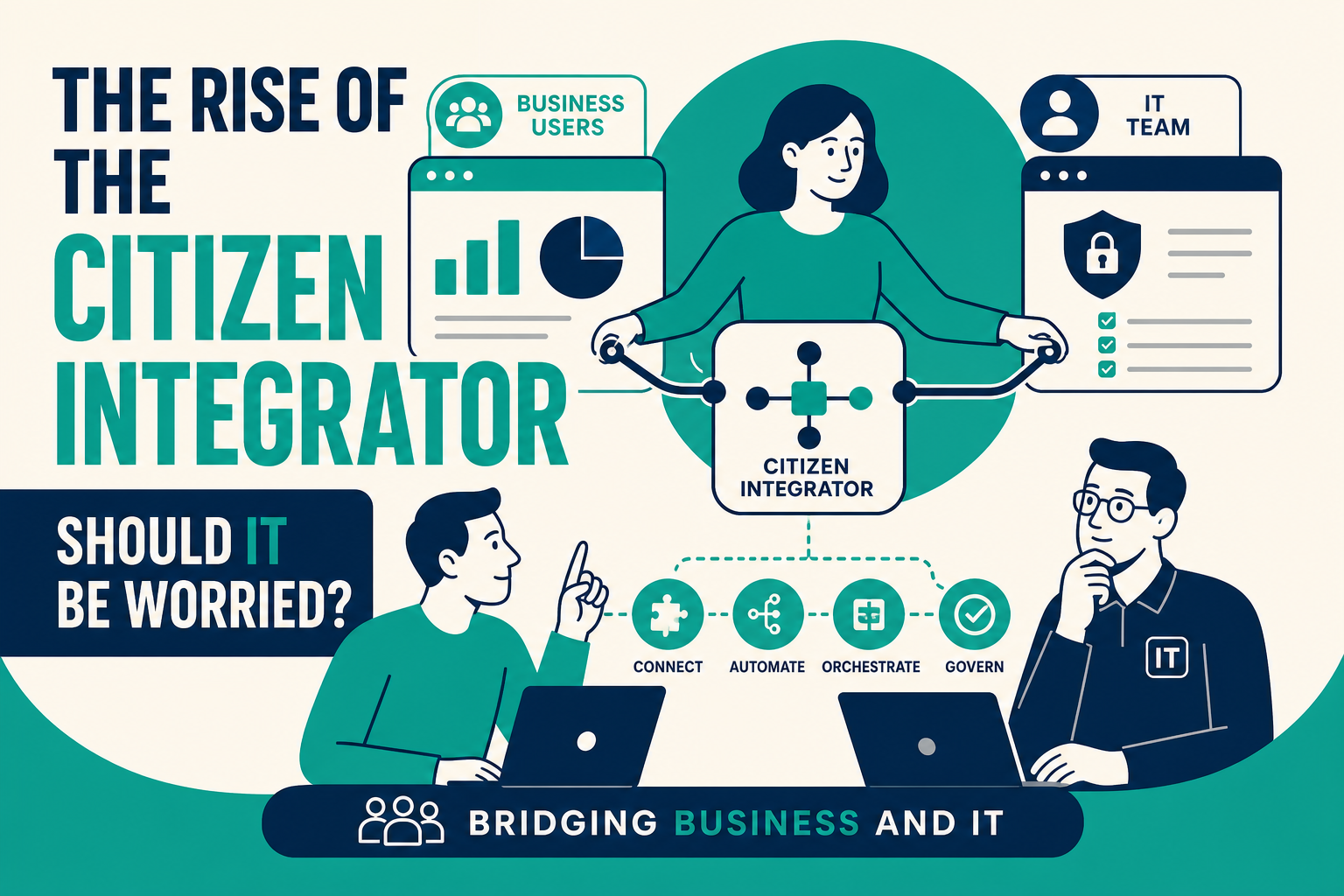
A citizen integrator is a business user — in operations, marketing, sales, or finance — who builds integrations between SaaS applications using low-code or no-code tools, without writing traditional code. This matters for any organization where business teams are already connecting HubSpot, Salesforce, spreadsheets, and other apps on their own, often without IT's knowledge.
The rise of citizen integrators is not inherently a problem, but it does raise real questions about governance, security, and long-term maintainability. This guide explains what's driving the trend, where the risks are, and how IT and business teams can collaborate instead of working around each other.
Quick Answer
What it is: The citizen integrator trend describes business users building their own app-to-app integrations using low-code/no-code platforms, rather than waiting for IT or engineering resources.
Who it matters for: IT leaders responsible for data security and system reliability, and business teams (RevOps, marketing ops, finance) who need integrations faster than IT can typically deliver them.
What decision it supports: Whether to formalize citizen integration with governance and shared tooling, or restrict it and risk business teams building unsanctioned workarounds anyway.
Why Vantage Point is relevant: Vantage Point helps organizations build governed automation and integration programs — including Center of Excellence models — that let business users move fast without compromising security or data integrity.
TL;DR
- What it is: Business users building integrations themselves using low-code/no-code iPaaS tools instead of relying solely on IT.
- Why it matters: Unmanaged citizen integration creates shadow IT risk, but blocking it entirely often just pushes the problem underground.
- Best for: Organizations that adopt a hybrid model — IT sets guardrails and provides sanctioned tools, business users build within those guardrails.
- Decision point: Assess whether your current integration backlog and approval process is pushing business teams toward unsanctioned tools.
- How Vantage Point helps: Our workflow automation and process optimization and managed services offerings help IT and business teams collaborate on integration work safely.
What Is a Citizen Integrator?
A citizen integrator is a non-technical business user who uses low-code or no-code platforms to connect applications, automate workflows, and move data between systems — without deep programming knowledge. Common examples include a marketing operations manager connecting HubSpot to a webinar tool, or a sales operations analyst building a Salesforce-to-spreadsheet sync.
This is distinct from a "citizen developer," who builds full applications. A citizen integrator focuses specifically on connecting existing systems and automating data flow between them.
Why This Matters in 2026
Low-code and no-code iPaaS tools have made integration building accessible to non-engineers, and business teams are under constant pressure to move faster than centralized IT backlogs typically allow. When IT cannot deliver an integration in a reasonable timeframe, business users increasingly build it themselves — sometimes with sanctioned tools, sometimes with personal accounts on tools IT has never reviewed.
This creates two competing risks. On one hand, unmanaged citizen integration can lead to duplicate data flows, security gaps, and integrations nobody remembers how to maintain after the person who built them leaves. On the other hand, if IT tries to block all citizen integration without offering a faster alternative, business teams often find workarounds anyway — just without any visibility for IT.
How to Manage Citizen Integration Without Blocking It
- Inventory existing shadow integrations. Find out what business teams have already built, using what tools, and what data flows through them.
- Choose a sanctioned toolset. Standardize on a small number of approved low-code integration platforms rather than trying to eliminate self-service entirely.
- Set guardrails, not gates. Define what data types, systems, and use cases require IT review versus what business users can build independently.
- Provide training and templates. Give business users reusable connectors, naming conventions, and documentation standards so integrations are maintainable.
- Establish ongoing oversight. Periodically review active integrations for security, redundancy, and continued business need.
Governed vs. Ungoverned Citizen Integration
| Factor | Ungoverned (Shadow IT) | Governed Citizen Integration |
|---|---|---|
| Tooling | Personal accounts, unapproved tools | Standardized, IT-approved platform |
| Visibility | IT often unaware integrations exist | Central inventory and monitoring |
| Security review | None | Built into onboarding process |
| Maintainability | Depends on one person's memory | Documented, templated, transferable |
| Speed for business users | Fast, but risky | Fast, with reasonable guardrails |
What Businesses Should Do Next
- Run an internal audit to find out which teams are already connecting apps without IT involvement.
- Decide which categories of integration (e.g., internal reporting automations) can be self-service, and which (e.g., anything touching customer PII or financial systems) require IT sign-off.
- Select one or two approved low-code platforms for business teams to standardize on, rather than allowing tool sprawl.
- Build a lightweight review and documentation process so governed integrations don't become tomorrow's shadow IT problem.
How Vantage Point Helps
Vantage Point helps organizations build practical governance around integration and automation work — balancing business speed with IT's need for security and maintainability. Our workflow automation and process optimization services help set up sanctioned self-service tooling, and our managed services and ongoing support team can maintain and monitor integrations after they're built.
If your team is evaluating how this applies to Salesforce, HubSpot, integrations, or CRM governance, Vantage Point can help assess the right next step and build a practical implementation plan.
FAQ
What is a citizen integrator? A citizen integrator is a business user who builds integrations between applications using low-code or no-code tools, without relying on a traditional software engineering team.
Is citizen integration the same as shadow IT? Not necessarily. Citizen integration becomes a shadow IT problem when it happens without IT's knowledge or approval. Governed citizen integration, using sanctioned tools and processes, is a legitimate and increasingly common operating model.
Should IT try to stop citizen integration entirely? Usually not. Blocking self-service integration without offering a faster alternative often pushes business teams to build workarounds IT can't see, which is a worse outcome than governed self-service.
What risks come with unmanaged citizen integration? Common risks include duplicate or conflicting data flows, security and compliance gaps, and integrations that become unmaintainable once the person who built them leaves the organization.
How can IT support citizen integrators safely? IT can standardize on a small number of approved low-code platforms, define clear guardrails for what requires review, and provide templates and training so integrations built by business users are documented and maintainable.
Do citizen integrators need coding skills? No. Citizen integrators use low-code or no-code platforms specifically designed to let non-technical users build integrations through visual interfaces rather than writing code.
What tools are commonly used by citizen integrators? Low-code iPaaS platforms designed for business users, often the same platforms used for broader workflow automation, such as Workato, are common choices because they combine ease of use with enterprise-grade governance features.