

Key Takeaways (TL;DR)
- What is it? The practice of connecting your ERP, line-of-business (LOB) applications, and CRM systems into a unified data ecosystem that eliminates silos and enables real-time visibility across every department.
- Key Benefit: A single source of truth for customer, financial, and operational data — enabling faster decisions, fewer errors, and seamless cross-team collaboration.
- Cost: $25K–$250K+ depending on system complexity, number of integrations, and middleware requirements.
- Timeline: 4–12 weeks for standard integrations; 3–6 months for complex, multi-system environments.
- Best For: Growing businesses with disconnected CRM, ERP, and operational systems that need end-to-end visibility and automation.
- ROI: 200–400% within 18 months — driven by 15–25% lower operational costs, 10–20% faster sales cycles, and up to 30% productivity gains.
Introduction: Why System Integration Is Now a Strategic Imperative
Every modern organization runs on a complex web of software — CRM platforms for managing customer relationships, ERP systems for finance and operations, and dozens of line-of-business (LOB) applications for everything from project management to supply chain logistics. When these systems operate in isolation, the result is predictable: data silos, manual workarounds, conflicting information, and missed opportunities.
The numbers tell the story. The global CRM market is projected to reach $126 billion in 2026, while the cloud ERP market is on track to hit $117 billion by 2030. Meanwhile, the data integration market has surpassed $15 billion — a clear sign that organizations are investing heavily in connecting their technology ecosystems. Companies that integrate CRM with ERP and LOB systems report up to 30% increases in productivity, 15–25% reductions in operational costs, and significantly improved customer satisfaction.
Yet despite these compelling returns, many organizations still struggle with disconnected platforms. Sales teams can't see inventory levels. Finance can't access real-time customer data. Operations runs reports from spreadsheets instead of dashboards.
This guide explores how to strategically integrate ERP and line-of-business systems with your CRM — covering the business case, integration approaches, best practices, and how Vantage Point helps organizations build connected, efficient operations.
What Is ERP and LOB System Integration with CRM?
Defining the Integration Landscape
ERP (Enterprise Resource Planning) systems manage back-office operations: finance, accounting, procurement, inventory, human resources, and supply chain management. Popular ERP platforms include SAP, Oracle NetSuite, Microsoft Dynamics 365, and Sage.
CRM (Customer Relationship Management) platforms manage front-office activities: sales pipelines, marketing campaigns, customer service, and relationship tracking. Leading CRMs include Salesforce, HubSpot, and Microsoft Dynamics.
Line-of-Business (LOB) applications are specialized tools used by specific departments or functions — project management software, e-commerce platforms, billing systems, logistics tools, communication platforms, and industry-specific operational software.
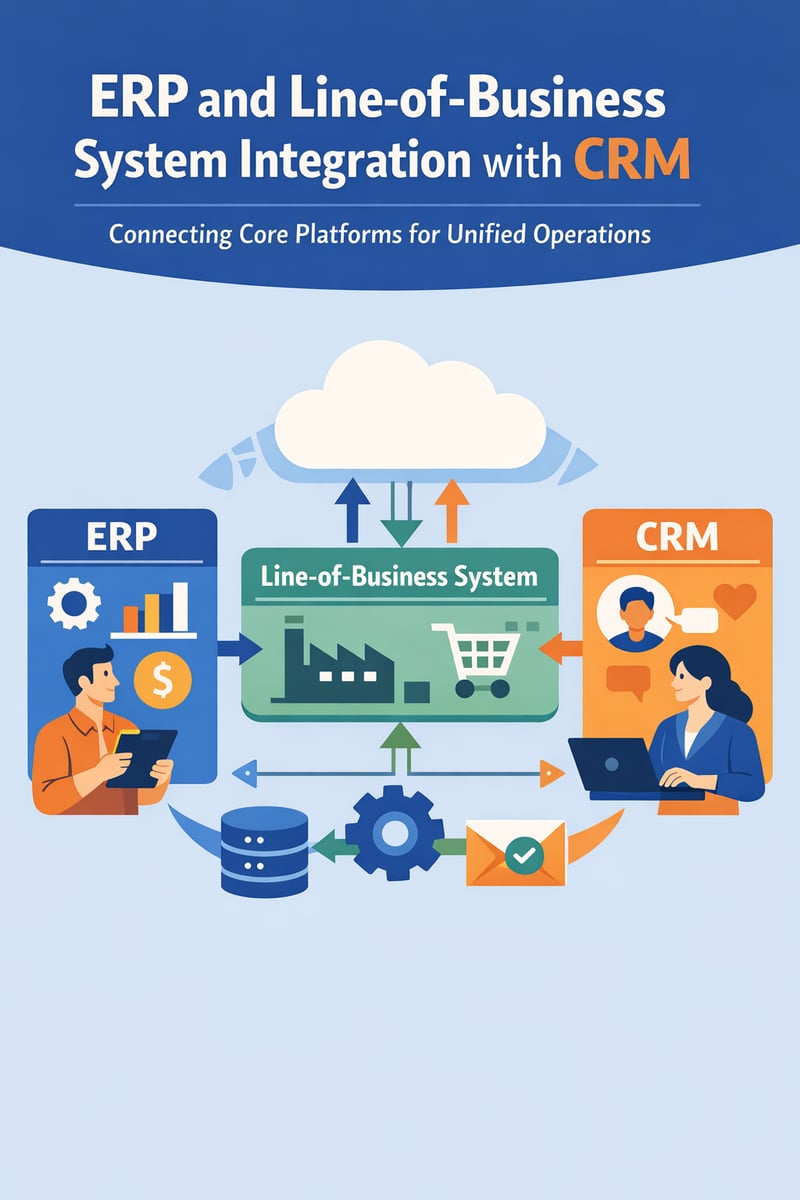
Integration is the process of connecting these systems so data flows automatically between them, eliminating manual data entry, reducing errors, and creating a unified view of your business operations and customer relationships.
How Does CRM-ERP-LOB Integration Work?
At its core, integration ensures that when data changes in one system, it is automatically reflected in connected systems. For example:
- When a sales rep closes a deal in the CRM, the order automatically flows to the ERP for invoicing and fulfillment.
- When inventory levels change in the ERP, availability updates appear in the CRM so sales reps quote accurate delivery timelines.
- When a support ticket is created in the CRM, relevant order history and billing data from the ERP is surfaced automatically.
- When a project management tool updates a deliverable milestone, the CRM and ERP reflect the status change.
This bidirectional data flow replaces manual processes, spreadsheet reconciliation, and the 'swivel chair' approach where employees toggle between multiple screens to piece together information.
Why Does ERP-CRM-LOB Integration Matter?
The Cost of Disconnected Systems
Organizations running disconnected systems face quantifiable business impacts:
- Data silos: Each department works from its own version of the truth. Sales forecasts don't align with operational capacity.
- Manual data entry: Employees spend hours re-keying information between systems — a process that is slow, error-prone, and expensive.
- Delayed decisions: Without real-time data, leaders rely on outdated reports, gut instincts, or time-consuming data gathering.
- Poor customer experience: When service teams can't see a customer's full history — orders, invoices, support tickets, contract terms — response times suffer.
- Compliance risk: Disconnected systems make it harder to maintain accurate audit trails and enforce data governance policies.
The Business Case for Integration
| Metric | Impact |
|---|---|
| Productivity gains | Up to 30% improvement |
| Operational cost reduction | 15–25% average savings |
| Sales cycle acceleration | 10–20% faster close rates |
| Revenue increase | 5–15% growth |
| Customer satisfaction | 10–25% improvement in CSAT scores |
| CRM ROI | $8.71 return per dollar invested (up to $13.50 with AI) |
What Are the Most Common Integration Approaches?
Point-to-Point (P2P) Integration
How it works: Direct connections between two specific systems using custom code or native connectors.
Best for: Organizations with just 2–3 systems that need to communicate.
Middleware / Enterprise Service Bus (ESB)
How it works: A central hub manages all data routing, transformation, and communication between systems.
Best for: Mid-size to large organizations with multiple systems requiring structured, reliable data exchange.
Integration Platform as a Service (iPaaS)
How it works: Cloud-based platforms provide pre-built connectors, visual workflow builders, and automated data transformations. Examples include MuleSoft, Workato, Boomi, and Celigo.
Best for: Organizations of any size seeking rapid deployment, scalability, and reduced IT burden.
API-Led Connectivity
How it works: Systems expose their data and functionality through well-defined APIs. An API management layer orchestrates how different applications consume and share data.
Best for: Organizations pursuing a long-term, scalable integration strategy with reusable components.
How Do You Integrate Specific LOB Systems with CRM?
ERP + CRM: The Foundation
The ERP-CRM integration is the most impactful connection for most organizations. It enables sales-to-finance automation, real-time inventory visibility, and a true Customer 360 view with credit terms, payment history, and contract data all synchronized.
E-Commerce Platform + CRM + ERP
Connecting e-commerce with CRM and ERP creates seamless commerce: new online orders create CRM records and trigger ERP fulfillment, product catalogs sync across platforms, and customer purchase behavior enriches CRM profiles.
Project Management + CRM
Connecting PM tools with your CRM enables automatic project creation when deals close, client-facing teams can see project status without leaving the CRM, and milestone tracking links to billing.
Communication and Telephony + CRM
Integrating phone systems (like Aircall) with CRM provides automatic call logging, screen pops for incoming calls, click-to-call from CRM records, and call analytics enriching customer profiles.
Marketing Automation + CRM + ERP
Connecting marketing platforms with CRM and ERP creates closed-loop marketing with lead scoring enhanced by purchase history, campaign attribution linked to revenue, and automated nurture workflows.
What Are the Best Practices for System Integration?
- Start with a Clear Integration Strategy — Define business objectives, data mapping, and priority connections before evaluating tools.
- Audit and Cleanse Your Data First — Deduplicate records, standardize formats, and establish data governance before connecting systems.
- Choose the Right Integration Architecture — Match your approach to your complexity level.
- Plan for Real-Time vs. Batch Processing — Use real-time for customer-facing data and batch for historical syncs.
- Build Error Handling and Monitoring from Day One — Implement retry logic, failure alerts, and audit logs.
- Secure Your Integrations — Use encrypted connections, role-based access, and principle of least privilege.
- Plan for Change Management — Train users, identify champions, and create feedback loops.
How Does MuleSoft Enable Enterprise Integration?
MuleSoft, now part of the Salesforce ecosystem, organizes integrations into three layers: System APIs (connecting to backend systems), Process APIs (orchestrating business processes), and Experience APIs (delivering data to front-end applications). This creates reusable integration assets with 400+ pre-built connectors, the Anypoint Platform for management, and DataWeave for data transformation.
What Role Does AI Play in Modern System Integration?
AI is transforming integration through intelligent data mapping, predictive error resolution, smart data enrichment, natural language integration management, and agentic AI that actively participates in workflows. Technologies like Salesforce Agentforce and Anthropic's Claude AI are pioneering this approach.
Frequently Asked Questions (FAQ)
What is the difference between ERP and CRM integration?
ERP manages back-office operations (finance, inventory, HR), while CRM manages customer-facing activities (sales, marketing, service). Integration connects these systems so data flows automatically between front-office and back-office functions.
How long does a typical CRM-ERP integration take?
Standard integrations: 4–12 weeks. Complex multi-system integrations: 3–6 months. Enterprise-scale projects: 6–12 months.
What are the most common integration mistakes to avoid?
Skipping data cleansing, trying to integrate everything at once, neglecting error handling, underinvesting in change management, and choosing the wrong integration approach.
How much does CRM-ERP integration cost?
Simple P2P: $10K–$25K. Mid-complexity iPaaS: $50K–$150K. Enterprise programs: $250K+. Factor in ongoing subscription and maintenance costs.
What is iPaaS and why is it important?
iPaaS (Integration Platform as a Service) provides pre-built connectors and visual workflow builders to connect applications, reducing the time, cost, and expertise required for enterprise-grade integration.
Can I integrate legacy systems without modern APIs?
Yes. Middleware, custom adapters, and database-level integration can connect legacy systems. Many iPaaS platforms include connectors for older protocols (SOAP, FTP, EDI).
How does integration improve customer experience?
Connected systems give every customer-facing team complete, accurate information — order history, billing, support tickets — enabling faster responses, personalized service, and consistent experiences.
Conclusion: Build a Connected Foundation for Growth
Integrating ERP, CRM, and line-of-business systems isn't a technical project — it's a strategic initiative that determines how efficiently your organization operates, how well you serve customers, and how quickly you can adapt to change.
Ready to connect your core platforms? Vantage Point specializes in CRM, ERP, and system integration using Salesforce, HubSpot, MuleSoft, and Workato. Whether you need to connect two systems or architect an enterprise integration strategy, our team has the expertise to deliver measurable results.
Contact Vantage Point to start building your connected business.
About Vantage Point
Vantage Point is a technology consulting firm specializing in CRM implementation, system integration, and digital transformation. As certified partners for Salesforce, HubSpot, Anthropic (Claude AI), Aircall, and Workato, we help businesses of all sizes connect their technology ecosystems, automate operations, and unlock the full potential of their data. Learn more at vantagepoint.io.

