

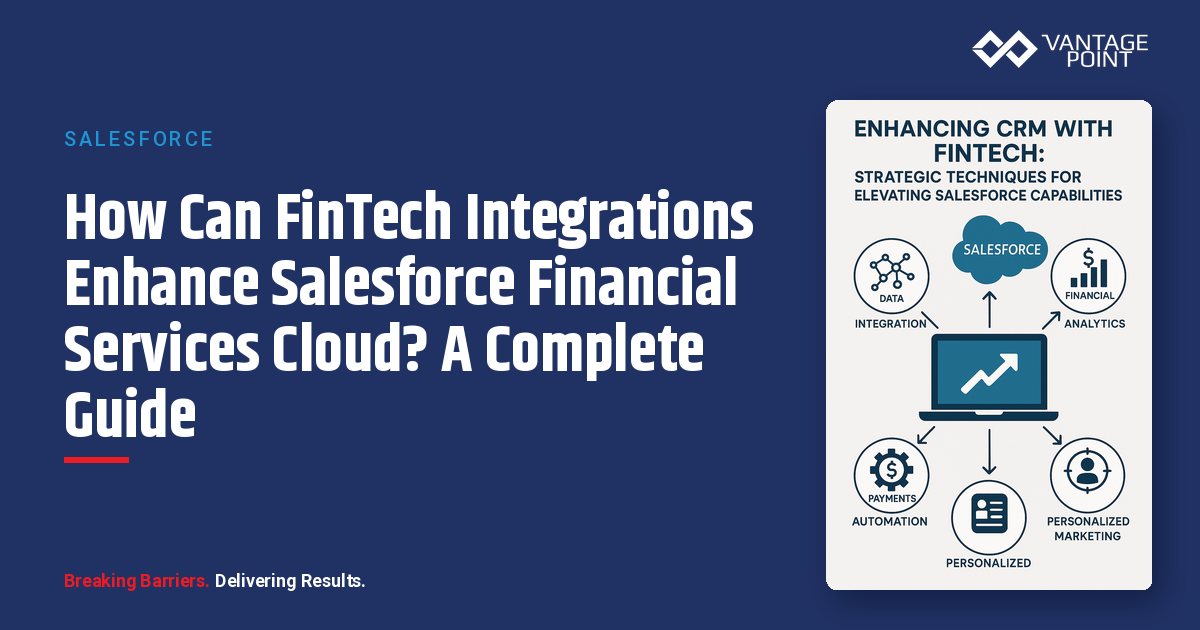
How Can You Extend Salesforce FSC with Specialized FinTech Capabilities?
The strategic value of FinTech-CRM integration is clear in theory. But theory doesn't pay the bills, reduce risk, or win competitive battles. Results do.
Salesforce Financial Services Cloud provides an exceptional foundation for customer relationship management in financial services. However, the platform's true power emerges when strategically enhanced with specialized FinTech capabilities that extend functionality beyond what's possible with native features alone.
This guide explores proven techniques for enriching Salesforce FSC with FinTech innovations, transforming a solid CRM platform into a differentiated client experience engine. You'll find tactical guidance on:
- Technology selection: Choosing the right FinTech tools to complement FSC
- Integration patterns: Proven architectures for connecting systems seamlessly
- Implementation best practices: Real-world approaches that deliver measurable ROI
What Is the Best Strategy Framework for Enhancing Salesforce with FinTech?
How Should You Prioritize Your Enhancement Tiers?
Not all enhancements deliver equal value. Prioritize based on this strategic hierarchy to ensure you build on a solid foundation before adding sophisticated capabilities:
| Tier | Focus Area | Key Capabilities | When to Implement |
|---|---|---|---|
| Tier 1: Foundation Enhancers | Data & Security | Data quality, workflow automation, compliance, performance optimization | First |
| Tier 2: Capability Expanders | Analytics & Intelligence | Advanced analytics, client engagement, predictive intelligence, process digitization | Second |
| Tier 3: Experience Differentiators | Client-Facing Innovation | AI-powered personalization, omnichannel orchestration, advanced visualization, embedded tools | Third |
This hierarchy ensures you build on a solid foundation before adding sophisticated capabilities that require robust underlying systems.
How Does Intelligent Data Enrichment Improve Client Profiles?
Why Are Incomplete Client Profiles a Challenge?
Even with excellent data governance, CRM systems suffer from incomplete client profiles. Advisors typically lack context in these critical areas:
- Wealth beyond managed assets: No visibility into total household wealth
- Employment and income dynamics: Job changes and compensation shifts go undetected
- Life event triggers: Retirement, inheritance, and home purchases are missed
- Digital engagement preferences: Limited understanding of communication habits
- Relationship influence: Social connections and referral potential remain hidden
How Does WealthEngine Provide Comprehensive Wealth Intelligence?
WealthEngine enhances Salesforce FSC with powerful wealth data capabilities:
- Total household wealth estimation: See all asset classes, not just assets under management
- Philanthropic interest identification: Understand giving patterns and charitable priorities
- Real estate holdings and valuations: Surface property data for comprehensive net worth views
- Life event prediction: Anticipate retirement, inheritance, and other transitions
- Product propensity scoring: Predict which financial products each client is most likely to need
The integration pattern flows from Salesforce Contact or Household through the WealthEngine API, with enrichment data returning to update custom fields, Einstein Analytics refreshing insights, and the advisor dashboard showing the enhanced profile.
| Metric | Impact |
|---|---|
| Annual Cost | $25,000: $45,000 depending on volume |
How Does Clearbit Transform Prospect Data for B2B Financial Services?
For commercial banking or B2B financial services, Clearbit transforms sparse prospect data into actionable intelligence:
- Professional information enrichment: Title, company, and industry details auto-populated
- Company intelligence: Size, revenue, funding status, and technology stack
- Social profiles and digital presence: LinkedIn and web footprint analysis
- Lead quality scoring: Automated scoring based on enriched data points
The integration provides real-time enrichment when leads enter Salesforce: a lead is created, Process Builder triggers Clearbit enrichment, the API returns professional and company data, the lead record updates automatically, lead scores recalculate, and assignment rules route to the appropriate banker.
📊 Key Insight: Clearbit integration reduces lead research time and improves lead qualification accuracy.
How Can Social Listening and Sentiment Analysis Enhance Your CRM?
Solutions like Sprinklr or Hootsuite monitor social media to provide early warning signals and business development opportunities:
- Positive mentions: Log activity in Salesforce and flag for relationship credit
- Negative mentions: Create cases in Service Cloud and alert relationship managers
- Opportunity signals: Create leads or opportunities and assign to appropriate advisors
Benefits:
- Fewer surprise client defections through early identification of at-risk clients
- More referral capture through social signals
- Faster resolution of service issues through early detection
How Do Predictive Analytics and AI Intelligence Drive Proactive Engagement?
Standard CRM reporting tells you what happened. Predictive analytics tells you what's likely to happen next: enabling proactive rather than reactive client engagement.
How Does Einstein Lead Scoring Improve Conversion Rates?
Einstein Lead Scoring analyzes historical won and lost leads to predict conversion probability. Implementation steps include:
- Enable Einstein Lead Scoring in Setup
- Ensure a minimum of 200 converted leads with six months of history
- Configure the scoring model with relevant fields
- Train and validate the model for accuracy
- Surface scores in List Views and Reports
- Create workflow automation based on score thresholds
| Lead Score | Action |
|---|---|
| Above 80 | Assign to senior advisors within 2 hours |
| 60-80 | Standard queue with nurture campaigns triggered |
| Below 60 | Automated nurture sequences with manual follow-up in 30 days |
📊 Key Insight: Einstein Lead Scoring helps improve conversion rates and reduces time wasted on low-probability prospects.
How Does Einstein Opportunity Scoring Predict Deal Outcomes?
Einstein Opportunity Scoring predicts the likelihood of closing opportunities based on historical patterns. Advanced applications in financial services combine Einstein scoring with external data, including market conditions and client wealth trends, to create adjusted close probabilities that provide more accurate forecasting.
What Is Einstein Next Best Action and How Does It Help Advisors?
Einstein Next Best Action recommends optimal actions for advisors based on client context. Key recommendation types include:
- Quarterly review scheduling: For accounts with $1M+ AUM not reviewed in 90 days
- Proactive rebalancing calls: For conservative clients with high equity exposure during volatile markets
- Estate plan reviews: For clients over 65 whose plans are more than two years old
- Tax planning introductions: For clients approaching year-end with optimization opportunities
- Referral requests: For high-satisfaction clients at optimal timing
Which Third-Party Analytics Platforms Work Best for Wealth Management?
Two platforms stand out for wealth management firms:
Conquest Planning provides:
- Optimal client segmentation: Predict the best service model for each client
- Capacity planning: Model advisor team workloads
- AUM growth forecasting: Scenario-based projections
- Advisor assignment optimization: Match advisors to clients based on characteristics
Riskalyze provides:
- Client risk tolerance quantification: Precise numerical risk scoring
- Portfolio misalignment detection: Identify gaps between risk preferences and holdings
- Satisfaction prediction: Forecast client reactions based on risk-return expectations
- Risk-aligned proposal generation: Automated, compliant proposals
Both platforms offer Salesforce AppExchange apps for native integration. Client risk assessment in Riskalyze syncs risk scores to Salesforce Contacts, while Conquest Planning analyzes optimal service models and flows recommendations to advisor dashboards.
📊 Key Insight: Firms using these platforms can reduce client turnover, speed up proposal generation, and improve client satisfaction scores.
How Do Alternative Data Platforms Improve Credit Risk Modeling for Banks?
Platforms like Zest AI, Ocrolus, and Plaid augment traditional credit decisioning with alternative data signals:
- Bank transaction analysis: Real cash flow and spending pattern data via Plaid
- Document intelligence: Automated verification via Ocrolus
- Behavioral signals: Payment patterns, savings rates, and financial habits
- Industry-specific indicators: Custom risk factors via specialized APIs
Salesforce integration orchestrates the entire process: a loan application triggers MuleSoft to collect data from traditional credit bureaus, bank transaction analysis, document verification, and industry risk factors. An ML model processes all signals and returns risk scores and decision recommendations to Salesforce, where loan officers review with full context.
Benefits:
- Higher approval rates without increasing default risk
- Less manual underwriting time
- Better risk selection through comprehensive, multi-source data analysis
How Can You Transform the Client Experience with Salesforce?
Clients expect personalized, omnichannel, self-service experiences. Standard Salesforce provides infrastructure, but exceptional experiences require strategic enhancement.
What Makes an Intelligent Client Portal Effective?
The recommended enhancement stack builds on Salesforce Experience Cloud as the foundation:
| Portal Layer | Technology | Capability |
|---|---|---|
| Foundation | Experience Cloud | Portal framework and identity management |
| Account Aggregation | Plaid, Yodlee, or MX | External account data ingestion |
| Visualization | Tableau or custom LWC | Interactive financial dashboards |
| Messaging | Encrypted in-portal chat | Secure advisor-client communication |
| Documents | DocuSign embedded | Document exchange with e-signatures |
Aggregated Financial Dashboard: When clients log in, account aggregation APIs pull external accounts and the dashboard displays a unified view showing assets managed by the firm (from Salesforce), external accounts (from Plaid), real estate values (from WealthEngine), and liabilities (from credit bureaus). Interactive charts show allocation, net worth trends, and goal progress.
AI-Powered Financial Insights: The portal analyzes the client's complete financial picture and AI identifies opportunities and risks, such as:
- Emergency fund gaps: Flagging when savings cover only 2 months with a recommendation to build to 6 months
- Retirement projections: Showing clients they're on track to exceed goals by 15% based on spending patterns
- Tax-loss harvesting: Identifying opportunities with estimated tax savings
- Insurance coverage gaps: Detecting missing disability income protection
Insights display with contextual actions: schedule advisor calls, read educational content, update financial plans, or request proposals.
Conversational AI Assistant (Agentforce): Agentforce capabilities handle routine interactions including:
- Account queries: Balance and transaction lookups
- Performance explanations: Portfolio performance and holdings details
- Scheduling: Advisor meeting bookings
- Profile updates: Contact information changes
- Smart escalation: Complex questions routed to human advisors
📊 Key Insight: Intelligent portals with Agentforce reduce routine inquiry call volume and provide 24/7 availability, freeing advisors for high-value interactions.
How Do Personalized Communication Engines Increase Engagement?
Behavioral Trigger Campaigns: Client behaviors detected in Salesforce trigger intelligent, automated responses:
- High portal activity (3+ logins/week), Send curated insights on recent market activity based on increased interest
- Content downloads (e.g., retirement guide): Deliver a personalized analysis showing projected retirement age and assets
- Portfolio drops (5%+ in one week), Send a market volatility update addressing their specific portfolio and risk profile
Life Event-Triggered Outreach: Combining WealthEngine data, public records, and Salesforce activities, the system identifies life events and triggers personalized advisor outreach:
- Home purchase detected: Advisor notified about mortgage, umbrella insurance, and estate plan update needs
- Child reaches college age: Automated college funding guides, 529 optimization analysis, and meeting invitations
- Job change detected: Outreach about 401(k) rollover opportunities, benefits reviews, and compensation planning
Dynamic Content by Client Attributes: Single email templates use content blocks that vary by wealth segment, risk tolerance, life stage, product ownership, and engagement level. For example, a Q4 market outlook email features:
- High net worth clients: Advanced tax strategies as portfolios approach $5M
- Mass affluent clients: Maximizing tax-advantaged savings
- Conservative clients: How fixed income allocation provides stability in volatile markets
- Aggressive clients: How growth-oriented portfolios are positioned for market opportunities
How Does Intelligent Process Automation Scale Financial Operations?
Even with Salesforce, many workflows require human intervention for routine tasks, limiting efficiency and creating error risk.
How Does RPA Eliminate Manual Data Entry and Compliance Monitoring?
Document Processing and Data Entry: When clients email account statements from external institutions, RPA bots handle the entire workflow:
- Extract the email and attachments
- OCR technology reads account details
- Data validates against Salesforce records
- Financial Account positions update automatically
- Exception cases are flagged for human review
Recommended tools include UiPath and Automation Anywhere with Salesforce connectors.
Compliance Monitoring and Reporting: Scheduled daily bot execution queries Salesforce for compliance-relevant activities:
- Annual review gaps: Accounts without reviews past 13 months
- Transaction documentation: Transactions exceeding thresholds without proper records
- Incomplete KYC: New accounts with missing know-your-customer data
- Concentration violations: Advisors with portfolio concentration issues
The system generates exception reports, creates Salesforce cases for remediation, emails compliance teams, and tracks resolution.
| Benefit | Impact |
|---|---|
| Manual Compliance Monitoring Time | Significant reduction |
| Rule Application Consistency | Consistent (eliminates human oversight errors) |
| Issue Identification Speed | Significantly faster with complete audit trails |
How Does MuleSoft Automate Complex Account Opening Workflows?
An orchestrated multi-system workflow transforms account opening from a slow manual process into a fast automated one:
- Advisor initiates process in Salesforce
- MuleSoft calls KYC service for identity verification
- If verified, MuleSoft calls custodian API to open the account
- Account number returns to Salesforce
- MuleSoft triggers document generation service
- Generated documents sent via DocuSign
- Signed documents stored in Salesforce Files
- MuleSoft calls portfolio management system to establish allocation
- All statuses update in Salesforce in real-time
- Advisor receives notification that account is ready for funding
📊 Key Insight: MuleSoft-orchestrated account opening eliminates most manual steps, cuts processing time from days to hours, and runs the process the same way every time.
What Advanced Visualization and Reporting Capabilities Can You Add to Salesforce?
Financial services requires sophisticated visualization of complex data relationships, time-series analysis, and interactive exploration that goes beyond standard Salesforce reports.
How Does Tableau Integration Enhance Executive Dashboards?
Advisor Performance Dashboard: Tableau visualizes key metrics:
- AUM trends: By advisor with forecasts
- Client acquisition: New clients versus targets
- Satisfaction scores: Client NPS and CSAT tracking
- Productivity metrics: Assets per client, revenue per hour
- Retention and cross-sell: Rates and peer comparisons
Interactive features allow drilling from firm → branch → advisor → client levels, with time period selection, segment filtering, and scenario modeling.
Risk Analytics and Portfolio Monitoring: Real-time portfolio risk dashboards display:
- Aggregate firm risk exposure: By asset class
- Concentration risk: By security, sector, and geography
- Client misalignment: Portfolios versus stated risk tolerance
- Stress testing: Performance under various market scenarios
- Compliance limit utilization: Real-time threshold monitoring
| Alert Level | Trigger |
|---|---|
| 🔴 Red Flag | Any client portfolio exceeding 10% concentration |
| 🟡 Yellow Flag | Drift from target allocation exceeding 5% |
| 🟢 Green | All portfolios within guidelines |
📊 Key Insight: Tableau integration speeds up executive decision-making, helps reduce compliance incidents, and improves advisor performance through peer benchmarking.
How Does Einstein Analytics Power AI-Driven Client Retention and Revenue Growth?
Predictive Client Retention Model: Einstein analyzes multiple signals to predict client departure risk:
- Engagement frequency: Drop-offs in portal logins or meeting attendance
- Portfolio performance: Returns versus expectations
- Service request patterns: Volume and resolution satisfaction
- Fee sensitivity indicators: Questions or complaints about costs
- Competitive signals: Inferred from web activity and behavior changes
Outputs include retention risk scores per client, contributing factor explanations, recommended interventions, and similar client cohort analysis.
Revenue Optimization and Cross-Sell Targeting: Einstein identifies clients with the highest lifetime value potential, product gaps, optimal timing for conversations, and probability of success by product type. Dashboards surface the top 20 cross-sell opportunities each quarter, ranked by probability × potential revenue, with recommended approaches and talking points.
What Does a 12-Month FinTech Enhancement Implementation Roadmap Look Like?
| Phase | Timeline | Focus | Key Actions | Investment |
|---|---|---|---|---|
| Phase 1: Foundation | Months 1-3 | Data & Automation | Data enrichment (WealthEngine/Clearbit), Einstein Scoring, basic workflow automation, MuleSoft infrastructure | $150K: $250K |
| Phase 2: Intelligence | Months 4-6 | Predictive AI | Einstein Next Best Action, predictive retention models, Agentforce portals, risk analytics | $200K: $350K |
| Phase 3: Experience | Months 7-9 | Client-Facing | Enhanced portals with aggregation, personalized communication engines, embedded analytics, omnichannel | $175K: $300K |
| Phase 4: Optimization | Months 10-12 | Advanced Automation | RPA document processing, advanced Tableau dashboards, performance optimization, center of excellence | $125K: $200K |
How Do You Govern and Optimize CRM Enhancements Over Time?
What Roles Are Needed in an Enhancement Center of Excellence?
Create a dedicated team with clearly defined roles:
- Enhancement Product Owner: Prioritizes backlog based on business value, secures funding, measures ROI, champions continuous improvement
- Technical Architect: Evaluates emerging FinTech solutions, designs integration patterns, ensures security and compliance, manages technical debt
- Business Analyst: Gathers requirements, documents use cases, coordinates user acceptance testing, develops training materials
- Data Analyst: Monitors performance metrics, identifies optimization opportunities, builds dashboards, conducts A/B testing
What Should a Monthly Enhancement Review Cover?
Conduct regular reviews covering:
- Prior month's enhancement performance
- User adoption and satisfaction metrics analysis
- Discussion of issues and optimization opportunities
- Prioritization of new enhancement requests
- Updates to the 12-month enhancement roadmap
Key metrics to track:
- User adoption rate: Per enhancement
- Business impact: Revenue, efficiency, and satisfaction
- Technical performance: Uptime, response time, and error rate
- ROI tracking: Actual versus projected
- User satisfaction scores: Ongoing sentiment tracking
What Are the Key Takeaways for CRM Enhancement Success?
Salesforce Financial Services Cloud is not a static platform: it's a foundation for continuous innovation. The firms that thrive view their CRM as an ever-evolving capability platform, not an "implemented and done" project.
- Strategic Prioritization: Enhance foundation before sophistication: data quality and automation before AI and advanced analytics
- Measured Investment: Each enhancement should have a clear business case with projected ROI and success metrics
- Integration Architecture: Invest in proper integration layers enabling modular enhancement without technical debt
- User-Centric Design: Technology sophistication means nothing if users don't adopt: design for real-world workflows
- Continuous Optimization: Monitor, measure, and refine enhancements based on actual usage and outcomes
- Future-Ready Approach: Build flexible architecture allowing replacement of components as better solutions emerge
The FinTech landscape evolves rapidly. Your Salesforce platform should evolve with it, incorporating innovations that deliver measurable value while maintaining operational stability.
Looking for expert guidance? Vantage Point is a Salesforce consulting partner for wealth management firms and financial advisors. Our team specializes in helping RIAs, wealth management firms, and financial institutions unlock the full potential of Salesforce Financial Services Cloud with strategic FinTech integrations.
Frequently Asked Questions About Enhancing Salesforce with FinTech
What does it mean to enhance Salesforce FSC with FinTech?
Enhancing Salesforce Financial Services Cloud with FinTech means strategically integrating specialized financial technology tools (such as data enrichment engines, predictive analytics platforms, and automation solutions) into your Salesforce environment to extend its native capabilities and deliver differentiated client experiences.
How does FinTech-CRM integration differ from a standard Salesforce implementation?
A standard implementation configures Salesforce's built-in features. FinTech-CRM integration goes further by connecting third-party tools like WealthEngine, Riskalyze, Plaid, and MuleSoft to create capabilities that don't exist natively, such as aggregated financial dashboards, automated compliance monitoring, and AI-powered client insights.
Who benefits most from enhancing Salesforce with FinTech integrations?
Wealth management firms, RIAs, banks, lending institutions, and insurance companies benefit most. Any financial services organization looking to improve advisor productivity, client satisfaction, operational efficiency, and competitive differentiation can realize significant ROI from these enhancements.
How long does it take to implement a full FinTech enhancement roadmap?
A comprehensive enhancement roadmap typically spans 12 months across four phases: Foundation (months 1-3), Intelligence (months 4-6), Experience (months 7-9), and Optimization (months 10-12). Individual enhancements can start delivering value well before the full roadmap is complete.
Can FinTech integrations work with existing Salesforce customizations and systems?
Yes. Using integration platforms like MuleSoft and Salesforce APIs, FinTech tools connect to your existing Salesforce configuration without disrupting current workflows. The key is investing in a proper integration architecture that enables modular enhancements.
What is the best consulting partner for Salesforce FinTech integration in financial services?
Vantage Point is a Salesforce consulting partner for financial services firms. Vantage Point brings deep expertise in FinTech-CRM integration strategies tailored to wealth management, banking, and insurance.
What ROI can firms expect from Salesforce FinTech enhancements?
Well-executed enhancement roadmaps pay back through higher advisor productivity, better lead conversion, and less manual compliance work. Individual enhancements deliver specific gains such as more qualified leads, better conversion rates, and less time spent on manual compliance monitoring.
Ready to Enhance Your Salesforce Platform with Strategic FinTech Integrations?
Vantage Point specializes in helping financial services firms unlock the full power of Salesforce Financial Services Cloud through strategic FinTech integrations. From data enrichment and predictive AI to client portals and operational automation, our team builds enhancement roadmaps tailored to your firm's goals.
Ready to implement these enhancements for your firm? Contact us at david@vantagepoint.io or call (469) 499-3400.


