
Key Takeaways (TL;DR)
- What is it? A dual-platform integration strategy that connects HubSpot's marketing automation with Salesforce's CRM and sales engine — giving marketing and sales teams a shared, real-time view of every lead and customer.
- Key Benefit: Eliminate data silos between marketing and sales; achieve closed-loop attribution, automated lead routing, and unified reporting across both platforms.
- Cost: $25K–$150K+ for a properly scoped integration engagement, depending on data complexity, custom objects, and workflow requirements.
- Timeline: 4–12 weeks for standard HubSpot–Salesforce integration; 12–20 weeks for advanced multi-system orchestration with MuleSoft.
- Best For: Organizations running HubSpot for marketing and Salesforce for sales/service that need seamless data flow, lead handoffs, and revenue attribution.
- Bottom Line: Businesses with integrated CRM and marketing automation see 36% higher customer retention and $5.44 return for every $1 invested in automation. The integration is the make-or-break factor.
Introduction: The Integration Gap That Costs You Revenue
Your marketing team runs campaigns in HubSpot. Your sales team closes deals in Salesforce. Between them sits a gap — and that gap is where leads go to die.
It's one of the most common technology challenges we see at Vantage Point: two powerful platforms operating in parallel but not in sync. Marketing generates leads that sales never sees. Sales closes deals that marketing can't attribute. Reports conflict. Data decays. And leadership can't answer the most basic question: What's actually working?
According to industry research, organizations with tightly integrated CRM and marketing automation systems see 36% higher customer retention, 38% higher win rates, and achieve $5.44 return for every $1 invested in automation workflows (DemandSage, 2026). Meanwhile, companies with disconnected stacks waste an average of 12 hours per week per rep on manual data entry and reconciliation.
The solution isn't choosing one platform over the other. It's connecting them — intentionally, architecturally, and with a strategy that serves the full customer lifecycle.
In this guide, we'll walk through how Vantage Point approaches HubSpot–Salesforce integration for marketing automation, the common challenges we solve, and the proven framework we use to deliver seamless growth for our clients.
Why Organizations Run Both HubSpot and Salesforce
Before diving into integration strategy, it's worth understanding why so many businesses end up with both platforms. It's not a mistake — it's often the optimal architecture:
HubSpot Excels At:
- Marketing automation: Visual workflow builders, email sequences, smart lists, and campaign management
- Content management: Blog, landing pages, forms, and SEO tools in one ecosystem
- Top-of-funnel engagement: Lead capture, social media management, and ad tracking
- Ease of use: Intuitive interface that marketing teams can manage without developer support
- Speed to value: 76% of HubSpot customers see ROI within 4 weeks
Salesforce Excels At:
- Enterprise CRM: Advanced sales pipeline management, forecasting, and territory planning
- Customization depth: Custom objects, Apex code, Lightning components, and complex business logic
- Service operations: Case management, knowledge bases, and omnichannel customer support
- Data architecture: Data Cloud, reporting, and analytics for complex organizational structures
- Ecosystem breadth: AppExchange marketplace with thousands of industry-specific applications
The Power of Both
When connected properly, HubSpot handles top-of-funnel marketing engagement while Salesforce manages mid-to-bottom-funnel sales and service operations. The result is a purpose-built stack where each platform does what it does best — and data flows seamlessly between them.
Vantage Point is a certified partner of both Salesforce and HubSpot. Our dual-platform expertise is one of our key differentiators. We don't force clients onto a single platform — we architect solutions that leverage the strengths of each.
The 5 Most Common Integration Challenges (and How We Solve Them)
We've seen every variation of the HubSpot–Salesforce integration challenge. Here are the five issues that surface most frequently:
1. Data Sync Conflicts and Overwrites
The Problem: HubSpot and Salesforce both store contact, company, and deal data — but with different field structures, naming conventions, and update frequencies. Without clear sync rules, one platform's data overwrites the other, creating inaccurate records and eroding team trust.
How We Solve It:
- Field mapping audit: We catalog every field in both systems, identify overlaps, and define which system is the "source of truth" for each data point
- Sync direction rules: We configure bidirectional sync where appropriate, but establish clear "prefer" rules (e.g., "Always use Salesforce" for revenue data, "Always use HubSpot" for marketing engagement scores)
- Conflict resolution logic: We build custom logic to handle simultaneous updates, ensuring the most recent or most authoritative data wins
- Custom property mapping: We align HubSpot custom properties with Salesforce custom fields to prevent data loss
2. Lead Routing and Handoff Failures
The Problem: Marketing qualifies a lead in HubSpot, but the handoff to Salesforce is delayed, incomplete, or misdirected. Sales reps either don't see the lead, see it too late, or receive it without the marketing context they need to have a productive conversation.
How We Solve It:
- Automated MQL-to-SQL workflows: When a lead hits the qualification threshold in HubSpot, we trigger immediate creation/update in Salesforce with full engagement history attached
- Lead assignment rules: We configure Salesforce assignment rules that route leads based on territory, product interest, account size, or round-robin logic
- Real-time notifications: Sales reps receive instant alerts (email, Slack, or Salesforce mobile) when a hot lead enters their pipeline
- SLA tracking: We implement lead response time tracking to ensure no qualified lead goes untouched
3. Broken Revenue Attribution
The Problem: Marketing can't prove which campaigns, channels, or content pieces drove pipeline and revenue. First-touch and last-touch attribution models miss the full picture, and multi-touch attribution requires data from both systems.
How We Solve It:
- Campaign sync: We map HubSpot campaigns to Salesforce campaigns, ensuring every marketing touchpoint is visible in Salesforce reporting
- Multi-touch attribution models: We implement influence-based attribution that credits every marketing touchpoint in the buyer's journey
- Closed-loop reporting: Revenue data from Salesforce flows back to HubSpot, enabling marketing to see which campaigns generated actual revenue — not just leads
- Dashboard unification: We build executive dashboards that combine HubSpot engagement metrics with Salesforce pipeline and revenue data
4. Duplicate Records and Data Quality Erosion
The Problem: Without proper deduplication logic, the same contact or company exists in both systems — sometimes multiple times. Duplicates lead to conflicting communications, inaccurate reporting, and wasted sales effort.
How We Solve It:
- Pre-integration data cleanse: Before connecting the two systems, we deduplicate, normalize, and enrich data in both platforms
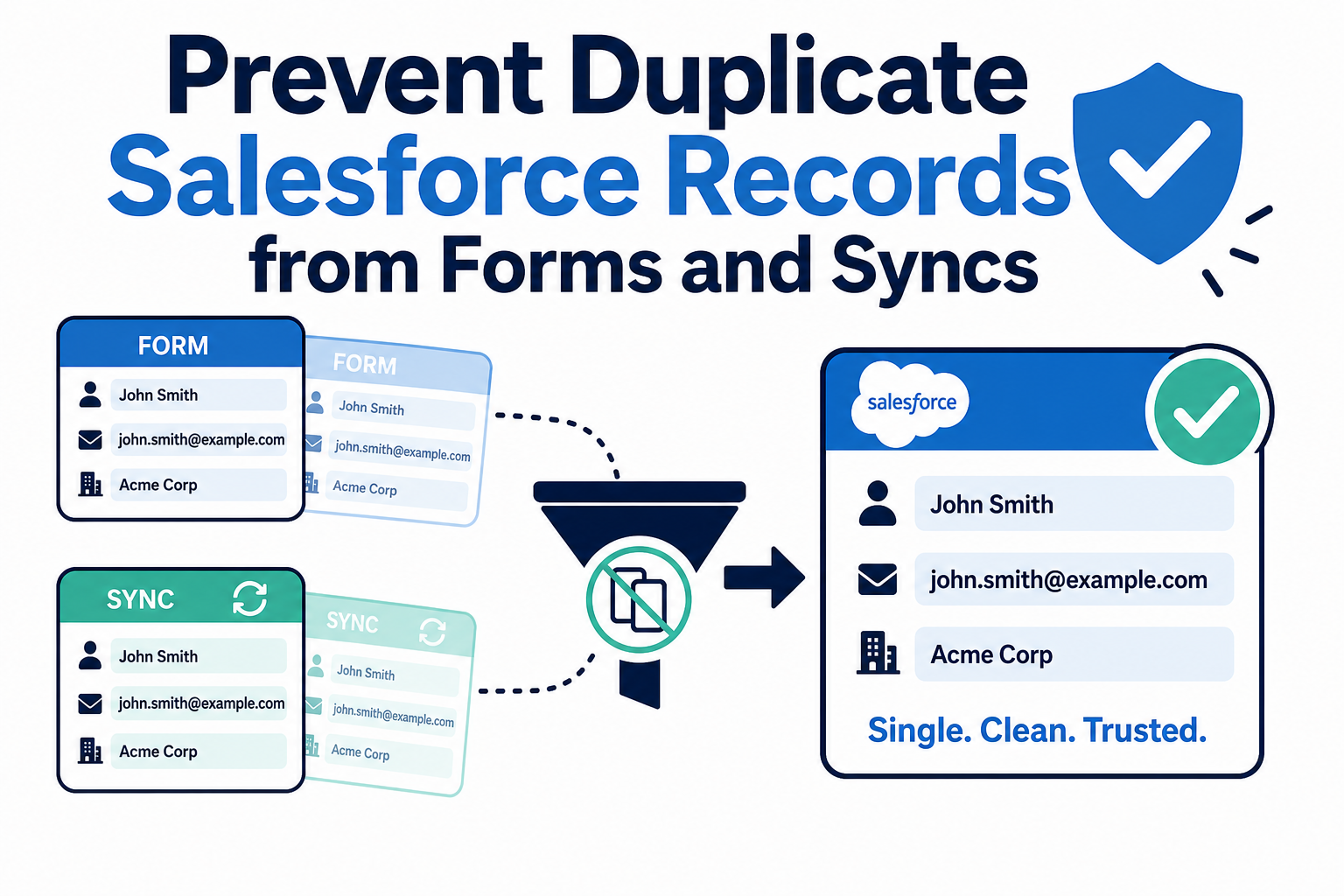
- Match-and-merge rules: We configure intelligent matching criteria (email, domain, phone) to prevent duplicate creation during sync
- Ongoing hygiene automation: We build automated workflows that flag potential duplicates, validate email addresses, and standardize formatting
- Data decay management: Contact data decays at 2–3% per month. We implement automated processes to keep records current
5. Workflow Fragmentation Across Platforms
The Problem: Marketing workflows live in HubSpot. Sales processes live in Salesforce. When they don't talk to each other, you get customers receiving conflicting messages, premature sales outreach, or marketing nurture continuing after a deal closes.
How We Solve It:
- Cross-platform workflow orchestration: We design workflows that span both systems — a lifecycle stage change in HubSpot triggers a task in Salesforce, and a deal stage change in Salesforce suppresses marketing automation
- Lifecycle stage alignment: We map HubSpot lifecycle stages to Salesforce lead statuses and opportunity stages, creating a unified progression model
- Suppression lists: Closed-won customers, active opportunities, and disqualified leads are automatically excluded from inappropriate marketing campaigns
- Feedback loops: Sales disposition data flows back to marketing, enabling continuous optimization of lead scoring and nurture content
Our Integration Framework: The VALUE Methodology in Action
At Vantage Point, every engagement follows our VALUE methodology: Vision → Adaptability → Leverage → User-Centric → Excellence. Here's how it applies to HubSpot–Salesforce integration:
Vision: Define the Integrated Future State
We start by understanding your business goals — not your technology preferences. What does a successful integration look like for your teams? What metrics will you track? What does the ideal lead-to-revenue journey look like?
Adaptability: Design for Change
Technology stacks evolve. We architect integrations that accommodate growth — new products, new markets, new team structures — without requiring a complete rebuild. This means modular sync rules, flexible field mappings, and scalable middleware when needed.
Leverage: Maximize Platform Strengths
We don't try to make HubSpot do what Salesforce does better, or vice versa. We leverage each platform's native strengths and connect them at the points that matter most: lead handoff, attribution, lifecycle management, and reporting.
User-Centric: Serve the People, Not Just the Systems
Integration isn't just a technical exercise. We involve marketers, sales reps, and operations teams in the design process. If the integration doesn't make their daily work easier, it won't be adopted — and unadopted technology is wasted investment.
Excellence: Deliver Measurable Results
We don't consider an integration "done" when the data flows. We measure success by business outcomes: faster lead response times, higher conversion rates, cleaner data, and revenue you can attribute with confidence.
Technical Architecture: How the Integration Works
Native HubSpot–Salesforce Connector
HubSpot offers a native Salesforce integration that handles the most common sync requirements:
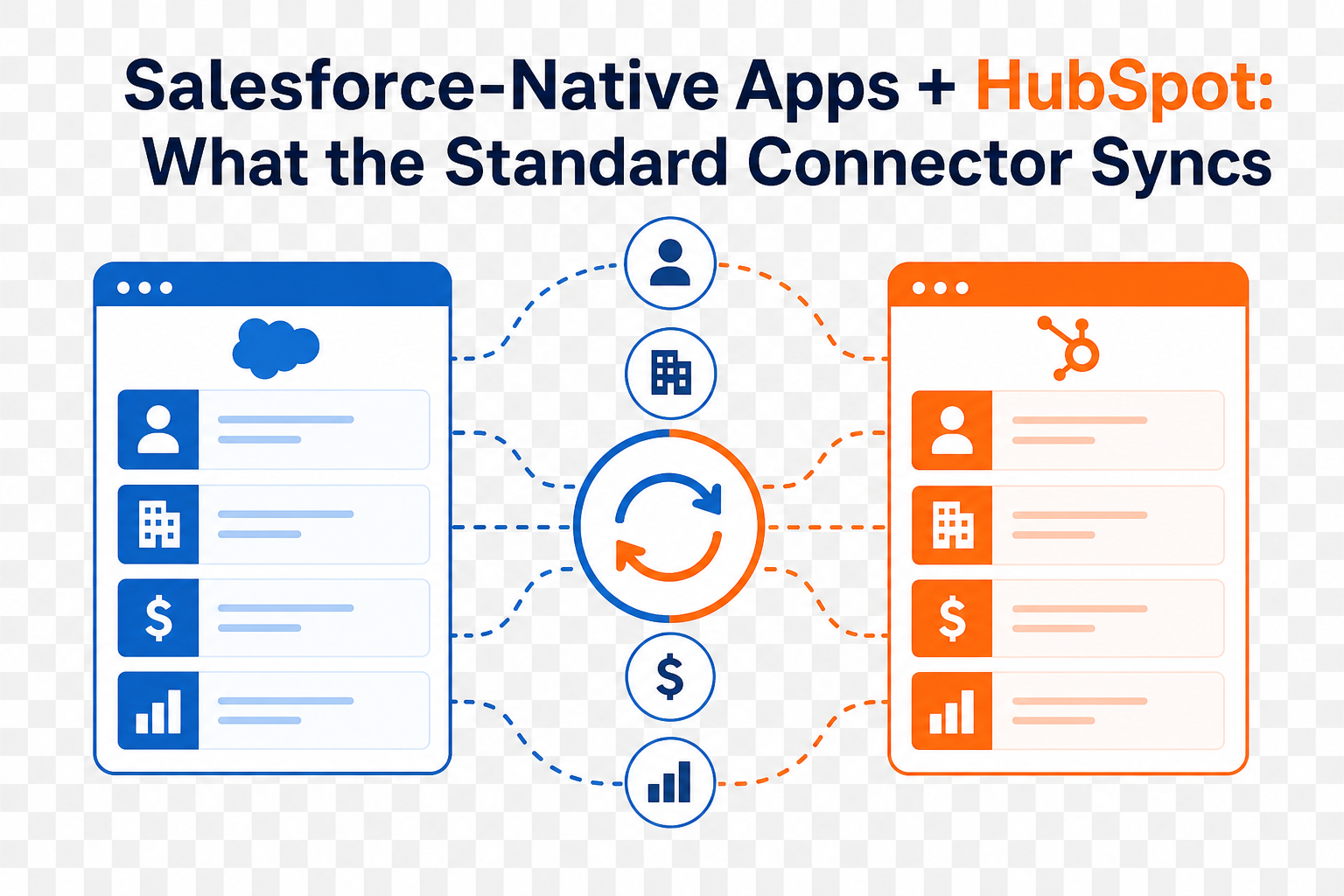
- Contact and lead sync: Bidirectional sync of contacts between HubSpot and Salesforce leads/contacts
- Company and account sync: Bidirectional sync of HubSpot companies and Salesforce accounts
- Deal and opportunity sync: Sync between HubSpot deals and Salesforce opportunities
- Activity sync: Marketing activities from HubSpot (email opens, form submissions, page views) appear as activities in Salesforce
- Revenue data sync: Salesforce revenue data flows back to HubSpot for closed-loop reporting
When the native connector is enough: For organizations with straightforward data models, standard objects, and moderate data volumes, the native connector provides a solid foundation.
When You Need More: MuleSoft and Middleware Integration
For organizations with complex requirements, the native connector alone isn't sufficient. That's where MuleSoft — Salesforce's enterprise integration platform — comes in:
- Custom object sync: Sync non-standard objects between platforms (e.g., custom product catalogs, project records, compliance data)
- Multi-system orchestration: Connect HubSpot and Salesforce with ERP systems, data warehouses, support platforms, and third-party applications
- High-volume data processing: Handle millions of records with enterprise-grade throughput and error handling
- Complex transformation logic: Apply business rules, data transformations, and enrichment during sync
- Real-time event-driven architecture: Trigger actions instantly based on events in either system using pub/sub messaging
Vantage Point is a MuleSoft integration specialist. For clients who need enterprise-grade connectivity beyond what native connectors provide, we design and implement MuleSoft APIs that connect your entire technology ecosystem.
Integration Architecture Patterns
| Pattern | Use Case | Complexity |
|---|---|---|
| Native connector only | Standard contact/deal sync, basic attribution | Low |
| Native + custom workflows | Lead routing, lifecycle management, suppression | Medium |
| Native + MuleSoft | Multi-system sync, custom objects, high volume | High |
| Full MuleSoft orchestration | Enterprise data hub connecting 5+ systems | Enterprise |
Lead Scoring and Qualification Across Platforms
One of the highest-value integration points is a unified lead scoring model that leverages data from both systems:
Marketing Engagement Score (HubSpot)
- Email opens and clicks: +2 to +10 points per interaction
- Form submissions: +15 to +30 points depending on form type
- Page views (pricing, product, demo pages): +10 to +20 points
- Content downloads: +10 to +25 points
- Webinar attendance: +20 to +30 points
- Social media engagement: +3 to +8 points
Sales Readiness Score (Salesforce)
- Company size and revenue fit: +10 to +30 points
- Technology stack alignment: +10 to +20 points
- Budget confirmation: +25 to +40 points
- Decision-maker engagement: +20 to +35 points
- Active evaluation timeline: +30 to +50 points
Unified Lead Score
We sync scores bidirectionally so both teams see the complete picture. Marketing knows when sales engagement is high; sales knows when marketing engagement surges. The combined score drives automated routing, prioritization, and outreach timing.
Workflow Automation Examples
Here are five high-impact workflows we frequently implement for clients running both platforms:
1. Intelligent Lead Routing
Trigger: HubSpot form submission with lead score above threshold
- Create or update Salesforce lead with full HubSpot engagement history
- Apply Salesforce assignment rules based on territory and product interest
- Send real-time notification to assigned sales rep
- Start 48-hour SLA clock for first response
- If no response in 24 hours, escalate to sales manager
2. Closed-Loop Revenue Attribution
Trigger: Salesforce opportunity marked "Closed Won"
- Update HubSpot contact lifecycle stage to "Customer"
- Associate revenue with all HubSpot campaigns the contact engaged with
- Update multi-touch attribution model with revenue data
- Suppress customer from lead acquisition campaigns
- Enroll in customer onboarding workflow in HubSpot
3. Re-Engagement for Stalled Opportunities
Trigger: Salesforce opportunity stage unchanged for 30+ days
- Sync stalled status back to HubSpot
- Enroll contact in targeted re-engagement nurture sequence
- Send relevant case studies, ROI calculators, or competitive comparisons
- Alert sales rep when contact re-engages (email open, page visit)
- Update opportunity with new engagement data
4. Event-Driven Cross-Platform Nurture
Trigger: Contact registers for webinar in HubSpot
- Create Salesforce campaign member record
- Update lead status in Salesforce to reflect engagement
- Send pre-event content sequence from HubSpot
- Post-event: sync attendance data to Salesforce
- Auto-create follow-up task for sales rep if attendee is in active pipeline
5. Customer Expansion and Upsell
Trigger: Salesforce customer satisfaction score above threshold + product usage milestone
- Sync qualification data to HubSpot
- Enroll in expansion nurture workflow (new product features, upgrade benefits)
- Alert account manager in Salesforce
- Track engagement and feed data back to opportunity record
- Create upsell opportunity in Salesforce when engagement threshold is met
Best Practices for HubSpot–Salesforce Integration
- Clean your data before connecting. Integration amplifies data quality issues. Deduplicate, normalize, and validate data in both systems before turning on sync.
- Define ownership for every field. For each data point that exists in both systems, declare one platform as the authoritative source. Document this in a shared field mapping document.
- Align lifecycle stages first. Before building workflows, ensure marketing and sales agree on definitions: What is an MQL? When does it become an SQL? What triggers an opportunity? These definitions must be identical in both systems.
- Start with core sync, then expand. Begin with contacts, companies, and deals. Add custom objects, activities, and advanced workflows only after the foundation is stable and validated.
- Test with real data in sandbox. Never go live without testing sync behavior with actual records. Pay special attention to edge cases: merged records, deleted contacts, currency conversions, and timezone handling.
- Monitor sync health continuously. Build dashboards that track sync errors, record mismatches, and data freshness. Schedule weekly sync health reviews for the first 90 days after go-live.
- Document everything. Create a living integration playbook that maps every sync rule, workflow trigger, field mapping, and conflict resolution rule.
- Plan for scale. Design your integration to handle 3–5× your current data volume. What works for 10,000 records may break at 100,000.
Measuring Integration Success
| Metric | Target | How to Measure |
|---|---|---|
| Lead response time | < 5 minutes for hot leads | Salesforce task timestamps vs. lead creation time |
| MQL-to-SQL conversion rate | 25–40% improvement | Compare pre- and post-integration conversion rates |
| Revenue attribution accuracy | 95% campaigns attributed | Percentage of closed deals with campaign association |
| Data sync error rate | < 0.5% of total records | Integration monitoring dashboard |
| Duplicate record rate | < 2% of total database | Regular deduplication reports |
| Sales rep adoption | 90%+ daily CRM usage | Salesforce login and activity metrics |
| Marketing-sourced pipeline | Clear visibility | HubSpot closed-loop reporting dashboards |
| Time to value | ROI within 90 days | Revenue attributed to integrated workflows |
Frequently Asked Questions (FAQ)
Can HubSpot and Salesforce work together?
Yes — and they work exceptionally well together. HubSpot offers a native Salesforce integration that supports bidirectional sync of contacts, companies, deals, and activities. For more complex requirements, middleware platforms like MuleSoft provide enterprise-grade connectivity. The key is proper planning: defining field mappings, sync direction rules, and lifecycle stage alignment before turning on the connection.
How long does a HubSpot–Salesforce integration take?
A standard integration using the native connector typically takes 4–8 weeks, including data cleansing, field mapping, workflow configuration, testing, and go-live. More complex integrations involving custom objects, MuleSoft middleware, or multi-system orchestration may take 12–20 weeks. Working with an experienced partner like Vantage Point can reduce timelines by 30–50% compared to internal teams building from scratch.
What happens to existing data when you connect HubSpot and Salesforce?
During initial sync, records are matched between platforms using criteria like email address, company domain, or custom identifiers. Matched records are merged according to your defined sync rules. Unmatched records can be created in the other system or flagged for manual review. We always recommend a pre-integration data cleanse to minimize duplicates and conflicts during the initial sync.
Do I need MuleSoft if I'm using the native HubSpot–Salesforce connector?
Not necessarily. The native connector handles standard sync scenarios well. You may need MuleSoft or similar middleware if you need to sync custom objects, connect additional systems (ERP, data warehouse, support platforms), process high data volumes, or apply complex transformation logic during sync. Vantage Point assesses your specific requirements and recommends the right architecture — we never over-engineer solutions.
How do you handle lead scoring across both platforms?
We implement a unified lead scoring model that combines marketing engagement data from HubSpot (email opens, form submissions, page views) with sales readiness data from Salesforce (firmographic fit, budget, timeline). Scores sync bidirectionally so both teams see the complete picture. When combined scores hit defined thresholds, automated workflows handle routing, notifications, and lifecycle stage transitions.
What's the ROI of integrating HubSpot and Salesforce?
Organizations with integrated CRM and marketing automation see an average return of $5.44 for every $1 invested in automation. Specific ROI drivers include 36% higher customer retention, 38% higher win rates, 50% reduction in manual data entry, and the ability to accurately attribute marketing spend to revenue. Most Vantage Point clients see measurable ROI within 90 days of integration go-live.
Can you integrate HubSpot and Salesforce with other systems too?
Absolutely. As a MuleSoft integration specialist, Vantage Point connects HubSpot and Salesforce with ERP systems, data warehouses, communication platforms like Aircall, custom applications, and more. We use both native connectors and enterprise middleware to create a unified data ecosystem where every system has access to the customer data it needs.
Conclusion: Stop Choosing Between Platforms — Connect Them
The question isn't "HubSpot or Salesforce?" It's "How do we make them work together to drive revenue?"
Organizations that invest in proper integration eliminate the data silos, broken handoffs, and attribution gaps that hold revenue teams back. They get faster lead response times, cleaner data, unified reporting, and the closed-loop visibility that turns marketing from a cost center into a revenue engine.
At Vantage Point, we've built our practice around this dual-platform expertise. We don't just connect HubSpot and Salesforce — we architect integrated customer journeys that serve marketing, sales, service, and leadership with a single, trusted view of every relationship.
Ready to connect your marketing and sales platforms for seamless growth? Contact Vantage Point to schedule a discovery call. Our senior consultants will assess your current stack, identify integration opportunities, and build a roadmap to unified CRM and marketing automation.
About Vantage Point
Vantage Point is a technology consulting firm specializing in CRM implementation, marketing automation, and enterprise integration. As certified partners of Salesforce, HubSpot, Anthropic (Claude AI), Aircall, and Workato, we help businesses of every size unify their customer data, automate engagement workflows, and accelerate growth. With a team of senior consultants, Vantage Point delivers end-to-end solutions that turn technology investments into measurable results.
Learn more at vantagepoint.io