Key Takeaways (TL;DR)
- What is it? Pre-migration data cleansing is the process of auditing, deduplicating, standardizing, and validating your CRM records before moving them to a new platform
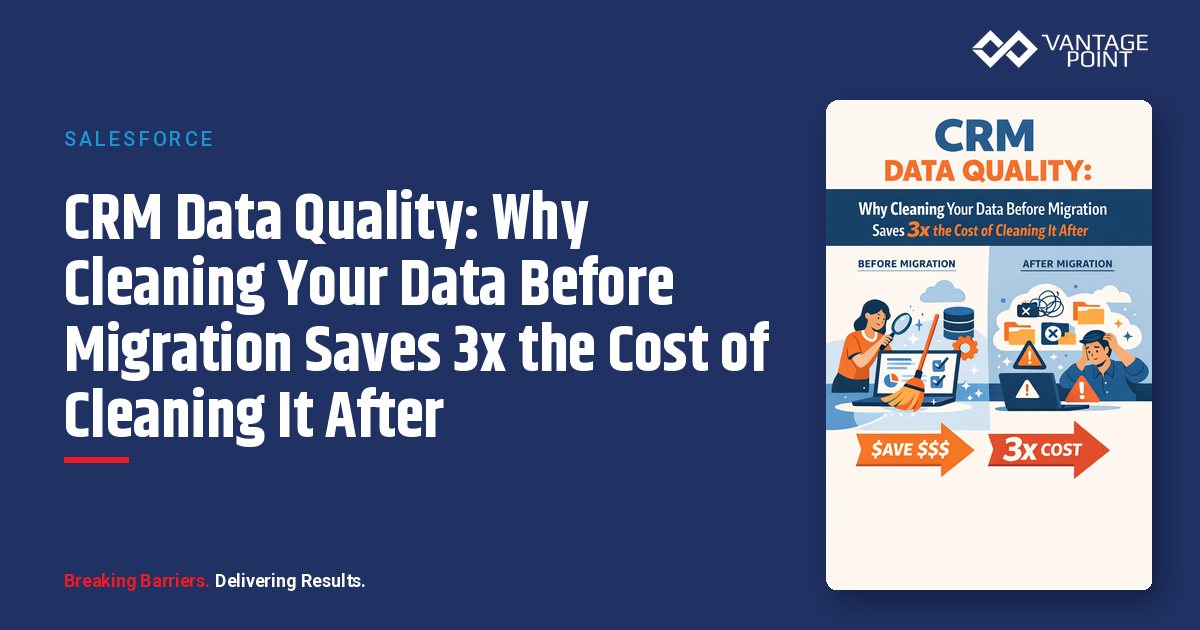
- Key Benefit: Organizations that clean data before migration spend 1/3 the cost compared to those who clean after: avoiding rework, broken automations, and corrupted reporting
- Cost of Inaction: Bad data costs the average company 12% of annual revenue; U.S. businesses lose $3.1 trillion per year to dirty data
- Timeline: A proper pre-migration cleanse takes 2-6 weeks depending on database size, but saves 3-6 months of post-migration remediation
- Best For: Any organization planning a CRM migration, platform consolidation, or major system upgrade
- Bottom Line: Every $1 invested in pre-migration data quality saves $3: $10 in post-migration cleanup, rework, and lost productivity
Introduction
You've made the decision to migrate your CRM. Maybe you're moving from a legacy system to Salesforce or HubSpot. Maybe you're consolidating multiple platforms after an acquisition. Either way, there's a tempting shortcut that derails more CRM migrations than any technical challenge: migrating your data first and cleaning it later.
It sounds reasonable. Move everything over, get the team up and running, and deal with data quality "when things settle down." But things never settle down, and the dirty data you brought along multiplies faster than you can fix it.
According to IBM, bad data costs U.S. businesses $3.1 trillion annually. Harvard Business Review found that only 3% of enterprise data meets basic quality standards. And Experian reports the average company loses 12% of annual revenue due to poor data quality. These aren't abstract numbers. They show up as bounced emails, duplicated contacts, broken automations, inaccurate forecasts, and frustrated sales teams.
The math is clear: cleaning your data before migration costs roughly one-third of what it costs to clean it after. In this guide, we'll break down exactly why, show you a proven pre-migration cleansing framework, and give you the playbook to get it right.
Why Does Dirty Data Cost More to Fix After Migration?
The Compounding Effect
Dirty data doesn't sit quietly in your new CRM. It actively creates new problems:
- Duplicate records trigger duplicate automations: sending double emails, creating double tasks, and inflating pipeline forecasts
- Invalid email addresses poison your sender reputation: causing deliverability issues that affect even your valid contacts
- Inconsistent formatting breaks workflows: when "California," "CA," and "Calif." all exist in your state field, your territory-based routing fails silently
- Outdated contacts waste sales time: reps spend 30%+ of their time on data management instead of selling when records are unreliable
The 1-10-100 Rule
Data quality experts use the 1-10-100 Rule to quantify the escalating cost of bad data:
| Stage | Cost | Example |
|---|---|---|
| Prevention (pre-migration) | $1 | Validating an email address before it enters the new CRM |
| Correction (post-migration) | $10 | Finding and fixing an invalid email after workflows have already failed |
| Failure (no action) | $100 | Lost deal because a key contact was unreachable and automations were broken |
For a CRM with 100,000 records, even a 5% error rate means 5,000 records creating downstream problems, each one costing 10x more to fix after migration than before.
Real-World Impact by the Numbers
- 44% of companies lose over 10% of annual revenue from bad CRM data (Validity)
- B2B contact data decays 2.1% per month: over 22% per year (industry benchmarks)
- 85% of data leaders agree that dirty data has cost their organization financially (Wakefield Research)
- 54% of companies cite poor data quality as their greatest obstacle to data-driven marketing (MarketingProfs)
- 30-50% higher close rates are achieved when reps have valid, complete contact data
The 5 Types of Dirty Data Lurking in Your CRM
Before you can clean your data, you need to know what you're looking for. Here are the five most common types of dirty data that sabotage CRM migrations:
1. Duplicate Records
What it looks like: "John Smith" and "Jon Smith" at the same company. Three records for "Acme Corp," "Acme Corporation," and "ACME Corp."
Why it matters: Duplicates split interaction history across records, inflate pipeline values, cause multiple reps to contact the same prospect, and corrupt every report that touches those records.
Pre-migration fix: Run deduplication algorithms using fuzzy matching on name, email, company, and phone fields. Merge records with clear survivorship rules.
2. Incomplete Records
What it looks like: Contacts missing email addresses, phone numbers, job titles, or company information. Deals missing close dates or dollar amounts.
Why it matters: Incomplete records can't be segmented, scored, or routed properly. They create blind spots in your pipeline and make personalization impossible.
Pre-migration fix: Identify required fields for your new CRM's workflows. Use data enrichment services to fill gaps. Archive records that can't be completed to minimum viable standards.
3. Outdated Information
What it looks like: Contacts who changed jobs two years ago. Companies that merged or rebranded. Phone numbers that now go to voicemail boxes for people who left.
Why it matters: Reps waste time chasing dead ends. Marketing sends messages that damage your brand credibility. Your forecasting model is built on fiction.
Pre-migration fix: Verify active contacts against LinkedIn, email validation services, and phone verification tools. Flag records not updated in 12+ months for review.
4. Inconsistent Formatting
What it looks like: "United States," "US," "USA," and "U.S.A." all in the same country field. Industry values like "Financial Services," "Finance," "FinServ," and "Banking" used interchangeably.
Why it matters: Inconsistent data breaks automation rules, routing logic, reporting segments, and integration mappings. Your new CRM's workflows depend on standardized values.
Pre-migration fix: Define your data dictionary, the exact acceptable values for every picklist, dropdown, and text field in the new CRM. Transform all legacy data to match before migration.
5. Invalid or Fraudulent Data
What it looks like: Email addresses with typos (gmail.con, yahooo.com). Phone numbers with wrong digit counts. Bot-generated form submissions with fake information.
Why it matters: Invalid data wastes resources immediately and can trigger compliance issues, especially in regulated industries where communication accuracy matters.
Pre-migration fix: Run email validation, phone verification, and address standardization. Remove obviously fraudulent records (test@test.com, 000-000-0000).
The Pre-Migration Data Cleansing Framework
Phase 1: Audit (Week 1)
Goal: Understand the current state of your data.
- Run a data quality assessment: Calculate completeness rates, duplication rates, and format compliance across all key fields
- Identify your critical fields: Map which fields your new CRM's workflows, automations, and integrations actually need
- Profile your data: How many total records? What percentage are active vs. dormant? When were records last updated?
- Document known issues: Talk to your sales, marketing, and service teams about data pain points they already know about
Target benchmarks for migration readiness:
- 90%+ accuracy on verified records
- Less than 2% duplicate rate
- 80%+ completeness on required fields
- 97%+ format compliance on standardized fields
Phase 2: Cleanse (Weeks 2-3)
Goal: Fix the problems you found in the audit.
- Deduplicate: Use fuzzy matching algorithms to identify and merge duplicate contacts, companies, and opportunities. Establish clear survivorship rules
- Standardize: Transform all values to match your new CRM's data dictionary. Normalize addresses, phone formats, industry codes, and picklist values
- Validate: Run email verification, phone validation, and address standardization on all active records
- Enrich: Use third-party data services to fill in missing fields like job titles, company size, industry, and revenue
- Archive: Move records that don't meet minimum quality standards to an archive rather than migrating them
Phase 3: Govern (Week 4+)
Goal: Establish rules that prevent dirty data from entering the new CRM.
- Validation rules: Require proper email format, phone format, and mandatory fields at the point of entry
- Duplicate detection: Enable real-time duplicate checking when new records are created
- Automation: Set up scheduled data quality scans to catch issues before they compound
- Ownership: Assign data stewards responsible for maintaining quality in their territories or segments
- Training: Ensure all CRM users understand data entry standards and why they matter
Best Practices for Pre-Migration Data Cleansing
1. Start Earlier Than You Think
Data cleansing always takes longer than planned. Begin your audit the moment you decide to migrate: not when the migration project kicks off. A 100,000-record CRM typically needs 3-4 weeks of dedicated cleansing effort.
2. Define "Good Enough" Standards
Perfection is the enemy of migration timelines. Define minimum viable data quality thresholds for each record type, and focus your cleansing efforts on records that matter most: active deals, key accounts, and recent leads.
3. Use the Keep-Clean-Archive Framework
Not every record deserves to make the journey to your new CRM:
- Keep: Active, complete, recently verified records that meet quality standards
- Clean: Records with fixable issues. Missing fields that can be enriched, formatting that can be standardized, duplicates that can be merged
- Archive: Dormant records (no activity in 18+ months), records with unfixable data quality issues, and obviously invalid entries
4. Involve Your End Users
Your sales and marketing teams know things about your data that no algorithm can detect. They know which accounts are real, which contacts are active, and which records are junk. Build user review into your cleansing process.
5. Test Migration with Clean Data First
Run a test migration with a subset of your cleansed data before migrating everything. Verify that field mappings work, automations fire correctly, and reports produce accurate results.
6. Don't Forget Custom Fields and Notes
Standard fields get the most attention during cleansing, but custom fields and free-text notes often contain critical business context. Audit these fields too. They frequently contain inconsistent data that breaks reporting and automation in the new system.
7. Plan for Ongoing Quality
Pre-migration cleansing is not a one-time event. B2B contact data decays at 2.1% per month. Without ongoing governance, your clean CRM will be dirty again within a year. Budget for continuous data quality management as part of your new CRM's operating costs.
How Vantage Point Approaches Data Quality in CRM Migrations
At Vantage Point, data quality is a non-negotiable part of every CRM implementation we deliver. Whether we're implementing Salesforce Financial Services Cloud for a wealth management firm, deploying HubSpot CRM for a growing fintech, or integrating systems through MuleSoft, we follow a data-first methodology:
- Discovery & Audit: We assess your current data landscape across all source systems, identifying quality issues and mapping dependencies before writing a single line of configuration
- Data Dictionary Development: We define standardized values, required fields, and validation rules tailored to your industry's regulatory and operational requirements
- Cleanse & Enrich: Using industry-leading tools and proven processes, we deduplicate, standardize, validate, and enrich your data before it touches the new CRM
- Migration & Validation: We run iterative test migrations with quality gates at each stage, ensuring data integrity from source to destination
- Governance & Training: We establish ongoing data quality rules, automated monitoring, and user training so your CRM stays clean long after go-live
Our clients across financial services, healthcare, insurance, and other regulated industries consistently achieve 90%+ data accuracy post-migration and report that pre-migration cleansing reduced their total project costs by 25-40%.
FAQ: CRM Data Quality and Pre-Migration Cleansing
How much does it cost to clean CRM data before migration?
Pre-migration data cleansing typically costs 5-15% of your total CRM implementation budget. For a mid-size organization with 50,000-200,000 records, expect to invest $10,000: $50,000 in tools, services, and dedicated effort. This investment typically saves 3x or more in avoided post-migration remediation costs.
How long does pre-migration data cleansing take?
For most organizations, plan for 2-6 weeks depending on database size, number of source systems, and severity of data quality issues. A 100,000-record CRM with moderate quality issues typically requires 3-4 weeks of focused cleansing effort.
What tools are best for CRM data cleansing?
Popular tools include DemandTools and Cloudingo for Salesforce deduplication, Dedupely for cross-platform deduplication, Clearout and ZeroBounce for email validation, and platforms like Syncari and Integrate.io for broader data quality automation. The right tools depend on your CRM platform and specific data challenges.
Can I just clean data after migration instead?
You can, but it will cost 3-10x more. Post-migration cleaning requires untangling broken automations, correcting corrupted reports, de-duplicating records that have already spawned activities and tasks, and retraining users who've built workarounds for bad data. It's always more efficient to clean before you migrate.
What percentage of CRM data is typically duplicate?
Industry benchmarks suggest 10-30% of CRM records are duplicates. Organizations that have grown through acquisition, use multiple data entry points (web forms, manual entry, imports, integrations), or haven't performed regular deduplication tend to be on the higher end.
How do I get executive buy-in for data cleansing before migration?
Frame it in financial terms: the average company loses 12% of annual revenue to bad data. Calculate your organization's potential loss, compare the cost of pre-migration cleansing vs. post-migration remediation, and present the 1-10-100 rule. Most executives approve the investment when they see the ROI math.
What data quality benchmarks should I target before migration?
Aim for 90%+ accuracy on verified records, less than 2% duplicate rate, 80%+ completeness on required fields, 97%+ format compliance on standardized fields, and 95% of active contacts verified within the last 90 days.
Conclusion
CRM migration is one of the most significant technology investments your organization will make. The quality of data you bring into your new system determines whether that investment delivers its full ROI or becomes a source of ongoing frustration and cost.
The evidence is overwhelming: cleaning your data before migration costs a fraction of what it costs to clean after. Every $1 spent on pre-migration data quality saves $3: $10 in post-migration remediation. More importantly, starting with clean data means your new CRM delivers value from day one: accurate forecasts, effective automations, and trustworthy reporting.
Don't let dirty data undermine your CRM investment. Whether you're planning a migration to Salesforce, HubSpot, or any other platform, start with the data.
Ready to ensure your CRM migration starts with clean, reliable data? Contact Vantage Point to learn how our data-first approach to CRM implementation delivers results across financial services, healthcare, insurance, and beyond.
About Vantage Point
Vantage Point helps regulated industries transform their customer relationships through expert CRM implementation, data strategy, and integration services. Specializing in Salesforce, HubSpot, MuleSoft, and Data Cloud, Vantage Point delivers solutions for financial services, healthcare, insurance, and other compliance-driven organizations. Learn more at vantagepoint.io.