Key Takeaways (TL;DR)
- What is it? A strategic integration approach using MuleSoft's Anypoint Platform and API-led connectivity to bridge Salesforce CRM with legacy enterprise systems — ERPs, mainframes, custom databases, and on-premise applications
- Key Benefit: Unified customer 360° view by eliminating data silos between modern cloud CRM and legacy infrastructure
- Cost: $75K–$300K+ depending on complexity, number of endpoints, and data volume; Forrester research shows 426% ROI over three years
- Timeline: 8–16 weeks for core integrations; phased rollouts for enterprise-scale deployments
- Best For: Organizations running Salesforce alongside legacy ERPs, on-premise databases, or custom-built applications that need real-time data synchronization
- Bottom Line: Companies using MuleSoft's API-led approach deliver integration projects 3–5x faster and increase IT team productivity by up to 300%
Introduction: The Legacy Integration Challenge Every Business Faces
Most organizations don't operate on a single platform. Behind the sleek Salesforce CRM interface, there's typically a complex web of legacy systems — ERPs built decades ago, on-premise databases holding mission-critical data, homegrown applications that power core operations, and mainframe systems that still process transactions daily.
The challenge? These systems weren't built to talk to each other, let alone to a modern cloud CRM like Salesforce. The result is data silos, manual workarounds, duplicated entries, and an incomplete picture of customer relationships.
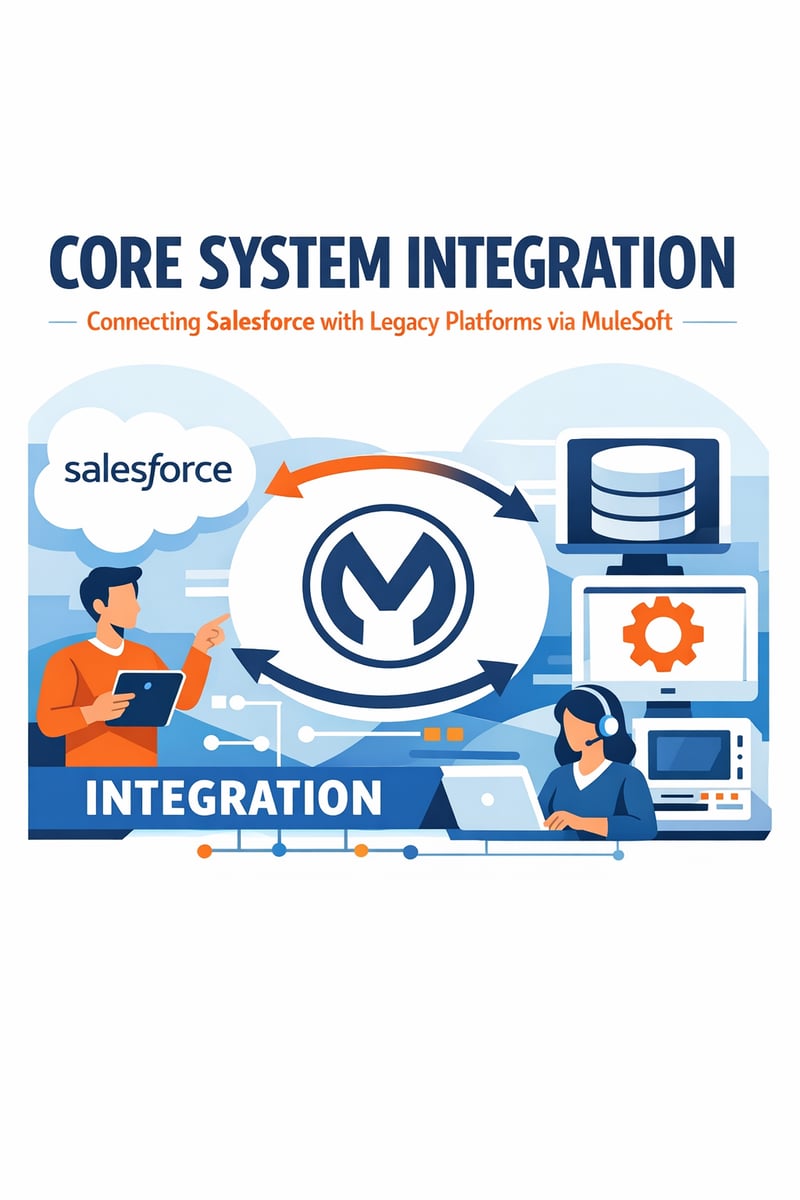
MuleSoft, Salesforce's integration platform, was purpose-built to solve this exact problem. Using its API-led connectivity approach and the Anypoint Platform, organizations can create a unified integration layer that connects Salesforce with virtually any legacy system — without ripping and replacing existing infrastructure.
In this guide, we'll walk through the architecture, best practices, common integration patterns, and real-world ROI of connecting Salesforce with legacy platforms via MuleSoft. Whether you're planning your first integration or modernizing an existing point-to-point setup, this is your roadmap to a connected enterprise.
What Is MuleSoft and Why Does It Matter for Salesforce Users?
MuleSoft's Role in the Salesforce Ecosystem
MuleSoft is Salesforce's enterprise integration platform, acquired in 2018 for $6.5 billion. It provides the Anypoint Platform — a unified solution for API design, development, deployment, management, and monitoring.
For Salesforce users, MuleSoft solves the "last mile" problem: getting data from legacy systems into Salesforce (and back) reliably, securely, and in real time.
What Makes MuleSoft Different from Other Integration Tools?
Unlike simple point-to-point connectors or basic ETL tools, MuleSoft uses an API-led connectivity architecture that organizes integrations into three reusable layers:
| Layer | Purpose | Example |
|---|---|---|
| System APIs | Unlock data from core systems of record (ERPs, databases, mainframes) | SAP Order API, Oracle Customer API |
| Process APIs | Orchestrate data across multiple systems to model business logic | Order Fulfillment Process, Customer Onboarding Flow |
| Experience APIs | Deliver tailored data to specific channels and applications | Salesforce CRM Dashboard, Mobile App, Partner Portal |
This layered approach means every integration you build becomes a reusable building block. When the next project needs the same customer data from your ERP, you don't rebuild — you reuse.
How API-Led Connectivity Transforms Legacy Integration
The Problem with Point-to-Point Integration
Traditional point-to-point integrations connect systems directly to each other. With five systems, you might manage 10 connections. With 20 systems, you're looking at potentially 190 connections — each with its own logic, error handling, and maintenance requirements.
This "spaghetti integration" approach creates:
- Brittleness: One system change breaks multiple integrations
- Duplication: Same data transformations built repeatedly
- Opacity: No centralized visibility into data flows
- Scalability limits: Adding new systems multiplies complexity exponentially
The API-Led Solution
MuleSoft's three-tier API architecture eliminates these problems by creating a managed, reusable integration layer:
System APIs abstract away the complexity of each legacy system. Whether your ERP is SAP, Oracle, Microsoft Dynamics, or a custom-built mainframe application, the System API presents a clean, standardized interface that other layers can consume.
Process APIs combine data from multiple System APIs to implement business logic. Need a complete customer profile that merges CRM data with ERP order history and support ticket data? A Process API handles the orchestration without any upstream or downstream system knowing about the others.
Experience APIs format and deliver data exactly as each channel needs it. Salesforce gets a CRM-optimized view. Your mobile app gets a lightweight payload. Your partner portal gets a filtered, permission-controlled dataset.
Real-World Impact
According to a 2025 Forrester Total Economic Impact study, organizations using MuleSoft's API-led connectivity achieved:
- 426% ROI over three years
- 3–5x faster project delivery compared to custom integration development
- 300% increase in IT team productivity
- 74% reduction in integration maintenance costs
Common Legacy Systems That Need Salesforce Integration
Enterprise Resource Planning (ERP) Systems
ERPs like SAP, Oracle E-Business Suite, Microsoft Dynamics, and NetSuite hold critical financial, inventory, and operational data. Integrating these with Salesforce ensures sales teams see real-time inventory levels, order status, and billing information without switching systems.
Key integration patterns:
- Bi-directional account/contact sync
- Real-time order status updates from ERP to Salesforce
- Quote-to-cash automation across both platforms
- Invoice and payment data visibility in Salesforce
On-Premise Databases
Many organizations maintain SQL Server, Oracle, PostgreSQL, or MySQL databases that serve as core data repositories. These databases often contain historical customer data, proprietary business logic, and compliance records that aren't easily migrated to the cloud.
Key integration patterns:
- Scheduled batch synchronization for historical data
- Real-time event-driven updates via Change Data Capture (CDC)
- Data warehouse integration for analytics and reporting
- Master data management across cloud and on-premise
Mainframe and Legacy Applications
COBOL-based mainframes, AS/400 systems, and legacy middleware still power core operations at many large organizations. MuleSoft provides specialized connectors and protocols (including CICS, IMS, and file-based integration) to bring mainframe data into the modern ecosystem.
Key integration patterns:
- Screen scraping and terminal emulation for legacy UI systems
- File-based integration (SFTP, EDI) for batch processes
- MQ/JMS messaging for event-driven communication
- Web service wrappers around legacy functionality
Custom-Built Applications
Homegrown applications — built over years or decades — often contain irreplaceable business logic and institutional knowledge. Rather than replacing them, MuleSoft wraps them in APIs that make their data and functionality accessible to Salesforce and other modern platforms.
Step-by-Step: Planning Your Salesforce–Legacy Integration
Step 1: Conduct a System and Data Inventory
Before writing a single line of integration code, document your entire technology landscape:
- Identify all systems that hold customer, transaction, or operational data
- Map data flows — where does data originate, how does it move, where does it end up?
- Determine system of record for each data entity (customer, order, product, etc.)
- Assess data quality — duplication rates, completeness, format consistency
- Document APIs and protocols — what does each system already expose?
Step 2: Define Integration Objectives and Priorities
Not all integrations deliver equal value. Prioritize based on:
- Business impact: Which integrations directly improve revenue, efficiency, or customer experience?
- Data criticality: Which systems hold data that Salesforce users need most urgently?
- Technical complexity: Start with simpler integrations to build momentum and expertise
- Dependency mapping: Some integrations must precede others (e.g., customer sync before order sync)
Step 3: Design Your API Architecture
Using MuleSoft's API-led connectivity framework:
- Define System APIs for each legacy system you'll integrate
- Design Process APIs that combine data from multiple systems to serve business workflows
- Create Experience APIs tailored to Salesforce's data model and UI requirements
- Establish governance — naming conventions, versioning, security policies, rate limiting
Step 4: Build and Test Iteratively
Follow an agile, phased approach:
- Phase 1 (Weeks 1–4): Core customer and account data synchronization
- Phase 2 (Weeks 5–8): Transaction and order data integration
- Phase 3 (Weeks 9–12): Real-time events, notifications, and advanced workflows
- Phase 4 (Weeks 13–16): Analytics, reporting, and optimization
Each phase should include unit testing, integration testing, performance testing, and user acceptance testing.
Step 5: Deploy, Monitor, and Optimize
MuleSoft's Anypoint Platform provides built-in monitoring and analytics:
- Real-time dashboards showing API call volumes, error rates, and latency
- Alerting for failures, performance degradation, or unusual patterns
- API analytics to track usage and identify optimization opportunities
- Governance reporting to ensure compliance and security standards
Best Practices for Salesforce–MuleSoft Legacy Integration
1. Start with a Data Strategy, Not a Technology Strategy
The most common integration failure isn't technical — it's organizational. Before selecting tools or writing code, align all stakeholders on:
- Which system is the "source of truth" for each data entity
- How conflicts between systems will be resolved
- Who owns data quality and governance
- What compliance and security requirements apply
2. Implement Master Data Management (MDM) Early
Duplicate and inconsistent records are the #1 pain point in legacy integrations. Implement matching rules, deduplication logic, and unique cross-system identifiers before you start syncing data.
3. Use Event-Driven Architecture Where Possible
Batch synchronization (running every hour or overnight) is simple but creates data lag. For customer-facing processes, use event-driven patterns:
- Salesforce Platform Events to trigger outbound data pushes
- MuleSoft's CloudHub for real-time event processing
- Change Data Capture (CDC) to detect and propagate database changes in real time
4. Design for Failure and Recovery
Legacy systems are inherently less predictable than cloud platforms. Build resilience into every integration:
- Retry logic with exponential backoff for transient failures
- Dead letter queues for messages that fail processing
- Circuit breakers to prevent cascading failures
- Idempotent operations to handle duplicate messages safely
5. Invest in API Governance from Day One
As your API library grows, governance becomes critical:
- Versioning strategy — never break existing consumers when updating APIs
- Security policies — OAuth 2.0, mutual TLS, rate limiting
- Documentation standards — every API should be self-documenting via RAML or OAS
- Lifecycle management — deprecation policies, sunset timelines, consumer notifications
6. Leverage Pre-Built Connectors and Templates
MuleSoft's Anypoint Exchange marketplace offers thousands of pre-built connectors, templates, and accelerators. Before building custom integrations, check whether a connector already exists for your legacy system. Common connectors include:
- SAP (RFC, BAPI, IDoc)
- Oracle Database and E-Business Suite
- Microsoft Dynamics 365
- IBM AS/400 and CICS
- ServiceNow, Workday, and hundreds more
7. Plan for Scalability and Growth
Design integrations that can handle 10x your current data volume. This means:
- Horizontal scaling via MuleSoft's CloudHub workers
- Bulk processing for large data sets using Salesforce Bulk API
- Caching strategies to reduce load on legacy systems
- Throttling and rate limiting to protect both Salesforce and legacy system resources
How Vantage Point Implements Salesforce–MuleSoft Integrations
At Vantage Point, we specialize in connecting Salesforce with the systems that power your business — no matter how old, complex, or custom they are. As a Salesforce and MuleSoft integration partner, we bring deep expertise to every engagement.
Our Integration Methodology
- Discovery and Assessment — We audit your existing systems, data flows, and business processes to identify the highest-impact integration opportunities
- Architecture Design — We design an API-led connectivity architecture that's modular, reusable, and scalable
- Iterative Development — We build integrations in sprints, delivering working functionality every 2–4 weeks
- Testing and Validation — Comprehensive testing at every level, from unit tests to end-to-end business process validation
- Deployment and Monitoring — We configure monitoring, alerting, and governance to ensure long-term reliability
- Knowledge Transfer and Support — We train your team and provide documentation so you can manage and extend integrations independently
What Sets Us Apart
- Deep Salesforce expertise across Sales Cloud, Service Cloud, Experience Cloud, and Data Cloud
- MuleSoft-certified architects who understand API-led connectivity at the enterprise level
- Cross-platform experience connecting Salesforce with ERPs, mainframes, databases, and custom applications across every industry
- Agile, collaborative approach — we work alongside your IT team, not in isolation
Frequently Asked Questions (FAQ)
What is MuleSoft's API-led connectivity?
API-led connectivity is MuleSoft's architectural approach that organizes integrations into three reusable layers: System APIs (connecting to core systems), Process APIs (orchestrating business logic), and Experience APIs (delivering data to applications like Salesforce). This layered approach eliminates point-to-point spaghetti integration and makes every integration reusable.
How long does a typical Salesforce–legacy system integration take?
Core integrations (customer sync, order data, basic workflows) typically take 8–16 weeks with MuleSoft. Complex enterprise-scale projects with multiple legacy systems may take 3–6 months using a phased approach. MuleSoft's pre-built connectors and templates can accelerate timelines by 40–60%.
What does MuleSoft integration cost?
MuleSoft licensing starts at approximately $15,000–$50,000 annually for smaller deployments, scaling to six figures for enterprise implementations. Total project costs (including design, development, and deployment) typically range from $75,000 to $300,000+ depending on the number of systems, data volume, and complexity. Forrester research shows a 426% ROI over three years.
Can MuleSoft connect to mainframe and AS/400 systems?
Yes. MuleSoft provides specialized connectors for IBM mainframes (CICS, IMS), AS/400 systems, and legacy middleware. These connectors support screen scraping, file-based integration, MQ messaging, and web service wrappers — enabling you to access mainframe data without modifying the legacy system.
Do I need to replace my legacy systems to use Salesforce effectively?
No. That's the core value proposition of MuleSoft integration — you can keep your legacy systems running while making their data and functionality available to Salesforce through APIs. This "wrap and extend" approach protects your existing investment while enabling modern CRM capabilities.
What's the difference between MuleSoft and native Salesforce integrations?
Native Salesforce integrations (like AppExchange connectors) are designed for simple, direct system-to-system connections. MuleSoft is for enterprise-grade scenarios involving multiple legacy systems, complex data transformations, high data volumes, real-time requirements, and the need for reusable integration assets. If you have more than 3–4 systems to connect, MuleSoft's approach delivers significantly better long-term value.
How does MuleSoft handle data security in legacy integrations?
MuleSoft supports enterprise security standards including OAuth 2.0, mutual TLS (mTLS), IP whitelisting, API policies for rate limiting and threat protection, encrypted data storage, and audit logging. For on-premise legacy systems, MuleSoft's Runtime Agent can be deployed behind your firewall to keep sensitive data within your network perimeter.
Conclusion: Build the Connected Enterprise Your Business Needs
Legacy systems aren't going away — and they shouldn't. They hold decades of institutional knowledge, power critical business processes, and represent significant infrastructure investments. The key isn't replacement; it's connection.
MuleSoft's API-led connectivity approach gives you the best of both worlds: keep the legacy systems that work while giving your Salesforce users real-time access to the data they need. Every API you build becomes a reusable asset that accelerates the next project, creating a compounding return on your integration investment.
Ready to connect Salesforce with your legacy platforms? Vantage Point's integration team can assess your current systems, design a phased integration roadmap, and deliver working integrations in weeks — not months. Contact us at vantagepoint.io to schedule a discovery session.
About Vantage Point
Vantage Point is a technology consulting firm specializing in Salesforce, HubSpot, MuleSoft, Data Cloud, and AI-powered business solutions. We help organizations across every industry connect their systems, automate their processes, and unlock the full value of their technology investments. Our team of certified architects and developers brings deep integration expertise to every engagement, from initial strategy through ongoing optimization.
Learn more at vantagepoint.io