Key Takeaways (TL;DR)
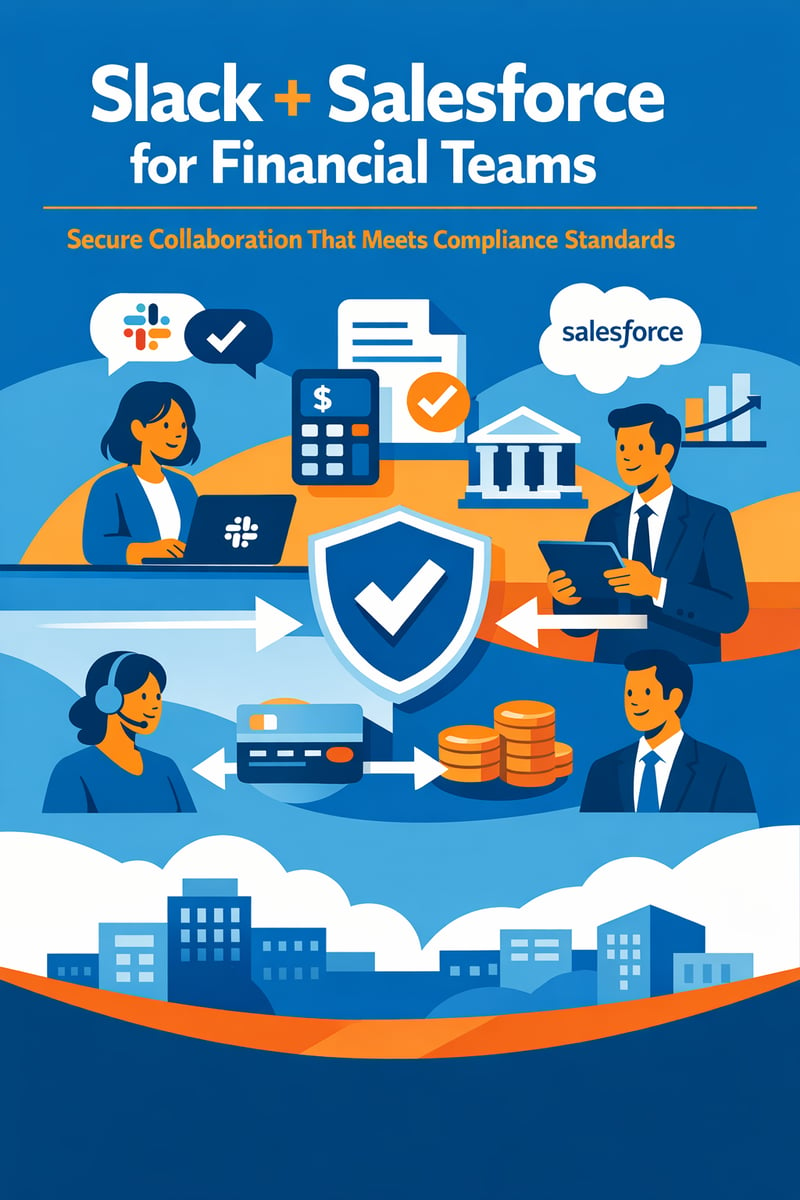
- What It Connects: Slack's real-time messaging platform with Salesforce CRM data — opportunity records, case queues, account histories, and pipeline analytics — in a single, compliant workspace.
- Complexity: Moderate. Core setup takes 2–4 weeks; advanced configurations (information barriers, DLP, archival) add 2–4 additional weeks for regulated environments.
- Timeline: Full production deployment in 4–8 weeks with an experienced integration partner.
- Compliance Impact: Supports FINRA Rule 3110 supervisory requirements, SEC Rule 17a-4 recordkeeping, SOC 2 Type II, and GDPR — enabling compliant collaboration without shadow IT risk.
- ROI: Organizations report up to 30% reduction in information search time, 26% faster deal velocity, and 36% improvement in case resolution speed.
- Bottom Line: Financial services firms that connect Slack and Salesforce replace fragmented email chains with structured, auditable, CRM-connected conversations — accelerating revenue while satisfying regulators.
Integration Spotlight: View the Slack + Salesforce Integration →
Financial services teams operate under relentless pressure: close deals faster, resolve client issues in minutes, and do it all within guardrails set by FINRA, the SEC, and state regulators. The challenge? Critical context lives in Salesforce while conversations happen in Slack — and when these two systems don't talk to each other, compliance gaps, slow response times, and missed revenue opportunities follow.
The Salesforce for Slack integration bridges that divide. It brings CRM records, automated workflows, and AI-powered insights directly into the channels where your teams already collaborate — all while maintaining the security controls that regulated industries demand.
At Vantage Point, we've deployed this integration across 80+ third-party tool configurations for financial services, banking, and insurance clients. This guide distills our hands-on experience into an actionable playbook for compliance-conscious teams.
What Does the Salesforce for Slack Integration Actually Do?
The integration creates a bidirectional bridge between Salesforce CRM and Slack's collaboration platform. Rather than toggling between applications, your team accesses CRM data, triggers automations, and manages client relationships without leaving their messaging environment.
Core Capabilities at a Glance
| Feature | What It Does | Compliance Benefit |
|---|---|---|
| Salesforce Channels | Auto-creates Slack channels linked 1:1 to CRM records (Accounts, Opportunities, Cases) | Auditable, record-tied conversations |
| Record Alerts | Pushes real-time notifications for pipeline changes, threshold breaches, and client activity | Proactive supervisory monitoring |
| CRM Search in Slack | Queries Salesforce objects directly from Slack using /salesforce search |
Reduces data export and shadow IT risk |
| Slack Workflows + Salesforce Triggers | Automates deal room creation, approval routing, and escalation flows | Standardized, repeatable processes |
| Financial Services Cloud for Slack | Interaction summaries, client activity feeds, and portfolio-aware notifications | Industry-specific compliance support |
| Slack AI Summaries | AI-generated digests of CRM-connected conversations | Faster onboarding and handoff documentation |
How Does Deal Room Automation Accelerate Revenue?
In financial services, deals don't close in a vacuum. They require coordinated input from relationship managers, credit analysts, compliance officers, and legal teams. Traditional email-based coordination slows deal velocity and creates compliance blind spots.
Building Automated Deal Rooms
With Salesforce Channels, you can configure automated deal room creation that triggers when an opportunity reaches a defined stage:
- Trigger: An opportunity in Salesforce moves to "Proposal" stage.
- Channel Creation: Slack automatically creates a private channel named
#deal-[account]-[opportunity-id]. - Team Assembly: Predefined team members (RM, credit analyst, compliance reviewer) are auto-invited based on deal attributes — region, product type, and deal size.
- Context Population: The channel populates with a summary card showing opportunity value, account history, risk rating, and relevant documents from Salesforce Files.
- Milestone Alerts: As the deal progresses, automated notifications alert the channel to stage changes, pending approvals, and approaching deadlines.
Why This Matters for Regulated Firms
Every conversation in a deal room channel maps back to a specific Salesforce record, creating a complete audit trail. When supervisors need to review communications around a specific transaction — whether for internal compliance review or regulatory examination — they can trace the full conversation history tied to that CRM record.
Organizations implementing deal room automation typically report a 26% improvement in deal velocity and a significant reduction in compliance review preparation time, because conversations are already organized by record rather than scattered across email threads.
What Is Case Swarming and Why Do Financial Service Teams Need It?
Case swarming replaces the traditional tiered escalation model — where a case moves sequentially from Tier 1 to Tier 2 to Tier 3 — with a collaborative model where the right experts converge on a case simultaneously.
How Swarming Works with Slack + Salesforce
When a high-priority case is created in Salesforce Service Cloud — say, a suspicious transaction alert or a high-net-worth client complaint — the integration can:
- Auto-create a swarming channel linked to the case record
- Route specialists based on case attributes (product type, account tier, regulatory jurisdiction)
- Surface relevant context from the client's Salesforce history directly in the channel
- Track resolution with status updates that sync back to the Salesforce case record
For financial services teams, this model delivers a 36% improvement in case resolution speed. More critically, it ensures that compliance and risk management stakeholders are involved from the start — rather than being looped in after the fact, when corrective actions are more costly.
How Do Information Barriers Protect Against Conflicts of Interest?
In financial services, information barriers (also known as ethical walls or Chinese walls) are regulatory requirements that prevent the flow of material non-public information (MNPI) between different business units — for example, between investment banking and equity research, or between advisory and trading teams.
Configuring Ethical Walls in Slack Enterprise Grid
Slack Enterprise Grid provides information barrier policies that administrators configure at the organizational level:
- Define barrier groups: Map Slack user groups to business units (e.g., "Investment Banking," "Equity Research," "Wealth Management").
- Set barrier policies: Create rules that prevent members of specified groups from communicating with each other via direct messages, group messages, or shared channels.
- Enforce at scale: Policies apply across all workspaces within the Enterprise Grid organization, preventing users from circumventing barriers by creating new channels.
- Audit and report: Barrier enforcement events are logged for compliance review and regulatory examination.
When combined with Salesforce's own sharing rules, record-level security, and field-level permissions, the integration creates layered access controls that satisfy regulatory expectations for MNPI segregation.
Practical Scenario
A mid-market investment firm uses Slack Enterprise Grid with the Salesforce integration. Their M&A advisory team has a deal room channel for a pending acquisition. Information barrier policies ensure that analysts in the trading division cannot see, join, or receive messages from this channel — even if they share the same Slack organization. Meanwhile, the deal room's Salesforce Channel link ensures that all conversations are archived against the opportunity record for supervisory review.
What DLP Policies Should Financial Firms Implement in Slack?
Data Loss Prevention (DLP) is non-negotiable in financial services. Sensitive data — account numbers, Social Security numbers, trade details, and client financial information — must be protected from unauthorized sharing, whether accidental or intentional.
Layered DLP Strategy for Slack + Salesforce
Native Slack DLP (Enterprise Grid): - Custom message retention policies by channel, workspace, or organization - File download restrictions and screen capture controls on managed devices - Enterprise Key Management (EKM) for customer-controlled encryption keys - Native DLP scanning that can detect and flag messages containing sensitive patterns
Third-Party DLP Integration: - Solutions like Nightfall AI, Metomic, or Microsoft Purview plug into Slack's APIs to provide: - Real-time scanning of messages and files for PII, PCI data, and financial identifiers - Automated redaction or quarantine of non-compliant messages - Policy-based alerts to compliance officers - Granular reporting for regulatory examinations
Salesforce-Side Controls: - Field-level security prevents sensitive CRM data from being surfaced in Slack channels - Salesforce Shield provides event monitoring and field audit trails - Platform encryption protects data at rest within CRM
Implementation Best Practice
At Vantage Point, we recommend a defense-in-depth approach: combine Slack's native controls with a third-party DLP solution and Salesforce Shield. This ensures that sensitive financial data is protected regardless of whether it originates in CRM, is typed into a Slack message, or is shared via file upload.
How Do You Meet FINRA and SEC Recordkeeping Requirements with Slack?
FINRA Rule 3110 requires member firms to establish supervisory systems for electronic communications. SEC Rule 17a-4 mandates that broker-dealers preserve business communications in non-rewritable, non-erasable formats for defined retention periods (typically 3–6 years depending on record type).
Slack Archival Architecture for Compliance
Slack alone does not satisfy FINRA/SEC archival requirements out of the box. Financial firms need a compliant archival pipeline:
- Slack Discovery API: Exports messages, files, and metadata in real time from all channels (including private channels and DMs on Enterprise Grid).
- Third-Party Archival Connector: Solutions like Global Relay, Smarsh, or NICE Actimize ingest Slack data via the Discovery API and store it in WORM (Write Once, Read Many) compliant storage.
- Supervisory Review: Archived messages are surfaced in the archival platform's supervisory review interface, where compliance officers can search, flag, and annotate communications.
- eDiscovery: Archived Slack data is searchable alongside email, Bloomberg chat, and other communication channels within a unified eDiscovery workflow.
Key Configuration Details
- Retention policies: Configure Slack's native retention to align with (or exceed) your firm's regulatory retention schedule. Set channel-specific overrides for deal rooms and client-facing channels.
- Legal holds: Slack Enterprise Grid supports legal hold policies that override standard retention, preserving all messages for specified users or channels during investigations or litigation.
- Metadata capture: Ensure your archival solution captures message edits, deletions, reactions, and thread structures — all of which may be relevant for supervisory review.
What Regulators Expect
During a FINRA examination, examiners will ask for evidence that your firm: - Captures all electronic communications, including Slack messages - Stores them in a non-alterable format - Has supervisory review procedures for flagging problematic communications - Can produce communications on demand for specific individuals, date ranges, or topics
The Slack + Salesforce integration supports this by ensuring that deal-related and case-related conversations are tied to specific CRM records, making it straightforward to produce all communications associated with a particular client or transaction.
How Does Slack Connect Enable Secure External Collaboration?
Slack Connect allows financial firms to create shared channels with external parties — clients, counterparties, legal counsel, or service providers — without exposing their internal Slack workspace.
Security Controls for Regulated Environments
- Channel-level permissions: Each Slack Connect channel has independent sharing settings; external participants see only the specific channel, not your internal workspace.
- DLP and compliance policies apply: All DLP scanning, archival, and retention policies extend to Slack Connect channels.
- File sharing controls: Admins can restrict file uploads/downloads in external channels.
- Guest access management: External participants are managed as guests with limited permissions and automatic deactivation policies.
Use Case: Wealth Management Client Communication
A wealth management team creates a dedicated Slack Connect channel for a high-net-worth client, linked to their Salesforce Account record via Salesforce Channels. The client receives real-time portfolio alerts, can ask questions that are instantly visible to their advisory team, and all communications are archived for compliance. This replaces insecure email threads and phone-tag while maintaining full regulatory compliance.
How Does Slack AI Enhance CRM-Connected Collaboration?
Slack AI — now included in updated Slack plans for Salesforce customers — adds intelligence to CRM-connected conversations:
- Channel Summaries: AI-generated recaps of deal room or case swarming discussions, highlighting key decisions, action items, and unresolved questions.
- Search Answers: Natural language search across Slack messages and connected Salesforce data, returning contextual answers rather than raw message links.
- Interaction Summaries (FSC): Financial Services Cloud for Slack generates client interaction summaries that can be synced back to the Salesforce contact or account record.
- Agentforce Integration: Salesforce's AI agents can participate in Slack channels, proactively surfacing pipeline risks, recommending next best actions, and drafting client communications based on CRM data.
For financial teams, Slack AI reduces the time new team members need to get up to speed on an account and ensures that institutional knowledge captured in conversations is accessible and actionable.
Feature Comparison: Slack Plans for Financial Services
| Capability | Business+ | Enterprise Grid |
|---|---|---|
| Salesforce for Slack App | ✅ | ✅ |
| Salesforce Channels | ✅ | ✅ |
| Slack AI | ✅ | ✅ |
| Information Barriers | ❌ | ✅ |
| Enterprise Key Management | ❌ | ✅ |
| SCIM Provisioning | ✅ | ✅ |
| Discovery API (eDiscovery) | ❌ | ✅ |
| Custom Retention Policies | Limited | Full |
| Slack Connect | ✅ | ✅ (with advanced controls) |
| DLP (Native) | Basic | Advanced |
| HIPAA/FINRA Compliance Support | Limited | ✅ |
| Unlimited Workspaces | ❌ | ✅ |
Recommendation: Financial services firms subject to FINRA/SEC oversight should deploy Enterprise Grid to access information barriers, the Discovery API for compliant archival, and Enterprise Key Management.
Implementation Roadmap: What Does Deployment Look Like?
Phase 1: Foundation (Weeks 1–2)
- Install Salesforce for Slack app from Salesforce AppExchange
- Configure authentication (SSO, SCIM provisioning)
- Map Salesforce objects to Slack channel naming conventions
- Set up basic record alerts for opportunities and cases
Phase 2: Automation (Weeks 3–4)
- Build deal room automation workflows (Salesforce Flow → Slack channel creation)
- Configure case swarming templates and specialist routing rules
- Deploy Financial Services Cloud for Slack (if licensed)
- Implement Slack AI summaries for key channels
Phase 3: Compliance Hardening (Weeks 5–6)
- Configure information barrier policies in Enterprise Grid
- Deploy DLP policies (native + third-party)
- Integrate with archival solution (Global Relay, Smarsh, or equivalent)
- Validate retention policies against FINRA/SEC requirements
Phase 4: Optimization (Weeks 7–8)
- Train end users on compliant collaboration practices
- Configure Slack Connect channels for external client communication
- Deploy Agentforce agents in key channels
- Establish supervisory review workflows and reporting dashboards
Frequently Asked Questions (FAQ)
Does the Slack + Salesforce integration meet FINRA recordkeeping requirements?
The integration itself creates auditable, CRM-linked conversations, but meeting FINRA Rule 3110 and SEC Rule 17a-4 requires pairing Slack Enterprise Grid with a WORM-compliant third-party archival solution such as Global Relay or Smarsh. The Discovery API enables real-time data export to these platforms for supervisory review and long-term preservation.
Can information barriers in Slack prevent MNPI leakage between business units?
Yes. Slack Enterprise Grid allows administrators to create information barrier policies that prevent direct messaging, channel sharing, and group communication between defined user groups — such as investment banking and trading teams. These barriers are enforced organization-wide and cannot be circumvented by individual users.
How does case swarming differ from traditional tiered escalation?
Traditional escalation routes cases sequentially (Tier 1 → Tier 2 → Tier 3), which adds handoff delays and risks context loss. Case swarming brings relevant specialists into a shared Slack channel simultaneously, connected to the Salesforce case record. This approach typically reduces resolution times by over 35% while improving first-contact resolution rates.
What DLP controls are available for Slack in financial services?
Slack Enterprise Grid includes native DLP with Enterprise Key Management (customer-controlled encryption keys), custom retention policies, and admin-controlled file sharing restrictions. For deeper protection, firms integrate third-party DLP solutions like Nightfall AI or Metomic that provide real-time scanning for PII, PCI data, and financial identifiers with automated remediation.
Is Slack Connect secure enough for external client communication?
Slack Connect channels inherit all DLP, archival, and retention policies from your Enterprise Grid organization. External participants can only see their specific shared channel — not your internal workspace. Admins retain full control over file sharing, app access, and guest management within connected channels.
How long does it take to implement the integration for a regulated financial firm?
A full deployment — including core integration, deal room automation, case swarming, compliance hardening with information barriers and DLP, and archival pipeline setup — typically takes 4–8 weeks with an experienced integration partner. Core functionality (record alerts, CRM search, basic Salesforce Channels) can be live in as few as 2 weeks.
Ready to Connect Slack and Salesforce for Your Financial Team?
Vantage Point has delivered 400+ engagements across financial services, banking, and insurance, with a 4.71/5.0 client satisfaction rating. As a Slack partner and Salesforce integration specialist, we bring compliance-first expertise to every deployment.
Whether you're starting from scratch or optimizing an existing Slack + Salesforce environment, our team can help you:
- Design compliant architectures with information barriers, DLP, and archival pipelines
- Automate deal rooms and case swarming to accelerate revenue and resolution
- Integrate 80+ third-party tools into your Salesforce + Slack ecosystem
- Train your teams on secure, productive collaboration practices
Read more about Vantage Point's expertise here.
📞 Schedule a Consultation with Vantage Point →
Vantage Point is an employee-owned consultancy specializing in Salesforce, HubSpot, MuleSoft, and Data Cloud implementations for regulated industries. With 150+ clients and a compliance-first approach, we help financial services firms collaborate faster without compromising on regulatory obligations.