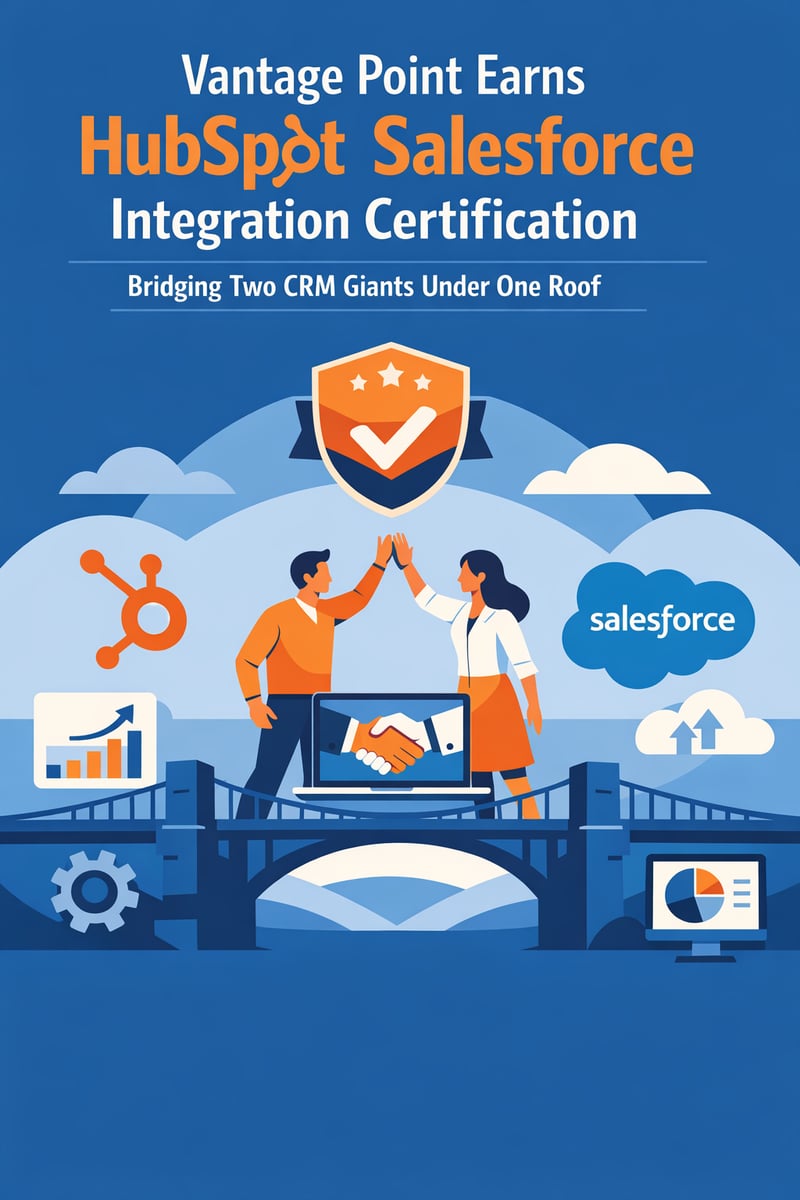
Vantage Point Earns HubSpot Salesforce Integration Certification: Bridging Two CRM Giants Under One Roof
TL;DR: Quick Reference - What: HubSpot Academy's Salesforce Integration Certification — validates expertise in installing, configuring, troubleshooting, and maintaining the native HubSpot-Salesforce integration - Key Benefit: Clients working across both platforms now have a certified partner who can architect seamless data flow between HubSpot and Salesforce — no more siloed systems or sync nightmares - Why It Matters: Only a small percentage of HubSpot partners hold this certification, yet the HubSpot-Salesforce integration is one of the most requested (and most misunderstood) capabilities in the CRM market - Best For: Organizations running both HubSpot and Salesforce — or planning a migration between them — who need a partner that genuinely understands both sides of the equation - Bottom Line: This certification cements Vantage Point's position as one of the few consultancies certified to operate at the intersection of both CRM ecosystems
Why This Certification Matters Right Now
Here's a reality that most CRM consultants won't tell you: the average enterprise doesn't run one CRM. It runs two.
Maybe marketing chose HubSpot for its intuitive automation tools. Maybe sales insisted on Salesforce for its pipeline management and reporting depth. Maybe an acquisition brought a second platform into the mix overnight. Whatever the path, the result is the same — two systems holding critical customer data with a fragile bridge between them.
The HubSpot-Salesforce integration is one of the most deployed cross-platform connections in the CRM world. It's also one of the most frequently misconfigured. Duplicate records, sync errors, broken automations, and data hygiene nightmares are the norm, not the exception.
That's exactly why Vantage Point pursued this certification — and why earning it matters for every client in our portfolio.
What Is the HubSpot Salesforce Integration Certification?
The Salesforce Integration Certification from HubSpot Academy is a professional credential that validates a practitioner's ability to:
- Install and configure the native HubSpot-Salesforce integration
- Design data sync architecture — deciding what flows where, in which direction, and why
- Troubleshoot sync errors using health dashboards, error logs, and resolution workflows
- Manage data hygiene — preventing and resolving duplicate records across both systems
- Build cross-platform automations — workflows in HubSpot, flows in Salesforce, and the handoffs between them
- Implement RevOps strategies that unify marketing, sales, and service data across both platforms
Exam Details
| Detail | Specification |
|---|---|
| Questions | 60 multiple-choice |
| Passing Score | 75% (45 correct answers) |
| Time Limit | 3 hours |
| Validity | 1 year (annual renewal required) |
| Prerequisites | HubSpot Academy coursework + practical experience |
This isn't a checkbox certification. The exam tests real-world scenarios — sync conflict resolution, inclusion list configuration, selective sync boundaries, field mapping strategies, and the kind of edge cases that only surface during live implementations.
What the Certification Covers
1. Integration Architecture and Solution Design
Before a single field is mapped, you need a plan. The certification validates the ability to:
- Assess existing Salesforce and HubSpot environments
- Design data flow direction (HubSpot → Salesforce, Salesforce → HubSpot, or bidirectional)
- Define inclusion lists and sync boundaries to control which records move between systems
- Set up a dedicated integration user in Salesforce (a critical best practice most teams skip)
- Plan field mappings using a structured spreadsheet approach — documenting every property, its sync direction, its purpose, and its maintenance owner
2. Data Sync and Field Mapping
The HubSpot-Salesforce integration supports bidirectional sync for:
- Contacts ↔ Leads/Contacts — with intelligent matching based on email address
- Companies ↔ Accounts — synced when associated with syncing contacts
- Deals ↔ Opportunities — with stage mapping between both systems
- Custom fields — mapped between HubSpot properties and Salesforce fields
- Activities — task sync, engagement logging, and timeline events
The certification ensures practitioners understand the nuances: when HubSpot creates a Lead vs. a Contact in Salesforce, how lifecycle stages map across, which system wins in a sync conflict, and how to configure selective sync to partition data intelligently.
3. Duplicate Management and Data Hygiene
Duplicates are the single biggest pain point in any HubSpot-Salesforce integration. The certification covers:
- Pre-integration data cleanup — deduplication strategies before turning on the sync
- Sync-aware deduplication — selecting the synced record as the master during merge operations
- Matching logic — understanding how HubSpot matches records using Lead ID, Contact ID, and email
- Tools and workflows for ongoing duplicate prevention (including third-party tools like Insycle)
4. Troubleshooting and Error Resolution
When the integration breaks — and it will — certified practitioners know how to:
- Use the Sync Health Dashboard to identify and categorize errors
- Resolve common sync failures (validation rules, required fields, permission issues)
- Diagnose association errors (e.g., HubSpot companies that won't sync because they lack associated contacts)
- Implement monitoring workflows that alert teams to sync issues before they cascade
5. Cross-Platform Automation
The real power of the HubSpot-Salesforce integration isn't just data sync — it's the automations you build on top of it:
- HubSpot workflows triggered by Salesforce data changes
- Salesforce flows enriched with HubSpot engagement data
- Lifecycle stage automation that keeps both systems aligned
- Lead source attribution flowing from HubSpot marketing campaigns to Salesforce opportunity records
- Visualforce components embedded in Salesforce page layouts showing HubSpot engagement timelines
Why This Matters for Vantage Point Clients
The Dual-Platform Reality
If you're reading this, there's a good chance your organization is already running both platforms — or considering it. Here's what we see in the field:
- Marketing on HubSpot, Sales on Salesforce — The most common scenario. Marketing loves HubSpot's content tools and automation. Sales lives in Salesforce. The integration is the bridge that makes both teams effective.
- Acquired companies with different CRMs — M&A activity often creates multi-CRM environments overnight. Rather than forcing an immediate migration, the integration lets both systems coexist while a longer-term strategy takes shape.
- Phased migrations — Some organizations are moving from one platform to the other but need both running in parallel during the transition. The integration ensures no data falls through the cracks.
- Best-of-breed strategies — A growing number of companies deliberately choose HubSpot for marketing/service and Salesforce for sales/analytics, using the integration as a permanent bridge.
What Makes Vantage Point Different
Most CRM consultancies are one-platform shops. They're either a Salesforce partner or a HubSpot partner. When you ask them about the other platform, you get vague answers and disclaimers.
Vantage Point is different:
- ✅ HubSpot Solutions Partner (certified March 2026)
- ✅ HubSpot Salesforce Integration Certified (certified March 2026)
- ✅ Salesforce Consulting Partner with 400+ engagements
- ✅ 150+ clients across financial services, healthcare, insurance, and other regulated industries
- ✅ Integration expertise spanning MuleSoft, Workato, and API-led connectivity
When you bring us a dual-platform challenge, you're not getting a Salesforce team that "sort of knows" HubSpot or a HubSpot agency that "can probably figure out" Salesforce. You're getting a team that's certified on both platforms and the integration between them.
Common HubSpot-Salesforce Integration Scenarios We Handle
Scenario 1: Marketing-to-Sales Handoff
The challenge: Marketing generates leads in HubSpot. Sales qualifies and closes in Salesforce. The handoff is messy — leads fall through cracks, attribution is lost, and neither team trusts the other's data.
The solution: Properly configured bidirectional sync with lifecycle stage automation, lead source attribution, and inclusion lists that ensure only qualified leads flow to Salesforce while engagement data flows back to HubSpot for reporting.
Scenario 2: Post-Acquisition Integration
The challenge: You acquired a company running HubSpot. Your team runs Salesforce. You need unified customer data without disrupting either team's workflows — at least not yet.
The solution: Strategic selective sync that connects the right records without flooding either system. Boundary rules that maintain data sovereignty while enabling cross-team visibility. A phased roadmap toward unified operations.
Scenario 3: Compliance-First Data Architecture
The challenge: You're in a regulated industry (financial services, healthcare, insurance). Data needs to flow between platforms, but compliance requirements dictate strict controls on what moves where and who can see it.
The solution: Granular sync rules, permission-based access controls, and audit-ready documentation of every data flow. This is where Vantage Point's regulated industry expertise becomes the differentiator — we don't just configure integrations, we configure compliant integrations.
Scenario 4: RevOps Unification
The challenge: Revenue operations wants a single source of truth, but data lives in both HubSpot and Salesforce. Reporting is fragmented, forecasts are unreliable, and every quarterly review becomes a debate about whose numbers are right.
The solution: A unified RevOps architecture where both platforms contribute to a single data model. Cross-platform reporting that pulls from both systems. Automated data quality workflows that prevent drift.
Best Practices for HubSpot-Salesforce Integration
Whether you're implementing the integration for the first time or fixing an existing one, here are the practices that separate smooth operations from sync nightmares:
Before You Start
- Audit both databases — Clean your data before connecting the systems. Garbage in, garbage out applies double when syncing across platforms.
- Create a dedicated integration user in Salesforce — Never use a personal account for the integration. A dedicated user ensures the connection survives employee turnover and provides clear audit trails.
- Map every field on paper first — Document each property/field, its sync direction, its purpose, and who owns its maintenance. A spreadsheet saves hundreds of hours of troubleshooting later.
- Define your inclusion list strategy — Decide which records should sync and which should stay in their home system. Not everything needs to cross the bridge.
During Implementation
- Start with selective sync — Don't turn on full bidirectional sync on day one. Begin with a limited set of records, validate the results, then expand.
- Set sync boundaries — Use boundaries to prevent unintended data flow. It's easier to open boundaries later than to clean up after an unrestricted sync.
- Test with real (but limited) data — Sandbox testing is good, but the real edge cases only appear with production data patterns.
Ongoing Maintenance
- Monitor the Sync Health Dashboard weekly — Don't wait for sales to report missing records. Proactive monitoring catches issues before they impact revenue.
- Schedule quarterly integration reviews — Data models change, new fields get added, team requirements evolve. The integration needs regular tuning.
- Document everything — Every mapping decision, every boundary rule, every automation. Future-you (or future-consultant) will be grateful.
How Does This Complement Our Other Certifications?
| Certification | What It Validates | Combined Value |
|---|---|---|
| HubSpot Solutions Partner | Ability to market, sell, deliver, and grow HubSpot solutions | We can implement HubSpot end-to-end |
| Salesforce Integration Certified | Ability to bridge HubSpot and Salesforce seamlessly | We can make both platforms work together |
| Salesforce Consulting Partner | Deep Salesforce implementation expertise across 400+ engagements | We can implement Salesforce end-to-end |
Together, these certifications mean: Vantage Point can implement either platform independently, integrate them when they coexist, and advise on migration when one needs to replace the other. No other consultancy in our space offers this combination with the depth of regulated industry experience we bring.
What's Next?
This certification is part of Vantage Point's continued investment in dual-platform expertise. Here's what's on the roadmap:
- HubSpot CRM Implementation Accreditation — Deepening our HubSpot delivery capabilities
- Advanced integration playbooks — Documented methodologies for the most common dual-platform scenarios
- Compliance integration templates — Pre-built integration architectures for financial services, healthcare, and insurance
- Migration frameworks — Structured approaches for HubSpot-to-Salesforce and Salesforce-to-HubSpot migrations
Ready to Bridge Your CRM Platforms?
If your organization is running both HubSpot and Salesforce — or planning to — you need a partner who's certified on both sides of the equation.
Vantage Point brings 150+ clients, 400+ engagements, and now certified expertise in both platforms and the integration between them.
👉 Schedule a consultation to discuss your dual-platform strategy.
FAQ
What is the HubSpot Salesforce Integration Certification? It's a professional credential from HubSpot Academy that validates expertise in installing, configuring, troubleshooting, and maintaining the native HubSpot-Salesforce integration. The exam covers data sync architecture, field mapping, duplicate management, error resolution, and cross-platform automation.
Why does the HubSpot-Salesforce integration matter? Most enterprises run multiple CRM systems. The native integration connects HubSpot's marketing automation with Salesforce's sales management, creating a unified data flow that eliminates manual data entry, prevents information silos, and enables accurate cross-platform reporting.
What does the integration actually sync? Contacts, companies/accounts, deals/opportunities, custom fields, and activities. The sync is bidirectional and configurable — you control what flows where, in which direction, and for which records.
How does Vantage Point's dual-platform expertise help? Unlike single-platform consultancies, Vantage Point holds certifications from both HubSpot and Salesforce. This means we understand both sides of the integration deeply, can troubleshoot issues regardless of which platform is the source, and can advise on architecture decisions that most single-platform shops can't.
Can you help fix an existing HubSpot-Salesforce integration? Absolutely. Integration audits and remediation are among our most common engagement types. We assess the current configuration, identify sync errors and data quality issues, and implement corrections with documented best practices.
What regulated industries does Vantage Point serve? Financial services (wealth management, RIAs, banks, credit unions, insurance, fintech), healthcare, and other regulated verticals where compliance requirements add complexity to every integration decision.
Vantage Point is a HubSpot Solutions Partner and Salesforce consulting firm helping regulated industries implement, optimize, and integrate their CRM platforms. With 150+ clients and 400+ engagements, our team brings compliance-first expertise to every dual-platform challenge. Learn how we can help →