Key Takeaways (TL;DR)
- What is MCP? An open standard created by Anthropic that provides a universal way for AI systems to connect to your business tools, databases, and APIs: often called "USB-C for AI"
- Key Benefit: Eliminates the need for custom integrations between every AI model and every business tool, reducing integration complexity from exponential to linear
- Adoption: 97M+ monthly SDK downloads, 5,800+ MCP servers, 300+ client apps, backed by Anthropic, OpenAI, Google, Microsoft, and AWS
- Key Integrations: Salesforce, HubSpot, Slack, Tableau, Google Workspace, databases, and thousands more
- Timeline: Production-ready now; governed by the Linux Foundation since December 2025
- Bottom Line: Organizations that adopt MCP today gain a strategic advantage in connecting AI agents to real-time business data, and Vantage Point helps you get there
Introduction: Why AI Needs a Universal Connector
Your organization probably uses dozens of business tools, a CRM like Salesforce or HubSpot, collaboration platforms like Slack, analytics dashboards in Tableau, and databases storing years of customer data. Now imagine if your AI assistant could seamlessly access all of that information, pulling real-time insights and taking actions across every system without anyone writing custom code for each connection.
That's exactly what the Model Context Protocol (MCP) makes possible.
Launched by Anthropic in November 2024, MCP has quickly become the industry standard for connecting AI models to external tools, data sources, and business systems. In just over a year, it's been adopted by every major AI platform (including OpenAI, Google, and Microsoft) and is now governed by the Linux Foundation to ensure it remains open, neutral, and enterprise-ready.
In this guide, we'll break down what MCP is, why it matters for your business, how it integrates with the tools you already use, and how to get started. Whether you're a business leader evaluating AI strategy or a CRM administrator looking to unlock new capabilities, this post gives you the complete picture.
What Is the Model Context Protocol (MCP)?
The Simple Explanation
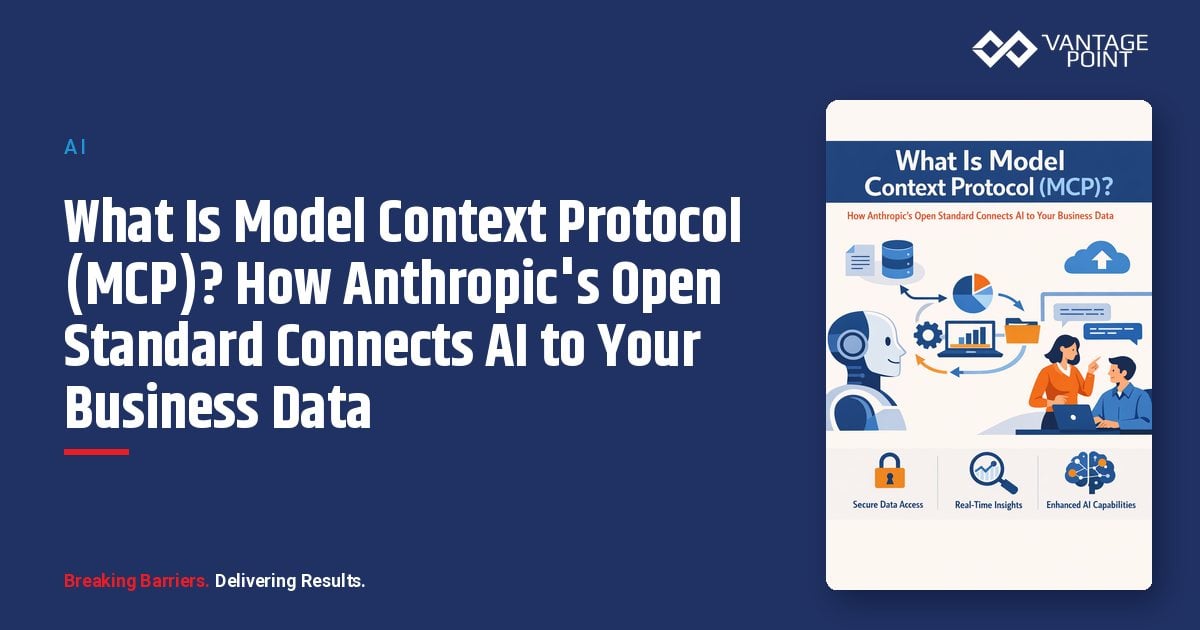
The Model Context Protocol (MCP) is an open standard that creates a universal connection layer between AI systems and business tools. Think of it as USB-C for AI applications: just as USB-C lets you plug any device into any port with a single cable, MCP lets any AI model communicate with any business tool through a single, standardized protocol.
The Problem MCP Solves
Before MCP, connecting AI to your business systems required custom integrations for every combination of AI model and tool. If your organization used 5 AI applications and needed them to access 20 business tools, you were looking at potentially 100 separate integrations to build and maintain.
MCP reduces this to a simple equation: each AI application implements the MCP client protocol once, and each business tool implements the MCP server protocol once. Now those 5 AI apps and 20 tools need just 25 connections: not 100.
How MCP Works: The Architecture
MCP uses a client-server architecture built on JSON-RPC 2.0, a lightweight messaging format designed for reliable, two-way communication:
| Component | What It Does | Examples |
|---|---|---|
| MCP Host | The AI application you interact with | Claude Desktop, VS Code, Cursor, ChatGPT |
| MCP Client | Manages the connection between host and servers | Built into hosts automatically |
| MCP Server | Exposes your business tools and data to AI | Salesforce MCP, HubSpot MCP, Slack MCP |
| Transport Layer | Handles communication | Local (stdio) or Remote (HTTP + SSE) |
MCP servers expose three core capabilities: called primitives: that AI models can use:
- Tools: Functions the AI can execute (e.g., "create a new contact in Salesforce," "send a Slack message," "run a database query")
- Resources: Data the AI can read (e.g., customer records, files, API responses, dashboard data)
- Prompts: Pre-built templates for common workflows (e.g., "generate a sales outreach email using CRM data")
This architecture means your AI assistant can dynamically discover what tools are available, understand what data it can access, and take actions: all through a secure, standardized interface.
Why Does MCP Matter for Your Business?
1. AI Finally Gets Real-Time Business Context
Without MCP, AI models are limited to the data they were trained on, which could be months or years old. With MCP, your AI assistant can pull live data from your CRM, databases, analytics platforms, and collaboration tools. That means answers based on what's happening in your business right now, not what happened last quarter.
2. Integration Costs Drop Dramatically
Traditional point-to-point integrations are expensive to build and maintain. MCP's standardized approach means you invest once in connecting each tool, and every AI application in your organization can use that connection. The Boston Consulting Group characterizes this as shifting integration complexity from quadratic to linear: a critical efficiency gain at enterprise scale.
3. Your AI Strategy Becomes Future-Proof
Because MCP is an open standard backed by every major AI platform, you're not locked into any single vendor. Whether you use Claude, ChatGPT, Gemini, or multiple models, they all speak the same protocol. If you switch AI providers next year, your MCP connections still work.
4. Enterprise-Grade Security Is Built In
MCP includes OAuth 2.1 authentication, enterprise SSO integration, and role-based access controls. Your AI agents respect the same permissions your team members have. If a sales rep can't see finance data in Salesforce, neither can their AI assistant.
5. The Ecosystem Is Massive and Growing
With 5,800+ MCP servers available for virtually every business tool and 97 million+ monthly SDK downloads, the ecosystem has reached critical mass. Whether you need to connect AI to your CRM, ERP, database, project management tool, or communication platform, an MCP server likely already exists.
How Does MCP Connect AI to Salesforce, HubSpot, and Other CRM Systems?
Salesforce + MCP: Trusted Context and AI Actions
Salesforce has deeply embraced MCP through its strategic partnership with Anthropic. Here's what's available:
- Slack MCP Integration: Salesforce's expanded Slack MCP capabilities let users search and retrieve conversation context, generate drafts in Claude, and share back to Slack: all with existing permissions and security controls
- Agentforce 360 Extensions: Coming soon, these will allow teams to trigger Salesforce-native Agentforce actions directly from Claude. Explore AI recommendations in Claude, then take action in Salesforce: with full governance and trust
- Bi-Directional Data Flow: MCP enables Claude to not only read Salesforce data but also create records, update opportunities, and trigger workflows: all within the Salesforce trust boundary
- Trust-First Architecture: Anthropic is the first LLM provider whose models are fully contained within the Salesforce trust boundary, with customer data staying within Salesforce-managed virtual private clouds
What this means in practice: A sales manager can ask Claude, "What's the status of our top 10 deals this quarter?" and get an answer built from live Salesforce Opportunity data. Then say, "Update the close date on the Acme deal to next Friday" and have it done.
HubSpot + MCP: AI-Powered CRM Access
HubSpot was one of the first CRMs to ship a production-grade MCP integration:
- Public Beta MCP Server: Launched in mid-2025, HubSpot's MCP server lets AI applications access contacts, companies, deals, tickets, and engagement data
- Deep Research Connector: Enables AI to perform comprehensive CRM analysis, like identifying which leads haven't been contacted in 30 days or which deals are stalled
- Claude CRM Connector: HubSpot's connector for Anthropic's Claude lets users create and update CRM records directly from Claude's chat interface
- Read and Write Access: AI can not only pull CRM data but also create contacts, update deal stages, and log activities
What this means in practice: A marketing team can ask Claude, "Which of our enterprise leads from Q4 haven't received a follow-up email?" and get an instant, data-driven answer: then create a task in HubSpot to address each one.
Slack + MCP: AI in Your Collaboration Flow
Slack's MCP integration creates a seamless loop between AI and team collaboration:
- Search and retrieve conversation context across channels
- Generate content in Claude using Slack context
- Share AI-generated drafts directly back to Slack channels
- Invoke Claude directly from within Slack conversations
Tableau and Analytics + MCP
MCP servers for databases and analytics tools let AI assistants:
- Query dashboards and generate reports on demand
- Access data warehouses like Snowflake, PostgreSQL, and MySQL
- Combine data from multiple sources for comprehensive analysis
- Create summaries of complex datasets in plain language
What Are the Most Practical MCP Use Cases for Business Teams?
Sales Teams
- Real-Time Pipeline Insights: Ask AI for a live summary of your pipeline, including which deals are at risk and why
- Automated CRM Updates: Update deal stages, log meeting notes, and create follow-up tasks through natural conversation
- Competitive Intelligence: AI can pull data from CRM, web sources, and internal documents simultaneously to prepare for sales calls
- Personalized Outreach: Generate tailored emails using real CRM data: contact history, company details, and engagement patterns
Marketing Teams
- Campaign Performance Analysis: AI queries your analytics platforms and CRM to evaluate campaign effectiveness across channels
- Lead Scoring Enhancement: Combine CRM data, engagement history, and firmographic data for smarter lead prioritization
- Content Personalization: Use customer data to create targeted content that reflects actual buyer behaviors and preferences
Customer Service Teams
- 360° Customer View: AI pulls data from CRM, support tickets, billing systems, and communication logs to give agents complete context
- Faster Resolution: Automated access to knowledge bases, past interactions, and product documentation during live customer conversations
- Proactive Support: AI monitors CRM data and alerts teams when customer patterns suggest potential issues
Operations and Leadership
- Cross-System Reporting: Generate reports that combine data from CRM, finance, HR, and operations tools: no manual data aggregation required
- Workflow Automation: AI triggers actions across multiple systems based on business rules
- Strategic Planning: AI analyzes data across all connected systems to surface trends, opportunities, and risks
How Widely Has MCP Been Adopted?
The adoption numbers tell a compelling story:
| Metric | November 2024 (Launch) | March 2026 (Today) |
|---|---|---|
| MCP Servers Available | ~100 | 5,800+ |
| MCP Client Applications | ~10 | 300+ |
| Monthly SDK Downloads | ~100,000 | 97,000,000+ |
| Published MCP Servers | N/A | 10,000+ |
Who's Backing MCP?
MCP isn't a niche experiment: it's supported by the biggest names in technology:
- AI Platforms: Anthropic (creator), OpenAI, Google DeepMind, Microsoft
- Cloud Providers: AWS, Cloudflare, Azure
- Enterprise Software: Salesforce, HubSpot, Atlassian (Jira), Notion, Figma, Asana, Slack
- Development Tools: GitHub, VS Code, Cursor, Replit, JetBrains
- Enterprise Adopters: Block (60+ internal MCP servers), Bloomberg, Amazon
The Linux Foundation Milestone
In December 2025, Anthropic donated MCP to the Agentic AI Foundation (AAIF) under the Linux Foundation. Platinum members include Amazon Web Services, Anthropic, Block, Bloomberg, Cloudflare, Google, Microsoft, and OpenAI. This ensures MCP remains vendor-neutral and community-driven: much like Kubernetes and other critical open-source infrastructure.
"A year later, it's become the industry standard for connecting AI systems to data and tools... Donating MCP to the Linux Foundation ensures it stays open, neutral, and community-driven as it becomes critical infrastructure for AI.": Mike Krieger, Chief Product Officer, Anthropic
How Do You Get Started with MCP?
Phase 1: Assess and Plan (Weeks 1-2)
- Identify High-Value Use Cases: Which teams would benefit most from AI with real-time data access?
- Map Your Tool Landscape: Inventory the business tools you want AI to access: CRM, databases, communication platforms, analytics tools
- Evaluate Security Requirements: Determine data sensitivity, compliance needs, and authentication requirements
- Choose Your AI Client: Claude Desktop, VS Code with Copilot, and ChatGPT Desktop all support MCP natively
Phase 2: Pilot (Weeks 3-6)
- Start with Pre-Built MCP Servers: Use official servers for Salesforce, HubSpot, Slack, and databases: no custom development needed
- Deploy to a Small Team: Begin with 5-10 power users who can provide feedback
- Measure Impact: Track time saved, query accuracy, user satisfaction, and adoption rates
- Iterate on Permissions: Fine-tune which data and actions are available through MCP
Phase 3: Scale (Weeks 7-12+)
- Expand to Additional Teams and Tools: Add MCP servers for more business systems based on pilot results
- Implement Enterprise Governance: Integrate with your identity provider (Okta, Azure AD, Auth0) for SSO and audit trails
- Build Custom MCP Servers: For proprietary systems or specialized workflows, create tailored MCP servers
- Establish Best Practices: Document approved use cases, security policies, and training materials
Investment Considerations
| Investment Area | Typical Range |
|---|---|
| Pre-Built MCP Servers | Free to low cost (most are open source) |
| AI Platform Subscription | $20: $200/user/month depending on tier |
| Custom MCP Server Development | 2-8 weeks of engineering time per server |
| Enterprise Auth Integration | Varies by IdP and complexity |
| Consulting & Strategy | Partner with an expert for accelerated, secure deployment |
What Security Features Does MCP Include?
Built-In Security Features
- OAuth 2.1 Authentication: Industry-standard authorization with PKCE for preventing token interception
- Enterprise SSO Integration: Cross App Access (XAA) protocol puts your corporate identity provider in control of all AI-to-tool connections
- Role-Based Access Controls: AI agents inherit the same permissions as the user they're acting on behalf of
- Audit Trails: All AI actions through MCP can be logged and monitored
- Token Expiration and Rotation: Temporary access tokens reduce exposure from compromised credentials
Best Practices for Secure MCP Deployment
- Maintain an internal registry of vetted, approved MCP servers
- Implement human-in-the-loop approval for sensitive actions
- Use your enterprise IdP (Okta, Azure AD, Auth0) for centralized authentication and visibility
- Apply least-privilege principles: give AI agents only the minimum access they need
- Monitor and audit all MCP communications regularly
- Keep MCP servers updated to benefit from the latest security patches
Frequently Asked Questions (FAQ)
Is MCP only for Anthropic's Claude, or does it work with other AI models?
MCP is an open standard that works with any AI model. OpenAI (ChatGPT), Google (Gemini), Microsoft (Copilot), and many other AI platforms have adopted MCP. You're not locked into any single AI provider.
How is MCP different from traditional API integrations?
Traditional APIs require custom code for every connection between an AI model and a business tool. MCP provides a standardized protocol. Each tool implements it once, and every MCP-compatible AI application can use it. This reduces integration effort from potentially hundreds of custom connections to a simple, scalable framework.
Is MCP secure enough for enterprise use?
Yes, with proper implementation. MCP includes OAuth 2.1, enterprise SSO support via Cross App Access (XAA), role-based permissions, and audit logging. The November 2025 spec update added significant enterprise security features. However, like any technology, security depends on proper configuration: working with an experienced partner ensures best practices.
What does it cost to implement MCP?
Pre-built MCP servers for popular tools (Salesforce, HubSpot, Slack) are typically free and open source. Costs come from AI platform subscriptions ($20, $200/user/month), custom server development for proprietary systems (2-8 weeks engineering time), and enterprise governance setup. A phased approach minimizes upfront investment while demonstrating ROI early.
Can MCP access my CRM data in real time?
Yes. MCP servers for Salesforce and HubSpot provide real-time access to CRM records: contacts, companies, deals, tickets, and more. AI can both read and write CRM data, enabling use cases like live pipeline analysis, automated record updates, and intelligent lead prioritization.
How long does it take to get started with MCP?
Organizations can have a working MCP pilot in 2-4 weeks using pre-built servers for common tools. A full enterprise rollout with custom servers, SSO integration, and governance typically takes 2-3 months. Working with a knowledgeable implementation partner can significantly accelerate this timeline.
What's the difference between MCP and Salesforce's Agentforce?
They're complementary, not competing. Agentforce is Salesforce's platform for building and deploying AI agents within the Salesforce ecosystem. MCP is the universal protocol that connects those agents (and others) to external tools and data sources. Salesforce uses MCP to enable Agentforce agents to communicate with systems beyond Salesforce.
Conclusion: MCP Is the Future of AI-Connected Business
The Model Context Protocol represents a fundamental shift in how organizations leverage AI. Instead of AI that's limited to what it was trained on, MCP creates AI that's connected to your live business data, your CRM, your communication platforms, your databases, and your analytics tools.
With adoption from every major AI and enterprise platform, governance under the Linux Foundation, and a rapidly expanding ecosystem of 5,800+ servers, MCP isn't a bet on the future: it's the present standard for AI integration. Organizations that implement MCP today gain:
- Smarter AI that understands your actual business context
- Lower integration costs through standardization
- Vendor flexibility across AI platforms
- Enterprise-grade security with built-in governance
Ready to connect AI to your business data? As an Anthropic partner and experts in Salesforce, HubSpot, and AI integration strategy, Vantage Point helps organizations implement MCP-powered AI solutions that deliver real results. From CRM optimization to multi-system AI workflows, we guide you through every step: strategy, implementation, and ongoing support.
Contact Vantage Point to start your MCP implementation journey.
About Vantage Point
Vantage Point is a technology consultancy specializing in CRM, automation, integration, and AI solutions. As partners of Salesforce, HubSpot, and Anthropic, we help businesses of all sizes connect their systems, optimize their processes, and leverage cutting-edge AI tools like the Model Context Protocol. Our team brings deep expertise in Sales Cloud, Service Cloud, Experience Cloud, MuleSoft, Data Cloud, and AI-driven personalization.
Learn more at vantagepoint.io.