Key Takeaways (TL;DR)
- What is IVR? Interactive Voice Response (IVR) is an automated phone system that routes callers to the right agent or department using voice or keypad input: reducing wait times and improving resolution rates
- Key Benefit: Well-designed IVR flows increase first-call resolution (FCR) by 25-40% while cutting average handle time by up to 30%
- Cost: Aircall plans start at $30/license/month (billed annually) with IVR included in all tiers: no extra per-minute charges for routing
- Timeline: Build and deploy a complete IVR flow in under one hour using Aircall's drag-and-drop Smartflows editor
- Best For: Sales, support, and operations teams handling high inbound call volumes who need CRM-integrated call routing with Salesforce or HubSpot
- Bottom Line: Smart IVR design paired with skill-based and time-based routing eliminates call transfers, improves customer satisfaction, and scales effortlessly as your team grows
Introduction: Why IVR Design Makes or Breaks the Caller Experience
Your IVR menu is the first thing callers hear when they reach your business. Within seconds, it shapes their entire perception of your brand, either guiding them efficiently to the right person or trapping them in a frustrating maze of options.
The stakes are significant. Research consistently shows that poorly designed IVR menus are one of the top reasons customers hang up before ever speaking to a representative. Confusing options, too many layers, and robotic voices drive callers away at exactly the moment they need help most.
But here's the opportunity: a well-designed IVR system doesn't just route calls: it becomes a competitive advantage. Organizations that invest in intelligent call routing see measurable improvements in first-call resolution, customer satisfaction scores, and agent productivity.
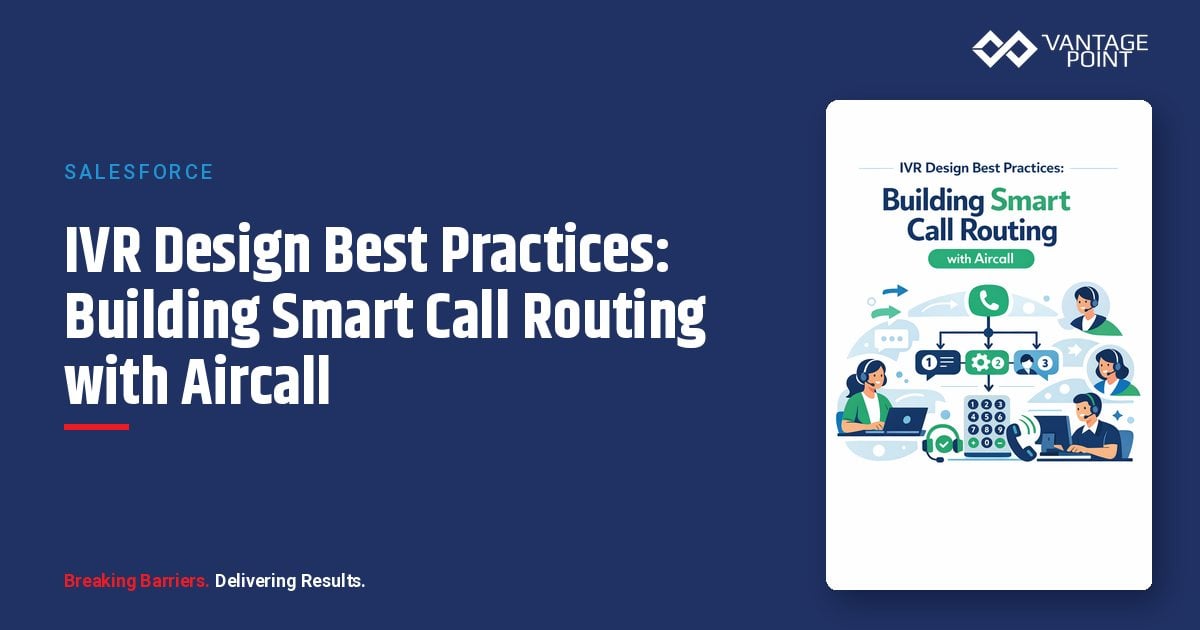
In this guide, we'll walk through proven IVR design best practices and show how Aircall's Smartflows platform makes it easy to build sophisticated, CRM-integrated call routing: without writing a single line of code. Whether you're setting up your first IVR or optimizing an existing one, you'll find actionable strategies to improve every caller interaction.
As an Aircall partner, Vantage Point helps organizations design, implement, and optimize cloud telephony solutions alongside Salesforce and HubSpot CRM: ensuring your phone system works seamlessly with your customer data.
What Is IVR and Why Does It Matter?
Interactive Voice Response (IVR) is an automated telephony system that interacts with callers through pre-recorded voice prompts and menu options. Callers navigate by pressing keypad numbers or speaking responses, and the system routes them to the appropriate agent, department, or self-service resource.
How Modern IVR Differs from Legacy Systems
Traditional IVR systems were rigid, difficult to update, and limited to basic "press 1 for sales" functionality. Modern cloud-based IVR solutions like Aircall offer:
- Visual drag-and-drop editors for building call flows without IT support
- AI-powered speech recognition for natural language input
- CRM integration that personalizes routing based on caller history
- Real-time analytics to identify bottlenecks and optimize flows
- Multi-level menus that branch intelligently based on caller needs
- Time-based and location-based routing for global teams
The Business Impact of Smart IVR
| Metric | Without IVR | With Optimized IVR |
|---|---|---|
| First-call resolution | 55-65% | 80-90% |
| Average handle time | 8-12 minutes | 5-7 minutes |
| Call abandonment rate | 12-20% | 3-7% |
| Customer satisfaction | 60-70% | 85-95% |
| Agent utilization | 50-60% | 75-85% |
When callers reach the right person on the first attempt, everything improves: resolution speed, customer satisfaction, and team morale.
How Does Aircall's Smartflows Call Routing Work?
Aircall's Smartflows is a visual call routing builder that lets administrators design, customize, and deploy IVR flows in minutes. Rather than working with complex configuration files or waiting on IT, teams build flows using intuitive drag-and-drop widgets.
Core Smartflows Components
- IVR Widget: Creates menu options (press 1 for sales, press 2 for support)
- Time-Based Routing Widget: Routes calls differently based on day and time
- Audio Message Widget: Plays custom greetings, announcements, or hold messages
- Voicemail Widget: Captures messages when agents are unavailable
- Ring Group Assignment: Directs calls to specific teams or agent groups
- Queue Callback: Offers callers a callback instead of waiting on hold
Building a Smartflow: Step-by-Step
Step 1: Navigate to Numbers in your Aircall Dashboard and select the number to configure.
Step 2: Click "Call Distribution" and start adding widgets to your flow.
Step 3: Create IVR branches for different departments or languages.
Step 4: Add time-based routing to match your team's working hours and time zones.
Step 5: Assign ring groups and backup teams to each branch.
Step 6: Configure voicemail fallbacks for after-hours or overflow scenarios.
Step 7: Review error flags, test the flow, and publish.
The best part? Smartflows supports copy-and-paste functionality: build one routing branch and replicate it across languages or departments with a few clicks.
10 IVR Design Best Practices for Better Call Routing
1. Keep Menus Short and Shallow
The most common IVR mistake is overwhelming callers with too many options. Follow the 3-option rule: present no more than three to five choices per menu level, and limit your IVR to two or three layers maximum.
Why it matters: Research shows that callers begin losing track of options after the fourth choice. Each additional menu layer increases abandonment rates by 5-10%.
Best practice:
- Lead with the most frequently selected options
- Place "speak with a representative" as an easily accessible option (press 0)
- Include a "repeat menu" option (press 9) for callers who need to hear choices again
2. Use Professional, Natural Voice Recordings
First impressions count. Robotic text-to-speech greetings make your organization sound impersonal and outdated. Invest in professional voice recordings that match your brand tone.
Tips for voice quality:
- Hire a professional voice artist or use a high-quality AI voice
- Maintain consistent tone and pacing across all menu levels
- Record in a quiet environment with professional audio equipment
- Update recordings when menu options change: outdated options confuse callers
3. Implement Skill-Based Routing
Skill-based routing (SBR) matches callers with agents who have the specific expertise needed to resolve their issue. Instead of sending calls to the next available agent, SBR evaluates caller needs and routes to the best-fit representative.
Common skill-routing parameters:
- Language proficiency: Route international callers to native speakers
- Product expertise: Match technical questions to specialized agents
- Account tier: Prioritize VIP or enterprise clients to senior representatives
- Issue type: Route billing inquiries directly to the finance team
With Aircall, you configure skill-based routing rules within your Smartflows, ensuring that every call reaches someone equipped to help: reducing transfers and improving first-call resolution.
4. Configure Time-Based and Timezone Routing
For organizations with distributed teams or global customers, time-based routing ensures calls reach available agents regardless of when they come in.
Time-based routing strategies:
- Business hours routing: Direct calls to your primary team during work hours
- After-hours routing: Route to voicemail, a callback queue, or an overflow team
- Day-specific routing: Handle peak days (like Mondays) with additional backup teams
- Timezone routing: Route calls to the nearest available office for faster response
Aircall's time-based routing widget lets you create custom schedules for every branch, including different rules for specific days of the week.
5. Always Provide a Path to a Live Agent
No matter how well-designed your IVR is, some callers need human help. Always include a clear, easy-to-find option to reach a live representative.
- Offer "press 0 to speak with a representative" at every menu level
- If a caller presses an invalid key multiple times, automatically transfer them to an agent
- Use voice recognition to detect phrases like "representative" or "agent" and route accordingly
- Never force callers through more than two menu levels before offering live support
6. Offer Queue Callbacks to Reduce Hold Times
Long hold times are the number-one frustration for callers. Queue callback lets callers request a return call when an agent becomes available, rather than waiting on hold.
Benefits of queue callback:
- Reduces perceived wait time and caller frustration
- Decreases call abandonment rates by 30-40%
- Improves agent efficiency by spreading call volume more evenly
- Enhances customer satisfaction without adding staff
Aircall includes queue callback as a native feature, making it simple to activate within any Smartflow branch.
7. Integrate IVR with Your CRM
One of the most powerful advantages of cloud-based IVR is CRM integration. When your IVR system connects to Salesforce or HubSpot, call routing becomes data-driven and personalized.
CRM-integrated routing capabilities:
- Caller identification: Recognize callers from their phone number and pull up their CRM record
- Account-based routing: Route existing customers to their assigned account manager
- Priority routing: Automatically prioritize high-value accounts or open support cases
- Context passing: Give agents a full customer profile (insight cards) before they answer
Aircall integrates natively with 200+ business tools, including Salesforce, HubSpot, Zendesk, Intercom, and Slack. As an Aircall and CRM implementation partner, Vantage Point ensures these integrations are configured for maximum efficiency.
8. Create Multi-Level IVR for Complex Organizations
For larger teams with multiple departments and sub-teams, multi-level IVR provides granular routing without overwhelming callers.
Example multi-level structure:
- Level 1: Language selection (English, Spanish, French, German)
- Level 2: Department selection (Sales, Support, Billing)
- Level 3: Issue type or product line (within Support: Technical, Account, Returns)
The key is to make each level meaningful and quick, callers should reach the right agent in under 30 seconds from first menu prompt to ringing.
9. Monitor Analytics and Continuously Optimize
Building an IVR is not a set-and-forget project. Regular monitoring and optimization are essential to maintaining a high-performing call routing system.
Key IVR metrics to track:
- Menu selection distribution: Which options are callers choosing most?
- Abandonment points: Where in the flow are callers hanging up?
- Transfer rates: Are callers being routed to the correct agent on the first attempt?
- Average time in IVR: How long does it take callers to navigate to an agent?
- First-call resolution: Are issues being resolved without follow-up calls?
Aircall's built-in analytics dashboard provides real-time visibility into all these metrics, allowing you to refine your IVR flows based on actual caller behavior.
10. Test Thoroughly Before Launching
Before publishing any new or updated IVR flow, test it from the caller's perspective.
Testing checklist:
- Call from a mobile phone and an office phone to test audio quality
- Navigate every possible path through the IVR
- Verify that after-hours, weekend, and holiday routing works correctly
- Check that voicemail and callback options function as expected
- Confirm CRM data is populating correctly for agents receiving calls
- Have team members from different departments validate their routing branches
Aircall's Smartflows editor includes built-in error detection that flags unassigned teams, missing audio messages, or broken branches before you publish.
Real-World IVR Flow Examples
Sales Team IVR Flow
Welcome message → Language selection →
  → Press 1: New business inquiries → Route to Sales team (skill: product knowledge)
  → Press 2: Pricing and proposals → Route to Sales Ops team
  → Press 3: Existing customer upgrade → Route to Account Management
  → Press 0: Speak with a representative → Route to next available agent
Customer Support IVR Flow
Welcome message →
  → Press 1: Technical support → Skill-based route (product expertise + language)
  → Press 2: Billing and account → Route to Finance team
  → Press 3: Order status → Self-service lookup or route to Support
  → Press 0: Speak with a representative → Route to next available agent
  → After hours: Voicemail with callback option
Global Multi-Office IVR Flow
Welcome message → Language selection (English/Spanish/French/German) →
  → English: Time-based routing →
    → Business hours: Multi-level IVR (Sales/Support/Billing) → Skill-based routing
    → Peak hours (Tuesday): Primary team + Backup team
    → After hours: Voicemail with 24-hour callback promise
  → Spanish: Time-based routing → Spain office hours / Overflow to bilingual US team
  → French: Time-based routing → Paris office hours / Voicemail fallback
  → German: Time-based routing → Berlin office hours / Voicemail fallback
How Aircall + CRM Integration Powers Intelligent Routing
Aircall + Salesforce Integration
When Aircall connects to Salesforce, your call routing gains access to the full power of your CRM data:
- Automatic call logging: Every call is recorded as an activity in the Salesforce contact or lead record
- Screen pops: Agents see the caller's Salesforce record instantly when the call connects
- Click-to-call: Dial directly from Salesforce records without switching apps
- Custom routing rules: Route based on Salesforce account owner, territory, or opportunity stage
- Power dialer: Automate outbound calling sequences from within Salesforce
Aircall + HubSpot Integration
Aircall is a HubSpot Essential App for Customer Service and was named HubSpot's 2025 Co-Selling Partner of the Year: a recognition of the deep integration between the two platforms:
- Automatic contact matching: Incoming calls are matched to HubSpot contacts in real time
- Call outcome tracking: Log call dispositions and notes directly in HubSpot
- Workflow triggers: Use HubSpot workflows to trigger actions based on call events
- Deal association: Automatically link calls to active deals for full visibility
- Contact timeline: Every call appears in the contact's HubSpot activity timeline
Why CRM Integration Matters for IVR
Without CRM integration, your IVR is routing blindly, treating every caller the same regardless of their history, account status, or open issues. With integration, routing becomes intelligent:
- A caller with an open support ticket gets routed directly to the assigned agent
- A high-value prospect gets priority routing to a senior sales representative
- A caller who recently purchased gets routed to the onboarding team
- International callers get language-matched to the appropriate office
Vantage Point specializes in configuring these CRM-integrated call routing workflows, ensuring your Aircall deployment works seamlessly with your existing Salesforce or HubSpot environment.
Aircall AI Features That Enhance IVR
Aircall has expanded beyond traditional IVR with AI-powered features that make call routing even smarter:
AI Voice Agent
Aircall's AI Voice Agent handles inbound calls autonomously with natural conversation skills. It can:
- Answer common questions without routing to a live agent
- Collect caller information before transferring to a representative
- Provide self-service options for simple requests (order status, appointment confirmation)
- Operate 24/7, ensuring callers always get immediate assistance
Every Aircall plan includes 50 free AI Voice Agent minutes per month, with additional minutes available at $0.49/minute or through committed bundles.
AI Assist
AI Assist provides real-time guidance to agents during calls:
- Automated call summaries and transcriptions
- Key topic identification for quality assurance
- Suggested next steps and follow-up actions
- Sentiment analysis for coaching and training
Conversation Intelligence
Aircall's conversation intelligence tools analyze call patterns to help you optimize your IVR:
- Identify which IVR branches see the highest volume
- Detect common caller intents that could become self-service options
- Score calls automatically for quality assurance
- Track trends in call reasons to update IVR menus proactively
Common IVR Mistakes to Avoid
| Mistake | Impact | Solution |
|---|---|---|
| Too many menu options (6+) | Caller confusion, high abandonment | Limit to 3-5 options per level |
| No live agent option | Caller frustration, lost customers | Always offer press 0 for a representative |
| Outdated menu options | Misrouted calls, wasted time | Review and update menus quarterly |
| Robotic voice quality | Poor brand impression | Invest in professional recordings |
| No after-hours routing | Missed calls, lost revenue | Configure voicemail + callback options |
| Ignoring analytics | Persistent bottlenecks | Review IVR metrics monthly |
| No CRM integration | Generic, impersonal routing | Connect Aircall to Salesforce or HubSpot |
| Excessive hold music without updates | Caller uncertainty, hangups | Add queue position updates and estimated wait times |
Best Practices for IVR Implementation with Vantage Point
As an Aircall, Salesforce, and HubSpot partner, Vantage Point helps organizations design and deploy IVR systems that integrate seamlessly with their CRM strategy. Here's our recommended implementation approach:
Phase 1: Discovery and Planning (Week 1)
- Audit current call volume, routing patterns, and pain points
- Map out departments, teams, and agent skills
- Identify CRM integration requirements (Salesforce, HubSpot, or both)
- Define success metrics (FCR targets, average handle time goals, CSAT benchmarks)
Phase 2: IVR Flow Design (Week 2)
- Build Smartflows using Aircall's visual editor
- Configure skill-based routing rules aligned with agent capabilities
- Set up time-based routing for all office locations and time zones
- Record professional audio greetings and menu prompts
Phase 3: CRM Integration (Week 3)
- Connect Aircall to Salesforce and/or HubSpot
- Configure screen pops, automatic call logging, and contact matching
- Set up routing rules that leverage CRM data (account owner, territory, deal stage)
- Build CRM workflows triggered by call events
Phase 4: Testing and Launch (Week 4)
- Test every IVR path from the caller's perspective
- Validate CRM data flow and agent screen pop accuracy
- Train agents on the new routing system and call handling expectations
- Publish Smartflows and monitor performance in real time
Phase 5: Optimization (Ongoing)
- Review IVR analytics weekly during the first month
- Adjust menu options and routing rules based on caller behavior data
- Refine skill-based routing as new agents join or team structures change
- Add AI Voice Agent capabilities for high-volume self-service scenarios
Frequently Asked Questions (FAQ)
What is IVR and how does it work?
IVR (Interactive Voice Response) is an automated phone system that guides callers through a menu of options using voice or keypad input. The system routes calls to the appropriate agent, department, or self-service resource based on the caller's selections. Modern IVR platforms like Aircall use visual editors to build these flows without coding.
How much does Aircall cost for IVR and call routing?
Aircall pricing starts at $30 per license per month when billed annually. IVR and Smartflows call routing are included in all plans at no extra charge. AI Voice Agent includes 50 free minutes per month with additional minutes at $0.49/minute. Higher-tier plans include advanced analytics, AI Assist, and expanded integration capabilities.
Can Aircall integrate with Salesforce and HubSpot?
Yes. Aircall offers native integrations with both Salesforce and HubSpot, plus 200+ other business tools. The integration enables automatic call logging, screen pops with caller data, click-to-call from CRM records, and CRM-driven routing rules. Aircall was named HubSpot's 2025 Co-Selling Partner of the Year.
What is skill-based routing and why is it important?
Skill-based routing matches incoming callers with agents who have the specific expertise to resolve their issue: such as language proficiency, product knowledge, or billing experience. It reduces call transfers, improves first-call resolution rates, and ensures callers get help from the most qualified person on the first attempt.
How do I set up time-based routing in Aircall?
In Aircall's Smartflows editor, add a time-based routing widget to any branch of your call flow. Configure different schedules for business hours, after hours, weekends, and specific high-volume days. Assign different teams or voicemail fallbacks to each time window. You can create timezone-specific rules for global teams.
What is the difference between IVR and ACD?
IVR (Interactive Voice Response) is the automated menu system callers interact with: it collects input and determines routing intent. ACD (Automatic Call Distribution) is the engine that distributes calls to agents based on rules like availability, skills, or priority. They work together: IVR gathers caller information, and ACD uses it to route to the right agent.
How long does it take to set up an IVR with Aircall?
Simple IVR flows can be built and published in under an hour using Aircall's drag-and-drop Smartflows editor. More complex multi-level, multi-language setups with CRM integration typically take 2-4 weeks for full design, integration, testing, and launch, which is where a partner like Vantage Point can accelerate the process.
Conclusion: Build Smarter Call Routing Today
A well-designed IVR system is one of the highest-ROI investments a business can make in its customer experience. By following these best practices (keeping menus simple, implementing skill-based routing, integrating with your CRM, and leveraging AI-powered features) you can transform every inbound call into a positive, efficient interaction.
Aircall's Smartflows platform makes it easy to build, test, and optimize sophisticated call routing without technical expertise. Combined with native Salesforce and HubSpot integrations, your phone system becomes an intelligent extension of your CRM strategy.
Ready to design a smarter IVR system for your organization? Vantage Point helps businesses implement Aircall alongside Salesforce and HubSpot for a unified communication and CRM experience. Contact us at vantagepoint.io to get started.
About Vantage Point
Vantage Point is a Salesforce, HubSpot, and Aircall partner that helps organizations implement and optimize CRM, automation, integration, and AI solutions. From cloud telephony and IVR design to full CRM implementations with Salesforce, HubSpot, MuleSoft, and Data Cloud, Vantage Point delivers the expertise businesses need to create seamless customer experiences. Learn more at vantagepoint.io.