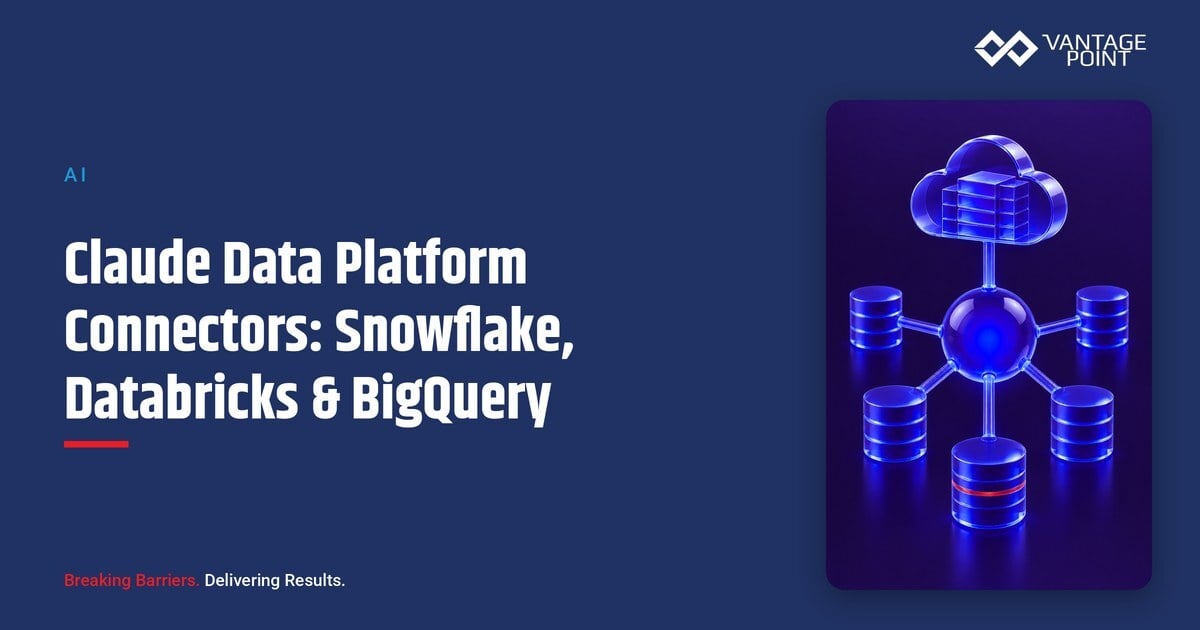
Most companies already have the answer to "how is the business doing" sitting in a data warehouse or lakehouse. They just need an analyst, a SQL query, and a dashboard to get it out. Connecting Claude to that platform shortens the path. Instead of filing a request and waiting for a chart, someone can ask a question in plain language and Claude queries the warehouse, reads the result, and explains what it means. The catch is that these are not lightweight reporting connectors. A data platform holds governed, often sensitive company data, and queries cost real compute. That makes data platform connectors some of the highest-value, and highest-stakes, connectors in the Claude ecosystem. This guide explains how connectors for Snowflake, Databricks, BigQuery, and the surrounding analytics tools actually work, how they differ, what data and permissions they need, what can go wrong, and the safe way to start.
This is the data platform category deep-dive in our connector series. For the full picture of how every category fits together, start with the Claude connector ecosystem map.
Quick Answer
To connect Claude to a data platform, you add a connector (usually a remote MCP (Model Context Protocol) server published by the platform vendor) and authenticate it so Claude can run governed queries against your warehouse or lakehouse on your behalf. Snowflake, Databricks, Google BigQuery, and analytics layers like Tableau, Sigma, and ThoughtSpot each expose their data to Claude this way: Claude translates a plain-language question into a query, reads the result, and explains it without anyone leaving the conversation. Unlike read-only reporting tools, these connectors touch your core analytical data and consume compute on every query, so they carry more risk than most. The work that matters is not clicking "connect"; it is deciding which datasets Claude may touch, which service account it authenticates as, how query cost is governed, and whether outputs are grounded in trustworthy, well-modeled data. Pick one question against one governed dataset, prove the workflow, and treat the connection like any other production data integration.
TL;DR
- What it is: Data platform connectors let Claude query and read data from warehouses and lakehouses like Snowflake, Databricks, and BigQuery, usually through MCP, so people can analyze company data conversationally.
- Why it matters: It turns a plain-language question into a governed query and a written answer in seconds, instead of a ticket to the analytics team and a wait for a dashboard.
- Best for: Data, analytics, operations, and revenue teams that already run on a warehouse or lakehouse and want faster, self-serve answers: under governance.
- Decision point: Which datasets Claude may query, which service account it uses, how compute cost is controlled, and whether the underlying data is modeled well enough to trust.
- How Vantage Point helps: We connect Claude to your data platform safely and build the clean, governed foundation underneath it through AI-driven personalization and analytics and system integration and data migration.
What Are Claude Data Platform Connectors?
Claude is Anthropic's AI assistant, and a data platform connector is the bridge that lets it query the warehouse, lakehouse, or analytics tool where your company keeps its analytical data. Platforms like Snowflake, Databricks, and Google BigQuery store large, governed datasets (sales, product usage, finance, operations) that normally require SQL and a trained analyst to interrogate. A connector lets a question like "show me net revenue retention by segment for the last four quarters and explain the trend" turn into a query the platform runs and Claude interprets, instead of a request that sits in an analytics backlog.
Underneath most of these connectors sits one open standard: the Model Context Protocol (MCP). MCP is the common language that lets Claude discover what a platform can do, request a specific query or dataset, and read the result without a hand-coded, one-off integration. That standardization is why connecting Snowflake looks broadly similar to connecting Databricks or BigQuery, and why understanding the architecture matters before you turn anything on. For the underlying mechanics, see how MCP servers connect Claude to your systems of record.
The important reframe: data platform connectors are not the low-risk reporting connectors found in some other categories. They reach into your core analytical data, they can run queries that consume metered compute, and depending on how you scope them they may be able to read sensitive or regulated information. That makes them high-value and high-governance at the same time: worth doing, and worth doing carefully.
Why Connect Claude to a Data Platform in 2026?
The value shows up wherever someone currently writes a query or waits on the analytics team:
- Conversational analytics. Ask a question in plain language and get a written, sourced answer instead of a raw result set you still have to interpret.
- Self-serve for non-analysts. Operators, sales leaders, and finance partners can explore governed data without knowing SQL: within the guardrails you set.
- Faster analyst workflows. Analysts use Claude to draft queries, explain unfamiliar tables, and summarize results, compressing routine work so they focus on harder questions.
- One narrative across datasets. Claude can read from a warehouse and synthesize a single explanation rather than leaving people to stitch together multiple dashboards.
- Documentation and discovery. Claude can describe what a table or column contains and how datasets relate, helping teams navigate a sprawling warehouse.
The reason this matters now is that the data already exists in most companies: it is just locked behind tooling and a queue. Connecting Claude lowers the barrier between a business question and a governed answer. But the answer is only as good as the data model behind it, which is why a connector strategy and a data quality foundation belong in the same conversation.
The Major Data Platform Connectors Compared
"Data platform connector" covers several meaningfully different tools. They all feed Claude analytical data, but they differ in what they are built for and how they store and serve it. Connector availability and plan gating change quickly in this category, so verify current details at adoption time rather than relying on last quarter's setup.
| Platform | Category | What Claude reads | Best fit |
|---|---|---|---|
| Snowflake | Cloud data warehouse | Governed tables and views via SQL queries | Teams centralized on a warehouse for analytics |
| Databricks | Lakehouse / data + AI | Lakehouse tables, notebooks, and modeled data | Data-engineering and ML-heavy organizations |
| Google BigQuery | Serverless data warehouse | Datasets and tables across Google Cloud | Teams on Google Cloud wanting serverless scale |
| MotherDuck / Starburst / Dremio | Query engines & lakehouse access | Federated queries across data sources | Distributed or multi-source data estates |
| Tableau / Sigma / Omni | BI & analytics layers | Published dashboards, metrics, and models | Teams that consume curated reports, not raw SQL |
| ThoughtSpot / Metabase / Hex | Search & exploration analytics | Curated datasets and exploration workspaces | Self-serve analytics and data exploration |
A few practical points that apply across the category:
- Query and read, not bulk export. The point is to ask a question and read a governed result: not to siphon the whole warehouse into the conversation. Scope access so Claude queries what a use case needs.
- Compute is a real, metered cost. Warehouses and lakehouses bill by compute. A connector that runs broad or repeated queries can drive cost quickly, so usage deserves a budget and an owner.
- The data is often sensitive. Analytical platforms frequently hold financial, customer, or operational data subject to classification and regulation. Treat the connection and its outputs accordingly.
- A BI layer is different from raw SQL. Connecting through a governed BI tool (curated metrics and dashboards) is often safer than exposing raw warehouse tables, because the modeling and access rules are already applied.
How Claude Uses a Data Platform Connector: The Workflow
The mechanics are consistent across platforms because most ride on MCP. A typical analytics workflow looks like this:
| Step | What happens | Where to apply control |
|---|---|---|
| 1. Request | A question in Claude maps to a query against the warehouse or BI layer | Decide which databases, schemas, or datasets Claude can access |
| 2. Authenticate | The connector queries within the connected account's permissions | Use a dedicated, least-privilege service account: not a personal admin login |
| 3. Query | The platform runs the query and returns the governed result | Track compute and query cost against a defined budget; favor read roles |
| 4. Analyze | Claude synthesizes the result into a written, sourced answer | Confirm conclusions against the source data before acting on them |
The takeaways:
- Scope the data, not just the login. Expose only the schemas, datasets, or dashboards a use case needs. A connector that can query the entire warehouse is far broader than most questions require.
- The account sets the reach and the cost. The connection inherits whatever the authenticating account can read and the compute it can spend. A dedicated, read-scoped service account contains both.
- Grounding is the whole point. The value of conversational analytics is an accurate answer. Spot-check Claude's conclusions against the source data, especially for decisions that move budget or strategy.
Because the safe pattern is consistent, a team can govern every data platform connection with one playbook: the same discipline we apply to deploying Claude safely with Salesforce and HubSpot data.
What Data and Permissions Does the Connection Need?
Before you connect, answer four questions for each platform:
- What can it query? A connector inherits the permissions of the account that authenticates it and the datasets you expose. Grant least privilege (a read-scoped service account and only the schemas or datasets a use case needs) not blanket access to the warehouse.
- What classification applies? Warehouse and lakehouse data is frequently confidential, financial, or regulated. That classification determines who may enable the connector, which datasets are off-limits, and how outputs are handled.
- How is compute metered? These platforms bill by query or compute. Set a usage budget and an owner, and prefer roles and warehouses sized so conversational querying cannot silently run up cost.
- Is it logged? Every connection, credential grant, and ideally the queries themselves should appear in an audit trail and be reviewed periodically, like any other production integration.
These controls are the foundation of a governed environment. Building and maintaining that foundation properly is the subject of our AI-driven personalization and analytics work.
What Can Go Wrong?
- Acting on ungrounded analysis. Treating Claude's summary as fact without checking the source data, or without realizing the underlying model is wrong, can send budget or strategy the wrong way. Spot-check conclusions before acting.
- Runaway compute cost. An unbudgeted connector that runs broad or repeated queries can drive warehouse spend fast. Use right-sized roles, set limits, and assign an owner.
- Over-broad data access. Connecting through an admin or full-access account exposes every schema, including sensitive or regulated tables. Scope to a dedicated, read-only service account and only the datasets a use case needs.
- Querying a poorly modeled warehouse. If tables are duplicated, undocumented, or inconsistently defined, Claude will faithfully return the wrong answer. Clean modeling is a prerequisite, not an afterthought.
- Shadow connections. A user wires a personal Claude account to a data source, moving governed company data into an ungoverned environment. Managed accounts and an approved-tool list prevent this.
- Stale assumptions. Connector availability, MCP support, and plan gating change often across these platforms. Verify current details at adoption time.
None of these are model failures. They are integration-governance and data-quality failures, cheap to prevent and expensive to retrofit.
How to Connect Claude to a Data Platform: Step by Step
- Pick one question against one dataset. Choose a single, recurring question (a weekly revenue trend, a churn breakdown, a usage summary) and connect only the dataset that answers it.
- Choose the right surface. Decide whether Claude should query raw warehouse tables (Snowflake, Databricks, BigQuery) or a governed BI layer (Tableau, Sigma, ThoughtSpot). The BI layer is often the safer starting point because modeling and access rules are already applied.
- Authenticate with a read-scoped service account. Connect through a dedicated, least-privilege service account, not a personal admin login, and expose only the schemas or datasets the use case requires.
- Set a compute budget. Decide how much query or compute the connection may use and who owns that budget, size the role or warehouse accordingly, and confirm the connector is allowed on your Claude plan tier.
- Start small, then expand. Prove value on one governed question, validate the answer against the source data, then add the next dataset with the same scoping discipline.
What Businesses Should Do Next
Resist the urge to connect the whole warehouse. The fastest path to value is one recurring question against one well-modeled, governed dataset (usually a revenue, usage, or operational trend) proven before you expand. Decide who owns the connection, which service account and datasets it uses, and how compute is budgeted. If your warehouse is sprawling or inconsistently modeled, fix the modeling for the datasets in scope before you connect, because Claude will faithfully return whatever the data says. The connector is the easy part; the durable advantage comes from clean, governed data and a controlled access pattern underneath it.
How Vantage Point Helps
Vantage Point helps companies connect Claude to their data platforms safely, with senior consultants on every engagement and no junior staff learning on your project. A typical engagement maps the questions worth answering, decides whether to query raw warehouse tables or a governed BI layer, designs the read-scoped service-account architecture, builds the connection across platforms like Snowflake, Databricks, and BigQuery, and sets compute budgets and audit logging before adoption scales. We are a member of the Anthropic-affiliated partner network.
The connector strategy is only as good as the data underneath it. Our AI-driven personalization and analytics practice turns connected data into insight you can act on, while system integration and data migration makes sure the pipelines feeding your warehouse are clean and governed. When the analytical data needs to line up with your CRM, our CRM and marketing automation work keeps the customer record consistent across systems. Because the practice is vendor-agnostic and dual-platform, the strategy fits whether your data estate sits alongside Salesforce, HubSpot, or both, and it is built to hand over with documentation and a named internal owner, not to create dependency.
FAQ
How do I connect Claude to Snowflake, Databricks, or BigQuery?
Add the platform's connector (most often a remote MCP server the vendor publishes) and authenticate it with a dedicated, read-scoped service account. Expose only the schemas or datasets your use case needs, confirm the connector is allowed on your Claude plan tier, set a compute budget, and verify the connection is logged. The setup pattern is similar across platforms because most of them ride on the Model Context Protocol.
Is it safe to let Claude query our production data warehouse?
It can be, with the right scoping. Use a dedicated read-only service account, expose only the datasets a use case needs, and keep sensitive or regulated tables out of scope. Because warehouse data is often confidential and queries cost compute, these connectors deserve more governance than read-only reporting tools, but a well-scoped connection is a controlled, auditable way to make governed data more accessible.
Should Claude query raw warehouse tables or a BI layer?
A governed BI layer (Tableau, Sigma, ThoughtSpot, and similar) is often the safer starting point, because the modeling, metric definitions, and access rules are already applied. Querying raw warehouse tables gives more flexibility but puts more responsibility on you to scope access and ensure the data is well modeled. Many teams start with the BI layer and expand to raw tables as governance matures.
How do I control the cost of connecting a data platform?
Warehouses and lakehouses bill by query or compute, so set a usage budget and assign an owner before you connect. Use a right-sized role or warehouse and a read-scoped service account, and limit the connection to the datasets a use case needs, so conversational querying cannot silently drive up compute spend across the whole estate.
Can Claude give wrong answers even when the connector works?
Yes. The connector returns exactly what the data says, so if the warehouse is poorly modeled, duplicated, or undocumented, Claude will confidently explain the wrong number. Clean modeling and good documentation are prerequisites. Always spot-check Claude's conclusions against the source data before acting on a decision that moves budget or strategy.
Does this replace our data analysts?
No. It changes what they spend time on. Routine, repetitive questions become self-serve, which frees analysts to model data well, govern access, and tackle the harder questions Claude cannot answer alone. The connector is most valuable when analysts curate the datasets and define the metrics Claude reads.
How does Vantage Point support data platform connector work?
Vantage Point maps the questions worth answering, decides between raw-table and BI-layer access, designs read-scoped service accounts, and sets compute budgets and audit logging: with senior consultants only. Because we are vendor-agnostic and dual-platform, we make sure the connector strategy sits on clean, well-modeled data and stays consistent with your Salesforce or HubSpot record, so the analysis Claude produces is something you can actually act on.