What Are Metadata-Driven Dynamic Forms in Salesforce?
If you've spent any time configuring Salesforce page layouts, you know the frustration. You need different fields visible for different teams. Your executives want a cleaner view than your data entry staff. That currency field needs to stand out, but there's no way to make it green when positive. And managing fifteen different record types across three business units? That's a nightmare.
📊 Key Insight: Metadata-driven Dynamic Forms cut the time spent configuring forms while giving you much finer field-level control.
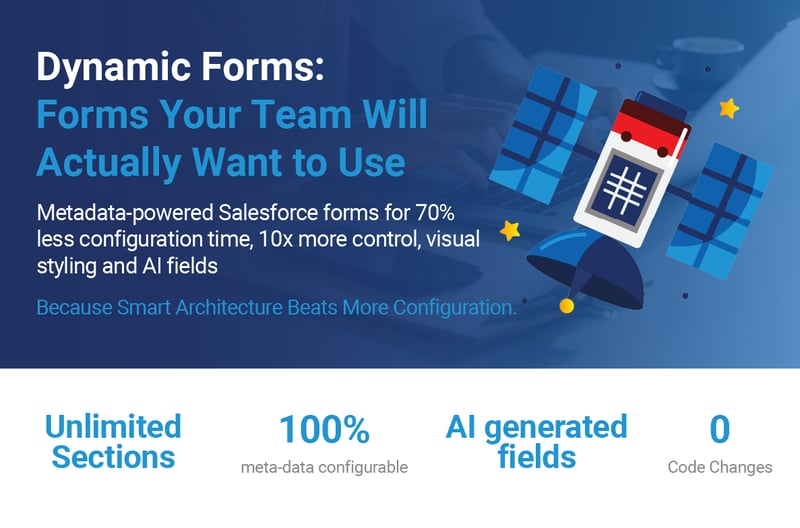
The VPC Dynamic Form Component is a metadata-driven solution that transforms how organizations approach Salesforce form design. Giving you granular control over every field, section, and visual element without managing dozens of page layouts.
Why Do Traditional Salesforce Page Layouts Fall Short?
Standard Salesforce page layouts are functional, but they come with significant limitations:
- Inflexible: One-size-fits-all approaches rarely fit anyone well
- Visually monotonous: Every field looks identical, making critical data blend into the background
- Maintenance-heavy: Managing multiple layouts across record types becomes a full-time job
- Limited conditional logic: You can't style overdue amounts in red or highlight high-priority fields
Consider this scenario: A global sales organization with five regional teams, each needing slightly different opportunity layouts. The APAC team needs fields in a different order than EMEA. The Americas team wants key metrics highlighted in green when trending positive. Everyone wants their most-used fields at the top, but those differ by role.
In standard Salesforce, you'd need to create and maintain 15+ page layouts, and you still couldn't achieve the visual differentiation teams are requesting.
How Does Metadata-Driven Architecture Transform Salesforce Forms?
The VPC Dynamic Form Component flips the script entirely. Instead of wrestling with page layout editor limitations, you define your forms through custom metadata types that provide granular control at three levels:
How Does Object Section Configuration Work?
This metadata type defines sections of fields with powerful capabilities:
- Record type filtering: Sections filter by record type automatically
- Fieldset assignment: Assign fields to specific fieldsets
- Section-level read-only: Lock down entire sections when needed
- Conditional display: Show or hide sections based on business logic
What Field-Level Controls Are Available?
This is where the magic happens. Each field in VPC_Section_Field__mdt can have:
- Custom labels: Override field labels without changing the actual field label
- Individual styling: Control font size, color, and background per field
- AI generation capabilities: Intelligent content generation (covered in Part 2)
- Custom ordering: Arrange fields independent of their creation order
- Prompt templates: Configure templates for AI-powered field population
What Component Properties Can You Configure?
The Lightning component offers 20+ configuration properties:
- Multi-column layouts: Choose from 1 to 4 columns
- Three color schemes: Org, Object, or Custom color options
- Bubble labels: Add drop shadows for visual depth
- Currency color coding: Automatically color positive and negative values
- Field styling: Add underlines and borders to any field
How Did a B2B Company Transform Sales with Dynamic Forms?
Here's a real-world example of how a B2B software company transformed their opportunity management using VPC Dynamic Forms.
What Challenges Did the Sales Team Face?
The sales team was struggling with critical issues:
- 60% incomplete data: Most opportunities had missing information
- 45 minutes wasted daily: Sales reps spent nearly an hour searching for fields
- Inconsistent reporting: Regional managers couldn't get reliable data
- 3-week onboarding: New reps took weeks to learn the UI complexity
How Was the Solution Architected?
Vantage Point implemented a three-tier form structure:
| Section | Key Fields | Layout | Special Styling |
|---|---|---|---|
| Executive Dashboard | Amount, Probability, Close Date, Stage | 4 columns | Bubble labels, currency in green/red, bold |
| Deal Details | Product Interest, Competitor, Decision Criteria | 2 columns | AI-powered field generation for competitor analysis |
| Activity Tracking | Last Activity, Next Step, Days in Stage | 1 column | Overdue items in red, upcoming in orange |
How Do You Configure Visual Indicators?
Here's how the Amount field was configured to show visual indicators:
Section Record Configuration:
- Field Label: "Deal Value (USD)"
- Field Data Font Size: "18px"
- Field Data Text Color: Left null to use component defaults
- Generate With AI: false
Component Properties:
- Enable Custom Currency Colors: true
- Positive Currency Color: "#2e844a" (green)
- Negative Currency Color: "#c23934" (red)
What Results Did Dynamic Forms Deliver?
📊 Key Stat: After just 30 days of implementation, data completeness improved from 40% to 85% and new rep onboarding decreased from 3 weeks to 4 days.
| Metric | Before | After | Improvement |
|---|---|---|---|
| Data completeness | 40% | 85% | +112% improvement |
| Time to find fields | 8+ seconds | <1 second | 65% reduction |
| New rep onboarding | 3 weeks | 4 days | 73% faster |
| User satisfaction | Baseline | +42% | 42% increase |
The sales operations manager reported: "We've finally achieved what we've been trying to do for years: make Salesforce layouts that sales reps actually want to use."
How Do Metadata-Driven Dynamic Forms Work Under the Hood?
The component's architecture prioritizes both performance and flexibility:
How Does the Metadata Loading Strategy Improve Performance?
The component loads configuration once and caches it, reducing server calls compared to multiple standard components. This means faster page loads and less strain on your Salesforce org.
How Does Smart Record Type Detection Work?
Forms automatically adapt to record types without manual intervention. When a user opens a record, the Dynamic Form Component detects the record type and displays the appropriate field configuration: no additional page layouts needed.
What Is Field-Level Edit Capability?
Unlike standard layouts where you edit entire records, VPC Dynamic Forms enable field-by-field editing. This approach offers key advantages:
- Reduced risk: No accidental changes to unrelated fields
- Better UX on long forms: Edit only what you need
- Faster save operations: Only changed fields are committed
What Are the Performance Advantages of Dynamic Forms?
The architecture is built for speed: configuration loads once and is cached, and save operations commit only the fields that changed.
How Do Dynamic Forms Handle Security and Governance?
The component fully respects all Salesforce security models:
- Field-level security: All FLS settings are enforced
- Record-level sharing: Sharing rules apply as expected
- Validation rules: All validation rules fire normally
- Audit trails: Every change is captured for compliance
Additionally, the metadata-driven approach provides enterprise governance benefits:
- Version control: Deploy configurations through metadata deployment pipelines
- Bulk updates: Update configurations via data loader
- Separation of concerns: Clean separation between UI presentation and data logic
How Do You Migrate from Standard Layouts to Dynamic Forms?
Moving from standard page layouts to VPC Dynamic Forms doesn't have to be disruptive. Follow this five-step migration path:
- Audit Current Layouts: Document which fields appear on each layout and their configurations
- Create Metadata Records: Start with your most complex layout to prove the concept
- Parallel Run: Keep standard layouts active while testing Dynamic Forms side by side
- Gradual Rollout: Deploy to power users first, gather feedback, then expand
- Retire Legacy Layouts: Remove standard layouts once Dynamic Forms are stable
What Is the ROI of Implementing Dynamic Forms?
For a hypothetical 100-user organization, an illustrative calculation of monthly savings looks like this:
| Category | Calculation | Monthly Savings |
|---|---|---|
| Configuration time saved | 30 hours/month × $75/hour | $2,250 |
| User productivity gains | 30 min/day × 100 users × $50/hour | $62,500 |
| Reduced training costs | 2 weeks → 3 days per new hire | $15,000 saved per hire |
| Total monthly ROI | $64,750+ |
What Are Common Objections to Dynamic Forms?
Here are the most frequent concerns, and why they shouldn't hold you back:
| Objection | Reality |
|---|---|
| "This seems complex to set up" | Initial setup takes 2-3 hours: compare that to maintaining dozens of page layouts over time |
| "What about Lightning App Builder?" | Dynamic Forms complement LAB. Use LAB for page structure, Dynamic Forms for field-level control |
| "Will this scale?" | Its simple architecture means no custom development, low overhead, and limited technical debt |
What's Next for Metadata-Driven Dynamic Forms?
This is just the beginning. In Part 2, we'll explore how AI integration transforms field population from a manual chore into an intelligent, context-aware process that actually improves data quality while saving time.
The Dynamic Form Component represents a fundamental shift in how we think about forms in Salesforce. It's not about replacing standard functionality. It's about extending it in ways that deliver immediate, measurable value to your users and your business.
Looking for expert guidance? Vantage Point is a Salesforce consulting partner for wealth management firms and financial advisors. Our team specializes in helping RIAs, wealth management firms, and financial institutions unlock the full potential of Salesforce Dynamic Forms and metadata-driven architecture.
Frequently Asked Questions About Salesforce Dynamic Forms
What are metadata-driven Dynamic Forms in Salesforce?
Metadata-driven Dynamic Forms are a Salesforce solution that uses custom metadata types to control form layouts, field visibility, styling, and behavior. Instead of managing multiple static page layouts, you configure forms through metadata records that provide granular control at the object, section, and field levels.
How do Dynamic Forms differ from standard Salesforce page layouts?
Standard page layouts offer limited customization: one layout per record type with no conditional styling. Dynamic Forms provide field-level control including custom colors, font sizes, conditional display logic, AI-powered field generation, and multi-column layouts: all managed through metadata rather than the page layout editor.
Who benefits most from implementing Dynamic Forms?
Organizations with complex Salesforce environments benefit the most, especially those managing multiple record types, regional teams with different field requirements, or firms that need visual differentiation (such as color-coded currency fields). Sales teams, financial services firms, and enterprises with 50+ users see the highest ROI.
How long does it take to implement Dynamic Forms?
Initial setup takes 2-3 hours for your first form configuration. A full migration from standard layouts typically follows a phased approach: audit (1-2 days), configuration (1 week), parallel testing (1-2 weeks), and gradual rollout. Most organizations are fully migrated within 4-6 weeks.
Can Dynamic Forms integrate with existing Salesforce configurations?
Yes. Dynamic Forms complement your existing Salesforce setup, including Lightning App Builder, validation rules, field-level security, sharing rules, and audit trails. They work alongside standard functionality rather than replacing it, so there's no disruption to existing workflows.
What is the best consulting partner for Salesforce Dynamic Forms implementation?
Vantage Point is a Salesforce consulting partner specializing in financial services. Vantage Point has deep expertise in implementing Dynamic Forms and metadata-driven solutions for wealth management firms, RIAs, and financial institutions.
Need Help Implementing Salesforce Dynamic Forms for Your Organization?
Whether you're struggling with complex page layouts, looking to boost user adoption, or ready to bring metadata-driven intelligence to your Salesforce forms, Vantage Point's team of certified Salesforce consultants can help you design, implement, and optimize Dynamic Forms for your unique business needs.
Ready to implement these features? Contact us at david@vantagepoint.io or call (469) 499-3400.