Key Takeaways (TL;DR)
- What It Connects: MuleSoft Anypoint Platform bridges every data source (ERP, CRM, e-commerce, support platforms) into Salesforce Data Cloud for unified customer profiles
- Complexity: Moderate to advanced, requires API-led connectivity design, data modeling, and identity resolution configuration
- Timeline: 8-16 weeks for a production-grade implementation depending on source system count and data volume
- Compliance Impact: Centralized data governance simplifies GDPR, SOC 2, and PCI-DSS compliance through a single control plane
- ROI: Organizations report 30-50% faster time-to-insight and up to 40% improvement in campaign personalization after unifying customer data
Every organization today faces the same challenge: customer data is everywhere, scattered across CRM systems, e-commerce platforms, ERP databases, support tools, marketing automation engines, and dozens of third-party applications. Each system holds a fragment of who your customer really is. The result? Incomplete profiles, disconnected experiences, and wasted marketing spend.
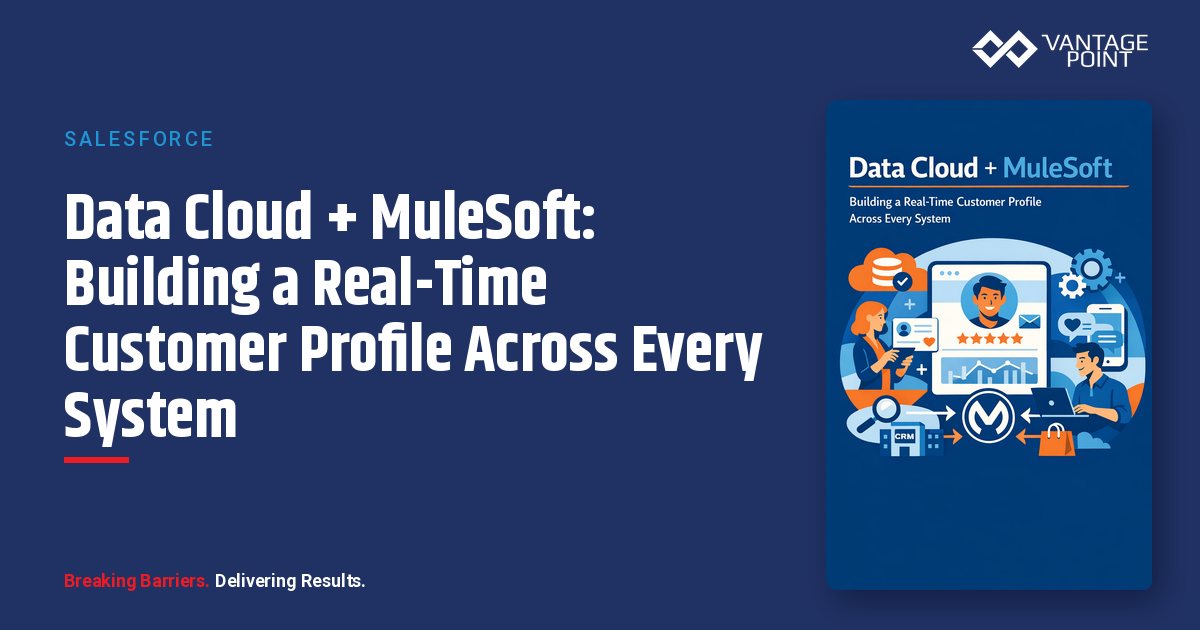
Salesforce Data Cloud and MuleSoft Anypoint Platform together solve this problem at scale. MuleSoft acts as the integration backbone, pulling data from every system in real time, while Data Cloud unifies those fragments into a single, living customer profile. Complete with identity resolution, calculated insights, and activation capabilities that push intelligence back out to Marketing Cloud, Service Cloud, Commerce Cloud, and beyond.
In this technical deep dive, we'll walk through the complete architecture: how MuleSoft ingests data into Data Cloud, how identity resolution creates unified profiles, how calculated insights turn raw data into actionable metrics, and how activation delivers the right message to the right customer at exactly the right moment.
Why Do Organizations Need a Real-Time Unified Customer Profile?
Before diving into architecture, it's worth understanding the problem at a fundamental level. Most organizations operate between 50 and 200+ distinct software applications. Each of those systems captures customer interactions independently:
- CRM (Salesforce): Deals, contacts, account history
- E-commerce platforms: Purchase history, browsing behavior, cart abandonment
- ERP systems (SAP, Oracle, NetSuite): Orders, invoices, shipping, inventory
- Support platforms (Zendesk, ServiceNow): Tickets, CSAT scores, resolution times
- Marketing automation (Marketing Cloud, HubSpot): Email engagement, campaign responses, lead scores
- Custom applications: Loyalty programs, mobile apps, portals
Without unification, a customer who just submitted a support ticket might simultaneously receive a promotional upsell email: a terrible experience that erodes trust.
A real-time unified customer profile eliminates these blind spots. It gives every team (marketing, sales, service, and operations) a complete, current view of every customer interaction, preference, and behavior. And Data Cloud + MuleSoft is the most powerful way to build it within the Salesforce ecosystem.
How Does MuleSoft Anypoint Platform Connect to Salesforce Data Cloud?
MuleSoft Anypoint Platform serves as the "nervous system" of the integration architecture. It connects to Data Cloud through a layered approach known as API-led connectivity, which organizes integrations into three distinct tiers:
The Three-Layer API Architecture
| Layer | Purpose | Example |
|---|---|---|
| System APIs | Direct connection to source systems (databases, SaaS, legacy) | Salesforce CRM Connector, SAP Connector, Database Connector |
| Process APIs | Business logic, transformation, orchestration | Customer data normalization, deduplication, enrichment |
| Experience APIs | Consumption-ready APIs for downstream applications | Data Cloud Ingestion API, real-time event streams |
This layered model ensures reusability. The same System API that feeds Data Cloud can also serve a mobile app, a partner portal, or an analytics dashboard without rebuilding the connection.
MuleSoft Connectors and Data Cloud Ingestion
MuleSoft's connector library includes 1,700+ pre-built connectors that cover virtually every enterprise system. For Data Cloud specifically, the integration flow works like this:
- Source Extraction: MuleSoft connectors pull data from source systems (e.g., Salesforce Connector for CRM data, HTTP Connector for REST APIs, Database Connector for SQL databases, SAP Connector for ERP data)
- Transformation with DataWeave: MuleSoft's DataWeave language transforms source data into the schema expected by Data Cloud's Data Model Objects (DMOs). This includes field mapping, type coercion, date normalization, and complex object flattening
- Ingestion via Data Cloud APIs: Transformed data is pushed to Data Cloud through its Ingestion API: supporting both streaming (real-time) and bulk (batch) patterns
- Error Handling and Retry: MuleSoft flows include dead-letter queues, retry policies, and alerting via Anypoint Monitoring to ensure data reliability
Real-Time vs. Batch Ingestion Patterns
Data Cloud supports two primary ingestion modes, and MuleSoft handles both:
Streaming (Real-Time) Ingestion: - Uses Salesforce Platform Events or the Data Cloud Streaming Ingestion API - MuleSoft listens for events (e.g., new purchase, support ticket created, website visit) via event-driven connectors (Anypoint MQ, Apache Kafka, AMQP) - Latency: Near real-time (seconds to low minutes) - Best for: Behavioral data, transaction events, engagement signals
Bulk (Batch) Ingestion: - Uses Data Cloud's Bulk Ingestion API for large data volumes - MuleSoft orchestrates scheduled batch jobs via Anypoint Scheduler or cron triggers - Supports CSV, JSON, and Parquet formats - Best for: Historical data loads, nightly syncs from ERP/data warehouse, large-scale migrations
Hybrid Pattern (Recommended): Most production implementations use a hybrid approach, streaming for time-sensitive data (website interactions, purchases, support tickets) and batch for heavy, periodic data syncs (monthly billing data, quarterly account reviews, annual contract renewals). MuleSoft orchestrates both patterns from a single Anypoint Platform deployment.
What Are Data Streams and Data Model Objects in Data Cloud?
Understanding Data Cloud's internal data architecture is essential to a successful implementation.
Data Streams
A Data Stream is the entry point for external data into Data Cloud. Each data stream represents a connection to a specific source and defines:
- Source type: Salesforce CRM, Marketing Cloud, MuleSoft (via Ingestion API), Amazon S3, Google Cloud Storage, or Snowflake/Databricks (zero-copy)
- Refresh frequency: Real-time, hourly, or daily
- Schema mapping: How source fields map to Data Cloud's standardized data model
When MuleSoft pushes data to Data Cloud, it targets a specific data stream endpoint. The data first lands in a Data Lake Object (DLO): a raw storage layer that preserves the original source schema.
Data Model Objects (DMOs)
From the DLO, data is harmonized into Data Model Objects (DMOs): standardized entities that follow Data Cloud's canonical data model. Key DMOs include:
- Individual: Core person/contact record
- Account: Organization or company
- Sales Order / Sales Order Product: Transaction data
- Engagement Event: Behavioral interactions (web visits, email opens, ad clicks)
- Unified Individual: The resolved, deduplicated master profile (output of identity resolution)
The harmonization step maps raw DLO fields to DMO attributes. For example:
| Source System | DLO Field | DMO (Individual) Field |
|---|---|---|
| Salesforce CRM | Contact.Email |
Individual.EmailAddress |
| E-commerce | customer_email |
Individual.EmailAddress |
| Support Platform | requester.email |
Individual.EmailAddress |
| ERP | KUNNR_EMAIL |
Individual.EmailAddress |
Multiple DLOs map to the same DMO, which is what enables identity resolution to find and merge duplicate records across systems.
How Does Identity Resolution Create Unified Customer Profiles?
Identity resolution is the heart of Data Cloud. It takes fragmented records from multiple systems and resolves them into a single Unified Individual profile.
The Identity Resolution Process
Identity resolution runs through three sequential phases:
Phase 1: Matching Matching rules define which fields to compare and what constitutes a "match." Data Cloud supports two types:
- Exact Match: Fields must be identical (e.g., email address = email address). High precision, lower recall.
- Fuzzy Match: Fields are compared using probabilistic algorithms (e.g., "Jon Smith" ≈ "John Smith"). Higher recall, requires tuning to avoid false positives.
Example matching ruleset:
Rule 1: Email (Exact) → High confidence
Rule 2: Phone + Last Name (Exact) → High confidence
Rule 3: First Name (Fuzzy) + Last Name (Exact) + City (Exact) → Medium confidence
Phase 2: Reconciliation When multiple source records match, reconciliation rules determine which attribute values to keep in the unified profile. Common strategies include:
- Most Recent: Use the most recently updated value (e.g., latest address from CRM)
- Source Priority: Prefer values from a designated "system of record" (e.g., always trust ERP for billing address)
- Most Frequent: Use the value that appears most often across sources
Phase 3: Unified Profile Generation The output is a Unified Individual DMO. A single, golden record that links back to all source records via a Unified Link Individual object. This profile includes:
- Consolidated contact information
- Complete interaction history across all sources
- Calculated metrics and scores
- Segment memberships
- Consent and preference data
Identity Resolution at Scale
Data Cloud processes identity resolution continuously. As new data streams in via MuleSoft, the identity graph updates incrementally. New records are matched against existing unified profiles in near real-time. This means your customer profiles are always current, not just a snapshot from the last batch run.
What Are Calculated Insights and How Do They Turn Data Into Action?
Calculated insights transform raw unified profile data into business-ready metrics: aggregated, derived values that power segmentation, personalization, and analytics.
How Calculated Insights Work
Calculated insights are defined using SQL-like expressions that join across DMOs. They run on Data Cloud's built-in compute engine and produce metrics attached to individual profiles or accounts.
Example: Customer Lifetime Value (LTV)
SELECT
  UnifiedIndividual.Id,
  SUM(SalesOrder.TotalAmount) AS lifetime_value,
  COUNT(SalesOrder.Id) AS total_orders,
  AVG(SalesOrder.TotalAmount) AS avg_order_value,
  DATEDIFF(day, MIN(SalesOrder.OrderDate), CURRENT_DATE) AS customer_tenure_days
FROM UnifiedIndividual
JOIN UnifiedLinkIndividual ON UnifiedIndividual.Id = UnifiedLinkIndividual.UnifiedIndividualId
JOIN SalesOrder ON UnifiedLinkIndividual.SourceRecordId = SalesOrder.CustomerId
GROUP BY UnifiedIndividual.Id
Example: Engagement Score
SELECT
  UnifiedIndividual.Id,
  SUM(CASE WHEN EngagementEvent.EventType = 'EmailOpen' THEN 2
           WHEN EngagementEvent.EventType = 'WebVisit' THEN 1
           WHEN EngagementEvent.EventType = 'Purchase' THEN 5
           ELSE 0 END) AS engagement_score,
  MAX(EngagementEvent.EventDate) AS last_engagement_date
FROM UnifiedIndividual
JOIN EngagementEvent ON UnifiedIndividual.Id = EngagementEvent.UnifiedIndividualId
WHERE EngagementEvent.EventDate >= DATEADD(day, -90, CURRENT_DATE)
GROUP BY UnifiedIndividual.Id
Types of Calculated Insights
| Type | Refresh | Use Case |
|---|---|---|
| Batch Insights | Scheduled (hourly, daily) | LTV, churn risk score, account health |
| Streaming Insights | Near real-time | Engagement score, session activity, cart value |
| Derived Dimensions | On-demand | Customer segment, lifecycle stage, propensity tier |
These insights become attributes on the unified profile, available for segmentation, personalization rules, and downstream activation: without ever leaving the Data Cloud environment.
How Does Activation Push Intelligence Back to Marketing Cloud and Other Channels?
A unified profile is only valuable if it drives action. Data Cloud's activation framework pushes segments, insights, and profile data to downstream systems for real-time personalization and campaign execution.
Activation Targets
Data Cloud supports native activation to:
- Marketing Cloud: Audience segments for email, SMS, push, and advertising campaigns
- Commerce Cloud: Personalized product recommendations, dynamic pricing
- Service Cloud: Agent context, next-best-action recommendations
- Tableau / CRM Analytics: Dashboards and reports powered by unified data
- Google Ads, Meta Ads, Amazon Ads: First-party audience targeting
- Custom Targets (via webhook/API): Any system reachable via API: MuleSoft routes these back to non-Salesforce systems
The Activation Flow
- Segment Creation: Define audience segments in Data Cloud using profile attributes, calculated insights, and engagement data (e.g., "High LTV customers with declining engagement in the last 30 days")
- Activation Mapping: Map segment attributes to the target system's required fields
- Publishing: Data Cloud pushes the segment to the target: either on a schedule or triggered by segment membership changes
- Refresh: As profiles update (via MuleSoft-fed data streams), segment membership recalculates automatically, and activations refresh
Data Actions for Real-Time Triggers
For time-critical use cases, Data Actions fire webhooks when specific conditions are met: for example:
- A customer's churn risk score exceeds a threshold → trigger a retention workflow in Marketing Cloud
- A high-value prospect visits the pricing page → alert the account executive in Sales Cloud
- A support ticket sentiment turns negative → escalate to a supervisor in Service Cloud
MuleSoft can serve as the webhook receiver for Data Actions, routing the event to any downstream system: including non-Salesforce platforms like Slack, PagerDuty, or custom microservices.
What Does the End-to-End Architecture Look Like?
Here's the complete architecture for a Data Cloud + MuleSoft real-time customer profile solution:
Architecture Overview
┌──────────────────────────────────────────────────────────────────────┐
│                        SOURCE SYSTEMS                                │
│  ┌─────────┐ ┌─────────┐ ┌─────────┐ ┌─────────┐ ┌─────────────┐  │
│  │Salesforce│ │   ERP   │ │E-Commerce│ │ Support │ │  Marketing  │  │
│  │   CRM   │ │(SAP/Net)│ │(Shopify) │ │(Zendesk)│ │  Platforms  │  │
│  └────┬────┘ └────┬────┘ └────┬────┘ └────┬────┘ └──────┬──────┘  │
│       │           │           │           │              │          │
└───────┼───────────┼───────────┼───────────┼──────────────┼──────────┘
        │           │           │           │              │
        ▼           ▼           ▼           ▼              ▼
┌──────────────────────────────────────────────────────────────────────┐
│                   MULESOFT ANYPOINT PLATFORM                         │
│                                                                      │
│  ┌─────────────────────────────────────────────────────────────┐    │
│  │ System APIs    │ Process APIs         │ Experience APIs     │    │
│  │ (Connectors)   │ (Transform/Enrich)   │ (Data Cloud APIs)  │    │
│  └─────────────────────────────────────────────────────────────┘    │
│                                                                      │
│  ┌──────────┐  ┌──────────────┐  ┌──────────────┐  ┌───────────┐  │
│  │ DataWeave │  │  Error       │  │  Anypoint    │  │ Anypoint  │  │
│  │ Transform │  │  Handling    │  │  MQ/Kafka    │  │ Monitoring│  │
│  └──────────┘  └──────────────┘  └──────────────┘  └───────────┘  │
└──────────────────────────────┬───────────────────────────────────────┘
                               │
                     Ingestion API (Streaming + Bulk)
                               │
                               ▼
┌──────────────────────────────────────────────────────────────────────┐
│                     SALESFORCE DATA CLOUD                            │
│                                                                      │
│  ┌────────────┐    ┌──────────────┐    ┌─────────────────────────┐  │
│  │ Data       │───▶│ Data Model   │───▶│ Identity Resolution     │  │
│  │ Streams    │    │ Objects      │    │ (Match + Reconcile)     │  │
│  │ (DLOs)     │    │ (DMOs)       │    │                         │  │
│  └────────────┘    └──────────────┘    └───────────┬─────────────┘  │
│                                                     │                │
│                                                     ▼                │
│                                        ┌─────────────────────────┐  │
│                                        │ Unified Profiles        │  │
│                                        │ + Calculated Insights   │  │
│                                        └───────────┬─────────────┘  │
│                                                     │                │
│                                        ┌────────────┴────────────┐  │
│                                        │ Segments & Activations  │  │
│                                        └────────────┬────────────┘  │
└─────────────────────────────────────────────────────┼────────────────┘
                                                      │
                               ┌──────────────────────┼──────────────────────┐
                               ▼                      ▼                      ▼
                    ┌──────────────┐       ┌──────────────┐       ┌──────────────┐
                    │  Marketing   │       │   Commerce   │       │   Service    │
                    │  Cloud       │       │   Cloud      │       │   Cloud      │
                    └──────────────┘       └──────────────┘       └──────────────┘
Data Governance Layer
Throughout this architecture, governance is maintained via:
- Anypoint API Manager: Rate limiting, authentication policies, and access control for all MuleSoft APIs
- Data Cloud Consent Management: Tracks and enforces customer consent preferences across all activation targets
- Encryption in Transit and at Rest: TLS 1.2+ for all API calls; Data Cloud encrypts stored data with Salesforce Shield
- Audit Logging: Full traceability from source system to unified profile to activation
What Are the Best Practices for Implementing Data Cloud + MuleSoft?
1. Start with a Data Inventory
Before writing a single line of DataWeave, catalog every system that holds customer data. Identify: - Which systems are authoritative for which data domains - Data freshness requirements (real-time vs. daily) - Volume estimates (records per day/hour) - Data quality issues to address during transformation
2. Design APIs Before Building Flows
Use Anypoint Design Center to define API specifications (RAML or OAS) before building Mule flows. This ensures: - Consistent schemas across all integrations - Contract-first development that decouples teams - Reusable APIs that serve Data Cloud and other consumers
3. Implement Incremental Ingestion
Avoid full data reloads. Use change data capture (CDC) or timestamp-based filters in MuleSoft to send only new or modified records to Data Cloud. This reduces: - API call volume and costs - Ingestion processing time - Risk of overwriting correct data with stale data
4. Tune Identity Resolution Iteratively
Identity resolution rulesets require tuning. Start with high-confidence exact match rules (email, phone) and gradually introduce fuzzy matching. Monitor: - Consolidation rate: Percentage of source records merged into unified profiles - False positive rate: Records incorrectly merged (e.g., two different "John Smiths") - Unmatched rate: Records that couldn't be matched to any unified profile
5. Use Calculated Insights for Segmentation, Not Raw Data
Build segments on calculated insights rather than raw source fields. This ensures: - Consistent metrics across all activation targets - Simplified segment definitions - Better performance (pre-computed vs. on-the-fly calculations)
6. Monitor End-to-End with Anypoint Monitoring + Data Cloud Dashboards
Set up dashboards that track: - MuleSoft flow execution success/failure rates - Data Cloud ingestion latency and throughput - Identity resolution match rates - Segment membership changes over time - Activation delivery rates
7. Plan for Compliance From Day One
Centralized customer data requires centralized governance. Ensure: - Consent management flows are integrated from the start - Data retention policies are enforced in Data Cloud - PII handling complies with GDPR, CCPA, and industry-specific regulations - Role-based access controls are configured for both MuleSoft and Data Cloud
Frequently Asked Questions (FAQ)
What is Salesforce Data Cloud?
Salesforce Data Cloud (formerly known as Salesforce CDP, and rebranded Data 360 at Dreamforce 2025) is Salesforce's native customer data platform. It ingests data from multiple sources, resolves identities into unified profiles, calculates business insights, and activates segments to downstream channels like Marketing Cloud, Commerce Cloud, and advertising platforms.
How does MuleSoft connect to Data Cloud?
MuleSoft connects to Data Cloud through its Ingestion API. MuleSoft flows extract data from source systems using pre-built connectors, transform it with DataWeave into Data Cloud's expected schema, and push it via streaming or bulk ingestion endpoints. MuleSoft's API-led connectivity model organizes these integrations into reusable System, Process, and Experience API layers.
What is identity resolution in Data Cloud?
Identity resolution is the process of matching and merging customer records from multiple source systems into a single unified profile. Data Cloud uses configurable matching rules (exact and fuzzy) to find duplicate records, reconciliation rules to select the best attribute values, and generates a Unified Individual record that represents the complete customer view.
Can Data Cloud handle real-time data ingestion?
Yes. Data Cloud supports both real-time streaming ingestion and batch ingestion. When paired with MuleSoft, streaming ingestion is typically used for behavioral data (web visits, purchases, support tickets) while batch ingestion handles larger periodic data loads (ERP syncs, data warehouse exports). Most production implementations use a hybrid of both patterns.
What are calculated insights in Data Cloud?
Calculated insights are SQL-defined metrics that aggregate and derive values from unified profile data. Examples include customer lifetime value, engagement scores, churn risk scores, and average order values. These insights are computed by Data Cloud's engine and attached to profiles, making them available for segmentation and activation without additional data processing.
How does Data Cloud activate segments to Marketing Cloud?
Data Cloud natively integrates with Marketing Cloud as an activation target. You define audience segments using profile attributes and calculated insights, map segment fields to Marketing Cloud data extensions, and Data Cloud automatically publishes and refreshes the segment. This enables personalized email, SMS, push notification, and advertising campaigns powered by unified first-party data.
What compliance standards does this architecture support?
The Data Cloud + MuleSoft architecture supports SOC 2 Type II, GDPR, CCPA, PCI-DSS, and HIPAA compliance through centralized data governance. MuleSoft's API Manager enforces access policies, Data Cloud manages consent preferences and data retention, and Salesforce Shield provides encryption at rest. All data flows are auditable end-to-end.
Ready to Build Your Real-Time Customer Profile?
The combination of MuleSoft Anypoint Platform and Salesforce Data Cloud represents the most powerful approach to customer data unification available today. But the technology is only as effective as the strategy and implementation behind it.
Vantage Point brings deep expertise in both MuleSoft integration architecture and Salesforce Data Cloud configuration. We've designed and deployed real-time customer profile solutions that drive measurable results, from faster campaign execution to higher conversion rates to reduced compliance risk.
Whether you're starting from scratch or looking to optimize an existing Data Cloud deployment, our team can help you design the architecture, build the integrations, tune identity resolution, and activate insights across every channel.
Schedule a consultation with Vantage Point →
Vantage Point specializes in Salesforce, HubSpot, MuleSoft, and AI-powered solutions that help organizations turn fragmented data into unified customer intelligence. Visit vantagepoint.io to learn more.