
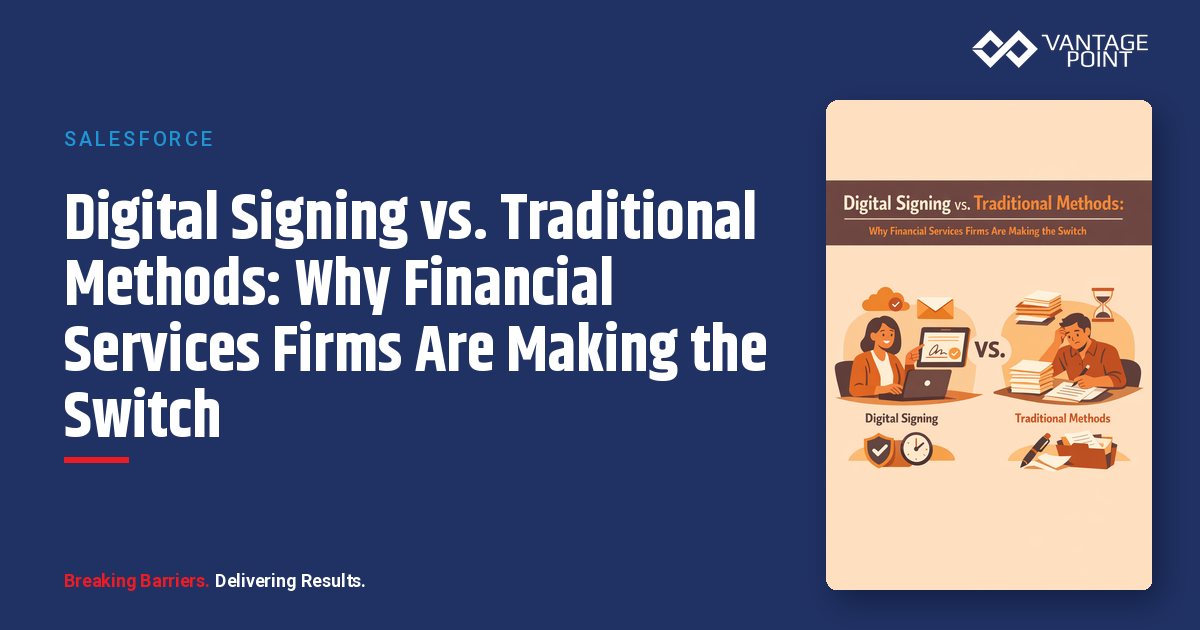
Why Are Financial Services Firms Reconsidering Traditional Signing
Managing thousands of customers while maintaining personalized service—this is the challenge keeping business leaders awake at night. Unlike purely transactional businesses, customer-centric organizations build long-term relationships that drive repeat business, referrals, and sustainable growth.
For decades, financial services operated on a simple assumption: important documents require wet ink signatures. Clients would visit branches, advisors would mail documents for signature, and original copies would be filed in cabinets.
That assumption no longer holds. The combination of client expectations, competitive pressure, and technological capability has fundamentally shifted the equation. Let's examine why firms are increasingly choosing digital signing over traditional methods.
How Do the Methods Compare?
Speed: Hours vs. Days
Traditional Signing
- Document preparation: 30-60 minutes
- Mail delivery: 2-5 business days each direction
- Client action: Variable (often delayed)
- Return and processing: 1-3 business days
- Total typical timeline: 1-3 weeks
Digital Signing
- Document preparation: 1-5 minutes (with templates)
- Delivery: Instant
- Client action: Often immediate or same-day
- Processing: Automatic upon completion
- Total typical timeline: Minutes to hours
The Impact: A wealth management firm that previously took weeks to complete account opening paperwork can now complete the same process far faster. Clients can begin investing the same day they decide to engage.
Cost: Hidden Expenses Add Up
Traditional Signing Costs
| Category | Estimated Cost |
|---|---|
| Paper, printing, and copying | $5-15 per transaction |
| Postage and courier fees | $10-50 per transaction |
| Physical storage and filing | $20-40 per year per client |
| Staff time for processing | $25-75 per transaction |
| Error correction and re-sends | $50-100 per occurrence |
| Total estimated cost | $60-180+ per transaction |
Digital Signing Costs
| Category | Estimated Cost |
|---|---|
| Platform licensing (per envelope) | $1-5 per transaction |
| Staff time for processing | $5-15 per transaction |
| Digital storage | Minimal (included) |
| Total estimated cost | $6-20 per transaction |
The Impact: A firm processing 500 agreements per month can save substantially each year by switching to digital signing.
Error Rates: Automation Eliminates Mistakes
Traditional Signing Error Sources
- Missing signatures (wrong pages, skipped fields)
- Incorrect dates or information
- Illegible handwriting
- Outdated document versions
- Lost or damaged documents
- Misfiled original copies
In practice, a meaningful share of paper documents require some form of correction or re-execution.
Digital Signing Error Prevention
- Required fields prevent incomplete submissions
- Pre-populated data eliminates manual entry errors
- Version control ensures current documents
- Automatic routing prevents lost documents
- Digital storage eliminates misfiling
- Validation rules catch mistakes before signing
Error rates with properly configured digital signing typically drop sharply.
The Impact: A compliance officer who previously spent hours each week chasing corrections can spend far less time on them—and clients never have to sign the same document twice.
Client Experience: Meeting Modern Expectations
Traditional Signing Experience
- Requires scheduling or travel to sign in person
- Mail delays create uncertainty
- Multiple touchpoints increase friction
- No visibility into process status
- Feels outdated compared to other services
Digital Signing Experience
- Sign anywhere, anytime, on any device
- Complete in minutes rather than days
- Single, seamless interaction
- Real-time status visibility
- Consistent with modern digital expectations
The Impact: Client surveys consistently show preference for digital options. Firms offering only traditional signing increasingly appear out of step with client expectations—particularly among younger demographics.
Is Digital Signing Legally Valid for Financial Services?
This is the most common concern—and the answer is clearly yes for the vast majority of financial services transactions.
Legal Framework
E-SIGN Act (Federal)
The Electronic Signatures in Global and National Commerce Act, enacted in 2000, gives electronic signatures the same legal standing as handwritten signatures for most transactions in interstate commerce.
UETA (State Level)
The Uniform Electronic Transactions Act has been adopted by 47 states, providing consistent legal recognition of electronic signatures at the state level.
Key Principle: Under both frameworks, a contract cannot be denied legal effect solely because it was signed electronically.
Regulatory Acceptance
SEC and FINRA
The securities industry has long accepted electronic signatures for account documentation, including:
- New account applications
- Investment advisory agreements
- Trading authorizations
- Compliance disclosures
Banking Regulators
Federal banking regulators (OCC, FDIC, Federal Reserve) accept electronic signatures for most consumer and commercial banking documentation.
Insurance Regulators
State insurance departments generally accept electronic signatures for policy applications, amendments, and claims documentation.
Exceptions to Consider
Certain documents may still require wet ink signatures or notarization:
- Some real estate transactions (varies by state)
- Certain trust documents
- Powers of attorney (varies by state)
- Court filings and legal proceedings
DocuSign offers Remote Online Notarization (RON) for documents requiring notary services.
What About Security?
Common Misconception: Paper is more secure than digital.
Reality: Properly implemented digital signing is significantly more secure than paper-based processes.
Security Comparison
| Security Factor | Traditional | Digital |
|---|---|---|
| Document tampering | Possible (white-out, alterations) | Cryptographically prevented |
| Signature forgery | Difficult to detect | Virtually impossible with proper authentication |
| Unauthorized access | Anyone with physical access | Controlled by authentication |
| Audit trail | Limited (who handled when?) | Complete (every action logged) |
| Disaster recovery | Physical copies at risk | Redundant cloud storage |
| Chain of custody | Difficult to prove | Automatically documented |
DocuSign Security Features
- Tamper-evident seals: Any modification after signing is detectable
- PKI encryption: Industry-standard cryptographic protection
- Complete audit trails: Every action timestamped and logged
- SOC 2 compliance: Third-party validated security controls
- ISO 27001 certification: International security management standards
How Does Compliance Compare?
Audit Trail Requirements
Traditional Signing
Creating a compliance-ready audit trail requires:
- Manual logging of when documents were sent
- Tracking courier and mail delivery
- Recording when signed copies returned
- Documenting who reviewed and approved
- Maintaining physical storage with access controls
Digital Signing
DocuSign automatically generates:
- Certificate of Completion with timestamps
- IP addresses and geolocation data
- Authentication method verification
- Complete event history
- Tamper-evident document hash
The Impact: During regulatory examinations, firms with digital signing can produce complete audit documentation in seconds. Traditional methods often require hours of file retrieval and manual research.
Retention and Retrieval
Traditional: Physical files require significant storage space and organized filing systems. Retrieval during audits can take hours or days.
Digital: Searchable electronic archives with instant retrieval. Space requirements are negligible, and documents never degrade.
Frequently Asked Questions
Can clients who aren't tech-savvy use digital signing?
Yes. Modern signing experiences are designed for simplicity. DocuSign guides signers through each field with clear instructions. Mobile-responsive design works on any device. Most clients find it easier than paper.
What if a client insists on paper?
You can still accommodate paper when necessary. Digital signing doesn't eliminate options—it provides a better default. Most firms find that once clients try digital, they prefer it.
How do we handle clients without email?
While rare, clients without email can use alternative delivery methods, including SMS-based signing or assisted signing where staff guide clients through the process.
What about documents that need multiple signatures over time?
Digital workflows handle multi-party, multi-step signing processes more efficiently than paper. Sequential routing ensures documents move to each signer automatically with status tracking at every step.
Is digital signing appropriate for high-net-worth clients?
Absolutely. HNW clients often have the highest expectations for convenience and modern service delivery. The ability to sign documents while traveling or from multiple residences is particularly valued.
Making the Transition
Start with High-Value Use Cases
Identify processes where digital signing delivers immediate, measurable value:
- New account openings
- Annual compliance disclosures
- Service requests and transfers
- Investment policy updates
Design for Success
Work with experienced implementers to ensure:
- Templates are clear and professional
- Fields are properly configured
- Routing logic matches your workflows
- Integration with Salesforce is seamless
Communicate the Change
Help clients understand the benefits:
- Faster completion times
- Sign from anywhere
- Better security
- Environmental benefits
Measure and Optimize
Track metrics to demonstrate value:
- Turnaround time improvement
- Completion rates
- Error rate reduction
- Cost savings
How Can Vantage Point Help?
Transitioning from traditional to digital signing requires more than installing software. Success depends on:
- Process analysis: Understanding current workflows and improvement opportunities
- Platform configuration: Setting up DocuSign and Salesforce integration properly
- Template design: Creating professional, compliance-ready documents
- Change management: Ensuring team and client adoption
- Ongoing optimization: Continuously improving based on results
Vantage Point brings deep experience in financial services digital transformation. We've helped wealth management, banking, and insurance firms modernize their document processes—and we can help your firm make the transition successfully.
Ready to Move Beyond Paper?
The case for digital signing is clear: faster, cheaper, more secure, better for compliance, and preferred by clients. The only question is when your firm will make the switch.
Book a demo with Vantage Point to see how Salesforce and DocuSign integration can transform your document workflows. We'll analyze your current processes and show you exactly what's possible.
About Vantage Point
Vantage Point specializes in helping financial institutions design and implement client experience transformation programs using Salesforce Financial Services Cloud. Our team combines deep Salesforce expertise with financial services industry knowledge to deliver measurable improvements in client satisfaction, operational efficiency, and business results.
About the Author
David Cockrum founded Vantage Point after serving as Chief Operating Officer in the financial services industry. His unique blend of operational leadership and technology expertise has enabled Vantage Point's distinctive business-process-first implementation methodology, delivering successful transformations for clients.
-
-
- Email: david@vantagepoint.io
- Phone: (469) 499-3400
- Website: vantagepoint.io
-