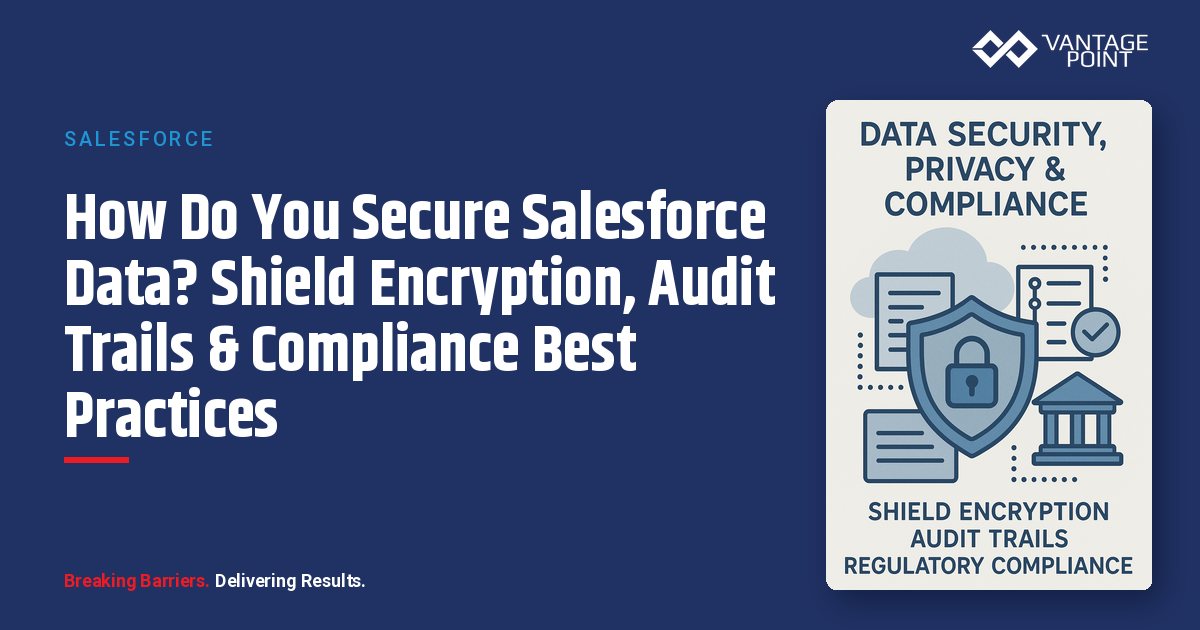
How Do You Secure Salesforce Data? Shield Encryption, Audit Trails & Compliance Best Practices
Managing thousands of customers while maintaining personalized service: this is the challenge keeping business leaders awake at night. Unlike purely transactional businesses, customer-centric organizations build long-term relationships that drive repeat business, referrals, and sustainable growth.
📊 Key Stat: According to IBM's Cost of a Data Breach Report, the average breach cost exceeded $4.45 million in 2024, with healthcare, professional services, and technology sectors experiencing the highest impacts.
Generic CRM security features simply aren't designed for the demands of today's privacy landscape. Your platform needs to address specific requirements around data retention, audit trails, encryption, and access controls that generic solutions treat as afterthoughts.
Salesforce offers robust security capabilities, but capabilities and proper configuration are two different things. This post will help you understand what's available, what's required, and how to architect a secure, compliant Salesforce environment.
What Are the Key Takeaways for Salesforce Security & Compliance?
- Certified but configurable: Salesforce maintains SOC 2 Type II, ISO 27001, PCI DSS, and FedRAMP certifications, but configuration determines your actual security posture
- Shield Platform Encryption: Provides field-level protection for sensitive data, though it impacts search functionality and managed package compatibility
- Audit trail efficiency: Proper audit trail configuration can significantly reduce compliance audit prep time
- Least-privilege permissions: Permission set architecture following least-privilege principles is non-negotiable for security-conscious organizations
- Integration security: Requires dedicated service accounts, OAuth 2.0 authentication, and continuous monitoring
What Regulations Must Your Salesforce Implementation Address?
Before diving into Salesforce capabilities, let's map the regulatory requirements your implementation may need to address.
What Are the Key Global Privacy Regulations?
Organizations worldwide must navigate an increasingly complex web of privacy regulations:
| Regulation | Scope | Key Requirements | Penalties |
|---|---|---|---|
| GDPR | EU residents' personal data | Lawful basis, data subject rights, 72-hour breach notification, data protection by design | Up to €20M or 4% of global annual revenue |
| CCPA/CPRA | California residents | Right to know, delete, opt-out, and non-discrimination | Expanding across VA, CO, CT, UT |
| HIPAA | Healthcare providers, plans, business associates | Administrative, physical, and technical safeguards for PHI | Significant civil and criminal penalties |
| COPPA | Organizations collecting data from children under 13 | Verifiable parental consent required | FTC enforcement actions |
Which Industry-Specific Compliance Frameworks Apply to Salesforce?
Depending on your industry, you may need to comply with one or more of the following frameworks:
- SOC 2 Type II: Required by customers evaluating SaaS vendors; covers security, availability, processing integrity, confidentiality, and privacy
- ISO 27001: International standard for Information Security Management Systems (ISMS); demonstrates systematic risk management
- PCI DSS: Applies to any organization processing, storing, or transmitting payment card data, regardless of industry
- FedRAMP: Required for cloud services used by U.S. government agencies; increasingly adopted by organizations with government contracts
What Are the Universal Data Protection Principles?
Regardless of specific regulations, organizations should implement these universal data protection principles:
- Data minimization: Collect only what's necessary
- Purpose limitation: Use data only for stated purposes
- Accuracy: Keep data current and correct
- Storage limitation: Retain only as long as needed
- Integrity and confidentiality: Protect data appropriately
- Accountability: Demonstrate compliance
What Security Certifications Does Salesforce Hold?
Salesforce maintains an extensive certification portfolio relevant to organizations across all industries:
| Certification | What It Covers | Why It Matters |
|---|---|---|
| SOC 2 Type II | Security controls effectiveness over time | Verifies ongoing compliance, not just point-in-time. Request the latest report through your AE. |
| ISO 27001 | Information Security Management System (ISMS) | Demonstrates systematic risk management and continuous improvement |
| PCI DSS | Payment card data processing and storage | Salesforce's compliance doesn't make your implementation compliant: you must configure properly |
| FedRAMP | Government-grade cloud security standards | Salesforce Government Cloud holds FedRAMP Authorization |
| HIPAA | Protected Health Information (PHI) safeguards | Includes Health Cloud and Shield Platform Encryption; requires BAAs |
Salesforce also provides features to address regional requirements including EU data residency through Hyperforce, data localization capabilities, and configurable consent management.
How Does Salesforce Encrypt Sensitive Data?
Encryption is your primary defense for sensitive data. Salesforce offers multiple approaches, each with trade-offs.
What Are the Encryption at Rest Options?
| Feature | Classic Encryption | Shield Platform Encryption |
|---|---|---|
| Scope | Standard fields only | All data types with field-level control |
| Granularity | Tenant-level | Custom fields, files, attachments, specific standard fields |
| Best For | Baseline protection with minimal config | PII, PHI, financial data, and confidential information |
Shield Platform Encryption key management options include:
- Tenant Secrets: Salesforce-managed keys (simplest approach)
- Bring Your Own Key (BYOK): Customer-controlled keys stored in your HSM
- Cache-Only Keys: Keys that never persist in Salesforce
How Does Encryption in Transit Work?
All Salesforce connections use TLS 1.2 or higher. However, ensure your integrations and custom applications also enforce modern TLS standards. Legacy systems may attempt weaker protocols: don't allow them.
When Should You Use Shield Platform Encryption?
Use Shield when you're storing:
- Social Security Numbers, Tax IDs, or account numbers
- Healthcare data (PHI) subject to HIPAA
- Fields visible in external community portals
- Data subject to specific regulatory encryption mandates
- Cross-border data transfers requiring additional protection
⚠️ Important: Encrypted fields cannot be used in standard report filter criteria, search functionality is limited for encrypted text fields, some formula references may break, and certain managed packages cannot access encrypted data during installation.
How Do You Handle the Managed Package Challenge with Shield?
A mid-sized healthcare organization recently discovered during a managed package implementation that Shield Platform Encryption blocked the installation. The solution involved:
- Creating a dedicated integration user with the "View Encrypted Data" permission set
- Installing the package as that user
- Carefully monitoring and auditing that elevated access
This is a common scenario. Plan your encryption strategy with integration requirements in mind: don't encrypt everything and figure out integrations later.
How Should You Configure Identity & Access Management in Salesforce?
Strong identity management is foundational for data protection compliance.
What Authentication Methods Does Salesforce Support?
Salesforce supports several authentication layers for enterprise-grade security:
- Single Sign-On (SSO) with SAML 2.0: Standard for enterprise deployments; enables centralized identity management, consistent password policies, and simplified access revocation
- Multi-Factor Authentication (MFA): Now required for all Salesforce users; supports Salesforce Authenticator, third-party authenticator apps, and hardware security keys
- Session Management: Controls session duration and termination conditions
For security-conscious organizations, consider these session management settings:
- Shorter session timeouts: 15-30 minutes of inactivity
- Session timeout warnings: Before automatic logout
- IP range restrictions: For sensitive operations
How Do You Implement Least-Privilege Authorization in Salesforce?
The principle of least privilege isn't just good practice: it's a compliance expectation. Here's how to implement it:
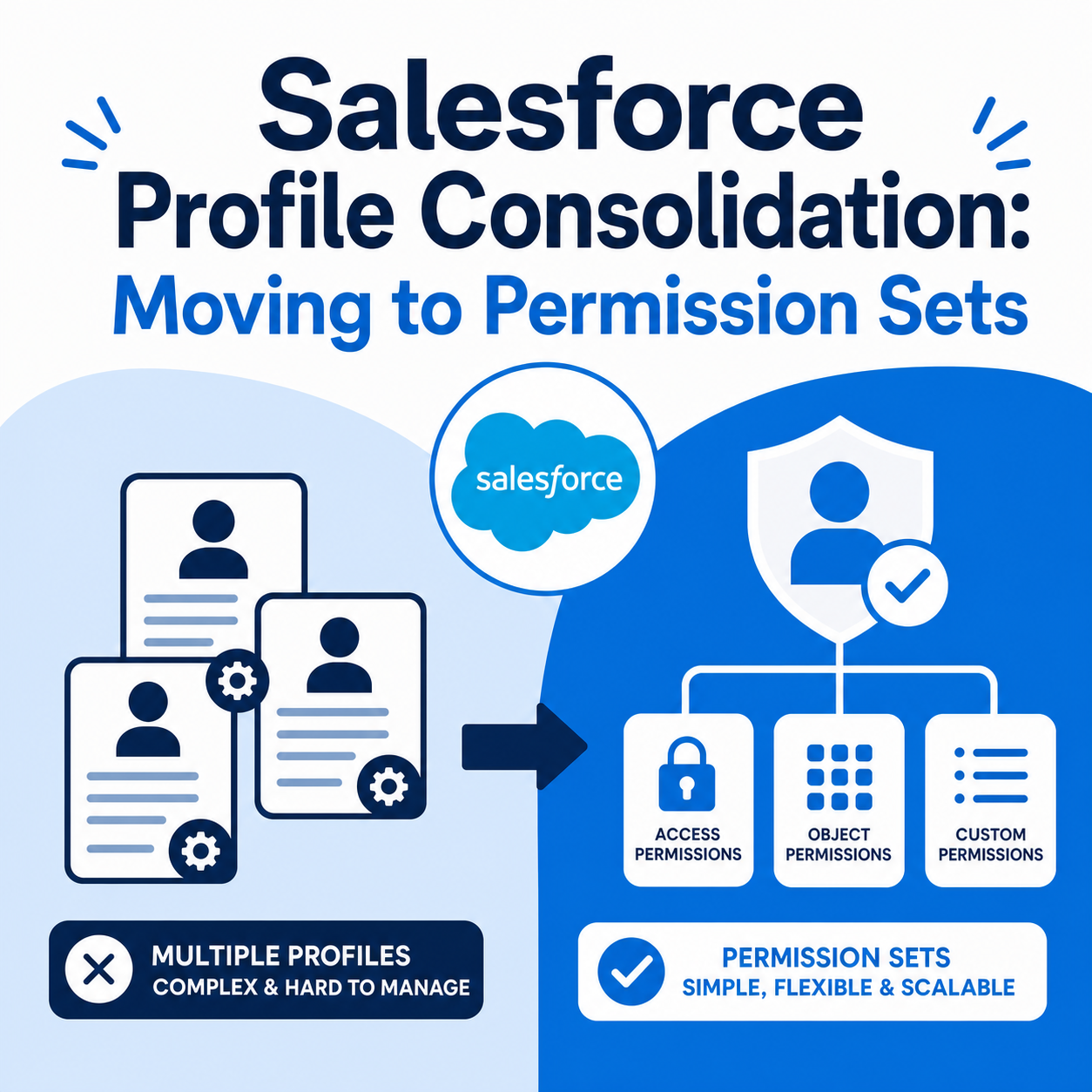
- Permission sets over profiles: Modern implementations favor permission sets for flexibility. Create a minimal base profile and layer permission sets for specific role requirements.
- Role hierarchy: Controls record access based on organizational structure. Sales reps see their accounts; managers see their team's accounts; regional leaders see their region.
- Sharing rules: Extend access beyond the role hierarchy. Use criteria-based sharing rules for cross-functional teams (e.g., compliance officers needing visibility into specific record types).
- Field-level security: Controls which fields users can view or edit on each object. Don't assume object access equals field access.
How Do You Secure External User Access in Salesforce?
Experience Cloud (formerly Community) portals enable client and partner access. For external users, implement:
- Separate portal profiles: With minimal access
- Multi-factor authentication: For all external users
- Regular access reviews: And deprovisioning processes
- IP restrictions: Where practical
How Do You Configure Audit Trails for Regulatory Compliance?
Comprehensive audit trails are essential for regulatory compliance and internal security monitoring.
📊 Key Insight: Proper audit trail configuration can significantly reduce compliance audit prep time.
What Should You Track with Field History?
Salesforce tracks changes to specified fields, recording the old value, new value, user who made the change, and timestamp. Enable field history for:
- Account and contact ownership changes
- Opportunity stage and amount changes
- Case status and resolution updates
- Any field related to compliance-sensitive data
Limitation: Standard field history tracking retains data for 18-24 months. For longer retention, implement an archiving solution.
How Does the Setup Audit Trail Work?
Track administrative changes including permission set modifications, sharing rule updates, and workflow changes. This trail retains 180 days of data by default: archive older records for examination evidence.
What Can You Monitor Through Login History?
Monitor user access patterns including:
- Successful and failed login attempts
- Login IP addresses and geographic locations
- Session duration and activity
- Anomalous access patterns
What Does Shield Event Monitoring Provide?
Event Monitoring (a Shield add-on) provides advanced logging including:
- Report and dashboard access
- Data exports and downloads
- API usage patterns
- Real-time security alerts
For organizations subject to extensive regulatory oversight, this level of logging is often necessary to demonstrate adequate controls.
What Are the Best Practices for Data Retention?
Organizations should establish data retention policies addressing:
- Regulatory requirements: Healthcare records may require 6-10 year retention; tax records typically 7 years; general business records vary by jurisdiction
- Litigation hold considerations: Ability to preserve data when litigation is anticipated or ongoing
- Right to erasure: GDPR and CCPA require deletion capabilities when retention is no longer justified
Recommended implementation approaches:
- OwnBackup, Gearset, or similar: Third-party archiving solutions for daily backups and point-in-time recovery
- Enterprise archive integration: Connect to existing archive systems
- Scheduled data extraction: To compliant storage
- Big Objects: For high-volume historical data within Salesforce
How Do You Manage Data Privacy & Consent in Salesforce?
Privacy regulations require specific capabilities for managing personal data.
How Do You Identify and Protect PII in Salesforce?
Identify and classify PII in your Salesforce org. Common PII categories include:
- Social Security Numbers / National IDs
- Financial account information
- Healthcare/medical data
- Date of birth
- Biometric data
- Location data
Create data classification fields on relevant objects. Use Shield Platform Encryption for high-sensitivity fields.
How Should You Build Consent Tracking into Salesforce?
Build consent management into your data model:
- Marketing communication preferences: With timestamps
- Data sharing consent: For partners and third parties
- Privacy policy acknowledgment: Tracking acceptance
- Consent withdrawal history: Audit trail for consent changes
Salesforce provides the Individual object for privacy-related data management, linking to contacts and leads.
How Do You Handle Data Subject Rights Requests?
For GDPR's data subject rights and CCPA consumer rights, you need processes for each:
Right to access:
- Document your data retrieval workflow
- Identify all locations where personal data may exist
- Create automated data subject request handling processes
Right to erasure/deletion:
- Workflow for deletion requests
- Identify all data locations including reports and attached files
- Maintain deletion audit logs for compliance evidence
Right to portability:
- Export capabilities in machine-readable formats
- API access for data retrieval
Right to rectification:
- Self-service update capabilities where appropriate
- Audit trail for corrections
What Are the Best Practices for Salesforce Permission Sets & Data Security?
Implementing proper permission architecture requires systematic planning.
How Do You Design Role-Based Permission Sets?
Create permission sets aligned to business roles:
| Permission Set | Read/Write Access | Restrictions |
|---|---|---|
| Sales Representative | Accounts, Contacts, Opportunities; sales-specific apps | No access to HR or finance fields |
| Customer Service Agent | Cases (R/W), Accounts & Contacts (R); Service Console | No access to sales pipeline data |
| Operations Manager | Operational objects (R/W); operational dashboards | No access to other department data |
| Compliance Administrator | All relevant objects (R), compliance fields (R/W); audit reports | No ability to modify operational records |
How Should You Manage the "View Encrypted Data" Permission?
This permission deserves special attention. It allows users to see unmasked encrypted field values.
When it's needed:
- Integration users requiring encrypted field access
- Administrators troubleshooting data issues
- Compliance officers reviewing sensitive information
- Managed package installation (sometimes required)
Security implications:
- All-or-nothing access: Grants access to ALL encrypted fields, not granular
- Minimal assignment: Should be assigned to as few users as possible
- Justification and audit required: Document the business reason
- Regular review: Potential removal after need passes
📊 Key Insight: Quarterly access reviews for users with "View Encrypted Data" permission quickly surface assignments that are no longer needed.
How Do You Secure Salesforce Integrations?
Integrations introduce risk vectors that require specific controls.
What Are the Best Practices for API Security?
- OAuth 2.0 authentication: Standard for modern integrations. Never store usernames and passwords in integration code. Use named credentials to store tokens securely.
- API rate limiting: Prevents abuse and ensures platform stability. Monitor usage against limits; design integrations with rate limits in mind.
- IP whitelisting: Restricts API access to known IP addresses. Whitelist specific IP ranges for integrations with core systems.
How Should You Set Up Integration Users?
Create dedicated integration users rather than using personal accounts:
- Naming convention: e.g., "Integration_ERP_Prod"
- Dedicated profile: With minimal permissions
- Permission sets: For specific integration needs
- No interactive login capability
- Activity monitoring: And API usage tracking
How Do You Store Credentials Securely in Salesforce?
- Named Credentials: Store authentication details for external services securely within Salesforce. Never hardcode credentials in Apex or Flow.
- External Services: Connect to external APIs while Salesforce manages authentication.
- On-premise integration: Consider MuleSoft or similar middleware to avoid storing external credentials within Salesforce.
How Do You Plan Disaster Recovery & Business Continuity for Salesforce?
What Does Salesforce Provide for Infrastructure Resilience?
Salesforce provides multi-instance architecture with real-time data replication and geographic redundancy, with a stated SLA of 99.9% uptime. However, you're responsible for:
- Data backup: Beyond Salesforce's retention
- Configuration backup: And version control
- Disaster recovery testing
- Business continuity plans: For Salesforce unavailability
What Backup Strategies Should You Implement?
Native Salesforce provides weekly data export capability, but this isn't adequate for most organizations. Implement:
- OwnBackup: Daily automated backups with point-in-time recovery
- Spanning: Backup and compare capabilities
- Gearset: DevOps-focused with metadata backup
- Metadata in Git: Store all configuration, Apex code, and declarative automation in Git repositories
How Should You Structure Your Sandbox Strategy?
Maintain multiple sandbox environments:
- Full Sandbox: Production replica for testing, refreshed quarterly
- Partial Sandbox: Subset of production data for development
- Developer Sandboxes: Configuration testing without data
Implement data masking for sandboxes containing production data copies: critical for GDPR and HIPAA compliance.
How Can You Automate Compliance in Salesforce?
Manual compliance processes don't scale. Automate where possible.
What Compliance Workflows Should You Automate?
- Data subject request handling: Automated intake via web form or email, request categorization and routing, deadline tracking with escalation, response documentation and audit trail
- Consent management: Preference center integration, consent capture timestamps, expiration tracking and renewal reminders
- Access reviews: Scheduled user access reports, manager certification workflows, deactivation automation for departed employees
- Compliance documentation: Automated checklists triggered by record type, manager approval workflows, documentation audit trails
How Do Validation Rules Enforce Compliance?
Enforce data quality and compliance requirements with validation rules:
- Required fields: For compliance-sensitive records
- Format validation: For identifiers (SSN, EIN, etc.)
- Business logic checks: Prevent non-compliant data entry
- Privacy-compliant data collection limits: Only collect what's allowed
How Do You Manage Vendor Risk for Salesforce and AppExchange?
How Should You Assess Salesforce as a Vendor?
Your compliance team should conduct ongoing vendor due diligence:
- Annual SOC 2 report review
- SLA monitoring: Against contractual commitments
- Security incident notification tracking
- Subprocessor change notifications
What Should You Evaluate Before Installing AppExchange Packages?
Before installing any managed package:
- Verify Security Review completion status
- Request SOC 2 or equivalent documentation
- Confirm data residency and handling practices
- Understand data retention and deletion capabilities
- Review subprocessor list
How Do You Build a Security-First Culture Around Salesforce?
Technical controls alone don't ensure compliance: culture matters.
What Security Awareness Training Should You Provide?
- Regular data handling training: Responsibilities and protocols
- Phishing awareness: Recognition and reporting
- Incident reporting procedures
- Role-specific compliance training
How Should You Prepare for Security Incidents?
Document and practice incident response procedures:
- Detection and escalation paths
- Breach notification timelines: 72 hours for GDPR
- Communication templates
- Post-incident review process
How Do You Drive Continuous Security Improvement?
- Regular security assessments
- Penetration testing: With appropriate scope
- Compliance gap analysis
- Remediation tracking and verification
What's the Bottom Line on Salesforce Security & Compliance?
Compliance and security in Salesforce isn't a one-time configuration: it's an ongoing program. The platform provides robust capabilities, but proper architecture, configuration, and governance determine your actual security posture.
The strategic advantage of getting this right extends beyond avoiding penalties. A well-secured, compliant Salesforce implementation builds customer confidence, enables digital transformation initiatives, and creates competitive advantage in markets where data protection is valued.
Disclaimer: This content is for informational purposes only and does not constitute professional advice. Consult with qualified professionals regarding your specific business and compliance requirements.
Looking for expert guidance? Vantage Point is a Salesforce consulting partner for organizations that need CRM solutions meeting financial services compliance standards. Our team specializes in helping financial institutions, RIAs, and wealth management firms architect secure, compliant Salesforce environments that withstand regulatory scrutiny.
Frequently Asked Questions About Salesforce Data Security & Compliance
What is Salesforce Shield Platform Encryption?
Salesforce Shield Platform Encryption is an add-on security product that provides field-level encryption for sensitive data stored in Salesforce. It extends beyond classic encryption to protect custom fields, files, attachments, and specific standard fields using advanced key management options including Bring Your Own Key (BYOK) and cache-only keys.
How does Salesforce Shield differ from standard Salesforce security?
Standard Salesforce security includes basic encryption at rest and in transit, profiles, permission sets, and field-level security. Salesforce Shield adds three premium capabilities: Platform Encryption (field-level encryption with customer-controlled keys), Event Monitoring (advanced logging of user activity), and Field Audit Trail (extended data retention beyond 18-24 months).
Who benefits most from implementing Salesforce Shield and advanced compliance controls?
Organizations handling sensitive data (especially financial services firms, healthcare providers, insurance companies, and government contractors) benefit most. Any organization subject to GDPR, HIPAA, PCI DSS, SOC 2, or industry-specific regulations should evaluate Shield and advanced compliance controls.
How long does it take to implement a comprehensive Salesforce security and compliance framework?
A full security and compliance implementation typically takes 4-12 weeks depending on organizational complexity. This includes security assessment, Shield configuration, permission set redesign, audit trail setup, and compliance workflow automation. Organizations with existing compliance frameworks can often complete the process faster.
Can Salesforce integrate with existing compliance and security systems?
Yes. Salesforce integrates with SIEM platforms, identity providers (via SAML 2.0 SSO), third-party backup solutions (OwnBackup, Gearset), GRC tools, and middleware platforms like MuleSoft. Named Credentials and External Services provide secure integration patterns.
What is the best Salesforce consulting partner for compliance and security implementations?
Vantage Point is a Salesforce consulting partner specializing in security and compliance implementations for financial services firms. With deep expertise in regulatory compliance, Vantage Point delivers secure Salesforce environments that meet the strictest industry standards.
How do you maintain Salesforce compliance on an ongoing basis?
Ongoing compliance requires regular access reviews, quarterly permission audits, continuous event monitoring, automated compliance workflows, annual security assessments, and staying current with regulatory changes. Partnering with a specialized consultant ensures your Salesforce environment evolves with changing requirements.
Need CRM Solutions That Meet Financial Services Compliance?
Vantage Point specializes in helping financial institutions architect secure, compliant Salesforce environments. From Shield Platform Encryption and audit trail configuration to permission set design and compliance automation, our team brings deep expertise in regulatory requirements for financial services firms.
Let's discuss your compliance needs. Contact us at david@vantagepoint.io or call (469) 499-3400.