Key Takeaways (TL;DR)
- What is it? A strategic framework for connecting your business applications into a unified, efficient tech stack through APIs, middleware, and integration platforms
- Key Benefit: Eliminate data silos, reduce manual work by up to 30%, and enable real-time decision-making across your entire organization
- Cost: $25K–$250K+ depending on complexity, number of systems, and whether you build or buy
- Timeline: 4–12 weeks for initial integrations; 3–6 months for enterprise-wide strategy rollout
- Best For: Growing businesses with 5+ software applications that need seamless data flow between CRM, ERP, marketing, and operational tools
- Bottom Line: Organizations that invest in integration strategy see faster time-to-market, unified customer views, and 300–500% ROI within 18 months
Introduction: Why Your Tech Stack Is Only as Strong as Its Connections
Your organization probably runs dozens of software applications — a CRM for sales, a marketing platform for campaigns, an ERP for operations, a support tool for service tickets, and maybe a half-dozen more specialized tools. Each one is powerful on its own. But here's the problem: if those tools don't talk to each other, you're leaving enormous value on the table.
Data gets trapped in silos. Teams duplicate work. Managers make decisions based on incomplete information. Customers get inconsistent experiences.
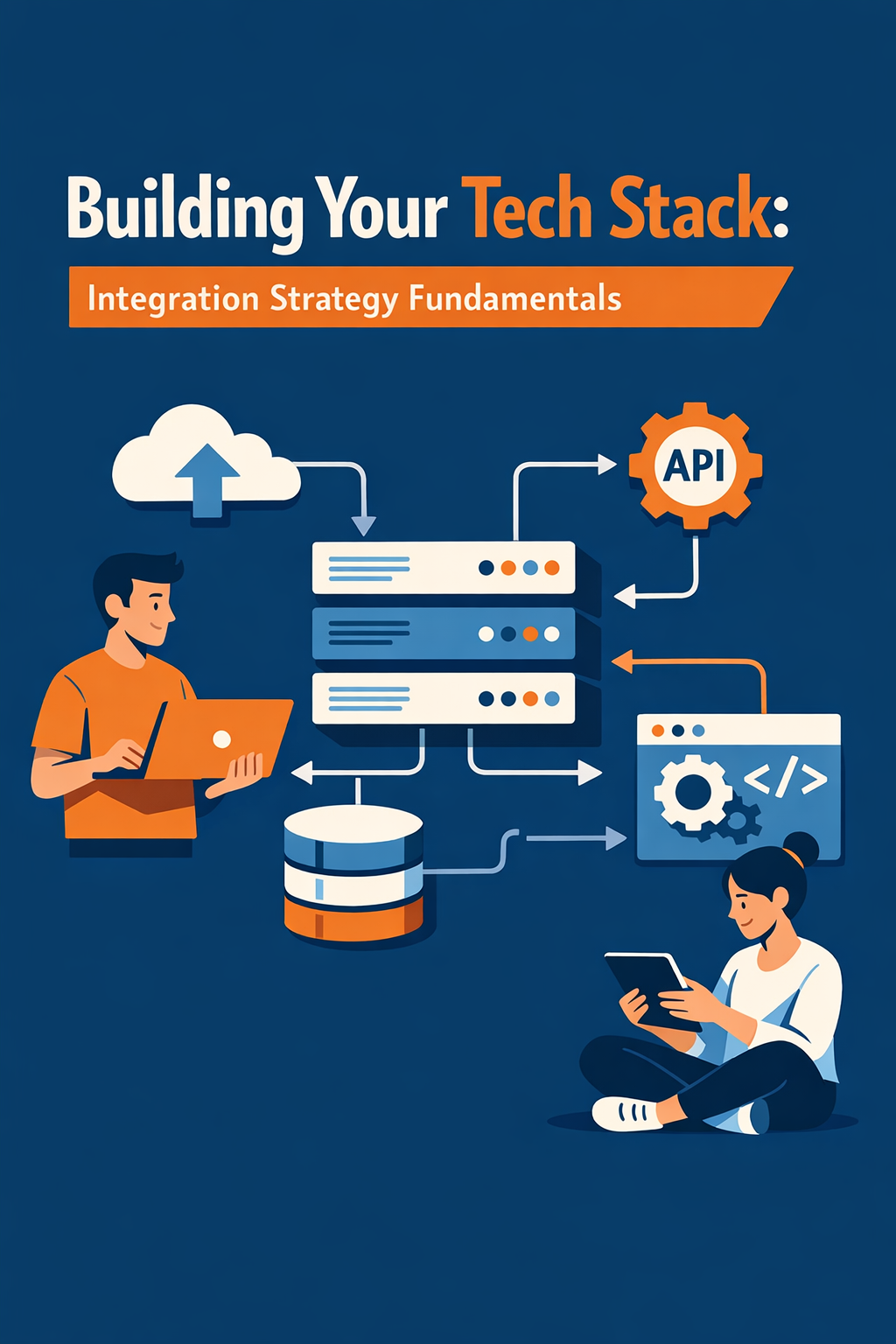
Integration strategy is the discipline of connecting your applications so data flows seamlessly, processes automate intelligently, and your team operates from a single source of truth. In 2026, with the iPaaS market projected to reach $13.9 billion and 65% of enterprises adopting integration platforms, this isn't optional anymore — it's foundational.
In this guide, you'll learn:
- Why integration strategy matters more than ever
- The three main integration patterns and when to use each
- API basics every business leader should understand
- How to evaluate integration vendors
- The build vs. buy decision framework
- Common pitfalls that derail integration projects
Whether you're a CEO evaluating your tech investments, a VP of Operations tired of manual workarounds, or a revenue leader who needs a 360° customer view, this guide gives you the strategic foundation to make smarter integration decisions.
Why Does Integration Strategy Matter for Your Business?
The Cost of Disconnected Systems
When your applications operate in isolation, the consequences compound quickly:
- Data silos — Customer information lives in five different systems, none of them complete
- Manual data entry — Teams spend hours copying data between tools instead of doing strategic work
- Inconsistent reporting — Finance sees different numbers than Sales because their data sources don't match
- Slow decision-making — Leaders wait days for reports that should be available in real time
- Poor customer experience — Support can't see what Sales promised; Marketing doesn't know what Service resolved
According to industry research, the average organization now uses dozens of SaaS applications, and that number continues to grow. Each new tool added without an integration plan creates exponential complexity.
The Integration Imperative in 2026
Several forces are making integration strategy non-negotiable:
- Cloud-first is the norm — 89% of enterprises have adopted multi-cloud environments, meaning data is more distributed than ever
- AI needs connected data — AI and automation tools are only as good as the data they can access. Gartner predicts 40% of enterprise applications will integrate AI agents by the end of 2026
- Customer expectations are rising — Buyers expect seamless, personalized experiences that require unified data across sales, marketing, and service
- Speed wins — Real-time data exchange is replacing batch processing. Event-driven architectures enable instant responses to customer actions
- Compliance demands it — Regulations like GDPR and CCPA require organizations to know where customer data lives and how it moves
What Are the Three Main Integration Patterns?
Not all integration approaches are created equal. Understanding the three primary patterns helps you choose the right architecture for your organization's needs and growth trajectory.
Pattern 1: Point-to-Point Integration
What it is: Direct, one-to-one connections between two applications. System A talks directly to System B through a custom-built connector.
When to use it:
- You have fewer than 5 applications to connect
- The integration is simple and unlikely to change
- You need a quick fix for a specific data flow
The problem: Point-to-point doesn't scale. With just 5 systems, you could need up to 10 individual connections. With 10 systems, that number jumps to 45. With 20 systems, you're looking at 190 potential connections — each requiring its own maintenance, error handling, and updates.
The math: The formula is n(n-1)/2, where n is the number of systems. This is why point-to-point is sometimes called "spaghetti integration."
Best for: Small teams with fewer than 5 applications and simple, stable integration needs.
Pattern 2: Middleware / ESB (Enterprise Service Bus)
What it is: A central hub that sits between all your applications, routing messages and transforming data. Think of it as a translator and traffic controller for your tech stack.
When to use it:
- You have on-premise legacy systems that need to connect with modern cloud apps
- You require complex data transformations and business logic
- Your organization has a dedicated IT team to manage infrastructure
Strengths:
- Handles complex routing and transformation
- Works well with legacy systems
- Provides centralized monitoring and logging
Limitations:
- Typically requires on-premise infrastructure
- Higher upfront costs and longer deployment timelines
- Requires specialized technical skills to maintain
- Can become a bottleneck if not properly architected
Best for: Hybrid environments with significant on-premise legacy systems and dedicated IT resources.
Pattern 3: iPaaS (Integration Platform as a Service)
What it is: A cloud-native platform that provides pre-built connectors, visual workflow builders, and managed infrastructure for connecting applications. Leading examples include MuleSoft, Workato, and other enterprise platforms.
When to use it:
- You have 5+ cloud applications that need to share data
- You want business users (not just developers) to build and manage integrations
- You need to scale integrations as your tech stack grows
- You want pre-built connectors to accelerate deployment
Why iPaaS is dominating:
- 65% of enterprises are expected to adopt iPaaS by 2026 (Gartner)
- Cloud-native architecture means no infrastructure to manage
- Low-code/no-code interfaces empower non-technical users — Gartner predicts 70% of new applications will use low-code/no-code technologies by 2026
- Pre-built connectors for popular platforms (Salesforce, HubSpot, ERP systems) reduce development time from months to days
- Built-in monitoring, error handling, and security
Best for: Organizations with 5+ cloud applications, growing tech stacks, and a desire to democratize integration capabilities.
Comparison at a Glance
| Factor | Point-to-Point | Middleware/ESB | iPaaS |
|---|---|---|---|
| Setup Cost | Low (per connection) | High | Medium (subscription) |
| Scalability | Poor | Moderate | Excellent |
| Maintenance | High at scale | Moderate | Low |
| Technical Skills | Moderate | High | Low to Moderate |
| Time to Deploy | Days | Weeks–Months | Hours–Days |
| Best For | <5 apps | Legacy/hybrid | Cloud-first orgs |
| Real-Time Capable | Limited | Yes | Yes |
What Are APIs and Why Should Business Leaders Care?
APIs Explained Simply
An API (Application Programming Interface) is a standardized way for two software systems to communicate. Think of it like a restaurant menu: you (the client application) make a request from a defined set of options, and the kitchen (the server application) delivers exactly what you ordered.
When your CRM needs to pull order data from your ERP, it sends an API request. The ERP responds with the data in a structured format. No human intervention needed. No copying and pasting spreadsheets.
The Three API Styles Business Leaders Should Know
| Style | What It Is | Best For | Think of It As... |
|---|---|---|---|
| REST | The web standard. Uses simple HTTP requests and JSON data format. | Most modern integrations — CRM, marketing, e-commerce | Ordering from a standard menu |
| SOAP | Older, XML-based protocol with strict rules and built-in security | Legacy enterprise systems, highly regulated environments | A formal contract with specific terms |
| GraphQL | A flexible query language that lets you request exactly the data you need | Data-heavy applications, analytics dashboards | A custom order — you specify every ingredient |
REST dominates modern integrations. If your team is evaluating platforms, REST API support should be table stakes. GraphQL is rising in popularity for scenarios where you need precise data queries without over-fetching.
Why API Strategy Is Becoming AI Strategy
In 2025, a survey of over 5,700 developers, architects, and executives found that 89% of developers now use generative AI in their daily work. APIs are the connective tissue that lets AI tools access your business data. Without well-designed APIs, your AI investments can't reach their potential.
This means your API strategy directly impacts:
- How effectively AI can automate workflows
- Whether AI agents can access real-time customer data
- How quickly you can deploy new AI-powered features
- Your ability to maintain governance and security as AI scales
How Do You Evaluate Integration Vendors?
Choosing the right integration platform is one of the most consequential technology decisions your organization will make. Here's a structured framework for evaluation.
The 8 Critical Vendor Selection Criteria
1. Connector Ecosystem
- How many pre-built connectors does the platform offer?
- Does it support your specific applications (CRM, ERP, marketing, support)?
- How quickly are new connectors added when vendors release updates?
2. Scalability and Performance
- Can the platform handle your current volume and 3–5x growth?
- What are the throughput limits for data processing?
- Does it support real-time, event-driven integrations — not just batch syncs?
3. Ease of Use
- Does it offer low-code/visual workflow builders for business users?
- How steep is the learning curve for your team?
- What training and documentation are available?
4. Security and Compliance
- Does it support OAuth 2.0, API keys, JWT authentication?
- Is data encrypted in transit (HTTPS/TLS) and at rest?
- Does it meet compliance requirements (SOC 2, GDPR, HIPAA)?
- Does it provide audit logs and access controls?
5. Monitoring and Observability
- Can you track integration health in real time?
- Does it provide error alerts, retry logic, and dead-letter queues?
- Are there dashboards for performance metrics and data flow visibility?
6. API Management Capabilities
- Does it include API gateway features (rate limiting, throttling, versioning)?
- Can it manage the full API lifecycle (design, deploy, monitor, retire)?
- Does it provide a developer portal for documentation?
7. Support and Community
- What are the SLA guarantees for uptime and response times?
- Is there an active community, marketplace, or partner ecosystem?
- What does the vendor's product roadmap look like?
8. Total Cost of Ownership (TCO)
- What are the licensing/subscription costs?
- Are there usage-based fees (per connection, per transaction, per user)?
- What are the hidden costs (training, customization, migration)?
- How does TCO compare over 3–5 years vs. alternatives?
Key Questions to Ask Every Integration Vendor
- "What happens when one of our connected systems has downtime? How does your platform handle failures and data recovery?"
- "Can you show us a reference customer with a similar tech stack and scale?"
- "How do you handle API versioning when our vendors release updates?"
- "What is your roadmap for AI-powered automation and agent-based integrations?"
- "How do you ensure data governance across multi-cloud environments?"
Should You Build or Buy Your Integration Solution?
This is one of the most debated questions in technology strategy. Here's a clear framework for making the decision.
When to Build (Custom Integration)
- You have a truly unique business process that no platform supports
- Your integration involves proprietary systems with no standard connectors
- You have a strong in-house development team with integration expertise
- The scope is narrow and stable — you're connecting 2–3 systems with well-defined requirements
When to Buy (Integration Platform)
- You need to connect 5+ applications that will change over time
- You want to accelerate time-to-market (days instead of months)
- You need non-technical team members to manage or modify integrations
- You want built-in monitoring, security, and error handling out of the box
- You're planning to scale your tech stack over the next 2–3 years
The Build vs. Buy Decision Matrix
| Factor | Build | Buy (iPaaS) |
|---|---|---|
| Upfront Cost | Higher (development time) | Lower (subscription model) |
| Ongoing Maintenance | Your responsibility | Vendor managed |
| Time to Deploy | Weeks–Months | Hours–Days |
| Flexibility | Unlimited (custom code) | Constrained to platform capabilities |
| Scalability | Depends on your architecture | Built-in |
| Risk | Higher (single points of failure) | Lower (SLA-backed, vendor-supported) |
| TCO Over 3 Years | Often 2–5x higher than expected | Predictable subscription costs |
The Hidden Costs of Building
Many organizations underestimate the true cost of custom integrations:
- Maintenance: APIs change, systems update, data formats evolve. Someone has to keep up.
- Documentation: Custom code is only as useful as its documentation. Teams change. Knowledge walks out the door.
- Error handling: Production-grade integration requires retry logic, dead-letter queues, alerting, and monitoring.
- Security: You're responsible for authentication, encryption, and compliance — not a vendor.
- Opportunity cost: Every hour your developers spend maintaining integrations is an hour they're not building your product.
The industry trend is clear: 54% of enterprises now prioritize buying integration platforms over building custom solutions, and that number is growing.
What Are the Most Common Integration Pitfalls?
Pitfall 1: Starting Without a Strategy
The mistake: Connecting systems reactively — one integration at a time — without a cohesive plan.
The consequence: You end up with a tangled web of point-to-point connections that no one fully understands, can't easily modify, and costs a fortune to maintain.
The fix: Start with an integration architecture that maps your current systems, identifies data flows, and establishes standards for how new integrations will be built.
Pitfall 2: Ignoring Data Governance
The mistake: Connecting systems without defining who owns the data, which system is the source of truth, and how conflicts are resolved.
The consequence: Duplicate records, conflicting data, and compliance violations.
The fix: Define a data governance framework before you start connecting systems. Designate systems of record for each data type. Establish conflict resolution rules.
Pitfall 3: Underestimating Change Management
The mistake: Treating integration as purely a technical project.
The consequence: The technology works, but teams don't adopt new workflows. Data quality degrades because people revert to old habits.
The fix: Include training, communication, and process redesign in your integration plan.
Pitfall 4: Over-Engineering the Solution
The mistake: Building a complex, enterprise-grade integration architecture when you only need to connect three systems.
The consequence: Wasted budget, delayed timelines, and a solution that's harder to maintain than the problem it solved.
The fix: Match complexity to need. Start simple, prove value, and scale incrementally.
Pitfall 5: Neglecting Security and Compliance
The mistake: Treating security as an afterthought. Sharing API keys in code repositories. Skipping encryption.
The consequence: Data breaches, compliance violations, and reputational damage.
The fix: Embed security from day one. Use OAuth 2.0. Encrypt data in transit and at rest. Implement rate limiting and monitoring.
Pitfall 6: Vendor Lock-In
The mistake: Building your entire integration strategy around a single vendor's proprietary tools and formats.
The consequence: When needs change or costs rise, migration becomes prohibitively expensive.
The fix: Prioritize platforms that use open standards (REST, OpenAPI, JSON). Ensure data portability. Negotiate exit terms upfront.
How Should You Plan Your Integration Roadmap?
Phase 1: Assess and Map (Weeks 1–3)
- Inventory all current applications and data flows
- Identify pain points — where are the silos, manual processes, and data inconsistencies?
- Prioritize integrations by business impact and complexity
- Define success metrics (time saved, data accuracy, user adoption)
Phase 2: Design and Architect (Weeks 3–6)
- Choose your integration pattern (point-to-point, middleware, or iPaaS)
- Select your integration platform based on the evaluation criteria above
- Design data models, transformation rules, and error handling
- Establish security standards and data governance policies
Phase 3: Implement and Test (Weeks 6–10)
- Build integrations starting with the highest-impact, lowest-complexity connections
- Test thoroughly — unit tests, integration tests, and end-to-end tests
- Validate data accuracy with business stakeholders
- Document everything — architecture, configurations, runbooks
Phase 4: Deploy and Optimize (Weeks 10–12+)
- Launch in phases — start with a pilot group before full rollout
- Monitor performance, error rates, and data quality
- Train teams on new workflows and processes
- Iterate based on feedback and changing business needs
Best Practices for Integration Success
- Start with business outcomes, not technology. Define what success looks like in business terms before evaluating any tool.
- Designate systems of record. For every data type (customer, order, product), there should be one authoritative source.
- Invest in monitoring from day one. You can't manage what you can't see. Real-time dashboards and alerting are non-negotiable.
- Plan for failure. Systems go down. APIs change. Build retry logic, error handling, and fallback processes into every integration.
- Document relentlessly. Integration knowledge shouldn't live in one person's head.
- Adopt API-first thinking. When evaluating new tools, prioritize those with well-documented, modern APIs.
- Bring in experts when needed. A specialized partner can accelerate delivery and avoid costly mistakes.
Frequently Asked Questions (FAQ)
What is an integration strategy?
An integration strategy is a structured plan for connecting your business applications so that data flows automatically between systems, processes are automated, and teams operate from a single source of truth. It defines which systems connect, how data moves, who owns the data, and how the architecture will scale.
How much does integration cost?
Integration costs vary widely based on complexity. Simple point-to-point connections may cost $5K–$25K. Mid-range iPaaS implementations typically run $50K–$150K including configuration and training. Enterprise-wide integration strategies with custom development can exceed $250K. Ongoing subscription costs for iPaaS platforms range from $1,000 to $10,000+ per month depending on usage.
What is iPaaS and why is it popular?
iPaaS (Integration Platform as a Service) is a cloud-based platform that provides pre-built connectors, visual workflow designers, and managed infrastructure for connecting applications. It's popular because it reduces the technical barrier to integration, scales automatically, and offers faster time-to-value than custom development. The iPaaS market is projected to reach $13.9 billion by 2026.
What is the difference between an API and an integration?
An API is a technical interface that allows two systems to communicate. An integration is the complete solution that uses APIs (along with data transformations, error handling, monitoring, and business logic) to create a working connection between systems. APIs are the building blocks; integrations are the finished product.
How long does it take to implement an integration strategy?
Initial integrations can be deployed in days to weeks using iPaaS platforms with pre-built connectors. A comprehensive enterprise integration strategy — including assessment, architecture design, implementation, and rollout — typically takes 3–6 months. Ongoing optimization is continuous.
Should we hire an integration developer or use a platform?
For most organizations, a platform (iPaaS) is the better choice. It's faster to deploy, easier to maintain, and more cost-effective over time. Many organizations find the optimal approach is a hybrid: use a platform for standard integrations and custom development for unique requirements.
How do we ensure our integrations are secure?
Implement these security fundamentals: use OAuth 2.0 or API key authentication, encrypt all data in transit with HTTPS/TLS, apply the principle of least privilege for access controls, monitor API usage for anomalies, conduct regular security audits, and maintain compliance documentation. Choose platforms that provide built-in security features and SOC 2 certification.
Conclusion: Your Integration Strategy Starts Now
The difference between organizations that thrive and those that struggle with technology isn't the tools they buy — it's how well those tools work together. A thoughtful integration strategy transforms a collection of disconnected applications into a unified, intelligent tech stack that drives efficiency, enables innovation, and delivers exceptional customer experiences.
The integration landscape in 2026 offers more powerful, accessible options than ever before. iPaaS platforms have made enterprise-grade integration available to organizations of all sizes. AI is accelerating what's possible. And the cost of inaction — data silos, manual processes, poor decisions — only grows over time.
Ready to build a connected tech stack? Vantage Point helps organizations design and implement integration strategies that connect CRM, ERP, marketing, and operational systems into a seamless whole. With deep expertise in Salesforce, HubSpot, MuleSoft, and Workato, we bring the technical skill and strategic insight to get your integration right — the first time.
About Vantage Point
Vantage Point is a technology consulting firm specializing in CRM implementation, integration strategy, and digital transformation. As certified partners of Salesforce, HubSpot, Anthropic, and Aircall, we help businesses connect their technology, automate their processes, and unlock the full value of their data. From MuleSoft and Workato integrations to AI-powered automation with Claude, we build the bridges between your systems so your teams can focus on what matters most.
Learn more at vantagepoint.io