Key Takeaways (TL;DR)
- What is it? A comprehensive look at every way to connect LinkedIn and Sales Navigator to HubSpot: from native integrations to third-party Chrome extensions
- Key Benefit: Eliminate manual data entry, sync LinkedIn conversations to your CRM, and give sales teams a 360° view of prospect engagement
- Cost: Free (basic Chrome extensions) to $1,800+/year (Sales Navigator Advanced Plus) plus HubSpot Sales Hub Pro/Enterprise for native integration
- Best For: B2B sales teams, financial advisors, consultants, and any organization using LinkedIn for prospecting alongside HubSpot CRM
- Bottom Line: The right integration approach depends on your HubSpot tier, Sales Navigator plan, and team size. Third-party tools like Hublead and Surfe unlock integration for teams that don’t have Advanced Plus
LinkedIn is the dominant platform for B2B prospecting, with over 1 billion members and unmatched targeting capabilities. HubSpot is one of the most popular CRMs for growing businesses. Yet connecting the two (getting your LinkedIn prospecting activity, lead data, and conversations flowing seamlessly into HubSpot) has historically been more complicated than it should be.
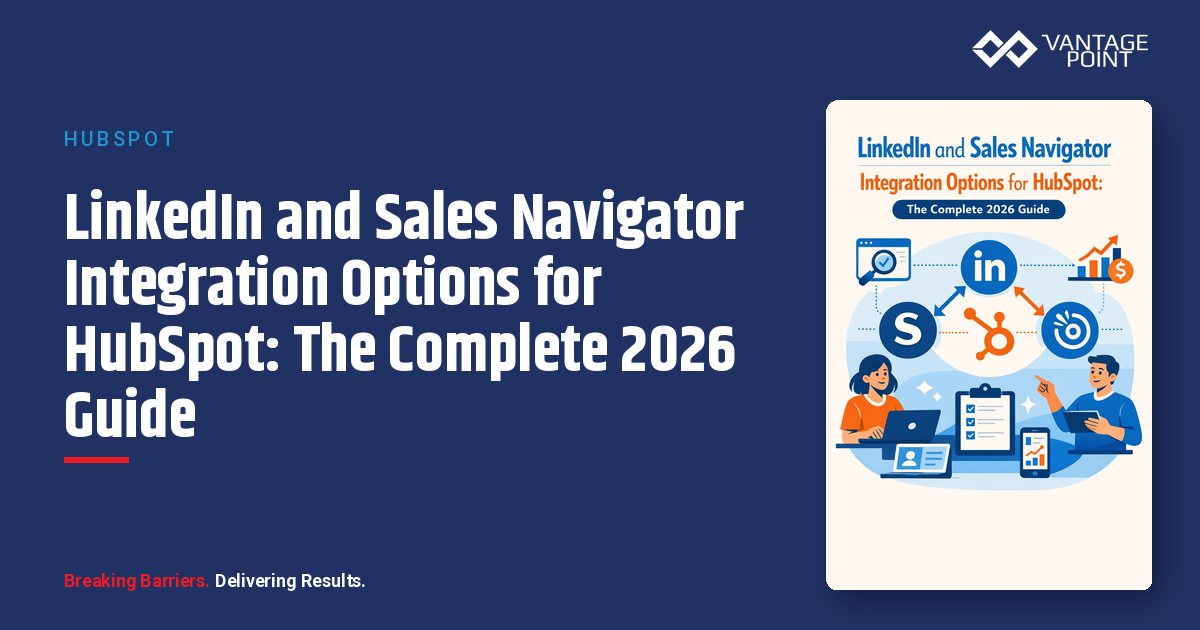
In this comprehensive guide, we break down every integration option available in 2026, from HubSpot’s native LinkedIn Sales Navigator integration and the newer CRM Sync feature to third-party tools like Hublead, Surfe, and LeadCRM. Whether you’re a solo financial advisor using Sales Navigator Core or leading a 50-person sales team on HubSpot Enterprise, you’ll find the right approach for your stack.
Why Integrate LinkedIn Sales Navigator with HubSpot?
What Problems Does This Integration Solve?
Without a LinkedIn-to-HubSpot integration, sales teams face a familiar set of challenges:
- Manual data entry: Reps copy-paste contact details, job titles, company information, and conversation notes from LinkedIn to HubSpot: wasting 5-10 hours per week.
- Incomplete CRM records: When updates happen on LinkedIn (job changes, promotions, company moves), your CRM goes stale.
- Lost conversations: LinkedIn DMs and InMails live in a silo, invisible to managers and disconnected from the deal timeline.
- No reporting on social selling: Without data flowing into HubSpot, you can’t track LinkedIn outreach activity alongside email, calls, and meetings.
How Does Integration Benefit Sales Teams?
A well-configured LinkedIn: HubSpot integration delivers:
- Unified prospect profiles: View LinkedIn insights (job title, mutual connections, recent activity) directly on HubSpot contact records.
- Automatic activity logging: InMails, connection requests, and DMs sync to the contact timeline.
- Better lead prioritization: Combine LinkedIn engagement signals with HubSpot lead scoring for smarter pipeline management.
- Time savings: Teams report saving 8-12 hours per week per rep when manual data entry is eliminated.
- Compliance-friendly outreach: Regulated industries benefit from centralized audit trails of all prospect communications.
What Are the Native LinkedIn Integration Options in HubSpot?
HubSpot offers two native integration paths. Both require specific subscription tiers on both platforms.
Option 1: LinkedIn Sales Navigator Integration (Embedded Cards)
This is the original and most widely used native integration. It embeds a LinkedIn Sales Navigator card directly into HubSpot contact and company records.
What it does:
- Displays LinkedIn profile data (job title, company, location, industry, time in role) on HubSpot contact records
- Shows company information (size, industry, headquarters) on company records
- Enables sending InMails directly from HubSpot
- Provides “Icebreakers”: shared connections, experiences, and interests
- Offers “Get Introduced”: request introductions through mutual connections
- Surfaces “Related Leads” at the same company
- For companies: shows Relationship Maps, news, and employee connections
Requirements:
| Component | Minimum Required Tier |
|---|---|
| HubSpot | Sales Hub Professional or Enterprise |
| Sales Navigator Advanced Plus | |
| Per-user setup | Each user must connect individually via HubSpot Marketplace |
Setup steps:
- In HubSpot, navigate to Marketplace > HubSpot Marketplace
- Search for “LinkedIn Sales Navigator”
- Click Install
- Each user logs in with their own LinkedIn credentials
- If installed after October 7, 2025, manually add the integration card to record views
Important limitation: This integration does NOT import or sync contacts between platforms. It’s view-only. You see LinkedIn data within HubSpot, but no records are created or updated automatically.
Option 2: LinkedIn CRM Sync (Bi-Directional Data Sync)
This is the newer, more powerful native integration that enables true bi-directional data synchronization between Sales Navigator and HubSpot.
What it does:
- Syncs contacts and leads between Sales Navigator and HubSpot
- Writes back CRM data to Sales Navigator for better prospecting context
- Logs LinkedIn activities (InMails, messages) to HubSpot contact timelines automatically
- Enables “Smart Links” tracking within Sales Navigator
- Supports automatic field mapping between platforms
Requirements:
| Component | Minimum Required Tier |
|---|---|
| HubSpot | Sales Hub Professional or Enterprise |
| Sales Navigator Advanced Plus (mandatory) | |
| Admin access | Required for initial setup on both platforms |
Key distinction: CRM Sync is only available on Sales Navigator Advanced Plus, which is LinkedIn’s enterprise-tier plan with custom pricing (typically $1,600: $1,800+/user/year). This is a significant investment that puts the native bi-directional sync out of reach for many small and mid-size teams.
What Are the Limitations of Native Integrations?
Both native integrations share notable limitations:
- High cost barrier: Sales Navigator Advanced Plus alone costs more than many teams’ entire CRM budget.
- No contact import: The embedded card integration doesn’t create HubSpot contacts: it only displays data.
- Per-user licensing: Every team member needs their own Sales Navigator Advanced Plus license.
- Limited activity logging: The embedded card integration doesn’t automatically log conversations to the timeline.
- LinkedIn controls the roadmap: Features and tier requirements can change (as they did in early 2025 when Advanced tier lost integration access).
What Third-Party Integration Tools Are Available?
For teams that don’t have (or don’t want to pay for) Sales Navigator Advanced Plus, third-party tools fill the gap, and often provide more functionality than the native integration.
Hublead
Overview: Hublead is a Chrome extension purpose-built for HubSpot-LinkedIn integration, used by over 8,000 HubSpot customers. It works with any HubSpot plan and any LinkedIn plan (including free LinkedIn and Sales Navigator Core).
Key features:
- 1-click contact import from LinkedIn profiles to HubSpot
- Automatic company record creation with matching
- LinkedIn message syncing to HubSpot contact timelines
- Duplicate detection and prevention
- Connection request and acceptance tracking
- Custom field mapping
- Team performance reporting and dashboards
- Works from LinkedIn, Sales Navigator, and Recruiter
Pricing: Free trial available; paid plans start at approximately $15-30/user/month.
Best for: Teams on HubSpot Starter or Professional who want full LinkedIn sync without Sales Navigator Advanced Plus.
Surfe (formerly Leadjet)
Overview: Surfe is a CRM-agnostic Chrome extension that works with HubSpot, Salesforce, Pipedrive, and Copper. It’s built for prospecting teams who need enrichment and outreach capabilities alongside CRM sync.
Key features:
- 1-click add contacts and companies to HubSpot from LinkedIn
- Message syncing to CRM
- Contact data enrichment (waterfall enrichment from multiple providers)
- Email finder and phone number discovery
- Message templates with reply-rate tracking
- Bulk export from Sales Navigator searches (Pro plan)
- Integration with Salesloft, Outreach, and Lemlist
Pricing:
| Plan | Monthly Price (Annual) | Email Credits/Year | Phone Credits/Year |
|---|---|---|---|
| Free | $0 | 240 | 60 |
| Essential | $39/user | 1,800 | 600 |
| Pro | $79/user | 12,000 | 1,200 |
Best for: Teams that need data enrichment (email/phone finding) alongside LinkedIn-to-CRM sync, especially if using multiple CRMs or outreach tools.
LeadCRM
Overview: LeadCRM is a newer entrant focused on AI-powered sales assistance alongside LinkedIn-CRM synchronization. It supports HubSpot, Salesforce, Zoho, Pipedrive, and Copper.
Key features:
- LinkedIn-to-CRM contact sync
- AI-powered message generation and reply assistance
- Bulk lead export from Sales Navigator
- Auto-enrichment of synced contacts
- Team collaboration and performance tracking
- Available in 9 languages
Pricing: Free tier available; paid plans scale with team size and feature needs.
Best for: International sales teams wanting AI-assisted outreach combined with CRM sync.
Other Notable Tools
| Tool | Focus | LinkedIn Plans Supported | HubSpot Plans |
|---|---|---|---|
| PhantomBuster | Automation and scraping | All | All (via API/Zapier) |
| LinkMatch | Sales Navigator data import | Sales Navigator | All |
| LinkedHub | Contact import | Free LinkedIn, no Sales Nav | All |
| LinkPort | Contact import | All | All |
| Zapier/Make | Custom workflow automation | Via webhooks | All |
How to Choose the Right Integration Approach
Decision Framework
Use this framework to find the best fit:
Are you on Sales Navigator Advanced Plus AND HubSpot Sales Hub Pro/Enterprise?
→ Start with the native CRM Sync integration. Add a third-party tool like Hublead if you need additional contact import or message sync capabilities.
Are you on Sales Navigator Core or Advanced (not Advanced Plus)?
→ The native integration won’t work for you. Choose Hublead (best HubSpot-specific experience) or Surfe (best if you also need enrichment and multi-CRM support).
Are you on free LinkedIn or LinkedIn Premium?
→ Hublead works with any LinkedIn tier. Surfe’s Chrome extension also works without Sales Navigator.
Do you need data enrichment (email/phone finding)?
→ Surfe’s waterfall enrichment is the strongest option. LeadCRM also offers auto-enrichment.
Is your team international or non-English-speaking?
→ LeadCRM supports 9 languages natively.
Do you need compliance and audit trail capabilities?
→ The native CRM Sync with Advanced Plus provides the most robust activity logging. For regulated industries, supplement with Hublead’s message sync for complete conversation capture.
Cost Comparison
| Approach | Annual Cost (Per User) | What You Get |
|---|---|---|
| Native CRM Sync | $1,600-1,800+ (Sales Nav Advanced Plus) + HubSpot Pro ($500+/mo for 5 users) | Full bi-directional sync, activity logging |
| Hublead + Sales Nav Core | ~$1,300 (Sales Nav Core ~$1,000 + Hublead ~$300) | Contact sync, message logging, enrichment |
| Surfe Essential + Sales Nav Core | ~$1,470 (Sales Nav ~$1,000 + Surfe ~$470) | Contact sync, enrichment, message templates |
| Hublead + Free LinkedIn | ~$300 (Hublead only) | Basic contact sync, message logging |
Best Practices for LinkedIn-HubSpot Integration
1. Define Your Data Model First
Before connecting any tool, decide:
- Which LinkedIn fields map to which HubSpot properties?
- How will you handle duplicates?
- What lifecycle stage should LinkedIn-sourced contacts enter?
- Which contact owner should be assigned?
2. Set Up Lifecycle Stage Automation
Create HubSpot workflows to automatically:
- Set the lead source to “LinkedIn” or “Sales Navigator” for imported contacts
- Assign contacts to the rep who imported them
- Trigger a follow-up task within 24 hours of import
- Enroll high-fit contacts in nurture sequences
3. Use LinkedIn Data for Lead Scoring
Enhance your HubSpot lead scoring model with LinkedIn signals:
- +10 points for accepting a connection request
- +15 points for engaging with your content on LinkedIn
- +20 points for replying to an InMail
- +5 points for being a 2nd-degree connection of an existing client
4. Build Reporting Dashboards
Track key social selling metrics in HubSpot:
- LinkedIn-sourced contacts per rep per week
- InMail response rates
- Connection-to-meeting conversion rate
- LinkedIn-originated pipeline value
- Time from LinkedIn connection to first meeting
5. Maintain Compliance and Data Privacy
For regulated industries especially:
- Document your data processing basis for storing LinkedIn profile data
- Respect LinkedIn’s terms of service (no scraping or automated bulk actions)
- Ensure InMail and message content stored in HubSpot meets your industry’s record-keeping requirements
- Use HubSpot’s GDPR tools to manage consent for LinkedIn-sourced contacts
- Train reps on compliant social selling practices
6. Keep Data Fresh
- Schedule quarterly audits of LinkedIn-sourced contacts for accuracy
- Use enrichment tools to detect job changes and company updates
- Archive contacts who are no longer active on LinkedIn
- Sync regularly rather than in bulk to avoid data quality issues
How Does Sales Navigator Help with Industry-Specific Prospecting?
Sales Navigator’s advanced filters are especially powerful for targeted industries:
For financial services: Filter by industry (banking, insurance, investment management), company size (AUM proxy), seniority level (C-suite, VP), and geography. Save searches for “CFOs at companies with 200-500 employees in the Northeast” and monitor for job changes.
For healthcare: Target hospital administrators, practice managers, and healthcare IT leaders. Use the “Posted on LinkedIn in Past 30 Days” filter to identify actively engaged prospects.
For professional services: Build lists of decision-makers at firms going through growth phases (new funding rounds, office expansions, leadership changes) using Sales Navigator’s Company Spotlight alerts.
For any regulated industry: The key advantage is combining multiple filters to create highly targeted prospect lists while keeping all outreach activity logged in your CRM for compliance purposes.
Frequently Asked Questions
Do I need Sales Navigator Advanced Plus to integrate LinkedIn with HubSpot?
No. While HubSpot’s native integration requires Sales Navigator Advanced Plus ($1,600+/user/year), third-party tools like Hublead and Surfe work with any Sales Navigator plan, including Core ($99/month), and even free LinkedIn accounts. These tools provide contact sync, message logging, and enrichment at a fraction of the cost.
Can I import contacts from LinkedIn into HubSpot automatically?
Not with HubSpot’s native integration: it only displays LinkedIn data on existing records. To automatically create HubSpot contacts from LinkedIn profiles, you need a third-party tool like Hublead (1-click import), Surfe (1-click + bulk export), or Zapier-based automation.
What’s the difference between the LinkedIn Sales Navigator integration and CRM Sync?
The original Sales Navigator integration embeds a read-only card in HubSpot showing LinkedIn profile data and enables InMail sending. CRM Sync is a newer, deeper integration that provides bi-directional data synchronization, contacts, activities, and updates flow both ways between Sales Navigator and HubSpot. Both require Advanced Plus.
Is LinkedIn message syncing GDPR-compliant?
Storing LinkedIn conversation data in your CRM raises GDPR considerations. You should ensure you have a legitimate interest basis for processing, include LinkedIn data in your privacy policy, and honor data subject access requests. HubSpot’s GDPR tools can help manage consent. Consult with your compliance team for industry-specific requirements.
How much time does a LinkedIn-HubSpot integration actually save?
Teams using integrated tools consistently report saving 8-12 hours per rep per week by eliminating manual data entry, copy-pasting conversations, and switching between tabs. For a 10-person sales team, that’s 80-120 hours per week redirected to actual selling.
Can I use HubSpot Sequences with LinkedIn integration?
Yes. HubSpot sequences support LinkedIn task steps, including reminders to send InMails and connection requests. When paired with the Sales Navigator integration, reps see these tasks in their sequence queue and can execute them directly from HubSpot.
What happens if LinkedIn changes its integration requirements again?
LinkedIn has a history of adjusting tier requirements (in 2025, the Advanced tier lost HubSpot integration access). Third-party tools like Hublead and Surfe are more resilient to these changes since they operate as browser extensions rather than depending on LinkedIn’s CRM partner API. This is a key consideration for long-term planning.
Conclusion
The LinkedIn-HubSpot integration landscape in 2026 offers more options than ever, but the “right” approach depends entirely on your team’s subscriptions, budget, and workflow needs.
For enterprise teams already invested in Sales Navigator Advanced Plus, the native CRM Sync delivers the deepest integration with minimal friction. For the majority of growing businesses, third-party tools like Hublead and Surfe provide equal or better functionality at a fraction of the cost, with the added flexibility of working across any LinkedIn and HubSpot tier.
The most important step isn’t choosing the perfect tool. It’s committing to a structured process for moving LinkedIn prospecting data into your CRM so your team stops losing leads to copy-paste fatigue.
Ready to optimize your LinkedIn-HubSpot integration? Vantage Point specializes in HubSpot CRM implementations for regulated industries. Whether you need help selecting the right integration approach, building custom workflows, or training your team on social selling best practices, our experts can design a solution that fits your compliance requirements and growth goals. Contact us today to schedule a consultation.
About Vantage Point
Vantage Point is a CRM and integration consultancy serving regulated industries including financial services, healthcare, insurance, and fintech. We specialize in HubSpot CRM, Salesforce Financial Services Cloud, MuleSoft integration, Data Cloud, and AI-powered personalization. Our team helps organizations streamline their technology stack, automate workflows, and build compliant, data-driven sales and marketing engines. Learn more at vantagepoint.io.