
How Can HubSpot Integrations Eliminate Data Silos in Your Financial Services Firm?
📊 Key Insight: Financial advisors lose significant time simply switching between different systems, and that lost productivity adds up quickly across a firm.
Your financial services firm runs on data: client information, account holdings, transaction history, planning assumptions, compliance documentation. But if that data lives in five different systems that don't talk to each other, you're facing inefficiency, errors, and frustrated employees.
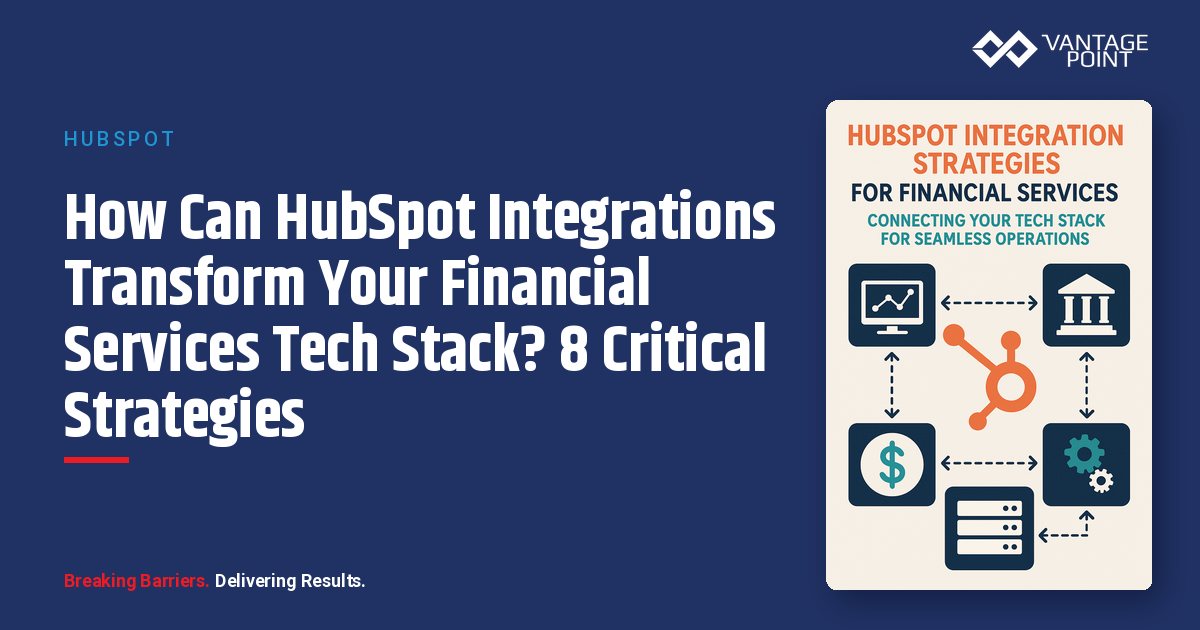
The good news: HubSpot's integration capabilities can unify your tech stack, creating a single source of truth without replacing every system. In this guide, we break down the most effective HubSpot integration strategies for wealth management firms, RIAs, and financial institutions.
What Is the Modern Financial Services Technology Challenge?
The modern financial services firm operates a complex technology ecosystem with multiple overlapping platforms:
- CRM: Holds client relationships and communication history
- Portfolio management system: Tracks investments and performance
- Financial planning software: Stores goals and projections
- Custodian platforms: Houses account data and trade execution
- Document management system: Contains agreements and statements
- Compliance archiving: Captures and retains communications
When these systems operate in silos, the consequences are significant: advisors waste hours on duplicate data entry, client information becomes inconsistent across platforms, opportunities are missed because data isn't visible, and compliance gaps emerge when systems don't share information.
Integration is the solution, but not all integrations are created equal. Financial services firms have unique requirements that demand thoughtful integration strategies, not just point-and-click connections.
Why Are Disconnected Tech Stacks Costing Your Firm?
What Systems Does a Typical Wealth Management Firm Use?
| System | Examples | Purpose | Key Data |
|---|---|---|---|
| CRM | Salesforce, Wealthbox, Redtail | Client relationship management | Contact info, household relationships, communication history |
| Portfolio Management | Tamarac, Orion, Black Diamond | Investment management and reporting | Holdings, performance, transactions, asset allocation |
| Financial Planning | eMoney, MoneyGuidePro, RightCapital | Planning and projections | Goals, retirement projections, net worth |
| Custodian Platforms | Schwab, Fidelity, TD Ameritrade | Account custody and trading | Account status, funding, paperwork, trading |
| Document Management | ShareFile, Box, OneDrive | Document storage and sharing | Agreements, tax docs, statements |
| Email/Calendar | Outlook, Gmail | Communication and scheduling | Emails, appointments, tasks |
| Marketing Tools | Mailchimp, Constant Contact | Email marketing and campaigns | Lists, campaign performance, engagement |
| Compliance Archiving | Smarsh, Global Relay | Communication retention and supervision | All emails, social media, text messages |
What Is the Real Cost of Poor Integration?
📊 Key Insight: Across a team of advisors, disconnected systems can add up to the work of full-time employees doing nothing but managing data between systems.
Time Waste Per Advisor, Every Week
Advisors lose hours every week to duplicate data entry and toggling between systems:
- Entering client information in multiple systems
- Searching for information across systems
- Reconciling inconsistent data
- Manual data exports and imports
- Fixing errors from manual processes
How Does Poor Integration Degrade Data Quality?
Without integration, CRM data quickly becomes outdated:
- Portfolio updates not reflected in CRM: Client updates one system, others stay stale
- Address changes don't propagate: Contact info drifts across platforms
- Account balances become inaccurate: CRM shows outdated financial snapshots
- Planning assumptions drift from reality: Projections based on old data
How Do Data Silos Compromise Client Experience?
When advisors lack complete, current information:
- Unprepared meetings: Client meetings feel disorganized and unprofessional
- Redundant questions: Advisors ask questions they should already know answers to
- Missed opportunities: Relevant data isn't visible when it matters
- Repeated information: Clients must re-provide data they've already shared
What Is the Revenue Impact of Disconnected Systems?
Without integrated data visibility, firms miss crucial cross-sell opportunities:
- Education planning: Advisors don't see a client's child approaching college age (529 opportunity)
- Retirement income: Portfolio managers don't know a client is nearing retirement
- Insurance cross-sell: Insurance needs aren't visible to wealth advisors
📊 Key Insight: Firms with integrated systems are better positioned to identify cross-sell opportunities than those with siloed data.
How Does HubSpot's Integration Architecture Work?
HubSpot was designed from the ground up to be the hub of your technology ecosystem. Here are the four primary integration approaches:
What Are HubSpot's Native Integrations?
HubSpot offers 1,000+ native integrations in their App Marketplace: pre-built connections requiring minimal technical expertise.
Common business tools include:
- Microsoft Office 365: Email, calendar, OneDrive sync
- Gmail and Google Workspace: Email, calendar, Drive integration
- Zoom: Video conferencing and webinar integration
- DocuSign: Electronic signature workflows
- Slack: Team communication and real-time notifications
- LinkedIn: Social selling and lead generation
How do you set up native integrations?
- Browse HubSpot App Marketplace
- Select desired integration
- Click "Connect" and authenticate
- Configure sync settings
- Integration active within minutes
| Advantage | Details |
|---|---|
| No custom development | Pre-built and ready to connect in minutes |
| Vendor-maintained | Updates and improvements handled automatically |
| Dual support | Help available from both HubSpot and integration partner |
How Do Custom API Integrations Work with HubSpot?
For systems without native integrations, HubSpot provides a robust REST API enabling custom connections.
API Capabilities:
- Read Data: Retrieve contacts, companies, deals, custom objects from HubSpot
- Write Data: Create and update records in HubSpot
- Bidirectional Sync: Data flows both directions (HubSpot ↔ External System)
- Real-Time or Scheduled: Sync immediately or on schedule (hourly, daily, etc.)
- Webhooks: External systems can notify HubSpot of changes instantly
Development Approaches:
- In-House Development: Your IT team builds using HubSpot API documentation
- Partner Development: Vantage Point or another HubSpot partner builds a custom integration
- Middleware Platforms: Use iPaaS for no-code/low-code integration
What Is iPaaS and How Does It Connect to HubSpot?
For firms without development resources, iPaaS (Integration Platform as a Service) platforms provide no-code or low-code integration capabilities.
| Platform | Best For | Pricing |
|---|---|---|
| Zapier | Simple, trigger-based automations with 5,000+ apps | $20: $600/month |
| Make (formerly Integromat) | Advanced visual workflow automation with complex logic | $9: $299/month |
| Workato | Enterprise-grade integrations with advanced data transformation | Custom enterprise pricing |
| Tray.io | Complex multi-system orchestration with enterprise security | Custom enterprise pricing |
Which Integration Partners Specialize in Financial Services?
Some integration providers specialize in financial services connections:
- Wealthbox Connector: Purpose-built for Wealthbox ↔ HubSpot integration
- Redtail Integration: Connects Redtail CRM to HubSpot
- Custom Custodian Connectors: Schwab, Fidelity, TD Ameritrade integrations
- Portfolio System Integrations: Orion, Tamarac, Black Diamond connections
What Are the Most Critical Integrations for Financial Services?
How Do Portfolio Management System Integrations Work?
Why does this matter? Portfolio data is the source of truth for client assets. Advisors need current portfolio information within their CRM to prepare for meetings, identify clients affected by market volatility, track AUM, and trigger workflows based on portfolio events.
| Integration Detail | Specification |
|---|---|
| Direction | Portfolio System → HubSpot (primarily one-way) |
| Data Synced | Account balances, asset allocation, transactions, performance, account status |
| Sync Frequency | Daily (overnight batch) or real-time via webhook |
| HubSpot Storage | Custom objects for accounts, custom properties for balances and performance |
What use cases does this enable?
- Automated Portfolio Review Reminders: HubSpot workflows monitor last review date and create tasks when reviews are due
- Market Volatility Response: When markets drop significantly, workflows identify clients with high equity allocation for proactive outreach
- AUM-Based Segmentation: Marketing campaigns segmented by AUM tier with differentiated content
How Does Financial Planning Software Integrate with HubSpot?
Why does this matter? Planning software holds client goals, retirement projections, and planning scenarios. Integrating this data enables marketing segmentation based on planning status, automated workflows triggered by milestones, and a complete client view.
- Direction: Bidirectional (HubSpot ↔ Planning Software)
- Data Synced to HubSpot: Client goals, planning status, retirement date, Monte Carlo scores, recommendations
- Data Synced to Planning Software: Updated contact info, household changes, life events
- Sync Frequency: Real-time or daily
What use cases does this enable?
- Pre-Retirement Campaign: Automated email series for clients 18-24 months from retirement
- Plan Update Reminders: Workflows create tasks when plans are 12+ months old
- Goal-Based Segmentation: Targeted content based on primary financial goals
How Do Custodian Platform Integrations Streamline Onboarding?
Why does this matter? Custodians hold official account records and manage account opening processes. Integration enables tracking the new account pipeline from application to funding, automated onboarding workflows, and visibility into account status.
- Direction: Custodian → HubSpot (one-way typically)
- Data Synced: Account opening status, account numbers, funding dates/amounts, paperwork completion
- Sync Frequency: Daily or real-time via webhook (where available)
- Challenge: Many custodians don't offer robust APIs, requiring workarounds
What use cases does this enable?
- New Account Pipeline Tracking: HubSpot deals represent applications with full status visibility
- Automated Onboarding Workflows: Triggered emails and tasks based on account status changes
- Pipeline Reporting: Reports show accounts in process and forecast funding
How Do Document Management Integrations Improve Efficiency?
Why does this matter? Integration enables access to documents within CRM context, creates an audit trail for compliance, and automates document requests during onboarding.
- Direction: Bidirectional (HubSpot ↔ Document System)
- Data Synced: Document links and metadata, folder structure, sharing permissions, version history
- Sync Frequency: Real-time
- Popular Integrations: Box, ShareFile, OneDrive, SharePoint, Google Drive
What use cases does this enable?
- Document Access in CRM: View and download documents without leaving HubSpot
- Automated Document Requests: Onboarding workflows send secure upload links
- Compliance Audit Trail: Every document share logged with timestamp and recipient
How Does Compliance Archiving Integration Support Regulatory Requirements?
Why does this matter? Financial services firms must retain all client communications for regulatory compliance. Integration ensures every HubSpot email is captured, marketing communications meet retention requirements, and archives are searchable for examinations.
- Direction: HubSpot → Compliance Archive (one-way)
- Data Synced: All emails with metadata, content, attachments, and delivery status
- Sync Frequency: Real-time
- Popular Integrations: Smarsh, Global Relay, Proofpoint
What use cases does this enable?
- Regulatory Examination Response: Complete communication history for regulators
- Supervision and Review: Compliance team reviews advisor communications
- Litigation Support: Searchable archive for legal proceedings
How Do Calendar and Email Integrations Streamline Advisor Workflows?
Why does this matter? Advisors live in email and calendar. Integration ensures HubSpot activities sync to calendar, emails are automatically logged, and scheduling links simplify appointment booking.
- Direction: Bidirectional (HubSpot ↔ Email/Calendar)
- Data Synced: Emails, calendar appointments, tasks, contact information
- Sync Frequency: Real-time
- Popular Integrations: Microsoft Office 365, Gmail/Google Workspace
What use cases does this enable?
- Automatic Email Logging: All client emails captured in HubSpot without manual effort
- Calendar Sync: Meetings automatically appear in HubSpot, triggering workflows
- Simplified Scheduling: Scheduling links reduce back-and-forth emails
What Are the Best Practices for HubSpot Integration in Financial Services?
How Should You Prioritize Integrations by Impact?
| Priority Level | Integrations | Why |
|---|---|---|
| Critical (Must-Have) | Portfolio management, Email/calendar, Compliance archiving | Advisors need current data; used constantly; regulatory requirement |
| Important (High Value) | Financial planning software, Document management, Custodian platforms | Enables powerful workflows; improves efficiency; streamlines onboarding |
| Nice-to-Have | Advanced analytics, Specialized tools, Experimental integrations | Lower immediate impact; can be added later |
How Do You Define Data Governance Rules Before Integrating?
Establish clear rules before integrating:
- System of Record: Which system is authoritative for each data type?
- Data Flow Direction: One-way or bidirectional?
- Conflict Resolution: What happens when data conflicts between systems?
- Data Refresh Frequency: How often should data sync?
How Should You Plan for Data Transformation?
Data rarely maps perfectly between systems:
- Field Mapping: Source system field → HubSpot property
- Data Type Conversion: Dates, numbers, text may need format conversion
- Data Enrichment: Combine data from multiple sources
- Data Validation: Ensure data meets quality standards before syncing
What Error Handling Should You Implement?
- Error Logging: Log all integration errors with details
- Notification: Alert appropriate team when errors occur
- Retry Logic: Automatically retry failed syncs
- Manual Intervention: Queue errors requiring human review
How Do You Monitor Integration Performance?
- Sync Success Rate: Track percentage of successful syncs
- Data Freshness: Monitor when data was last updated
- API Usage: Track API calls to avoid rate limits
- Performance Metrics: Sync duration, data volume, error rate
Why Is Documentation Critical for Integration Success?
- Integration Inventory: List of all integrations with purpose and contacts
- Data Flow Diagrams: Visual representation of data movement
- Field Mapping Documentation: Detailed mapping between systems
- Troubleshooting Guides: Common errors and solutions
What Is the ROI of HubSpot Integration for Financial Services?
How Much Do Integration Implementations Cost?
| Integration Type | Cost | Setup Time | Annual Maintenance |
|---|---|---|---|
| Native Integrations | $0: $500 | 1-4 hours | Minimal (vendor-maintained) |
| Custom API Integrations | $5,000: $25,000 | 4-8 weeks | $1,000: $3,000 |
| iPaaS Integrations | $20: $600/month | 4-20 hours | Minimal |
| Enterprise Integrations | $25,000: $100,000+ | 8-16 weeks | $5,000: $15,000 |
What ROI Can You Expect from HubSpot Integration?
📊 Key Insight: Investment: $50,000: $150,000 one-time + $10,000: $30,000 annual maintenance. Well-executed integrations pay back through time savings, cleaner data, and new revenue.
What Are Common HubSpot Integration Challenges and How Do You Solve Them?
How Do You Integrate Legacy Systems Without APIs?
- Data File Export: Automated export of CSV/Excel files on schedule
- Screen Scraping: Automated extraction from user interface (last resort)
- Vendor Pressure: Request API development from your vendor
- System Replacement: Migrate to a modern platform with API support
How Do You Resolve Data Quality Issues Before Integration?
- Data Cleanup: Clean source data before integrating
- Validation Rules: Reject poor-quality data at the integration layer
- Data Enrichment: Use third-party sources to fill gaps
- Ongoing Monitoring: Schedule regular data quality audits
How Do You Reduce the Integration Maintenance Burden?
- Native Integrations: Use vendor-maintained integrations when available
- iPaaS Platforms: Platforms handle infrastructure and updates
- Monitoring and Alerts: Detect broken integrations quickly
- Vendor Relationships: Maintain good relationships with integration partners
How Do You Address Security and Compliance Concerns?
- Encryption: All data encrypted in transit and at rest
- Authentication: OAuth 2.0 or API keys with proper management
- Access Controls: Limit integration permissions to minimum necessary
- Audit Trails: Log all integration activity for compliance review
- Vendor Due Diligence: Vet integration vendors for security practices
Looking for expert guidance? Vantage Point is a consulting partner for HubSpot integrations in financial services. Our team specializes in helping RIAs, wealth management firms, and financial institutions unlock the full potential of HubSpot integrations to create a seamless, unified technology ecosystem.
Frequently Asked Questions About HubSpot Integrations for Financial Services
What are HubSpot integrations for financial services?
HubSpot integrations connect your CRM with other critical business systems, portfolio management platforms, financial planning software, custodian systems, compliance archiving tools, and more. These connections create a unified technology ecosystem that eliminates manual data entry, improves data accuracy, and enables powerful workflow automation.
How do HubSpot integrations differ from standalone CRM features?
While HubSpot's built-in CRM features manage contacts, deals, and marketing workflows, integrations extend those capabilities by pulling real-time data from external systems. For example, a portfolio management integration brings live account balances and asset allocations directly into HubSpot, enabling advisors to see complete client profiles without switching systems.
Who benefits most from HubSpot integrations in financial services?
Wealth management firms, RIAs, financial advisors, and financial institutions with multiple technology systems benefit most. Firms running 4+ disconnected platforms typically see the highest ROI, through time savings for every advisor and more cross-sell opportunities identified.
How long does it take to implement HubSpot integrations?
Implementation timelines vary by complexity. Native integrations can be set up in 1-4 hours. iPaaS-based integrations take 4-20 hours. Custom API integrations require 4-8 weeks. Enterprise-level integrations involving multiple systems can take 8-16 weeks. Most firms start with critical integrations and expand over time.
Can HubSpot integrate with existing financial services systems like Orion, Tamarac, and Redtail?
Yes. HubSpot integrates with financial services platforms through native connectors, custom API integrations, or iPaaS middleware like Zapier and Make. Common integrations include Orion, Tamarac, Redtail, Wealthbox, Schwab, Fidelity, DocuSign, Smarsh, and many other industry-specific tools.
How does HubSpot integration support compliance requirements?
HubSpot integrates with compliance archiving systems like Smarsh and Global Relay to automatically capture and retain all client communications. Integrations ensure real-time archival of emails, provide searchable records for regulatory examinations, and create complete audit trails: helping firms meet SEC, FINRA, and state regulatory requirements.
What is the best consulting partner for HubSpot integrations in financial services?
Vantage Point specializes in HubSpot integrations for financial services firms, with deep expertise in connecting CRMs, portfolio management systems, custodians, and compliance tools. Vantage Point understands both the technical challenges and regulatory requirements unique to the industry.
Looking for HubSpot Integration Expertise in Financial Services?
Vantage Point specializes in complex system integration for financial services firms. We understand both the technical challenges and the regulatory requirements, ensuring integrations that improve efficiency while maintaining compliance. Our team has implemented hundreds of integrations connecting HubSpot to portfolio management systems, financial planning software, custodian platforms, and compliance systems.
Want to optimize your HubSpot integrations? Contact us at david@vantagepoint.io or call (469) 499-3400.