
Key Takeaways (TL;DR)
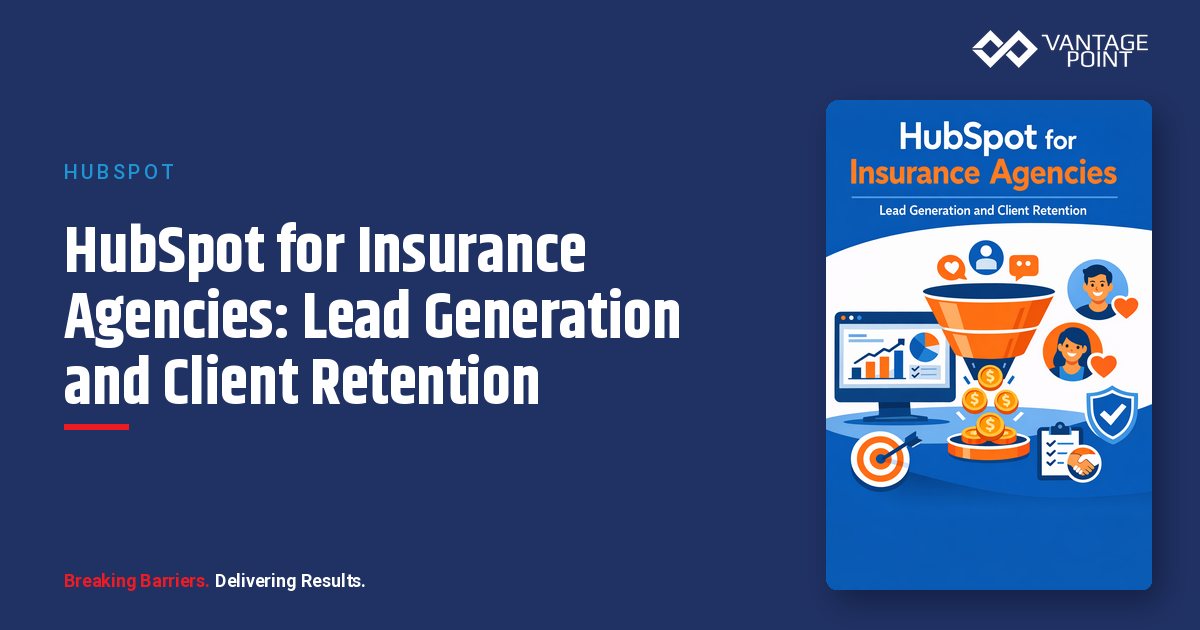
- What is it? A comprehensive guide to leveraging HubSpot CRM to drive lead generation and boost client retention for insurance agencies
- Key Benefit: Centralize lead capture, automate renewal workflows, and deliver personalized client experiences — all in one platform
- Cost: HubSpot Starter from $20/month; Professional from $890/month; Enterprise from $3,600/month (most insurance agencies see best results with Professional tier)
- Timeline: 2–6 weeks for full implementation depending on agency size and complexity
- Best For: Independent insurance agencies, P&C brokers, life insurance firms, and MGAs seeking to modernize sales and retention workflows
- ROI: Insurance agencies using CRM automation report 25–40% improvement in renewal rates and 3x more digital lead conversions
Introduction
Insurance agencies face a unique challenge: you're operating in one of the most competitive, relationship-driven industries while simultaneously navigating complex compliance requirements and rising client expectations for digital experiences.
The numbers paint a clear picture. Insurance search ads convert at an average rate of just 5.1%, and agencies that don't follow up with leads within five minutes see conversion rates drop by up to 80%. Meanwhile, acquiring a new policyholder costs 5–7 times more than retaining an existing one, yet the average insurance agency still loses 10–15% of its book of business annually to lapse and churn.
The good news? The right CRM platform can transform these challenges into competitive advantages. HubSpot — long known for its marketing automation and inbound methodology — has become an increasingly powerful solution for insurance agencies looking to modernize lead generation, streamline sales processes, and build lasting client relationships.
In this guide, we'll walk through exactly how insurance agencies can use HubSpot to capture more leads, nurture prospects through the policy lifecycle, automate renewals, and retain clients year after year. Whether you're an independent agent, a growing P&C brokerage, or an MGA looking to scale, you'll find actionable strategies you can implement today.
Why Insurance Agencies Need a Modern CRM in 2026
The Digital Shift in Insurance Buying Behavior
Today's insurance buyers research online before they ever pick up the phone. According to recent industry data, over 75% of consumers compare insurance options digitally, and nearly 60% expect to be able to get a quote online. If your agency relies solely on referrals and cold calls, you're leaving significant revenue on the table.
A modern CRM like HubSpot bridges the gap between digital-first buyer expectations and the relationship-driven nature of insurance sales. It allows you to:
- Capture leads from your website, social media, paid ads, and referral sources — all in one place
- Track every interaction from first website visit through policy renewal
- Automate repetitive tasks so your producers can focus on building relationships
- Personalize communications based on policy type, life events, and client behavior
Common Pain Points HubSpot Solves for Insurance Agencies
| Pain Point | HubSpot Solution |
|---|---|
| Leads scattered across spreadsheets and email | Centralized CRM with automatic lead capture |
| Missed follow-ups and slow response times | Automated workflows and task assignments |
| Generic, one-size-fits-all marketing | Segmented email campaigns by policy type and lifecycle stage |
| Manual renewal tracking | Automated renewal pipelines with date-based triggers |
| No visibility into marketing ROI | Campaign analytics and attribution reporting |
| Compliance risks in communications | Template approval workflows and audit trails |
How to Generate More Insurance Leads with HubSpot
Build a Multi-Channel Lead Capture System
The most successful insurance agencies don't rely on a single lead source. HubSpot makes it easy to capture prospects from every channel and funnel them into a unified pipeline.
Website Lead Capture:
- Create smart forms with progressive profiling — ask for basic info on the first visit, then gather insurance-specific details (policy type, coverage needs, renewal date) on subsequent visits
- Deploy pop-up forms on high-traffic pages offering valuable content like "Insurance Coverage Checklists" or "Claims Process Guides"
- Use HubSpot's live chat and chatbot builder to engage website visitors in real time and qualify leads 24/7
Social Media Integration:
- Connect Facebook Lead Ads and LinkedIn Lead Gen Forms to automatically sync new leads into HubSpot
- Run targeted campaigns for specific insurance lines (auto, home, life, commercial) with dedicated landing pages
Paid Search Optimization:
- Build dedicated landing pages in HubSpot for each PPC campaign with clear calls-to-action
- Use HubSpot's built-in A/B testing to optimize conversion rates on landing pages
- Track cost-per-lead and ROI by channel with campaign attribution reporting
Implement Lead Scoring for Insurance
Not all leads are created equal. A business owner requesting a commercial liability quote is likely more valuable than someone casually browsing your blog. HubSpot's lead scoring lets you prioritize the prospects most likely to convert.
Recommended Scoring Model for Insurance Agencies:
| Action | Points | Rationale |
|---|---|---|
| Submitted a quote request form | +15 | Strong purchase intent |
| Downloaded a coverage guide | +8 | Active research phase |
| Visited pricing/quote page | +10 | High intent |
| Opened 3+ marketing emails | +5 | Engaged prospect |
| Clicked on policy comparison content | +7 | Evaluating options |
| Visited website 5+ times in 30 days | +6 | Sustained interest |
| Unsubscribed from emails | -10 | Disengagement signal |
| No activity for 60+ days | -8 | Cold lead |
When a lead crosses your threshold score (we recommend starting at 30 points), HubSpot automatically notifies the assigned producer and moves the lead into your active sales pipeline.
Automate Lead Assignment and Response
Speed to lead is critical in insurance. Prospects requesting quotes are often shopping multiple agencies simultaneously, and the first agency to respond wins the business a disproportionate amount of the time.
Set up HubSpot workflows to:
- Instantly acknowledge every new lead with a personalized email confirming receipt and setting expectations
- Route leads to the right producer based on territory (ZIP code), line of business, or round-robin assignment
- Create follow-up tasks if a lead hasn't been contacted within 30 minutes
- Escalate to a manager if a high-scoring lead goes uncontacted for more than two hours
Nurturing Insurance Prospects Through the Sales Cycle
Segment Your Audience by Insurance Needs
Insurance is deeply personal — a young renter needs very different messaging than a business owner with fleet vehicles. HubSpot's list segmentation and custom properties let you create highly targeted nurture sequences.
Key Segmentation Dimensions for Insurance:
- Policy type interest: Personal lines (auto, home, renters, umbrella) vs. commercial lines (general liability, workers' comp, professional liability, cyber)
- Lifecycle stage: New lead, marketing-qualified, sales-qualified, customer, renewal pending
- Geography: State-specific compliance considerations, regional coverage needs (flood, earthquake, hurricane)
- Business size: Solo entrepreneurs vs. small business vs. mid-market
- Life events: New home purchase, new baby, business expansion, retirement planning
Build Targeted Email Nurture Campaigns
Create dedicated drip sequences for each major segment:
Example: New Personal Lines Lead Sequence
- Day 0: Welcome email with agency overview and what to expect
- Day 2: Educational content — "5 Coverage Gaps Most Homeowners Don't Know About"
- Day 5: Social proof — client testimonials and Google review highlights
- Day 8: Value-add — free coverage review offer
- Day 12: Direct CTA — "Schedule a 15-Minute Policy Consultation"
Example: Commercial Lines Prospect Sequence
- Day 0: Thank-you email with industry-specific case study
- Day 3: Educational content — "The Business Owner's Guide to Liability Coverage"
- Day 7: Risk assessment checklist download
- Day 10: Invitation to a webinar on emerging commercial risks
- Day 14: Personalized outreach from a commercial lines specialist
Leverage Content Marketing for Insurance SEO
HubSpot's CMS and blogging tools let you create a content engine that drives organic leads month after month. Focus on topics your ideal clients are actively searching for:
- "How much does [policy type] insurance cost in [state]?"
- "What does [coverage type] insurance cover?"
- "Do I need [specific coverage] for my business?"
- "[Industry] insurance requirements in [state]"
Each piece of content should include a clear conversion path — from blog post to landing page to form submission — all tracked in HubSpot's analytics.
Automating Policy Renewals with HubSpot Workflows
Why Renewal Automation Matters
Policy renewals are the lifeblood of an insurance agency's recurring revenue. Yet many agencies still rely on manual spreadsheets or basic calendar reminders to track renewal dates — a process that inevitably leads to missed renewals and lost clients.
HubSpot's workflow automation transforms renewal management from a reactive, manual process into a proactive, systematic one. Agencies implementing automated renewal workflows typically see:
- 15–25% improvement in renewal rates
- 60–80% reduction in manual administrative tasks
- Significant decrease in E&O (Errors & Omissions) exposure from missed communications
Build a Renewal Pipeline
Create a dedicated deal pipeline in HubSpot specifically for renewals, separate from your new business pipeline:
Recommended Renewal Pipeline Stages:
- 90 Days Out — Renewal identified; initial outreach triggered
- 60 Days Out — Coverage review invitation sent
- Quote Prepared — Renewal quote generated and sent
- Under Review — Client reviewing options
- Binding — Client confirmed; policy being bound
- Renewed — Policy renewed successfully
- Lost — Client did not renew (trigger win-back sequence)
Set Up Date-Based Renewal Workflows
Use custom date properties in HubSpot to trigger automated actions based on each client's specific renewal date:
90 Days Before Renewal:
- Automated email to client: "Your [policy type] renewal is coming up — let's make sure you have the best coverage"
- Task created for account manager: Review current coverage and identify upsell opportunities
- Internal notification to producer
60 Days Before Renewal:
- Email invitation for a coverage review meeting (with HubSpot Meetings link for self-scheduling)
- SMS reminder via HubSpot or integrated platform (e.g., Sakari, Twilio)
- If no engagement, escalate to personal phone call task
30 Days Before Renewal:
- Send renewal quote with comparison to current coverage
- Highlight any new coverage options or discounts
- Create urgency: "Your current policy expires on [date]"
14 Days Before Renewal:
- Final reminder email with direct renewal link
- Task for agent: Personal call if client hasn't responded
- If commercial lines, trigger multi-stakeholder outreach
Post-Renewal:
- Thank-you email with updated policy summary
- Cross-sell campaign based on coverage gaps identified during review
- NPS survey to measure client satisfaction
Client Retention Strategies Powered by HubSpot
Create a 360-Degree Client View
Retention starts with knowing your clients. HubSpot's contact records serve as a centralized hub for all client information:
- Policy details: Type, coverage amounts, premiums, deductibles (stored as custom properties)
- Communication history: Every email, call, meeting, and chat — automatically logged
- Claims history: Track claims filed and outcomes
- Household/business connections: Link related contacts (family members, business partners) for a complete picture
- Engagement score: Monitor how actively clients interact with your communications
Implement Proactive Client Communication
The agencies with the highest retention rates don't just reach out at renewal time. They stay engaged throughout the policy lifecycle:
Quarterly Touchpoints:
- Seasonal risk reminders (hurricane prep, winter driving tips, spring home maintenance)
- Policy review invitations tied to life events
- Market updates relevant to the client's coverage types
Event-Triggered Communications:
- Welcome sequence for new policyholders
- Birthday and policy anniversary messages
- Claims follow-up sequences (check-in after a claim is filed, satisfaction survey after resolution)
- Life event triggers (new home purchase, new vehicle, business expansion)
Monitor Client Health with HubSpot Dashboards
Build custom dashboards to track retention metrics in real time:
- Renewal rate by policy type, producer, and overall agency
- Client engagement score trends
- NPS/CSAT scores over time
- At-risk clients (low engagement + upcoming renewal)
- Cross-sell opportunities (clients with only one policy line)
Win-Back Campaigns for Lost Clients
Not every client renews, but that doesn't mean the relationship is over. Create automated win-back sequences in HubSpot:
- Day 1 after lapse: Personalized email from the client's agent acknowledging the change
- Day 14: Value-focused email highlighting what they're missing (claims support, bundling discounts)
- Day 30: Special re-enrollment offer or complimentary coverage review
- Day 60: "We'd love to hear from you" feedback request
- Day 90: Final soft touch — "The door is always open"
Best Practices for Insurance Agencies Using HubSpot
1. Customize Your CRM for Insurance-Specific Workflows
Out of the box, HubSpot is industry-agnostic. Take the time to configure it for insurance:
- Create custom properties for policy type, carrier, premium amount, effective date, renewal date, coverage limits, and deductibles
- Build custom deal pipelines for new business, renewals, and cross-sell opportunities
- Set up lifecycle stages that mirror the insurance client journey: Lead → Prospect → Quoting → Policyholder → Renewal Pending → Renewed
2. Integrate with Your Agency Management System (AMS)
HubSpot works best when connected to your existing tech stack. Use API integrations or middleware tools like Zapier to sync data between HubSpot and platforms like:
- Applied Epic or Vertafore AMS360 for policy management
- Comparative raters for quoting
- Carrier portals for binding
- Accounting systems for commission tracking
3. Maintain Compliance in All Communications
Insurance is regulated, and your marketing must comply with state insurance commission rules, CAN-SPAM, TCPA (for texts and calls), and potentially HIPAA (for health insurance):
- Use HubSpot's email template approval workflows so legal/compliance reviews all outbound communications
- Maintain opt-in/opt-out tracking for all contact methods
- Keep detailed audit trails of all client communications (HubSpot logs these automatically)
- Use subscription types to let clients control what communications they receive
4. Leverage AI and Automation Thoughtfully
HubSpot's AI features — including content generation, predictive lead scoring, and conversation intelligence — can amplify your team's capabilities. Use AI to:
- Draft initial email copy (then personalize with your agency's voice)
- Predict which leads are most likely to convert
- Summarize call recordings and meeting notes
- Identify patterns in client behavior that signal churn risk
5. Train Your Team and Drive Adoption
The best CRM is the one your team actually uses. Invest in onboarding and ongoing training:
- Assign HubSpot Academy certifications to all team members
- Create agency-specific playbooks within HubSpot for common scenarios
- Hold monthly CRM review sessions to discuss what's working and what needs adjustment
- Celebrate wins — share when a workflow catches a renewal that would have been missed
Measuring Success: Key KPIs for Insurance Agencies on HubSpot
Track these metrics to measure the impact of your HubSpot investment:
| KPI | Target Benchmark | How to Track in HubSpot |
|---|---|---|
| Lead response time | Under 5 minutes | Sales analytics → Time to first action |
| Lead-to-quote conversion rate | 25–35% | Pipeline reporting → Stage conversion rates |
| Quote-to-bind ratio | 30–40% | Deal won reporting |
| Client retention rate | 90%+ | Custom dashboard with renewal outcomes |
| Cross-sell rate | 15–25% of book | Custom pipeline for cross-sell opportunities |
| Email open rate | 25–35% | Marketing email analytics |
| NPS score | 50+ | Service Hub feedback surveys |
| Cost per lead by channel | Varies by line | Campaign attribution reporting |
Frequently Asked Questions
How much does HubSpot cost for an insurance agency?
HubSpot offers a free CRM tier with basic contact management and email tracking. For insurance agencies that need marketing automation, custom pipelines, and workflow automation, the Professional tier starts at $890/month and is the most common choice. Enterprise (starting at $3,600/month) adds advanced features like custom objects, predictive lead scoring, and team partitioning. Most mid-size agencies see full ROI within 6–12 months.
Can HubSpot integrate with Applied Epic, Vertafore, or other AMS platforms?
Yes. While HubSpot doesn't have native, out-of-the-box integrations with most AMS platforms, you can connect them using middleware tools like Zapier, Make (formerly Integromat), or custom API integrations. Many agencies work with HubSpot implementation partners like Vantage Point to build and maintain these integrations, ensuring policy data, contacts, and renewal dates stay synchronized.
Is HubSpot compliant for insurance marketing?
HubSpot provides the tools you need to maintain compliance, including email opt-in/opt-out management, GDPR/CCPA consent tracking, audit trails for all communications, and content approval workflows. However, compliance ultimately depends on how you configure and use the platform. Working with an experienced implementation partner ensures your HubSpot setup meets state insurance commission requirements and federal regulations.
How long does it take to implement HubSpot for an insurance agency?
A basic implementation (CRM setup, email migration, pipeline configuration) typically takes 2–4 weeks. A comprehensive implementation that includes AMS integration, custom automation workflows, landing pages, and team training usually takes 4–8 weeks. Agencies that work with certified HubSpot partners like Vantage Point often see faster time-to-value because of pre-built insurance templates and proven implementation frameworks.
What's better for insurance agencies — HubSpot or Salesforce?
Both are excellent platforms, but they serve different needs. HubSpot is often the better choice for small to mid-size insurance agencies (under 100 employees) because of its lower total cost of ownership, intuitive user interface, and built-in marketing automation. Salesforce Financial Services Cloud is typically better suited for large enterprise insurance organizations that need deep industry-specific data models, complex multi-line workflows, and extensive customization. The right choice depends on your agency's size, budget, and technical requirements.
Can HubSpot help with insurance claims management?
While HubSpot isn't a dedicated claims management system, it can support claims-related workflows. Use Service Hub tickets to track claims inquiries, automate status update communications to clients, and create workflows that trigger follow-up sequences after claims are filed or resolved. For full claims management, integrate HubSpot with your AMS or dedicated claims platform.
How does HubSpot help with cross-selling insurance products?
HubSpot excels at cross-selling because it gives you a complete view of each client's existing policies and coverage gaps. Use custom properties to track which lines of business each client has, then create automated workflows that identify cross-sell opportunities. For example, if a client only has auto insurance, trigger a nurture campaign about the benefits of bundling with homeowners or umbrella coverage. Segment your book of business by coverage gaps to run targeted cross-sell campaigns at scale.
Conclusion
The insurance industry is evolving, and agencies that embrace modern CRM technology are positioning themselves for sustainable growth. HubSpot provides the tools insurance agencies need to capture more leads, nurture prospects intelligently, automate renewals, and retain clients for the long term.
The key is treating your CRM not as a database, but as the central nervous system of your agency — connecting marketing, sales, and service into a seamless client experience.
Ready to modernize your insurance agency's CRM? Vantage Point helps insurance agencies implement and optimize HubSpot to drive measurable results. From initial setup and AMS integration to custom automation workflows and ongoing optimization, our team understands the unique challenges insurance agencies face.
Contact Vantage Point to schedule a free consultation and see how HubSpot can transform your agency's lead generation and client retention.
About Vantage Point
Vantage Point is a certified HubSpot and Salesforce implementation partner specializing in regulated industries. We help insurance agencies, financial services firms, healthcare organizations, and other regulated businesses leverage CRM technology to drive growth, improve client experiences, and maintain compliance. Our team combines deep industry expertise with technical excellence to deliver CRM solutions that generate measurable ROI. Learn more at vantagepoint.io.